A parametric, feature-based CAD app in Rust, with a Bevy UI and an OpenCASCADE kernel
Rust
81
292 commits
updated Oct 20, 2026




A parametric, feature-based CAD app written in Rust, with a Bevy UI and an OpenCASCADE modeling kernel. Its workflow follows Onshape's: sketch on a plane, constrain and dimension, build parts from features, put them together in assemblies, and make drawings from them.
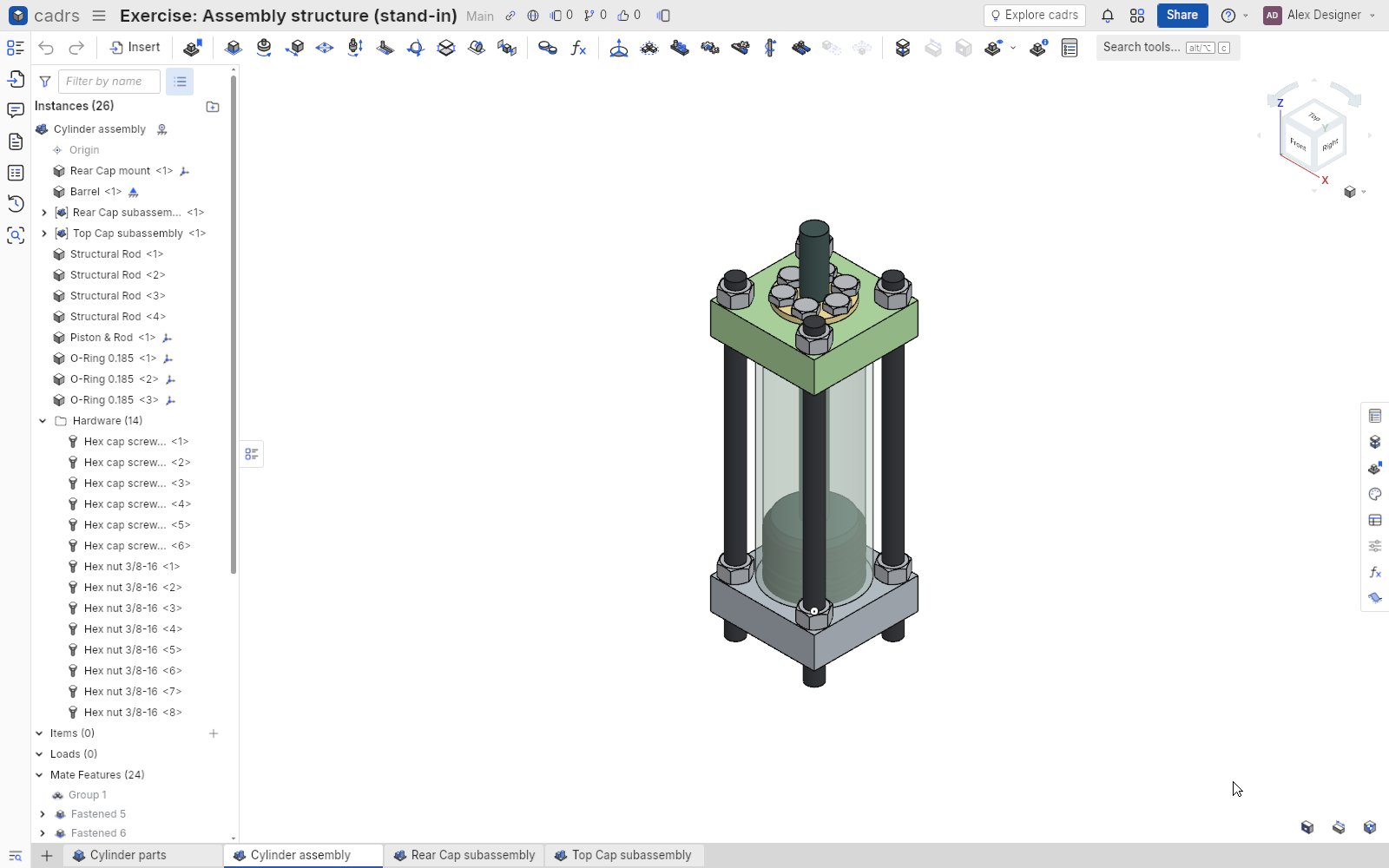
Status: early and moving fast. cadrs works through the Onshape Learning Center's CAD Basics courses exercise by exercise, but it is not yet a finished tool. Expect rough edges, and file formats that may still change.
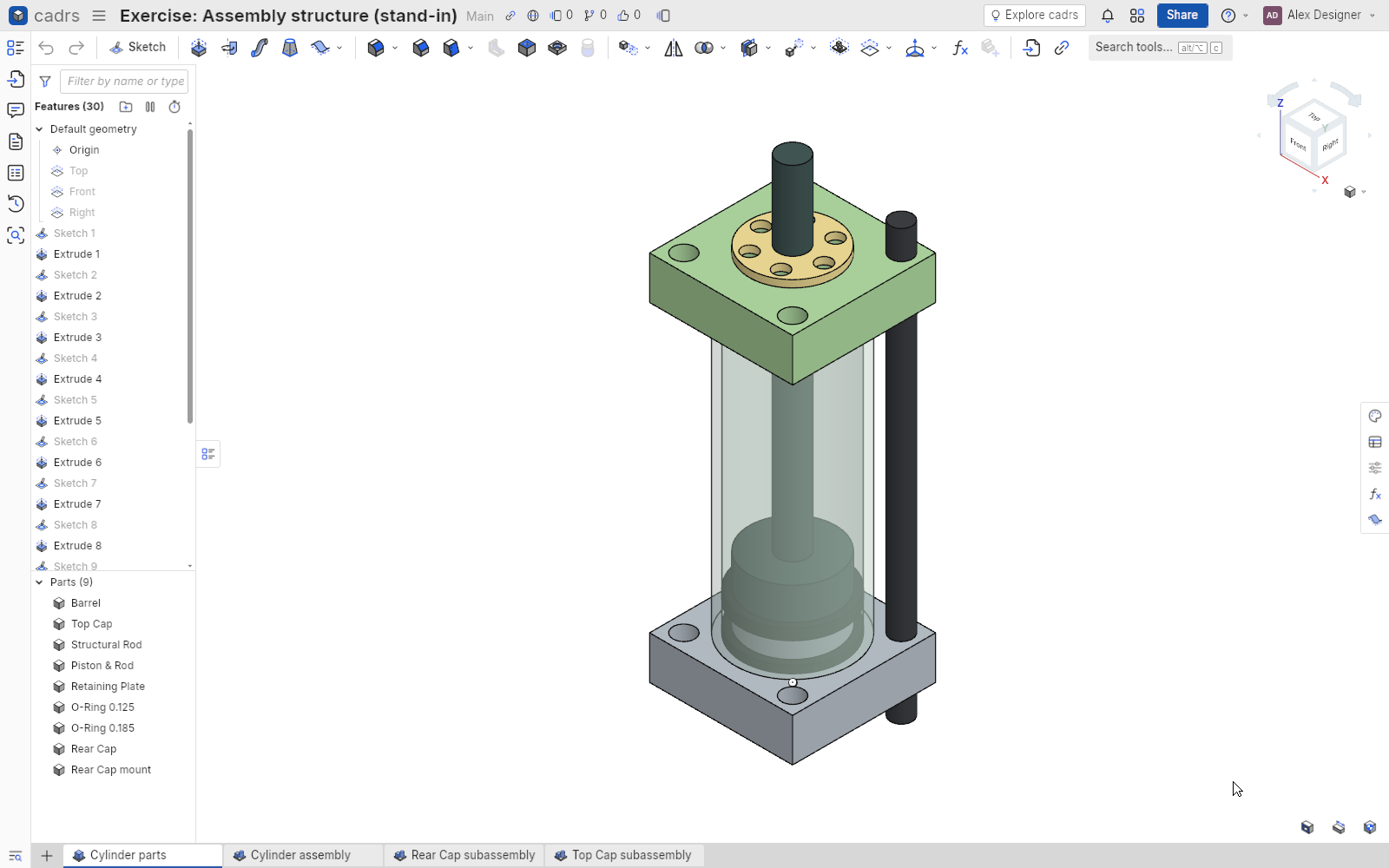
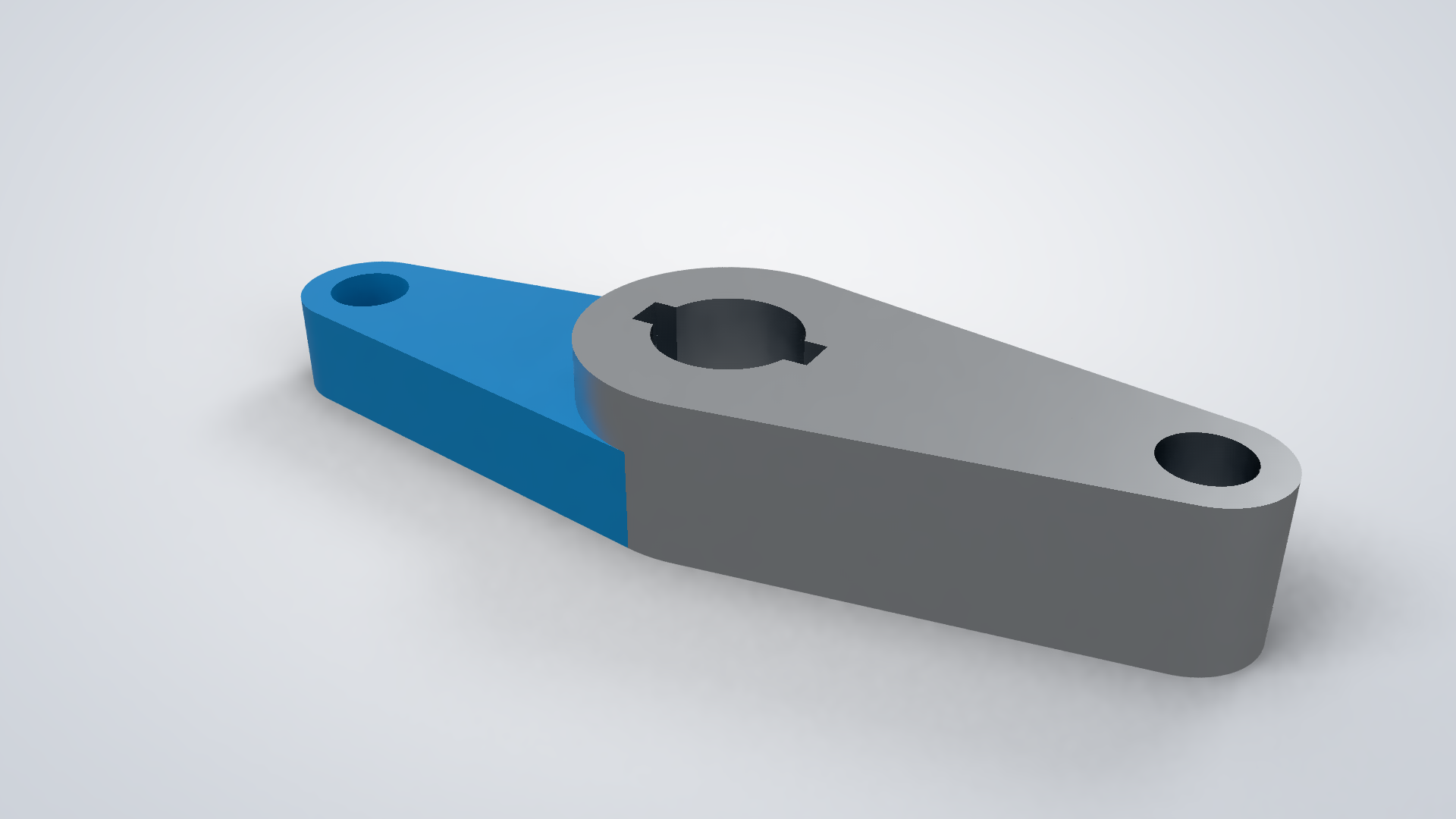
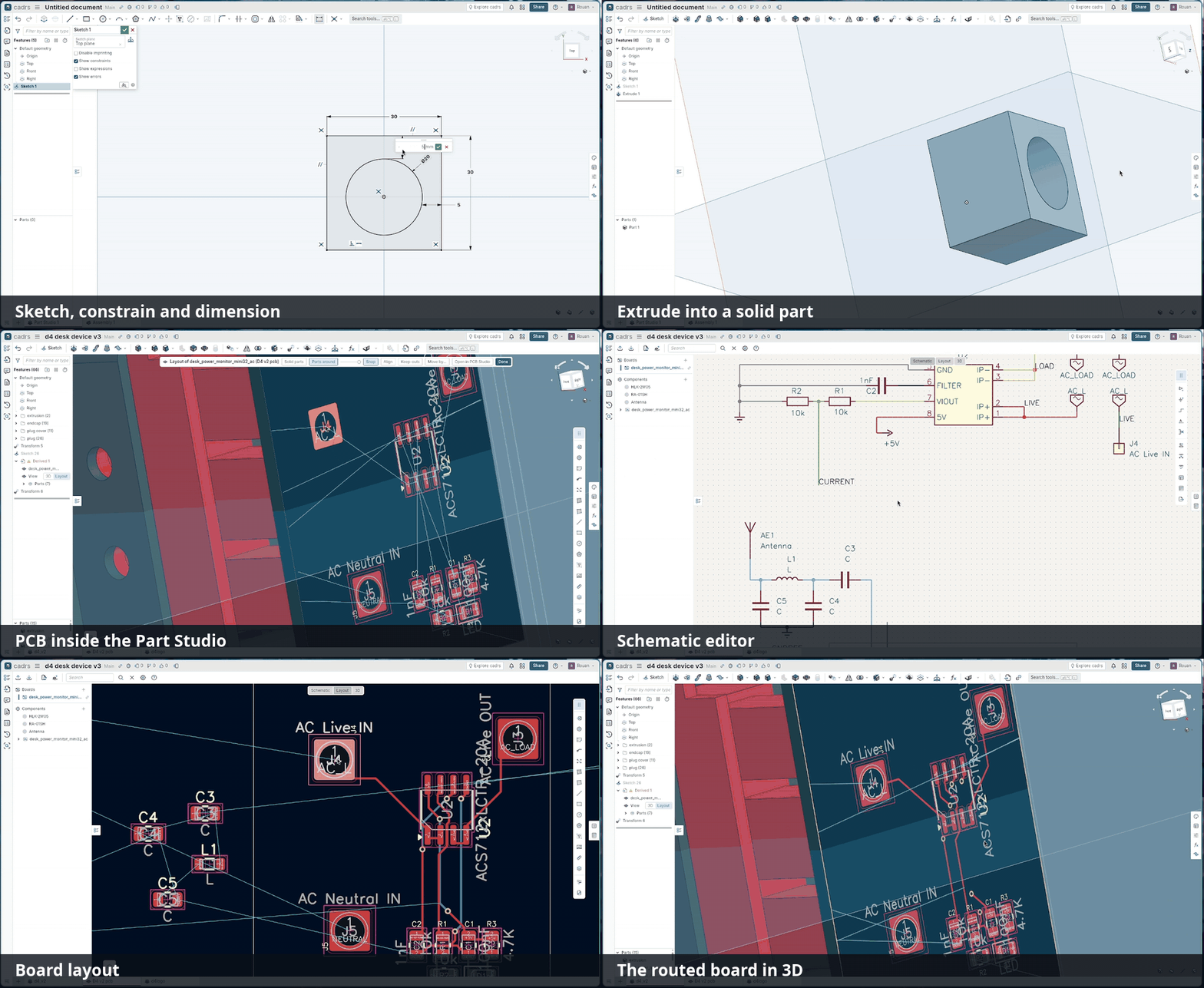
From sketch to part to PCB, in one document. Watch the 90-second demo.
You need a stable Rust toolchain (rustup), CMake and a C++ compiler. The first build compiles OpenCASCADE from source, which takes several minutes; later builds are incremental.
On Debian or Ubuntu, Bevy also needs these:
sudo apt install cmake g++ pkg-config libasound2-dev libudev-dev libwayland-dev libxkbcommon-dev
Then:
git clone https://github.com/rvdende/cadrs
cd cadrs
cargo run --release
Documents are stored in your platform's data folder (on Linux, ~/.local/share/cadrs/).
A Windows build can be cross-compiled from Linux with MinGW:
cargo build --release --target x86_64-pc-windows-gnu.
The mouse and keys follow Onshape's: right-drag orbits, middle-drag pans, and the wheel zooms toward the cursor. Shift+S starts a sketch, Shift+E an extrude, N views normal to the sketch plane, Shift+7 gives the isometric view, and F zooms to fit. Shift+/ (or Help › Keyboard shortcuts) lists the rest.
cadrs has an MCP server (Model Context Protocol), so an AI assistant on your machine (Claude
Code, Claude Desktop, Cursor, …) can drive the running app: create documents, draw sketches,
add and edit features, read back faces and edges, export STEP and take screenshots. Turn it on
in Preferences › AI assistants (MCP); the app then serves Streamable HTTP on
http://127.0.0.1:7680/mcp (loopback only; the port is a preference). Every tool call runs
through the command layer, so the assistant's steps show in the feature list and undo like
your own.
The repository's .mcp.json registers the server with Claude Code for this project (approve
it with /mcp the first time; claude mcp list shows whether it is connected). Elsewhere,
claude mcp add --transport http cadrs http://127.0.0.1:7680/mcp does the same, and other
clients take the URL in their MCP settings.
The tools: create_document, open_document and get_document; add_part_studio;
add_sketch (rectangles, circles, polygons, lines and arcs on a default plane, a part face or
a Plane feature); extrude; add_feature, edit_feature, get_feature and delete_feature
for any feature type from JSON; list_faces and list_edges for the references fillets,
chamfers and sketches take; import_step and export_step; screenshot; run_scenario for
scripted UI steps; and undo. crates/cadrs_mcp is the server and the tools' schemas;
crates/cadrs_app/src/mcp.rs runs the calls on the app.
cargo test --workspace                    # all tests
cargo clippy --workspace --all-targets    # lints
cargo run -- --headless --scenario <name> # run a scripted scenario, saving screenshots
Scenarios (scenarios/*.ron) drive the real app with synthetic input and write PNGs to
target/scenarios/<name>/. The golden tests in crates/cadrs/tests/golden.rs compare them
with baselines kept on your machine (tests/golden/, not committed); the first run records
them, and CADRS_BLESS=1 saves new ones.
| Crate | What it is |
|---|---|
cadrs | The binary: command-line flags, windowed or headless |
cadrs_app | The app's Bevy plugins: documents page, tabs, viewport, tools and dialogs |
cadrs_ui | A reusable Bevy widget library (theme, buttons, inputs, menus, dialogs, lists) |
cadrs_core | The document model, features, rebuild, commands and undo, persistence (no Bevy) |
cadrs_sketch | Sketch geometry, constraints, the solver, snapping and hit testing (no Bevy) |
cadrs_kernel | Our solid-modeling API over OpenCASCADE, with persistent face and edge names |
cadrs_drawing | Drawing views, projection and annotations |
cadrs_fea | Linear static finite-element analysis |
cadrs_render | A CPU path tracer for photorealistic renders |
cadrs_idf, cadrs_pcb | IDF files and PCB boards |
cadrs_onshape | The Onshape document importer |
cadrs_harness | Scripted scenarios, synthetic input and screenshots |
cadrs_mcp | The MCP server through which AI assistants drive the app |
crates/cadrs_kernel/README.md describes the modeling layer:
the kernel API, persistent face and edge naming, and the OpenCASCADE backend. The notes in
reference/onshape/ record how Onshape behaves, which is what cadrs is measured against.
Licensed under either of
at your option.
Unless you explicitly state otherwise, any contribution intentionally submitted for inclusion in this work by you, as defined in the Apache-2.0 license, shall be dual licensed as above, without any additional terms or conditions.
Third-party parts keep their own licenses: the Inter font is under the SIL Open Font License (assets/fonts/OFL.txt), and OpenCASCADE under the LGPL 2.1 with the OCCT exception.
cadrs is an independent project. It is not affiliated with, endorsed by or sponsored by PTC or Onshape. Onshape is a trademark of PTC Inc. cadrs uses its own icons, font and branding.
A parametric, feature-based CAD app in Rust, with a Bevy UI and an OpenCASCADE kernel
Rust
81
292 commits
updated Oct 20, 2026
A parametric, feature-based CAD app written in Rust, with a Bevy UI and an OpenCASCADE modeling kernel. Its workflow follows Onshape's: sketch on a plane, constrain and dimension, build parts from features, put them together in assemblies, and make drawings from them.
Status: early and moving fast. cadrs works through the Onshape Learning Center's CAD Basics courses exercise by exercise, but it is not yet a finished tool. Expect rough edges, and file formats that may still change.
From sketch to part to PCB, in one document. Watch the 90-second demo.
You need a stable Rust toolchain (rustup), CMake and a C++ compiler. The first build compiles OpenCASCADE from source, which takes several minutes; later builds are incremental.
On Debian or Ubuntu, Bevy also needs these:
sudo apt install cmake g++ pkg-config libasound2-dev libudev-dev libwayland-dev libxkbcommon-dev
Then:
git clone https://github.com/rvdende/cadrs
cd cadrs
cargo run --release
Documents are stored in your platform's data folder (on Linux, ~/.local/share/cadrs/).
A Windows build can be cross-compiled from Linux with MinGW:
cargo build --release --target x86_64-pc-windows-gnu.
The mouse and keys follow Onshape's: right-drag orbits, middle-drag pans, and the wheel zooms toward the cursor. Shift+S starts a sketch, Shift+E an extrude, N views normal to the sketch plane, Shift+7 gives the isometric view, and F zooms to fit. Shift+/ (or Help › Keyboard shortcuts) lists the rest.
cadrs has an MCP server (Model Context Protocol), so an AI assistant on your machine (Claude
Code, Claude Desktop, Cursor, …) can drive the running app: create documents, draw sketches,
add and edit features, read back faces and edges, export STEP and take screenshots. Turn it on
in Preferences › AI assistants (MCP); the app then serves Streamable HTTP on
http://127.0.0.1:7680/mcp (loopback only; the port is a preference). Every tool call runs
through the command layer, so the assistant's steps show in the feature list and undo like
your own.
The repository's .mcp.json registers the server with Claude Code for this project (approve
it with /mcp the first time; claude mcp list shows whether it is connected). Elsewhere,
claude mcp add --transport http cadrs http://127.0.0.1:7680/mcp does the same, and other
clients take the URL in their MCP settings.
The tools: create_document, open_document and get_document; add_part_studio;
add_sketch (rectangles, circles, polygons, lines and arcs on a default plane, a part face or
a Plane feature); extrude; add_feature, edit_feature, get_feature and delete_feature
for any feature type from JSON; list_faces and list_edges for the references fillets,
chamfers and sketches take; import_step and export_step; screenshot; run_scenario for
scripted UI steps; and undo. crates/cadrs_mcp is the server and the tools' schemas;
crates/cadrs_app/src/mcp.rs runs the calls on the app.
cargo test --workspace                    # all tests
cargo clippy --workspace --all-targets    # lints
cargo run -- --headless --scenario <name> # run a scripted scenario, saving screenshots
Scenarios (scenarios/*.ron) drive the real app with synthetic input and write PNGs to
target/scenarios/<name>/. The golden tests in crates/cadrs/tests/golden.rs compare them
with baselines kept on your machine (tests/golden/, not committed); the first run records
them, and CADRS_BLESS=1 saves new ones.
| Crate | What it is |
|---|---|
cadrs | The binary: command-line flags, windowed or headless |
cadrs_app | The app's Bevy plugins: documents page, tabs, viewport, tools and dialogs |
cadrs_ui | A reusable Bevy widget library (theme, buttons, inputs, menus, dialogs, lists) |
cadrs_core | The document model, features, rebuild, commands and undo, persistence (no Bevy) |
cadrs_sketch | Sketch geometry, constraints, the solver, snapping and hit testing (no Bevy) |
cadrs_kernel | Our solid-modeling API over OpenCASCADE, with persistent face and edge names |
cadrs_drawing | Drawing views, projection and annotations |
cadrs_fea | Linear static finite-element analysis |
cadrs_render | A CPU path tracer for photorealistic renders |
cadrs_idf, cadrs_pcb | IDF files and PCB boards |
cadrs_onshape | The Onshape document importer |
cadrs_harness | Scripted scenarios, synthetic input and screenshots |
cadrs_mcp | The MCP server through which AI assistants drive the app |
crates/cadrs_kernel/README.md describes the modeling layer:
the kernel API, persistent face and edge naming, and the OpenCASCADE backend. The notes in
reference/onshape/ record how Onshape behaves, which is what cadrs is measured against.
Licensed under either of
at your option.
Unless you explicitly state otherwise, any contribution intentionally submitted for inclusion in this work by you, as defined in the Apache-2.0 license, shall be dual licensed as above, without any additional terms or conditions.
Third-party parts keep their own licenses: the Inter font is under the SIL Open Font License (assets/fonts/OFL.txt), and OpenCASCADE under the LGPL 2.1 with the OCCT exception.
cadrs is an independent project. It is not affiliated with, endorsed by or sponsored by PTC or Onshape. Onshape is a trademark of PTC Inc. cadrs uses its own icons, font and branding.



