
Hold-to-talk dictation for macOS. On-device Whisper-class speech recognition, floating level pill, ~0.2s release-to-text.
Shell
0
4 commits
updated Oct 3, 2026
See what people are saying
README
Syrinx
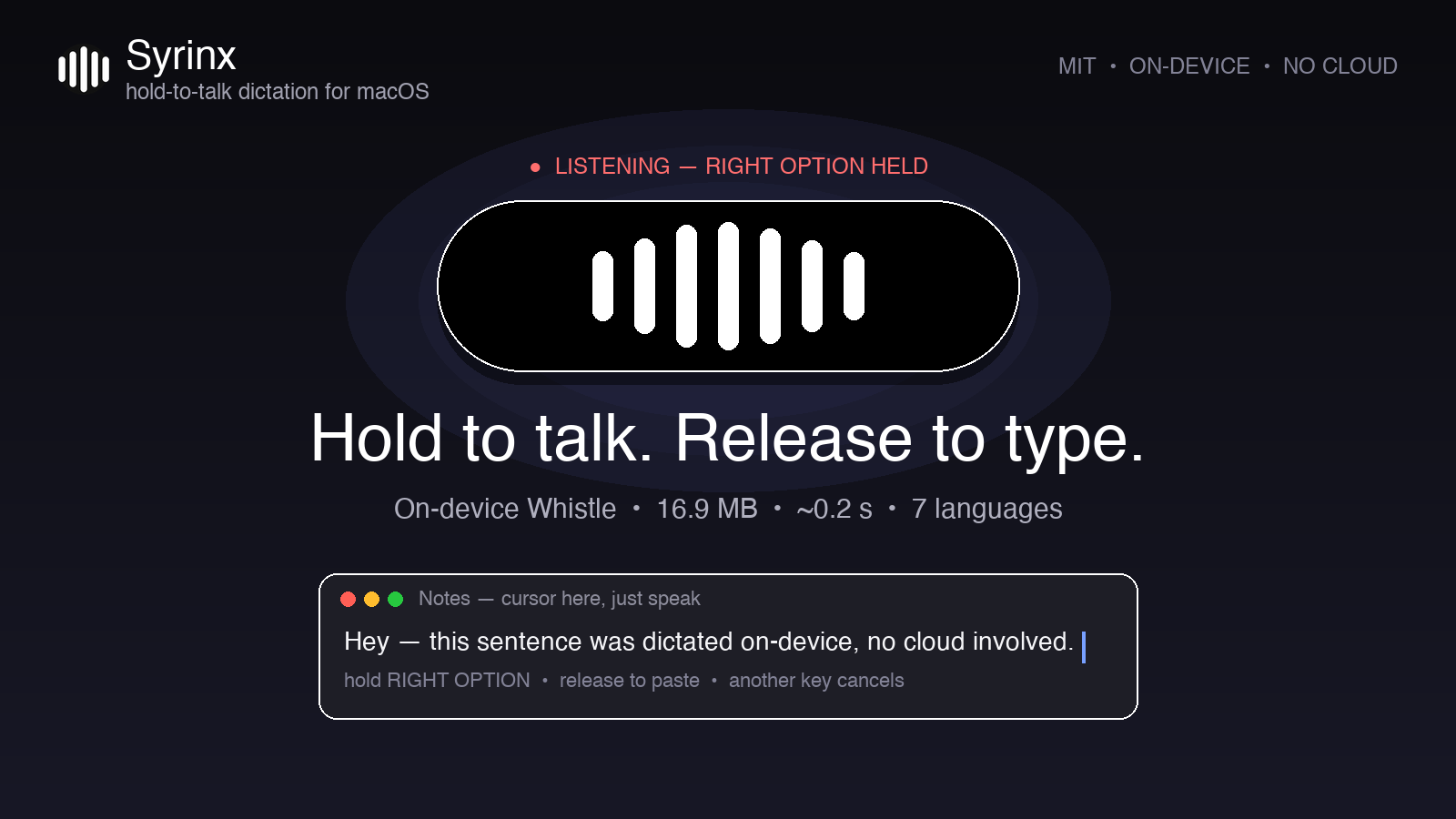
Hold-to-talk dictation for macOS. Hold Right Option, speak, release — your words land wherever the cursor is. Fully on-device, no account, no cloud.

Features
- Push-to-talk anywhere — works in every app with a text field, no plugins
- On-device speech recognition — 16.9 MB Whistle model, audio never leaves your Mac
- Fast — ~0.2 s from key release to typed text
- Small live pill — level bars pulse top-center while you talk, then it's gone
- 7 languages — English, German, French, Spanish, Italian, Dutch, Polish (auto-detected)
- Bonus CLI —
syrinx-transcribeturns any audio file into JSON text
Install
curl -fsSL https://raw.githubusercontent.com/rodriveiga01/syrinx/main/install.sh | bash
Or clone and run ./install.sh. It installs the engine (cactus-needle via pipx), downloads the model, and starts the dictation daemon at login.
Two manual steps (macOS requires your clicks):
- The installer prints an
open -R …command — run it and drag the revealed file into System Settings → Privacy & Security → Accessibility (toggle on). - Hold Right Option and speak once — allow the Microphone prompt.
Usage
Click any text field, hold Right Option, speak, release. That's it.
- Pressing another key mid-hold cancels the take (Option shortcuts keep working).
- Taps under ~0.4 s and silence are ignored; takes cap at 30 s.
syrinx --key right-cmdswitches the hotkey (alsoright-ctrl).syrinx-transcribe clip.wav [--words]transcribes files to JSON.- Logs:
tail -f ~/.cache/syrinx/syrinx.log - Stop:
launchctl bootout gui/$(id -u)/com.syrinx.dictate - Uninstall:
./uninstall.sh
How it works
syrinx is a background daemon: a global hotkey listener records 16 kHz mic audio while the key is held, the preloaded Whistle model transcribes it in-process, and the text is pasted via clipboard + a synthetic Cmd+V. The pill overlay is a borderless floating panel with live RMS bars. Everything runs locally — the only network use is the one-time model download.
Known limitations
- Tested on Apple silicon; Intel Macs are untested.
- The Accessibility grant is tied to the Homebrew Python build — after
brew upgradereplaces Python, re-grant it once. - Clipboard is briefly borrowed for pasting (restored right after, unless you copy something new mid-paste).
Credits & licenses
Speech model (Whistle) and engine (cactus-needle) are by Cactus Compute under Apache-2.0. Syrinx ships no Cactus code or weights — the installer downloads them from upstream. UI inspiration: Wispr Flow's floating bar. Syrinx itself is MIT.
License
MIT — see LICENSE.
Similar repos


Languages
Shell
100.0%
Hold-to-talk dictation for macOS. On-device Whisper-class speech recognition, floating level pill, ~0.2s release-to-text.
Shell
0
4 commits
updated Oct 3, 2026
See what people are saying
README
Syrinx
Hold-to-talk dictation for macOS. Hold Right Option, speak, release — your words land wherever the cursor is. Fully on-device, no account, no cloud.
Features
- Push-to-talk anywhere — works in every app with a text field, no plugins
- On-device speech recognition — 16.9 MB Whistle model, audio never leaves your Mac
- Fast — ~0.2 s from key release to typed text
- Small live pill — level bars pulse top-center while you talk, then it's gone
- 7 languages — English, German, French, Spanish, Italian, Dutch, Polish (auto-detected)
- Bonus CLI —
syrinx-transcribeturns any audio file into JSON text
Install
curl -fsSL https://raw.githubusercontent.com/rodriveiga01/syrinx/main/install.sh | bash
Or clone and run ./install.sh. It installs the engine (cactus-needle via pipx), downloads the model, and starts the dictation daemon at login.
Two manual steps (macOS requires your clicks):
- The installer prints an
open -R …command — run it and drag the revealed file into System Settings → Privacy & Security → Accessibility (toggle on). - Hold Right Option and speak once — allow the Microphone prompt.
Usage
Click any text field, hold Right Option, speak, release. That's it.
- Pressing another key mid-hold cancels the take (Option shortcuts keep working).
- Taps under ~0.4 s and silence are ignored; takes cap at 30 s.
syrinx --key right-cmdswitches the hotkey (alsoright-ctrl).syrinx-transcribe clip.wav [--words]transcribes files to JSON.- Logs:
tail -f ~/.cache/syrinx/syrinx.log - Stop:
launchctl bootout gui/$(id -u)/com.syrinx.dictate - Uninstall:
./uninstall.sh
How it works
syrinx is a background daemon: a global hotkey listener records 16 kHz mic audio while the key is held, the preloaded Whistle model transcribes it in-process, and the text is pasted via clipboard + a synthetic Cmd+V. The pill overlay is a borderless floating panel with live RMS bars. Everything runs locally — the only network use is the one-time model download.
Known limitations
- Tested on Apple silicon; Intel Macs are untested.
- The Accessibility grant is tied to the Homebrew Python build — after
brew upgradereplaces Python, re-grant it once. - Clipboard is briefly borrowed for pasting (restored right after, unless you copy something new mid-paste).
Credits & licenses
Speech model (Whistle) and engine (cactus-needle) are by Cactus Compute under Apache-2.0. Syrinx ships no Cactus code or weights — the installer downloads them from upstream. UI inspiration: Wispr Flow's floating bar. Syrinx itself is MIT.
License
MIT — see LICENSE.
Similar repos
Languages
Shell
100.0%