
Inside Voice — push-to-talk dictation that never leaves your Mac. Hold Right Option, speak, release.
3
10 commits
updated Sep 22, 2026
See what people are saying
README
Inside Voice
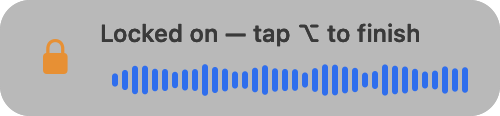
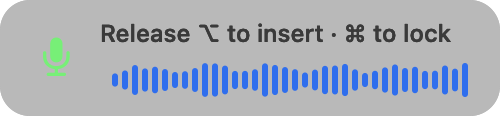
Push-to-talk dictation for macOS that never leaves your Mac. Hold Right ⌥ (Option), speak, release — the transcript lands in whatever app has focus. Got a lot to say? Tap Right ⌘ while holding to lock recording on, let go, and talk hands-free; tap Right ⌥ to finish.


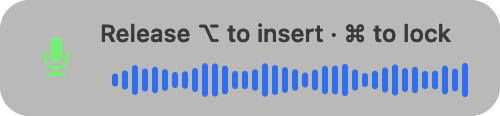
- No network at runtime. Speech is transcribed on-device by NVIDIA Parakeet TDT or OpenAI Whisper large-v3-turbo (via whisper.cpp), GPU-accelerated with Metal.
- Audio never touches disk. Samples live in memory and are gone when the text lands.
- Nothing is logged. No transcript history, no telemetry, no account.
Download
Download the latest DMG → Open it, drag Inside Voice to Applications, launch. The speech engine (Parakeet, 669 MB) downloads on first launch, checksum-verified.
Or with Homebrew (version 7 and later ask you to trust third-party taps first):
brew trust BillDX/tap
brew tap BillDX/tap
brew install --cask inside-voice
If brew trust says "unknown command", your Homebrew is older than 7: skip
that line. Later updates: brew upgrade --cask inside-voice.
Slow or blocked Wi-Fi? The DMG is 3 MB; the speech engine is a separate
669 MB download on first launch. If someone hands you the model file
instead (ggml-parakeet-tdt-0.6b-v3-q8_0.bin, from
ggml-org/parakeet-GGUF),
drop it in ~/Library/Application Support/Inside Voice/models/ before
launching and the Setup Assistant will see it as installed.
Upgrading from 1.3.0 or earlier? 1.4.0 is the first notarized build, so its signing identity changed: macOS asks for the three permissions again and Launch at Login needs re-enabling. The Setup Assistant opens to handle it. Coming from LocalWhisper, your models, word lists, and settings move over automatically; delete the old LocalWhisper.app afterwards.
Requirements: Apple Silicon Mac, macOS 14 or later (built and tested on macOS 26; 14 and 15 are untested). RAM while running: ~0.8 GB with Parakeet, ~1.7 GB with the optional Whisper engine.
Install
Builds are signed with a Developer ID and notarized by Apple, so macOS
opens them without warnings. Every release ships a .sha256 next to the
DMG if you want to verify the download:
curl -L -O https://github.com/BillDX/InsideVoice/releases/latest/download/InsideVoice.dmg.sha256
shasum -a 256 -c InsideVoice.dmg.sha256
To remove it later: drag the app to the Trash and delete
~/Library/Application Support/Inside Voice (the downloaded models and your
word lists), or brew uninstall --zap --cask inside-voice.
First launch
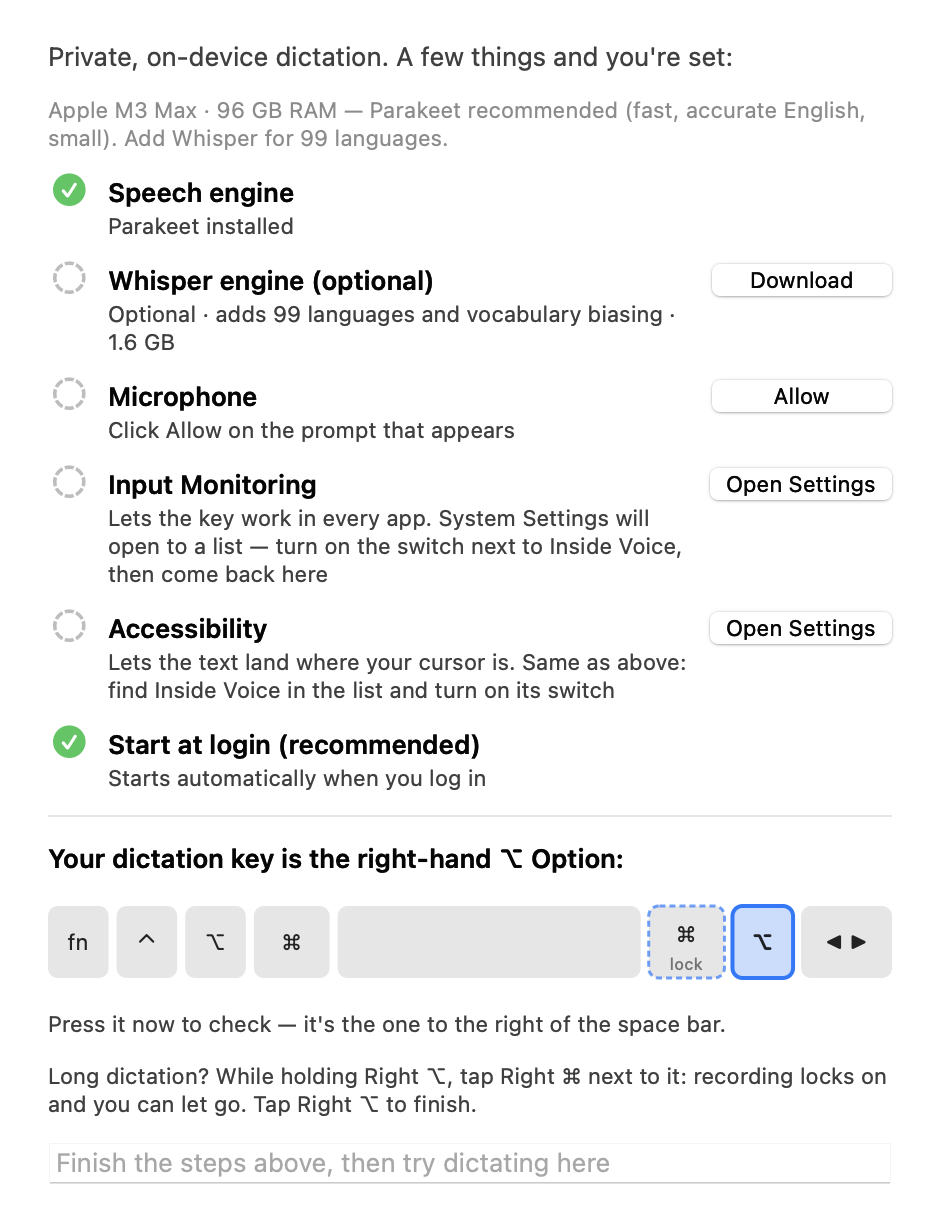
A Setup Assistant walks you through it: the engine download, the three macOS permissions (Microphone, Input Monitoring, Accessibility) with step-by-step guidance, start-at-login, and a keyboard check that confirms you're pressing the right Option key. The test field at the bottom unlocks when everything is green.
What it does
- Hold to talk. Hold Right ⌥ and speak; release to insert. Quick taps are ignored, so the key still works as a normal modifier.
- Lock for hands-free. While holding Right ⌥, tap Right ⌘ (the key next to it) and let go of both: recording stays on, with a lock showing on screen the whole time, until you tap Right ⌥ to finish. Made for long dictation.
- Two engines, auto-routed. Parakeet (fast, best plain-English accuracy, European languages) and Whisper (99 languages, steerable by your vocabulary). Auto picks per utterance.
- Accuracy stack. Personal vocabulary list and presets, silence trim, voice-activity detection so long pauses can't derail a dictation, beam search, and deterministic substitution rules.
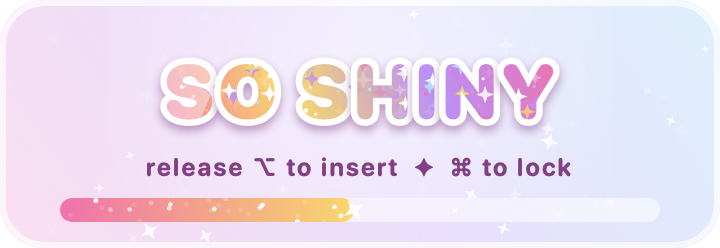
- Eight HUD themes, purely cosmetic: Modern, Green Phosphor, Red Eye, RetroComp '82, Oscilloscope, Groovy, Glitter Text, and Top Secret. Full gallery in the User Guide.
- Simple menu. Everyday items up top, everything else under Advanced ▸.
 |  |  |
Documentation
- User Guide — every menu item, the privacy model, troubleshooting, updating
- Tester notes — what to try, how to report
- Changelog
Privacy model
Audio is captured to memory, transcribed on this Mac, and discarded. Transcripts are never written anywhere; the one exception you control is Copy Last Transcription, held in memory until quit. The only network operation the app ever performs is the model download you approve in setup. What's on disk: the models, your vocabulary and substitution text files, and your settings.
For teams
Inside Voice is free to use at work, on as many Macs as you like. If your team needs more than a download, that is what I do:
- Rollout help for managed Macs: packaging, the three permission prompts, and what your MDM can and cannot pre-approve.
- Your vocabulary, built in. Word lists and substitution rules for your product names, people, and jargon, so transcripts come out right the first time.
- A support agreement. A named contact, response times, and fixes when a macOS update moves something.
- Security review support. The privacy model in writing, answers to your vendor questionnaire, and a codebase small enough for your own team to audit.
- A commercial license where copyleft does not fit: embedding the engine in your own product, or a policy that excludes GPL software.
On the roadmap, and shaped by whoever asks first: settings locked by policy, themes off by default, an audit trail, and a compliance pack.
Write to inquiries@atomo.com, or open an issue titled "For teams".
Why this exists
Inside Voice is a working demonstration of sovereign, on-device AI: a complete speech product with no cloud dependency, provenance-verified models (SHA-256 checked against the publishers' hashes), a codebase small enough to audit in an afternoon, and no data exhaust. Built by Bill McIntyre.
Source code and license
The source is not published yet. It will be released under EUPL-1.2 OR GPL-3.0-or-later — the EU's own open source license or the GPL, at your option — and this repository will become its home, so the links here won't change. Until then this is the download and documentation home.
The app is free to use for everyone, businesses included. See
LICENSING.md for the terms (including attribution),
commercial licensing (inquiries@atomo.com), and the trademark policy;
THIRD-PARTY-LICENSES.md lists the components and
models it builds on.
Feedback
Open an issue. The app logs nothing, so what you said vs. what appeared, plus your Mac model and macOS version, is the whole bug report.
Contributors

10 commits
Similar repos


Inside Voice — push-to-talk dictation that never leaves your Mac. Hold Right Option, speak, release.
3
10 commits
updated Sep 22, 2026
See what people are saying
README
Inside Voice
Push-to-talk dictation for macOS that never leaves your Mac. Hold Right ⌥ (Option), speak, release — the transcript lands in whatever app has focus. Got a lot to say? Tap Right ⌘ while holding to lock recording on, let go, and talk hands-free; tap Right ⌥ to finish.
- No network at runtime. Speech is transcribed on-device by NVIDIA Parakeet TDT or OpenAI Whisper large-v3-turbo (via whisper.cpp), GPU-accelerated with Metal.
- Audio never touches disk. Samples live in memory and are gone when the text lands.
- Nothing is logged. No transcript history, no telemetry, no account.
Download
Download the latest DMG → Open it, drag Inside Voice to Applications, launch. The speech engine (Parakeet, 669 MB) downloads on first launch, checksum-verified.
Or with Homebrew (version 7 and later ask you to trust third-party taps first):
brew trust BillDX/tap
brew tap BillDX/tap
brew install --cask inside-voice
If brew trust says "unknown command", your Homebrew is older than 7: skip
that line. Later updates: brew upgrade --cask inside-voice.
Slow or blocked Wi-Fi? The DMG is 3 MB; the speech engine is a separate
669 MB download on first launch. If someone hands you the model file
instead (ggml-parakeet-tdt-0.6b-v3-q8_0.bin, from
ggml-org/parakeet-GGUF),
drop it in ~/Library/Application Support/Inside Voice/models/ before
launching and the Setup Assistant will see it as installed.
Upgrading from 1.3.0 or earlier? 1.4.0 is the first notarized build, so its signing identity changed: macOS asks for the three permissions again and Launch at Login needs re-enabling. The Setup Assistant opens to handle it. Coming from LocalWhisper, your models, word lists, and settings move over automatically; delete the old LocalWhisper.app afterwards.
Requirements: Apple Silicon Mac, macOS 14 or later (built and tested on macOS 26; 14 and 15 are untested). RAM while running: ~0.8 GB with Parakeet, ~1.7 GB with the optional Whisper engine.
Install
Builds are signed with a Developer ID and notarized by Apple, so macOS
opens them without warnings. Every release ships a .sha256 next to the
DMG if you want to verify the download:
curl -L -O https://github.com/BillDX/InsideVoice/releases/latest/download/InsideVoice.dmg.sha256
shasum -a 256 -c InsideVoice.dmg.sha256
To remove it later: drag the app to the Trash and delete
~/Library/Application Support/Inside Voice (the downloaded models and your
word lists), or brew uninstall --zap --cask inside-voice.
First launch
A Setup Assistant walks you through it: the engine download, the three macOS permissions (Microphone, Input Monitoring, Accessibility) with step-by-step guidance, start-at-login, and a keyboard check that confirms you're pressing the right Option key. The test field at the bottom unlocks when everything is green.
What it does
- Hold to talk. Hold Right ⌥ and speak; release to insert. Quick taps are ignored, so the key still works as a normal modifier.
- Lock for hands-free. While holding Right ⌥, tap Right ⌘ (the key next to it) and let go of both: recording stays on, with a lock showing on screen the whole time, until you tap Right ⌥ to finish. Made for long dictation.
- Two engines, auto-routed. Parakeet (fast, best plain-English accuracy, European languages) and Whisper (99 languages, steerable by your vocabulary). Auto picks per utterance.
- Accuracy stack. Personal vocabulary list and presets, silence trim, voice-activity detection so long pauses can't derail a dictation, beam search, and deterministic substitution rules.
- Eight HUD themes, purely cosmetic: Modern, Green Phosphor, Red Eye, RetroComp '82, Oscilloscope, Groovy, Glitter Text, and Top Secret. Full gallery in the User Guide.
- Simple menu. Everyday items up top, everything else under Advanced ▸.
| | |
Documentation
- User Guide — every menu item, the privacy model, troubleshooting, updating
- Tester notes — what to try, how to report
- Changelog
Privacy model
Audio is captured to memory, transcribed on this Mac, and discarded. Transcripts are never written anywhere; the one exception you control is Copy Last Transcription, held in memory until quit. The only network operation the app ever performs is the model download you approve in setup. What's on disk: the models, your vocabulary and substitution text files, and your settings.
For teams
Inside Voice is free to use at work, on as many Macs as you like. If your team needs more than a download, that is what I do:
- Rollout help for managed Macs: packaging, the three permission prompts, and what your MDM can and cannot pre-approve.
- Your vocabulary, built in. Word lists and substitution rules for your product names, people, and jargon, so transcripts come out right the first time.
- A support agreement. A named contact, response times, and fixes when a macOS update moves something.
- Security review support. The privacy model in writing, answers to your vendor questionnaire, and a codebase small enough for your own team to audit.
- A commercial license where copyleft does not fit: embedding the engine in your own product, or a policy that excludes GPL software.
On the roadmap, and shaped by whoever asks first: settings locked by policy, themes off by default, an audit trail, and a compliance pack.
Write to inquiries@atomo.com, or open an issue titled "For teams".
Why this exists
Inside Voice is a working demonstration of sovereign, on-device AI: a complete speech product with no cloud dependency, provenance-verified models (SHA-256 checked against the publishers' hashes), a codebase small enough to audit in an afternoon, and no data exhaust. Built by Bill McIntyre.
Source code and license
The source is not published yet. It will be released under EUPL-1.2 OR GPL-3.0-or-later — the EU's own open source license or the GPL, at your option — and this repository will become its home, so the links here won't change. Until then this is the download and documentation home.
The app is free to use for everyone, businesses included. See
LICENSING.md for the terms (including attribution),
commercial licensing (inquiries@atomo.com), and the trademark policy;
THIRD-PARTY-LICENSES.md lists the components and
models it builds on.
Feedback
Open an issue. The app logs nothing, so what you said vs. what appeared, plus your Mac model and macOS version, is the whole bug report.
Similar repos
Contributors
10 commits