
Voice dictation menu-bar app for macOS. Press a hotkey, speak, transcript appears at the cursor. Whisper runs locally via WhisperKit on Apple Silicon — no audio, text, or telemetry leaves your Mac. MIT, Swift.
See the codeREADME
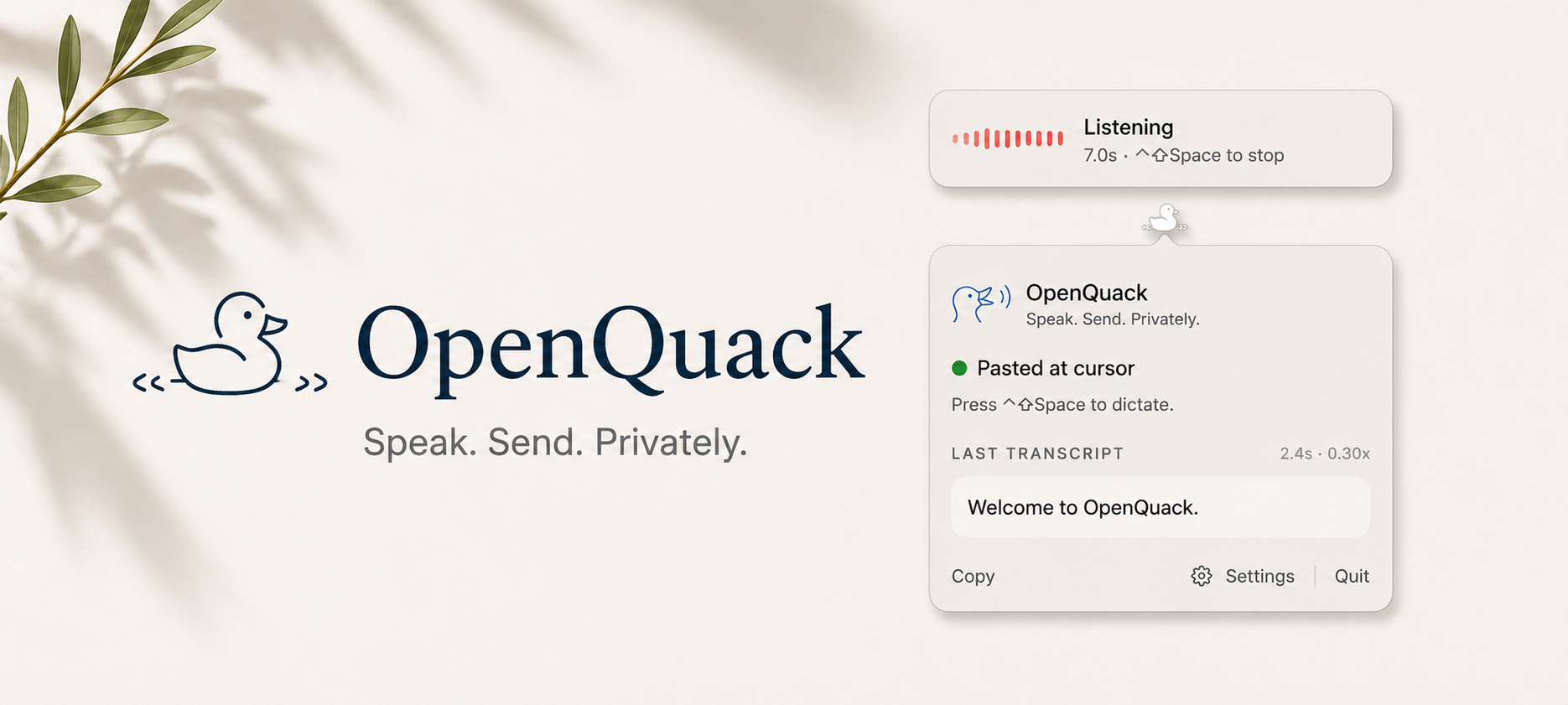
OpenQuack Speak. Send. Privately.
Voice dictation for macOS. Nothing leaves your device by default — audio, text, nothing.



English · 简体中文 · 日本語 · 한국어 · Français · Español · Deutsch
🌐 Translations are machine-translated stubs. Native-speaker contributions very welcome — open a PR or see
CONTRIBUTING.md.
📢 What's new — full notes on the Releases page →
- 🎛️ v2.0.0-alpha.22 — tune how AI cleans up your words. The on-device polish system prompt is now editable in Settings (with a reset button), so you can steer things like CJK/Latin spacing or fixing ASR mishears in your own words. Plus the recording overlay now follows you to whichever Space you're on, and your saved history limit applies from the moment the app launches.
- ✨ v2.0.0-alpha.21 — faster transcription + opt-in AI polish. ANE performance restored (transcription speed regression fixed), plus onboarding now walks you through enabling on-device LLM polish so you can try it without hunting through settings.
- 🛡️ v2.0.0-alpha.20 — it doesn't freeze on you anymore. If your mic changes mid-recording — AirPods connecting, switching devices — OpenQuack stops cleanly and keeps what you said instead of locking up. Plus on-device transcript polish, in-app model switching, and a faster first launch.
What it is
OpenQuack is a tiny menu-bar app for macOS. Press a hotkey, speak, press it again — your transcript appears at the cursor. Wherever you can type, you can talk.
Speech recognition happens on your Mac by default. No cloud, no account, no signup, no telemetry.
Why
Local. Everything runs on your device by default — recording, transcription, optional polish. Nothing leaves: no audio, no text, no telemetry, no signup. Confidential work stays confidential, by construction. And because there's no API call in the default loop, it just keeps working — offline, on a plane, behind a corporate firewall. (Want a bigger model? You can point transcription at your own OpenAI-compatible endpoint — strictly opt-in, clearly indicated while in use.)
Fast, especially on long clips. Whisper streams while you speak, so a 5-minute dictation finishes in about 3 seconds after you stop — the wait doesn't grow with length. ~2.6% word-error rate on real human speech on a baseline M4 / 16 GB, ~6.3% in realistic office noise. Full bench matrix in docs/BENCHMARKS.md.
Quiet on resources. ~120 MB of RAM while idle. ~8 MB app bundle. The Whisper model lives on disk and only loads when you press the hotkey.
Open. MIT-licensed. Every line is auditable; every change happens in public. The version running in your menu bar is the version in this repo.
What you get
- One-key dictation. Pick a hotkey (default ⌃⇧Space, or bind
fn/ Globe). Press once to start, press again to stop. - Auto-paste at the cursor in any app. Falls back to your clipboard if you'd rather paste yourself.
- 99 languages. English, Chinese, Japanese, Korean, Spanish, French, German, Italian, and Portuguese are right in Settings; auto-detect on by default.
- Smart formatting — capitalisation, end-punctuation, "um/uh" cleanup.
- Custom dictionary — teach it the proper nouns and project names you actually use.
- Local LLM polish (experimental, opt-in). A second pass through a small on-device model that tightens phrasing and cleans up obvious mishears — stays local, nothing leaves your Mac. Off by default; turn it on during onboarding or in Settings, with an editable prompt to steer it your way.
- Auto-stop after silence. Finish speaking, OpenQuack wraps up on its own.
- Launch at login — show up in the menu bar after every restart with one toggle.
Privacy, in one screen
- Nothing leaves your device by default — audio, text, nothing. Recording and transcription are fully local out of the box. The one exception: a remote transcription endpoint you configure yourself — off by default, and the recording overlay shows when it's in use.
- No analytics, no telemetry, no signup.
The full privacy contract is in docs/VISION.md.
Coming next
- In-context transcription — OpenQuack reads the surrounding text before transcribing, so domain terms get disambiguated by what you're actually doing.
Deferred while the adoption foundations land. See docs/ROADMAP.md for what's queued; docs/VISION.md for where this is going overall.
Install
brew tap larryxiao/openquack https://github.com/larryxiao/openquack
brew install --cask openquack
Or download the DMG and drag into Applications. First launch: right-click → Open → Open (one-time Gatekeeper bypass).
Grant Microphone when macOS asks, pick a hotkey in Settings → Shortcut (default ⌃⇧Space).
Want a guided walkthrough? See docs/TUTORIAL.md — five minutes from install to first dictation.
Or tell your AI agent
Point it at this repo and ask it to follow docs/INSTALL.md.
Got stuck? Want a feature?
Drop a comment in Discussions — it's the lowest-friction way to reach me. Bugs, feature ideas, "I'm using it for X" workflow stories, or quick questions about Whisper / model choice / paste behavior in a specific app all welcome. Issues are fine for structured reports too, but no need to format.
Common questions (install, accuracy, languages, offline behaviour, Mac requirements) live in the FAQ on the docs site.
Acknowledgements
OpenQuack stands on the shoulders of generous open-source work. Huge thanks to:
- OpenAI Whisper — the speech model that makes any of this possible.
- WhisperKit by Argmax — Whisper, fast and native on Apple Silicon.
- KeyboardShortcuts by Sindre Sorhus — the hotkey machinery you press every day.
- voxt — a kindred project we learned a lot from on the technical side.
- Typeless and Wispr Flow — the closed-source apps that proved how delightful voice-first input can feel; we're aiming for the same feel, locally and openly.
And to everyone filing issues, opening PRs, and telling friends: thank you. The duck quacks because of you.
Contribute
OpenQuack is AI-native open source — every PR cites a SPEC, atomic tasks come from the roadmap, the workflow is friendly to coding agents at scale (and humans on the same path).
Start with AGENTS.md, pick a 🔵 task in docs/ROADMAP.md, open a draft PR.
Under the hood: TUTORIAL · DEVELOPMENT · ARCHITECTURE · BENCHMARKS · DESIGN · INSTALL · BLOG.
License
MIT — see LICENSE.
Contributors


Similar repos


Languages
Swift
88.5%
Python
7.4%
Shell
4.0%
Voice dictation menu-bar app for macOS. Press a hotkey, speak, transcript appears at the cursor. Whisper runs locally via WhisperKit on Apple Silicon — no audio, text, or telemetry leaves your Mac. MIT, Swift.
See the codeREADME
OpenQuack Speak. Send. Privately.
Voice dictation for macOS. Nothing leaves your device by default — audio, text, nothing.
English · 简体中文 · 日本語 · 한국어 · Français · Español · Deutsch
🌐 Translations are machine-translated stubs. Native-speaker contributions very welcome — open a PR or see
CONTRIBUTING.md.
📢 What's new — full notes on the Releases page →
- 🎛️ v2.0.0-alpha.22 — tune how AI cleans up your words. The on-device polish system prompt is now editable in Settings (with a reset button), so you can steer things like CJK/Latin spacing or fixing ASR mishears in your own words. Plus the recording overlay now follows you to whichever Space you're on, and your saved history limit applies from the moment the app launches.
- ✨ v2.0.0-alpha.21 — faster transcription + opt-in AI polish. ANE performance restored (transcription speed regression fixed), plus onboarding now walks you through enabling on-device LLM polish so you can try it without hunting through settings.
- 🛡️ v2.0.0-alpha.20 — it doesn't freeze on you anymore. If your mic changes mid-recording — AirPods connecting, switching devices — OpenQuack stops cleanly and keeps what you said instead of locking up. Plus on-device transcript polish, in-app model switching, and a faster first launch.
What it is
OpenQuack is a tiny menu-bar app for macOS. Press a hotkey, speak, press it again — your transcript appears at the cursor. Wherever you can type, you can talk.
Speech recognition happens on your Mac by default. No cloud, no account, no signup, no telemetry.
Why
Local. Everything runs on your device by default — recording, transcription, optional polish. Nothing leaves: no audio, no text, no telemetry, no signup. Confidential work stays confidential, by construction. And because there's no API call in the default loop, it just keeps working — offline, on a plane, behind a corporate firewall. (Want a bigger model? You can point transcription at your own OpenAI-compatible endpoint — strictly opt-in, clearly indicated while in use.)
Fast, especially on long clips. Whisper streams while you speak, so a 5-minute dictation finishes in about 3 seconds after you stop — the wait doesn't grow with length. ~2.6% word-error rate on real human speech on a baseline M4 / 16 GB, ~6.3% in realistic office noise. Full bench matrix in docs/BENCHMARKS.md.
Quiet on resources. ~120 MB of RAM while idle. ~8 MB app bundle. The Whisper model lives on disk and only loads when you press the hotkey.
Open. MIT-licensed. Every line is auditable; every change happens in public. The version running in your menu bar is the version in this repo.
What you get
- One-key dictation. Pick a hotkey (default ⌃⇧Space, or bind
fn/ Globe). Press once to start, press again to stop. - Auto-paste at the cursor in any app. Falls back to your clipboard if you'd rather paste yourself.
- 99 languages. English, Chinese, Japanese, Korean, Spanish, French, German, Italian, and Portuguese are right in Settings; auto-detect on by default.
- Smart formatting — capitalisation, end-punctuation, "um/uh" cleanup.
- Custom dictionary — teach it the proper nouns and project names you actually use.
- Local LLM polish (experimental, opt-in). A second pass through a small on-device model that tightens phrasing and cleans up obvious mishears — stays local, nothing leaves your Mac. Off by default; turn it on during onboarding or in Settings, with an editable prompt to steer it your way.
- Auto-stop after silence. Finish speaking, OpenQuack wraps up on its own.
- Launch at login — show up in the menu bar after every restart with one toggle.
Privacy, in one screen
- Nothing leaves your device by default — audio, text, nothing. Recording and transcription are fully local out of the box. The one exception: a remote transcription endpoint you configure yourself — off by default, and the recording overlay shows when it's in use.
- No analytics, no telemetry, no signup.
The full privacy contract is in docs/VISION.md.
Coming next
- In-context transcription — OpenQuack reads the surrounding text before transcribing, so domain terms get disambiguated by what you're actually doing.
Deferred while the adoption foundations land. See docs/ROADMAP.md for what's queued; docs/VISION.md for where this is going overall.
Install
brew tap larryxiao/openquack https://github.com/larryxiao/openquack
brew install --cask openquack
Or download the DMG and drag into Applications. First launch: right-click → Open → Open (one-time Gatekeeper bypass).
Grant Microphone when macOS asks, pick a hotkey in Settings → Shortcut (default ⌃⇧Space).
Want a guided walkthrough? See docs/TUTORIAL.md — five minutes from install to first dictation.
Or tell your AI agent
Point it at this repo and ask it to follow docs/INSTALL.md.
Got stuck? Want a feature?
Drop a comment in Discussions — it's the lowest-friction way to reach me. Bugs, feature ideas, "I'm using it for X" workflow stories, or quick questions about Whisper / model choice / paste behavior in a specific app all welcome. Issues are fine for structured reports too, but no need to format.
Common questions (install, accuracy, languages, offline behaviour, Mac requirements) live in the FAQ on the docs site.
Acknowledgements
OpenQuack stands on the shoulders of generous open-source work. Huge thanks to:
- OpenAI Whisper — the speech model that makes any of this possible.
- WhisperKit by Argmax — Whisper, fast and native on Apple Silicon.
- KeyboardShortcuts by Sindre Sorhus — the hotkey machinery you press every day.
- voxt — a kindred project we learned a lot from on the technical side.
- Typeless and Wispr Flow — the closed-source apps that proved how delightful voice-first input can feel; we're aiming for the same feel, locally and openly.
And to everyone filing issues, opening PRs, and telling friends: thank you. The duck quacks because of you.
Contribute
OpenQuack is AI-native open source — every PR cites a SPEC, atomic tasks come from the roadmap, the workflow is friendly to coding agents at scale (and humans on the same path).
Start with AGENTS.md, pick a 🔵 task in docs/ROADMAP.md, open a draft PR.
Under the hood: TUTORIAL · DEVELOPMENT · ARCHITECTURE · BENCHMARKS · DESIGN · INSTALL · BLOG.
License
MIT — see LICENSE.
Similar repos
Contributors
Languages
Swift
88.5%
Python
7.4%
Shell
4.0%