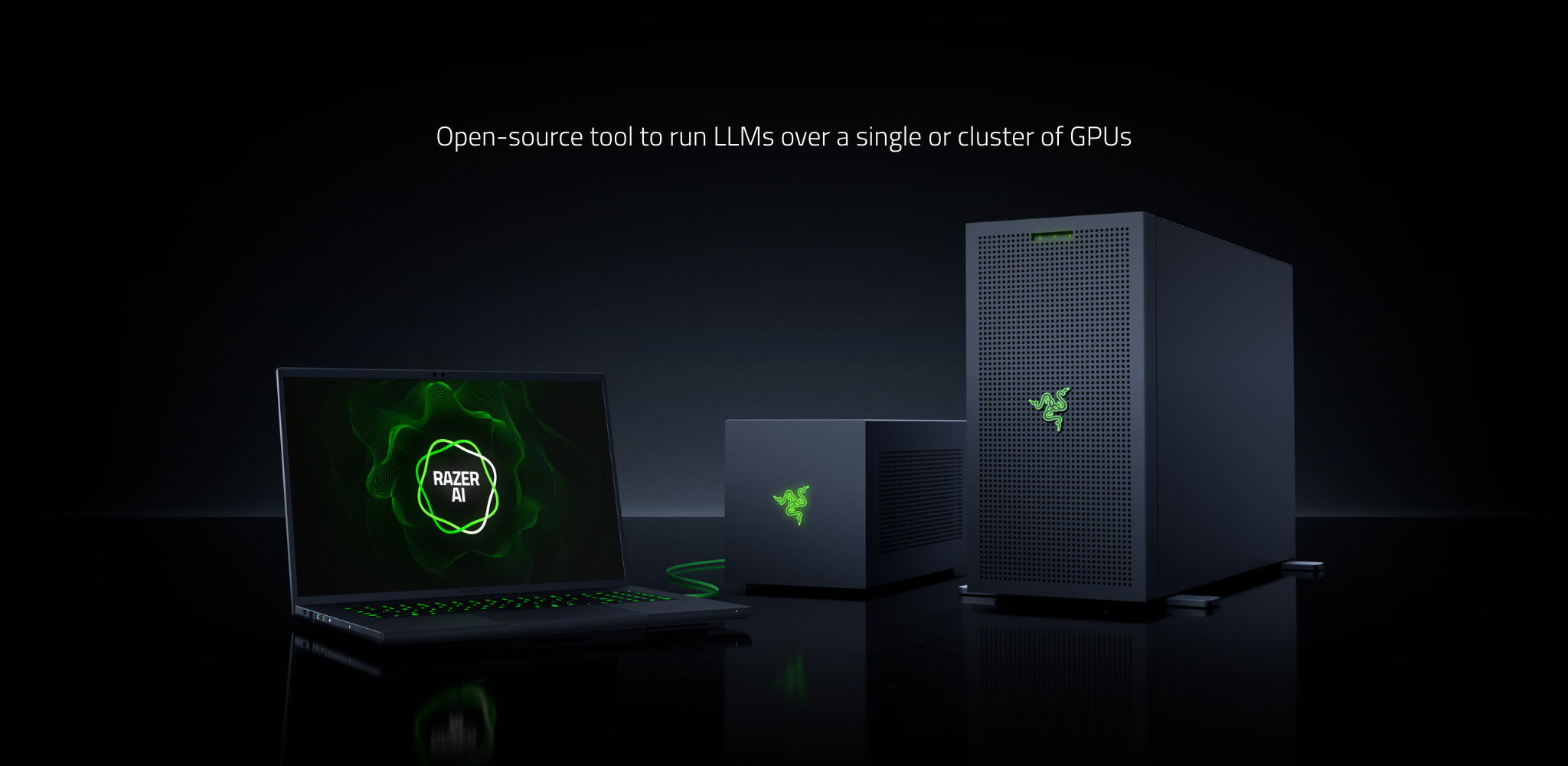
Razer AIKit is an AI development toolkit with fast LLM inferencing, fine-tuning, and multi-GPU scaling.
See the code⚠️ Preview Release
Razer AIKit is in preview. Features may change or have limitations before stable release. We appreciate your feedback!
Open-source AI development environment for engineers and researchers. Delivers cloud-grade performance and scalability directly on your desktop with out-of-the-box setup.
|
🎨 AI Image GenerationRun iterative image generation locally - craft creative prompts and refine results in real time with zero cloud dependency. |
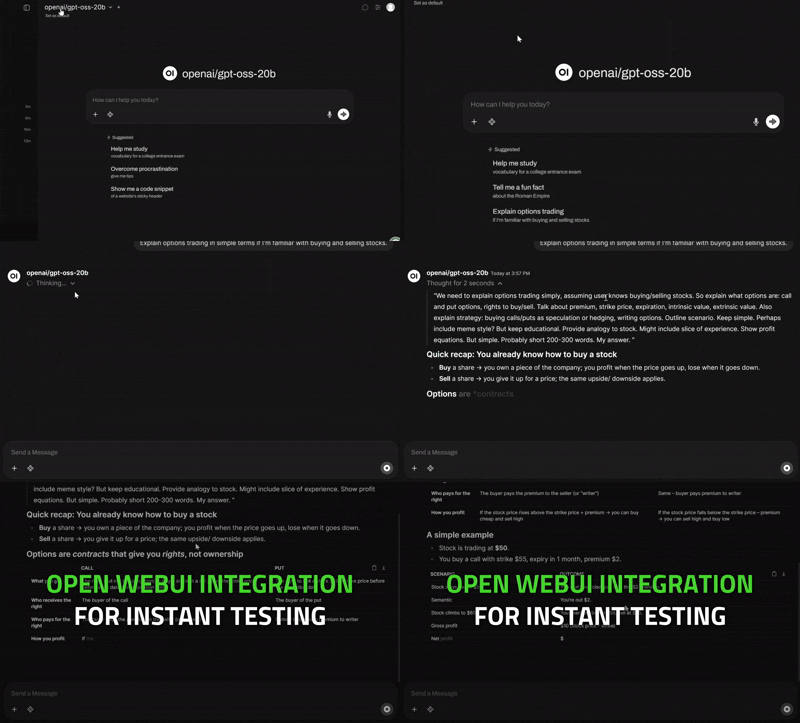
🎯 Production-Ready Text GenerationInstantly test any model through our built-in Open WebUI - select, prompt, and iterate without any extra setup. |
|
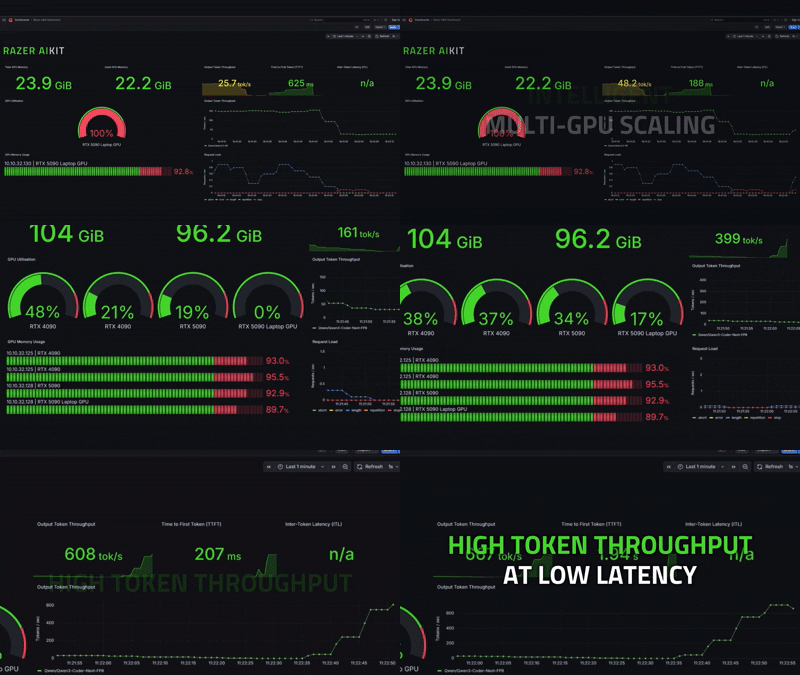
🌐 Intelligent Multi-GPU ScalingMonitor live GPU load in Grafana and seamlessly scale from one overloaded GPU to a full multi-GPU cluster. |
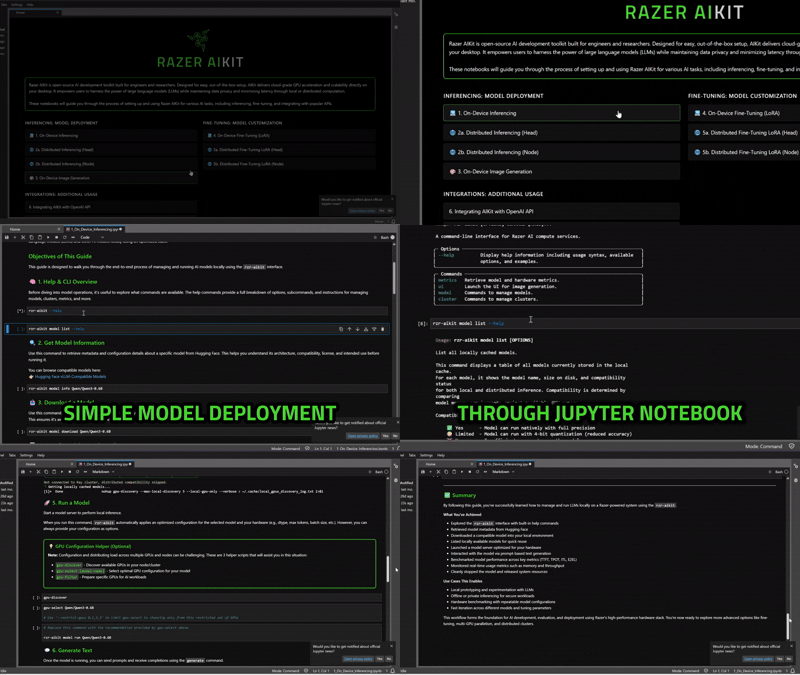
🚀 Local-First AI DevelopmentExplore 300,000+ models on-device - launch AIKit, open Jupyter Lab, and follow step-by-step notebook guides to run your first model locally. |
Note: Razer AIKit runs inside WSL 2 on Windows for optimal performance and compatibility.
NVIDIA GPU Driver - Install NVIDIA App and select Studio Driver for best stability
WSL 2 - Microsoft's guide
Set-NetFirewallHyperVVMSetting -Name '{40E0AC32-46A5-438A-A0B2-2B479E8F2E90}' -DefaultInboundAction Allow
Docker Engine (WSL) - Install guide
NVIDIA Container Toolkit (WSL) - Installation instructions
Verify installation:
nvidia-smi
Software & Updates > Additional DriversVerify installation:
nvidia-smi
# Create huggingface cache directory if it doesn't exist
mkdir -p $HOME/.cache/huggingface

# Pull and run Razer AIKIT
docker run -it \
  --restart=unless-stopped \
  --gpus all \
  --ipc host \
  --network host \
  --mount type=bind,source=$HOME/.cache/huggingface,target=/var/aikit/.cache/huggingface \
  --env HUGGING_FACE_HUB_TOKEN=<YOUR_TOKEN> \
  razerofficial/aikit:latest
Once inside the container, choose your preferred approach:
Option 1: Start with interactive guides
# Start Jupyter Lab for interactive guides (guides will be available at the outputted link)
jupyter lab --ip="0.0.0.0"
💡 Tip: Explore the
notebooks/folder for step-by-step guides and examples!
OR
Option 2: Run a model directly
# Run a lightweight coding model
rzr-aikit model run deepseek-ai/deepseek-coder-1.3b-instruct
For production deployments and monitoring, enable the full stack with Docker Compose:
git clone https://github.com/razerofficial/aikit.git && cd aikit
mkdir -p $HOME/.cache/huggingface
export HUGGING_FACE_HUB_TOKEN=<YOUR_TOKEN>
docker compose -f docker_compose/docker-compose.yaml up -d --pull always
Available Services:
http://localhost:8888)http://localhost:3000)http://localhost:1919)http://localhost:9090)
📖 Documentation
|
💡 Interactive Examples |
Razer AIKit is optimized for NVIDIA accelerated computing platforms with support for both x86-64 and ARM64 architectures.
Workstations & Development
Data Center & Enterprise
GPU Requirements
We welcome contributions from the community! Special thanks to all our contributors who make this project possible.
Licensed under Apache License 2.0
Additional Resources
Made with ❤️ by the Razer AI Team
63 followers · starred Jan 2026
2,033 followers · starred Jan 2026
86 followers · starred Jan 2026
Razer AIKit is an AI development toolkit with fast LLM inferencing, fine-tuning, and multi-GPU scaling.
See the code⚠️ Preview Release
Razer AIKit is in preview. Features may change or have limitations before stable release. We appreciate your feedback!
Open-source AI development environment for engineers and researchers. Delivers cloud-grade performance and scalability directly on your desktop with out-of-the-box setup.
|
🎨 AI Image GenerationRun iterative image generation locally - craft creative prompts and refine results in real time with zero cloud dependency. |
🎯 Production-Ready Text GenerationInstantly test any model through our built-in Open WebUI - select, prompt, and iterate without any extra setup. |
|
🌐 Intelligent Multi-GPU ScalingMonitor live GPU load in Grafana and seamlessly scale from one overloaded GPU to a full multi-GPU cluster. |
🚀 Local-First AI DevelopmentExplore 300,000+ models on-device - launch AIKit, open Jupyter Lab, and follow step-by-step notebook guides to run your first model locally. |
Note: Razer AIKit runs inside WSL 2 on Windows for optimal performance and compatibility.
NVIDIA GPU Driver - Install NVIDIA App and select Studio Driver for best stability
WSL 2 - Microsoft's guide
Set-NetFirewallHyperVVMSetting -Name '{40E0AC32-46A5-438A-A0B2-2B479E8F2E90}' -DefaultInboundAction Allow
Docker Engine (WSL) - Install guide
NVIDIA Container Toolkit (WSL) - Installation instructions
Verify installation:
nvidia-smi
Software & Updates > Additional DriversVerify installation:
nvidia-smi
# Create huggingface cache directory if it doesn't exist
mkdir -p $HOME/.cache/huggingface

# Pull and run Razer AIKIT
docker run -it \
  --restart=unless-stopped \
  --gpus all \
  --ipc host \
  --network host \
  --mount type=bind,source=$HOME/.cache/huggingface,target=/var/aikit/.cache/huggingface \
  --env HUGGING_FACE_HUB_TOKEN=<YOUR_TOKEN> \
  razerofficial/aikit:latest
Once inside the container, choose your preferred approach:
Option 1: Start with interactive guides
# Start Jupyter Lab for interactive guides (guides will be available at the outputted link)
jupyter lab --ip="0.0.0.0"
💡 Tip: Explore the
notebooks/folder for step-by-step guides and examples!
OR
Option 2: Run a model directly
# Run a lightweight coding model
rzr-aikit model run deepseek-ai/deepseek-coder-1.3b-instruct
For production deployments and monitoring, enable the full stack with Docker Compose:
git clone https://github.com/razerofficial/aikit.git && cd aikit
mkdir -p $HOME/.cache/huggingface
export HUGGING_FACE_HUB_TOKEN=<YOUR_TOKEN>
docker compose -f docker_compose/docker-compose.yaml up -d --pull always
Available Services:
http://localhost:8888)http://localhost:3000)http://localhost:1919)http://localhost:9090)
📖 Documentation
|
💡 Interactive Examples |
Razer AIKit is optimized for NVIDIA accelerated computing platforms with support for both x86-64 and ARM64 architectures.
Workstations & Development
Data Center & Enterprise
GPU Requirements
We welcome contributions from the community! Special thanks to all our contributors who make this project possible.
Licensed under Apache License 2.0
Additional Resources
Made with ❤️ by the Razer AI Team
63 followers · starred Jan 2026
2,033 followers · starred Jan 2026
86 followers · starred Jan 2026