
README
Once Upon ... AI: Start Your AI Adventures with Ease
Introduction
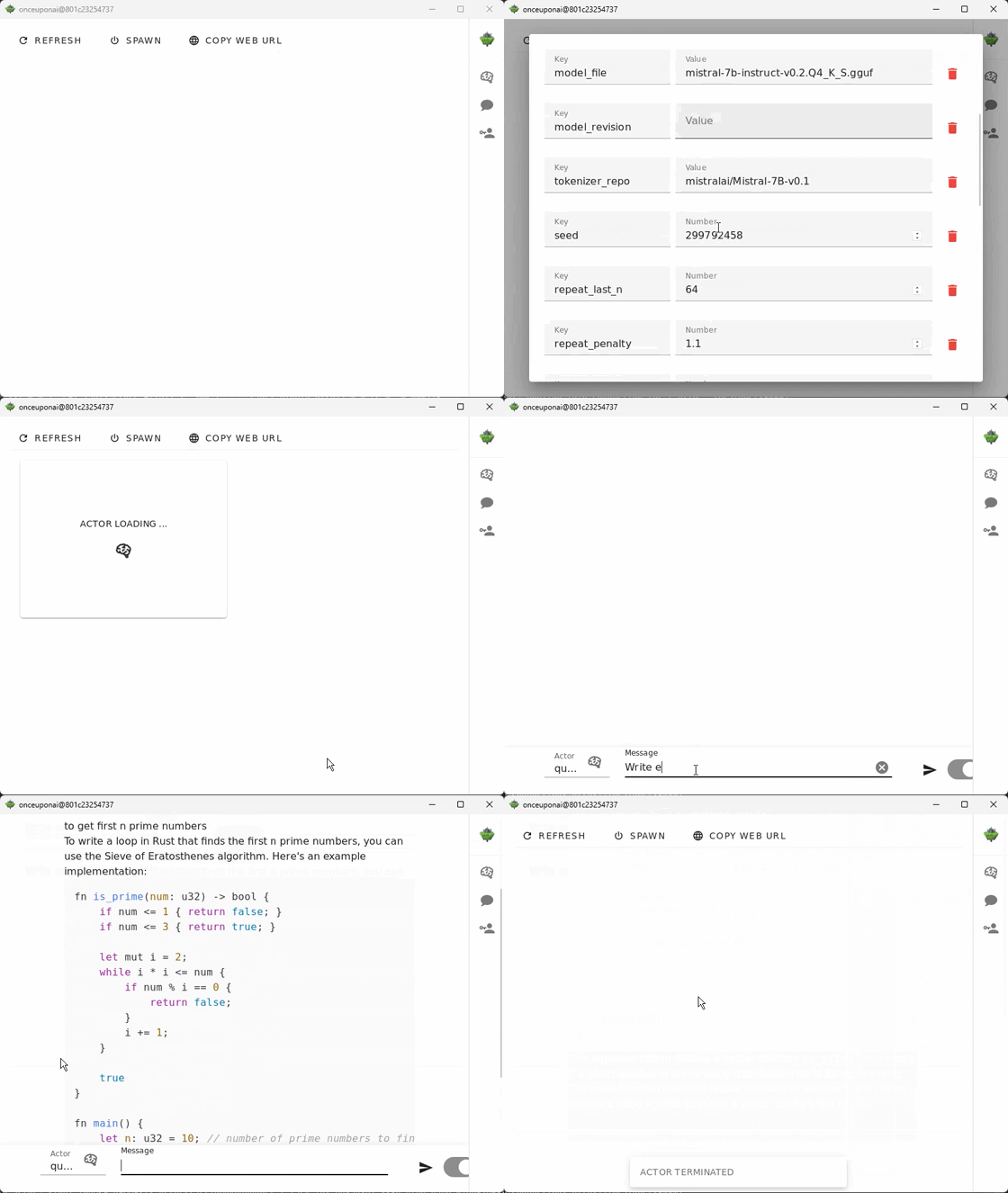
Once Upon ... AI is a rust-based desktop/server application designed to simplify the setup and usage of machine learning models (LLMs, Embedding models, Image generative models, Vision models and other). Whether you want to quickly test different models like LLM-s with different parameters or build scalable solution this app streamlines the entire process. With support for both CPU and CUDA-accelerated GPU environments, you can deploy models locally or scale them across multiple nodes for production environments.
Supported Models
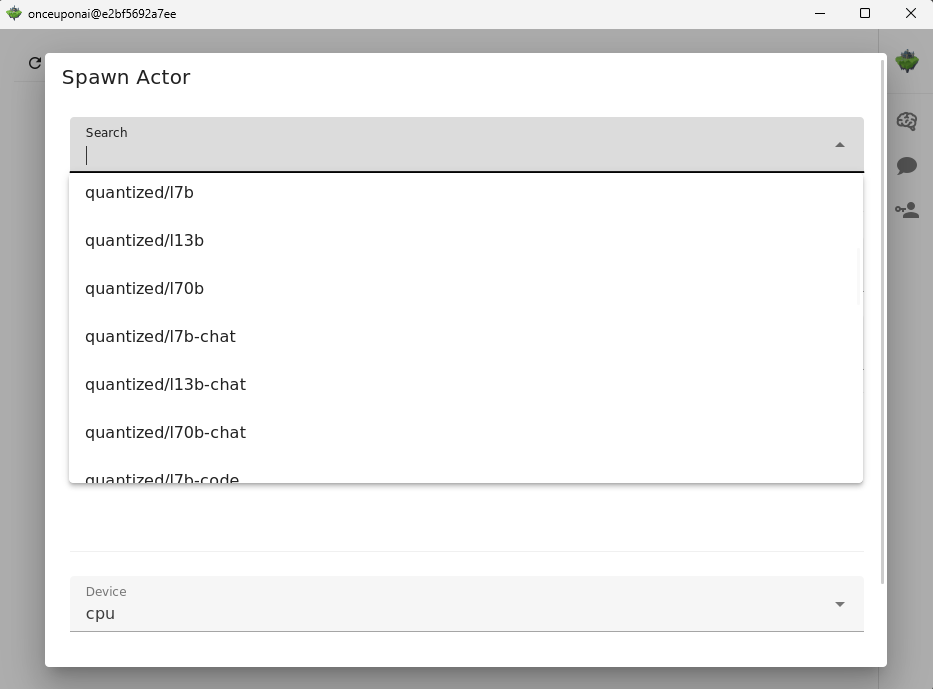
Embeddings:
- intfloat/e5-small-v2
- intfloat/e5-large-v2
- intfloat/multilingual-e5-small
- intfloat/multilingual-e5-large
LLMs:
Quantized LLMs:
- speakleash/Bielik-7B-Instruct-v0.1-GGUF
- TheBloke/Llama-2-7B-GGML
- TheBloke/Llama-2-13B-GGML
- TheBloke/Llama-2-7B-Chat-GGML
- TheBloke/Llama-2-13B-Chat-GGML
- TheBloke/CodeLlama-2-7B-GGML
- TheBloke/CodeLlama-2-13B-GGML
- TheBloke/leo-hessianai-7B-GGUF
- TheBloke/leo-hessianai-13B-GGUF
- TheBloke/Mixtral-8x7B-v0.1-GGUF
- TheBloke/Mixtral-8x7B-Instruct-v0.1-GGUF
- TheBloke/Mistral-7B-v0.1-GGUF
- TheBloke/Mistral-7B-Instruct-v0.1-GGUF
- TheBloke/Mistral-7B-Instruct-v0.2-GGUF
- TheBloke/zephyr-7B-alpha-GGUF
- TheBloke/zephyr-7B-beta-GGUF
- TheBloke/openchat_3.5-GGUF
- TheBloke/Starling-LM-7B-alpha-GGUF
- QuantFactory/Meta-Llama-3-8B-GGUF
- microsoft/Phi-3-mini-4k-instruct-gguf
Installation
Linux
Check your GPU card compute capability: https://developer.nvidia.com/cuda-gpus
Choose AppImage compiled for your card compute capability.
sudo apt install libfuse2
wget https://github.com/onceuponai-dev/onceuponai/releases/download/v0.0.3-alpha.1/onceuponai-cuda-75-0.0.3.AppImage

chmod +x onceuponai-cuda-75-0.0.3.AppImage
./onceuponai-cuda-75-0.0.3.AppImage
Windows
For windows you can use WSL2 and run AppImage as on Linux. If you have GPU card use https://docs.nvidia.com/cuda/wsl-user-guide/index.html to have CUDA support.
Mac
TODO
Docker
To run Once Upon ... AI with docker run:
docker run -it --name onceuponai --rm -p 8080:8080 \
        -e DISPLAY=host.docker.internal:0.0 \
        --gpus all \
        -v $(pwd)/huggingface:/home/ubuntu/.cache/huggingface \
        onceuponai/onceuponai:v0.0.1-alpha.2
Usage
After spawning a model you can call it using REST API which is compatible with OpenAI API.
import os
from openai import OpenAI

client = OpenAI(
    base_url="http://localhost:8080/v1",
    api_key=os.environ["PERSONAL_TOKEN"],
)

completion = client.chat.completions.create(
  model="quantized/mistral7b-instruct-v02",
  messages=[
    {"role": "user", "content": "At what temperature does water boil ?"}
  ]
)

print(completion.choices[0].message)
Architecture
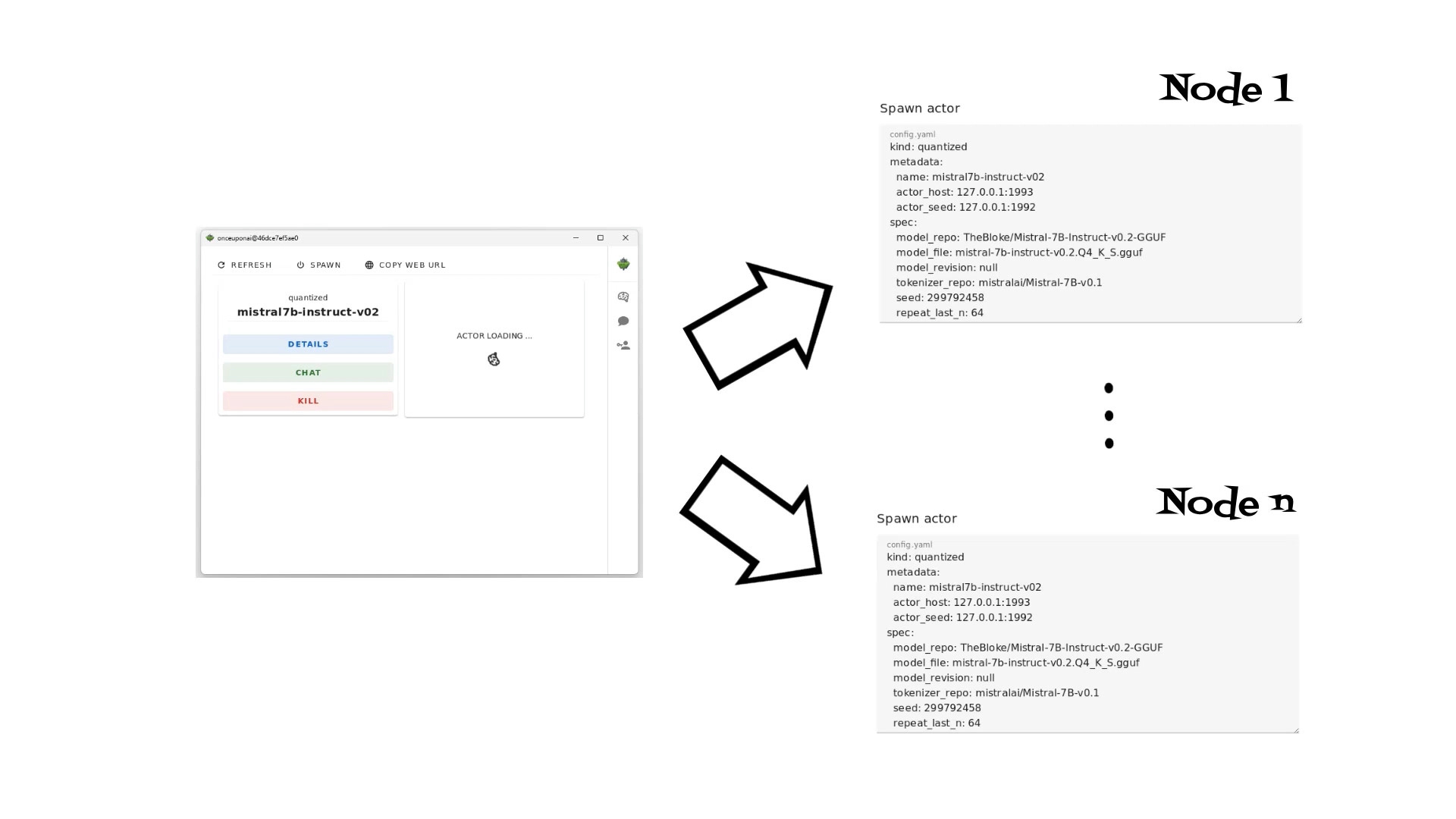
Once Upon ... AI is built using an actors architecture, leveraging Rust's high-performance capabilities. The application uses the Actix Telepathy framework to implement a distributed system of actors, allowing each model to run as an isolated actor (process).
This design offers several advantages:
- Scalability: Deploy models across multiple nodes or machines, ensuring high availability and performance in production environments.
- Modularity: Easily spawn or terminate model deployments via the desktop app, giving you full control over your resources.
- Gateway/Seed Node: The central gateway node exposes a REST API, allowing for seamless integration with external services and client applications.
Authentication
REST API is secured using Personal User Tokens. Additionally, the web server supports integration with OIDC providers for streamlined authentication in enterprise environments.
Personal User Tokens: Each user must generate a unique token to access the API. This token ensures that only authorized users can interact with the deployed models.
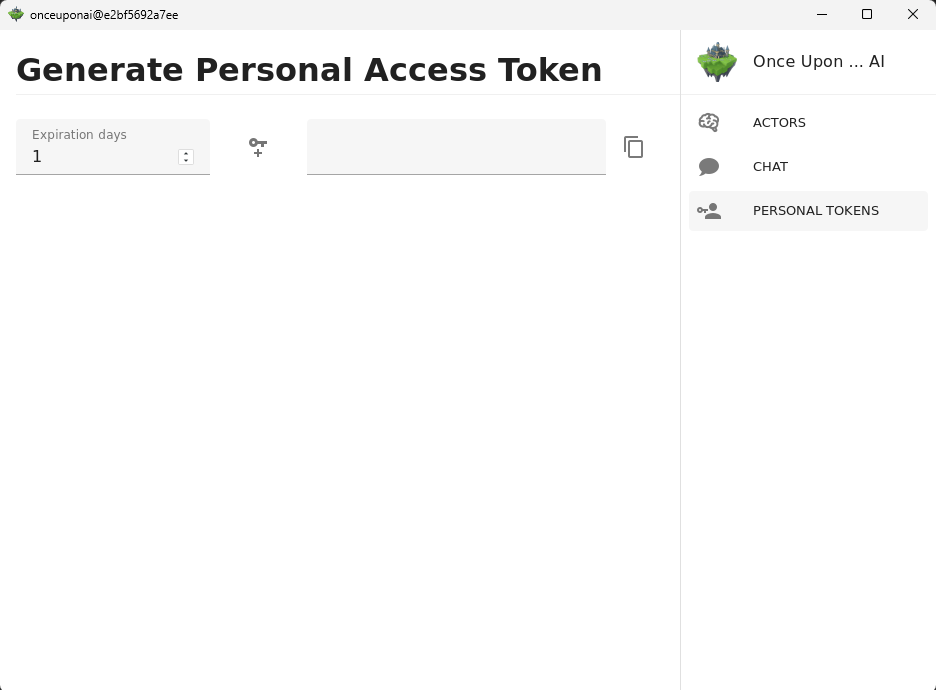
OIDC Integration: For environments requiring enterprise-level security, the Actix server UI can integrate with popular OpenID Connect providers, offering a seamless and secure authentication experience.
Once Upon ... AI -

Usage: onceuponai [OPTIONS]

Options:
      --actor-host <ACTOR_HOST>                                      [default: 127.0.0.1:1992]
      --host <HOST>                                                  [default: 0.0.0.0]
      --port <PORT>                                                  [default: 8080]
      --log-level <LOG_LEVEL>                                        [default: info]
      --workers <WORKERS>                                            [default: 0]
      --invoke-timeout <INVOKE_TIMEOUT>                              [default: 60]
      --session-key <SESSION_KEY>
      --personal-access-token-secret <PERSONAL_ACCESS_TOKEN_SECRET>
      --headless
      --oidc
      --oidc-issuer-url <OIDC_ISSUER_URL>
      --oidc-client-id <OIDC_CLIENT_ID>
      --oidc-client-secret <OIDC_CLIENT_SECRET>
      --oidc-redirect-url <OIDC_REDIRECT_URL>
  -h, --help                                                         Print help
  -V, --version                                                      Print version
Contributors

267 commits

4 commits
Similar repos


Languages
Rust
66.8%
Vue
21.6%
TypeScript
3.2%
Makefile
1.9%
Shell
1.7%
HCL
1.5%
HTML
1.2%
README
Once Upon ... AI: Start Your AI Adventures with Ease
Introduction
Once Upon ... AI is a rust-based desktop/server application designed to simplify the setup and usage of machine learning models (LLMs, Embedding models, Image generative models, Vision models and other). Whether you want to quickly test different models like LLM-s with different parameters or build scalable solution this app streamlines the entire process. With support for both CPU and CUDA-accelerated GPU environments, you can deploy models locally or scale them across multiple nodes for production environments.
Supported Models
Embeddings:
- intfloat/e5-small-v2
- intfloat/e5-large-v2
- intfloat/multilingual-e5-small
- intfloat/multilingual-e5-large
LLMs:
Quantized LLMs:
- speakleash/Bielik-7B-Instruct-v0.1-GGUF
- TheBloke/Llama-2-7B-GGML
- TheBloke/Llama-2-13B-GGML
- TheBloke/Llama-2-7B-Chat-GGML
- TheBloke/Llama-2-13B-Chat-GGML
- TheBloke/CodeLlama-2-7B-GGML
- TheBloke/CodeLlama-2-13B-GGML
- TheBloke/leo-hessianai-7B-GGUF
- TheBloke/leo-hessianai-13B-GGUF
- TheBloke/Mixtral-8x7B-v0.1-GGUF
- TheBloke/Mixtral-8x7B-Instruct-v0.1-GGUF
- TheBloke/Mistral-7B-v0.1-GGUF
- TheBloke/Mistral-7B-Instruct-v0.1-GGUF
- TheBloke/Mistral-7B-Instruct-v0.2-GGUF
- TheBloke/zephyr-7B-alpha-GGUF
- TheBloke/zephyr-7B-beta-GGUF
- TheBloke/openchat_3.5-GGUF
- TheBloke/Starling-LM-7B-alpha-GGUF
- QuantFactory/Meta-Llama-3-8B-GGUF
- microsoft/Phi-3-mini-4k-instruct-gguf
Installation
Linux
Check your GPU card compute capability: https://developer.nvidia.com/cuda-gpus
Choose AppImage compiled for your card compute capability.
sudo apt install libfuse2
wget https://github.com/onceuponai-dev/onceuponai/releases/download/v0.0.3-alpha.1/onceuponai-cuda-75-0.0.3.AppImage

chmod +x onceuponai-cuda-75-0.0.3.AppImage
./onceuponai-cuda-75-0.0.3.AppImage
Windows
For windows you can use WSL2 and run AppImage as on Linux. If you have GPU card use https://docs.nvidia.com/cuda/wsl-user-guide/index.html to have CUDA support.
Mac
TODO
Docker
To run Once Upon ... AI with docker run:
docker run -it --name onceuponai --rm -p 8080:8080 \
        -e DISPLAY=host.docker.internal:0.0 \
        --gpus all \
        -v $(pwd)/huggingface:/home/ubuntu/.cache/huggingface \
        onceuponai/onceuponai:v0.0.1-alpha.2
Usage
After spawning a model you can call it using REST API which is compatible with OpenAI API.
import os
from openai import OpenAI

client = OpenAI(
    base_url="http://localhost:8080/v1",
    api_key=os.environ["PERSONAL_TOKEN"],
)

completion = client.chat.completions.create(
  model="quantized/mistral7b-instruct-v02",
  messages=[
    {"role": "user", "content": "At what temperature does water boil ?"}
  ]
)

print(completion.choices[0].message)
Architecture
Once Upon ... AI is built using an actors architecture, leveraging Rust's high-performance capabilities. The application uses the Actix Telepathy framework to implement a distributed system of actors, allowing each model to run as an isolated actor (process).
This design offers several advantages:
- Scalability: Deploy models across multiple nodes or machines, ensuring high availability and performance in production environments.
- Modularity: Easily spawn or terminate model deployments via the desktop app, giving you full control over your resources.
- Gateway/Seed Node: The central gateway node exposes a REST API, allowing for seamless integration with external services and client applications.
Authentication
REST API is secured using Personal User Tokens. Additionally, the web server supports integration with OIDC providers for streamlined authentication in enterprise environments.
Personal User Tokens: Each user must generate a unique token to access the API. This token ensures that only authorized users can interact with the deployed models.
OIDC Integration: For environments requiring enterprise-level security, the Actix server UI can integrate with popular OpenID Connect providers, offering a seamless and secure authentication experience.
Once Upon ... AI -

Usage: onceuponai [OPTIONS]

Options:
      --actor-host <ACTOR_HOST>                                      [default: 127.0.0.1:1992]
      --host <HOST>                                                  [default: 0.0.0.0]
      --port <PORT>                                                  [default: 8080]
      --log-level <LOG_LEVEL>                                        [default: info]
      --workers <WORKERS>                                            [default: 0]
      --invoke-timeout <INVOKE_TIMEOUT>                              [default: 60]
      --session-key <SESSION_KEY>
      --personal-access-token-secret <PERSONAL_ACCESS_TOKEN_SECRET>
      --headless
      --oidc
      --oidc-issuer-url <OIDC_ISSUER_URL>
      --oidc-client-id <OIDC_CLIENT_ID>
      --oidc-client-secret <OIDC_CLIENT_SECRET>
      --oidc-redirect-url <OIDC_REDIRECT_URL>
  -h, --help                                                         Print help
  -V, --version                                                      Print version
Similar repos
Contributors
267 commits
4 commits
Languages
Rust
66.8%
Vue
21.6%
TypeScript
3.2%
Makefile
1.9%
Shell
1.7%
HCL
1.5%
HTML
1.2%