Free, open-source voice assistant for macOS: ask about your screen and a pointer shows you where, dictate anywhere (offline by default), hand tasks to a Codex agent. Your own key or a free account. MIT.
See the codeDictation for your Mac that never has to leave it. Hold one key anywhere, say what you mean, let go: the words are cleaned up in the style of the app in front and land where your cursor is. Offline by default with Apple's on-device recogniser; add your Sarvam key and it hears eleven Indian languages. And it is still the open-source voice companion it was: hold ⌃⌥ to ask about your screen, be pointed at the answer, and hand real work to a Codex agent. MIT licensed.
Download OpenClicky for macOS (Apple Silicon, macOS 14.2+, notarized) · How it works · Contributing
Nothing leaves your Mac until you choose an engine that needs the network (Settings → engine): Sarvam with your own key (Saaras hears Hindi, Tamil, Telugu, Malayalam, Kannada, Bengali, Marathi, Gujarati, Punjabi, Odia and English, with the words appearing while you speak), or the OpenClicky backend with an invite or your OpenAI key. The same key or account polishes takes with a model (punctuation, "three p.m." → "3 PM", your style's rules) and powers Hey Clicky: hold fn + ⌃, say "make it formal", and the selected text is rewritten.
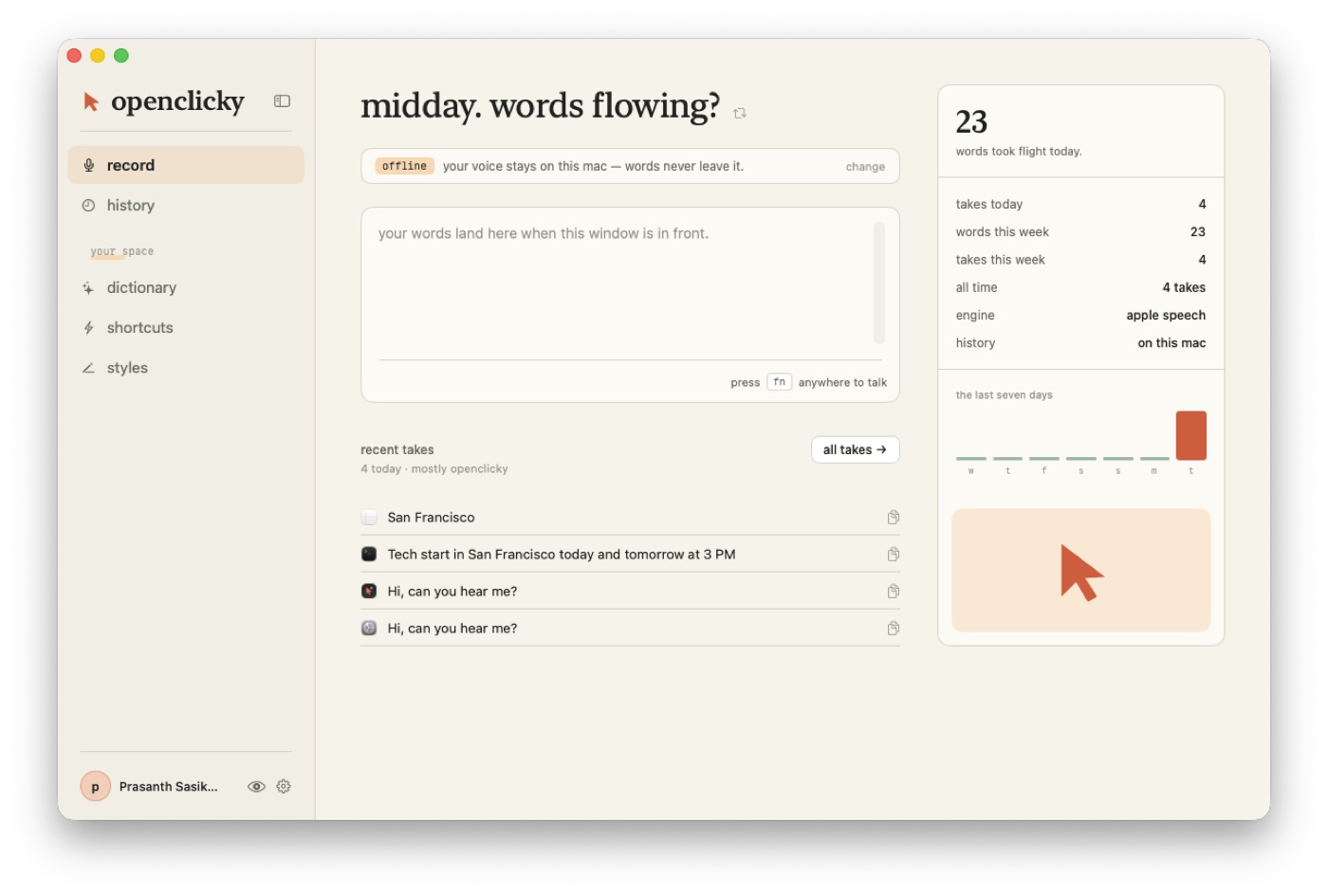 | 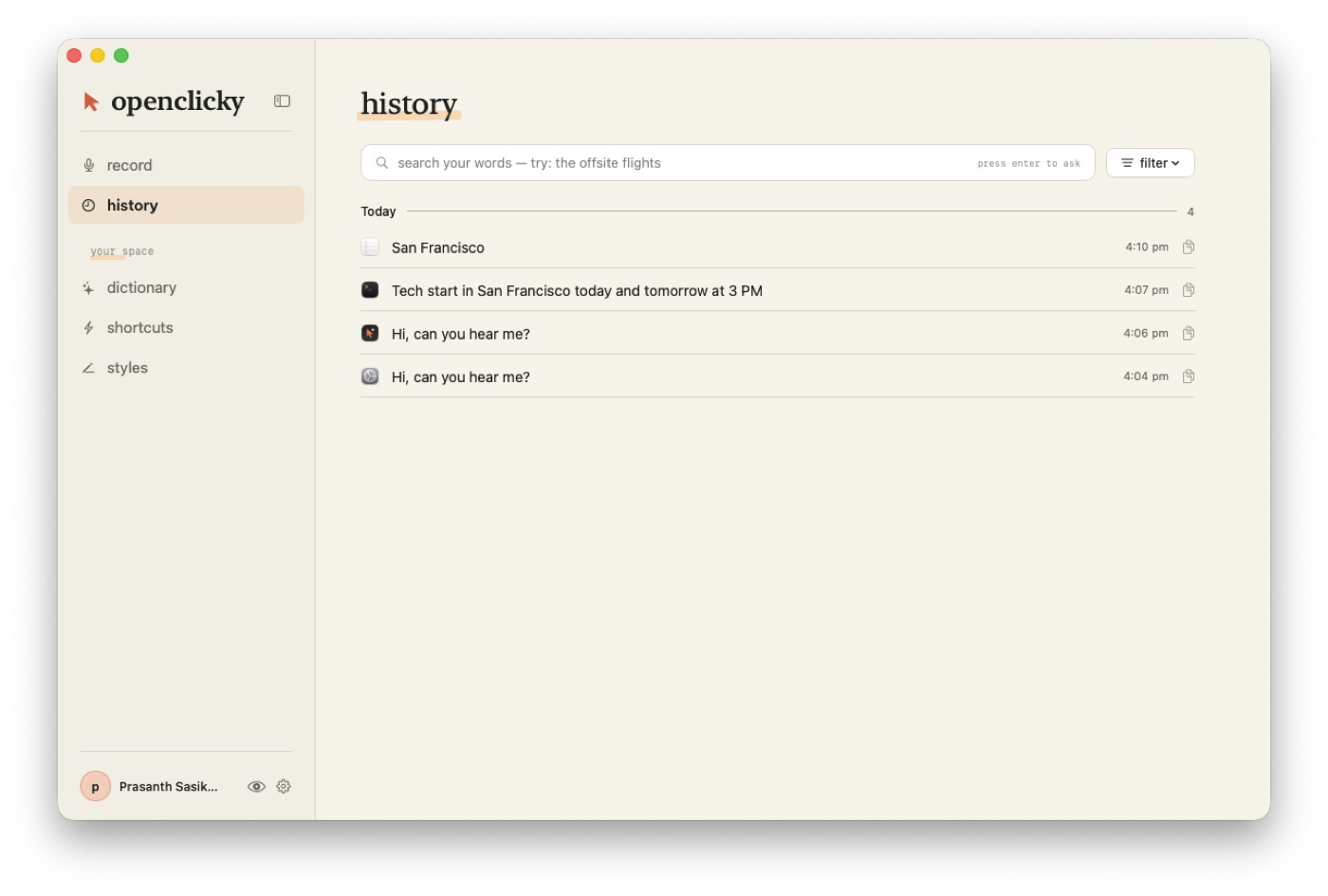 |
| record. The engine banner says where your voice goes; takes land in the box when this window is in front. | history. Every take with what you said and what was written; type a question and press enter to ask across them. |
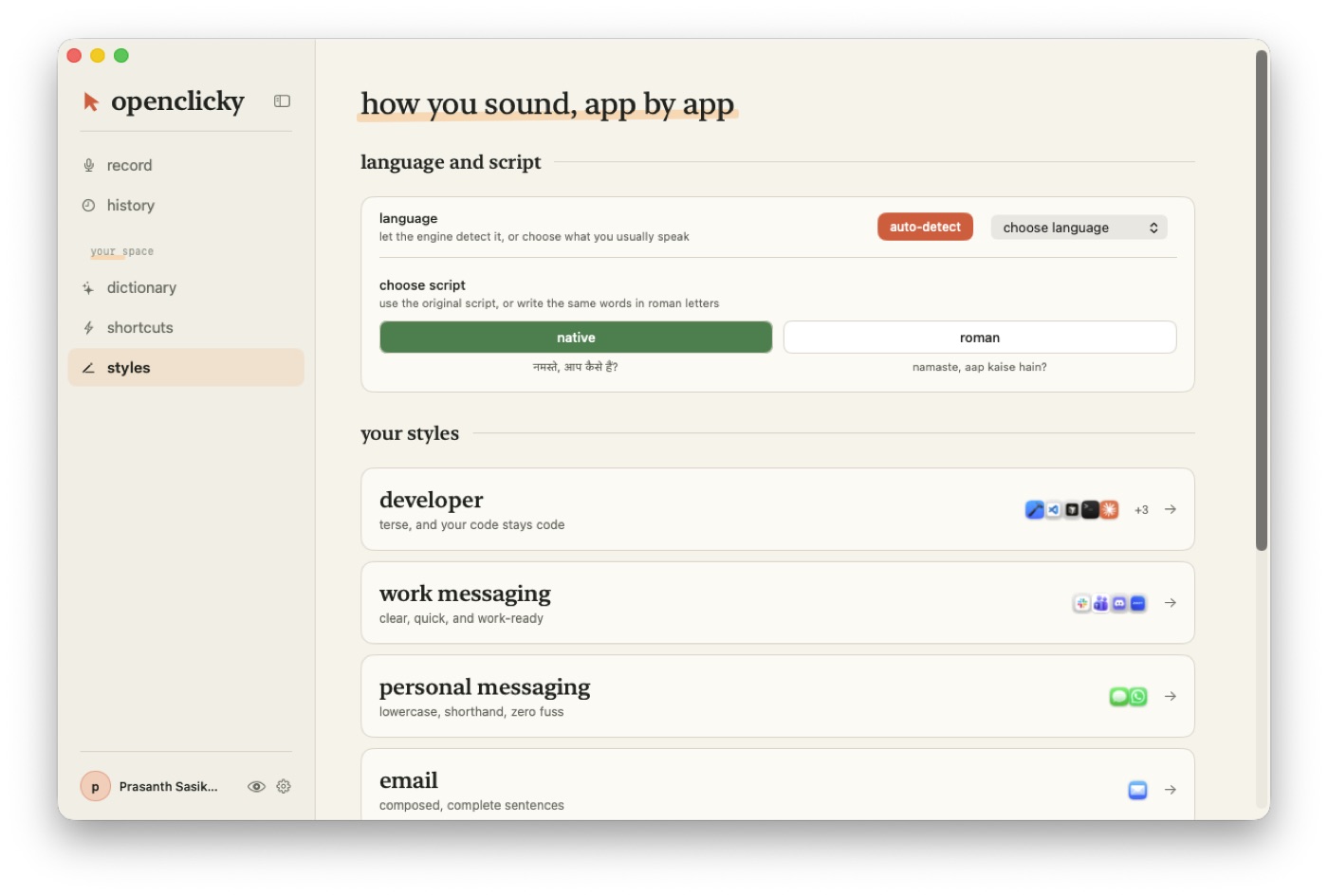 | 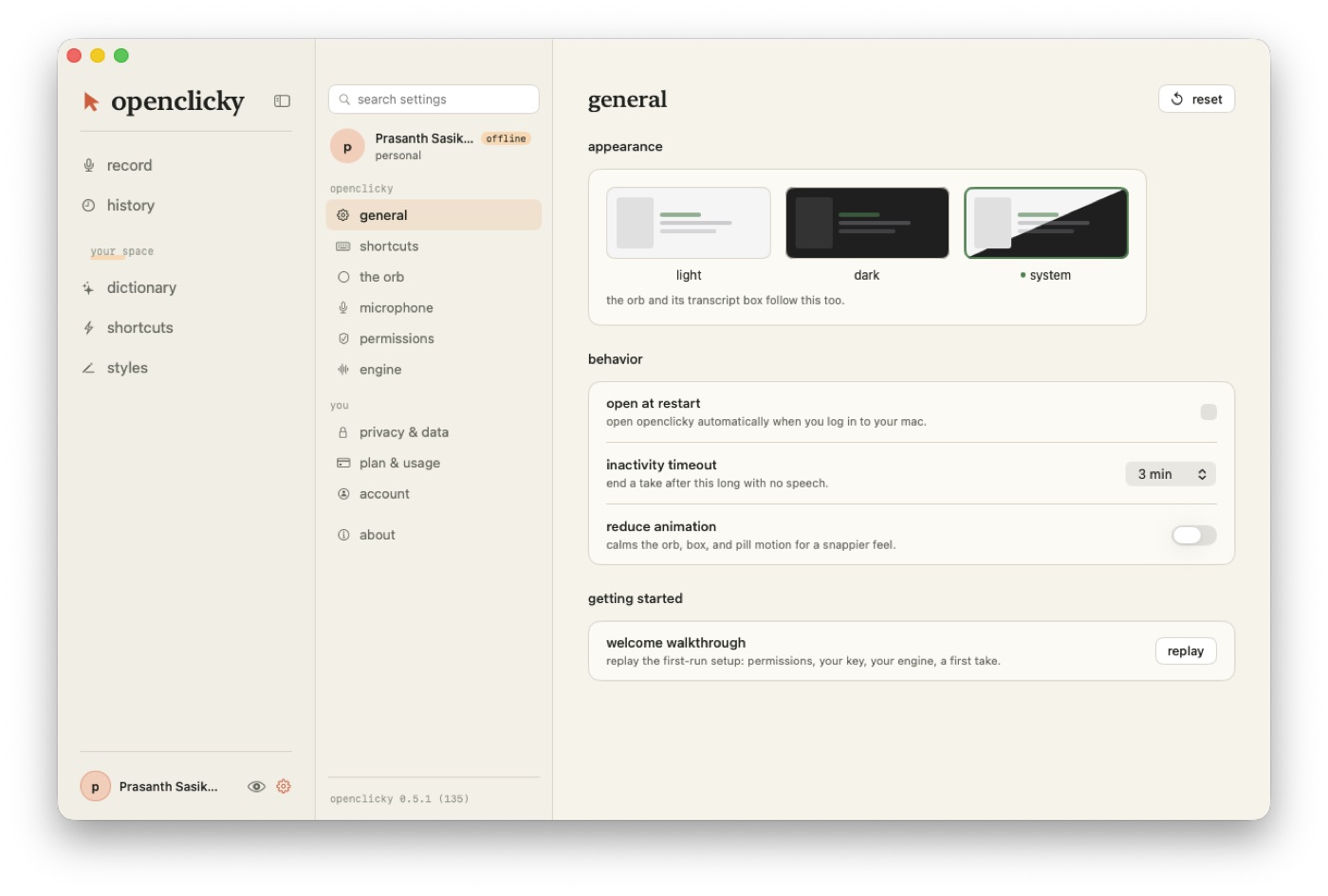 |
| styles. Auto-detect or pin a language, native or roman script, and the apps written in each style. | settings. General, shortcuts, the orb, microphone, permissions, engine, privacy, plan, account, about. |
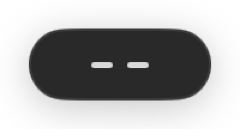
The orb rests at the bottom of the screen and shows each take: bars while listening, "moving your words", "moved to text box". The first run is a five-chapter walkthrough:
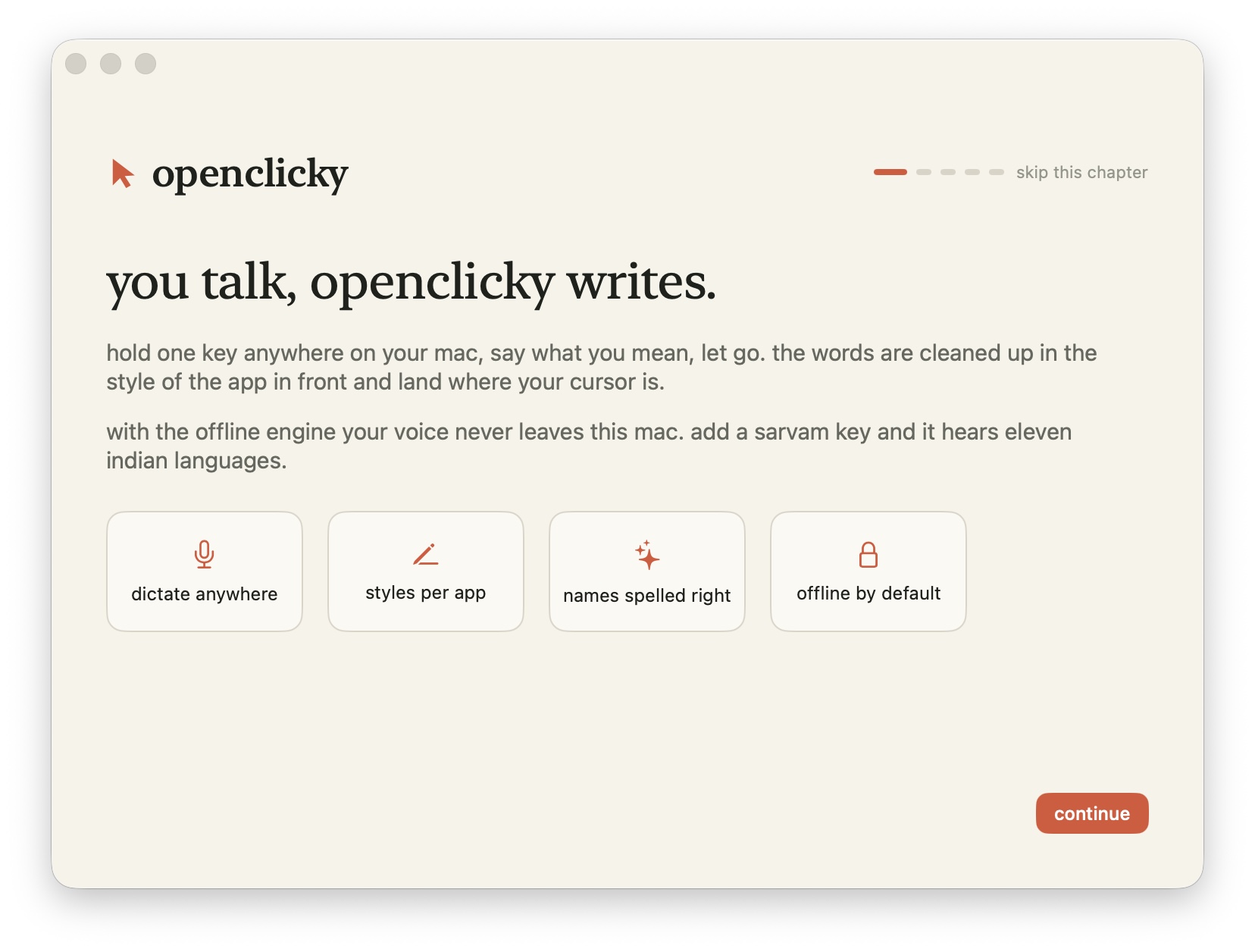
| The orb | a pill at the bottom of the screen: resting, listening with live bars, "moving your words", "moved to text box". Three looks, three themes, draggable, can hide when idle. |
| Styles, app by app | developer (code stays code), work messaging, personal messaging (lowercase, shorthand), email, other apps. Assign any app to any style; edit the rules the model reads. |
| Dictionary & shortcuts | names spelled your way, replaced inside any sentence; shortcuts that expand when you say exactly the trigger. Plain JSON under ~/.openclicky/dictation. |
| History | every take with what you said and what was written, grouped by day, searchable, editable, on this Mac in SQLite. Incognito keeps takes out of it. |
| Language & script | auto-detect or pin a language; native script or roman letters for Indian languages. |
| Installed like an app | self-installs from the dmg, updates itself (Sparkle), opens at login if you want, frees the fn key from Emoji & Symbols with one click. |
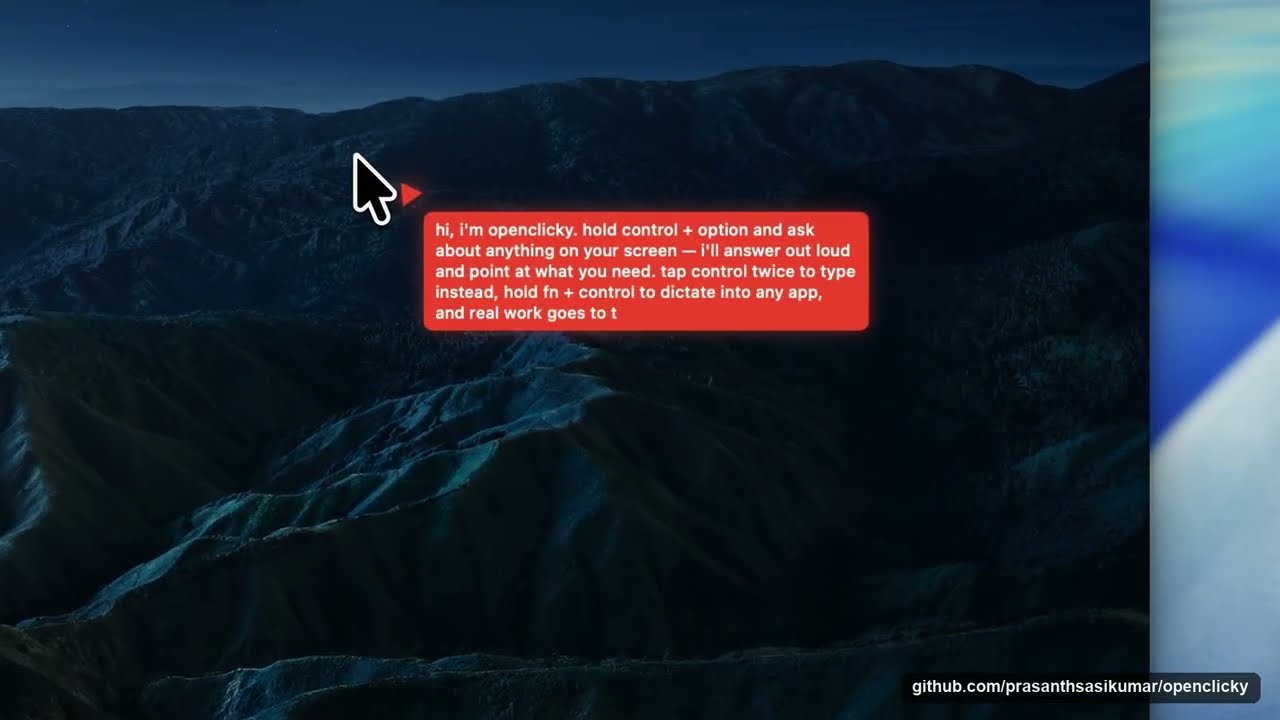
The companion features are unchanged: hold ⌃ control + ⌥ option and ask about anything on screen,
tap ⌃ twice to type instead, tap fn + ⌃ twice for hands-free. The "do work" lane (files,
commands, apps) additionally needs the openclicky CLI and Codex:
see Run the agent.
The Mac app is derived from Farza's MIT-licensed Clicky; HeyClicky is a separate product and this project is not affiliated with it. The dictation product shape follows Sarvam's Kivi, studied in docs/research/2026-10-06-kivi-reverse-engineering.md; no Kivi code, art or fonts are used.
Modeled on the HeyClicky idea, built as a headless agent core plus a native shell:
macos/OpenClicky — the native app. Dictation/ is the take loop (the key, the engines, the
formatter, the paste, the store), the orb, the main window and onboarding; the rest is the shell
forked from Farza's MIT-licensed Clicky: the cursor buddy, ScreenCaptureKit capture, the
companion shortcuts, in-process OpenAI Realtime voice, and an Agent mode that hands "make /
fix / run…" requests to a Codex thread.agent/ — a TypeScript CLI that drives the OpenAI Codex CLI over JSON-RPC stdio (the "do
work" lane), plus the ask lane, a cheap gate that routes between them, screenshots, push-to-talk
voice, an always-on talk loop, and thread management.backend/ — a Hono API that holds every provider key, verifies Supabase auth, proxies
model calls, mints Realtime voice secrets, transcribes audio, and serves the skill library. Runs on
Node or Cloudflare Workers unchanged.~/.openclicky/skills (fill it from the HUD, the
openclicky skills CLI, or by hand). The active set reaches both the voice model and the agent.point_at tool, so "where is the export
button?" flies the buddy to it while the answer is spoken, one call per step for walkthroughs.Keys never leave the backend: the agent strips OPENAI_API_KEY / ANTHROPIC_API_KEY from Codex's
environment and only ever presents the user's token, and the app does the same for the CLI. Pay for
model calls with your own key or an invite.
Not there yet: active-document reading, Composio/cua-driver themselves (only the wiring), HeyClicky's skill approval queue and team-shared skills, drawing/circling annotations on screen, a paywall, crash reporting; on the dictation side, history sync between Macs, teams and a leaderboard, rich paste for Notion / Sheets / Slack, and Wispr Flow import.
| Document | What |
|---|---|
| How it works | the request flow end to end, repository layout, the three skill layers, following upstream HeyClicky |
| Setup and running from source | prerequisites, backend, CLI, macOS app, provider choices, keys vs invites, auth flow, releases and the update feed |
| Dictation design | the take loop, engines, formatting, the space, the orb, installation — what was built and why |
| Kivi, reverse-engineered | the report the dictation product shape was taken from |
| Dictation hand test | what to try by hand after a build, step by step |
| Skill authoring | SKILL.md format, matching, budgets, activation |
app-skills/ | the 16 app-teaching skills and how to add one |
| CONTRIBUTING.md | setup, test commands, where help is welcome |
macos/OpenClicky): stream agent milestones onto the cursor bubble, Keychain token entry
(upstream PR #80 is a good template), active-document reader./agent/realtime/turn|warmup, /skills/activations/sync (cross-machine activations), Composio session brokering.MIT, see LICENSE (the Mac app is derived from Farza's MIT-licensed Clicky; HeyClicky is a separate
product). Everything here runs on your own machine with your own keys; the hosted backend is only a
convenience for invited users. CONTRIBUTING.md has the setup, the test commands, and where help is
welcome. Pull requests run the TypeScript and Swift test suites in CI.
Free, open-source voice assistant for macOS: ask about your screen and a pointer shows you where, dictate anywhere (offline by default), hand tasks to a Codex agent. Your own key or a free account. MIT.
See the codeDictation for your Mac that never has to leave it. Hold one key anywhere, say what you mean, let go: the words are cleaned up in the style of the app in front and land where your cursor is. Offline by default with Apple's on-device recogniser; add your Sarvam key and it hears eleven Indian languages. And it is still the open-source voice companion it was: hold ⌃⌥ to ask about your screen, be pointed at the answer, and hand real work to a Codex agent. MIT licensed.
Download OpenClicky for macOS (Apple Silicon, macOS 14.2+, notarized) · How it works · Contributing
Nothing leaves your Mac until you choose an engine that needs the network (Settings → engine): Sarvam with your own key (Saaras hears Hindi, Tamil, Telugu, Malayalam, Kannada, Bengali, Marathi, Gujarati, Punjabi, Odia and English, with the words appearing while you speak), or the OpenClicky backend with an invite or your OpenAI key. The same key or account polishes takes with a model (punctuation, "three p.m." → "3 PM", your style's rules) and powers Hey Clicky: hold fn + ⌃, say "make it formal", and the selected text is rewritten.
| |
| record. The engine banner says where your voice goes; takes land in the box when this window is in front. | history. Every take with what you said and what was written; type a question and press enter to ask across them. |
| |
| styles. Auto-detect or pin a language, native or roman script, and the apps written in each style. | settings. General, shortcuts, the orb, microphone, permissions, engine, privacy, plan, account, about. |
The orb rests at the bottom of the screen and shows each take: bars while listening, "moving your words", "moved to text box". The first run is a five-chapter walkthrough:
| The orb | a pill at the bottom of the screen: resting, listening with live bars, "moving your words", "moved to text box". Three looks, three themes, draggable, can hide when idle. |
| Styles, app by app | developer (code stays code), work messaging, personal messaging (lowercase, shorthand), email, other apps. Assign any app to any style; edit the rules the model reads. |
| Dictionary & shortcuts | names spelled your way, replaced inside any sentence; shortcuts that expand when you say exactly the trigger. Plain JSON under ~/.openclicky/dictation. |
| History | every take with what you said and what was written, grouped by day, searchable, editable, on this Mac in SQLite. Incognito keeps takes out of it. |
| Language & script | auto-detect or pin a language; native script or roman letters for Indian languages. |
| Installed like an app | self-installs from the dmg, updates itself (Sparkle), opens at login if you want, frees the fn key from Emoji & Symbols with one click. |
The companion features are unchanged: hold ⌃ control + ⌥ option and ask about anything on screen,
tap ⌃ twice to type instead, tap fn + ⌃ twice for hands-free. The "do work" lane (files,
commands, apps) additionally needs the openclicky CLI and Codex:
see Run the agent.
The Mac app is derived from Farza's MIT-licensed Clicky; HeyClicky is a separate product and this project is not affiliated with it. The dictation product shape follows Sarvam's Kivi, studied in docs/research/2026-10-06-kivi-reverse-engineering.md; no Kivi code, art or fonts are used.
Modeled on the HeyClicky idea, built as a headless agent core plus a native shell:
macos/OpenClicky — the native app. Dictation/ is the take loop (the key, the engines, the
formatter, the paste, the store), the orb, the main window and onboarding; the rest is the shell
forked from Farza's MIT-licensed Clicky: the cursor buddy, ScreenCaptureKit capture, the
companion shortcuts, in-process OpenAI Realtime voice, and an Agent mode that hands "make /
fix / run…" requests to a Codex thread.agent/ — a TypeScript CLI that drives the OpenAI Codex CLI over JSON-RPC stdio (the "do
work" lane), plus the ask lane, a cheap gate that routes between them, screenshots, push-to-talk
voice, an always-on talk loop, and thread management.backend/ — a Hono API that holds every provider key, verifies Supabase auth, proxies
model calls, mints Realtime voice secrets, transcribes audio, and serves the skill library. Runs on
Node or Cloudflare Workers unchanged.~/.openclicky/skills (fill it from the HUD, the
openclicky skills CLI, or by hand). The active set reaches both the voice model and the agent.point_at tool, so "where is the export
button?" flies the buddy to it while the answer is spoken, one call per step for walkthroughs.Keys never leave the backend: the agent strips OPENAI_API_KEY / ANTHROPIC_API_KEY from Codex's
environment and only ever presents the user's token, and the app does the same for the CLI. Pay for
model calls with your own key or an invite.
Not there yet: active-document reading, Composio/cua-driver themselves (only the wiring), HeyClicky's skill approval queue and team-shared skills, drawing/circling annotations on screen, a paywall, crash reporting; on the dictation side, history sync between Macs, teams and a leaderboard, rich paste for Notion / Sheets / Slack, and Wispr Flow import.
| Document | What |
|---|---|
| How it works | the request flow end to end, repository layout, the three skill layers, following upstream HeyClicky |
| Setup and running from source | prerequisites, backend, CLI, macOS app, provider choices, keys vs invites, auth flow, releases and the update feed |
| Dictation design | the take loop, engines, formatting, the space, the orb, installation — what was built and why |
| Kivi, reverse-engineered | the report the dictation product shape was taken from |
| Dictation hand test | what to try by hand after a build, step by step |
| Skill authoring | SKILL.md format, matching, budgets, activation |
app-skills/ | the 16 app-teaching skills and how to add one |
| CONTRIBUTING.md | setup, test commands, where help is welcome |
macos/OpenClicky): stream agent milestones onto the cursor bubble, Keychain token entry
(upstream PR #80 is a good template), active-document reader./agent/realtime/turn|warmup, /skills/activations/sync (cross-machine activations), Composio session brokering.MIT, see LICENSE (the Mac app is derived from Farza's MIT-licensed Clicky; HeyClicky is a separate
product). Everything here runs on your own machine with your own keys; the hosted backend is only a
convenience for invited users. CONTRIBUTING.md has the setup, the test commands, and where help is
welcome. Pull requests run the TypeScript and Swift test suites in CI.



