Raspberry Pi Self Hosted Server Based on Docker / Portainer.io
Shell
1,413
1,229 commits
updated Aug 4, 2025


This repository is a collection of tutorials for hosting a variety of server applications using Docker and Portainer.

See the list of apps included in this template here.
Run install-docker.sh, to install docker, and add the current user to the docker usergroup.
wget -qO- https://raw.githubusercontent.com/pi-hosted/pi-hosted/master/install_docker.sh | bash
You need to reboot/logout for changes to take effect
On Oct 30, 2021 Pi OS bullseye was released and this is no longer needed. Older Pi OS buster releases run an old version of libseccomp that is causing problems with many containers that are preventing them from running. To fix this we need to manually install a newer version of libseccomp. However we first need to check and see if you are running an older version. To check please run sudo dpkg-query -W libseccomp.
sudo dpkg-query -W libseccomp2
If you are running a version less that 2.5 you will need to run the upgrade script.
wget -qO- https://raw.githubusercontent.com/pi-hosted/pi-hosted/master//tools/update_libseccomp2.sh | bash
sudo reboot
After a reboot, run install-portainer.sh, to install Portainer.io
wget -qO- https://raw.githubusercontent.com/pi-hosted/pi-hosted/master/install_portainer.sh | bash
# to update portainer, run this command instead
wget -qO- https://raw.githubusercontent.com/pi-hosted/pi-hosted/master/update_portainer.sh | bash
This does not work for ARM32 based systems. See below.
Goto pi-ip:9000 and then login
Click Settings, in the bottom-left corner, and paste the Portainer v2 json file link from below into the "App Templates" box.
You're done! Now just click App Templates and deploy applications!
Portainer V2.21 or lower
| Architecture | Tested OS's | URL |
|---|---|---|
| **Arm32 | Pi OS, DietPi | https://raw.githubusercontent.com/pi-hosted/pi-hosted/master/template/portainer-v2-arm32.json |
| Arm64 | Pi OS, Ubuntu, DietPi | https://raw.githubusercontent.com/pi-hosted/pi-hosted/master/template/portainer-v2-arm64.json |
| Amd64 | Ubuntu, Debian | https://raw.githubusercontent.com/pi-hosted/pi-hosted/master/template/portainer-v2-amd64.json |
Portainer V2.22 or higher
| Architecture | Tested OS's | URL |
|---|---|---|
| Arm64 | Pi OS, Ubuntu, DietPi | https://raw.githubusercontent.com/pi-hosted/pi-hosted/master/template/portainer-v3-arm64.json |
| Amd64 | Ubuntu, Debian | https://raw.githubusercontent.com/pi-hosted/pi-hosted/master/template/portainer-v3-amd64.json |
ARM32 support is slowly getting dropped, we recommend you upgrade to ARM64 as soon as possible
The above script to install Portainer doesn't work, as the portainer/portainer-ce:latest Docker image doesn't support ARM32 any more. You can run the commands in the script directly and use portainer/portainer-cs:linux-arm-2.11.1-alpine instead.
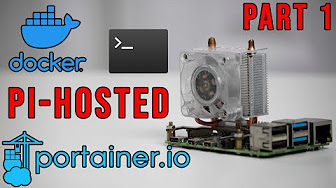
You can find more tutorials and useful information in our GitHub Docs folder.
Install, Update, Pre-Install and extra scripts can be found in our GitHub Tools folder.
See the list of contributors who participated in this project.
44 followers · starred Dec 2022
132 followers · starred Oct 2021
259 followers · starred Nov 2025
138 followers · starred Aug 2025
Raspberry Pi Self Hosted Server Based on Docker / Portainer.io
Shell
1,413
1,229 commits
updated Aug 4, 2025
This repository is a collection of tutorials for hosting a variety of server applications using Docker and Portainer.
See the list of apps included in this template here.
Run install-docker.sh, to install docker, and add the current user to the docker usergroup.
wget -qO- https://raw.githubusercontent.com/pi-hosted/pi-hosted/master/install_docker.sh | bash
You need to reboot/logout for changes to take effect
On Oct 30, 2021 Pi OS bullseye was released and this is no longer needed. Older Pi OS buster releases run an old version of libseccomp that is causing problems with many containers that are preventing them from running. To fix this we need to manually install a newer version of libseccomp. However we first need to check and see if you are running an older version. To check please run sudo dpkg-query -W libseccomp.
sudo dpkg-query -W libseccomp2
If you are running a version less that 2.5 you will need to run the upgrade script.
wget -qO- https://raw.githubusercontent.com/pi-hosted/pi-hosted/master//tools/update_libseccomp2.sh | bash
sudo reboot
After a reboot, run install-portainer.sh, to install Portainer.io
wget -qO- https://raw.githubusercontent.com/pi-hosted/pi-hosted/master/install_portainer.sh | bash
# to update portainer, run this command instead
wget -qO- https://raw.githubusercontent.com/pi-hosted/pi-hosted/master/update_portainer.sh | bash
This does not work for ARM32 based systems. See below.
Goto pi-ip:9000 and then login
Click Settings, in the bottom-left corner, and paste the Portainer v2 json file link from below into the "App Templates" box.
You're done! Now just click App Templates and deploy applications!
Portainer V2.21 or lower
| Architecture | Tested OS's | URL |
|---|---|---|
| **Arm32 | Pi OS, DietPi | https://raw.githubusercontent.com/pi-hosted/pi-hosted/master/template/portainer-v2-arm32.json |
| Arm64 | Pi OS, Ubuntu, DietPi | https://raw.githubusercontent.com/pi-hosted/pi-hosted/master/template/portainer-v2-arm64.json |
| Amd64 | Ubuntu, Debian | https://raw.githubusercontent.com/pi-hosted/pi-hosted/master/template/portainer-v2-amd64.json |
Portainer V2.22 or higher
| Architecture | Tested OS's | URL |
|---|---|---|
| Arm64 | Pi OS, Ubuntu, DietPi | https://raw.githubusercontent.com/pi-hosted/pi-hosted/master/template/portainer-v3-arm64.json |
| Amd64 | Ubuntu, Debian | https://raw.githubusercontent.com/pi-hosted/pi-hosted/master/template/portainer-v3-amd64.json |
ARM32 support is slowly getting dropped, we recommend you upgrade to ARM64 as soon as possible
The above script to install Portainer doesn't work, as the portainer/portainer-ce:latest Docker image doesn't support ARM32 any more. You can run the commands in the script directly and use portainer/portainer-cs:linux-arm-2.11.1-alpine instead.
You can find more tutorials and useful information in our GitHub Docs folder.
Install, Update, Pre-Install and extra scripts can be found in our GitHub Tools folder.
See the list of contributors who participated in this project.
44 followers · starred Dec 2022
132 followers · starred Oct 2021
259 followers · starred Nov 2025
138 followers · starred Aug 2025