DockSTARTer helps you get started with running apps in Docker.
See the code





The main goal of DockSTARTer is to make it quick and easy to get up and running with Docker.
You may choose to rely on DockSTARTer for various changes to your Docker system or use DockSTARTer as a stepping stone and learn to do more advanced configurations.
APK Systems (Alpine)
sudo apk add curl git
bash -c "$(curl -fsSL https://get.dockstarter.com)"
sudo reboot
APT Systems (Debian, Ubuntu, etc)
sudo apt-get install curl git
bash -c "$(curl -fsSL https://get.dockstarter.com)"
sudo reboot
Raspbian requires a few extra commands
sudo apt-get update
sudo apt-get dist-upgrade
sudo apt-get install curl git
bash -c "$(curl -fsSL https://get.docker.com)"
bash -c "$(curl -fsSL https://get.dockstarter.com)"
sudo reboot
OpenMediaVault (OMV) requires special instructions found here
DNF Systems (Fedora)
sudo dnf install curl git
bash -c "$(curl -fsSL https://get.dockstarter.com)"
sudo reboot
Pacman Systems (Arch, Manjaro, EndeavourOS, etc.)
sudo pacman -Sy curl docker git
bash -c "$(curl -fsSL https://get.dockstarter.com)"
sudo reboot
YUM Systems (CentOS)
sudo yum install curl git
bash -c "$(curl -fsSL https://get.dockstarter.com)"
sudo reboot
MacOS Systems (Homebrew)
brew update
brew upgrade --cask
brew upgrade
brew install --cask docker
brew install docker-compose
or
brew update
brew upgrade --cask
brew upgrade
brew install docker docker-compose
brew install bash curl git grep gnu-sed
bash -c "$(curl -fsSL https://get.dockstarter.com)"
sudo reboot
Additional Steps for MacOS:
ds -c. A keychain access dialog will pop up. Type your MacOS login password into the dialog and click on "Always Allow".The standard install above downloads the initial script using a method with some known risks. For those concerned with the security of the above method, here is an alternative:
## NOTE: Run the appropriate command for your distro
sudo apt-get install curl git
sudo dnf install curl git
sudo pacman -Sy curl git
sudo yum install curl git
brew install bash curl git grep gnu-sed
Then
git clone https://github.com/GhostWriters/DockSTARTer "/home/${USER}/.dockstarter"
bash /home/"${USER}"/.dockstarter/main.sh -vi
sudo reboot
ds
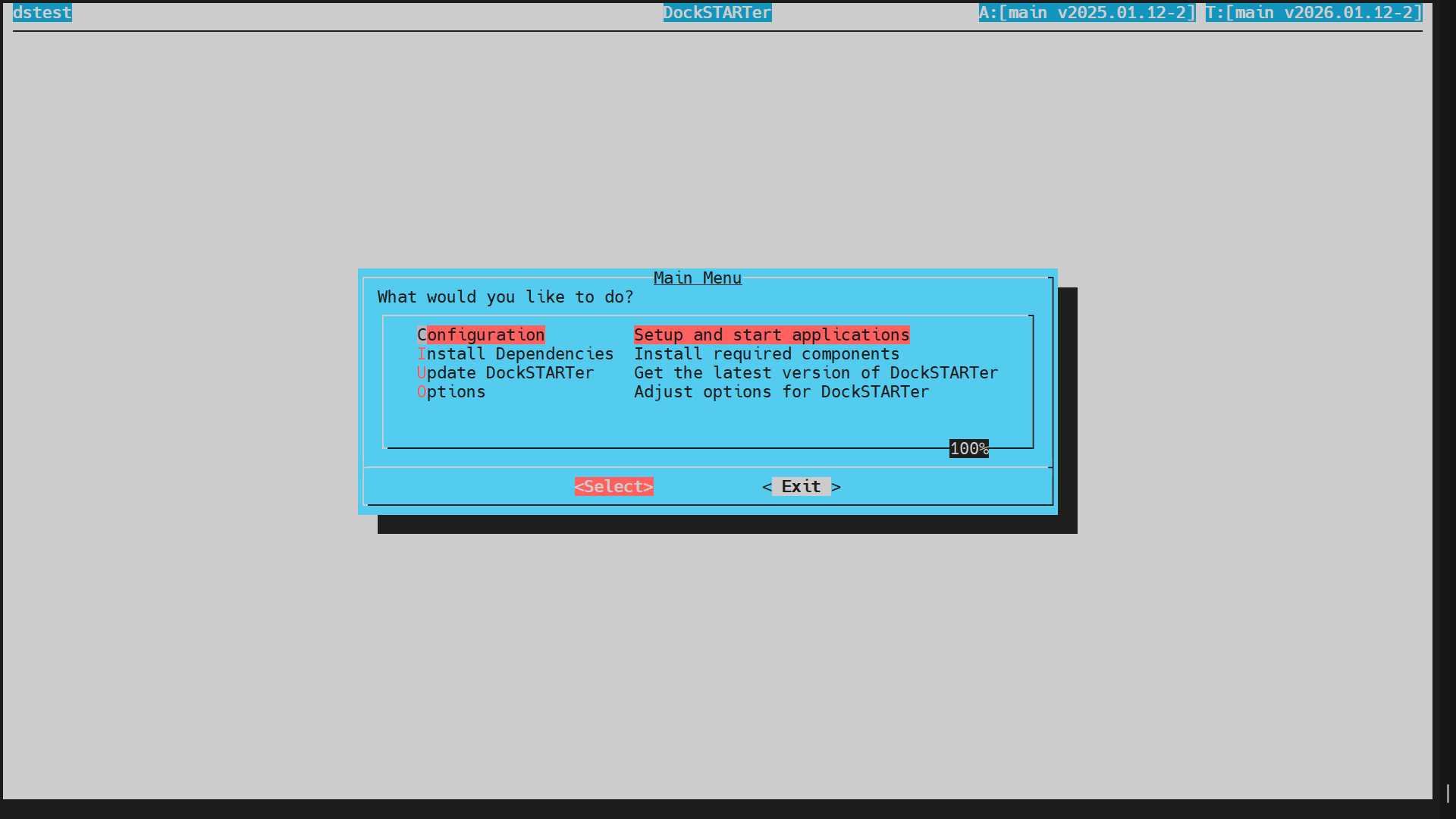
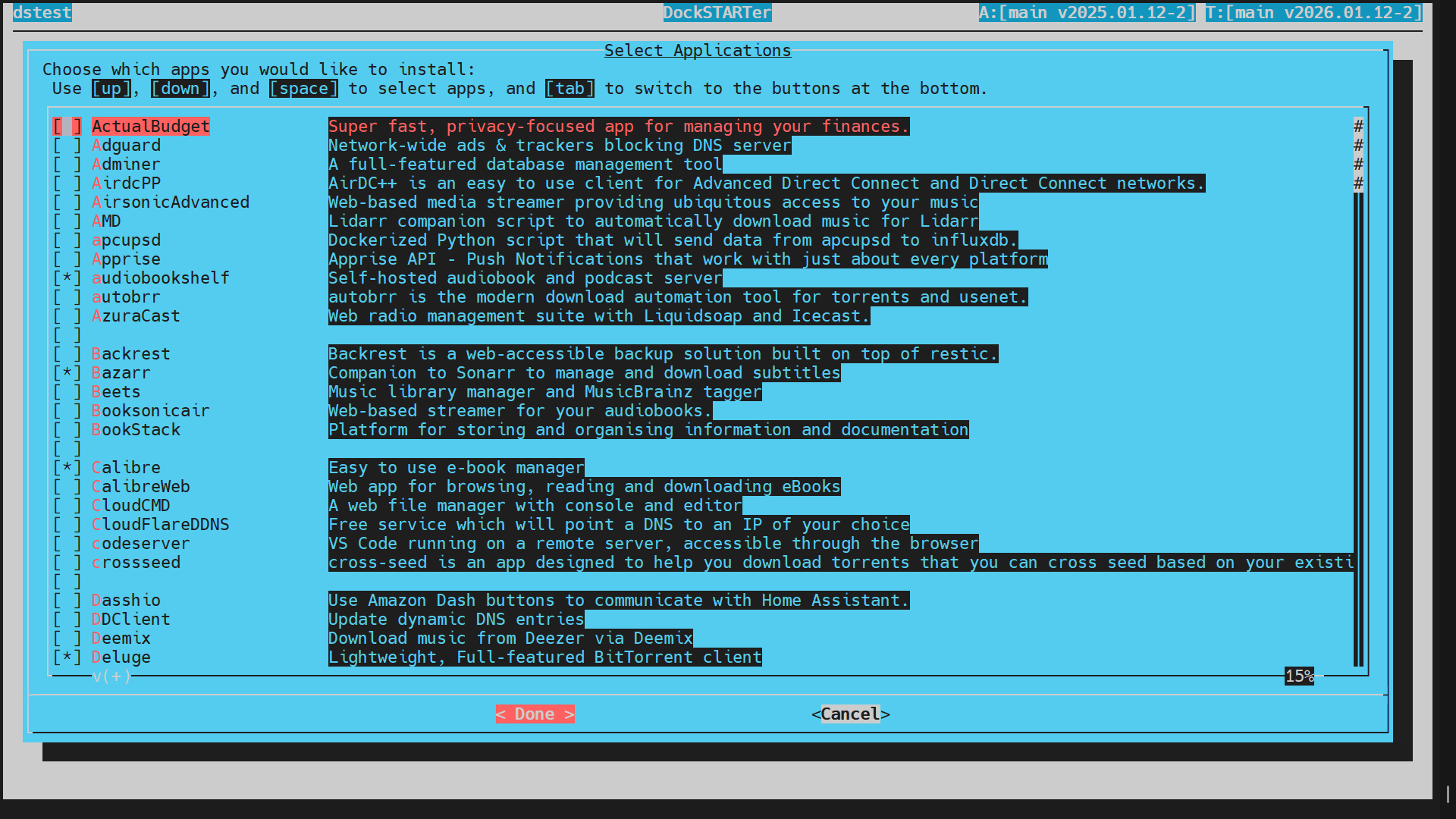
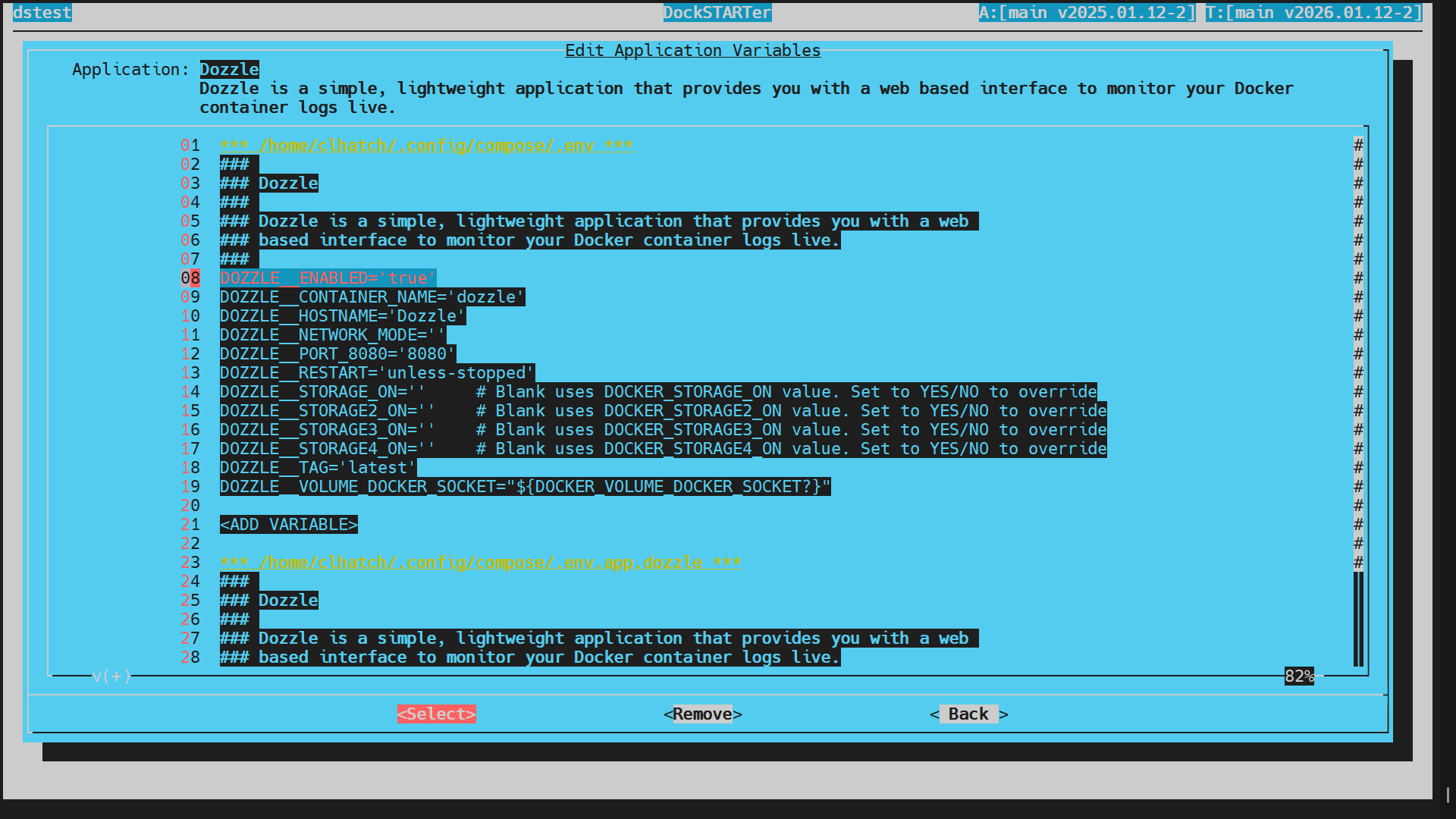
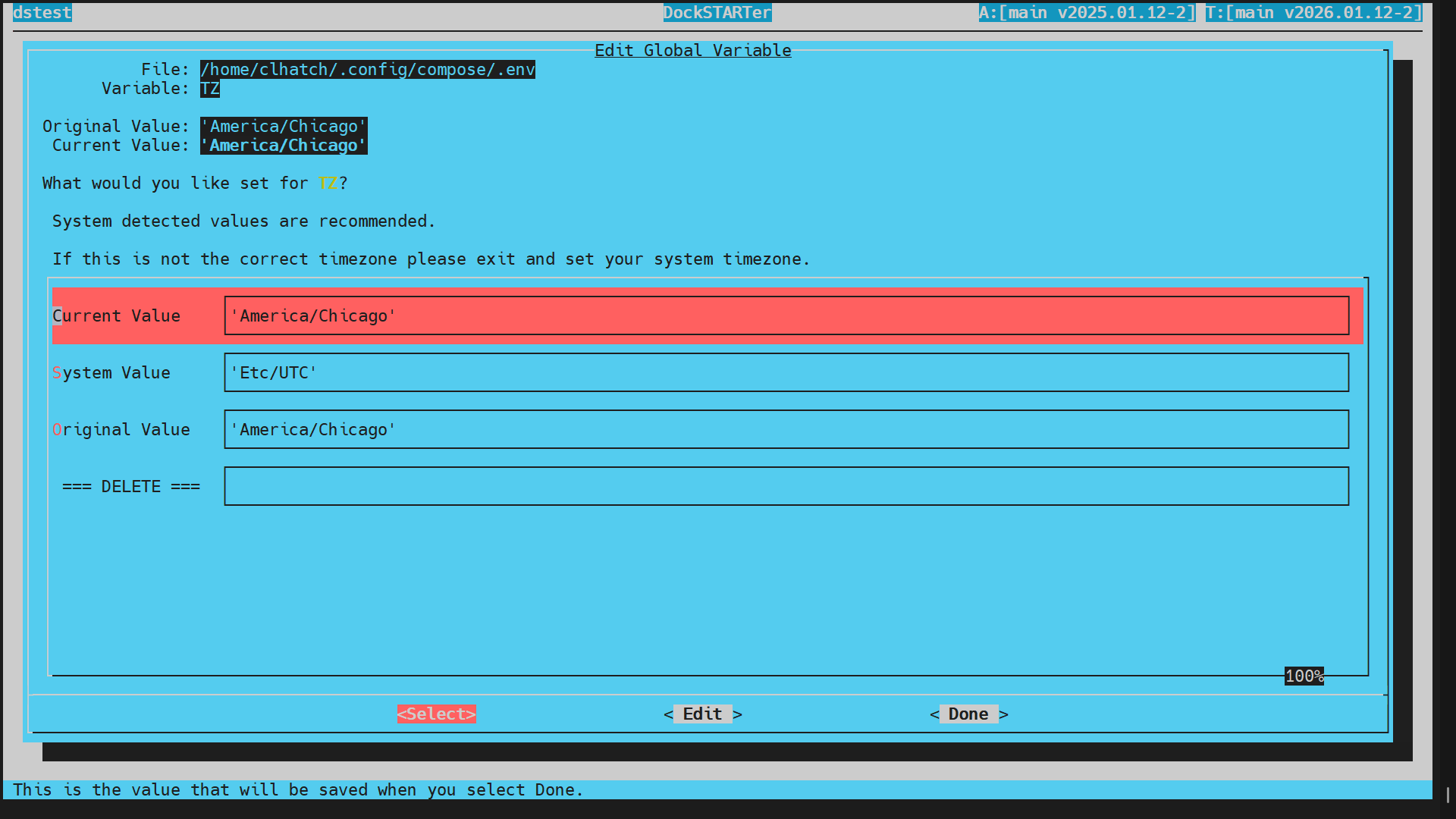
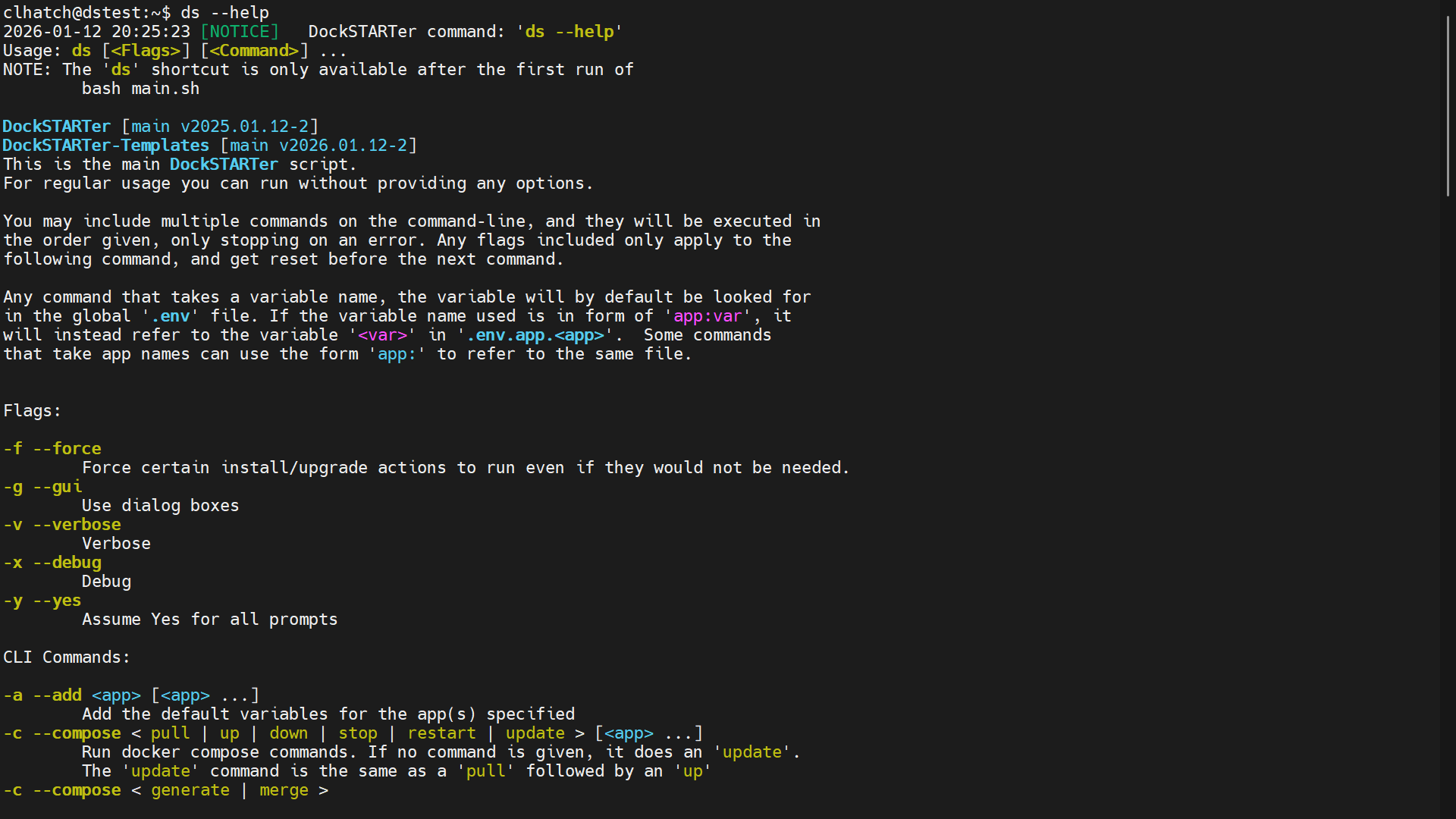
To run DockSTARTer, use the command above. You should now see the main menu from the screenshots. Select Configuration and then Full Setup, and you will be guided through selecting apps and starting containers.
See our documentation for more detailed information.

Click the chat badge to join us on Discord for support!
Additional information can be found on our Support Page.
Want to help develop DockSTARTer? Check out our contributing guidelines and code of conduct.

This project exists thanks to all the people who contribute.

Support the project by donating on Open Collective.

Thank you to all our backers! Become a backer.


Support this project by becoming a sponsor. Your logo will show up here with a link to your website. Become a sponsor.



170 followers · starred Mar 2019
12 followers · starred Nov 2021
20 followers · starred Mar 2021
321 followers · starred Dec 2018
DockSTARTer helps you get started with running apps in Docker.
See the code
The main goal of DockSTARTer is to make it quick and easy to get up and running with Docker.
You may choose to rely on DockSTARTer for various changes to your Docker system or use DockSTARTer as a stepping stone and learn to do more advanced configurations.
APK Systems (Alpine)
sudo apk add curl git
bash -c "$(curl -fsSL https://get.dockstarter.com)"
sudo reboot
APT Systems (Debian, Ubuntu, etc)
sudo apt-get install curl git
bash -c "$(curl -fsSL https://get.dockstarter.com)"
sudo reboot
Raspbian requires a few extra commands
sudo apt-get update
sudo apt-get dist-upgrade
sudo apt-get install curl git
bash -c "$(curl -fsSL https://get.docker.com)"
bash -c "$(curl -fsSL https://get.dockstarter.com)"
sudo reboot
OpenMediaVault (OMV) requires special instructions found here
DNF Systems (Fedora)
sudo dnf install curl git
bash -c "$(curl -fsSL https://get.dockstarter.com)"
sudo reboot
Pacman Systems (Arch, Manjaro, EndeavourOS, etc.)
sudo pacman -Sy curl docker git
bash -c "$(curl -fsSL https://get.dockstarter.com)"
sudo reboot
YUM Systems (CentOS)
sudo yum install curl git
bash -c "$(curl -fsSL https://get.dockstarter.com)"
sudo reboot
MacOS Systems (Homebrew)
brew update
brew upgrade --cask
brew upgrade
brew install --cask docker
brew install docker-compose
or
brew update
brew upgrade --cask
brew upgrade
brew install docker docker-compose
brew install bash curl git grep gnu-sed
bash -c "$(curl -fsSL https://get.dockstarter.com)"
sudo reboot
Additional Steps for MacOS:
ds -c. A keychain access dialog will pop up. Type your MacOS login password into the dialog and click on "Always Allow".The standard install above downloads the initial script using a method with some known risks. For those concerned with the security of the above method, here is an alternative:
## NOTE: Run the appropriate command for your distro
sudo apt-get install curl git
sudo dnf install curl git
sudo pacman -Sy curl git
sudo yum install curl git
brew install bash curl git grep gnu-sed
Then
git clone https://github.com/GhostWriters/DockSTARTer "/home/${USER}/.dockstarter"
bash /home/"${USER}"/.dockstarter/main.sh -vi
sudo reboot
ds
To run DockSTARTer, use the command above. You should now see the main menu from the screenshots. Select Configuration and then Full Setup, and you will be guided through selecting apps and starting containers.
See our documentation for more detailed information.
Click the chat badge to join us on Discord for support!
Additional information can be found on our Support Page.
Want to help develop DockSTARTer? Check out our contributing guidelines and code of conduct.
This project exists thanks to all the people who contribute.
Support the project by donating on Open Collective.
Thank you to all our backers! Become a backer.
Support this project by becoming a sponsor. Your logo will show up here with a link to your website. Become a sponsor.
170 followers · starred Mar 2019
12 followers · starred Nov 2021
20 followers · starred Mar 2021
321 followers · starred Dec 2018