
AGPLv3 firmware and touch AMOLED interface for the Waveshare ESP32-S3 EvilKey.
C
0
18 commits
updated Sep 28, 2026
See what people are saying
README
Firmware and device GUI · Windows Manager · microSD examples · Hackaday project · Printable V1 enclosure

EvilKey firmware
EvilKey is FIDO2 firmware for the Waveshare ESP32-S3 Touch AMOLED 1.64, PCB V1. Its touch GUI includes a local PIN keypad for compatible built-in user verification requests, an IMU-powered Air Mouse, diagnostics, USB storage controls and a deliberately activated USB Tool. Standard host-side ClientPIN remains supported. On-device PIN details explain the scope and validation limits.
This repository contains the device firmware, LVGL interface, generated upstream source, preparation tools, source notices and installation instructions. It does not contain the separately licensed Manager or microSD examples.
Watch the real device GUI
▶ Watch the real-device GUI Short
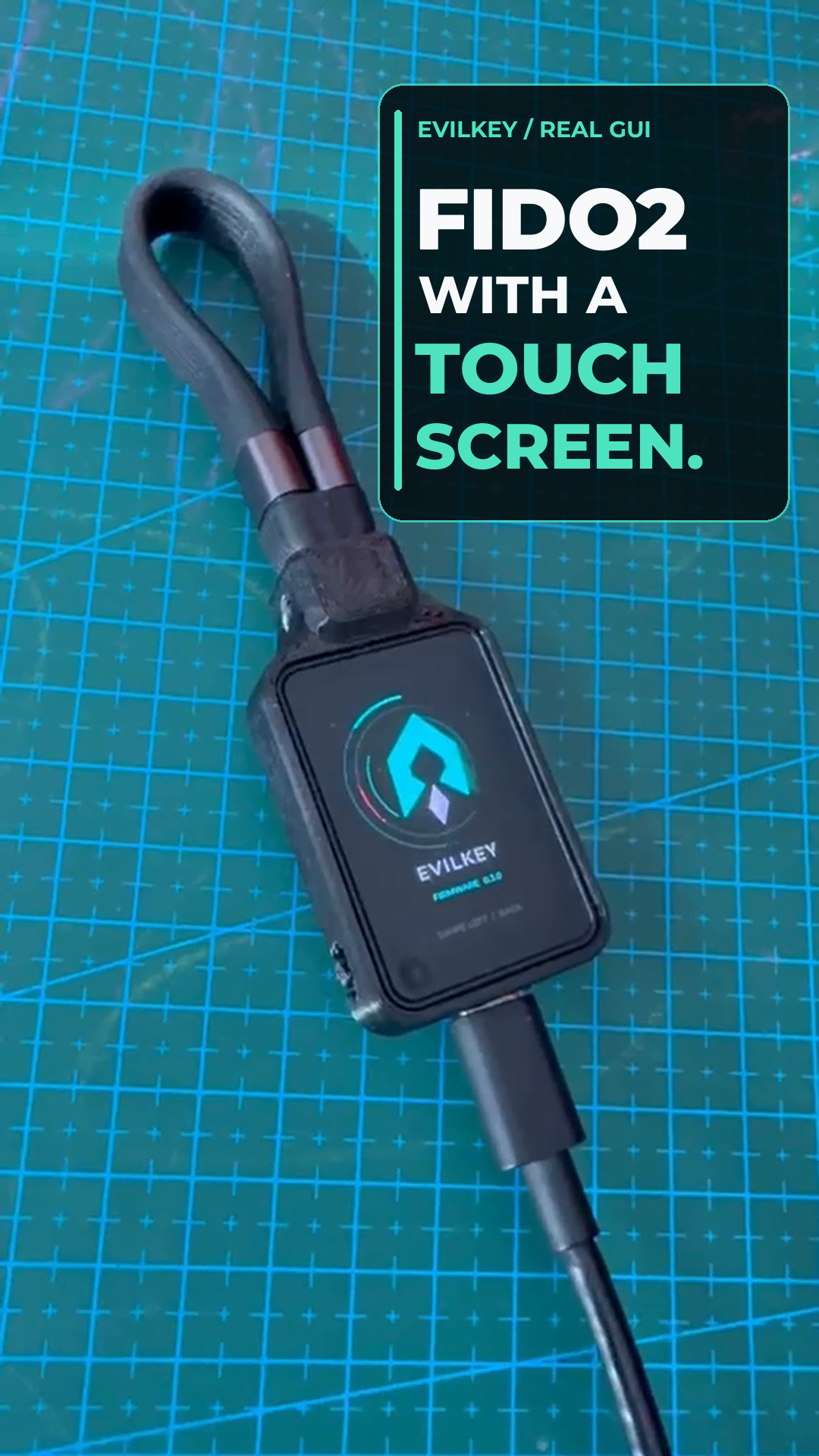
The silent Short shows the real home-printed prototype and its AMOLED touch interface, ending with an animated EvilKey logo. The separate interface panels below are code-derived previews; this footage does not show live PIN verification, cursor movement or script execution.
Watch Air Mouse on the real device
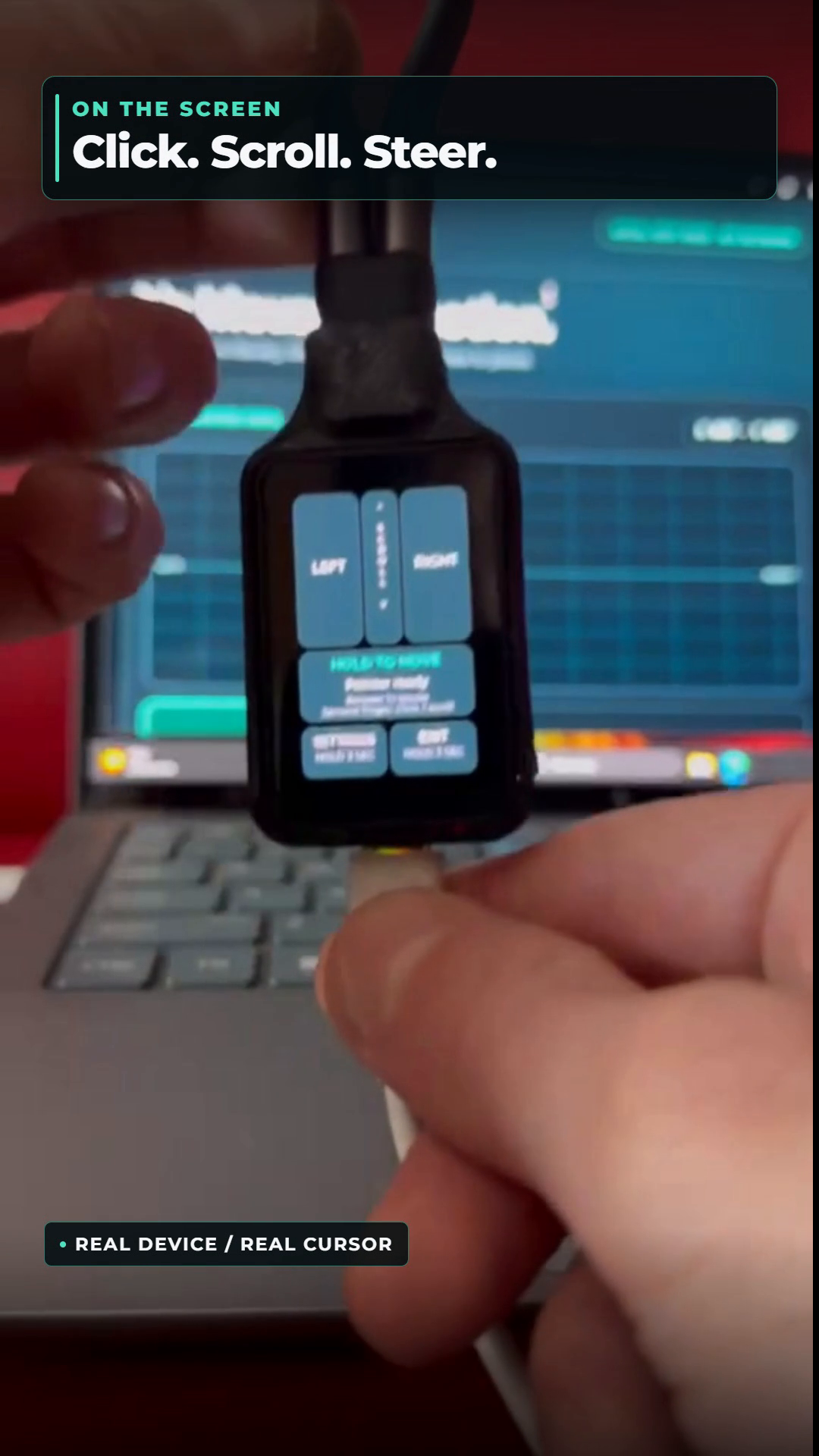
On the PCB V1 prototype, I select the separate Air Mouse USB role and press START. Holding MOVE lets the QMI8658 motion sensor steer the computer cursor; releasing it stops movement. The touchscreen handles left and right clicks and scrolling. Holding EXIT returns to the normal security-key role. The key, cursor and touch sounds are real footage; the 3D logo and glitch at the end are the brand animation. FIDO2 and Air Mouse are separate USB roles.
Watch USB Tool run a script
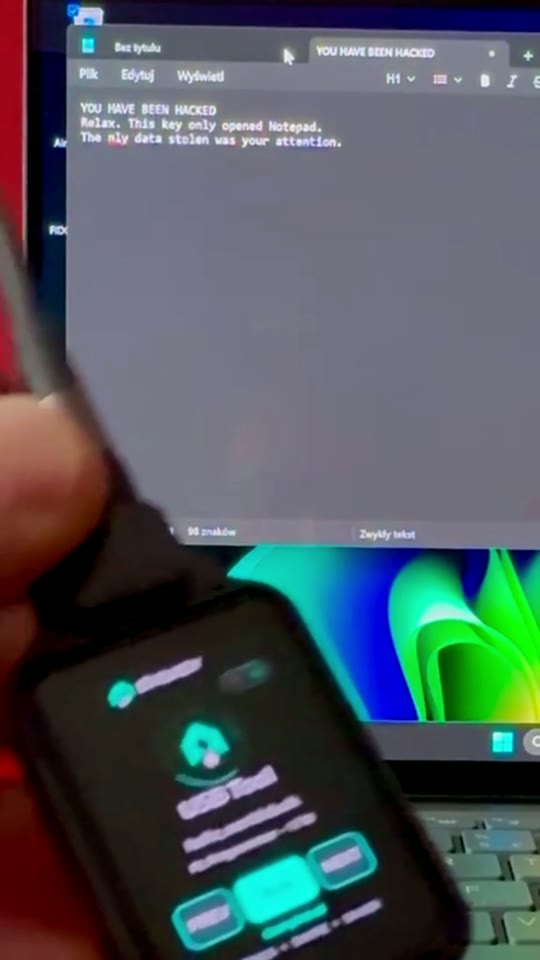
USB Tool is a separate USB role. Select a script on EvilKey's touchscreen and press RUN; connecting the key does not start a payload. It can send scripted keyboard and mouse input, store results on microSD and use Keystroke Reflection as a return channel when a mass-storage drive is unavailable. Scripts can move files or collect data within the connected host session's permissions and defenses. The Short shows only a harmless HID test on the owner's Windows computer: minimizing windows, opening Notepad and typing a joke. It does not demonstrate file transfer, data collection or bypassing a security control. The edit joins two real camera takes with captions and a logo outro.
Hardware for the PCB V1 USB Tool demo
| Quantity | Component |
|---|---|
| 1 | Waveshare ESP32-S3 Touch AMOLED 1.64, PCB V1 |
| 1 | Short data-capable USB-C cable/loop (Unitek C14179ABK-style in the prototype) |
| 1 | Printed V1 enclosure (the current prototype is home printed) |
| 4 | M2 × 5 mm screws for the module |
| 1 | M5 × 10 mm flat-point grub screw for the cable loop |
| 1 | FAT32-formatted microSD card for USB Tool scripts |
The microSD card is needed to reproduce the hello_world.duck demo; FIDO2 and Air Mouse work without it. Copy the public examples duckyscripts/ tree to the card root; the tested script is /duckyscripts/test/hello_world.duck. Card capacity is not specified. See the Hackaday component list and build instructions.
Device and interface

Concept rendering of the planned black SLS enclosure. The current physical case is a home-printed prototype.
The printable V1 enclosure is available as digital STL and 3MF files on Printables. This enclosure revision has been printed and test-fitted with the Waveshare PCB V1; the listing does not include hardware or a physical print.
On-device PIN — real prototype

Real photo of the PCB V1 prototype. The keypad is used for compatible built-in FIDO2 user-verification requests; clients can still request host-side ClientPIN.
Touch interface
The following panels are stills from a code-derived interface preview. They show the intended firmware layout; the photograph above shows the actual device.

For compatible built-in FIDO2 verification, the PIN can be entered on EvilKey's touchscreen.
Air Mouse

USB Tool

More interface panels: Ready and Diagnostics


USB roles

Only one USB role is active at a time. Switching roles is an explicit action on the key.
Build and install
Read installation information first. From firmware/, run python prepare_arduino.py and python build_arduino.py with the pinned Arduino-ESP32 and Waveshare board packages. python flash_arduino.py performs a rebuild and asks for a COM port and explicit confirmation. The upload uses EraseFlash=none to preserve NVS, but verify the exact board before flashing.
The firmware guide explains source generation and the two 64-row RGB565 draw buffers. Device test claims and limits are recorded in validation. The Air Mouse, USB Tool and Manager Drive documents cover individual roles.
Related projects
- EvilKey Manager — Windows device management and firmware configuration export. Its code is source available under separate noncommercial terms.
- EvilKey examples — original microSD script examples under separate noncommercial terms. Use security-testing examples only on systems you own or are authorized to test.
I welcome ideas for new EvilKey features. Open an issue with the intended behavior, hardware assumptions and a practical test plan.
Voluntary support is available through GitHub Sponsors. Sponsorship is not a software purchase or a kit preorder.
License and provenance
The EvilKey firmware and device GUI are distributed under GNU AGPL version 3 with upstream notices retained. See LICENSE.md, NOTICE.md, firmware license and source provenance. The Waveshare module is third-party hardware; EvilKey is an independent project.
Similar repos


Languages
C
97.9%
Python
1.2%
AGPLv3 firmware and touch AMOLED interface for the Waveshare ESP32-S3 EvilKey.
C
0
18 commits
updated Sep 28, 2026
See what people are saying
README
Firmware and device GUI · Windows Manager · microSD examples · Hackaday project · Printable V1 enclosure
EvilKey firmware
EvilKey is FIDO2 firmware for the Waveshare ESP32-S3 Touch AMOLED 1.64, PCB V1. Its touch GUI includes a local PIN keypad for compatible built-in user verification requests, an IMU-powered Air Mouse, diagnostics, USB storage controls and a deliberately activated USB Tool. Standard host-side ClientPIN remains supported. On-device PIN details explain the scope and validation limits.
This repository contains the device firmware, LVGL interface, generated upstream source, preparation tools, source notices and installation instructions. It does not contain the separately licensed Manager or microSD examples.
Watch the real device GUI
▶ Watch the real-device GUI Short
The silent Short shows the real home-printed prototype and its AMOLED touch interface, ending with an animated EvilKey logo. The separate interface panels below are code-derived previews; this footage does not show live PIN verification, cursor movement or script execution.
Watch Air Mouse on the real device
On the PCB V1 prototype, I select the separate Air Mouse USB role and press START. Holding MOVE lets the QMI8658 motion sensor steer the computer cursor; releasing it stops movement. The touchscreen handles left and right clicks and scrolling. Holding EXIT returns to the normal security-key role. The key, cursor and touch sounds are real footage; the 3D logo and glitch at the end are the brand animation. FIDO2 and Air Mouse are separate USB roles.
Watch USB Tool run a script
USB Tool is a separate USB role. Select a script on EvilKey's touchscreen and press RUN; connecting the key does not start a payload. It can send scripted keyboard and mouse input, store results on microSD and use Keystroke Reflection as a return channel when a mass-storage drive is unavailable. Scripts can move files or collect data within the connected host session's permissions and defenses. The Short shows only a harmless HID test on the owner's Windows computer: minimizing windows, opening Notepad and typing a joke. It does not demonstrate file transfer, data collection or bypassing a security control. The edit joins two real camera takes with captions and a logo outro.
Hardware for the PCB V1 USB Tool demo
| Quantity | Component |
|---|---|
| 1 | Waveshare ESP32-S3 Touch AMOLED 1.64, PCB V1 |
| 1 | Short data-capable USB-C cable/loop (Unitek C14179ABK-style in the prototype) |
| 1 | Printed V1 enclosure (the current prototype is home printed) |
| 4 | M2 × 5 mm screws for the module |
| 1 | M5 × 10 mm flat-point grub screw for the cable loop |
| 1 | FAT32-formatted microSD card for USB Tool scripts |
The microSD card is needed to reproduce the hello_world.duck demo; FIDO2 and Air Mouse work without it. Copy the public examples duckyscripts/ tree to the card root; the tested script is /duckyscripts/test/hello_world.duck. Card capacity is not specified. See the Hackaday component list and build instructions.
Device and interface
Concept rendering of the planned black SLS enclosure. The current physical case is a home-printed prototype.
The printable V1 enclosure is available as digital STL and 3MF files on Printables. This enclosure revision has been printed and test-fitted with the Waveshare PCB V1; the listing does not include hardware or a physical print.
On-device PIN — real prototype
Real photo of the PCB V1 prototype. The keypad is used for compatible built-in FIDO2 user-verification requests; clients can still request host-side ClientPIN.
Touch interface
The following panels are stills from a code-derived interface preview. They show the intended firmware layout; the photograph above shows the actual device.
For compatible built-in FIDO2 verification, the PIN can be entered on EvilKey's touchscreen.
Air Mouse
USB Tool
More interface panels: Ready and Diagnostics
USB roles
Only one USB role is active at a time. Switching roles is an explicit action on the key.
Build and install
Read installation information first. From firmware/, run python prepare_arduino.py and python build_arduino.py with the pinned Arduino-ESP32 and Waveshare board packages. python flash_arduino.py performs a rebuild and asks for a COM port and explicit confirmation. The upload uses EraseFlash=none to preserve NVS, but verify the exact board before flashing.
The firmware guide explains source generation and the two 64-row RGB565 draw buffers. Device test claims and limits are recorded in validation. The Air Mouse, USB Tool and Manager Drive documents cover individual roles.
Related projects
- EvilKey Manager — Windows device management and firmware configuration export. Its code is source available under separate noncommercial terms.
- EvilKey examples — original microSD script examples under separate noncommercial terms. Use security-testing examples only on systems you own or are authorized to test.
I welcome ideas for new EvilKey features. Open an issue with the intended behavior, hardware assumptions and a practical test plan.
Voluntary support is available through GitHub Sponsors. Sponsorship is not a software purchase or a kit preorder.
License and provenance
The EvilKey firmware and device GUI are distributed under GNU AGPL version 3 with upstream notices retained. See LICENSE.md, NOTICE.md, firmware license and source provenance. The Waveshare module is third-party hardware; EvilKey is an independent project.
Similar repos
Languages
C
97.9%
Python
1.2%