
Windows Manager source for EvilKey. Private noncommercial use under its own license.
Python
0
16 commits
updated Sep 28, 2026
See what people are saying
README
Firmware and device GUI · Windows Manager · microSD examples · Hackaday project · Printable V1 enclosure

EvilKey Manager
The Windows Manager provides FIDO PIN and policy controls, credential management, display settings, firmware configuration export and offline USB Tool data decoding. It connects to EvilKey in its normal FIDO USB role. Firmware source is supplied separately through EvilKey firmware; the Manager executable does not embed it.
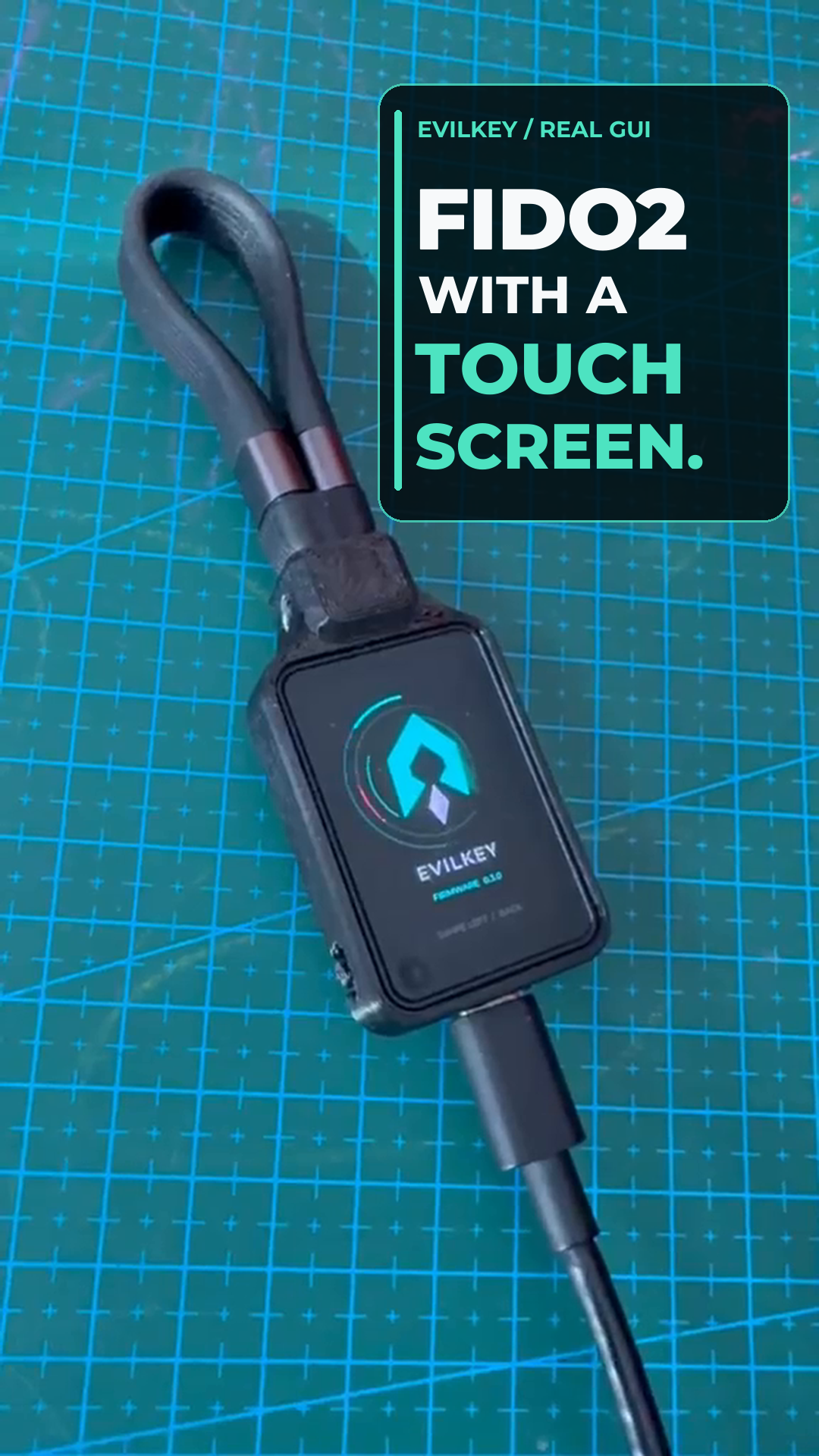
▶ Watch the real-device GUI Short — silent footage of the touchscreen in use on the prototype, with an animated logo ending. The Windows Manager interface appears below.
Air Mouse on the device
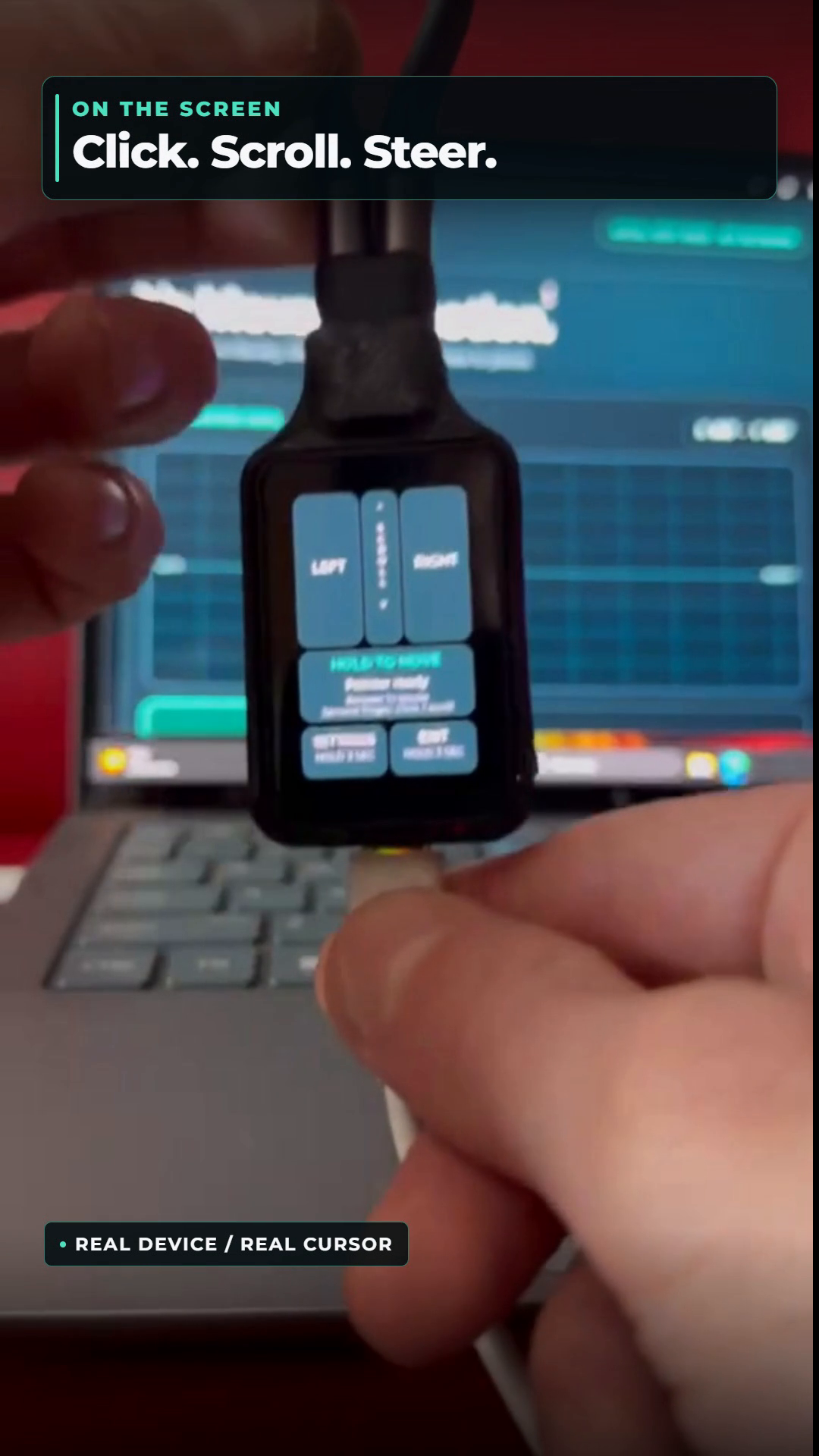
▶ Watch the Air Mouse Short — real device footage of hold-to-move pointer steering, touchscreen clicks and scrolling. Air Mouse is a separate USB role; hold EXIT on the key to return to the FIDO2 role before connecting the Windows Manager. The Manager does not control the cursor.
USB Tool is a separate role selected on the key. A script starts only after selection and RUN, never merely on connection. It can send scripted HID input, save results on microSD and use Keystroke Reflection when a mass-storage drive is unavailable; scripts can move files or collect data within host permissions and defenses. The Short shows only a harmless Notepad HID test on the owner's computer, not file transfer or data collection. The Windows Manager does not run the payload; its USB Tool data tab inspects saved results offline.
Hardware for the PCB V1 USB Tool demo
| Quantity | Component |
|---|---|
| 1 | Waveshare ESP32-S3 Touch AMOLED 1.64, PCB V1 |
| 1 | Short data-capable USB-C cable/loop (Unitek C14179ABK-style in the prototype) |
| 1 | Printed V1 enclosure (the current prototype is home printed) |
| 4 | M2 × 5 mm screws for the module |
| 1 | M5 × 10 mm flat-point grub screw for the cable loop |
| 1 | FAT32-formatted microSD card for USB Tool scripts |
The microSD card is needed for the device's hello_world.duck demonstration; FIDO2 and Air Mouse work without it. Copy the public examples duckyscripts/ tree to the card root; the tested script is /duckyscripts/test/hello_world.duck. Card capacity is not specified. The Windows Manager does not require a microSD card for its normal FIDO-role connection. See the Hackaday component list.
Interface preview

The Manager overview shown with in-memory demonstration data; no USB device was connected for this capture.
PIN entry on EvilKey

Real PCB V1 prototype. Compatible built-in user-verification requests use the key's touchscreen; clients may instead request host-side ClientPIN. The Manager's own PIN controls are separate.
Run and build
For a source installation, use manager/install.cmd, then manager/start_admin.cmd. The application requires Windows, 64-bit Python with Tk and the pinned packages in manager/requirements.txt. To build the portable EXE, run scripts/build_windows.ps1 from PowerShell. Its frozen self-test does not open USB, though Windows may ask for UAC approval. See build details and the Manager guide.
Related projects
- EvilKey firmware — open AGPLv3 firmware, LVGL touch interface and the source used by configuration export.
- EvilKey examples — original microSD scripts under separate noncommercial terms.
- Printable V1 enclosure — digital STL and 3MF case files for the Waveshare PCB V1, sold separately on Printables.
I welcome useful suggestions for Manager controls and workflows. Open an issue with the expected behavior and a way to verify it.
Voluntary support is available through GitHub Sponsors. Sponsorship is not a software purchase or a kit preorder.
License
The original Manager application, artwork and Manager-specific build code are source available for private noncommercial use under EvilKey Manager License. Commercial use requires separate written permission from Michał Wojciechowski. Bundled third-party components retain their own terms in manager/licenses/. This Manager license does not alter the firmware's AGPLv3 terms.
Similar repos


Languages
Python
93.5%
PowerShell
6.1%
Windows Manager source for EvilKey. Private noncommercial use under its own license.
Python
0
16 commits
updated Sep 28, 2026
See what people are saying
README
Firmware and device GUI · Windows Manager · microSD examples · Hackaday project · Printable V1 enclosure
EvilKey Manager
The Windows Manager provides FIDO PIN and policy controls, credential management, display settings, firmware configuration export and offline USB Tool data decoding. It connects to EvilKey in its normal FIDO USB role. Firmware source is supplied separately through EvilKey firmware; the Manager executable does not embed it.
▶ Watch the real-device GUI Short — silent footage of the touchscreen in use on the prototype, with an animated logo ending. The Windows Manager interface appears below.
Air Mouse on the device
▶ Watch the Air Mouse Short — real device footage of hold-to-move pointer steering, touchscreen clicks and scrolling. Air Mouse is a separate USB role; hold EXIT on the key to return to the FIDO2 role before connecting the Windows Manager. The Manager does not control the cursor.
USB Tool is a separate role selected on the key. A script starts only after selection and RUN, never merely on connection. It can send scripted HID input, save results on microSD and use Keystroke Reflection when a mass-storage drive is unavailable; scripts can move files or collect data within host permissions and defenses. The Short shows only a harmless Notepad HID test on the owner's computer, not file transfer or data collection. The Windows Manager does not run the payload; its USB Tool data tab inspects saved results offline.
Hardware for the PCB V1 USB Tool demo
| Quantity | Component |
|---|---|
| 1 | Waveshare ESP32-S3 Touch AMOLED 1.64, PCB V1 |
| 1 | Short data-capable USB-C cable/loop (Unitek C14179ABK-style in the prototype) |
| 1 | Printed V1 enclosure (the current prototype is home printed) |
| 4 | M2 × 5 mm screws for the module |
| 1 | M5 × 10 mm flat-point grub screw for the cable loop |
| 1 | FAT32-formatted microSD card for USB Tool scripts |
The microSD card is needed for the device's hello_world.duck demonstration; FIDO2 and Air Mouse work without it. Copy the public examples duckyscripts/ tree to the card root; the tested script is /duckyscripts/test/hello_world.duck. Card capacity is not specified. The Windows Manager does not require a microSD card for its normal FIDO-role connection. See the Hackaday component list.
Interface preview
The Manager overview shown with in-memory demonstration data; no USB device was connected for this capture.
PIN entry on EvilKey
Real PCB V1 prototype. Compatible built-in user-verification requests use the key's touchscreen; clients may instead request host-side ClientPIN. The Manager's own PIN controls are separate.
Run and build
For a source installation, use manager/install.cmd, then manager/start_admin.cmd. The application requires Windows, 64-bit Python with Tk and the pinned packages in manager/requirements.txt. To build the portable EXE, run scripts/build_windows.ps1 from PowerShell. Its frozen self-test does not open USB, though Windows may ask for UAC approval. See build details and the Manager guide.
Related projects
- EvilKey firmware — open AGPLv3 firmware, LVGL touch interface and the source used by configuration export.
- EvilKey examples — original microSD scripts under separate noncommercial terms.
- Printable V1 enclosure — digital STL and 3MF case files for the Waveshare PCB V1, sold separately on Printables.
I welcome useful suggestions for Manager controls and workflows. Open an issue with the expected behavior and a way to verify it.
Voluntary support is available through GitHub Sponsors. Sponsorship is not a software purchase or a kit preorder.
License
The original Manager application, artwork and Manager-specific build code are source available for private noncommercial use under EvilKey Manager License. Commercial use requires separate written permission from Michał Wojciechowski. Bundled third-party components retain their own terms in manager/licenses/. This Manager license does not alter the firmware's AGPLv3 terms.
Similar repos
Languages
Python
93.5%
PowerShell
6.1%