A Dynamic Island for Windows: Claude Code & Codex usage, now playing, focus timer, calendar and system health in one native capsule. Local-first.
C#
27
88 commits
updated Oct 15, 2026
The developer status bar Windows never had.
Developer Island is a native, floating capsule at the top of your Windows screen. It shows your Claude Code and Codex usage, what's playing, your focus timer, your next meeting and your machine's health at a glance, and opens into a full view when you click it.




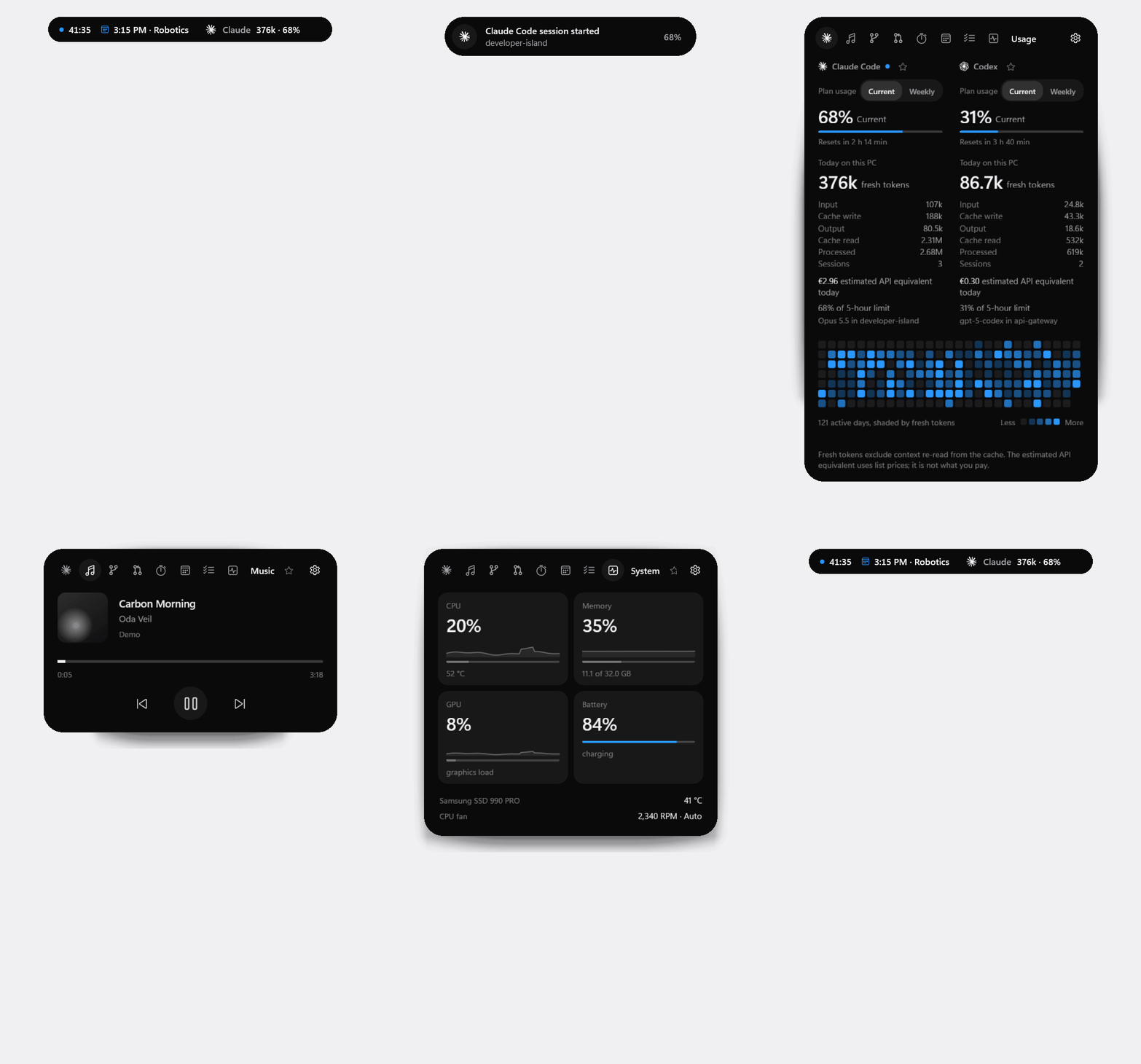
Demo mode with invented data, rendered by the app itself (--snapshot). In the live app, the states morph with springs.
AI coding tools spend tokens and plan limits where you can't see them, and the rest of a developer's day is scattered across a terminal, a media app, a calendar and Task Manager. macOS has the notch and the Dynamic Island idea; Windows has nothing in that spot. Developer Island puts the few things you glance at all day into one small capsule that stays out of your way: native, local-first and cheap enough to run all day.
Claude 1.12M · 72%..ics file; within the hour before an event, the capsule shows it.\\server\share\Inbox). It is off until you switch it on and set your own target folder in Settings, Home Cloud; the path stays in your local settings and is never part of the app. It works from every state, also while the island is retracted into the notch or hidden: dragging a file toward the top edge arms a small drop zone. Uploads run in a queue with progress; names are never logged, and nothing goes to a cloud service. The same switch turns the feature off completely.All details per module: docs/MODULES.md.
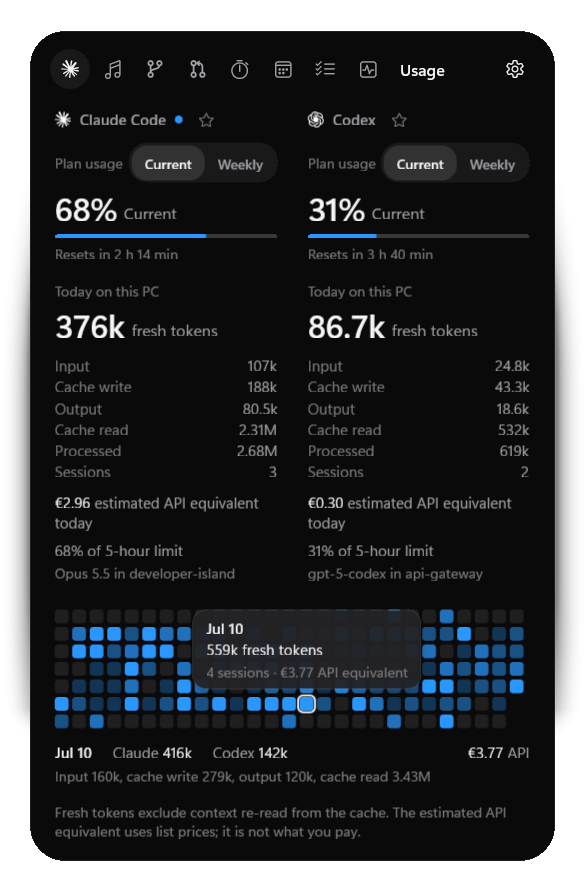
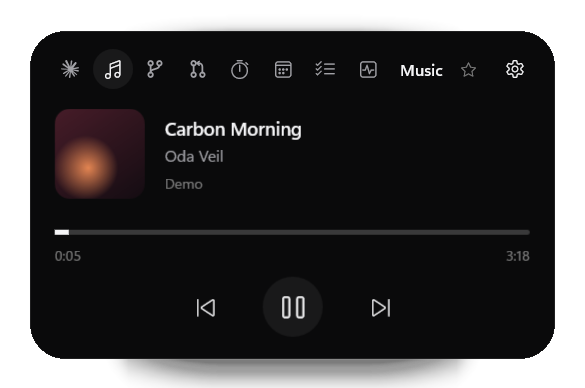
| Claude Code and Codex usage | Music |
|---|---|
 |  |
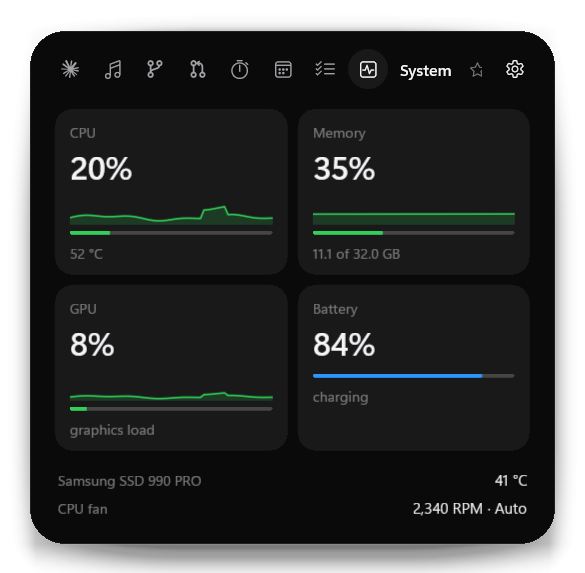
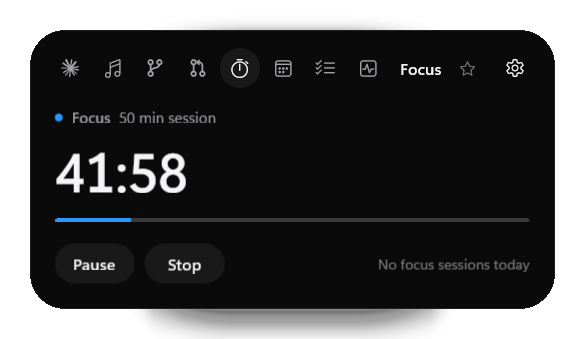
| System | Focus |
 |  |
| Compact capsule | Settings |
   | 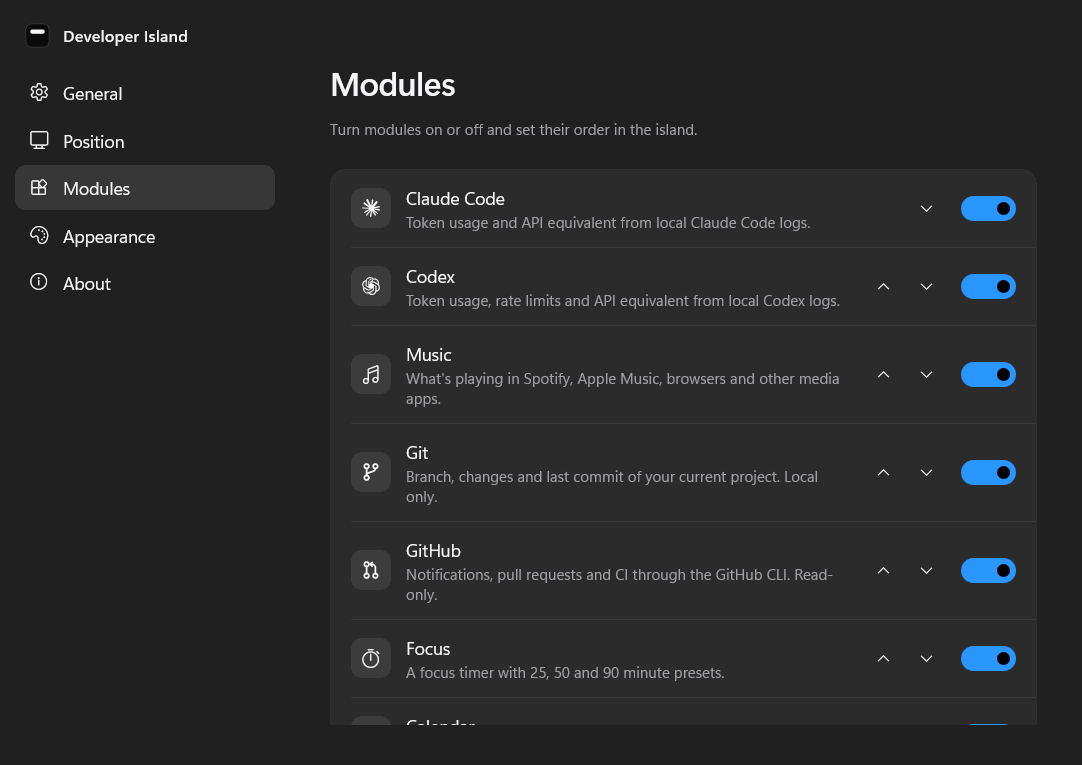 |
All screenshots show demo data.
Developer Island is local-first. It has no account, no telemetry and no cloud sync, and it does not upload your prompts or code.
~/.claude/projects) and Codex rollout files (~/.codex/sessions). Only usage metadata is extracted (token counts, model, timestamps, session IDs, working directory); prompt, message and code content is never stored, displayed or logged.%LOCALAPPDATA%\DeveloperIsland: a SQLite database with token counts and daily totals, settings, tasks, focus history, the last Claude plan percentages, the last Claude Code alert (its kind, project folder name and time) and, during an Awake session, the lid setting to put back. Logs contain events and error types, never content, and are kept for 7 days.Full details: docs/PRIVACY.md and SECURITY.md.
DeveloperIsland-Setup-<version>.exe from the latest release.%LOCALAPPDATA%\Programs, without administrator rights and without a separate .NET runtime.The installer is not code-signed yet, so Windows SmartScreen may ask you to confirm ("More info", then "Run anyway"). A portable zip is attached to each release as well: extract it completely and run DeveloperIsland.exe.
Requirements: Windows 11 x64 (tested). Windows 10 version 2004 or later is supported by the build but not yet tested. The Git module needs Git for Windows, the GitHub module the GitHub CLI.
| Do this | And you get |
|---|---|
| Hover the capsule | A peek at the most relevant live information |
| Click it, or press Ctrl + Alt + Space | The expanded island; Esc or a click elsewhere closes it |
| Click the ☆ next to a module's name | That module is featured in the compact capsule |
| Drag the capsule | Move it; it snaps to the nearest anchor |
| Settings, Modules, Claude plan usage, Connect | Claude's 5-hour and weekly usage (from Claude Code terminal sessions) |
| Settings, Modules, Claude Code alerts, Connect | A peek when Claude Code waits for you or has finished |
| Settings, Position, Auto-hide in apps | Choose which apps make the island step aside |
Want to look around first? Start Developer Island (Demo) from the Start menu, or run DeveloperIsland.exe --demo. Demo mode uses invented data only: it never reads your Claude or Codex usage, tasks or repositories, and its settings are kept separately.
Everything is set in the Settings window and applies immediately:
| Section | Settings |
|---|---|
| General | Start with Windows, always on top, launch hidden, keyboard shortcut |
| Position | Monitor, anchor, custom position; auto-hide in apps (notch or hide, only when maximized, app list) |
| Modules | Each module on or off and its order; Claude plan usage; Claude Code alerts; Git repositories; calendars |
| Appearance | System or Dark for Settings (the island itself is always dark) |
API prices and the exchange rate for the API equivalent can be adjusted in %LOCALAPPDATA%\DeveloperIsland\pricing.json (example).
flowchart LR
    subgraph Sources
        L["Claude Code and Codex logs"]
        M["Windows media sessions"]
        W["WinEvents, registry, sensors"]
        C["Calendars, git, gh"]
    end
    L & M & W & C --> P["Providers<br/>(event-driven)"]
    P --> S["State<br/>(DeveloperIsland.Core, tested)"]
    S --> V["View models"]
    V --> UI["WinUI 3 island<br/>(composition morph)"]
    S --> DB[("SQLite<br/>usage history")]
Data flows one way. DeveloperIsland.Core holds all logic without UI (the island state machine, auto-hide policy, parsers, aggregation) and is covered by unit tests; the WinUI app adds views, windowing and Windows integrations. A module that is turned off runs no watchers, timers or processes. Details: docs/ARCHITECTURE.md, docs/PERFORMANCE.md.
C# and .NET 10 · WinUI 3 and Windows App SDK 1.8 · SQLite (Microsoft.Data.Sqlite) · LibreHardwareMonitorLib · xUnit · Inno Setup
Requirements: the .NET 10 SDK and Git; Visual Studio is optional.
git clone https://github.com/maximilian467/Developer-Island.git
cd Developer-Island
dotnet test tests/DeveloperIsland.Tests     # build and run the tests
.\run.cmd -Demo                             # build and start with demo data (.\run.cmd for your real data)
Release build (tests, self-contained publish, portable zip, installer; the installer needs Inno Setup 6):
powershell -ExecutionPolicy Bypass -File tools/build-release.ps1
More, including offscreen snapshots and the hardware report: docs/DEVELOPMENT.md.
No dates; priorities follow feedback.
Bug reports, ideas and pull requests are welcome. See CONTRIBUTING.md and the changelog. A good place to start: the issues marked "good first issue" or "help wanted", such as testing on Windows 10 or ARM64.
If Developer Island is useful to you, a ⭐ on GitHub helps others find it.
Please report vulnerabilities privately, as described in SECURITY.md.
MIT © 2026 Maximilian Köhlenbeck. Third-party components keep their own licenses: THIRD_PARTY_NOTICES.md.
Claude Code and Codex are shown with the Claude and OpenAI marks (from Simple Icons, CC0). Claude is a trademark of Anthropic and OpenAI of OpenAI; Developer Island is not affiliated with or endorsed by either. The design follows an Apple design analysis, the Taste Skill and the Vercel Web Interface Guidelines.
A Dynamic Island for Windows: Claude Code & Codex usage, now playing, focus timer, calendar and system health in one native capsule. Local-first.
C#
27
88 commits
updated Oct 15, 2026
The developer status bar Windows never had.
Developer Island is a native, floating capsule at the top of your Windows screen. It shows your Claude Code and Codex usage, what's playing, your focus timer, your next meeting and your machine's health at a glance, and opens into a full view when you click it.
Demo mode with invented data, rendered by the app itself (--snapshot). In the live app, the states morph with springs.
AI coding tools spend tokens and plan limits where you can't see them, and the rest of a developer's day is scattered across a terminal, a media app, a calendar and Task Manager. macOS has the notch and the Dynamic Island idea; Windows has nothing in that spot. Developer Island puts the few things you glance at all day into one small capsule that stays out of your way: native, local-first and cheap enough to run all day.
Claude 1.12M · 72%..ics file; within the hour before an event, the capsule shows it.\\server\share\Inbox). It is off until you switch it on and set your own target folder in Settings, Home Cloud; the path stays in your local settings and is never part of the app. It works from every state, also while the island is retracted into the notch or hidden: dragging a file toward the top edge arms a small drop zone. Uploads run in a queue with progress; names are never logged, and nothing goes to a cloud service. The same switch turns the feature off completely.All details per module: docs/MODULES.md.
| Claude Code and Codex usage | Music |
|---|---|
| |
| System | Focus |
| |
| Compact capsule | Settings |
| |
All screenshots show demo data.
Developer Island is local-first. It has no account, no telemetry and no cloud sync, and it does not upload your prompts or code.
~/.claude/projects) and Codex rollout files (~/.codex/sessions). Only usage metadata is extracted (token counts, model, timestamps, session IDs, working directory); prompt, message and code content is never stored, displayed or logged.%LOCALAPPDATA%\DeveloperIsland: a SQLite database with token counts and daily totals, settings, tasks, focus history, the last Claude plan percentages, the last Claude Code alert (its kind, project folder name and time) and, during an Awake session, the lid setting to put back. Logs contain events and error types, never content, and are kept for 7 days.Full details: docs/PRIVACY.md and SECURITY.md.
DeveloperIsland-Setup-<version>.exe from the latest release.%LOCALAPPDATA%\Programs, without administrator rights and without a separate .NET runtime.The installer is not code-signed yet, so Windows SmartScreen may ask you to confirm ("More info", then "Run anyway"). A portable zip is attached to each release as well: extract it completely and run DeveloperIsland.exe.
Requirements: Windows 11 x64 (tested). Windows 10 version 2004 or later is supported by the build but not yet tested. The Git module needs Git for Windows, the GitHub module the GitHub CLI.
| Do this | And you get |
|---|---|
| Hover the capsule | A peek at the most relevant live information |
| Click it, or press Ctrl + Alt + Space | The expanded island; Esc or a click elsewhere closes it |
| Click the ☆ next to a module's name | That module is featured in the compact capsule |
| Drag the capsule | Move it; it snaps to the nearest anchor |
| Settings, Modules, Claude plan usage, Connect | Claude's 5-hour and weekly usage (from Claude Code terminal sessions) |
| Settings, Modules, Claude Code alerts, Connect | A peek when Claude Code waits for you or has finished |
| Settings, Position, Auto-hide in apps | Choose which apps make the island step aside |
Want to look around first? Start Developer Island (Demo) from the Start menu, or run DeveloperIsland.exe --demo. Demo mode uses invented data only: it never reads your Claude or Codex usage, tasks or repositories, and its settings are kept separately.
Everything is set in the Settings window and applies immediately:
| Section | Settings |
|---|---|
| General | Start with Windows, always on top, launch hidden, keyboard shortcut |
| Position | Monitor, anchor, custom position; auto-hide in apps (notch or hide, only when maximized, app list) |
| Modules | Each module on or off and its order; Claude plan usage; Claude Code alerts; Git repositories; calendars |
| Appearance | System or Dark for Settings (the island itself is always dark) |
API prices and the exchange rate for the API equivalent can be adjusted in %LOCALAPPDATA%\DeveloperIsland\pricing.json (example).
flowchart LR
    subgraph Sources
        L["Claude Code and Codex logs"]
        M["Windows media sessions"]
        W["WinEvents, registry, sensors"]
        C["Calendars, git, gh"]
    end
    L & M & W & C --> P["Providers<br/>(event-driven)"]
    P --> S["State<br/>(DeveloperIsland.Core, tested)"]
    S --> V["View models"]
    V --> UI["WinUI 3 island<br/>(composition morph)"]
    S --> DB[("SQLite<br/>usage history")]
Data flows one way. DeveloperIsland.Core holds all logic without UI (the island state machine, auto-hide policy, parsers, aggregation) and is covered by unit tests; the WinUI app adds views, windowing and Windows integrations. A module that is turned off runs no watchers, timers or processes. Details: docs/ARCHITECTURE.md, docs/PERFORMANCE.md.
C# and .NET 10 · WinUI 3 and Windows App SDK 1.8 · SQLite (Microsoft.Data.Sqlite) · LibreHardwareMonitorLib · xUnit · Inno Setup
Requirements: the .NET 10 SDK and Git; Visual Studio is optional.
git clone https://github.com/maximilian467/Developer-Island.git
cd Developer-Island
dotnet test tests/DeveloperIsland.Tests     # build and run the tests
.\run.cmd -Demo                             # build and start with demo data (.\run.cmd for your real data)
Release build (tests, self-contained publish, portable zip, installer; the installer needs Inno Setup 6):
powershell -ExecutionPolicy Bypass -File tools/build-release.ps1
More, including offscreen snapshots and the hardware report: docs/DEVELOPMENT.md.
No dates; priorities follow feedback.
Bug reports, ideas and pull requests are welcome. See CONTRIBUTING.md and the changelog. A good place to start: the issues marked "good first issue" or "help wanted", such as testing on Windows 10 or ARM64.
If Developer Island is useful to you, a ⭐ on GitHub helps others find it.
Please report vulnerabilities privately, as described in SECURITY.md.
MIT © 2026 Maximilian Köhlenbeck. Third-party components keep their own licenses: THIRD_PARTY_NOTICES.md.
Claude Code and Codex are shown with the Claude and OpenAI marks (from Simple Icons, CC0). Claude is a trademark of Anthropic and OpenAI of OpenAI; Developer Island is not affiliated with or endorsed by either. The design follows an Apple design analysis, the Taste Skill and the Vercel Web Interface Guidelines.



