The Best & Most Powerful Native Agents Workspace. Fully Rust & GPUI based. Mobile apps. 20+ agents. Ghostty.
See the code Ghostex


Ghostex is built for developers who keep many agents alive at once. A chat view for every agent, a native Rust/GPUI shell, embedded Chromium panes, and a mobile app share one workspace, and every session survives restarts.
iOS and Android apps with Easy Connect or TailscaleYour agents in your pocket. Easy Connect pairs your phone with a single scan, no extra accounts needed, or join through your Tailscale tailnet if you already have one. Read transcripts, send follow-ups, preview localhost pages, and get a push when an agent finishes. |

|
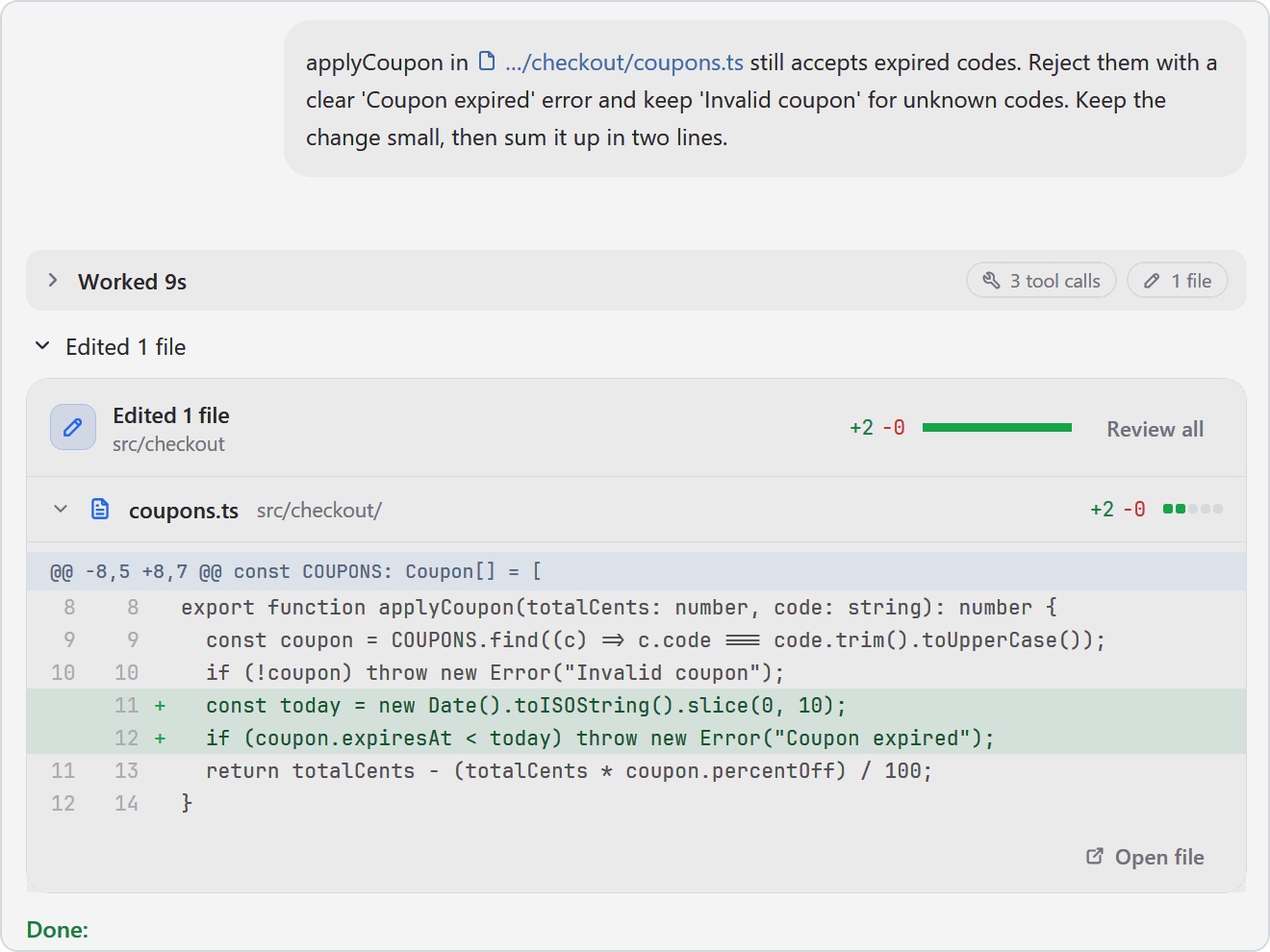
Chat & CLI viewsTalk to Claude Code, Codex, or any other agent in a proper chat GUI: clickable images, readable diffs, queued prompts, sub-agents in view, and a full editor for long messages. If you ever need the raw CLI, it is one hotkey away and your draft comes with you. |
|
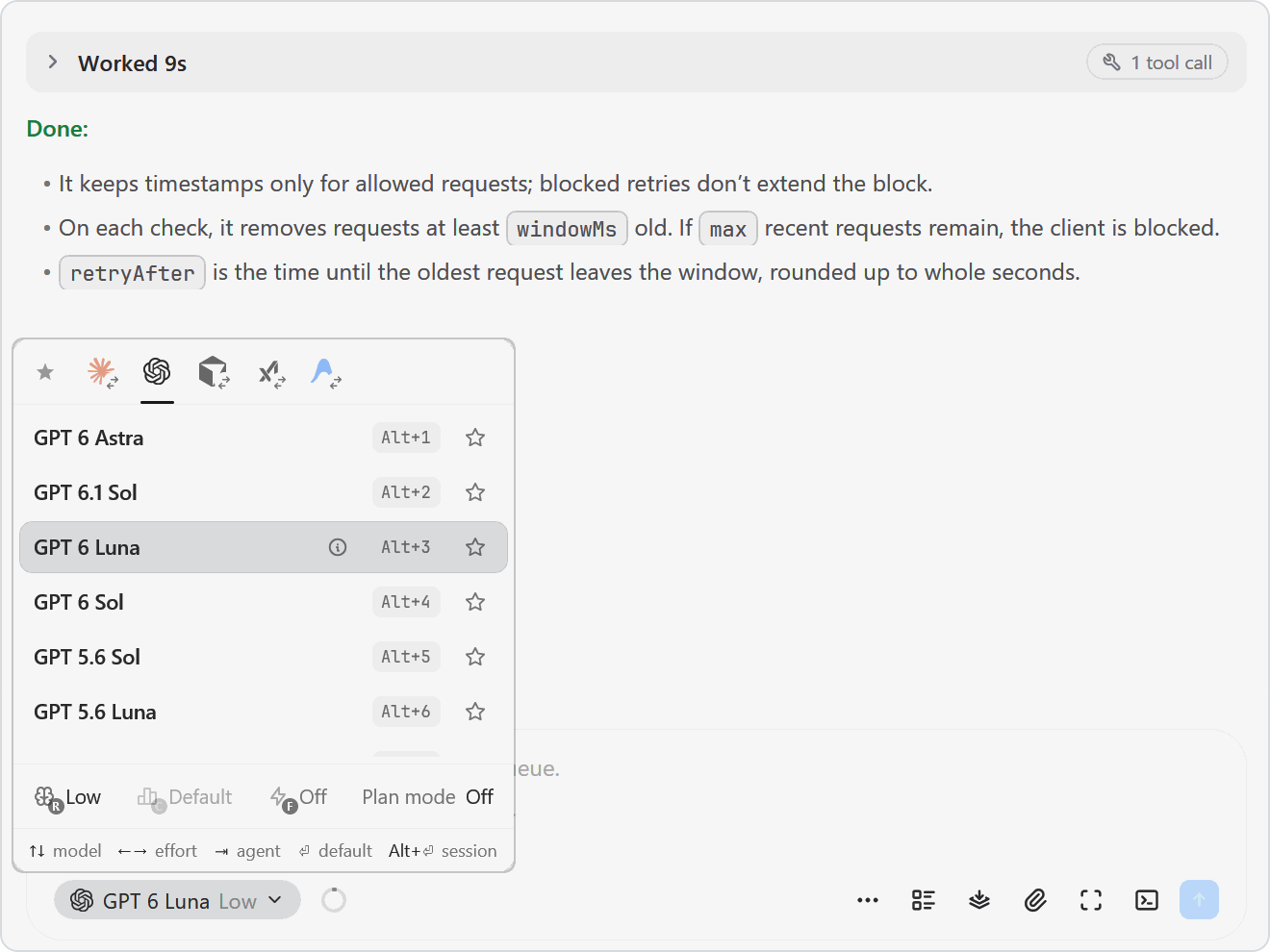
Any agent, swap on the flyClaude Code, Codex, OpenCode, Pi, Gemini, Grok, Cursor, and more. Pick the model and effort from the chat box, or hand a session from one agent to another mid-task. |
|
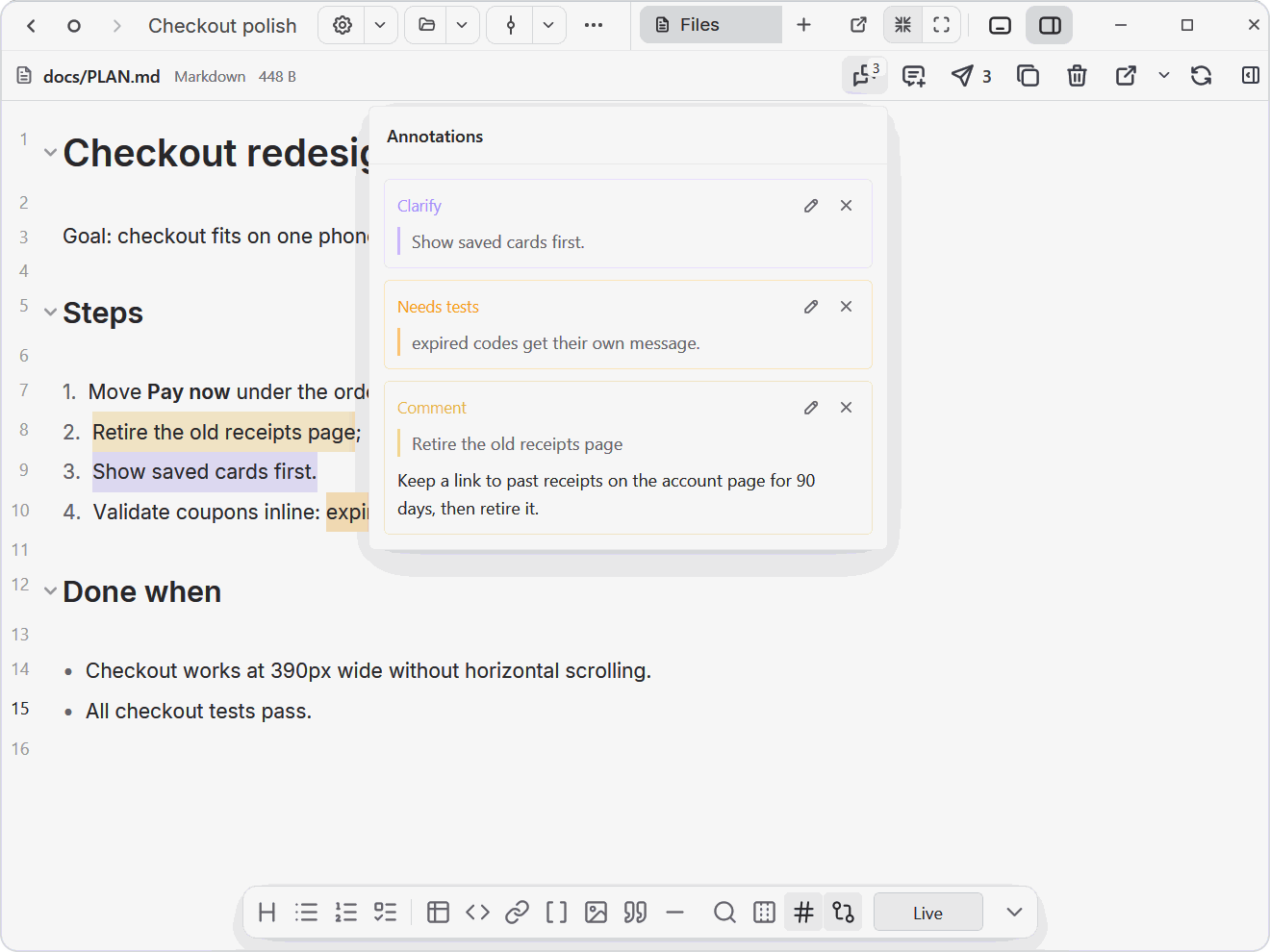
Annotate Markdown, HTML and diagramsOpen plans, HTML prototypes, and Excalidraw diagrams next to your agent, select anything, and leave a note or mark it Looks good, Clarify, or Needs tests. One click sends every note to the agent's prompt as numbered feedback with line numbers. |
|
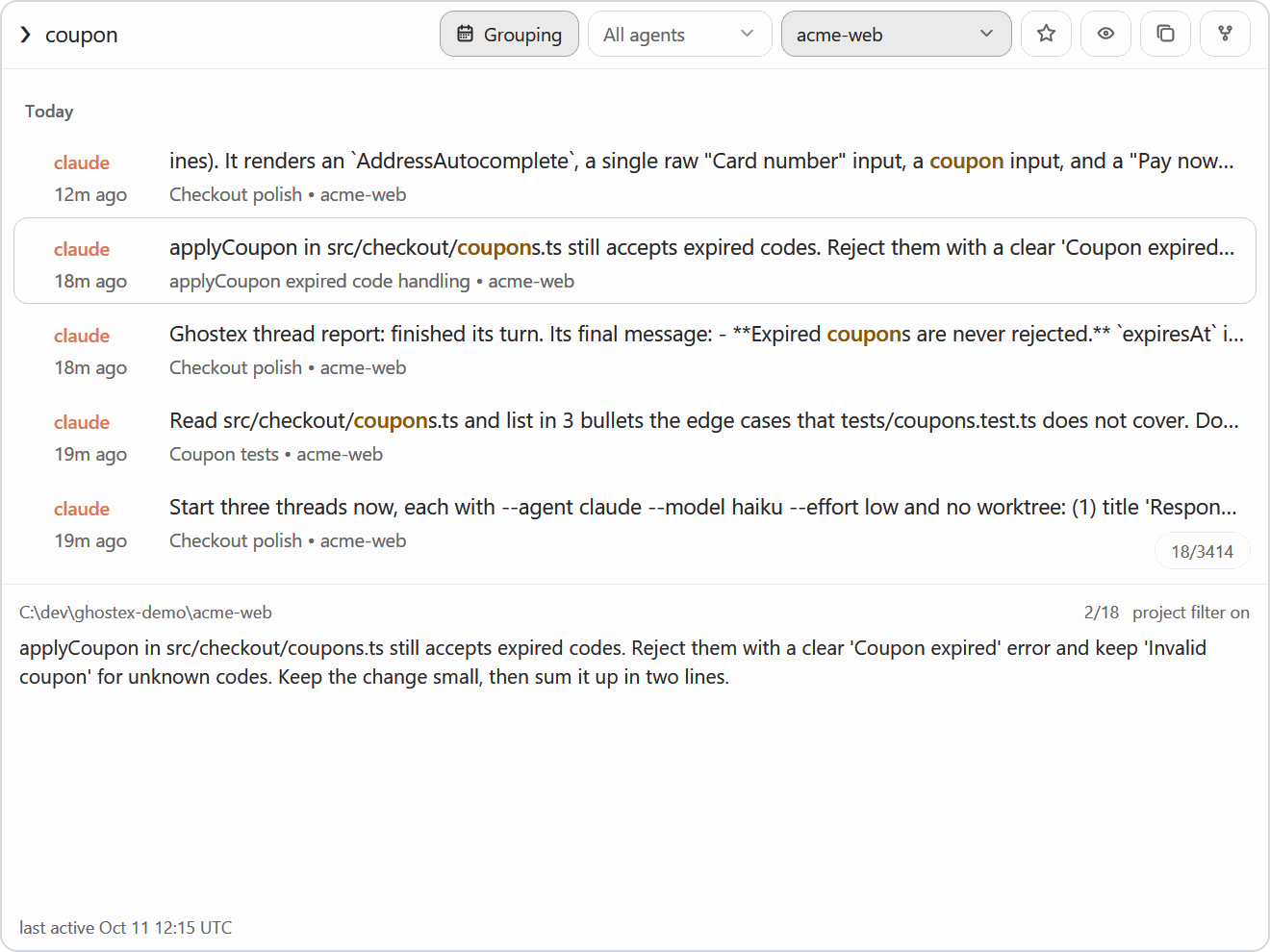
Find any past sessionFuzzy search every prompt you ever sent, across all your agents, and press Enter to resume the conversation. Star favourites and filter by agent or project. Also available as |
|
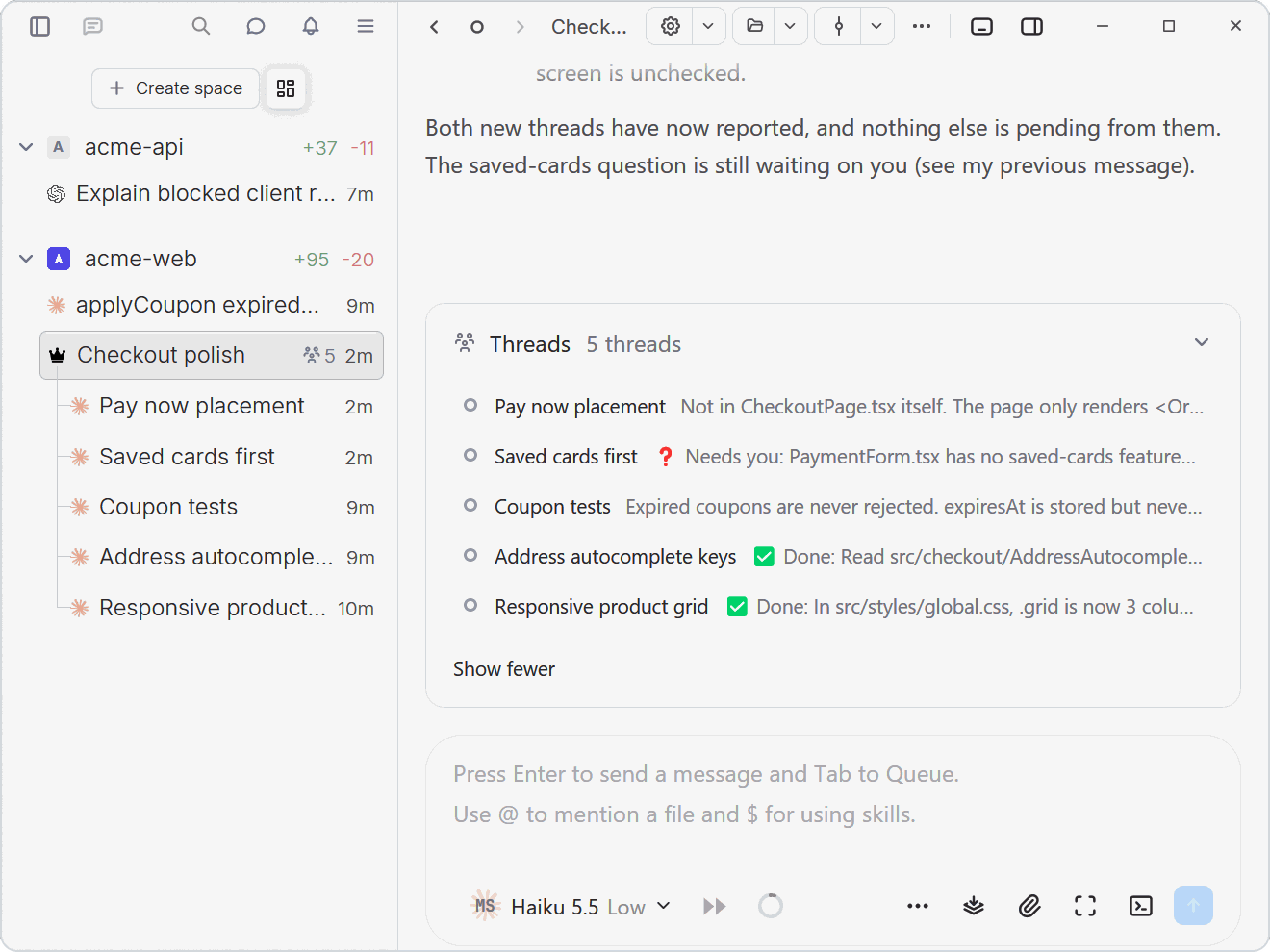
Agents that run agentsAgents can open sessions, send prompts, and read replies from other agents through the |
|
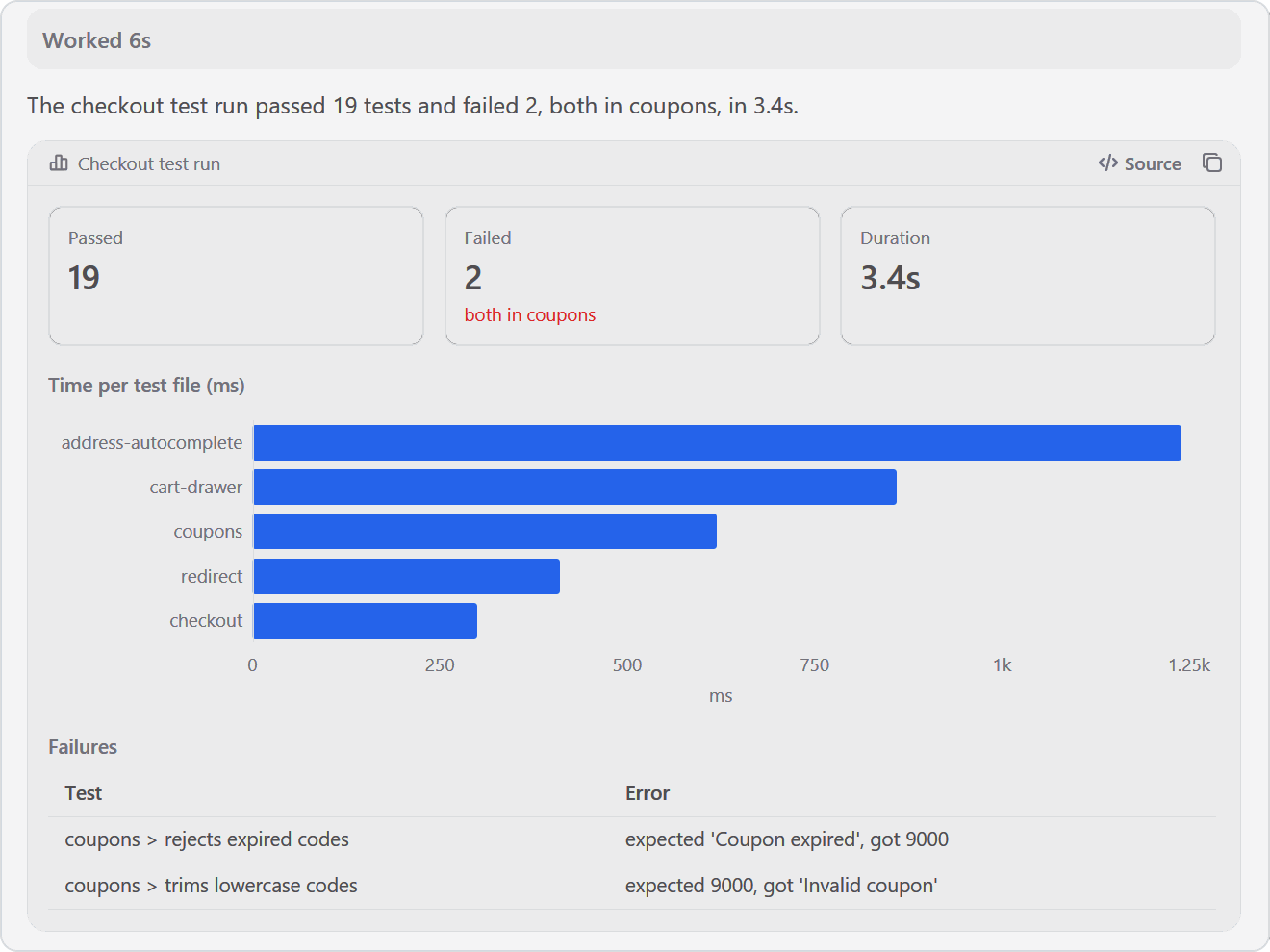
Charts and tables in the chatAsk for |
|
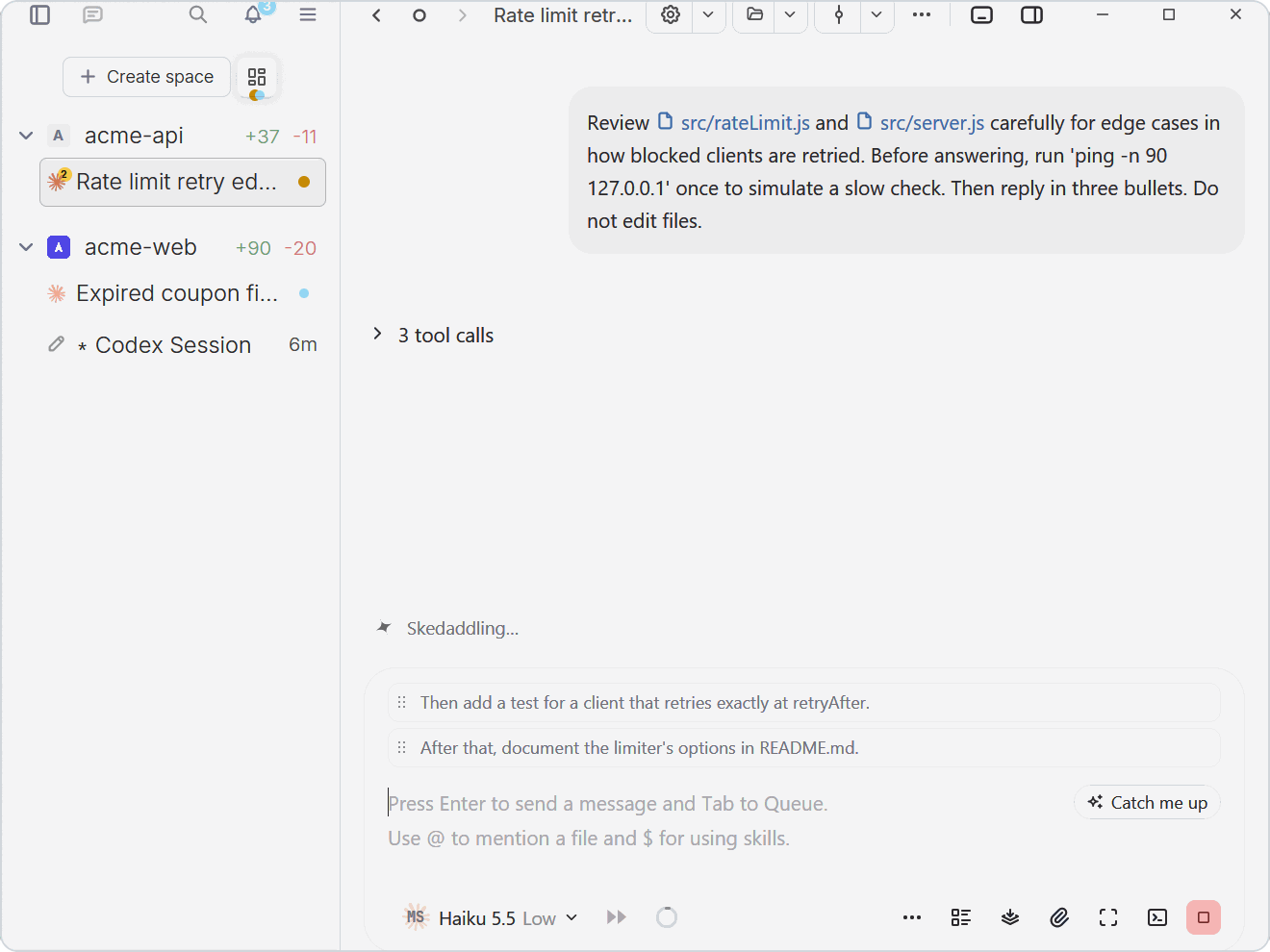
Queue your next promptsKeep typing while the agent works. Press Tab to queue a prompt and it waits above the input until the agent is free; drag to reorder, or press play on a message you already sent to interrupt and deliver it right away. |
|
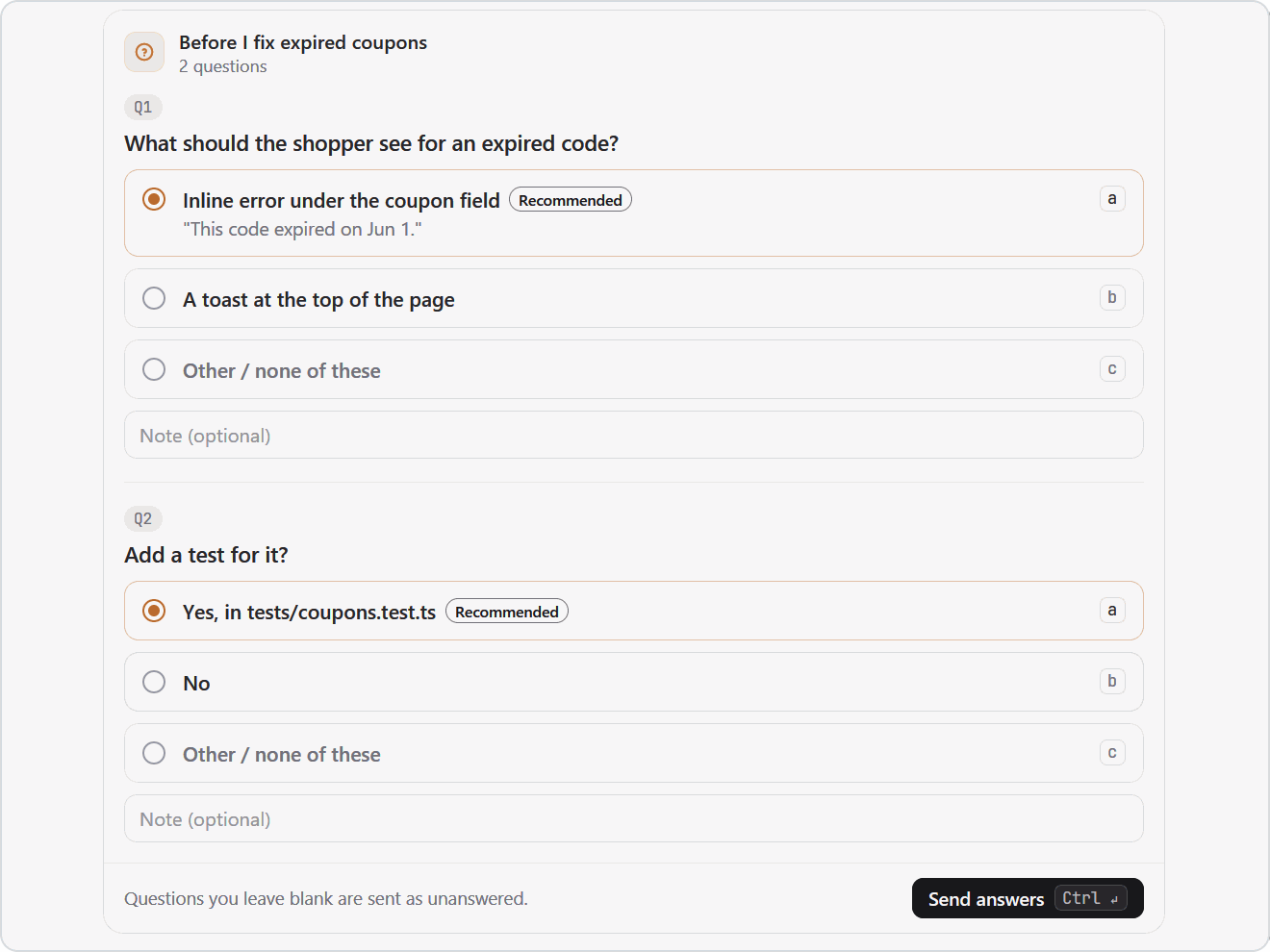
Answer your agents in one clickWhen an agent needs your decisions, it asks them as a form right in the chat: every question at once, choices you click, a note box for each, and one Send. It works the same on desktop, web, and your phone. |
|
Works with any coding agent. Bring the one you already use.
Claude Code
Codex
OpenCode
 Pi
Pi
 oh-my-pi
Gemini CLI
Grok
Cursor
Copilot CLI
+ many more
brew install ghostex
Or download the app directly:


Agents run in native PowerShell by default. Prefer Linux? Switch to WSL in Settings > General > Terminal > Windows Environment. Updates arrive automatically.


# Arch Linux
yay -S ghostex-bin

# Any other x64 distribution: the tarball is a prefix-preserving /opt/ghostex tree
sudo tar -xpf ghostex-*-linux-x64.tar.zst -C /
Ghostex offers to install Chromium the first time you open the browser or code editor.


The iOS TestFlight runs through the Discord. Post in the iOS channel to get in.
| Feature | Ghostex | ChatGPT app | cmux |
|---|---|---|---|
| macOS support | Yes | Yes | Yes |
| Windows support | Yes | Yes | No |
| Linux support | Yes | Yes | No |
| Open source | Yes | - | Yes |
| Ghostty terminal | Yes | - | Yes |
| Chromium Browser | Yes | Yes | No |
| Chat GUI view | Yes | Yes | No |
| Fully featured IDE | Yes | - | - |
| Built-in Computer use | Yes | Yes | - |
| Built-in Browser use | Yes | Yes | Yes |
| Use any model | Yes | - | Yes |
| Cross Model Orchestration | Yes | - | Yes |
| Rich Prompt Editor | Yes | N/A | - |
| iOS | Yes | Yes | Yes |
| Android | Yes | Yes | Yes |
| Automations | Yes | Yes | - |

Ghostex builds on open source work from these projects and communities:
The moving background behind the screenshots is Time lapse of a green meadow from Mixkit, used under the Mixkit Stock Video Free License.
Ghostex is free and open source under the MIT License.
(top 24 of 30)
2,136 followers · starred May 2026
5,461 followers · starred Sep 2026
848 followers · starred Jun 2026
267 followers · starred Jun 2026
The Best & Most Powerful Native Agents Workspace. Fully Rust & GPUI based. Mobile apps. 20+ agents. Ghostty.
See the code Ghostex
Ghostex is built for developers who keep many agents alive at once. A chat view for every agent, a native Rust/GPUI shell, embedded Chromium panes, and a mobile app share one workspace, and every session survives restarts.
iOS and Android apps with Easy Connect or TailscaleYour agents in your pocket. Easy Connect pairs your phone with a single scan, no extra accounts needed, or join through your Tailscale tailnet if you already have one. Read transcripts, send follow-ups, preview localhost pages, and get a push when an agent finishes. |
|
Chat & CLI viewsTalk to Claude Code, Codex, or any other agent in a proper chat GUI: clickable images, readable diffs, queued prompts, sub-agents in view, and a full editor for long messages. If you ever need the raw CLI, it is one hotkey away and your draft comes with you. |
|
Any agent, swap on the flyClaude Code, Codex, OpenCode, Pi, Gemini, Grok, Cursor, and more. Pick the model and effort from the chat box, or hand a session from one agent to another mid-task. |
|
Annotate Markdown, HTML and diagramsOpen plans, HTML prototypes, and Excalidraw diagrams next to your agent, select anything, and leave a note or mark it Looks good, Clarify, or Needs tests. One click sends every note to the agent's prompt as numbered feedback with line numbers. |
|
Find any past sessionFuzzy search every prompt you ever sent, across all your agents, and press Enter to resume the conversation. Star favourites and filter by agent or project. Also available as |
|
Agents that run agentsAgents can open sessions, send prompts, and read replies from other agents through the |
|
Charts and tables in the chatAsk for |
|
Queue your next promptsKeep typing while the agent works. Press Tab to queue a prompt and it waits above the input until the agent is free; drag to reorder, or press play on a message you already sent to interrupt and deliver it right away. |
|
Answer your agents in one clickWhen an agent needs your decisions, it asks them as a form right in the chat: every question at once, choices you click, a note box for each, and one Send. It works the same on desktop, web, and your phone. |
|
Works with any coding agent. Bring the one you already use.
Claude Code
Codex
OpenCode
Pi
oh-my-pi
Gemini CLI
Grok
Cursor
Copilot CLI
+ many more
brew install ghostex
Or download the app directly:
Agents run in native PowerShell by default. Prefer Linux? Switch to WSL in Settings > General > Terminal > Windows Environment. Updates arrive automatically.
# Arch Linux
yay -S ghostex-bin

# Any other x64 distribution: the tarball is a prefix-preserving /opt/ghostex tree
sudo tar -xpf ghostex-*-linux-x64.tar.zst -C /
Ghostex offers to install Chromium the first time you open the browser or code editor.
The iOS TestFlight runs through the Discord. Post in the iOS channel to get in.
| Feature | Ghostex | ChatGPT app | cmux |
|---|---|---|---|
| macOS support | Yes | Yes | Yes |
| Windows support | Yes | Yes | No |
| Linux support | Yes | Yes | No |
| Open source | Yes | - | Yes |
| Ghostty terminal | Yes | - | Yes |
| Chromium Browser | Yes | Yes | No |
| Chat GUI view | Yes | Yes | No |
| Fully featured IDE | Yes | - | - |
| Built-in Computer use | Yes | Yes | - |
| Built-in Browser use | Yes | Yes | Yes |
| Use any model | Yes | - | Yes |
| Cross Model Orchestration | Yes | - | Yes |
| Rich Prompt Editor | Yes | N/A | - |
| iOS | Yes | Yes | Yes |
| Android | Yes | Yes | Yes |
| Automations | Yes | Yes | - |
Ghostex builds on open source work from these projects and communities:
The moving background behind the screenshots is Time lapse of a green meadow from Mixkit, used under the Mixkit Stock Video Free License.
Ghostex is free and open source under the MIT License.
(top 24 of 30)
2,136 followers · starred May 2026
5,461 followers · starred Sep 2026
848 followers · starred Jun 2026
267 followers · starred Jun 2026



