Open Source Office suite for users used to MS Office - multi-platform, tuned for performance
JavaScript
397
3 commits
updated Oct 19, 2026
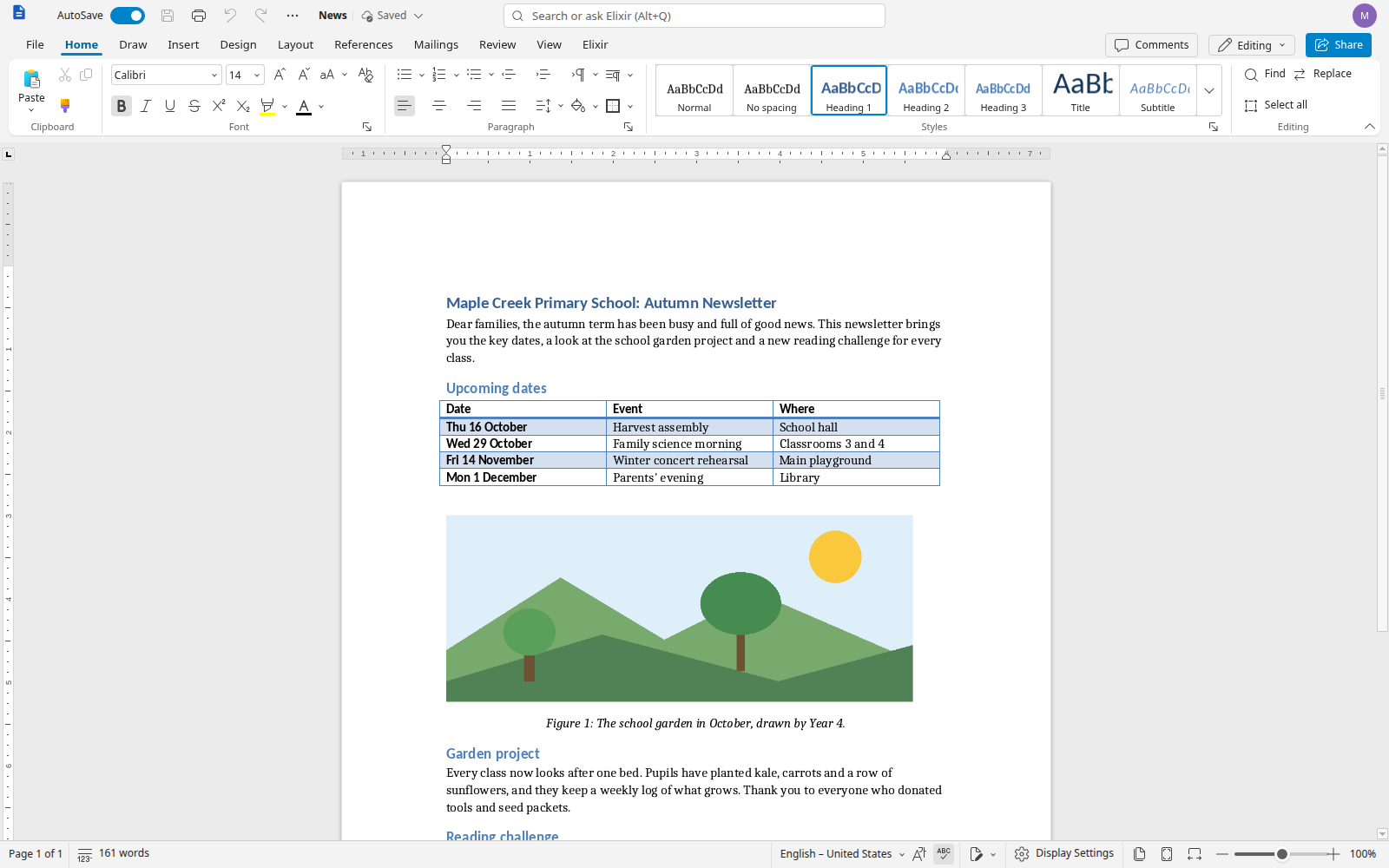
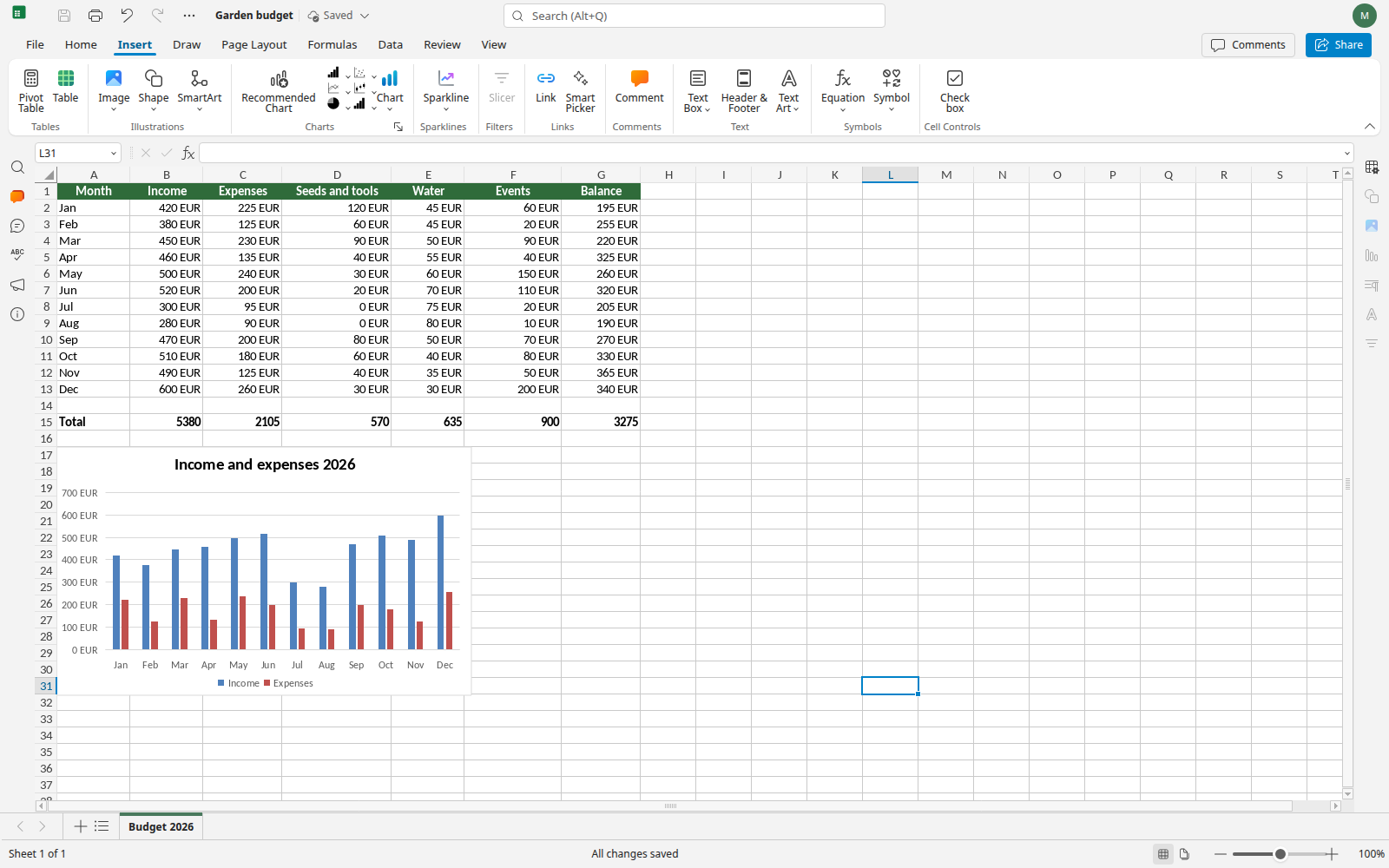
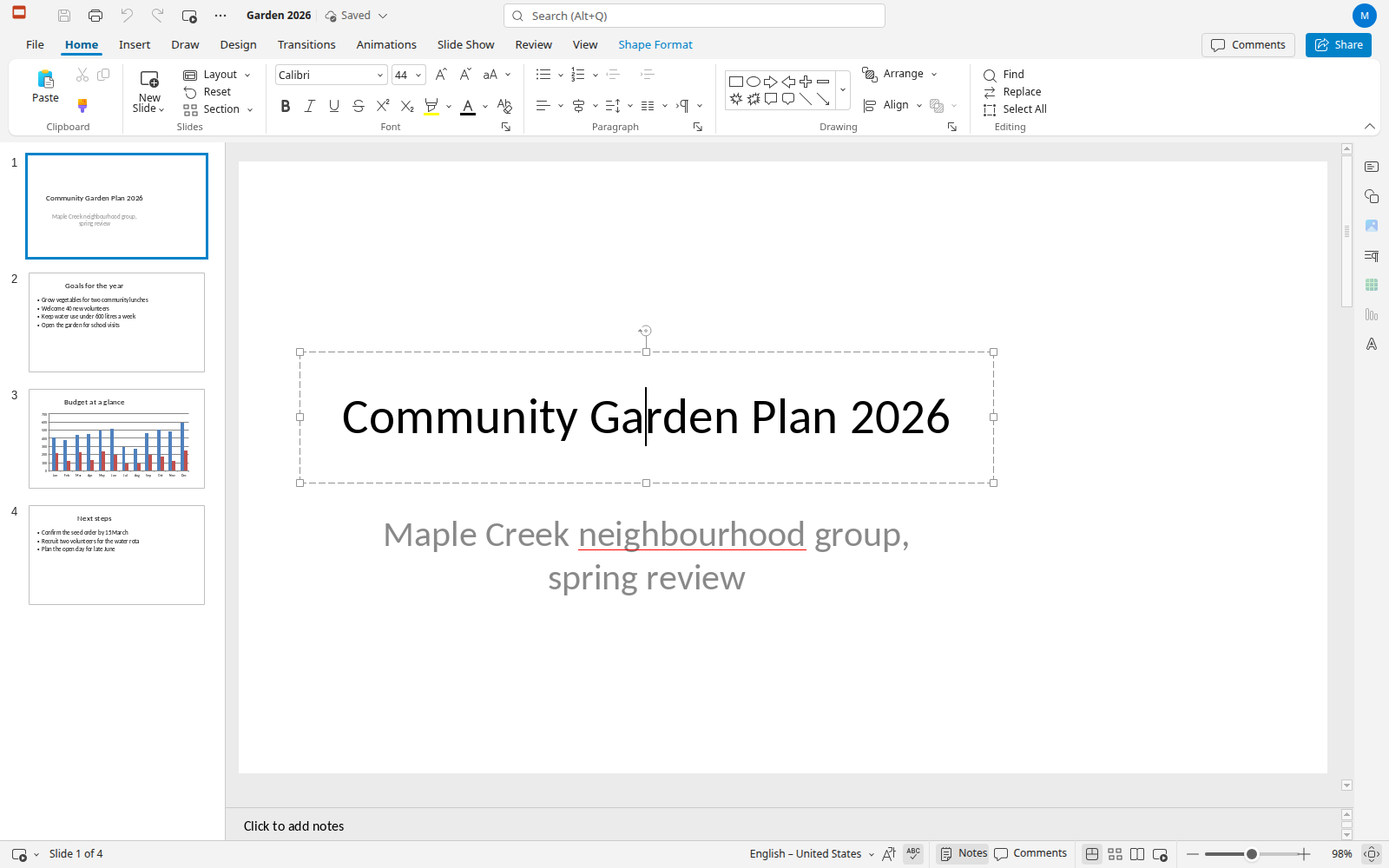
An open source office suite for people used to Microsoft Office.
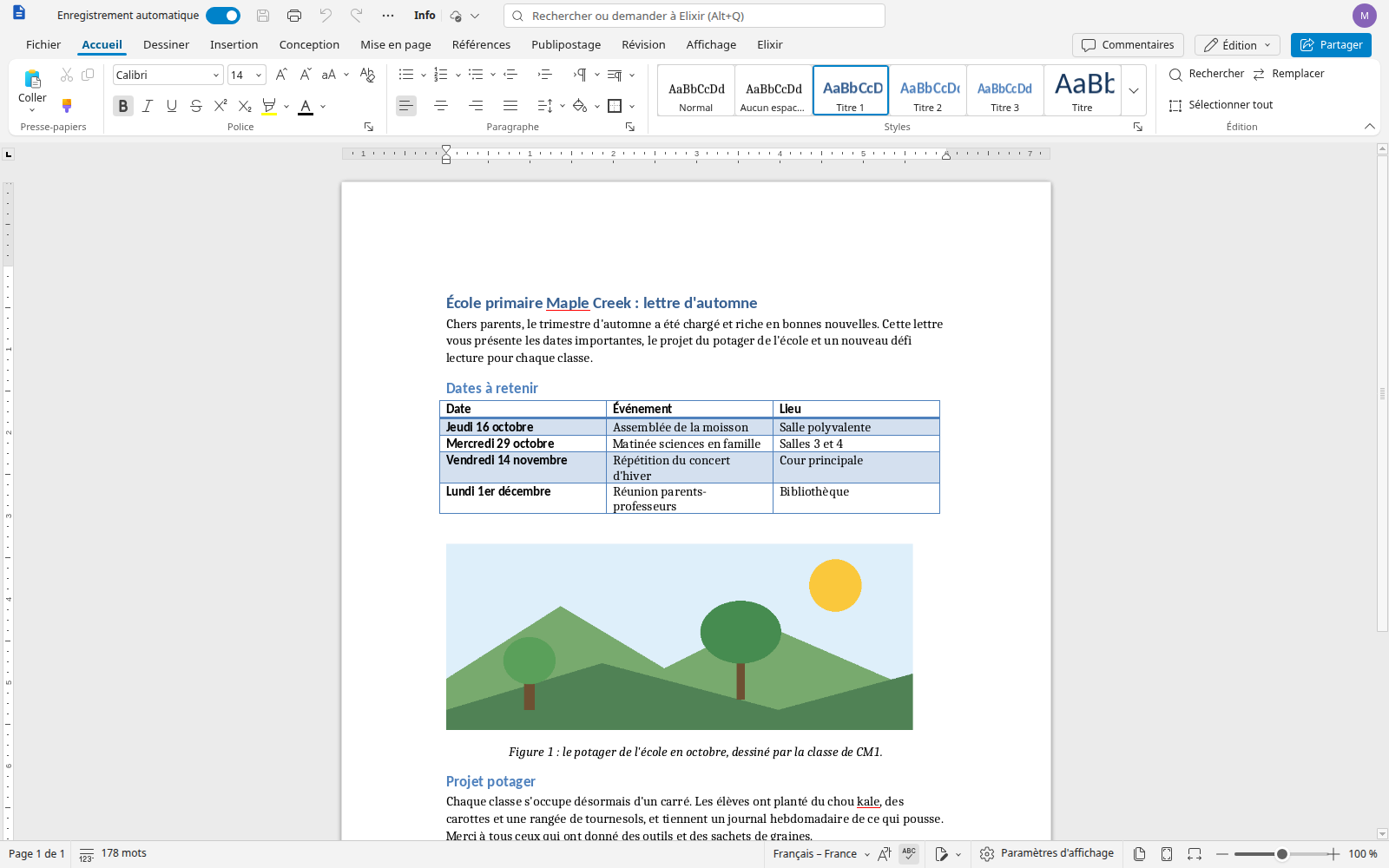
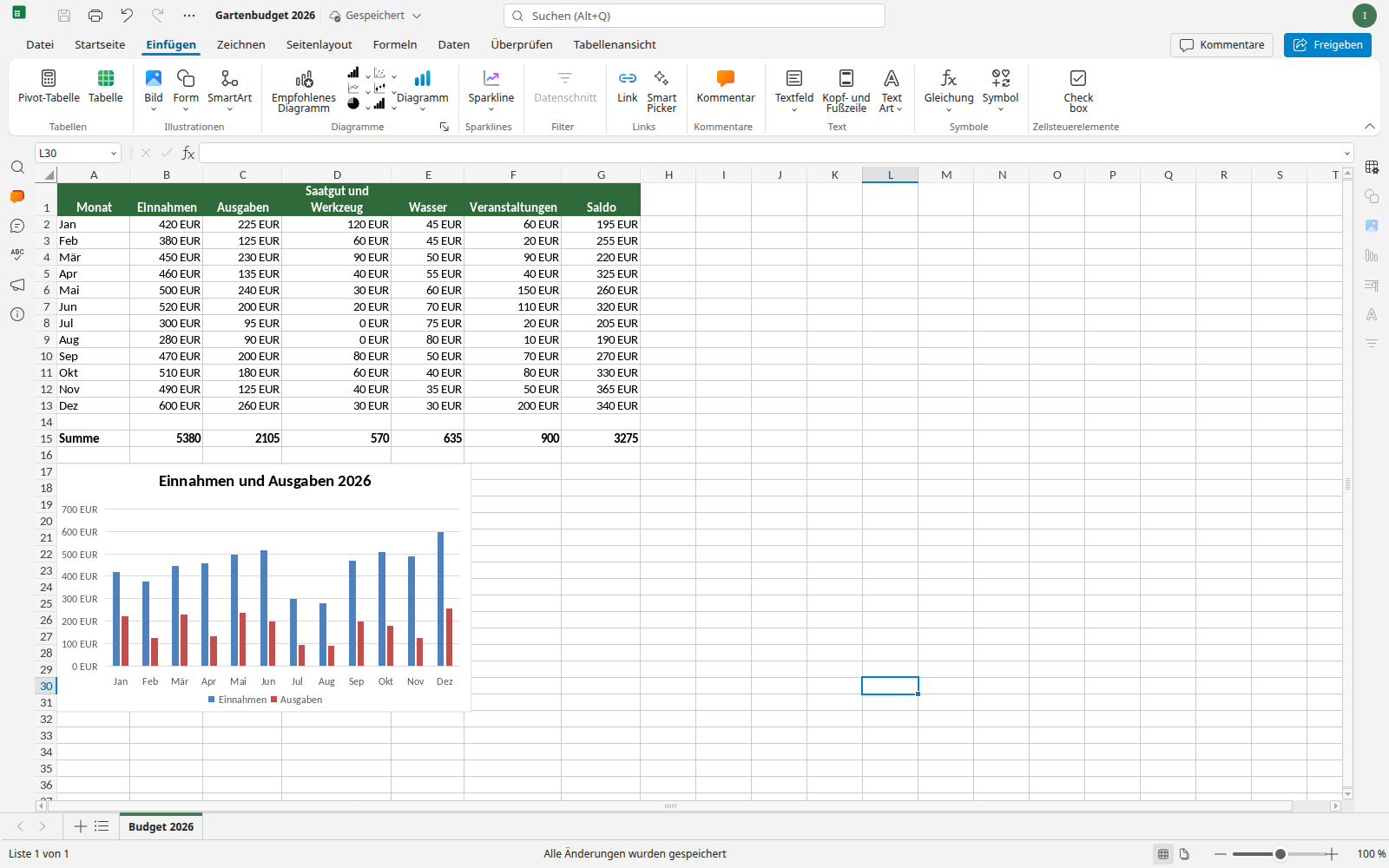
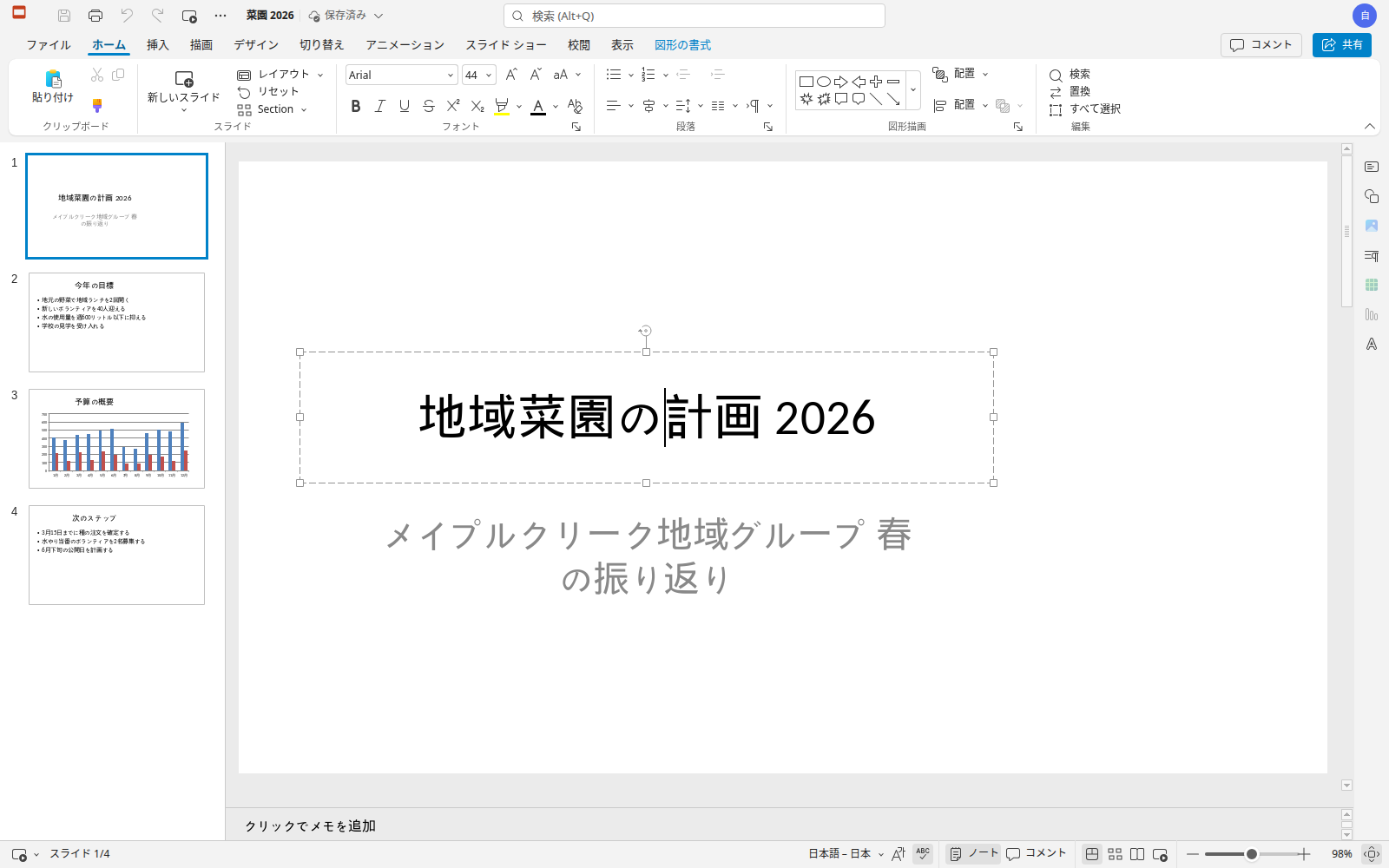
ElixirOffice edits Word, Excel and PowerPoint documents (and their OpenDocument equivalents) with the ribbon, menus, dialogs and keyboard shortcuts of Microsoft Office. It runs as a desktop app that works entirely offline, or in the browser on your own server. It is free software (AGPLv3), private by design, and fast.
Status: beta. Expect rough edges, and please report them. Known limitations are listed in the release notes.
| Version | For whom | Why choose it | Get it |
|---|---|---|---|
| Desktop app 0.2.1 (beta) | Anyone, on their own computer | 100 % local and offline: no server, no account, documents never leave your computer | Windows · macOS (Apple Silicon) · Linux AppImage · Debian/Ubuntu .deb |
| Server version 0.1.1 (beta 1.1) | Teams, schools, organisations, self-hosters | Editing in the browser, real-time co-editing, Murena Workspace and Nextcloud accounts | Install guide and files · Docker image ghcr.io/leag1234/elixiroffice-server:beta1.1 |
Release notes, checksums and source archives: desktop 0.2.1, server 0.1.1. Older versions: desktop 0.2.0, desktop beta 2, server beta 1. The installers are not signed yet: see the first-launch tips in Try it.
| Version | Date | What it is |
|---|---|---|
| Desktop 0.2.1 beta | 2026-10-16 | Fixes: opening files after a settings or network-share error, Office-identical shortcuts, Word-like close dialog, Save As redesign, export progress, PDF page rotation |
| Desktop 0.2.0 beta | 2026-10-15 | PDF open, annotate, fill and save; password-protected files; rename and Save a copy folder; computer fonts switch |
| Server 0.1.1 beta 1.1 | 2026-10-15 | Rename and Save a copy fixes for the server |
| Desktop 0.1.0 beta 2 | 2026-10-13 | First desktop apps for Windows, macOS and Linux |
| Server 0.1.0 beta 1 | 2026-10-12 | First public version: self-hosted server |
Details of every change: CHANGELOG.md.
My partner is a teacher. Like many of her colleagues, she has been offered the open source office suites at school again and again, and every time she went back to Microsoft Office. Not out of brand loyalty: the alternatives felt unfamiliar, documents from colleagues did not look right, and the habits of years (the ribbon, the shortcuts, where things are) did not work anymore.
They would love an office suite that is open source and easy to use. ElixirOffice is an attempt at exactly that: keep the strong, mature engine of an existing open source suite, and rebuild everything people touch so that a Word, Excel or PowerPoint user feels at home on the first day, with documents that look the same as in Microsoft Office.
The complete list: docs/features.md.
The document converter (the C++ engine that reads and writes .docx, .xlsx, .pptx, .odt, .ods and .odp) is compiled to WebAssembly and runs inside the browser or the desktop app:
On a modest laptop (Intel i5-8265U), a 97-page document becomes editable in about 3.5 s, layout continues in the background, and typing latency stays around 30 ms. Measurements and methods: docs/wasm.md, docs/perf.md, docs/desktop-options.md.
| Word | Excel | PowerPoint |
|---|---|---|
 |  |  |
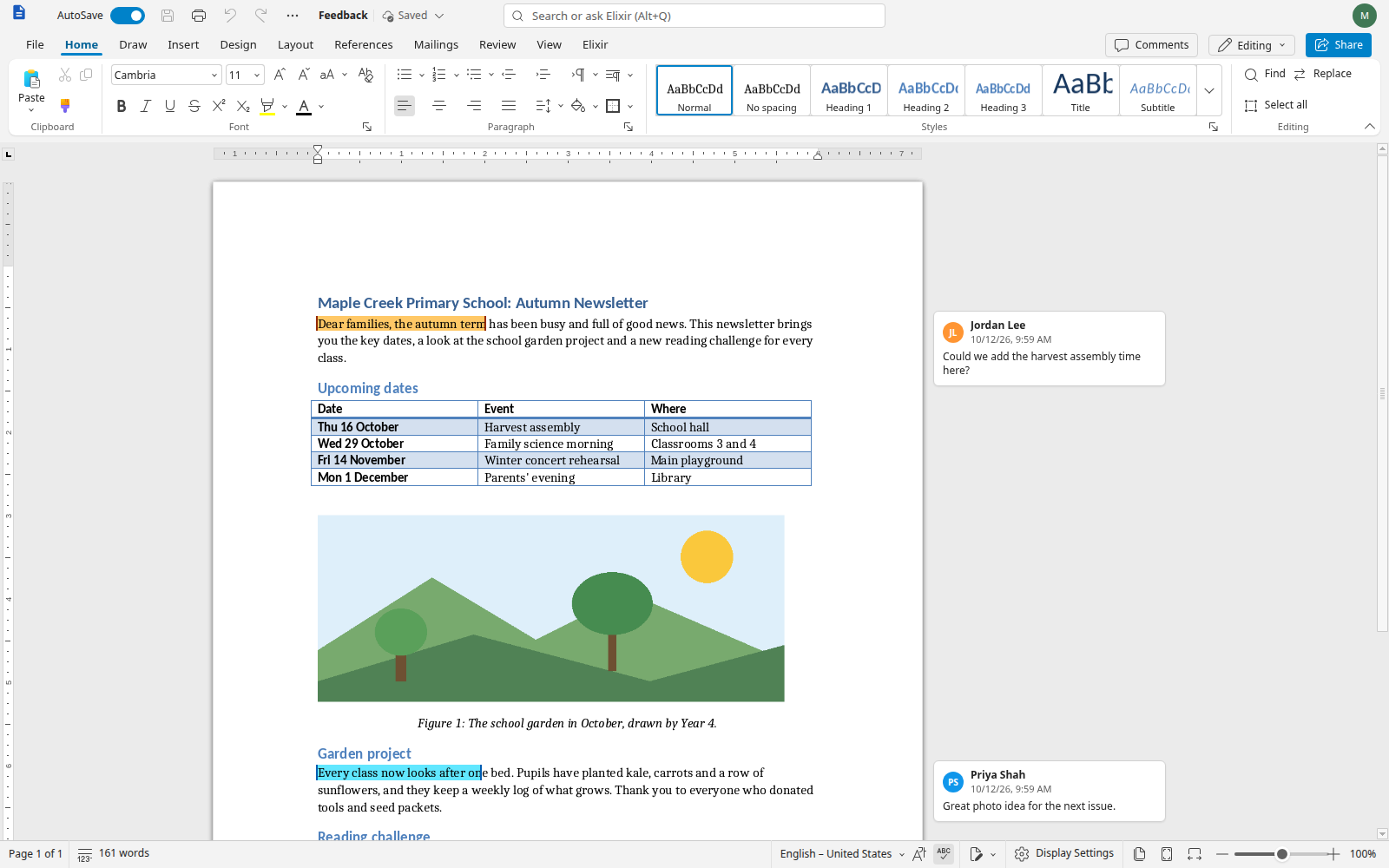
In your language (here French, German and Japanese):
| Français | Deutsch | 日本語 |
|---|---|---|
 |  |  |
| Server version | Desktop app | |
|---|---|---|
| For | organisations, Murena Workspace / Nextcloud, shared documents | individuals, offline use |
| How | your own server (Docker), in the browser | Windows, macOS (Apple Silicon), Linux |
| Documents | real-time co-editing, cloud storage; optional "convert locally" mode | 100 % local, no document server |
| Available | 0.1.1 beta 1.1 | 0.2.1 beta |
| Install | docs/install-server.md | docs/desktop.md |
Desktop app (offline, nothing to install on a server)
chmod +x ElixirOffice-*.AppImage) and run it; or install the .deb with sudo apt install ./ElixirOffice-*.deb.Then create a document or open a .docx, .xlsx, .pptx, .odt, .ods or .odp file, edit it and save: the file stays on your computer.
Server version (in the browser, for a team or an organisation)
On a Linux host with Docker and a public DNS name, download the deployment bundle from the server release and follow its install guide: an init script generates the secrets, docker compose up -d downloads the image from ghcr.io/leag1234/elixiroffice-server and starts the suite behind HTTPS. The start page (local files, Murena Workspace and Nextcloud accounts) is off by default and has no user accounts of its own: enable it on a trusted network, behind a VPN or behind your own authentication. AI is off unless you configure it.
The detailed, benefit-oriented list of what has been built (Word, Excel and PowerPoint parity, fidelity, privacy, AI) is kept up to date in docs/features.md. A comparison with LibreOffice and ONLYOFFICE is in docs/differences.md.
tools/wasm/build.sh)ElixirOffice is free software, released under the GNU Affero General Public License v3.0 (LICENSE), the same licence as the projects it derives from.
It is built on Euro-Office, itself derived from ONLYOFFICE Docs by Ascensio System SIA. Their copyright notices, licence files and attributions are kept in the source code; see NOTICE. Bundled fonts, dictionaries, thesauri and icons (Microsoft Fluent UI System Icons, MIT) keep their own free licences: branding/fonts/LICENSES.md, the dictionaries and thesaurus licence files, and NOTICE.
ElixirOffice is not affiliated with or endorsed by Microsoft, Ascensio System SIA or the Euro-Office project. Microsoft, Word, Excel and PowerPoint are trademarks of Microsoft Corporation.
Feedback from real users, especially anyone who switched from Microsoft Office, is the most valuable contribution.
ElixirOffice was initiated and supervised by Gaël Duval, and developed with various large language models working as coding agents under his direction. Every change goes through automated test suites, reviews and measurements before it is integrated.
1,891 followers · starred Oct 2026
Open Source Office suite for users used to MS Office - multi-platform, tuned for performance
JavaScript
397
3 commits
updated Oct 19, 2026
An open source office suite for people used to Microsoft Office.
ElixirOffice edits Word, Excel and PowerPoint documents (and their OpenDocument equivalents) with the ribbon, menus, dialogs and keyboard shortcuts of Microsoft Office. It runs as a desktop app that works entirely offline, or in the browser on your own server. It is free software (AGPLv3), private by design, and fast.
Status: beta. Expect rough edges, and please report them. Known limitations are listed in the release notes.
| Version | For whom | Why choose it | Get it |
|---|---|---|---|
| Desktop app 0.2.1 (beta) | Anyone, on their own computer | 100 % local and offline: no server, no account, documents never leave your computer | Windows · macOS (Apple Silicon) · Linux AppImage · Debian/Ubuntu .deb |
| Server version 0.1.1 (beta 1.1) | Teams, schools, organisations, self-hosters | Editing in the browser, real-time co-editing, Murena Workspace and Nextcloud accounts | Install guide and files · Docker image ghcr.io/leag1234/elixiroffice-server:beta1.1 |
Release notes, checksums and source archives: desktop 0.2.1, server 0.1.1. Older versions: desktop 0.2.0, desktop beta 2, server beta 1. The installers are not signed yet: see the first-launch tips in Try it.
| Version | Date | What it is |
|---|---|---|
| Desktop 0.2.1 beta | 2026-10-16 | Fixes: opening files after a settings or network-share error, Office-identical shortcuts, Word-like close dialog, Save As redesign, export progress, PDF page rotation |
| Desktop 0.2.0 beta | 2026-10-15 | PDF open, annotate, fill and save; password-protected files; rename and Save a copy folder; computer fonts switch |
| Server 0.1.1 beta 1.1 | 2026-10-15 | Rename and Save a copy fixes for the server |
| Desktop 0.1.0 beta 2 | 2026-10-13 | First desktop apps for Windows, macOS and Linux |
| Server 0.1.0 beta 1 | 2026-10-12 | First public version: self-hosted server |
Details of every change: CHANGELOG.md.
My partner is a teacher. Like many of her colleagues, she has been offered the open source office suites at school again and again, and every time she went back to Microsoft Office. Not out of brand loyalty: the alternatives felt unfamiliar, documents from colleagues did not look right, and the habits of years (the ribbon, the shortcuts, where things are) did not work anymore.
They would love an office suite that is open source and easy to use. ElixirOffice is an attempt at exactly that: keep the strong, mature engine of an existing open source suite, and rebuild everything people touch so that a Word, Excel or PowerPoint user feels at home on the first day, with documents that look the same as in Microsoft Office.
The complete list: docs/features.md.
The document converter (the C++ engine that reads and writes .docx, .xlsx, .pptx, .odt, .ods and .odp) is compiled to WebAssembly and runs inside the browser or the desktop app:
On a modest laptop (Intel i5-8265U), a 97-page document becomes editable in about 3.5 s, layout continues in the background, and typing latency stays around 30 ms. Measurements and methods: docs/wasm.md, docs/perf.md, docs/desktop-options.md.
| Word | Excel | PowerPoint |
|---|---|---|
| | |
In your language (here French, German and Japanese):
| Français | Deutsch | 日本語 |
|---|---|---|
| | |
| Server version | Desktop app | |
|---|---|---|
| For | organisations, Murena Workspace / Nextcloud, shared documents | individuals, offline use |
| How | your own server (Docker), in the browser | Windows, macOS (Apple Silicon), Linux |
| Documents | real-time co-editing, cloud storage; optional "convert locally" mode | 100 % local, no document server |
| Available | 0.1.1 beta 1.1 | 0.2.1 beta |
| Install | docs/install-server.md | docs/desktop.md |
Desktop app (offline, nothing to install on a server)
chmod +x ElixirOffice-*.AppImage) and run it; or install the .deb with sudo apt install ./ElixirOffice-*.deb.Then create a document or open a .docx, .xlsx, .pptx, .odt, .ods or .odp file, edit it and save: the file stays on your computer.
Server version (in the browser, for a team or an organisation)
On a Linux host with Docker and a public DNS name, download the deployment bundle from the server release and follow its install guide: an init script generates the secrets, docker compose up -d downloads the image from ghcr.io/leag1234/elixiroffice-server and starts the suite behind HTTPS. The start page (local files, Murena Workspace and Nextcloud accounts) is off by default and has no user accounts of its own: enable it on a trusted network, behind a VPN or behind your own authentication. AI is off unless you configure it.
The detailed, benefit-oriented list of what has been built (Word, Excel and PowerPoint parity, fidelity, privacy, AI) is kept up to date in docs/features.md. A comparison with LibreOffice and ONLYOFFICE is in docs/differences.md.
tools/wasm/build.sh)ElixirOffice is free software, released under the GNU Affero General Public License v3.0 (LICENSE), the same licence as the projects it derives from.
It is built on Euro-Office, itself derived from ONLYOFFICE Docs by Ascensio System SIA. Their copyright notices, licence files and attributions are kept in the source code; see NOTICE. Bundled fonts, dictionaries, thesauri and icons (Microsoft Fluent UI System Icons, MIT) keep their own free licences: branding/fonts/LICENSES.md, the dictionaries and thesaurus licence files, and NOTICE.
ElixirOffice is not affiliated with or endorsed by Microsoft, Ascensio System SIA or the Euro-Office project. Microsoft, Word, Excel and PowerPoint are trademarks of Microsoft Corporation.
Feedback from real users, especially anyone who switched from Microsoft Office, is the most valuable contribution.
ElixirOffice was initiated and supervised by Gaël Duval, and developed with various large language models working as coding agents under his direction. Every change goes through automated test suites, reviews and measurements before it is integrated.
1,891 followers · starred Oct 2026



