
mpv plugin for selecting the format of internet videos.
Lua
36
64 commits
updated Dec 11, 2025
README
mpv-selectformat
An mpv plugin for selecting the format of internet videos on the fly.
Based on mpv-youtube-quality.
Installation
-
Download
selectformat.lua -
Copy
selectformat.luato your mpv scripts directory. -
Add a key binding to your mpv input.conf file to open the menu. Example:
ctrl+f script-binding selectformat/menu
Features
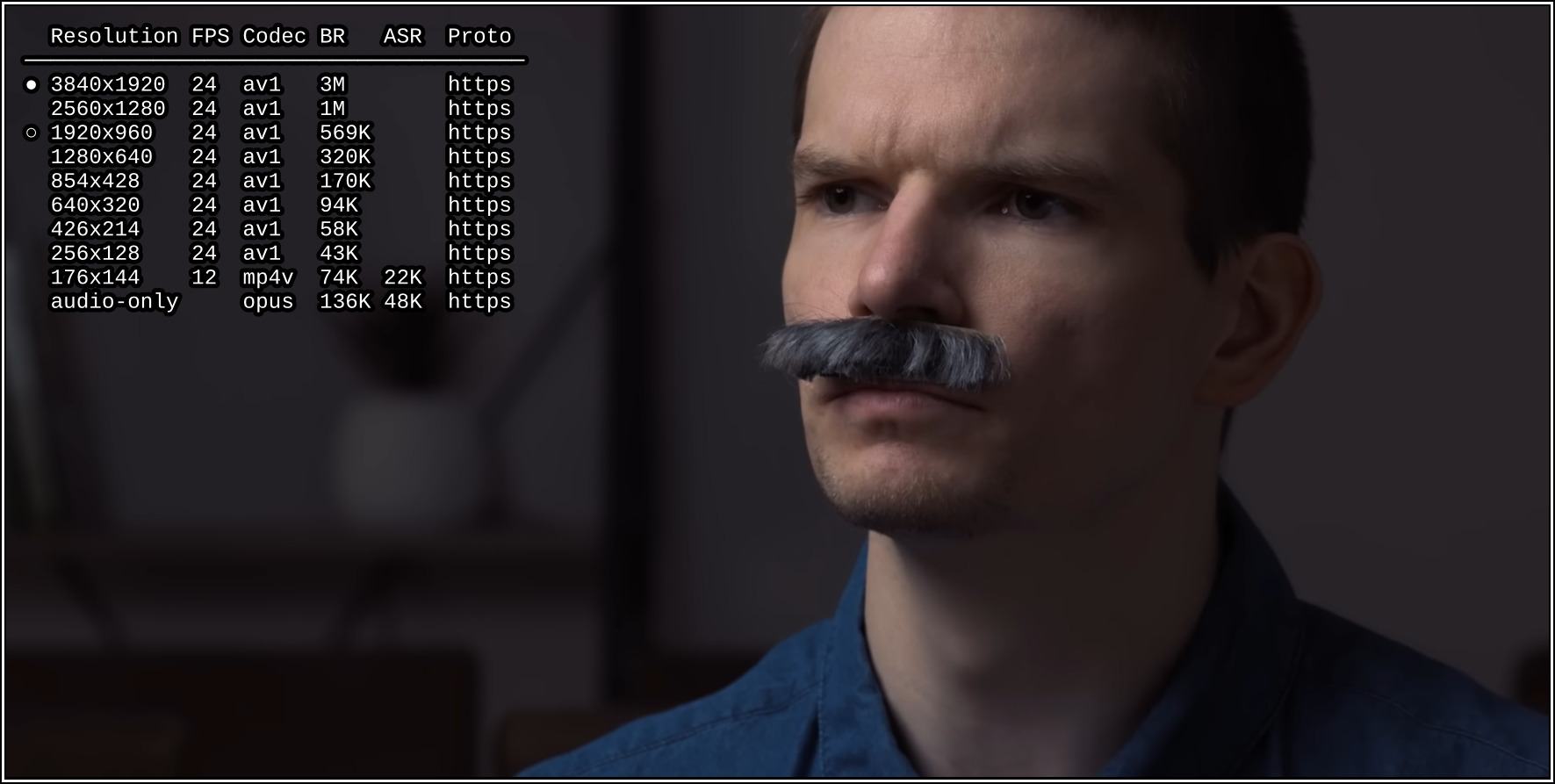
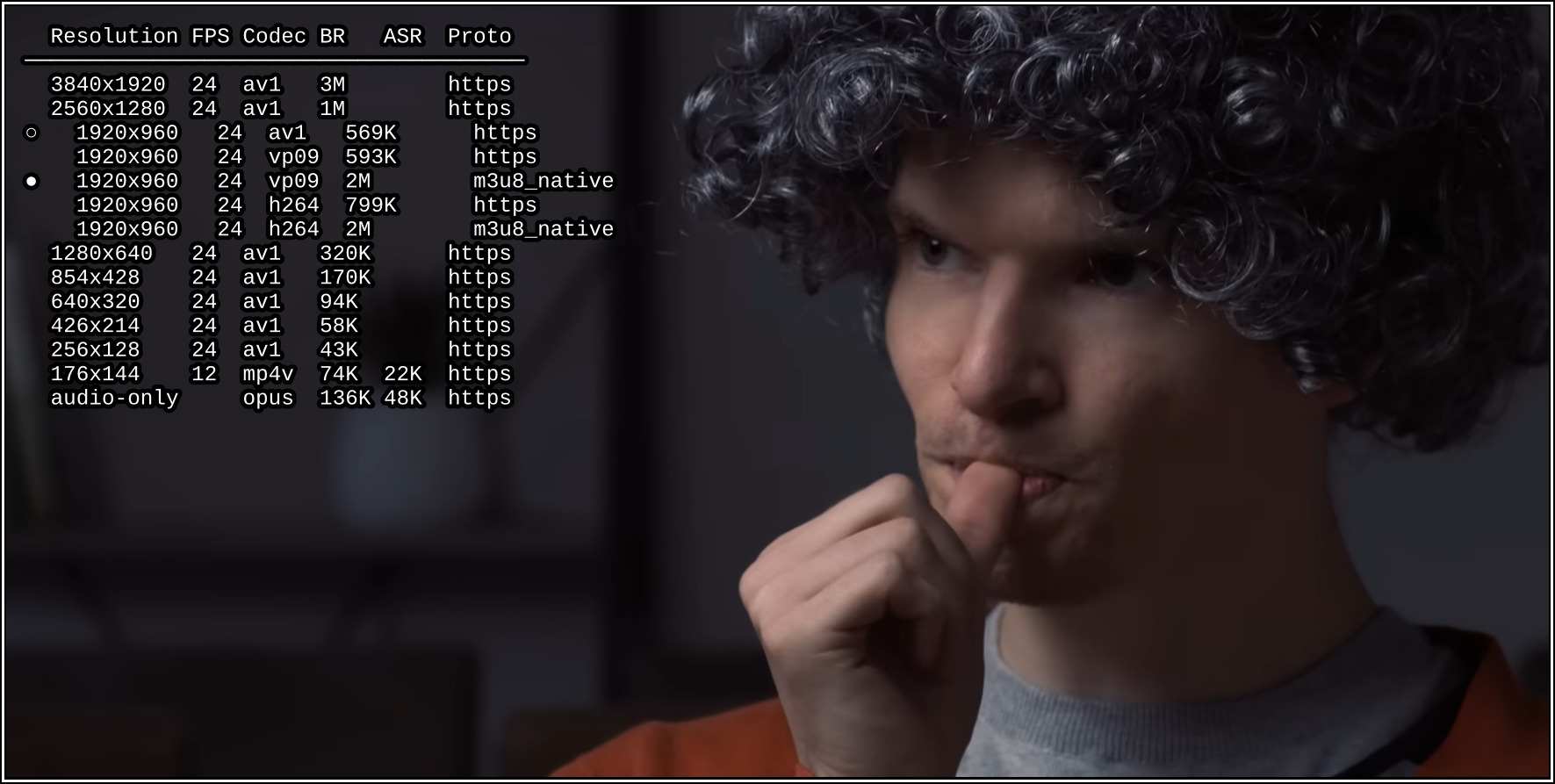
- Formats are grouped (folded) based on resolution, to reduce clutter.
- Formats are properly sorted based on codec, protocol, etc.
- Formats are fetched asynchronously as soon as an internet video starts.
- The initially-loaded format is pre-selected in the menu.
- More useful information about the formats is displayed compared to mpv-youtube-quality.
Menu Key Bindings
The following key bindings can be used to navigate the menu:
| Key(s) | Function |
|---|---|
Up or k | Move up |
Down or j | Move down |
PageUp or Ctrl+u | Move up 5 items |
PageDown or Ctrl+d | Move down 5 items |
Home or g | Jump to the first item |
End or G | Jump to the last item |
Right or l | Unfold the resolution under the cursor |
Left or h | Fold the unfolded resolutions |
Enter | Select the item under the cursor |
Esc or q | Close the menu |
Available Options
Refer to the options section in selectformat.lua
for available options and their default values.
These options can be configured using mpv's script-opts option.
Setting a Default Format
You can change the default format that mpv loads
by configuring mpv's
ytdl-format
option in mpv.conf.
Contributors

64 commits
Similar repos


Languages
Lua
100.0%
mpv plugin for selecting the format of internet videos.
Lua
36
64 commits
updated Dec 11, 2025
README
mpv-selectformat
An mpv plugin for selecting the format of internet videos on the fly.
Based on mpv-youtube-quality.
Installation
-
Download
selectformat.lua -
Copy
selectformat.luato your mpv scripts directory. -
Add a key binding to your mpv input.conf file to open the menu. Example:
ctrl+f script-binding selectformat/menu
Features
- Formats are grouped (folded) based on resolution, to reduce clutter.
- Formats are properly sorted based on codec, protocol, etc.
- Formats are fetched asynchronously as soon as an internet video starts.
- The initially-loaded format is pre-selected in the menu.
- More useful information about the formats is displayed compared to mpv-youtube-quality.
Menu Key Bindings
The following key bindings can be used to navigate the menu:
| Key(s) | Function |
|---|---|
Up or k | Move up |
Down or j | Move down |
PageUp or Ctrl+u | Move up 5 items |
PageDown or Ctrl+d | Move down 5 items |
Home or g | Jump to the first item |
End or G | Jump to the last item |
Right or l | Unfold the resolution under the cursor |
Left or h | Fold the unfolded resolutions |
Enter | Select the item under the cursor |
Esc or q | Close the menu |
Available Options
Refer to the options section in selectformat.lua
for available options and their default values.
These options can be configured using mpv's script-opts option.
Setting a Default Format
You can change the default format that mpv loads
by configuring mpv's
ytdl-format
option in mpv.conf.
Similar repos
Contributors
64 commits
Languages
Lua
100.0%