
Config files for https://mpv.io/ | See my modernX fork here: https://github.com/zydezu/modernX
Lua
113
383 commits
updated Sep 11, 2026
README
mpvconfig
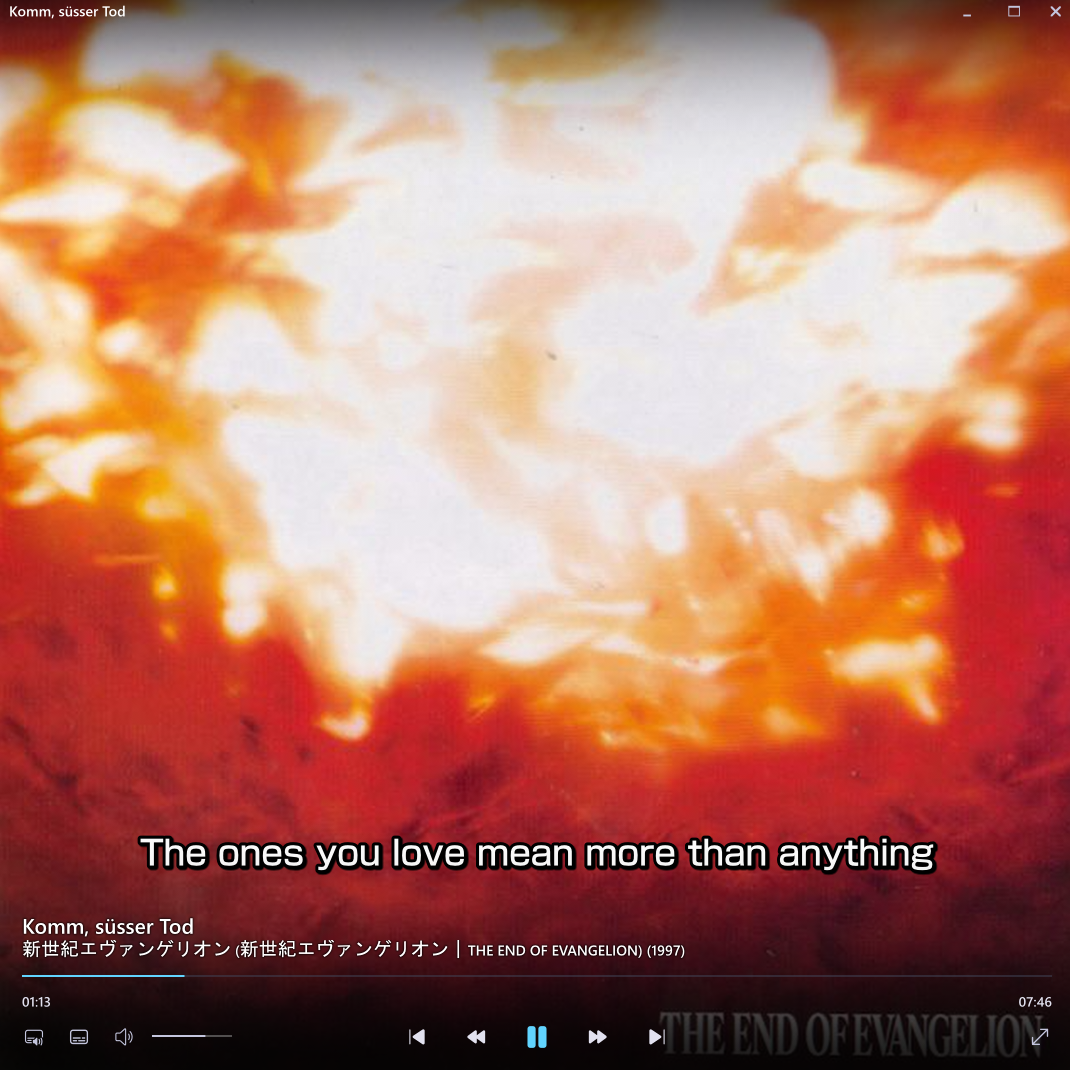
My personal mpv config.
[!NOTE] Releases of the modernx script are in a seperate repository - see here https://github.com/zydezu/ModernX/releases.
How to Use
Use git clone https://github.com/zydezu/mpvconfig mpv, and place it in the relevant directory. This will be typically located at \%APPDATA%\mpv\ on Windows and ~/.config/mpv/ on Linux/MacOS.
Linux Note
For the clipboard functionality use in copypaste.lua, you many need to install the xclip or wl-clipboard package, depending on your session type.
Flatpak Instructions (from https://github.com/zydezu/mpvconfig/issues/21)
Use mkdir -p ~/.var/app/io.mpv.Mpv/config to make the mpv configuration directory for the first time
cd ~/.var/app/io.mpv.Mpv/config
git clone https://github.com/zydezu/mpvconfig mpv to clone the config files as mpv/
flatpak override --user io.mpv.Mpv --filesystem=host, needed for mpv flatpak to access host filesystem, so screenshots and lyric downloads can be saved
See the Files section in mpv's manual for more information.
Note about Audio
For files with 5.1 or 7.1 surround sound, you may need to set
Audio enhancements to Off in the windows sound settings to hear all the audio channels properly.
Scripts and Associated Keybinds
Please note that many of these scripts have been slightly modified from their initial repositories. Compare the scripts to find the modifications.
| Script and description | Keybinds |
|---|---|
| autoloop loops files by default that are smaller than a set duration | None |
| autolyrics tries to download lyrics and display them for said file | Alt+m - Request lyrics from musixmatch then netease if that fails Alt+n - Request lyrics only from netease Alt+o - Set lyrics start point to the current timestamp (if lyrics need to be synced) |
| copypaste Copy and paste file paths, URLs and timestamps | Ctrl+c - Copy file path or URL to clipboard Ctrl+v - Paste file path or URL and play it o - Open file location or URL in browser |
| detectdualsubs Detects if there are two existing subtitles, one being an original script and the other being a translation (eg: English and Japanese subtitles) and displays them both on screen | Ctrl+x - Toggle dual subs on or off |
| loadaudiotracks Allows multiple audio tracks to be selected and played together | Ctrl+z - Toggle another audio track |
| modernx a modern OSC for mpv with many additional features | z - Cycle through audio tracks x - Cycle through subtitle tracks p - Pin or unpin the window Tab - Show chapter list Ctrl+s - Shuffle the current playlist For more: See repository |
| mpvcut allows clipping a segment of a video | z - Mark start segment z (again) - Clip the video Shift+z - Cancel the clip a - Change mode (copy, encode, compress) |
| screenshotfolder saves screenshots to a designated folder | s - Take a screenshot |
| selectformat allows you to change the quality of internet videos on the fly | Ctrl+f - Open format menu Use up and down to choose a resolution, and fold and unfold selections with the arrow keys to see more codec options |
| sponsorblock a fully-featured port of SponsorBlock for mpv | See repository |
| thumbfast show thumbnails when hovering the progress bar | None |
| unpauseonplaylistchange automatically resumes playback when moving to another item in the playlist while paused | None |
| input.conf an input configuration file | - - Decrease subtitle font size + - Increase subtitle font size Scroll wheel - Change volume |
To-Do
- Fix
mpvcut.luacopying the resulting file - Add folders as an option in
mpvcut.lua
Updates
2026-07-19
- FEAT: add the ability to open links from the description of YouTube video directly, by using TAB to navigate to the link and ENTER to open it when viewing the full description
2026-07-18
- FIX: fix playlists being cleared when
retryonerror.luatriggers
2026-07-16
- FIX:
tnow shows the subtitle transcription
2026-07-11
- FEAT: add
unpauseonplaylistchange.lua, which resumes playback when moving to another playlist item while paused
2026-07-10
- FIX: fix auto-generated subtitle tracks being selected by default when real subtitles are already present in
ytsub.lua
2026-07-08
- FIX:
add_sponsorblock_chapters = falsenot being respected on YouTube videos without chapters already - FIX: fix a sponsorblock seeking issue
2026-07-06
- FIX: chapter markers on the seekbar now use their own colors (
chapter_marker_colorandchapter_marker_current_color) instead of inheriting the seekbar's progress color - FEAT: add
chapter_marker_styleoption tomodernx.luato change the shape of chapter markers, supportingtriangle,bar,single-barandgap - FEAT: add
chapter_hover_subtitleoption tomodernx.luato show the hovered chapter's name in the chapter title text below the seekbar instead of the main title (this option only applies when thumbfast isn't available)
2026-06-28
- FIX: fix automatic_keyframe_mode not working correctly in
modernx.lua
2026-06-27
- FIX: tweak
mpv.confto fix GPU memory issues with 8K videos - FIX: improved
mpvcut.lua - FIX: indent markers in
selectformat.luaare now consistent
2026-06-26
- FEAT: added GPU encoding support in mpvcut.lua
2026-06-20
- FIX: add an AI-resolution tag to videos in
selectformat.lua
2026-05-31
- FIX: fix https://github.com/zydezu/ModernX/issues/23
- FIX: allow scrollwheel to work on audio/subtitle button
- FEAT: add
select.luamenus for selecting audio/subtitle tracks and changing audio output - FEAT: add
shift+z/shift+ckey bindings to select audio/subtitle tracks, addTABkey binding to select chapters - FEAT: add more bindings to clicking the media title
2026-05-23
- FIX: add a format to ytdl-format to allow other web videos (such as Twitch) to play
2026-05-22
- FIX: various speed improvements made in
mpv.conf
2026-05-21
- FEAT: add folders as a save option in mpvcut.lua
- FIX: mpucut.lua now copies the resulting file to the clipboard
2026-05-19
- FIX: add
hr-seek=notompv.confto fix various delays and errors upon startup when the video progress was saved at a non-keyframe position - FIX: adjust some defaults in
modernx.luaand make some option descriptions clearer
2026-05-17
- FIX: improve
selectformat.luaconfiguration, add icons for dropdowns
2026-04-25
- FIX: removed
detectdualsubs.luaas it was rarely used - FIX: add
screenshot-high-bit-depth=notompv.confto stop huge screenshots being taken (we can add it back in 10 years when HDR screenshots are supported on social media platforms)
2026-04-19
- FIX: use
screen-nameinstead ofscreenin mpv.conf
2026-04-12
- FIX: improve audio track naming in
modernx.lua
2026-04-07
- FIX: add screen=1 to mpv.conf, which fixes autofit sizing calculations using the wrong monitor on some linux systems
2026-03-23
- FIX: add -map_chatpers -1 to mpvcut.lua
2026-03-04
- FIX: fix weird date formats in
modernx.lua
2026-03-02
- FIX: fix cutting videos with no audio in
mpvcut.lua - FIX: optimise
modernx.lua
2026-02-25
- FIX: add information about xclip functionality, change default font (fix CJK)
- FIX: make
autolyrics.luashow a message if lyrics not found - FIX: add "Picture-in-Picture" to the window title when the window is pinned in
modernx.lua
2026-02-08
- FIX: reduce autofit size
2026-02-02
- FEAT: add the ability to change codecs using a keybind in
mpvcut.lua - FIX: add the encoding type to files made by
mpvcut.lua - FEAT: add the webp option to
mpvcut.lua
2026-01-27
- Tweak
input.conf
2026-01-26
- FIX: fix screenshotting (unpack) on different systems
2026-01-20
- FIX: fix https://github.com/zydezu/ModernX/issues/76
- FIX: remove
screenshot-swfrommpv.conf - FIX: rename some variables in
modernX.lua
2026-01-12
- FEAT: add a new option:
show_skip_message, tosponsorblock.lua
2026-01-02
- FIX: fixed YouTube shorts breaking
modernx.lua - FIX: fix comments download path in
modernx.lua
2025-12-26
- FIX: use
table.unpack()instead ofunpack()inscreenshotfolder.lua
2025-12-25
- FIX: add watch-later-options-remove=sub-pos to mpv.conf
- FIX: add version numbers to modernx.lua
2025-12-13
- FEAT: add screenshotting to clipboard, based on code from https://github.com/ObserverOfTime/mpv-scripts/blob/master/clipshot.lua in
screenshotfolder.lua - FIX: screenshot text showing up on the UI even if
show_messageis false inscreenshotfolder.lua
2025-12-10
- FIX: fix
autolyrics.luacrashing if no lyrics are found
2025-12-07
- FIX: fix pictures directory on linux
2025-11-30
- FIX: improve downloading in
autolyrics.luaby using lrclib.net
2025-11-20
- FIX: move the mpv folder from
~~desktopto~/Pictures - FIX: add more crf options to
mpvcut.lua
2025-11-17
- FIX: improve
livechat.lua
2025-11-08
- FIX: add
unc2url.luaand make various changes to playing network files
2025-10-18
- FIX: remove
disablehwforp010.lua
2025-10-17
- FIX: add
disablehwforp010.lua
2025-10-14
- FIX: adjust crf values in
mpvcut.lua
2025-09-18
- FEAT: add
av1_animated_crfas an option inmpvcut.luathat controls the quality for animated avif clips
2025-09-17
- FIX: added https://github.com/zydezu/mpvconfig/pull/26 double click to fullscreen
2025-09-16
- FIX: small text changes
2025-09-12
- FIX: fix silly error
2025-09-04
- FIX: change autocreate-playlist to same
- FIX: fix https://github.com/zydezu/mpvconfig/issues/23
2025-09-08
- FIX: add some basic image viewing options
2025-09-02
- FIX: edit quality parameters
2025-09-01
- FIX:
mpvcut.luanow encodes/compresses the right audio track, and no longer compresses it
2025-08-30
- FIX: fix a typo
2025-08-28
- FEAT: added the ability to clip as
.gifor.avifinmpvcut.lua, you can choose which with thegif_encoding_typeoption
2025-08-27
- FIX: optimise
screenshotfolder.lua
2025-08-26
- FIX: fix performance issues
2025-08-23
- FIX: improve cutting in
mpvcut.lua
2025-08-22
- FIX: fixed window positions shifting when advancing through a playlist
2025-08-21
- FIX: fix
mpvcut.luanot respecting theencoding_typeoption when encoding a clip
2025-08-19
- FIX: add back
sponsorblock.lua - FIX: remove millisecond workaround in
autolyrics.lua
2025-08-15
- FIX: stop
thumbfast.luathrowing errors
2025-08-11
- FIX: make seeking faster for longer videos
2025-08-10
- FEAT: add the options
show_top_markandshow_bottom_marktomodernx.lua
2025-08-07
- FEAT: add
livechat.lua
2025-08-03
- FIX: fix HDR tonemapping on
thumbfast.lualooking weird - FIX: update
thumbfast.luato upstream
2025-07-14
- FEAT: added
updatechecker.lua, you can disable it by changing theupdate_checkeroption
2025-07-13
- FEAT: added
encoding_typeas an option tompvcut.lua, the supported options areh264,h265andav1.h265is the default - FIX: force
mpvcut.luato encode/compress files as.mp4
2025-07-08
- FIX:
Ctrl+xnow toggles dual subtitles indetectdualsubs.luainstead of only forcing them on - FIX:
mpvcut.luanow usesato select cuts,Shift+ato cycle cut modes andCtrl+ato cancel - FIX:
modernx.luanow useszandxto cycle through audio and subtitle tracks respectively - FEAT: added
loadaudiotracks.luato allow multiple audio tracks to be played at the same time
2025-07-06
- FEAT: add
copy_youtube_timestampas an option tocopypaste.lua, that copies YouTube links with the current timestamp to be pasted
2025-07-05
- FIX: refine shuffling playlist in
modernx.lua, you can now shuffle a playlist withCtrl+sor by right-clicking the play/pause button - FIX:
autolyrics.luaandmpvcut.luafailing to create directories on linux
2025-06-29
- Optimised code
2025-06-25
- FIX: fix splitUTF8 in
modernx.lua, splitting CJK characters in the clickable description properly - FEAT: create autosubfontchange.lua, which changes the subtitle font depending on the language detected in the subtitles
2025-06-24
- FIX: you can now left click the screen to pause
- FIX: remove whitespace in
modernx.lua - FIX: implement https://github.com/zydezu/ModernX/pull/68
- FIX: implement https://github.com/zydezu/ModernX/pull/69, adding
osc_keep_with_cursor,seekbar_between_timersandseekbar_heightas options inmodernx.lua - FIX: fix https://github.com/zydezu/ModernX/issues/67
2025-05-19
- FIX: implement https://github.com/zydezu/mpvconfig/issues/18, adding
save_location,time_stamp_formatandsave_based_on_chapter_nameas options inscreenshotfolder.lua - FIX: implement https://github.com/zydezu/ModernX/issues/66, adding
fade_transparency_strengthandwindow_fade_transparency_strengthas options tomodernx, this also removes the optiontitlebarbox
2025-06-01
- FEAT: add the option
removeuuidtosponsorblock.lua
2025-05-17
- FIX: don't run netease automatically when Alt+m is pressed in
autolyrics.luaas it seems to be unreliable - FIX: use
mp.inputinautolyrics.luaand fix filenames
2025-05-14
- FIX: artist not showing in description in
modernx.lua
2025-04-29
- FIX: crash when changing video with no internet in
modernx.lua - FIX: re-order artists in
autolyrics.luaandmodernx.lua - FIX: improve metadata description in
modernx.lua
2025-04-08
- FEAT: added short_saved_message as an option in
screenshotfolder.lua - FIX: add
sub-use-margins
2025-03-13
- FEAT: add keybinding for shuffling playlist in input.conf
2025-03-11
- FIX: audio/tracklist indicator not showing selected track correctly in
modernx.lua - FIX: changes to Japanese lyric detection in
autolyrics.lua
2025-02-09
- FEAT: set subtitles to a non-forced sub track as defined by --slang, in
detectdualsubs.lua
2025-01-25
- FIX: sponsorblock segments not rendering properly in modernx
2025-01-21
- FIX: fix some subtitles not showing up on YouTube videos
- FIX: ytdl formats not being respected in modernx.lua
- FIX: crop text properly on title bar
- FIX: add edge date case
2025-01-17
- FEATURE: added coloured segments on the progress bar, like on Youtube with SponsorBlock to
modernx.lua- NOTE: requires a custom version of sponsorblock.lua https://github.com/zydezu/mpvconfig/blob/main/scripts/sponsorblock.lua - This adds the following options:
show_sponsorblock_segments,add_sponsorblock_chapters,sponsorblock_sponsor_color,sponsorblock_intro_color,sponsorblock_outro_color,sponsorblock_interaction_color,sponsorblock_selfpromo_colorandsponsorblock_filler_color - Fix
seekbar_cache_colortomodernx.lua - Added
progress_bar_heighttomodernx.lua - FIX: fix thumbnail border clipping through text weird
- FEAT:
modernx.luanow sets the tick rate to the monitors refresh rate - FIX: fix state.title_bar not being respected after pinning
2025-01-16
- REFACTOR: organise options in mpv.conf
- FIX: add script-binding keybindings to input.conf
- FIX: title and description text is now cropped properly and doesn't run off screen
2025-01-15
- FIX: change some mpv.conf settings
- UPDATE: bring
selectformat.luaup-to-date with https://github.com/koonix/mpv-selectformat - REFACTOR: refactor all scripts
2025-01-14
- FEAT: create
detectdualsubs.luathat detects if there are two existing subtitles, one being an original script and the other being a translation (eg: English and Japanese subtitles) and displays them both on screen
2025-01-10
- FIX: fix modernx.lua crashing if playing a live radio (m3u8 file)
2025-01-09
- Re-add
key_bindingsinmodernx.lua - Fixed some options not being read correctly in modernx.conf files
2025-01-06
- Fix lyric formatting
- Add
strip_artistsandchinese_to_kanji_pathoptions toautolyrics.lua
2024-12-28
- Improve code in all scripts
- Seperate parts of
autoloop.luaintocopypaste.lua - Fix making web cache clips (clipping web videos) in
mpvcut.lua - Remove
autoload.luaasautocreate-playlistinmpv.confreplicates it's functionality
2024-12-27
- Adjust default
compresssizevalue inmpvcut.luato 9.50MB
2024-12-25
- Set
mpvcut.luadefault compress size target to 9.00MB (THANKS DISCORD >~<0) - Added
AOTFShinGoProMedium.otfto the fonts folder as it is used inmpv.conf - Improved descriptions
- Add fallback for chapters with no names in
modernx.luato prevent a crash - Add buffer indicator on
modernx.lua
MERRY XMAS!!
2024-12-20
- Changed code comments in
mpv.conf - Rename 'localsavetofolder' to 'savetodirectory' in
mpvcut.luato describe the option better
2024-12-18
- Add various options and features from https://github.com/Samillion/ModernZ
- Reorganised user_opts
- Changed hover effect on buttons
- Fix file size displaying a wrong value
- Downloads and file size estimations now respect
mpv.conf'sytdl-formatoption if set - Added chapter display next to the time
- Added more sizing and color options
2024-12-14
- Order formats in
selectformat.luaby bitrate modernx.luafixes to comment parsingmodernx.luanew icons
2024-10-21
- Implement https://github.com/zydezu/ModernX/pull/58
- Implement https://github.com/zydezu/ModernX/pull/59
- Add
dynamictimeformatoption tomodernx.lua
2024-10-17
- Fix the 2K rendering profile (don't include only audio files with large album art in the condition)
- Change subtitles styling
2024-10-08
- Change subtitles styling
- Better logging for
autolyrics.lua
2024-10-03
- Implement https://github.com/zydezu/ModernX/issues/50
- Implement https://github.com/zydezu/ModernX/issues/51
- Implement https://github.com/zydezu/ModernX/issues/54
2024-09-08
2024-08-13
- Changed some configs
- Added an option for a screenshot button to
modernx.luahttps://github.com/zydezu/ModernX/pull/40 - Update
screenshotfolder.luato not include file extensions in folder directories - Improved YouTube comment parsing and viewing in
modernx.lua
2024-08-02
- Fixed bitrate calculations in
mpvcut.lua - Fixed
mpvcut.luabreaking when 'compressing' audio files
2024-07-29
- Fix https://github.com/zydezu/ModernX/issues/36, reverting the keyframe change (button functions are swapped)
- Fix https://github.com/zydezu/ModernX/issues/35
2024-07-28
- Fixed thumbnail being behind OSC text
- Added
selectformat.lua, allowing you to change the quality of internet videos on the fly mpvcut.luanow stops overwriting previously cut files- Fixed
autoloopnot staying disabled over a playlist of files - Implement https://github.com/dexeonify/mpv-config/commit/583faf0
- In modernx,
shift+left clickon the seekbar now scrubs to the exact position, whilstleft clicknow scrubs to the keyframe position (faster)
2024-07-05
- Prevent downloading comments if the option is disabled on web videos in
modernx.lua - Stopped auto downloading lyrics on songs in
autolyrics.lua - Fixed album artist not registering in
autolyrics.lua - Fixed trying to save lyric files with "/" or "" in their names in
autolyrics.lua - In
modernx.luaalbum artists and artists (from the file metadata) and now displayed separately, instead of where previously 'artist' would override 'album artist'
2024-06-22
- Fix crashing when no comments are loaded
2024-06-07
- Fix downloading comments for more various YouTube links, like
https://www.youtube.com/watch?v=Pbb40i1khlc&list=WL&index=3
2024-06-01
- Round file size to 1dp
- Fix downloading comments for YouTube links with
?=
2024-05-29
- Removed cmd flickering when opening downloaded file
2024-05-25
- Add 'o' binding to
autoloop.luato open the file location or url in web browser - Tweaked wording on YouTube description
- Fixed title not loading on videos fetched from a URL
- Added commas to view, comments, like and dislike counts
- Fix some old YouTube descriptions breaking line breaking
- Made '...' in descriptions make grammatical sense
- Changed default download settings to improve speed and keep the file size approximation accurate
- Fix for https://github.com/zydezu/ModernX/issues/28
- Add note about colour formats in the config, how they should be in the format: BBGGRR http://www.tcax.org/docs/ass-specs.htm
- Improved the comment parsing
- All YouTube videos should load comments correctly
- Added pages to comments to not lag out player by rendering them all at once
- Changed some file approximation tooltip
2024-05-12
- Changed window title loading conditions
2024-05-09
- Added pasting functionality to mpv, you can use Ctrl+V (or the equivalent paste command) to open file paths and URLs, or navigate to timestamps
- Pressing Ctrl+C will copy the path or URL of the currently playing video
- Fixed
autoload.luaadding out of order playlists when directly accessing a file path - YouTube expanded descriptions automatically refresh when more information is loaded
- Increased chapter/playlist list size (limited_list function)
- Stopped descriptions beginning with 'A' breaking
- Made descriptions load and display faster
- Simplified video descriptions shown under the title - full details can still be seen by clicking
- Tweaked formatting on audio only metadata (By: Artist - Album -> Artist | Album)
- Improved https://github.com/zydezu/ModernX/issues/22
2024-05-06
- Added
dontsaveonaudiotoautoloop.lua, which doesn't save the current position on audio files
2024-05-02
- Changed tick rate
- Made description font sizes consistent between videos
2024-04-28
- Added
descriptionfontsizeto modernx - Changed default font size in modernx
- Enable thumbfast on YouTube videos (enabling the
networkoption)
Default font changes on windows
| New font v2 | New font | Old font |
|---|---|---|
2024-04-26
- Update default font settings
- Tweaked
dynamictitlein ModernX to be cleaner - Added
automatickeyframemodeandautomatickeyframelimitto modernx, resolving https://github.com/zydezu/ModernX/issues/23
2024-04-24
- Try to fix https://github.com/zydezu/ModernX/issues/14
- Fixed https://github.com/zydezu/ModernX/issues/25
2024-04-20
- Fixed a crash that sometimes occured when changing videos in a playlist
- Fixed playtime showing '-00:00' for a short time upon file load
- Cleaned up debug messages in the terminal
2024-04-19
- Fixed persistentprogresstoggle changes not showing without mouse movement or OSC showing
- Removed 'NA' showing up in audio/subtitle tooltips
- Improved
cacheloadingon autolyrics.lua
2024-04-06
- Fixed thumbnail chapters not showing, resolving https://github.com/zydezu/ModernX/issues/21
2024-04-04
- Cut scripts I don't use for faster file opening times
2024-03-23
- Fixed downloading not working on a playlist of videos
2024-03-22
- Removed debug code
2024-03-20
- Fix yt descriptions with % crashing modernx
- Fix command message placement in modernx
- Made description splitting consistent between online and local videos
- Added the ability to toggle the persistent progress bar, with the
bkey, ifpersistentprogresstoggleis enabled
2024-02-24
- Merged https://github.com/zydezu/ModernX/pull/10, fixing some formatting in
modernx - Merged https://github.com/zydezu/ModernX/pull/11, updaing the audio/subtitle icons in
modernx - Fix reply icon
- Merged https://github.com/zydezu/ModernX/pull/12, adding the option
keybindingstomodernx
2024-02-15
- Added
showfilesize, fixing https://github.com/zydezu/ModernX/issues/7 - Fixed persistentprogress handle bar size, https://github.com/zydezu/ModernX/issues/8
- Fixed https://github.com/zydezu/mpvconfig/issues/13
- Fixed description text positioning
2024-01-28
2024-01-25
- Made switching between web videos in playlists in
modernxmore seamless, instantly clearing the description - Improved the description string splitting functions in
modernx
2024-01-23
- Added
downloadpathinmodernx, fixing https://github.com/zydezu/ModernX/issues/4 - Fixed CJK characters in video description and uploader name, fixing [https://github.com/zydezu/mpvconfig/issues/12]
- Added an experimental toggle to view comments of a video (very unstable)
2024-01-15
- Fixed fetching dislikes via the YouTube Dislike API in
modernxand screenshotting inscreenshotfolder.luawhen viewing YouTube short 'share' links, along with thedynamictitleoption - Updated dislike formatting and error checking
2024-01-14
- Altered the default yt-dlp settings in modernx.lua to make it work better on more video players, these change be changed with
ytdlpQuality - Added the
updatetitleyoutubestatsoption in modernx.lua, which when enabled, updates the window/OSC title bar with YouTube video stats (views, likes, dislikes) - Implemented https://github.com/cyl0/ModernX/pull/59
- Added the
persistentprogressheightoption to modernx.lua, as part of this issue
2024-01-12
- Fixed CJK characters not showing in screenshot folder and file names
- Implemented
persistentprogressandpersistentbufferin modernx.lua - Fixed issue: Seekbarhandle does not hit the end position
- mpvcut fixed cache saving for certain web videos with specific characters in media names
- screenshotfolder CJK fix... again
- autolyrics now loads previously downloaded subtitles instantly, the script is smarter with what to download, using the new option
cacheloading - In autolyrics filenames are now closer to the track's name, also CJK filenames fix
- Stopped a crash when switching subtitles at the same time another external track added
2024-01-10
- Added the ability to choose a directory to save clips in (required for web video cache saving), using
savedirectory - Implemented saving clips from web videos, using the cache in mpvcut.lua based off https://github.com/Sagnac/streamsave
2023-12-31
- Stopped autolyrics.lua crashing when
downloadforallis disabled
2023-12-30
- Fix a bug with calculating file size
2023-12-28
- Fixed some dates crashing modernx.lua
2023-12-23
- Added the
dontsavedurationoption to autoloop.lua, which doesn't save the position of videos under the specified length, but also doesn't loop them - perfect for short videos under a minute or so - Opening the downloaded file's folder now works for other operating systems (this needs testing)
- Enabled
autolyrics.luafunctionality for YouTube videos, and .lrc files can now be saved to a specified path - Fixed
autolyrics.luaon unix systems
2023-12-22
- Fixed this issue - [modernx 0.2.3] The OSC doesn't hide #7... this is because I forgot to finish writing this line...
if (not (state.paused and user_opts.donttimeoutonpause)) then
    hide_osc()
end
2023-12-16
- Fixed screenshotting playing YouTube videos screenshotfolder
- Fixed quality menu for ytdl:// playing videos
- Edited video info formatting
- When playing YouTube videos, information like views, likes and dislikes are added to the window title
- modernx.lua properly respects the
raisesubswithoscoption
2023-12-13
- Fixed a bug with
user_opts.dynamictitlein modernx.lua not properly updating the title when switching video in a playlist - Made changes to autolyrics.lua, specifically improving the
options.downloadforallfeature - Updated qualitymenu.lua from its repository to 4.1.1 - 2023-Oct-22
2023-12-09
- Adapted lrc.lua, to automatically download lyrics for songs (with metadata)
- The description now doesn't prevent you from clicking buttons
- The description closes properly when navigating files in a playlist
- Tweaked metadata formatting
- Fixed a crash in modernx.lua, where some date metadata could cause a crash
- Fixed description line breaks not working in description metadata of some old youtube videos
2023-11-27
- Added the
donttimeoutonpauseoption, which when enabled, doesn't hide the osc whilst hovering over it, when paused. - Changed filename formats when cutting a video
2023-11-23
- Fixed error loading modernx.lua with mpv v0.37.0-7
- Made
user_opts.titlefunction properly - Tweaked some messages
2023-11-22
- Tweaked some config scripts
- Videos that auto loop ignore
save-position-on-quit, so always play from the start, this option can be configured inscript-opts/autoloop.confasplayfromstart=false(to disable) - Replaced mpvcut.lua with a heavily modified one from https://github.com/familyfriendlymikey/mpv-cut, that should provide faster compression
- More consistant code
2023-11-17
- Added a dislike counter (under the description) for supported YouTube videos
- Made improvements to the formatting of the description/clickable description - especially with web videos
- Additionally date formatting is now an option
user_opts.dateformat

2023-11-02
- Added the keybind CTRL/Shift + left/right to jump to the previous/next chapters
- Changed compact mode key bindings, right clicking now goes to the previous/next chapter, shift clicking now jumps backward/forwards a minute
- Made OSC timing out smarter
- Fixed the issue: Mute button not working as expected #5
- Fixed a crash when pressing Shift on the playlist buttons
2023-10-10
- Fixed virtual title bar when toggling border/pinning
2023-10-04
- Added shadertoggle.lua
- Fixed a bug that would crash the ModernX OSC
2023-08-29
- Fixed a small download bug
2023-08-19
- Fixed UI not scaling properly on mpv.net
2023-08-12 (Part 2)
- Fixed download location on unix systems
- Added more keybinds (X and C for cycling audio and caption tracks)
- Fixed long metadata lag
- Fixed subtitles sometimes showing in the wrong position when toggling window pinning or fullscreen
- OSC shows up when using keybinds (Shift + < or Shift + >) to change playlist items
- Fixed a crash when dragging the seekbar quickly to the end, and the next video immidiately playing
2023-08-12
- Added an option to change the font size of the time text
- Screenshotting now renders subtitles at the correct position, even when OSC is showing
- Pressing
Pwill now pin the window - Changed download filename formatting
- Removed some unused settings,
- Improved the
dynamictitlesetting as it now incorporates file metadata
2023-08-08
- Bug fixes
2023-08-07
- Fixed m3u files crashing
modernx.lua
2023-08-06
- Fixed long descriptions lagging the player
- Added a scrolling description box
2023-08-05
- Added an approximate download size to the download button
2023-07-30
- Revamped settings
2023-07-27
- Tweaked description error handling
2023-07-01
- Fixed pasting some links
2023-06-30
- Updated the autoload script
2023-06-28
- Fixed broken icons on some systems
- Fixed some bugs
2023-06-27
- Changed screenshot and download file destinations
2023-06-26
- Fixed some bugs
2023-05-31
- Added a download icon on web videos
2023-05-29
- Updated some scripts
2023-05-27
- Fixed subtitle positioning when OSC is shown on different resolutions
2023-05-21
- Added an option for round icons
2023-05-14
- Slightly tweaked settings
2023-05-08
- Added an osc message on screenshot
- Slightly changed file path and duplicate screenshots
- Optimised code
- Increased OSC message duration
- Tweaked the quality menu
- Quality menu now works with ytdl:// links
- Added a keybind to toggle shaders (temporary)
- Added a dynamic title option to ModernX, change the title depending on if {media-title} and {filename} differ (like with playing urls, audio or some media)
- Taking multiple screenshots in a second (with timestamp) mode on will now save them all without error
2023-05-07
- Tweaked some settings
2023-05-06
- Tweaked some code
2023-05-01
- Tweaked some configuration files
2023-04-27
- Revamped 'mpv.conf'
- Created
screenshotfolder.lua, saving screenshots in~~desktop/mpv/[filename] - Created
input.conf, and added the quality menu to it
2023-04-24
- Added the 'thumbnailborder' and 'raisesubswithosc' options
2023-04-23
- Changed config file
- Changed hover behaviour
- Reduced flickering
- Fixed a debug message showing
2023-04-21
- Add window title to borderless and fullscreen mode
2023-04-20
- Fixed some bugs with icons
2023-04-16
- Added ability to hide pin window button
- Changed some phrasing
- If titlebar isn't showing, OSC will now show when the mouse is at the window buttons
- Tooltips now always stay on the screen
- Pinning the window will remove the border, unpinning will show it
- Right clicking the ontop button will not change border status
- Added
sponsorblock.py
2023-04-15
- Added pin window (stay ontop) button
- Lots of bug fixes
2023-02-23
- Added compact mode
- Added loop button
- Added more clicking events
- Fixed many bugs
2023-02-08
- First fork, added scripts


Similar repos


Languages
Lua
97.8%
Python
2.2%
Config files for https://mpv.io/ | See my modernX fork here: https://github.com/zydezu/modernX
Lua
113
383 commits
updated Sep 11, 2026
README
mpvconfig
My personal mpv config.
[!NOTE] Releases of the modernx script are in a seperate repository - see here https://github.com/zydezu/ModernX/releases.
How to Use
Use git clone https://github.com/zydezu/mpvconfig mpv, and place it in the relevant directory. This will be typically located at \%APPDATA%\mpv\ on Windows and ~/.config/mpv/ on Linux/MacOS.
Linux Note
For the clipboard functionality use in copypaste.lua, you many need to install the xclip or wl-clipboard package, depending on your session type.
Flatpak Instructions (from https://github.com/zydezu/mpvconfig/issues/21)
Use mkdir -p ~/.var/app/io.mpv.Mpv/config to make the mpv configuration directory for the first time
cd ~/.var/app/io.mpv.Mpv/config
git clone https://github.com/zydezu/mpvconfig mpv to clone the config files as mpv/
flatpak override --user io.mpv.Mpv --filesystem=host, needed for mpv flatpak to access host filesystem, so screenshots and lyric downloads can be saved
See the Files section in mpv's manual for more information.
Note about Audio
For files with 5.1 or 7.1 surround sound, you may need to set
Audio enhancements to Off in the windows sound settings to hear all the audio channels properly.
Scripts and Associated Keybinds
Please note that many of these scripts have been slightly modified from their initial repositories. Compare the scripts to find the modifications.
| Script and description | Keybinds |
|---|---|
| autoloop loops files by default that are smaller than a set duration | None |
| autolyrics tries to download lyrics and display them for said file | Alt+m - Request lyrics from musixmatch then netease if that fails Alt+n - Request lyrics only from netease Alt+o - Set lyrics start point to the current timestamp (if lyrics need to be synced) |
| copypaste Copy and paste file paths, URLs and timestamps | Ctrl+c - Copy file path or URL to clipboard Ctrl+v - Paste file path or URL and play it o - Open file location or URL in browser |
| detectdualsubs Detects if there are two existing subtitles, one being an original script and the other being a translation (eg: English and Japanese subtitles) and displays them both on screen | Ctrl+x - Toggle dual subs on or off |
| loadaudiotracks Allows multiple audio tracks to be selected and played together | Ctrl+z - Toggle another audio track |
| modernx a modern OSC for mpv with many additional features | z - Cycle through audio tracks x - Cycle through subtitle tracks p - Pin or unpin the window Tab - Show chapter list Ctrl+s - Shuffle the current playlist For more: See repository |
| mpvcut allows clipping a segment of a video | z - Mark start segment z (again) - Clip the video Shift+z - Cancel the clip a - Change mode (copy, encode, compress) |
| screenshotfolder saves screenshots to a designated folder | s - Take a screenshot |
| selectformat allows you to change the quality of internet videos on the fly | Ctrl+f - Open format menu Use up and down to choose a resolution, and fold and unfold selections with the arrow keys to see more codec options |
| sponsorblock a fully-featured port of SponsorBlock for mpv | See repository |
| thumbfast show thumbnails when hovering the progress bar | None |
| unpauseonplaylistchange automatically resumes playback when moving to another item in the playlist while paused | None |
| input.conf an input configuration file | - - Decrease subtitle font size + - Increase subtitle font size Scroll wheel - Change volume |
To-Do
- Fix
mpvcut.luacopying the resulting file - Add folders as an option in
mpvcut.lua
Updates
2026-07-19
- FEAT: add the ability to open links from the description of YouTube video directly, by using TAB to navigate to the link and ENTER to open it when viewing the full description
2026-07-18
- FIX: fix playlists being cleared when
retryonerror.luatriggers
2026-07-16
- FIX:
tnow shows the subtitle transcription
2026-07-11
- FEAT: add
unpauseonplaylistchange.lua, which resumes playback when moving to another playlist item while paused
2026-07-10
- FIX: fix auto-generated subtitle tracks being selected by default when real subtitles are already present in
ytsub.lua
2026-07-08
- FIX:
add_sponsorblock_chapters = falsenot being respected on YouTube videos without chapters already - FIX: fix a sponsorblock seeking issue
2026-07-06
- FIX: chapter markers on the seekbar now use their own colors (
chapter_marker_colorandchapter_marker_current_color) instead of inheriting the seekbar's progress color - FEAT: add
chapter_marker_styleoption tomodernx.luato change the shape of chapter markers, supportingtriangle,bar,single-barandgap - FEAT: add
chapter_hover_subtitleoption tomodernx.luato show the hovered chapter's name in the chapter title text below the seekbar instead of the main title (this option only applies when thumbfast isn't available)
2026-06-28
- FIX: fix automatic_keyframe_mode not working correctly in
modernx.lua
2026-06-27
- FIX: tweak
mpv.confto fix GPU memory issues with 8K videos - FIX: improved
mpvcut.lua - FIX: indent markers in
selectformat.luaare now consistent
2026-06-26
- FEAT: added GPU encoding support in mpvcut.lua
2026-06-20
- FIX: add an AI-resolution tag to videos in
selectformat.lua
2026-05-31
- FIX: fix https://github.com/zydezu/ModernX/issues/23
- FIX: allow scrollwheel to work on audio/subtitle button
- FEAT: add
select.luamenus for selecting audio/subtitle tracks and changing audio output - FEAT: add
shift+z/shift+ckey bindings to select audio/subtitle tracks, addTABkey binding to select chapters - FEAT: add more bindings to clicking the media title
2026-05-23
- FIX: add a format to ytdl-format to allow other web videos (such as Twitch) to play
2026-05-22
- FIX: various speed improvements made in
mpv.conf
2026-05-21
- FEAT: add folders as a save option in mpvcut.lua
- FIX: mpucut.lua now copies the resulting file to the clipboard
2026-05-19
- FIX: add
hr-seek=notompv.confto fix various delays and errors upon startup when the video progress was saved at a non-keyframe position - FIX: adjust some defaults in
modernx.luaand make some option descriptions clearer
2026-05-17
- FIX: improve
selectformat.luaconfiguration, add icons for dropdowns
2026-04-25
- FIX: removed
detectdualsubs.luaas it was rarely used - FIX: add
screenshot-high-bit-depth=notompv.confto stop huge screenshots being taken (we can add it back in 10 years when HDR screenshots are supported on social media platforms)
2026-04-19
- FIX: use
screen-nameinstead ofscreenin mpv.conf
2026-04-12
- FIX: improve audio track naming in
modernx.lua
2026-04-07
- FIX: add screen=1 to mpv.conf, which fixes autofit sizing calculations using the wrong monitor on some linux systems
2026-03-23
- FIX: add -map_chatpers -1 to mpvcut.lua
2026-03-04
- FIX: fix weird date formats in
modernx.lua
2026-03-02
- FIX: fix cutting videos with no audio in
mpvcut.lua - FIX: optimise
modernx.lua
2026-02-25
- FIX: add information about xclip functionality, change default font (fix CJK)
- FIX: make
autolyrics.luashow a message if lyrics not found - FIX: add "Picture-in-Picture" to the window title when the window is pinned in
modernx.lua
2026-02-08
- FIX: reduce autofit size
2026-02-02
- FEAT: add the ability to change codecs using a keybind in
mpvcut.lua - FIX: add the encoding type to files made by
mpvcut.lua - FEAT: add the webp option to
mpvcut.lua
2026-01-27
- Tweak
input.conf
2026-01-26
- FIX: fix screenshotting (unpack) on different systems
2026-01-20
- FIX: fix https://github.com/zydezu/ModernX/issues/76
- FIX: remove
screenshot-swfrommpv.conf - FIX: rename some variables in
modernX.lua
2026-01-12
- FEAT: add a new option:
show_skip_message, tosponsorblock.lua
2026-01-02
- FIX: fixed YouTube shorts breaking
modernx.lua - FIX: fix comments download path in
modernx.lua
2025-12-26
- FIX: use
table.unpack()instead ofunpack()inscreenshotfolder.lua
2025-12-25
- FIX: add watch-later-options-remove=sub-pos to mpv.conf
- FIX: add version numbers to modernx.lua
2025-12-13
- FEAT: add screenshotting to clipboard, based on code from https://github.com/ObserverOfTime/mpv-scripts/blob/master/clipshot.lua in
screenshotfolder.lua - FIX: screenshot text showing up on the UI even if
show_messageis false inscreenshotfolder.lua
2025-12-10
- FIX: fix
autolyrics.luacrashing if no lyrics are found
2025-12-07
- FIX: fix pictures directory on linux
2025-11-30
- FIX: improve downloading in
autolyrics.luaby using lrclib.net
2025-11-20
- FIX: move the mpv folder from
~~desktopto~/Pictures - FIX: add more crf options to
mpvcut.lua
2025-11-17
- FIX: improve
livechat.lua
2025-11-08
- FIX: add
unc2url.luaand make various changes to playing network files
2025-10-18
- FIX: remove
disablehwforp010.lua
2025-10-17
- FIX: add
disablehwforp010.lua
2025-10-14
- FIX: adjust crf values in
mpvcut.lua
2025-09-18
- FEAT: add
av1_animated_crfas an option inmpvcut.luathat controls the quality for animated avif clips
2025-09-17
- FIX: added https://github.com/zydezu/mpvconfig/pull/26 double click to fullscreen
2025-09-16
- FIX: small text changes
2025-09-12
- FIX: fix silly error
2025-09-04
- FIX: change autocreate-playlist to same
- FIX: fix https://github.com/zydezu/mpvconfig/issues/23
2025-09-08
- FIX: add some basic image viewing options
2025-09-02
- FIX: edit quality parameters
2025-09-01
- FIX:
mpvcut.luanow encodes/compresses the right audio track, and no longer compresses it
2025-08-30
- FIX: fix a typo
2025-08-28
- FEAT: added the ability to clip as
.gifor.avifinmpvcut.lua, you can choose which with thegif_encoding_typeoption
2025-08-27
- FIX: optimise
screenshotfolder.lua
2025-08-26
- FIX: fix performance issues
2025-08-23
- FIX: improve cutting in
mpvcut.lua
2025-08-22
- FIX: fixed window positions shifting when advancing through a playlist
2025-08-21
- FIX: fix
mpvcut.luanot respecting theencoding_typeoption when encoding a clip
2025-08-19
- FIX: add back
sponsorblock.lua - FIX: remove millisecond workaround in
autolyrics.lua
2025-08-15
- FIX: stop
thumbfast.luathrowing errors
2025-08-11
- FIX: make seeking faster for longer videos
2025-08-10
- FEAT: add the options
show_top_markandshow_bottom_marktomodernx.lua
2025-08-07
- FEAT: add
livechat.lua
2025-08-03
- FIX: fix HDR tonemapping on
thumbfast.lualooking weird - FIX: update
thumbfast.luato upstream
2025-07-14
- FEAT: added
updatechecker.lua, you can disable it by changing theupdate_checkeroption
2025-07-13
- FEAT: added
encoding_typeas an option tompvcut.lua, the supported options areh264,h265andav1.h265is the default - FIX: force
mpvcut.luato encode/compress files as.mp4
2025-07-08
- FIX:
Ctrl+xnow toggles dual subtitles indetectdualsubs.luainstead of only forcing them on - FIX:
mpvcut.luanow usesato select cuts,Shift+ato cycle cut modes andCtrl+ato cancel - FIX:
modernx.luanow useszandxto cycle through audio and subtitle tracks respectively - FEAT: added
loadaudiotracks.luato allow multiple audio tracks to be played at the same time
2025-07-06
- FEAT: add
copy_youtube_timestampas an option tocopypaste.lua, that copies YouTube links with the current timestamp to be pasted
2025-07-05
- FIX: refine shuffling playlist in
modernx.lua, you can now shuffle a playlist withCtrl+sor by right-clicking the play/pause button - FIX:
autolyrics.luaandmpvcut.luafailing to create directories on linux
2025-06-29
- Optimised code
2025-06-25
- FIX: fix splitUTF8 in
modernx.lua, splitting CJK characters in the clickable description properly - FEAT: create autosubfontchange.lua, which changes the subtitle font depending on the language detected in the subtitles
2025-06-24
- FIX: you can now left click the screen to pause
- FIX: remove whitespace in
modernx.lua - FIX: implement https://github.com/zydezu/ModernX/pull/68
- FIX: implement https://github.com/zydezu/ModernX/pull/69, adding
osc_keep_with_cursor,seekbar_between_timersandseekbar_heightas options inmodernx.lua - FIX: fix https://github.com/zydezu/ModernX/issues/67
2025-05-19
- FIX: implement https://github.com/zydezu/mpvconfig/issues/18, adding
save_location,time_stamp_formatandsave_based_on_chapter_nameas options inscreenshotfolder.lua - FIX: implement https://github.com/zydezu/ModernX/issues/66, adding
fade_transparency_strengthandwindow_fade_transparency_strengthas options tomodernx, this also removes the optiontitlebarbox
2025-06-01
- FEAT: add the option
removeuuidtosponsorblock.lua
2025-05-17
- FIX: don't run netease automatically when Alt+m is pressed in
autolyrics.luaas it seems to be unreliable - FIX: use
mp.inputinautolyrics.luaand fix filenames
2025-05-14
- FIX: artist not showing in description in
modernx.lua
2025-04-29
- FIX: crash when changing video with no internet in
modernx.lua - FIX: re-order artists in
autolyrics.luaandmodernx.lua - FIX: improve metadata description in
modernx.lua
2025-04-08
- FEAT: added short_saved_message as an option in
screenshotfolder.lua - FIX: add
sub-use-margins
2025-03-13
- FEAT: add keybinding for shuffling playlist in input.conf
2025-03-11
- FIX: audio/tracklist indicator not showing selected track correctly in
modernx.lua - FIX: changes to Japanese lyric detection in
autolyrics.lua
2025-02-09
- FEAT: set subtitles to a non-forced sub track as defined by --slang, in
detectdualsubs.lua
2025-01-25
- FIX: sponsorblock segments not rendering properly in modernx
2025-01-21
- FIX: fix some subtitles not showing up on YouTube videos
- FIX: ytdl formats not being respected in modernx.lua
- FIX: crop text properly on title bar
- FIX: add edge date case
2025-01-17
- FEATURE: added coloured segments on the progress bar, like on Youtube with SponsorBlock to
modernx.lua- NOTE: requires a custom version of sponsorblock.lua https://github.com/zydezu/mpvconfig/blob/main/scripts/sponsorblock.lua - This adds the following options:
show_sponsorblock_segments,add_sponsorblock_chapters,sponsorblock_sponsor_color,sponsorblock_intro_color,sponsorblock_outro_color,sponsorblock_interaction_color,sponsorblock_selfpromo_colorandsponsorblock_filler_color - Fix
seekbar_cache_colortomodernx.lua - Added
progress_bar_heighttomodernx.lua - FIX: fix thumbnail border clipping through text weird
- FEAT:
modernx.luanow sets the tick rate to the monitors refresh rate - FIX: fix state.title_bar not being respected after pinning
2025-01-16
- REFACTOR: organise options in mpv.conf
- FIX: add script-binding keybindings to input.conf
- FIX: title and description text is now cropped properly and doesn't run off screen
2025-01-15
- FIX: change some mpv.conf settings
- UPDATE: bring
selectformat.luaup-to-date with https://github.com/koonix/mpv-selectformat - REFACTOR: refactor all scripts
2025-01-14
- FEAT: create
detectdualsubs.luathat detects if there are two existing subtitles, one being an original script and the other being a translation (eg: English and Japanese subtitles) and displays them both on screen
2025-01-10
- FIX: fix modernx.lua crashing if playing a live radio (m3u8 file)
2025-01-09
- Re-add
key_bindingsinmodernx.lua - Fixed some options not being read correctly in modernx.conf files
2025-01-06
- Fix lyric formatting
- Add
strip_artistsandchinese_to_kanji_pathoptions toautolyrics.lua
2024-12-28
- Improve code in all scripts
- Seperate parts of
autoloop.luaintocopypaste.lua - Fix making web cache clips (clipping web videos) in
mpvcut.lua - Remove
autoload.luaasautocreate-playlistinmpv.confreplicates it's functionality
2024-12-27
- Adjust default
compresssizevalue inmpvcut.luato 9.50MB
2024-12-25
- Set
mpvcut.luadefault compress size target to 9.00MB (THANKS DISCORD >~<0) - Added
AOTFShinGoProMedium.otfto the fonts folder as it is used inmpv.conf - Improved descriptions
- Add fallback for chapters with no names in
modernx.luato prevent a crash - Add buffer indicator on
modernx.lua
MERRY XMAS!!
2024-12-20
- Changed code comments in
mpv.conf - Rename 'localsavetofolder' to 'savetodirectory' in
mpvcut.luato describe the option better
2024-12-18
- Add various options and features from https://github.com/Samillion/ModernZ
- Reorganised user_opts
- Changed hover effect on buttons
- Fix file size displaying a wrong value
- Downloads and file size estimations now respect
mpv.conf'sytdl-formatoption if set - Added chapter display next to the time
- Added more sizing and color options
2024-12-14
- Order formats in
selectformat.luaby bitrate modernx.luafixes to comment parsingmodernx.luanew icons
2024-10-21
- Implement https://github.com/zydezu/ModernX/pull/58
- Implement https://github.com/zydezu/ModernX/pull/59
- Add
dynamictimeformatoption tomodernx.lua
2024-10-17
- Fix the 2K rendering profile (don't include only audio files with large album art in the condition)
- Change subtitles styling
2024-10-08
- Change subtitles styling
- Better logging for
autolyrics.lua
2024-10-03
- Implement https://github.com/zydezu/ModernX/issues/50
- Implement https://github.com/zydezu/ModernX/issues/51
- Implement https://github.com/zydezu/ModernX/issues/54
2024-09-08
2024-08-13
- Changed some configs
- Added an option for a screenshot button to
modernx.luahttps://github.com/zydezu/ModernX/pull/40 - Update
screenshotfolder.luato not include file extensions in folder directories - Improved YouTube comment parsing and viewing in
modernx.lua
2024-08-02
- Fixed bitrate calculations in
mpvcut.lua - Fixed
mpvcut.luabreaking when 'compressing' audio files
2024-07-29
- Fix https://github.com/zydezu/ModernX/issues/36, reverting the keyframe change (button functions are swapped)
- Fix https://github.com/zydezu/ModernX/issues/35
2024-07-28
- Fixed thumbnail being behind OSC text
- Added
selectformat.lua, allowing you to change the quality of internet videos on the fly mpvcut.luanow stops overwriting previously cut files- Fixed
autoloopnot staying disabled over a playlist of files - Implement https://github.com/dexeonify/mpv-config/commit/583faf0
- In modernx,
shift+left clickon the seekbar now scrubs to the exact position, whilstleft clicknow scrubs to the keyframe position (faster)
2024-07-05
- Prevent downloading comments if the option is disabled on web videos in
modernx.lua - Stopped auto downloading lyrics on songs in
autolyrics.lua - Fixed album artist not registering in
autolyrics.lua - Fixed trying to save lyric files with "/" or "" in their names in
autolyrics.lua - In
modernx.luaalbum artists and artists (from the file metadata) and now displayed separately, instead of where previously 'artist' would override 'album artist'
2024-06-22
- Fix crashing when no comments are loaded
2024-06-07
- Fix downloading comments for more various YouTube links, like
https://www.youtube.com/watch?v=Pbb40i1khlc&list=WL&index=3
2024-06-01
- Round file size to 1dp
- Fix downloading comments for YouTube links with
?=
2024-05-29
- Removed cmd flickering when opening downloaded file
2024-05-25
- Add 'o' binding to
autoloop.luato open the file location or url in web browser - Tweaked wording on YouTube description
- Fixed title not loading on videos fetched from a URL
- Added commas to view, comments, like and dislike counts
- Fix some old YouTube descriptions breaking line breaking
- Made '...' in descriptions make grammatical sense
- Changed default download settings to improve speed and keep the file size approximation accurate
- Fix for https://github.com/zydezu/ModernX/issues/28
- Add note about colour formats in the config, how they should be in the format: BBGGRR http://www.tcax.org/docs/ass-specs.htm
- Improved the comment parsing
- All YouTube videos should load comments correctly
- Added pages to comments to not lag out player by rendering them all at once
- Changed some file approximation tooltip
2024-05-12
- Changed window title loading conditions
2024-05-09
- Added pasting functionality to mpv, you can use Ctrl+V (or the equivalent paste command) to open file paths and URLs, or navigate to timestamps
- Pressing Ctrl+C will copy the path or URL of the currently playing video
- Fixed
autoload.luaadding out of order playlists when directly accessing a file path - YouTube expanded descriptions automatically refresh when more information is loaded
- Increased chapter/playlist list size (limited_list function)
- Stopped descriptions beginning with 'A' breaking
- Made descriptions load and display faster
- Simplified video descriptions shown under the title - full details can still be seen by clicking
- Tweaked formatting on audio only metadata (By: Artist - Album -> Artist | Album)
- Improved https://github.com/zydezu/ModernX/issues/22
2024-05-06
- Added
dontsaveonaudiotoautoloop.lua, which doesn't save the current position on audio files
2024-05-02
- Changed tick rate
- Made description font sizes consistent between videos
2024-04-28
- Added
descriptionfontsizeto modernx - Changed default font size in modernx
- Enable thumbfast on YouTube videos (enabling the
networkoption)
Default font changes on windows
| New font v2 | New font | Old font |
|---|---|---|
2024-04-26
- Update default font settings
- Tweaked
dynamictitlein ModernX to be cleaner - Added
automatickeyframemodeandautomatickeyframelimitto modernx, resolving https://github.com/zydezu/ModernX/issues/23
2024-04-24
- Try to fix https://github.com/zydezu/ModernX/issues/14
- Fixed https://github.com/zydezu/ModernX/issues/25
2024-04-20
- Fixed a crash that sometimes occured when changing videos in a playlist
- Fixed playtime showing '-00:00' for a short time upon file load
- Cleaned up debug messages in the terminal
2024-04-19
- Fixed persistentprogresstoggle changes not showing without mouse movement or OSC showing
- Removed 'NA' showing up in audio/subtitle tooltips
- Improved
cacheloadingon autolyrics.lua
2024-04-06
- Fixed thumbnail chapters not showing, resolving https://github.com/zydezu/ModernX/issues/21
2024-04-04
- Cut scripts I don't use for faster file opening times
2024-03-23
- Fixed downloading not working on a playlist of videos
2024-03-22
- Removed debug code
2024-03-20
- Fix yt descriptions with % crashing modernx
- Fix command message placement in modernx
- Made description splitting consistent between online and local videos
- Added the ability to toggle the persistent progress bar, with the
bkey, ifpersistentprogresstoggleis enabled
2024-02-24
- Merged https://github.com/zydezu/ModernX/pull/10, fixing some formatting in
modernx - Merged https://github.com/zydezu/ModernX/pull/11, updaing the audio/subtitle icons in
modernx - Fix reply icon
- Merged https://github.com/zydezu/ModernX/pull/12, adding the option
keybindingstomodernx
2024-02-15
- Added
showfilesize, fixing https://github.com/zydezu/ModernX/issues/7 - Fixed persistentprogress handle bar size, https://github.com/zydezu/ModernX/issues/8
- Fixed https://github.com/zydezu/mpvconfig/issues/13
- Fixed description text positioning
2024-01-28
2024-01-25
- Made switching between web videos in playlists in
modernxmore seamless, instantly clearing the description - Improved the description string splitting functions in
modernx
2024-01-23
- Added
downloadpathinmodernx, fixing https://github.com/zydezu/ModernX/issues/4 - Fixed CJK characters in video description and uploader name, fixing [https://github.com/zydezu/mpvconfig/issues/12]
- Added an experimental toggle to view comments of a video (very unstable)
2024-01-15
- Fixed fetching dislikes via the YouTube Dislike API in
modernxand screenshotting inscreenshotfolder.luawhen viewing YouTube short 'share' links, along with thedynamictitleoption - Updated dislike formatting and error checking
2024-01-14
- Altered the default yt-dlp settings in modernx.lua to make it work better on more video players, these change be changed with
ytdlpQuality - Added the
updatetitleyoutubestatsoption in modernx.lua, which when enabled, updates the window/OSC title bar with YouTube video stats (views, likes, dislikes) - Implemented https://github.com/cyl0/ModernX/pull/59
- Added the
persistentprogressheightoption to modernx.lua, as part of this issue
2024-01-12
- Fixed CJK characters not showing in screenshot folder and file names
- Implemented
persistentprogressandpersistentbufferin modernx.lua - Fixed issue: Seekbarhandle does not hit the end position
- mpvcut fixed cache saving for certain web videos with specific characters in media names
- screenshotfolder CJK fix... again
- autolyrics now loads previously downloaded subtitles instantly, the script is smarter with what to download, using the new option
cacheloading - In autolyrics filenames are now closer to the track's name, also CJK filenames fix
- Stopped a crash when switching subtitles at the same time another external track added
2024-01-10
- Added the ability to choose a directory to save clips in (required for web video cache saving), using
savedirectory - Implemented saving clips from web videos, using the cache in mpvcut.lua based off https://github.com/Sagnac/streamsave
2023-12-31
- Stopped autolyrics.lua crashing when
downloadforallis disabled
2023-12-30
- Fix a bug with calculating file size
2023-12-28
- Fixed some dates crashing modernx.lua
2023-12-23
- Added the
dontsavedurationoption to autoloop.lua, which doesn't save the position of videos under the specified length, but also doesn't loop them - perfect for short videos under a minute or so - Opening the downloaded file's folder now works for other operating systems (this needs testing)
- Enabled
autolyrics.luafunctionality for YouTube videos, and .lrc files can now be saved to a specified path - Fixed
autolyrics.luaon unix systems
2023-12-22
- Fixed this issue - [modernx 0.2.3] The OSC doesn't hide #7... this is because I forgot to finish writing this line...
if (not (state.paused and user_opts.donttimeoutonpause)) then
    hide_osc()
end
2023-12-16
- Fixed screenshotting playing YouTube videos screenshotfolder
- Fixed quality menu for ytdl:// playing videos
- Edited video info formatting
- When playing YouTube videos, information like views, likes and dislikes are added to the window title
- modernx.lua properly respects the
raisesubswithoscoption
2023-12-13
- Fixed a bug with
user_opts.dynamictitlein modernx.lua not properly updating the title when switching video in a playlist - Made changes to autolyrics.lua, specifically improving the
options.downloadforallfeature - Updated qualitymenu.lua from its repository to 4.1.1 - 2023-Oct-22
2023-12-09
- Adapted lrc.lua, to automatically download lyrics for songs (with metadata)
- The description now doesn't prevent you from clicking buttons
- The description closes properly when navigating files in a playlist
- Tweaked metadata formatting
- Fixed a crash in modernx.lua, where some date metadata could cause a crash
- Fixed description line breaks not working in description metadata of some old youtube videos
2023-11-27
- Added the
donttimeoutonpauseoption, which when enabled, doesn't hide the osc whilst hovering over it, when paused. - Changed filename formats when cutting a video
2023-11-23
- Fixed error loading modernx.lua with mpv v0.37.0-7
- Made
user_opts.titlefunction properly - Tweaked some messages
2023-11-22
- Tweaked some config scripts
- Videos that auto loop ignore
save-position-on-quit, so always play from the start, this option can be configured inscript-opts/autoloop.confasplayfromstart=false(to disable) - Replaced mpvcut.lua with a heavily modified one from https://github.com/familyfriendlymikey/mpv-cut, that should provide faster compression
- More consistant code
2023-11-17
- Added a dislike counter (under the description) for supported YouTube videos
- Made improvements to the formatting of the description/clickable description - especially with web videos
- Additionally date formatting is now an option
user_opts.dateformat
2023-11-02
- Added the keybind CTRL/Shift + left/right to jump to the previous/next chapters
- Changed compact mode key bindings, right clicking now goes to the previous/next chapter, shift clicking now jumps backward/forwards a minute
- Made OSC timing out smarter
- Fixed the issue: Mute button not working as expected #5
- Fixed a crash when pressing Shift on the playlist buttons
2023-10-10
- Fixed virtual title bar when toggling border/pinning
2023-10-04
- Added shadertoggle.lua
- Fixed a bug that would crash the ModernX OSC
2023-08-29
- Fixed a small download bug
2023-08-19
- Fixed UI not scaling properly on mpv.net
2023-08-12 (Part 2)
- Fixed download location on unix systems
- Added more keybinds (X and C for cycling audio and caption tracks)
- Fixed long metadata lag
- Fixed subtitles sometimes showing in the wrong position when toggling window pinning or fullscreen
- OSC shows up when using keybinds (Shift + < or Shift + >) to change playlist items
- Fixed a crash when dragging the seekbar quickly to the end, and the next video immidiately playing
2023-08-12
- Added an option to change the font size of the time text
- Screenshotting now renders subtitles at the correct position, even when OSC is showing
- Pressing
Pwill now pin the window - Changed download filename formatting
- Removed some unused settings,
- Improved the
dynamictitlesetting as it now incorporates file metadata
2023-08-08
- Bug fixes
2023-08-07
- Fixed m3u files crashing
modernx.lua
2023-08-06
- Fixed long descriptions lagging the player
- Added a scrolling description box
2023-08-05
- Added an approximate download size to the download button
2023-07-30
- Revamped settings
2023-07-27
- Tweaked description error handling
2023-07-01
- Fixed pasting some links
2023-06-30
- Updated the autoload script
2023-06-28
- Fixed broken icons on some systems
- Fixed some bugs
2023-06-27
- Changed screenshot and download file destinations
2023-06-26
- Fixed some bugs
2023-05-31
- Added a download icon on web videos
2023-05-29
- Updated some scripts
2023-05-27
- Fixed subtitle positioning when OSC is shown on different resolutions
2023-05-21
- Added an option for round icons
2023-05-14
- Slightly tweaked settings
2023-05-08
- Added an osc message on screenshot
- Slightly changed file path and duplicate screenshots
- Optimised code
- Increased OSC message duration
- Tweaked the quality menu
- Quality menu now works with ytdl:// links
- Added a keybind to toggle shaders (temporary)
- Added a dynamic title option to ModernX, change the title depending on if {media-title} and {filename} differ (like with playing urls, audio or some media)
- Taking multiple screenshots in a second (with timestamp) mode on will now save them all without error
2023-05-07
- Tweaked some settings
2023-05-06
- Tweaked some code
2023-05-01
- Tweaked some configuration files
2023-04-27
- Revamped 'mpv.conf'
- Created
screenshotfolder.lua, saving screenshots in~~desktop/mpv/[filename] - Created
input.conf, and added the quality menu to it
2023-04-24
- Added the 'thumbnailborder' and 'raisesubswithosc' options
2023-04-23
- Changed config file
- Changed hover behaviour
- Reduced flickering
- Fixed a debug message showing
2023-04-21
- Add window title to borderless and fullscreen mode
2023-04-20
- Fixed some bugs with icons
2023-04-16
- Added ability to hide pin window button
- Changed some phrasing
- If titlebar isn't showing, OSC will now show when the mouse is at the window buttons
- Tooltips now always stay on the screen
- Pinning the window will remove the border, unpinning will show it
- Right clicking the ontop button will not change border status
- Added
sponsorblock.py
2023-04-15
- Added pin window (stay ontop) button
- Lots of bug fixes
2023-02-23
- Added compact mode
- Added loop button
- Added more clicking events
- Fixed many bugs
2023-02-08
- First fork, added scripts
Similar repos
Languages
Lua
97.8%
Python
2.2%