Syntax and indent files for Swift
:compiler swiftc → :make)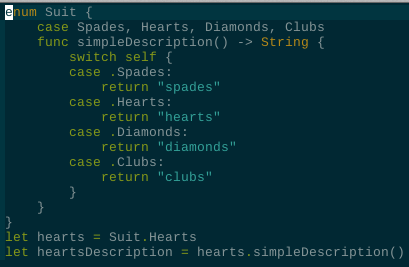
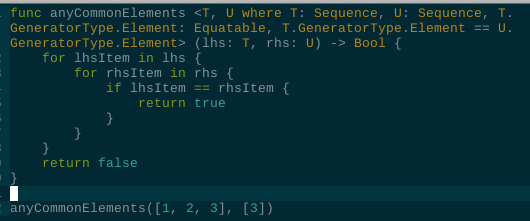
For neovim only
Locate your plugins folder, make a new .lua file and name it swift.lua
add the following:
return {
  "keith/swift.vim",
  ft = "swift",  -- filetype
}
The plugin should be automatically installed next time you start nvim!
[!TIP] usual location for the plugins is
~/.config/nvim/lua/plugins/)
Plug 'keith/swift.vim', { 'for': 'swift' }
:PlugInstall:require('packer').startup(function(use)
use { 'keith/swift.vim', ft = 'swift' }
end)
Opening any .swift file should automatically enable the plugin.
:compiler swiftc then :make to build current file.6,172 followers · starred Oct 2015
3,846 followers · starred Mar 2015
1,660 followers · starred Mar 2023
2,004 followers · starred Jul 2016
Syntax and indent files for Swift
:compiler swiftc → :make)
For neovim only
Locate your plugins folder, make a new .lua file and name it swift.lua
add the following:
return {
  "keith/swift.vim",
  ft = "swift",  -- filetype
}
The plugin should be automatically installed next time you start nvim!
[!TIP] usual location for the plugins is
~/.config/nvim/lua/plugins/)
Plug 'keith/swift.vim', { 'for': 'swift' }
:PlugInstall:require('packer').startup(function(use)
use { 'keith/swift.vim', ft = 'swift' }
end)
Opening any .swift file should automatically enable the plugin.
:compiler swiftc then :make to build current file.6,172 followers · starred Oct 2015
3,846 followers · starred Mar 2015
1,660 followers · starred Mar 2023
2,004 followers · starred Jul 2016



