[ARCHIVED] An Xcode formatter plug-in for Swift. Superseded by swift-format, now built into Xcode.
See the code⚠️ This project is archived and no longer maintained.
Swimat was built in 2015, when Xcode had no built-in way to format Swift code. That is no longer true — Xcode now ships Apple's
swift-formatas a first-party feature, available under Editor → Structure → Format File.If you're looking for a replacement:
Need Use Format inside Xcode Editor → Structure → Format File (built in) A configurable Xcode extension SwiftFormat for Xcode — brew install --cask swiftformat-for-xcodeFormatting in CI / pre-commit SwiftFormat or swift-format Linting SwiftLint The last release (1.7.0) no longer passes Gatekeeper and the Homebrew cask is being disabled. Please migrate to one of the options above.
Swimat's formatter is a hand-written character scanner, which cannot correctly handle Swift features added since ~2020 — regex literals, custom operators, and nested block comments can be corrupted. The tools above are built on
swift-syntaxand do not have this class of bug.Thank you to the 1,600+ people who starred this, the 90+ who forked it, and everyone who filed an issue or sent a patch over the past decade. — @Jintin


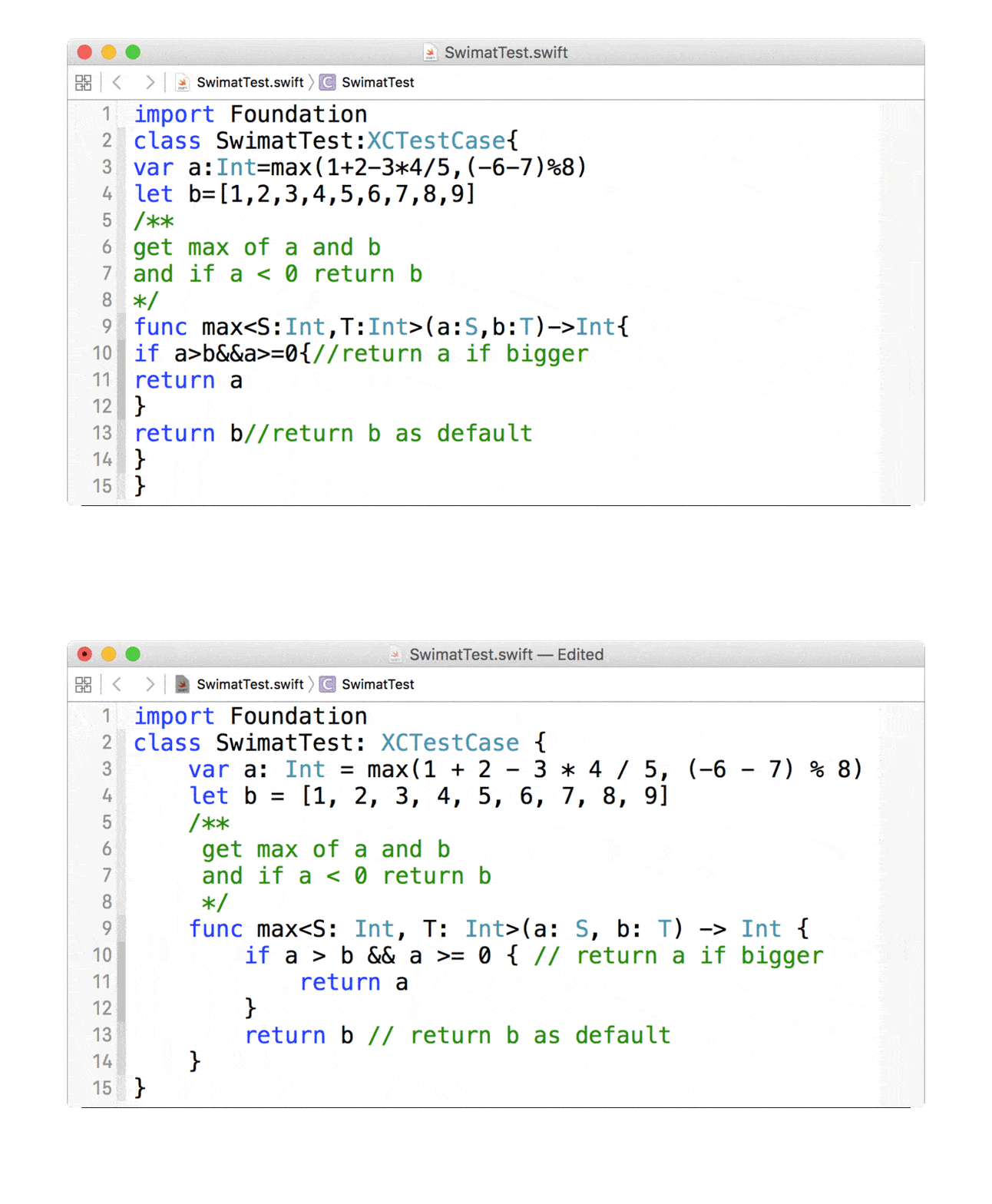
Swimat is an Xcode plug-in to format your Swift code.
No longer available. The Homebrew cask has been deprecated and disabled, and the last released binary (1.7.0) does not pass Gatekeeper on current macOS. Please use one of the alternatives listed above instead.
The source remains here under the MIT license if you want to read it or build it yourself.
After installation, you should open the Swimat.app once to make the functionality works.
In the Xcode menu click [Editor] -> [Swimat] -> [Format] then the current active file will reformat.
You can also create a hot-key in [Xcode] -> [Preferences..] -> [Key Bindings], if you don't have any prefernce you can set as ⌘ + ⇧ + L.
Check [System Preferences] -> [Extensions] -> [Xcode Source Editor] -> [Swimat] is checked. 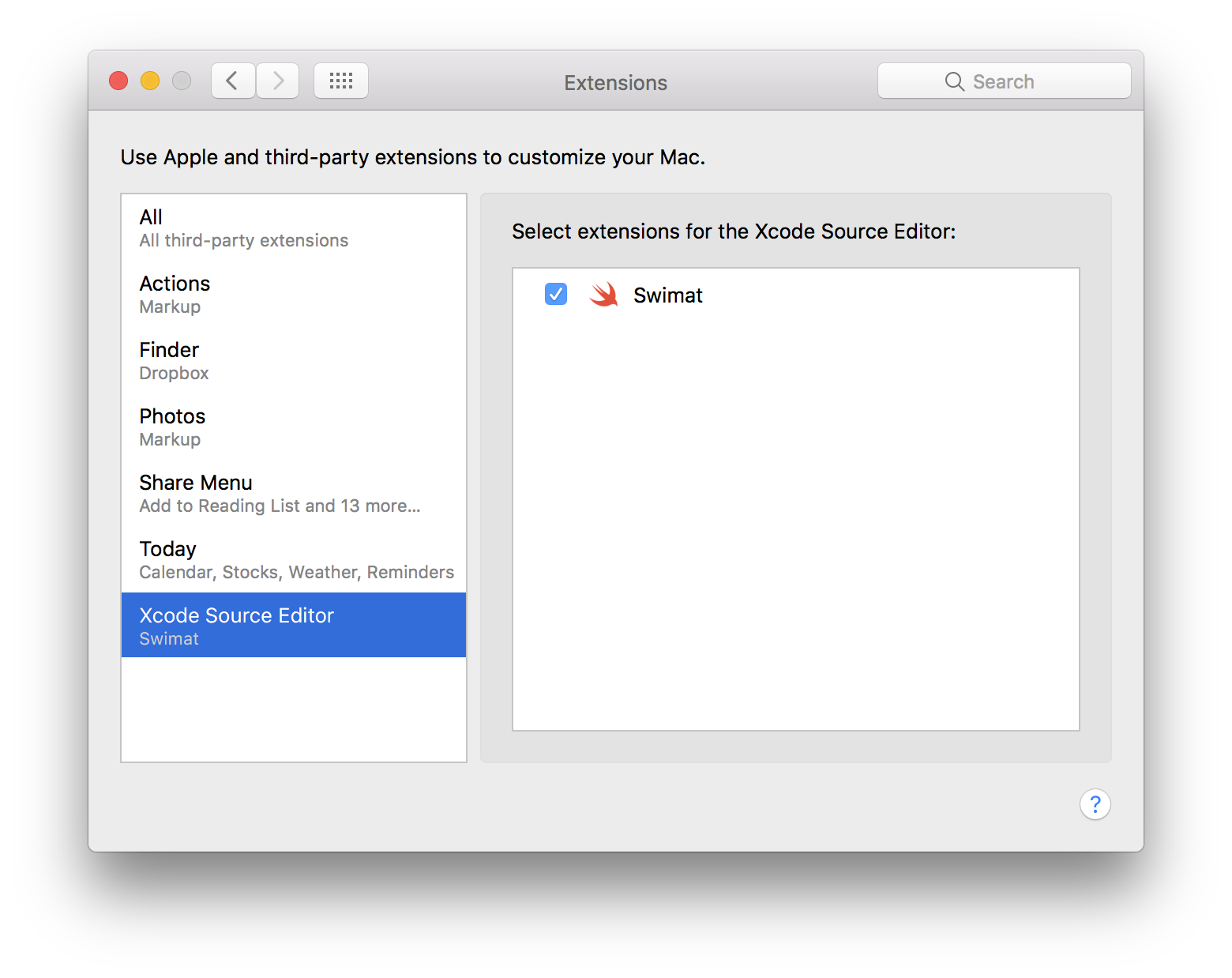
Bug reports and pull requests are welcome on GitHub at https://github.com/Jintin/Swimat.
The module is available as open source under the terms of the MIT License.
260 followers · starred Apr 2016
434 followers · starred Jul 2020
5,275 followers · starred Nov 2021
151 followers · starred Mar 2016
[ARCHIVED] An Xcode formatter plug-in for Swift. Superseded by swift-format, now built into Xcode.
See the code⚠️ This project is archived and no longer maintained.
Swimat was built in 2015, when Xcode had no built-in way to format Swift code. That is no longer true — Xcode now ships Apple's
swift-formatas a first-party feature, available under Editor → Structure → Format File.If you're looking for a replacement:
Need Use Format inside Xcode Editor → Structure → Format File (built in) A configurable Xcode extension SwiftFormat for Xcode — brew install --cask swiftformat-for-xcodeFormatting in CI / pre-commit SwiftFormat or swift-format Linting SwiftLint The last release (1.7.0) no longer passes Gatekeeper and the Homebrew cask is being disabled. Please migrate to one of the options above.
Swimat's formatter is a hand-written character scanner, which cannot correctly handle Swift features added since ~2020 — regex literals, custom operators, and nested block comments can be corrupted. The tools above are built on
swift-syntaxand do not have this class of bug.Thank you to the 1,600+ people who starred this, the 90+ who forked it, and everyone who filed an issue or sent a patch over the past decade. — @Jintin
Swimat is an Xcode plug-in to format your Swift code.
No longer available. The Homebrew cask has been deprecated and disabled, and the last released binary (1.7.0) does not pass Gatekeeper on current macOS. Please use one of the alternatives listed above instead.
The source remains here under the MIT license if you want to read it or build it yourself.
After installation, you should open the Swimat.app once to make the functionality works.
In the Xcode menu click [Editor] -> [Swimat] -> [Format] then the current active file will reformat.
You can also create a hot-key in [Xcode] -> [Preferences..] -> [Key Bindings], if you don't have any prefernce you can set as ⌘ + ⇧ + L.
Check [System Preferences] -> [Extensions] -> [Xcode Source Editor] -> [Swimat] is checked.
Bug reports and pull requests are welcome on GitHub at https://github.com/Jintin/Swimat.
The module is available as open source under the terms of the MIT License.
260 followers · starred Apr 2016
434 followers · starred Jul 2020
5,275 followers · starred Nov 2021
151 followers · starred Mar 2016