Docky is a Dock replacement for macOS that elegantly replaces the system one. It brings the Dock back into reach: quieter, smarter, and native-feeling, with a configurable layout, widgets, a fullscreen Launchpad, a live window switcher, custom icons, and scripted actions.
See the code
Docky is a Dock replacement for macOS that elegantly replaces the system one. It brings the Dock back into reach: quieter, smarter, and native-feeling, with a configurable layout, widgets, a fullscreen Launchpad, a live window switcher, custom icons, and scripted actions.






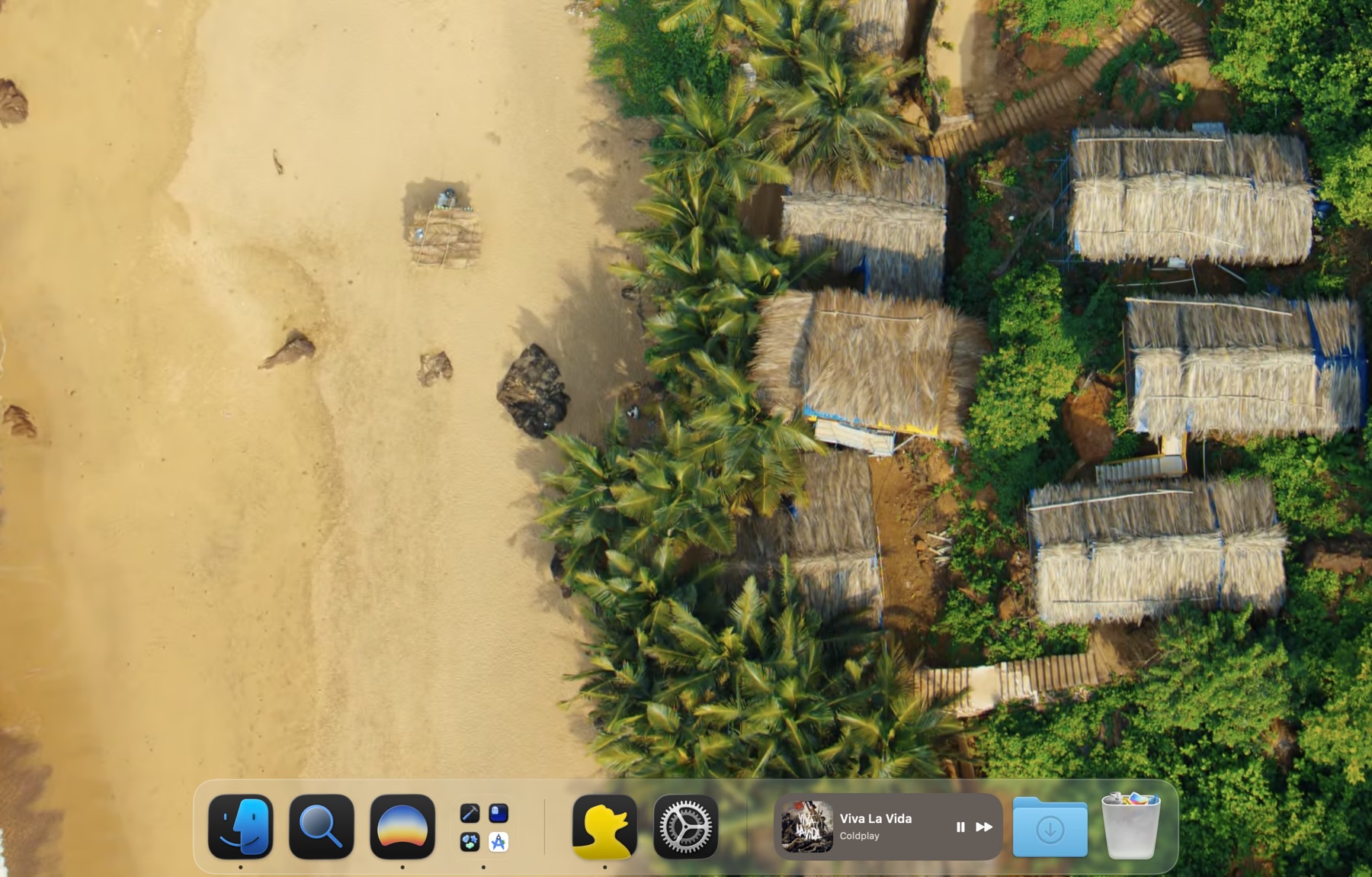
The Dock is the most-used surface on a Mac, and it has barely changed in years. Docky rebuilds it for focus: it can run alongside, mirror, or fully replace the system Dock, and it moves with your workflow instead of getting in the way.
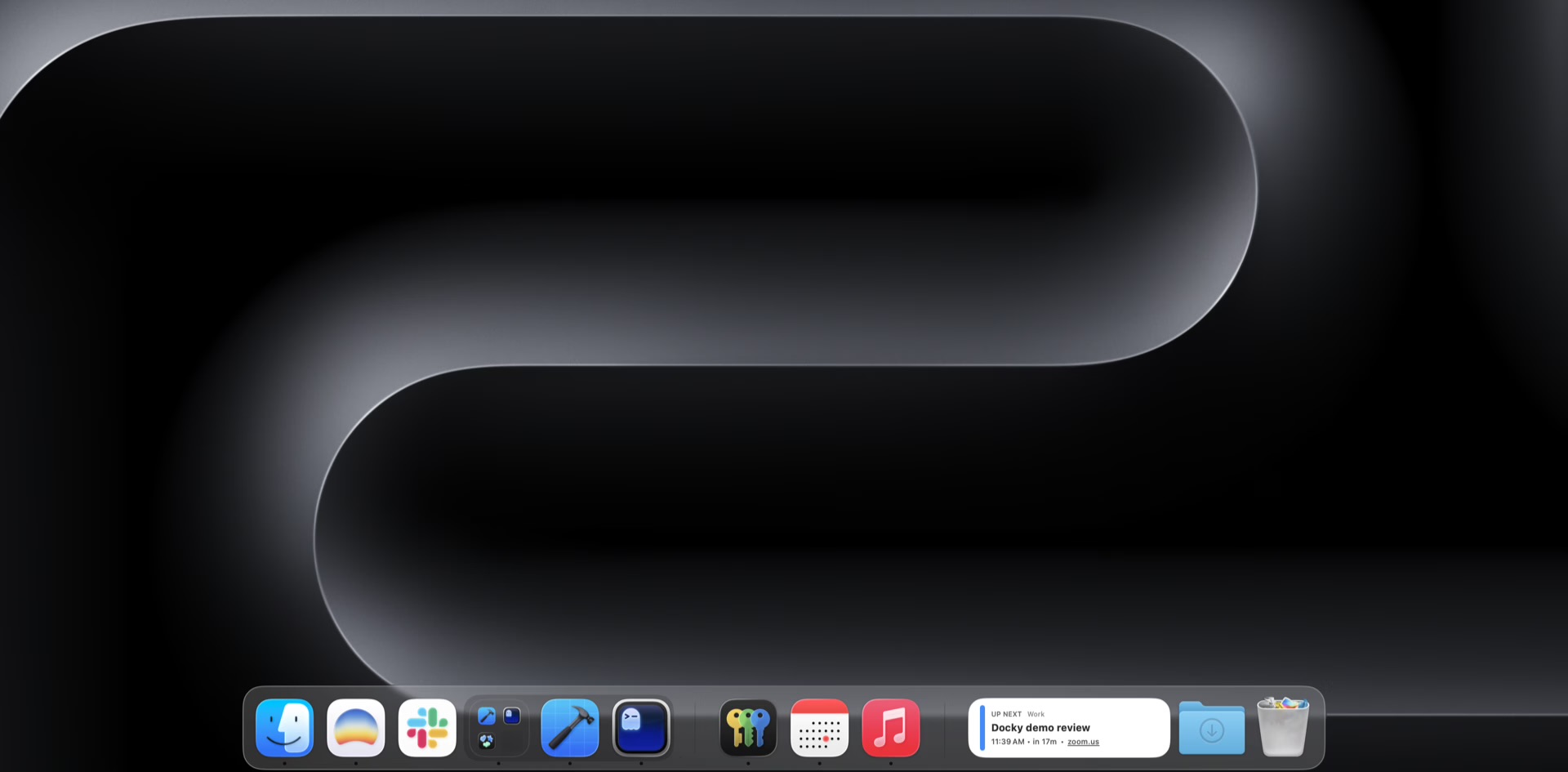
Add and arrange anything in one strip: apps, widgets, Smart Stacks, folders, spacers, and dividers. Pin what you reach for, drag to reorder, and let the layout follow your workflow.
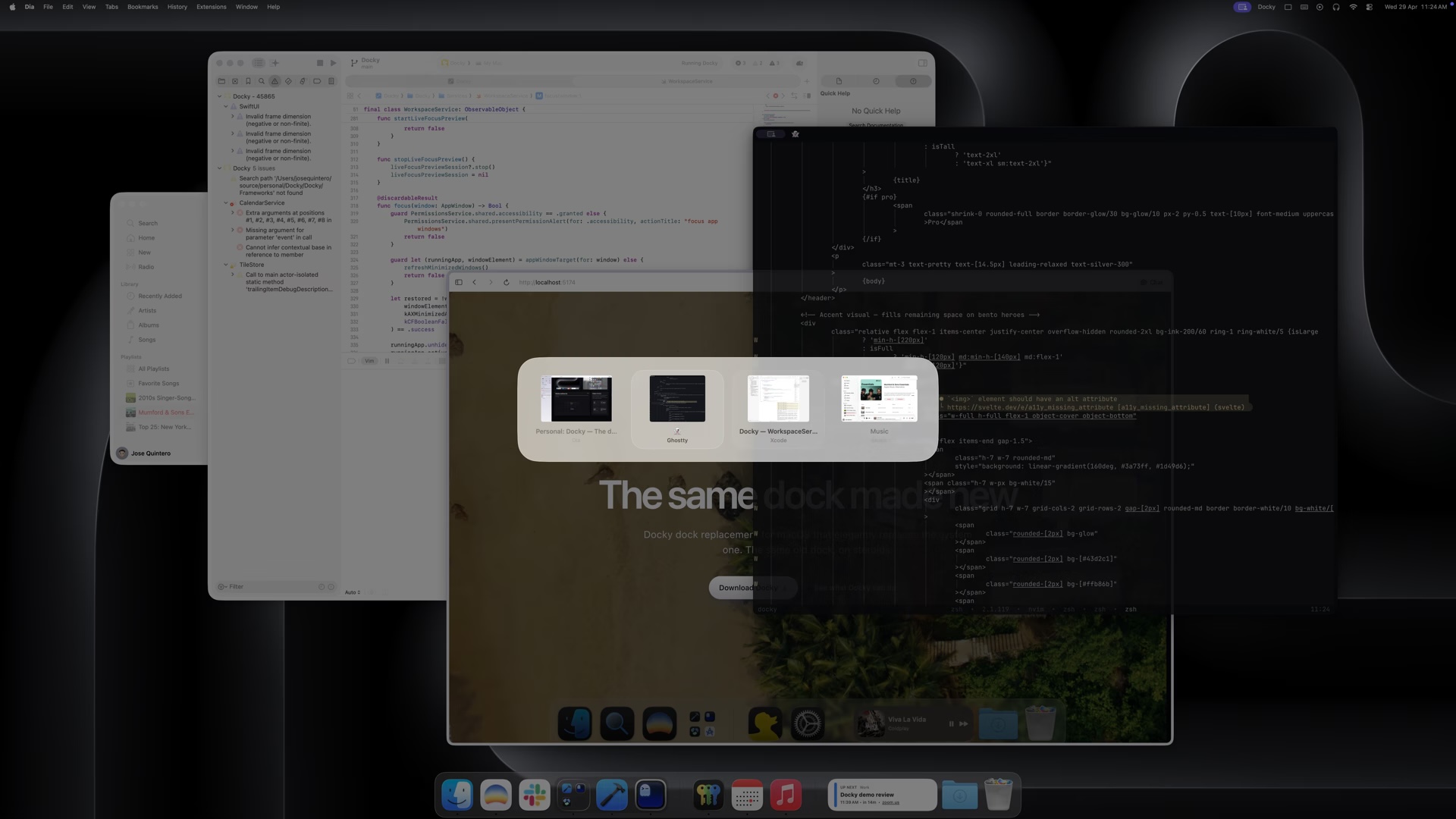
A global, Cmd-Tab-style window switcher with live window previews, plus per-tile hover previews so you can see a window before you raise it.
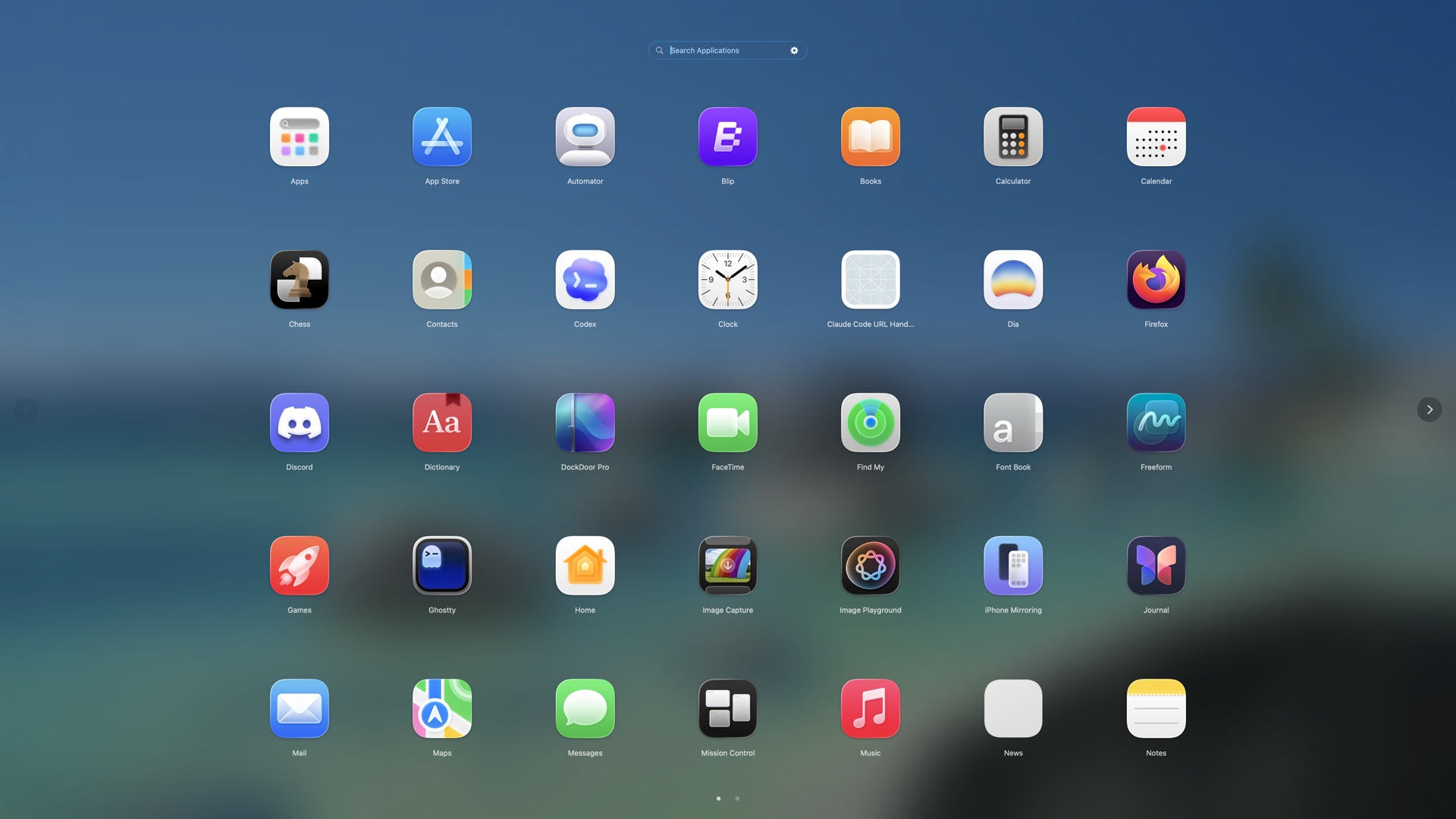
A fullscreen, searchable app launcher with full keyboard navigation, its own layout, and an optional global shortcut.
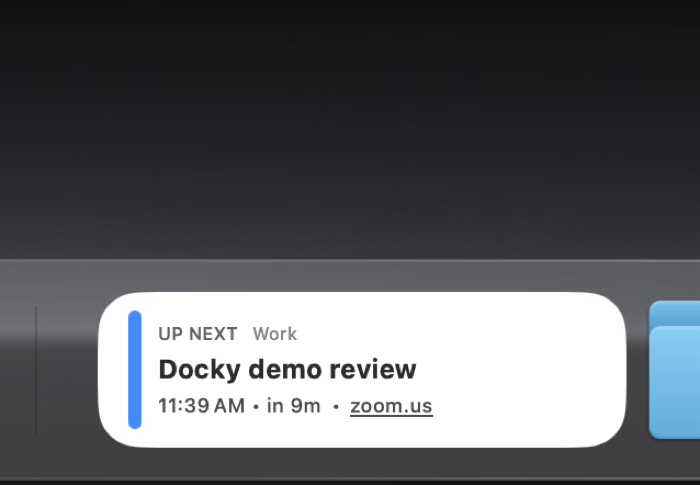
Built-in widgets (Calendar, Reminders, Batteries, System, Weather, Now Playing,
and more) live right in the dock. Stack several into a single tile with Smart
Stacks and cycle through them in place. Add community .dockywidget bundles
through the widget store.
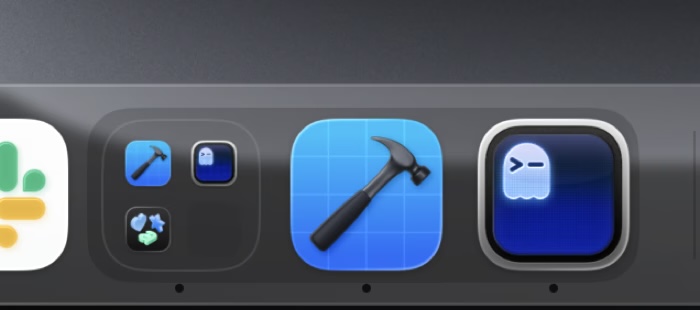
Group apps into folders with nested navigation, Quick Look, and drag-and-drop. Optionally show running apps inline so a folder doubles as a live workspace.
Get the latest notarized build from getdocky.com, or grab a release from the Releases page.
brew install --cask josejuanqm/tap/docky
Updates are delivered in-app via Sparkle. No tap trust step is needed for a normal
install. If you run Homebrew with HOMEBREW_REQUIRE_TAP_TRUST=1, trust the cask
first with brew trust --cask josejuanqm/tap/docky.
Docky needs Accessibility and Screen Recording permissions to manage windows and render previews. It prompts for these on first launch.
[!NOTE] Docky uses private SkyLight / CoreGraphics Services and Accessibility SPI (see
Docky/Private/) to position windows, capture previews, and drive the system Dock. Because of this, Docky cannot be distributed on the Mac App Store. It is built from source or distributed directly.
git clone https://github.com/josejuanqm/docky.git
cd docky
open Docky.xcodeproj
Build and run the Docky scheme. Swift Package dependencies (Sparkle) resolve
automatically on first build.
.dockywidget bundle
contract and how to build community widgets.Docky is free and open source with no paid tier. If it earns a place in your Dock, you can help fund ongoing development:
Sponsors also get a supporter role in the Docky Discord. Supporters are credited in SUPPORTERS.md; sponsoring teams can have their logo featured there. Every bit helps keep Docky maintained and free.
GNU General Public License v3.0. Copyright (C) 2026 Jose Quintero.
4,283 followers · starred Jun 2026
3,596 followers · starred Aug 2026
263 followers · starred Jul 2026
39,791 followers · starred Jul 2026
Docky is a Dock replacement for macOS that elegantly replaces the system one. It brings the Dock back into reach: quieter, smarter, and native-feeling, with a configurable layout, widgets, a fullscreen Launchpad, a live window switcher, custom icons, and scripted actions.
See the code
Docky is a Dock replacement for macOS that elegantly replaces the system one. It brings the Dock back into reach: quieter, smarter, and native-feeling, with a configurable layout, widgets, a fullscreen Launchpad, a live window switcher, custom icons, and scripted actions.
The Dock is the most-used surface on a Mac, and it has barely changed in years. Docky rebuilds it for focus: it can run alongside, mirror, or fully replace the system Dock, and it moves with your workflow instead of getting in the way.
Add and arrange anything in one strip: apps, widgets, Smart Stacks, folders, spacers, and dividers. Pin what you reach for, drag to reorder, and let the layout follow your workflow.
A global, Cmd-Tab-style window switcher with live window previews, plus per-tile hover previews so you can see a window before you raise it.
A fullscreen, searchable app launcher with full keyboard navigation, its own layout, and an optional global shortcut.
Built-in widgets (Calendar, Reminders, Batteries, System, Weather, Now Playing,
and more) live right in the dock. Stack several into a single tile with Smart
Stacks and cycle through them in place. Add community .dockywidget bundles
through the widget store.
Group apps into folders with nested navigation, Quick Look, and drag-and-drop. Optionally show running apps inline so a folder doubles as a live workspace.
Get the latest notarized build from getdocky.com, or grab a release from the Releases page.
brew install --cask josejuanqm/tap/docky
Updates are delivered in-app via Sparkle. No tap trust step is needed for a normal
install. If you run Homebrew with HOMEBREW_REQUIRE_TAP_TRUST=1, trust the cask
first with brew trust --cask josejuanqm/tap/docky.
Docky needs Accessibility and Screen Recording permissions to manage windows and render previews. It prompts for these on first launch.
[!NOTE] Docky uses private SkyLight / CoreGraphics Services and Accessibility SPI (see
Docky/Private/) to position windows, capture previews, and drive the system Dock. Because of this, Docky cannot be distributed on the Mac App Store. It is built from source or distributed directly.
git clone https://github.com/josejuanqm/docky.git
cd docky
open Docky.xcodeproj
Build and run the Docky scheme. Swift Package dependencies (Sparkle) resolve
automatically on first build.
.dockywidget bundle
contract and how to build community widgets.Docky is free and open source with no paid tier. If it earns a place in your Dock, you can help fund ongoing development:
Sponsors also get a supporter role in the Docky Discord. Supporters are credited in SUPPORTERS.md; sponsoring teams can have their logo featured there. Every bit helps keep Docky maintained and free.
GNU General Public License v3.0. Copyright (C) 2026 Jose Quintero.
4,283 followers · starred Jun 2026
3,596 followers · starred Aug 2026
263 followers · starred Jul 2026
39,791 followers · starred Jul 2026



