Bring your Launchpad back in MacOS26+ ,highly customizable, powerful, free.
See the codeLanguages: English | 简体中文 | 繁體中文 | 日本語 | 한국어 | Français | Español | Deutsch | Русский | हिन्दी | Tiếng Việt | Italiano | Čeština | Polski
Download here - Get the latest release
🌐 Website: closex.org/launchnext
📚 Docs: docs.closex.org/launchnext
⭐ Consider starring LaunchNext and especially LaunchNow!
 |  |
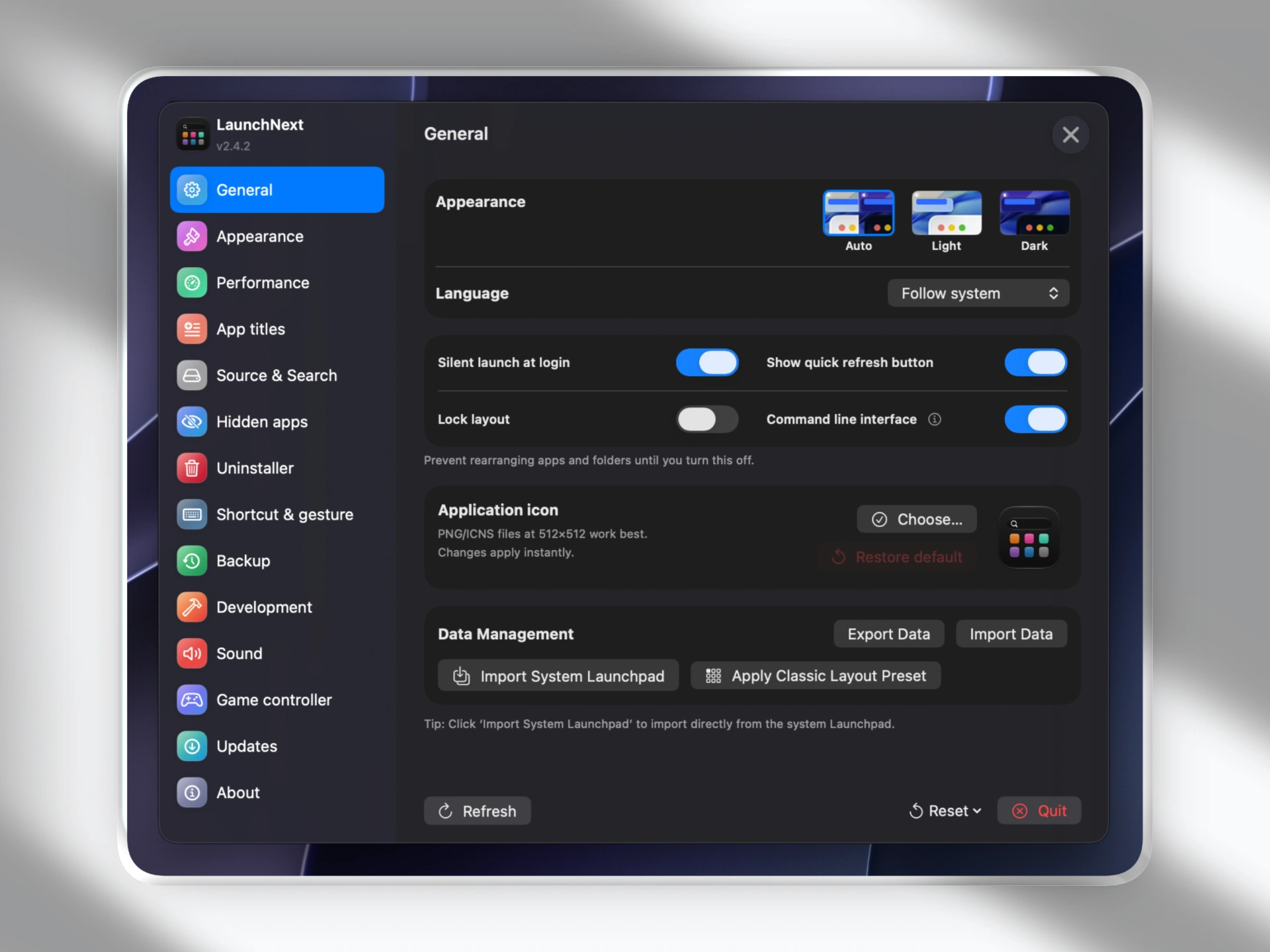 | 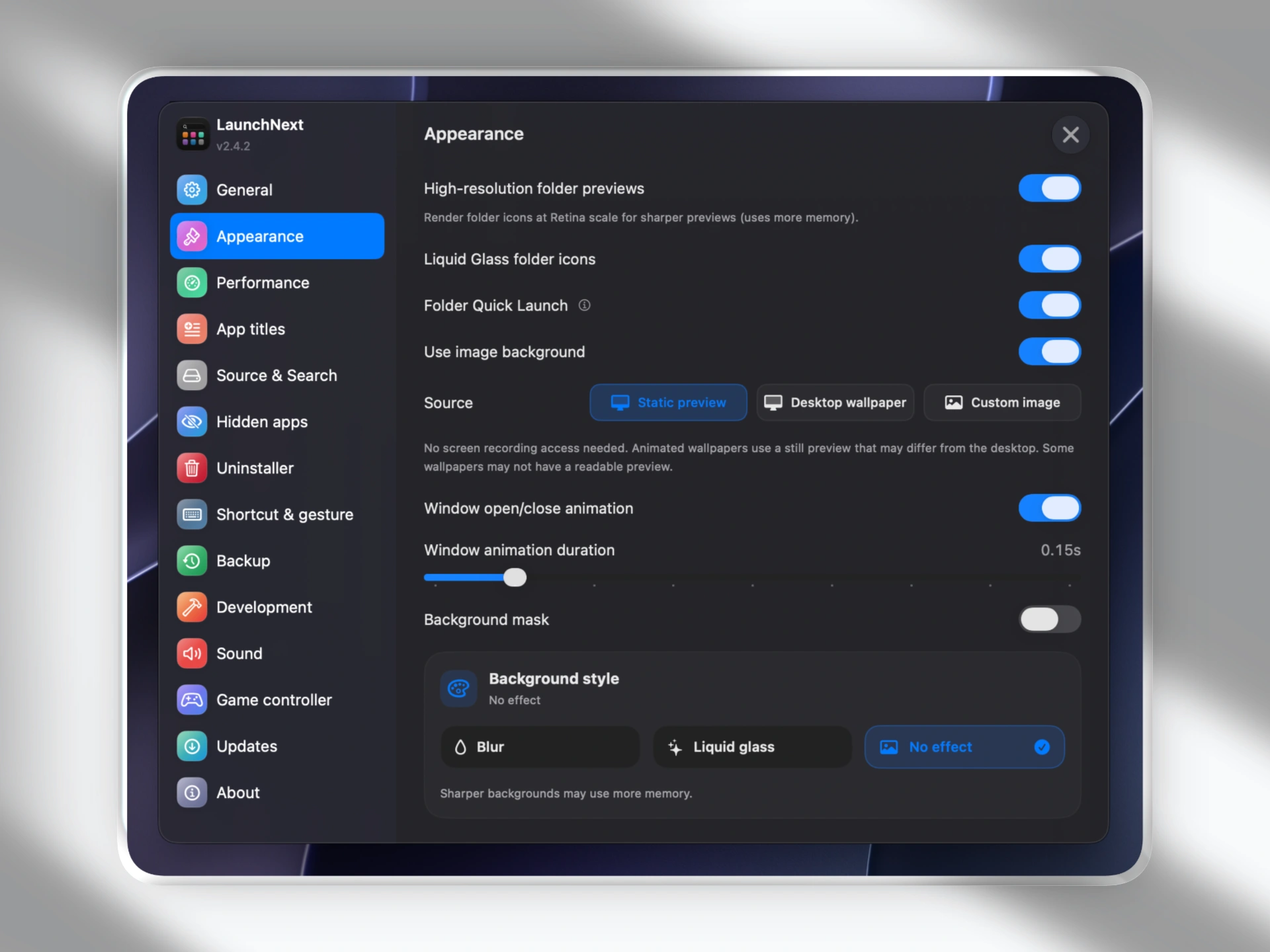 |
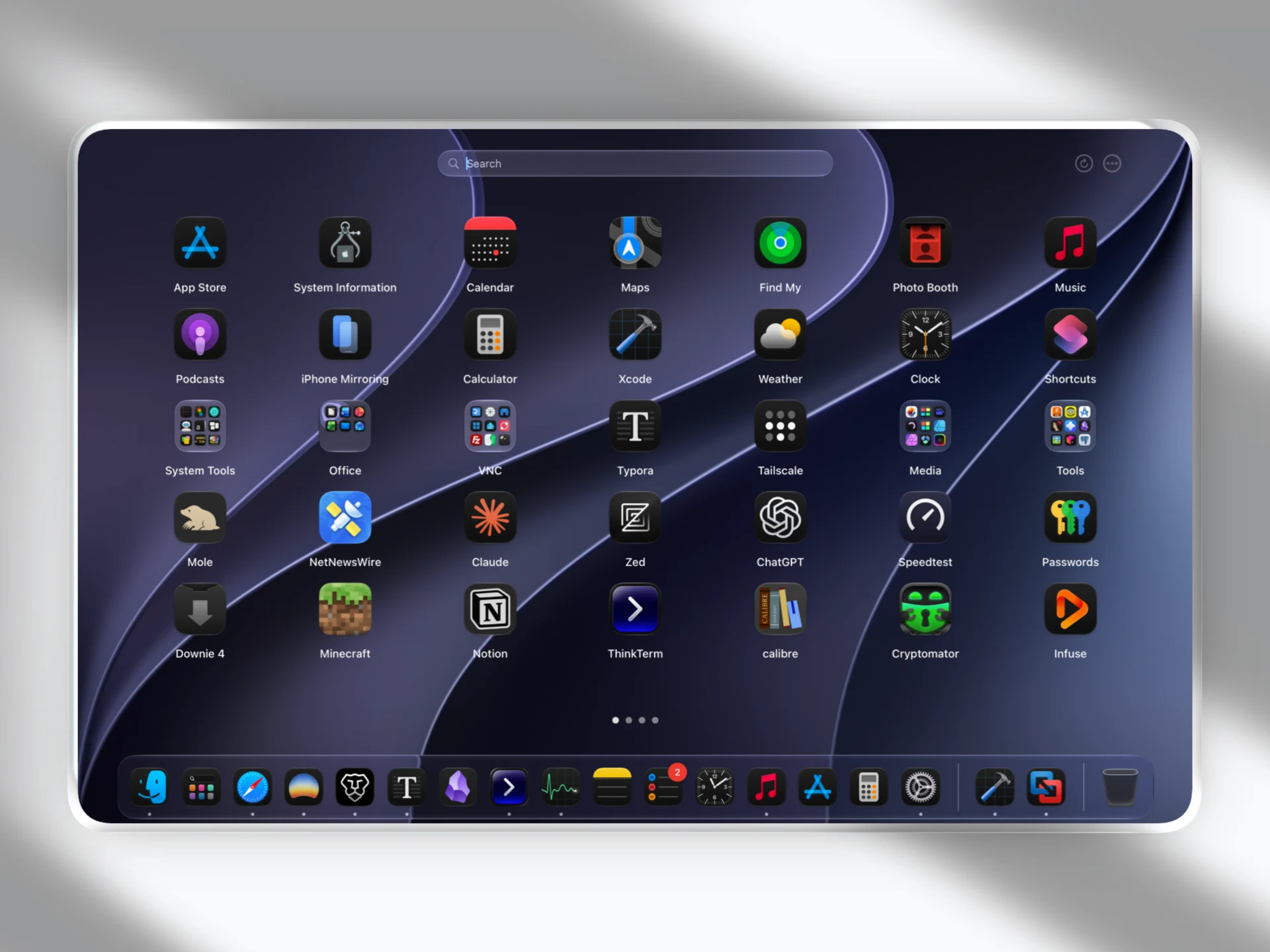
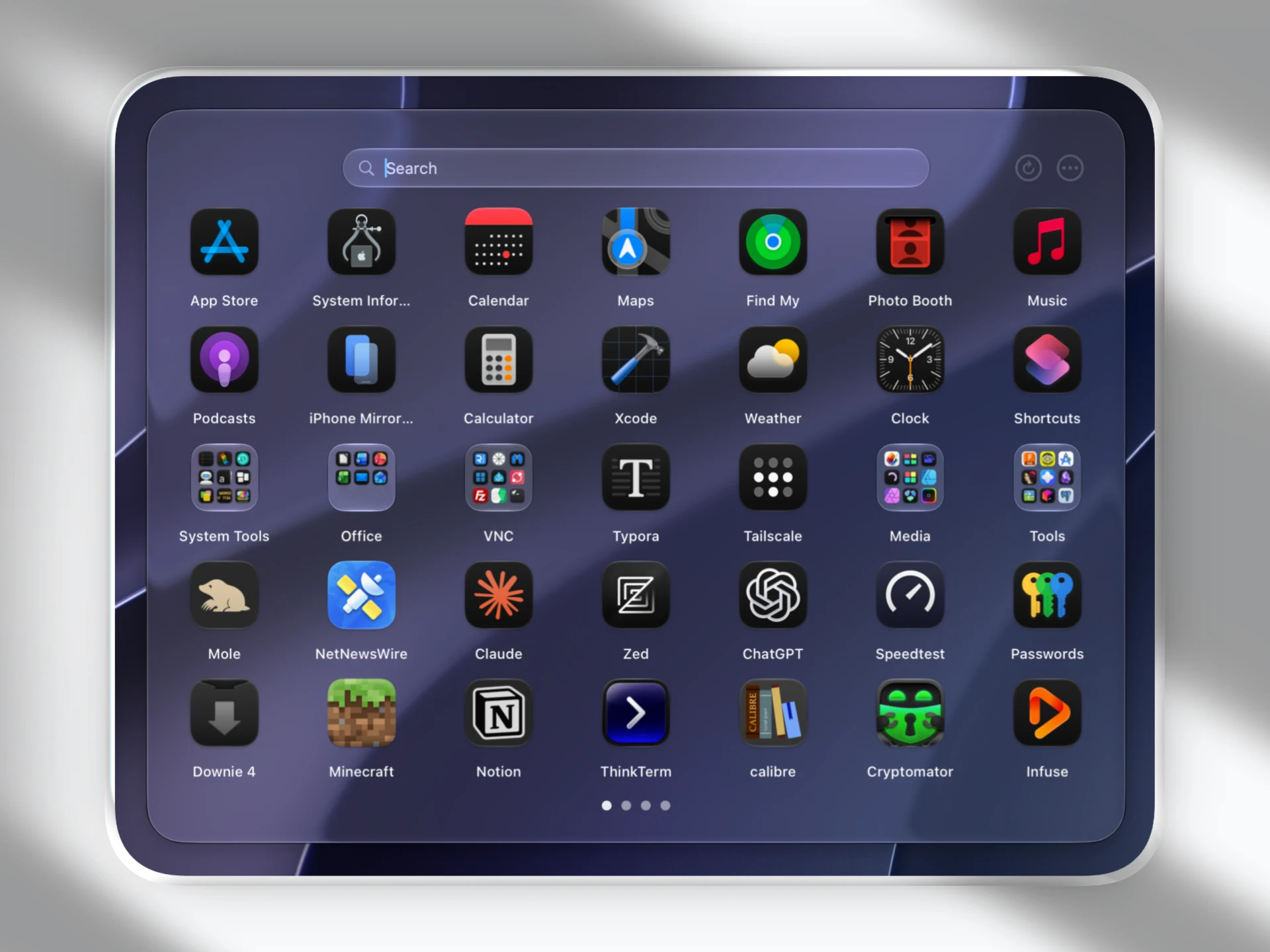
MacOS Tahoe removed launchpad,and it's so hard to use, it's doesn't use your Bio GPU, please apple, at least give people an option to switch back. Before that, here is LaunchNext
Built upon LaunchNow by ggkevinnnn - huge thanks to the original project!❤️
LaunchNow has chosen the GPL 3 license. LaunchNext follows the same licensing terms.
brew install --cask RoversX/homebrew-tap/launchnext
LaunchNext includes its own updater. The Homebrew cask is mainly for installation and manual upgrades.
⚠️ If macOS blocks the app, run this in Terminal:
sudo xattr -r -d com.apple.quarantine /Applications/LaunchNext.app
Why: I can't afford Apple's developer certificate ($99/year), so macOS blocks unsigned apps. This command removes the quarantine flag to let it run. Only use this command on apps you trust.
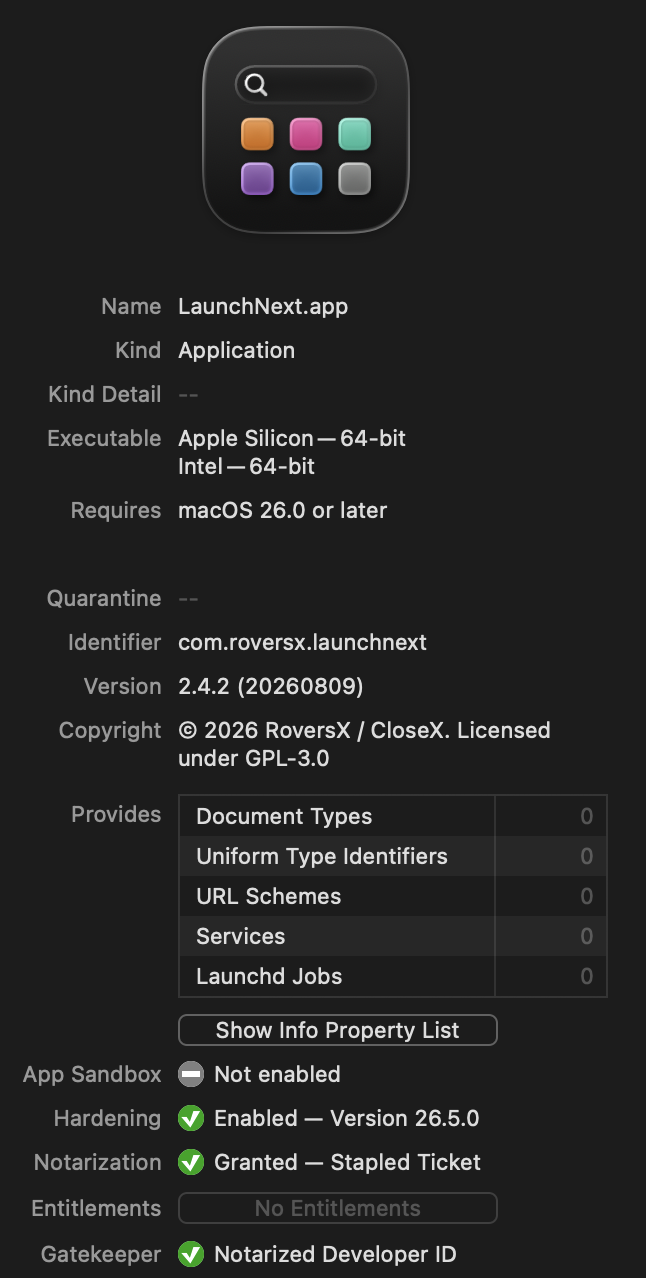
After tremendous effort, starting with LaunchNext 2.4.2, releases are signed and notarized by Apple. I'm trying this out for now—the membership only lasts a year, and keeping it active isn't cheap, so I may not renew it. If that happens, future releases will go back to unsigned/ad-hoc builds, which may not be a bad idea.
Building from source? See Configure local code signing.
/private$(getconf DARWIN_USER_DIR)com.apple.dock.launchpad/db/db) to perfectly recreate your existing folders, app positions, and layoutApplication data is safely stored in:
~/Library/Application Support/LaunchNext/Data.store
Reads directly from the system Launchpad database:
/private$(getconf DARWIN_USER_DIR)com.apple.dock.launchpad/db/db
Clone the repository
git clone https://github.com/RoversX/LaunchNext.git
cd LaunchNext
Open in Xcode
open LaunchNext.xcodeproj
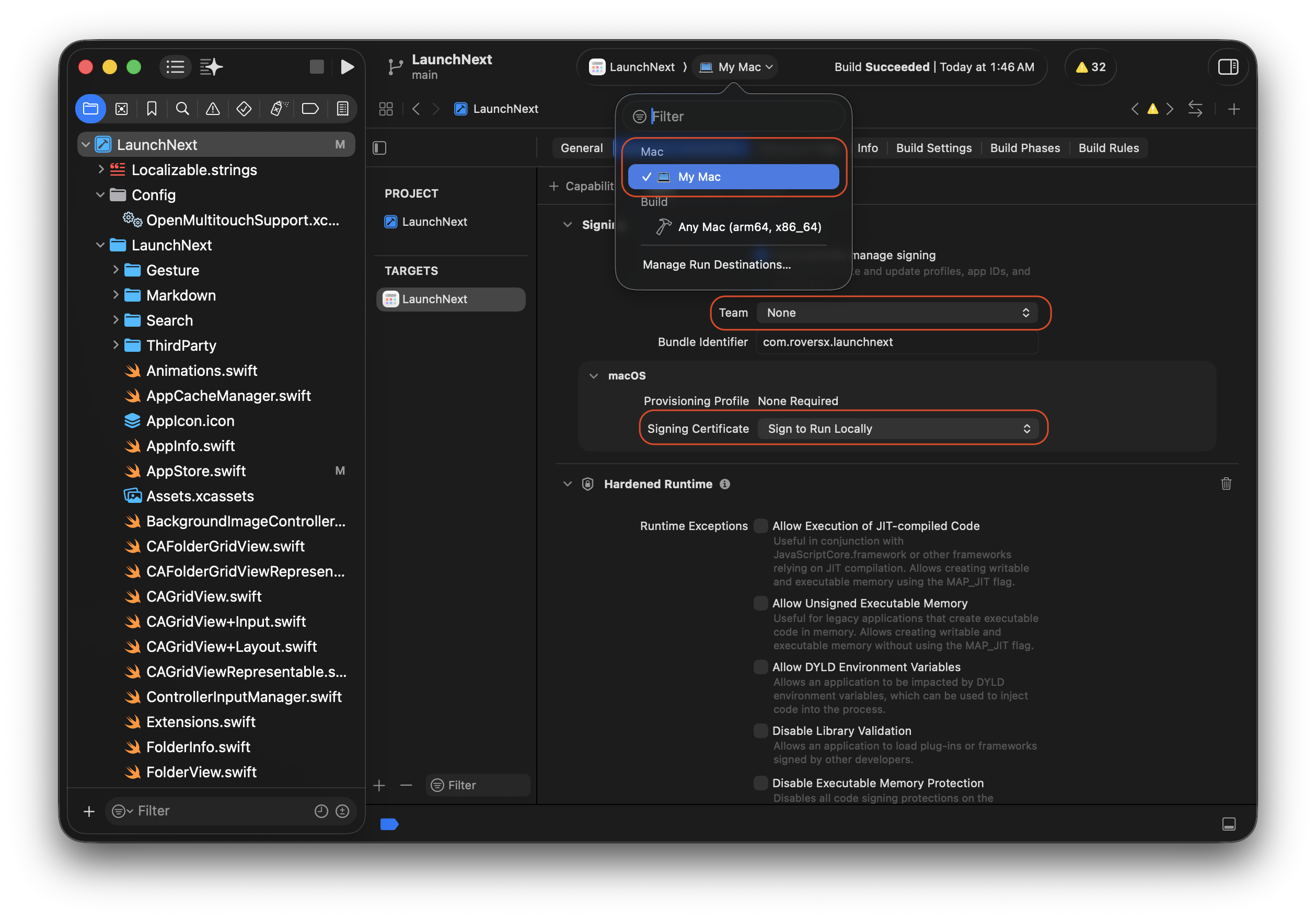
None, and select Sign to Run Locally as the signing certificate.| Xcode local signing settings for LaunchNext | Signed and notarized LaunchNext release |
|---|---|
 |  |
Build and run
⌘+R, select My Mac as the run destination—not Any Mac.Any Mac (arm64, x86_64) is intended for generic builds and archives; it cannot launch the app for debugging.⌘+B if you only want to build.Regular Build:
xcodebuild -project LaunchNext.xcodeproj -scheme LaunchNext -configuration Release
Universal Binary Build (Intel + Apple Silicon):
xcodebuild -project LaunchNext.xcodeproj -scheme LaunchNext -configuration Release ARCHS="arm64 x86_64" ONLY_ACTIVE_ARCH=NO clean build
Q: App won't start? A: Ensure macOS 26.0+ and check system permissions.
Q: Which engine should I use?
A: Next Engine + Core Animation is recommended for the best experience. Legacy Engine is still available if you need the older compatibility path.
Q: Why doesn't the CLI command exist yet?
A: Enable the command line interface in Settings first. LaunchNext can install and remove the managed launchnext command for you.
We welcome contributions! Please:
git checkout -b feature/amazing-feature)git commit -m 'Add amazing feature')git push origin feature/amazing-feature)Unit tests live in LaunchNextTests and run with:
xcodebuild test -scheme LaunchNext -destination 'platform=macOS'
As Apple moves away from customizable interfaces, LaunchNext represents a push toward user control and personalization. I still hope Apple brings Launchpad back.
LaunchNext isn't just a Launchpad replacement—it's a statement that user choice matters.
LaunchNext - Reclaim Your App Launcher 🚀
Built for macOS users who refuse to compromise on customization.
Claude Code
Cursor
OpenAI Codex CLI
Perplexity
Experimental gesture support is built on OpenMultitouchSupport and the fork by KrishKrosh.❤️
139 followers · starred Nov 2025
12,637 followers · starred Sep 2025
153 followers · starred Sep 2025
528 followers · starred Sep 2025
Bring your Launchpad back in MacOS26+ ,highly customizable, powerful, free.
See the codeLanguages: English | 简体中文 | 繁體中文 | 日本語 | 한국어 | Français | Español | Deutsch | Русский | हिन्दी | Tiếng Việt | Italiano | Čeština | Polski
Download here - Get the latest release
🌐 Website: closex.org/launchnext
📚 Docs: docs.closex.org/launchnext
⭐ Consider starring LaunchNext and especially LaunchNow!
| |
| |
MacOS Tahoe removed launchpad,and it's so hard to use, it's doesn't use your Bio GPU, please apple, at least give people an option to switch back. Before that, here is LaunchNext
Built upon LaunchNow by ggkevinnnn - huge thanks to the original project!❤️
LaunchNow has chosen the GPL 3 license. LaunchNext follows the same licensing terms.
brew install --cask RoversX/homebrew-tap/launchnext
LaunchNext includes its own updater. The Homebrew cask is mainly for installation and manual upgrades.
⚠️ If macOS blocks the app, run this in Terminal:
sudo xattr -r -d com.apple.quarantine /Applications/LaunchNext.app
Why: I can't afford Apple's developer certificate ($99/year), so macOS blocks unsigned apps. This command removes the quarantine flag to let it run. Only use this command on apps you trust.
After tremendous effort, starting with LaunchNext 2.4.2, releases are signed and notarized by Apple. I'm trying this out for now—the membership only lasts a year, and keeping it active isn't cheap, so I may not renew it. If that happens, future releases will go back to unsigned/ad-hoc builds, which may not be a bad idea.
Building from source? See Configure local code signing.
/private$(getconf DARWIN_USER_DIR)com.apple.dock.launchpad/db/db) to perfectly recreate your existing folders, app positions, and layoutApplication data is safely stored in:
~/Library/Application Support/LaunchNext/Data.store
Reads directly from the system Launchpad database:
/private$(getconf DARWIN_USER_DIR)com.apple.dock.launchpad/db/db
Clone the repository
git clone https://github.com/RoversX/LaunchNext.git
cd LaunchNext
Open in Xcode
open LaunchNext.xcodeproj
None, and select Sign to Run Locally as the signing certificate.| Xcode local signing settings for LaunchNext | Signed and notarized LaunchNext release |
|---|---|
| |
Build and run
⌘+R, select My Mac as the run destination—not Any Mac.Any Mac (arm64, x86_64) is intended for generic builds and archives; it cannot launch the app for debugging.⌘+B if you only want to build.Regular Build:
xcodebuild -project LaunchNext.xcodeproj -scheme LaunchNext -configuration Release
Universal Binary Build (Intel + Apple Silicon):
xcodebuild -project LaunchNext.xcodeproj -scheme LaunchNext -configuration Release ARCHS="arm64 x86_64" ONLY_ACTIVE_ARCH=NO clean build
Q: App won't start? A: Ensure macOS 26.0+ and check system permissions.
Q: Which engine should I use?
A: Next Engine + Core Animation is recommended for the best experience. Legacy Engine is still available if you need the older compatibility path.
Q: Why doesn't the CLI command exist yet?
A: Enable the command line interface in Settings first. LaunchNext can install and remove the managed launchnext command for you.
We welcome contributions! Please:
git checkout -b feature/amazing-feature)git commit -m 'Add amazing feature')git push origin feature/amazing-feature)Unit tests live in LaunchNextTests and run with:
xcodebuild test -scheme LaunchNext -destination 'platform=macOS'
As Apple moves away from customizable interfaces, LaunchNext represents a push toward user control and personalization. I still hope Apple brings Launchpad back.
LaunchNext isn't just a Launchpad replacement—it's a statement that user choice matters.
LaunchNext - Reclaim Your App Launcher 🚀
Built for macOS users who refuse to compromise on customization.
Claude Code
Cursor
OpenAI Codex CLI
Perplexity
Experimental gesture support is built on OpenMultitouchSupport and the fork by KrishKrosh.❤️
139 followers · starred Nov 2025
12,637 followers · starred Sep 2025
153 followers · starred Sep 2025
528 followers · starred Sep 2025