Run agents on a cloud machine. Steer them from your desktop or phone.
See the code

Run coding agents on a cloud machine and steer them from your laptop or phone.
Website · Download · Changelog

Otto is a desktop and mobile app for OpenCode v2. Paste a sandbox API key and Otto starts a Linux machine, installs OpenCode, keeps it running as a service and connects to it over HTTPS. Your agents keep working when your laptop sleeps, and you can check in from your phone.
It runs on macOS, Windows, Linux, iOS and Android, built with Tauri 2.
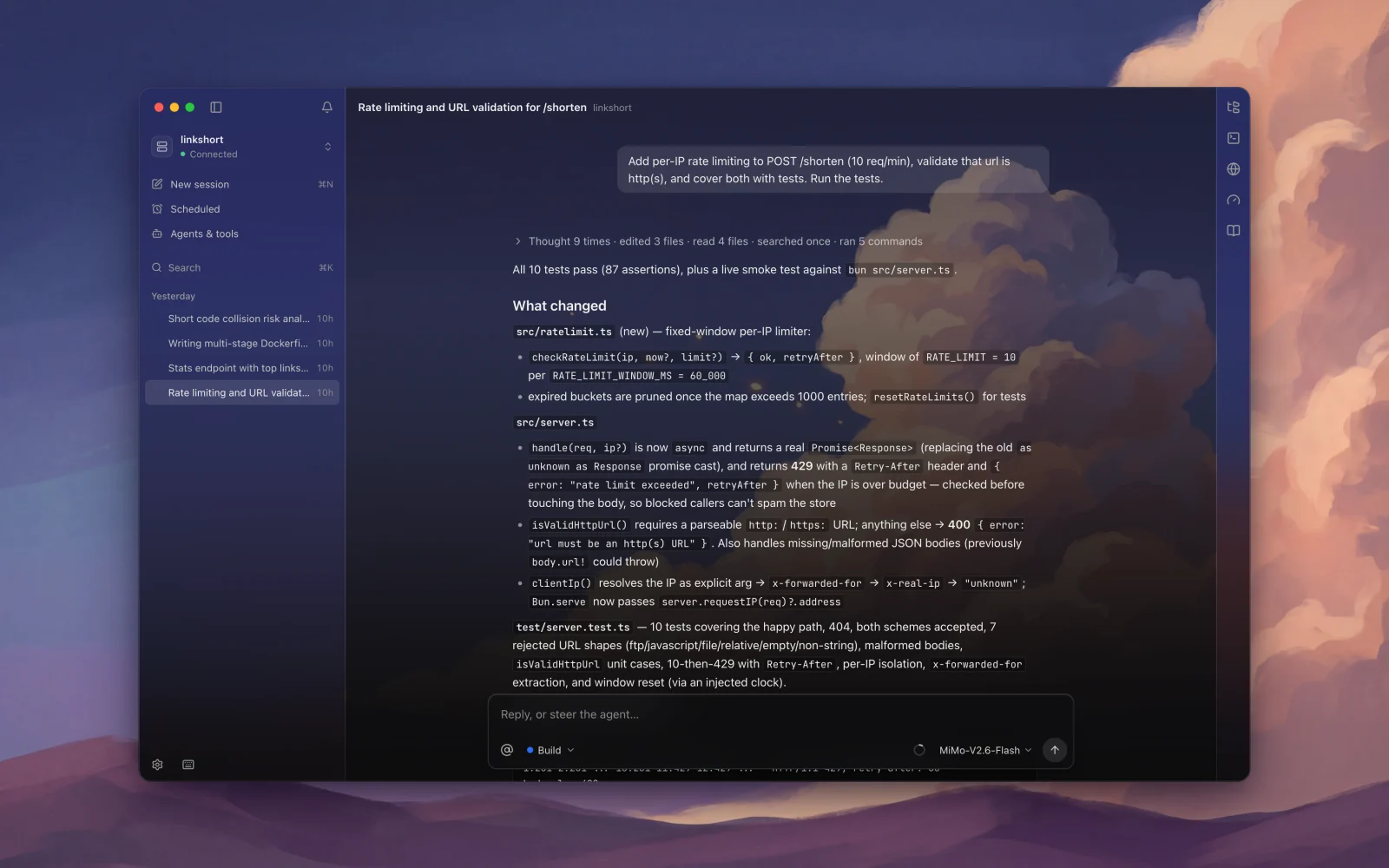
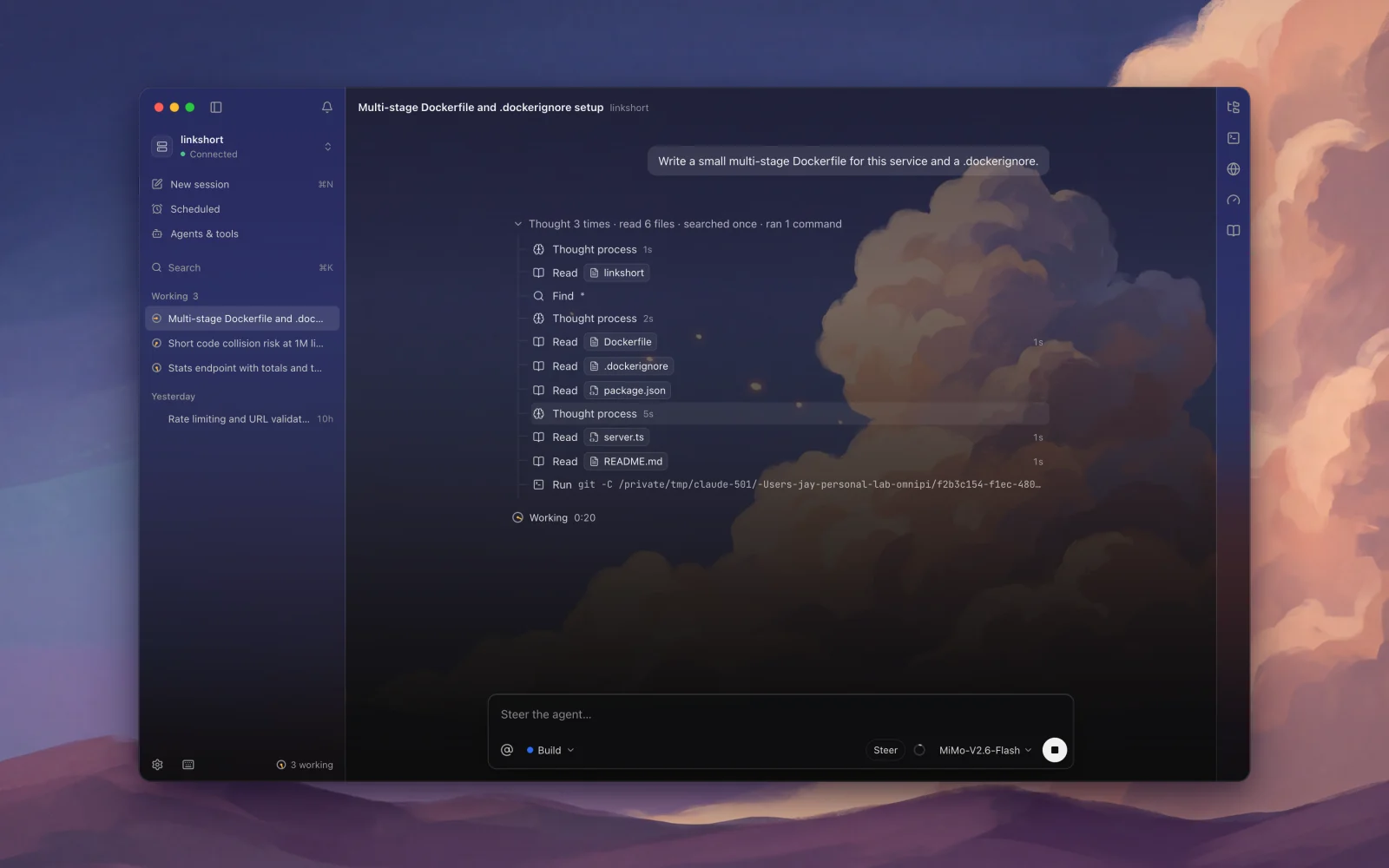 Several agents at once, each in its own session. | 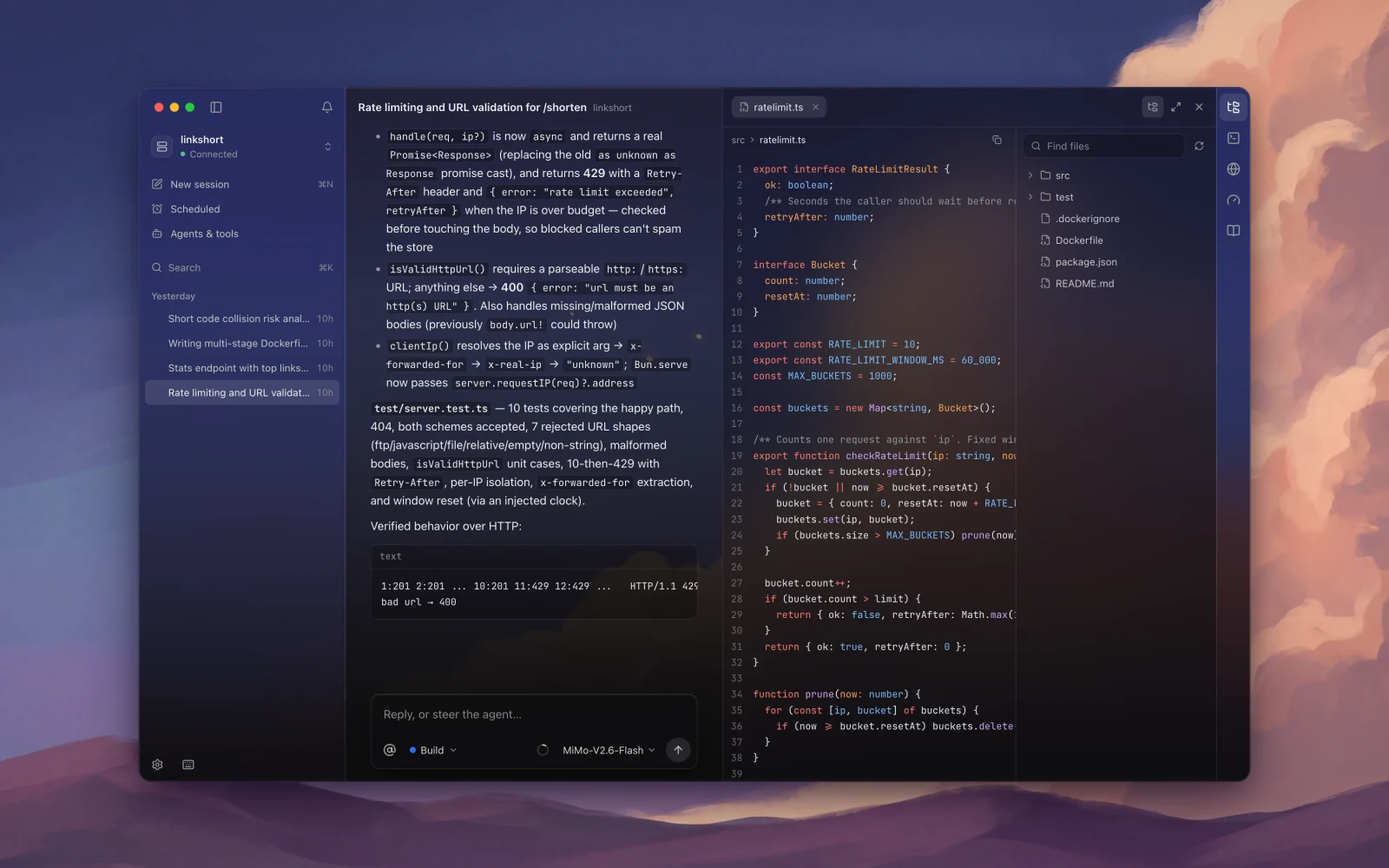 Read the code the agent wrote, next to the conversation. |
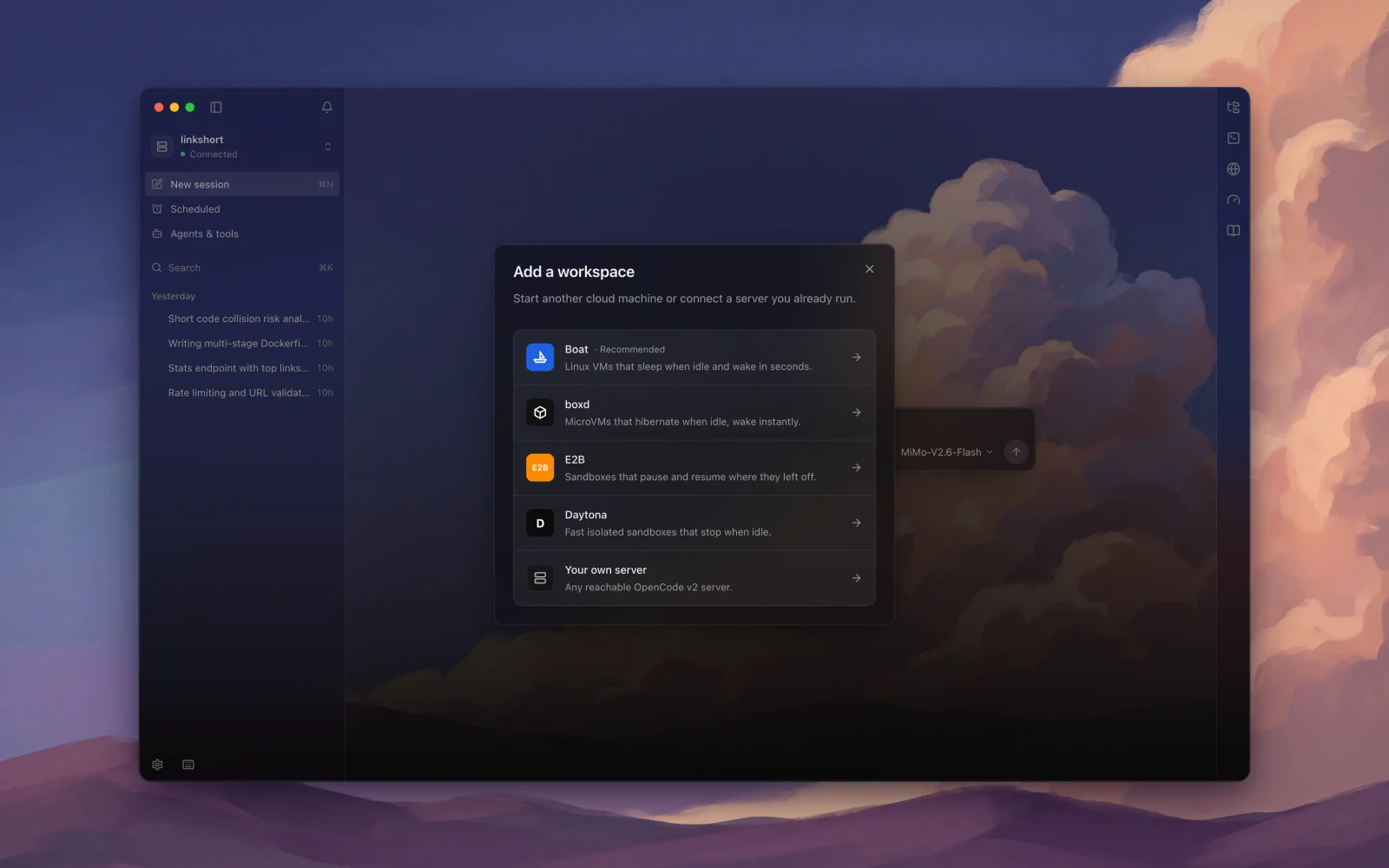 Pick a cloud, paste a key. | 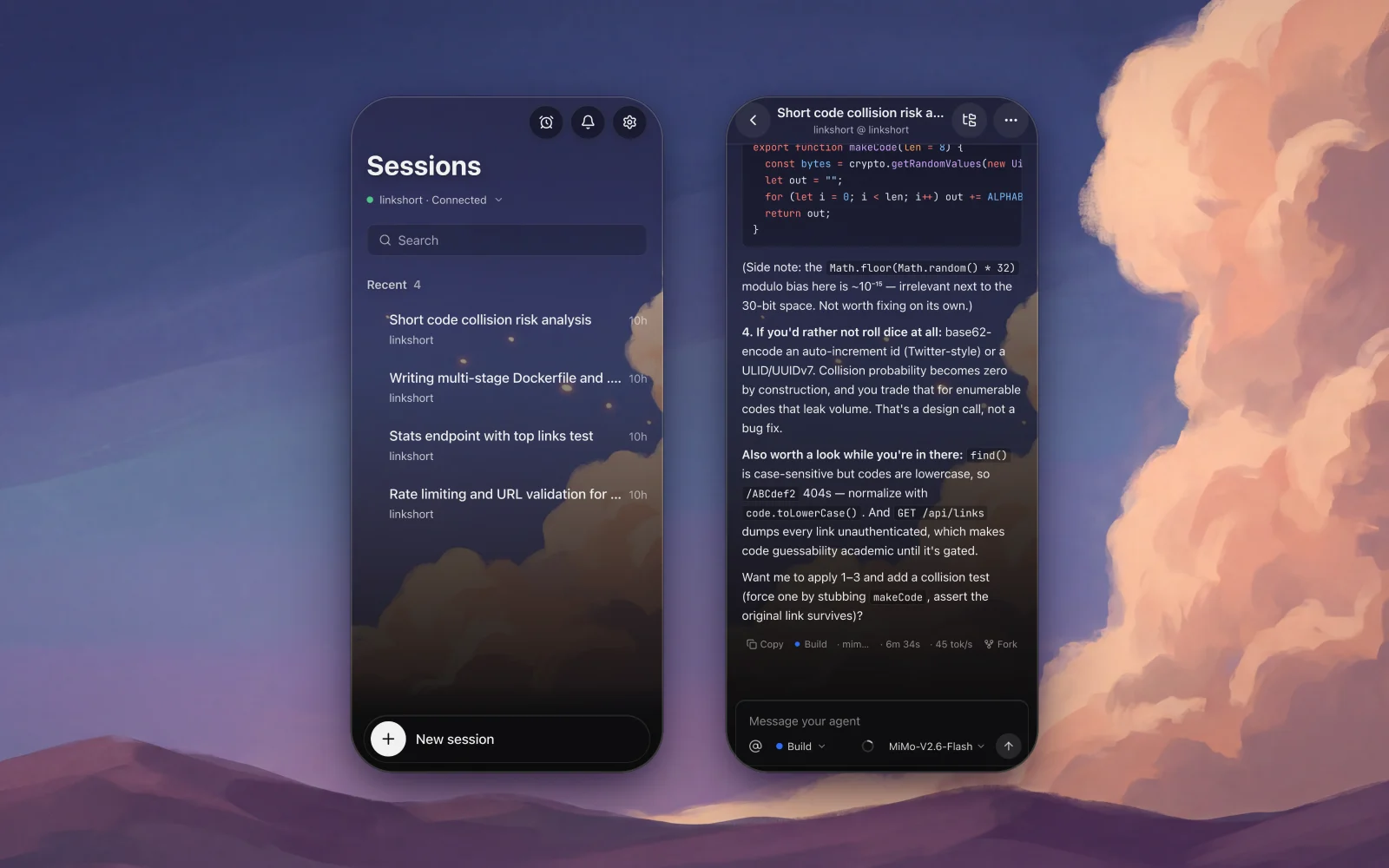 Check in from your phone. |
 Otto (Tauri app)                       Cloud machine (Boat sandbox or your server)
 ─────────────────                      ───────────────────────────────────────────
 React UI                               systemd: otto-opencode.service
   │  REST + Server-Sent Events  ───►   opencode serve  (OpenCode v2 API)
   │  over HTTPS, password-protected      ├─ sessions, agents, tools, MCP
 Rust side                                └─ ~/.otto  (scheduled tasks, cron)
   ├─ HTTP client (no CORS, streaming)
   ├─ OS keychain for secrets
   └─ notifications
On macOS, one command installs the latest version into Applications (script):
curl -fsSL https://jaygupta.dev/otto/install.sh | sh
Everything else is on Releases.
| Platform | File |
|---|---|
| macOS (Apple silicon) | Otto_<version>_aarch64.dmg |
| macOS (Intel) | Otto_<version>_x64.dmg |
| Windows | Otto_<version>_x64-setup.exe or .msi |
| Linux | .AppImage, .deb or .rpm |
| Android | Otto_<version>_android.apk |
The builds aren't code-signed yet, so your OS will warn you the first time:
.dmg, Otto isn't notarized yet, so the first launch is blocked. Move it to Applications and open it once, then go to System Settings → Privacy & Security and click Open Anyway. If macOS says Otto "is damaged" instead, run xattr -dr com.apple.quarantine /Applications/Otto.app.To build from source.
bun install
bun run app:dev
Run a local OpenCode v2 server with an isolated config, so nothing touches your own ~/.config/opencode:
bun run oc:local
Then in Otto choose Your own server, enter http://127.0.0.1:4917, and use the password printed in .dev/password. Free models work without any provider key.
bun run tauri ios init       # once
bun run ios:dev
bun run tauri android init   # once
bun run android:dev
bun run app:build
Bump version in package.json, src-tauri/tauri.conf.json and src-tauri/Cargo.toml, then push a matching tag:
git tag v0.1.0 && git push origin v0.1.0
The Release workflow builds macOS, Windows, Linux and Android into a draft release. Check it, then publish. To sign the Android APK with a stable key, set the repository secrets ANDROID_KEYSTORE_BASE64, ANDROID_KEY_ALIAS and ANDROID_KEY_PASSWORD; without them each build is signed with a throwaway key.
src/
  components/      UI: shell, chat, settings, schedules, onboarding, mobile
  lib/opencode/    OpenCode v2 client, event stream, timeline projection, config files
  lib/providers/   Sandbox providers (Boat) and the setup/repair flow
  lib/schedules.ts Scheduled tasks (cron + runner script on the agent machine)
  lib/permissions.ts  Agent permission rules editor model
  state/           Zustand stores (connection, chat, workspaces, extensions, ui)
src-tauri/         Rust side: plugins, keychain commands, app config, icons
scripts/           Local development helpers
DESIGN.md          Design system: tokens, type, color roles, motion
~/.otto/server.env on the agent machine, readable only by the agent user.Found a vulnerability? Please open a private security advisory on GitHub instead of an issue.
See CONTRIBUTING.md.
MIT. Parts of the permission editor are adapted from OpenChamber (MIT); see THIRD_PARTY_NOTICES.md.
Run agents on a cloud machine. Steer them from your desktop or phone.
See the code
Run coding agents on a cloud machine and steer them from your laptop or phone.
Website · Download · Changelog
Otto is a desktop and mobile app for OpenCode v2. Paste a sandbox API key and Otto starts a Linux machine, installs OpenCode, keeps it running as a service and connects to it over HTTPS. Your agents keep working when your laptop sleeps, and you can check in from your phone.
It runs on macOS, Windows, Linux, iOS and Android, built with Tauri 2.
Several agents at once, each in its own session. | Read the code the agent wrote, next to the conversation. |
Pick a cloud, paste a key. | Check in from your phone. |
 Otto (Tauri app)                       Cloud machine (Boat sandbox or your server)
 ─────────────────                      ───────────────────────────────────────────
 React UI                               systemd: otto-opencode.service
   │  REST + Server-Sent Events  ───►   opencode serve  (OpenCode v2 API)
   │  over HTTPS, password-protected      ├─ sessions, agents, tools, MCP
 Rust side                                └─ ~/.otto  (scheduled tasks, cron)
   ├─ HTTP client (no CORS, streaming)
   ├─ OS keychain for secrets
   └─ notifications
On macOS, one command installs the latest version into Applications (script):
curl -fsSL https://jaygupta.dev/otto/install.sh | sh
Everything else is on Releases.
| Platform | File |
|---|---|
| macOS (Apple silicon) | Otto_<version>_aarch64.dmg |
| macOS (Intel) | Otto_<version>_x64.dmg |
| Windows | Otto_<version>_x64-setup.exe or .msi |
| Linux | .AppImage, .deb or .rpm |
| Android | Otto_<version>_android.apk |
The builds aren't code-signed yet, so your OS will warn you the first time:
.dmg, Otto isn't notarized yet, so the first launch is blocked. Move it to Applications and open it once, then go to System Settings → Privacy & Security and click Open Anyway. If macOS says Otto "is damaged" instead, run xattr -dr com.apple.quarantine /Applications/Otto.app.To build from source.
bun install
bun run app:dev
Run a local OpenCode v2 server with an isolated config, so nothing touches your own ~/.config/opencode:
bun run oc:local
Then in Otto choose Your own server, enter http://127.0.0.1:4917, and use the password printed in .dev/password. Free models work without any provider key.
bun run tauri ios init       # once
bun run ios:dev
bun run tauri android init   # once
bun run android:dev
bun run app:build
Bump version in package.json, src-tauri/tauri.conf.json and src-tauri/Cargo.toml, then push a matching tag:
git tag v0.1.0 && git push origin v0.1.0
The Release workflow builds macOS, Windows, Linux and Android into a draft release. Check it, then publish. To sign the Android APK with a stable key, set the repository secrets ANDROID_KEYSTORE_BASE64, ANDROID_KEY_ALIAS and ANDROID_KEY_PASSWORD; without them each build is signed with a throwaway key.
src/
  components/      UI: shell, chat, settings, schedules, onboarding, mobile
  lib/opencode/    OpenCode v2 client, event stream, timeline projection, config files
  lib/providers/   Sandbox providers (Boat) and the setup/repair flow
  lib/schedules.ts Scheduled tasks (cron + runner script on the agent machine)
  lib/permissions.ts  Agent permission rules editor model
  state/           Zustand stores (connection, chat, workspaces, extensions, ui)
src-tauri/         Rust side: plugins, keychain commands, app config, icons
scripts/           Local development helpers
DESIGN.md          Design system: tokens, type, color roles, motion
~/.otto/server.env on the agent machine, readable only by the agent user.Found a vulnerability? Please open a private security advisory on GitHub instead of an issue.
See CONTRIBUTING.md.
MIT. Parts of the permission editor are adapted from OpenChamber (MIT); see THIRD_PARTY_NOTICES.md.



