intellium-ai/AEGIS

Adaptation of PrimAITE for the AEGIS project - Enhancing Situational Awareness of Language-based Blue Agents through Graph Neural Prompting

Python

3

624 commits

updated Oct 1, 2024
See the code

README

Intellium AEGIS Project

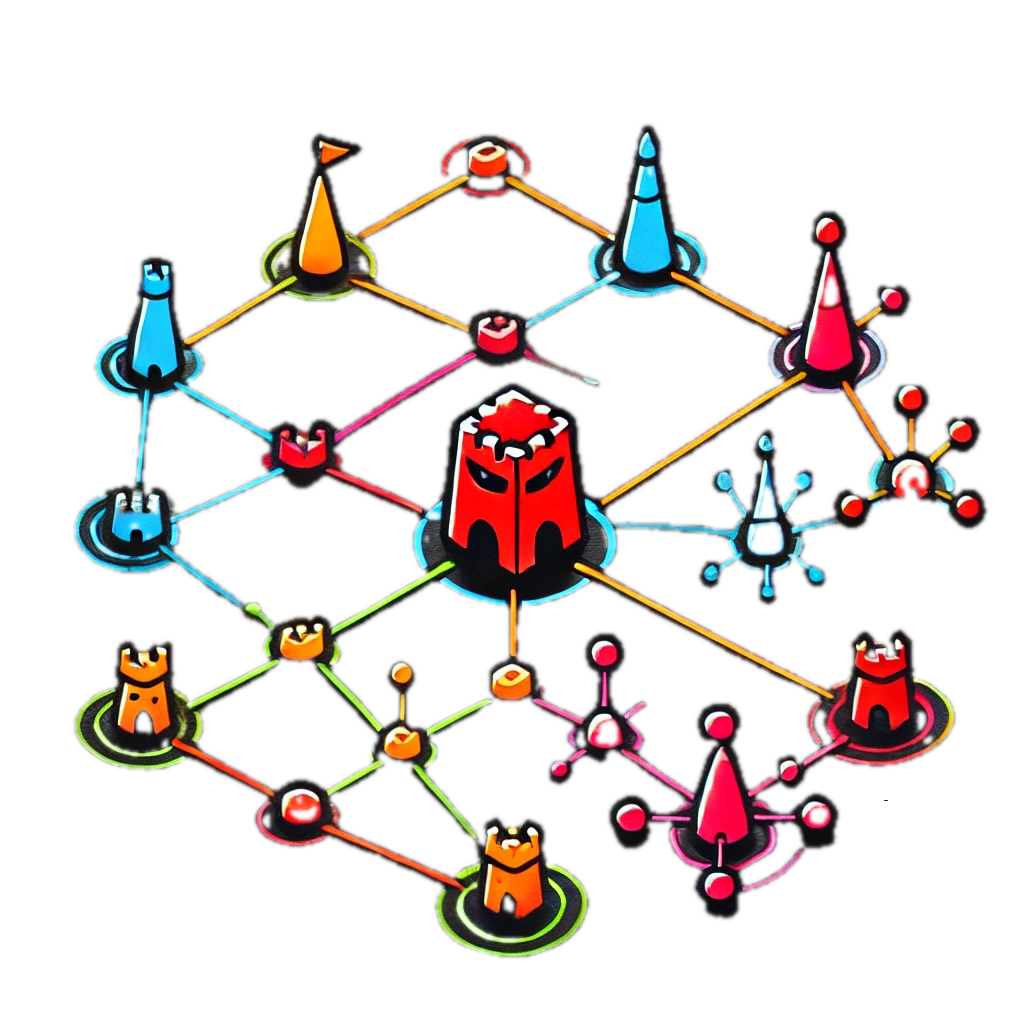
Image description

Welcome to Intellium AI's AEGIS Project!

This repository contains an adapted version of the ARCD PrimAITE Reinforcement Learning environment which includes the following changes / adaptations:

  • Bug Fixes.
  • Environment observability framework in Streamlit.
  • Simplified integration of customised agents, in particular, Large Language Models.
  • All practical work conducted as part of Task D2008d "Enhancing Situational Awareness of Language-based Blue Agents through Graph Neural Prompting" for the Alan Turing Institute.

Prerequisites and Disclaimer:

  • Ubuntu 22.04.4 LTS.
  • A machine with 4 GPUs, preferably 4x NVidia RTX 3090 (24GB) cards.
  • Ensure you have Python 3.10.12 installed.
  • Ensure you have GPU hardware on your machine with CUDA support.

We developed using this configuration and therefore have been able to validate the execution of our code for this setup. While you do not have to use the same hardware, OS or Python version, we will not be able to offer support for setup or debug problems if we are unable to replicate issues that you may experience as a result.

Setup Instructions:

  • Clone this repository locally.
  • Install the PrimAITE environment with additional AEGIS dependencies:
    • python3 -m venv aegis
    • source aegis/bin/activate
    • pip install -e '.[dev]'
    • Check if torch can interface with your GPU(s) using import torch; print(torch.cuda.is_available()).

Working with CUDA

If you do not have the same number of GPUs, we advise you to reconfigure the DEFAULT_DEVICE_MAP we have setup in llm.py accordingly.

Usage

We recommend you familiarise yourself with the original PrimAITE README if you are not already familiar with the environment.

DEMO Notebooks

We have provided some demonstration notebooks in DEMO Notebooks which can be used as a reference point for seeing how various components we have developed work. These include:

  1. PrimAITE Network Laydown Generation.
  2. Use of Vanilla LLM Agent.
  3. End-to-end training of the GLLM agent.
  4. Graph Large Language Model (GLLM) Pre-training.
  5. Contrastive Learning experimentation.
  6. A2C GNN Agent training.
  7. Benchmark SB3 A2C Agent training.
  8. Plotting training logs for GLLM E2E and pre-training (for transparency).

Module Reference

  • Our implementation for the Vanilla LLM agent can be found in the agents folder here.

  • The GNN agent can be found in the agents folder here.

  • All AEGIS related works, such as the modules used in GLLM pre-training and e2e training can be found within the aegis folder.

Observability Framework

To use the observability framework, you will need to follow these steps in a terminal from the repo main directory:

  • cd app/
  • streamlit run main.py
  • Open the URL shown in the output in your browser.

Notes

  • For use of the Vanilla LLM agent, we added support for the Fireworks AI API to allow for plug and play. You will need to specify your API key in the LLMAgent initialization as requested here.
  • Some notebooks / scripts contain relative filepaths which will not work for you. You will need to adjust these accordingly. This includes:
    • Removing any references to checkpoints which are not in the repository and starting trainings from scratch.
    • Replacing references to training / evaluation datasets not included in the repository with new datasets which you generate yourself.

We hope you enjoy.

intellium-ai/AEGIS

Adaptation of PrimAITE for the AEGIS project - Enhancing Situational Awareness of Language-based Blue Agents through Graph Neural Prompting

Python

3

624 commits

updated Oct 1, 2024

See the code

README

Intellium AEGIS Project

Image description

Welcome to Intellium AI's AEGIS Project!

This repository contains an adapted version of the ARCD PrimAITE Reinforcement Learning environment which includes the following changes / adaptations:

  • Bug Fixes.
  • Environment observability framework in Streamlit.
  • Simplified integration of customised agents, in particular, Large Language Models.
  • All practical work conducted as part of Task D2008d "Enhancing Situational Awareness of Language-based Blue Agents through Graph Neural Prompting" for the Alan Turing Institute.

Prerequisites and Disclaimer:

  • Ubuntu 22.04.4 LTS.
  • A machine with 4 GPUs, preferably 4x NVidia RTX 3090 (24GB) cards.
  • Ensure you have Python 3.10.12 installed.
  • Ensure you have GPU hardware on your machine with CUDA support.

We developed using this configuration and therefore have been able to validate the execution of our code for this setup. While you do not have to use the same hardware, OS or Python version, we will not be able to offer support for setup or debug problems if we are unable to replicate issues that you may experience as a result.

Setup Instructions:

  • Clone this repository locally.
  • Install the PrimAITE environment with additional AEGIS dependencies:
    • python3 -m venv aegis
    • source aegis/bin/activate
    • pip install -e '.[dev]'
    • Check if torch can interface with your GPU(s) using import torch; print(torch.cuda.is_available()).

Working with CUDA

If you do not have the same number of GPUs, we advise you to reconfigure the DEFAULT_DEVICE_MAP we have setup in llm.py accordingly.

Usage

We recommend you familiarise yourself with the original PrimAITE README if you are not already familiar with the environment.

DEMO Notebooks

We have provided some demonstration notebooks in DEMO Notebooks which can be used as a reference point for seeing how various components we have developed work. These include:

  1. PrimAITE Network Laydown Generation.
  2. Use of Vanilla LLM Agent.
  3. End-to-end training of the GLLM agent.
  4. Graph Large Language Model (GLLM) Pre-training.
  5. Contrastive Learning experimentation.
  6. A2C GNN Agent training.
  7. Benchmark SB3 A2C Agent training.
  8. Plotting training logs for GLLM E2E and pre-training (for transparency).

Module Reference

  • Our implementation for the Vanilla LLM agent can be found in the agents folder here.

  • The GNN agent can be found in the agents folder here.

  • All AEGIS related works, such as the modules used in GLLM pre-training and e2e training can be found within the aegis folder.

Observability Framework

To use the observability framework, you will need to follow these steps in a terminal from the repo main directory:

  • cd app/
  • streamlit run main.py
  • Open the URL shown in the output in your browser.

Notes

  • For use of the Vanilla LLM agent, we added support for the Fireworks AI API to allow for plug and play. You will need to specify your API key in the LLMAgent initialization as requested here.
  • Some notebooks / scripts contain relative filepaths which will not work for you. You will need to adjust these accordingly. This includes:
    • Removing any references to checkpoints which are not in the repository and starting trainings from scratch.
    • Replacing references to training / evaluation datasets not included in the repository with new datasets which you generate yourself.

We hope you enjoy.
