🌱 Web based ssh client
See the code



A simple web application to be used as an ssh client to connect to your ssh servers. It is written in Python, base on tornado, paramiko and xterm.js.
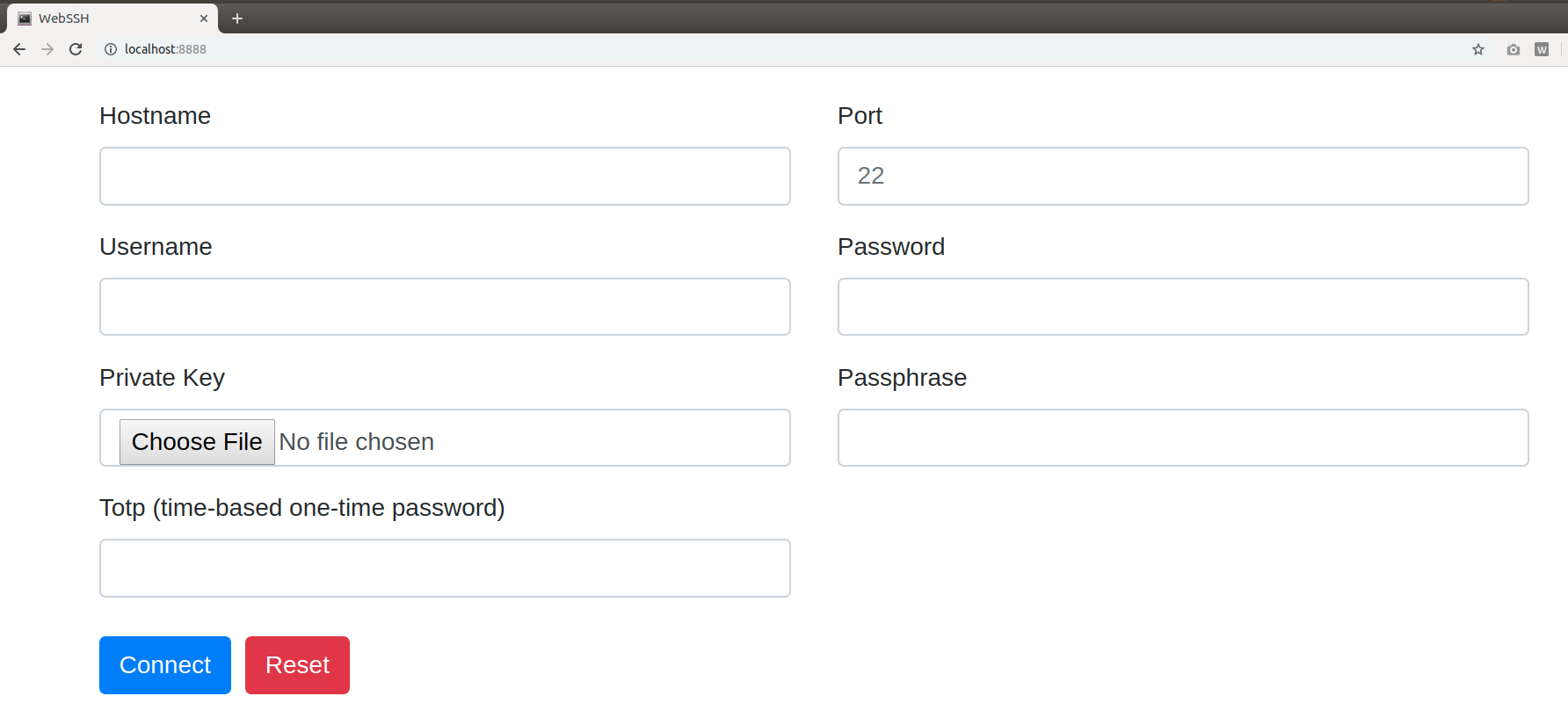
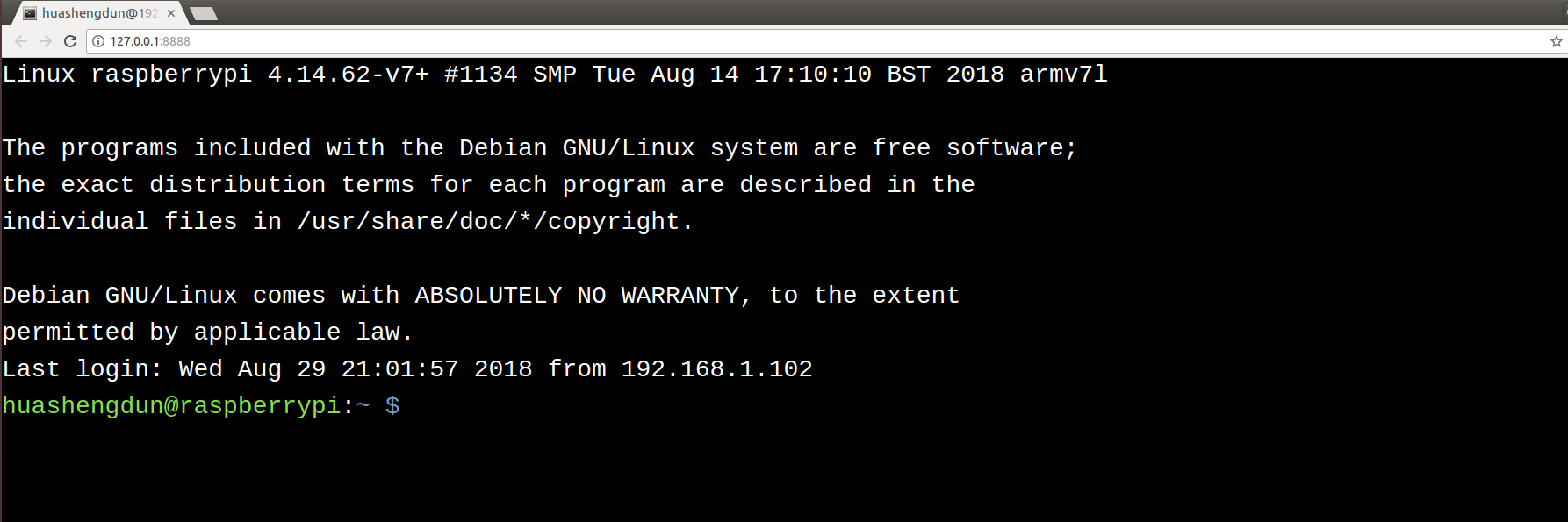
+---------+     http     +--------+    ssh    +-----------+
| browser | <==========> | webssh | <=======> | ssh server|
+---------+   websocket  +--------+    ssh    +-----------+
pip install websshwssh127.0.0.1:8888# start a http server with specified listen address and listen port
wssh --address='2.2.2.2' --port=8000
# start a https server, certfile and keyfile must be passed
wssh --certfile='/path/to/cert.crt' --keyfile='/path/to/cert.key'
# missing host key policy
wssh --policy=reject
# logging level
wssh --logging=debug
# log to file
wssh --log-file-prefix=main.log
# more options
wssh --help
// connect to your ssh server
wssh.connect(hostname, port, username, password, privatekey, passphrase, totp);

// pass an object to wssh.connect
var opts = {
  hostname: 'hostname',
  port: 'port',
  username: 'username',
  password: 'password',
  privatekey: 'the private key text',
  passphrase: 'passphrase',
  totp: 'totp'
};
wssh.connect(opts);

// without an argument, wssh will use the form data to connect
wssh.connect();

// set a new encoding for client to use
wssh.set_encoding(encoding);

// reset encoding to use the default one
wssh.reset_encoding();

// send a command to the server
wssh.send('ls -l');
To use custom font, put your font file in the directory webssh/static/css/fonts/ and restart the server.
Support passing arguments by url (query or fragment) like following examples:
Passing form data (password must be encoded in base64, privatekey not supported)
http://localhost:8888/?hostname=xx&username=yy&password=str_base64_encoded
Passing a terminal background color
http://localhost:8888/#bgcolor=green
Passing a terminal font color
http://localhost:8888/#fontcolor=red
Passing a user defined title
http://localhost:8888/?title=my-ssh-server
Passing an encoding
http://localhost:8888/#encoding=gbk
Passing a font size
http://localhost:8888/#fontsize=24
Passing a command executed right after login
http://localhost:8888/?command=pwd
Passing a terminal type
http://localhost:8888/?term=xterm-256color
Start up the app
docker-compose up
Tear down the app
docker-compose down
Requirements
pip install pytest pytest-cov codecov flake8 mock
Use unittest to run all tests
python -m unittest discover tests
Use pytest to run all tests
python -m pytest tests
Running behind an Nginx server
wssh --address='127.0.0.1' --port=8888 --policy=reject
# Nginx config example
location / {
    proxy_pass http://127.0.0.1:8888;
    proxy_http_version 1.1;
    proxy_read_timeout 300;
    proxy_set_header Upgrade $http_upgrade;
    proxy_set_header Connection "upgrade";
    proxy_set_header Host $http_host;
    proxy_set_header X-Real-IP $remote_addr;
    proxy_set_header X-Real-PORT $remote_port;
}
Running as a standalone server
wssh --port=8080 --sslport=4433 --certfile='cert.crt' --keyfile='cert.key' --xheaders=False --policy=reject
Overall
Maintained
Code review
PyPI
Latest release
Releases this year
483 followers · starred Jun 2020
384 followers · starred Jan 2020
135 followers · starred Jun 2024
160 followers · starred Jun 2023
🌱 Web based ssh client
See the code
A simple web application to be used as an ssh client to connect to your ssh servers. It is written in Python, base on tornado, paramiko and xterm.js.
+---------+     http     +--------+    ssh    +-----------+
| browser | <==========> | webssh | <=======> | ssh server|
+---------+   websocket  +--------+    ssh    +-----------+
pip install websshwssh127.0.0.1:8888# start a http server with specified listen address and listen port
wssh --address='2.2.2.2' --port=8000
# start a https server, certfile and keyfile must be passed
wssh --certfile='/path/to/cert.crt' --keyfile='/path/to/cert.key'
# missing host key policy
wssh --policy=reject
# logging level
wssh --logging=debug
# log to file
wssh --log-file-prefix=main.log
# more options
wssh --help
// connect to your ssh server
wssh.connect(hostname, port, username, password, privatekey, passphrase, totp);

// pass an object to wssh.connect
var opts = {
  hostname: 'hostname',
  port: 'port',
  username: 'username',
  password: 'password',
  privatekey: 'the private key text',
  passphrase: 'passphrase',
  totp: 'totp'
};
wssh.connect(opts);

// without an argument, wssh will use the form data to connect
wssh.connect();

// set a new encoding for client to use
wssh.set_encoding(encoding);

// reset encoding to use the default one
wssh.reset_encoding();

// send a command to the server
wssh.send('ls -l');
To use custom font, put your font file in the directory webssh/static/css/fonts/ and restart the server.
Support passing arguments by url (query or fragment) like following examples:
Passing form data (password must be encoded in base64, privatekey not supported)
http://localhost:8888/?hostname=xx&username=yy&password=str_base64_encoded
Passing a terminal background color
http://localhost:8888/#bgcolor=green
Passing a terminal font color
http://localhost:8888/#fontcolor=red
Passing a user defined title
http://localhost:8888/?title=my-ssh-server
Passing an encoding
http://localhost:8888/#encoding=gbk
Passing a font size
http://localhost:8888/#fontsize=24
Passing a command executed right after login
http://localhost:8888/?command=pwd
Passing a terminal type
http://localhost:8888/?term=xterm-256color
Start up the app
docker-compose up
Tear down the app
docker-compose down
Requirements
pip install pytest pytest-cov codecov flake8 mock
Use unittest to run all tests
python -m unittest discover tests
Use pytest to run all tests
python -m pytest tests
Running behind an Nginx server
wssh --address='127.0.0.1' --port=8888 --policy=reject
# Nginx config example
location / {
    proxy_pass http://127.0.0.1:8888;
    proxy_http_version 1.1;
    proxy_read_timeout 300;
    proxy_set_header Upgrade $http_upgrade;
    proxy_set_header Connection "upgrade";
    proxy_set_header Host $http_host;
    proxy_set_header X-Real-IP $remote_addr;
    proxy_set_header X-Real-PORT $remote_port;
}
Running as a standalone server
wssh --port=8080 --sslport=4433 --certfile='cert.crt' --keyfile='cert.key' --xheaders=False --policy=reject
Overall
Maintained
Code review
PyPI
Latest release
Releases this year
483 followers · starred Jun 2020
384 followers · starred Jan 2020
135 followers · starred Jun 2024
160 followers · starred Jun 2023



