Blackboard

Coal Graal

Cocoa Frooties: A theme made by Michael Mangold

Dusk

Dusk v2

EGO v2: A theme from Enormego. An Xcode3 version can be found here:

EGO v2 (darker): The EGOv2 was too bright for me for some colors, so I toned them down.

Foggy Bottoms: A theme made by Michael Mangold

GlitterBomb

Humane: This theme was originally made for Xcode 3 by Damien Guard. I've made some modifications to it (including a switch to Menlo 12 pt. instead of Panic Sans 11 pt., though the two typefaces are nearly identical).

Kellys

Mangold: A theme made by Michael Mangold

Midnight

Monoguy: Monokai-hacked theme by Mazyod.
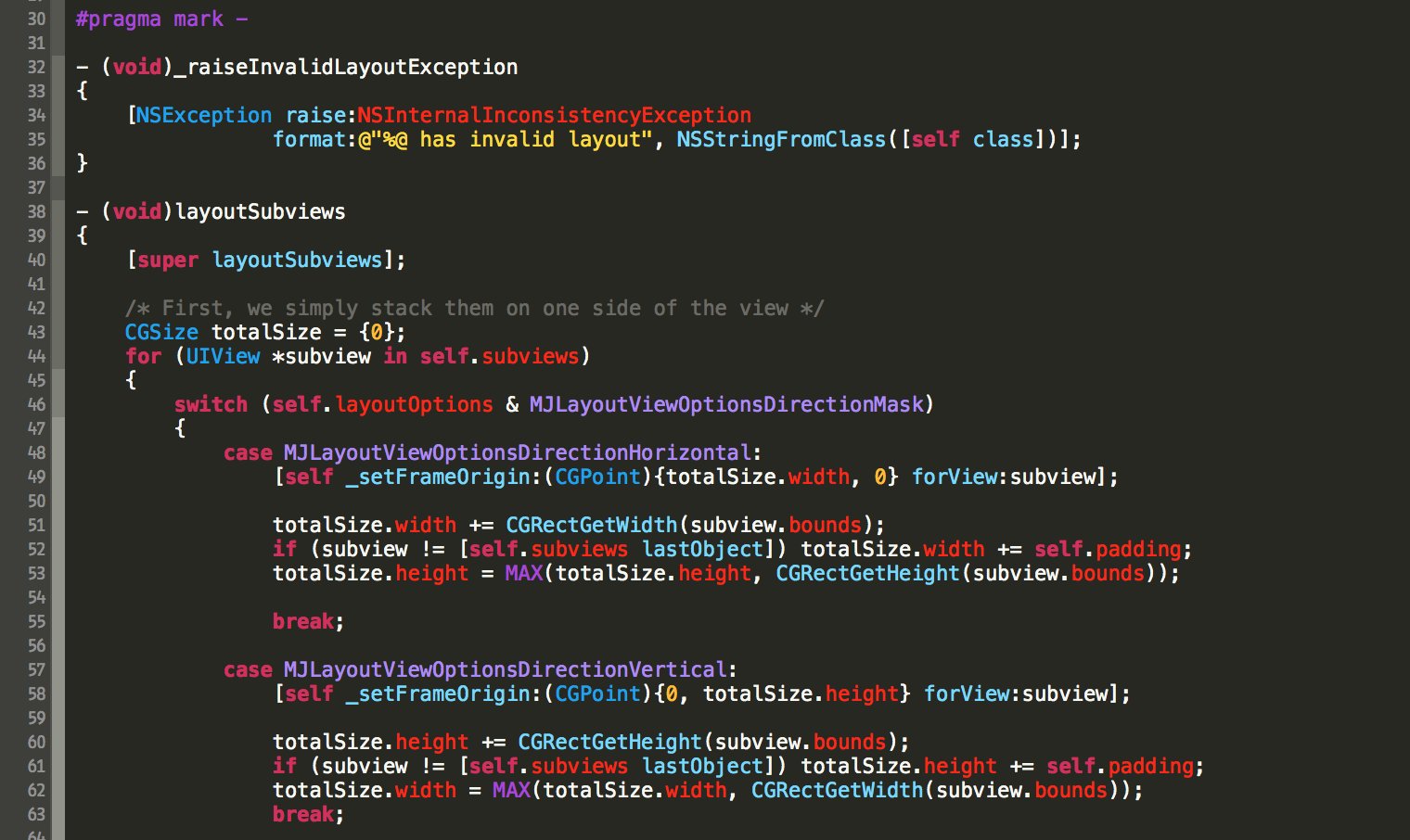
Monokai

Moodnight

Morrowind: Great theme based on the Tango palette. By Nate Stedman

Night

Objective Sheep: Works especially well if combined with some good Jazz through your headphones… something like Miles Davis’s “Kind of Blue” for example :-). Found here

Obsidian Code: A theme made by Ben Scheirman. An Xcode 3 version can be found here

Pastel - Menlo

Rearden Steel: A theme made by Michael Mangold

Raspberry Sorbet: A theme made by Michael Mangold

Resesif

Salander: A theme made by Michael Mangold

Scratch Art

Sidewalk Chalk

Solarized Dark and Light: Both themes are based off the amazing work for the original Solarized theme. Github user varikin took the Solarized palette and made the Solarize Dark theme for Xcode 4. I forked his repository and added the Solarize Light theme as well. I'm including both in this repository, but both have been pushed back upstream to his repo.


Space Gray: A Hyperminimal Theme. Found here


Yo: a color theme that is based on Yo.

$ git clone https://github.com/hdoria/xcode-themes.git
$ cd xcode-themes
$ ./install.sh # And then restart Xcode
$ git clone https://github.com/hdoria/xcode-themes.git
$ cd xcode-themes
$ mkdir -p ~/Library/Developer/Xcode/UserData/FontAndColorThemes/
$ cp *.dvtcolortheme ~/Library/Developer/Xcode/UserData/FontAndColorThemes/
Find and install ThemeInstaller app from the Mac App Store. Open theme you want to install and it's done. Themes are visible after Xcode is restarted.
646 followers · starred Oct 2017
132 followers · starred Sep 2016
211 followers · starred Apr 2014
131 followers · starred Oct 2015
Blackboard
Coal Graal
Cocoa Frooties: A theme made by Michael Mangold
Dusk
Dusk v2
EGO v2: A theme from Enormego. An Xcode3 version can be found here:
EGO v2 (darker): The EGOv2 was too bright for me for some colors, so I toned them down.
Foggy Bottoms: A theme made by Michael Mangold
GlitterBomb
Humane: This theme was originally made for Xcode 3 by Damien Guard. I've made some modifications to it (including a switch to Menlo 12 pt. instead of Panic Sans 11 pt., though the two typefaces are nearly identical).
Kellys
Mangold: A theme made by Michael Mangold
Midnight
Monoguy: Monokai-hacked theme by Mazyod.
Monokai
Moodnight
Morrowind: Great theme based on the Tango palette. By Nate Stedman
Night
Objective Sheep: Works especially well if combined with some good Jazz through your headphones… something like Miles Davis’s “Kind of Blue” for example :-). Found here
Obsidian Code: A theme made by Ben Scheirman. An Xcode 3 version can be found here
Pastel - Menlo
Rearden Steel: A theme made by Michael Mangold
Raspberry Sorbet: A theme made by Michael Mangold
Resesif
Salander: A theme made by Michael Mangold
Scratch Art
Sidewalk Chalk
Solarized Dark and Light: Both themes are based off the amazing work for the original Solarized theme. Github user varikin took the Solarized palette and made the Solarize Dark theme for Xcode 4. I forked his repository and added the Solarize Light theme as well. I'm including both in this repository, but both have been pushed back upstream to his repo.
Space Gray: A Hyperminimal Theme. Found here
Yo: a color theme that is based on Yo.
$ git clone https://github.com/hdoria/xcode-themes.git
$ cd xcode-themes
$ ./install.sh # And then restart Xcode
$ git clone https://github.com/hdoria/xcode-themes.git
$ cd xcode-themes
$ mkdir -p ~/Library/Developer/Xcode/UserData/FontAndColorThemes/
$ cp *.dvtcolortheme ~/Library/Developer/Xcode/UserData/FontAndColorThemes/
Find and install ThemeInstaller app from the Mac App Store. Open theme you want to install and it's done. Themes are visible after Xcode is restarted.
646 followers · starred Oct 2017
132 followers · starred Sep 2016
211 followers · starred Apr 2014
131 followers · starred Oct 2015



