hahahumble/speechgpt

πŸ’¬ SpeechGPT is a web application that enables you to converse with ChatGPT.

TypeScript

2,745

199 commits

updated Jul 11, 2026

See the code

README

SpeechGPT

Website β€’ [δΈ­ζ–‡]

SpeechGPT Website Demo

🌟 Introduction

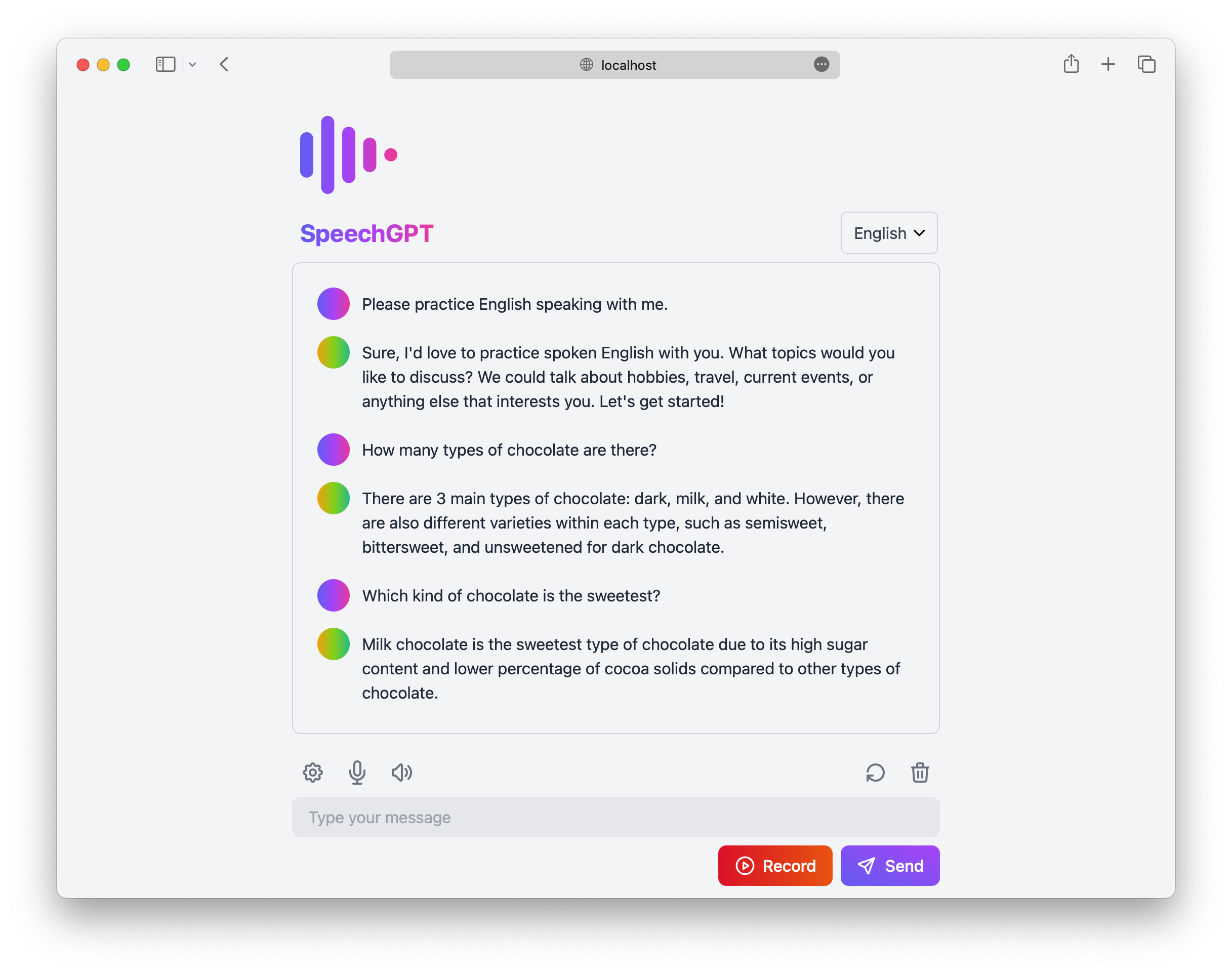
SpeechGPT is a web application that enables you to converse with ChatGPT.
You can utilize this app to improve your language speaking skills or simply have fun chatting with ChatGPT.
πŸš€ Features

  • πŸ“– Open source and free: Anyone can use, modify it without cost.
  • πŸ”’ Privacy First: All data is stored locally.
  • πŸ“± Mobile friendly: Designed to be accessible and usable on mobile devices.
  • πŸ“š Support for multiple languages: Supports over 100 languages.
  • πŸŽ™ Speech Recognition: Includes both built-in speech recognition and integration with Azure Speech Services.
  • πŸ”Š Speech Synthesis: Includes built-in speech synthesis, as well as integration with Amazon Polly and Azure Speech Services.

πŸ“Έ Screenshots

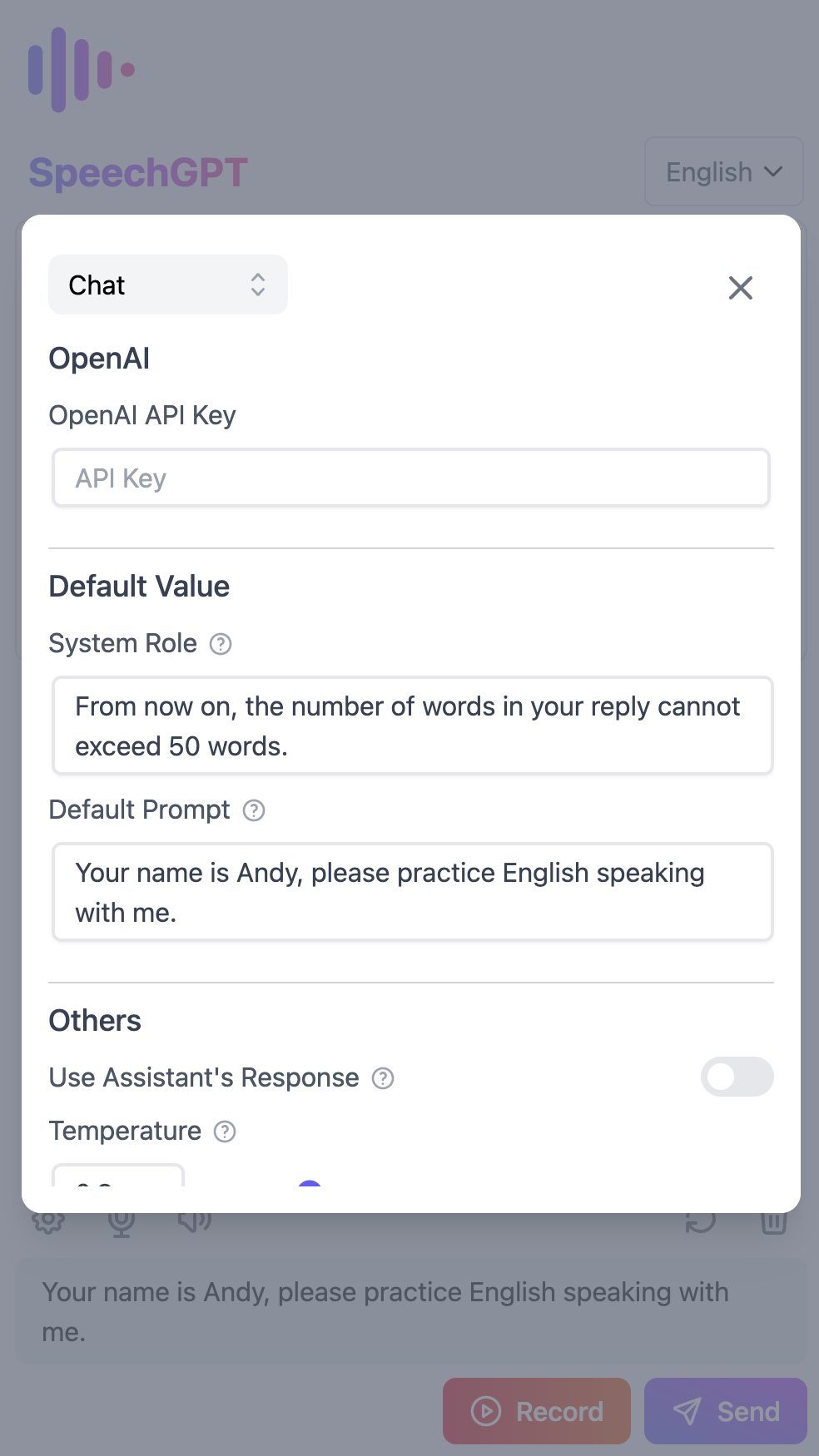
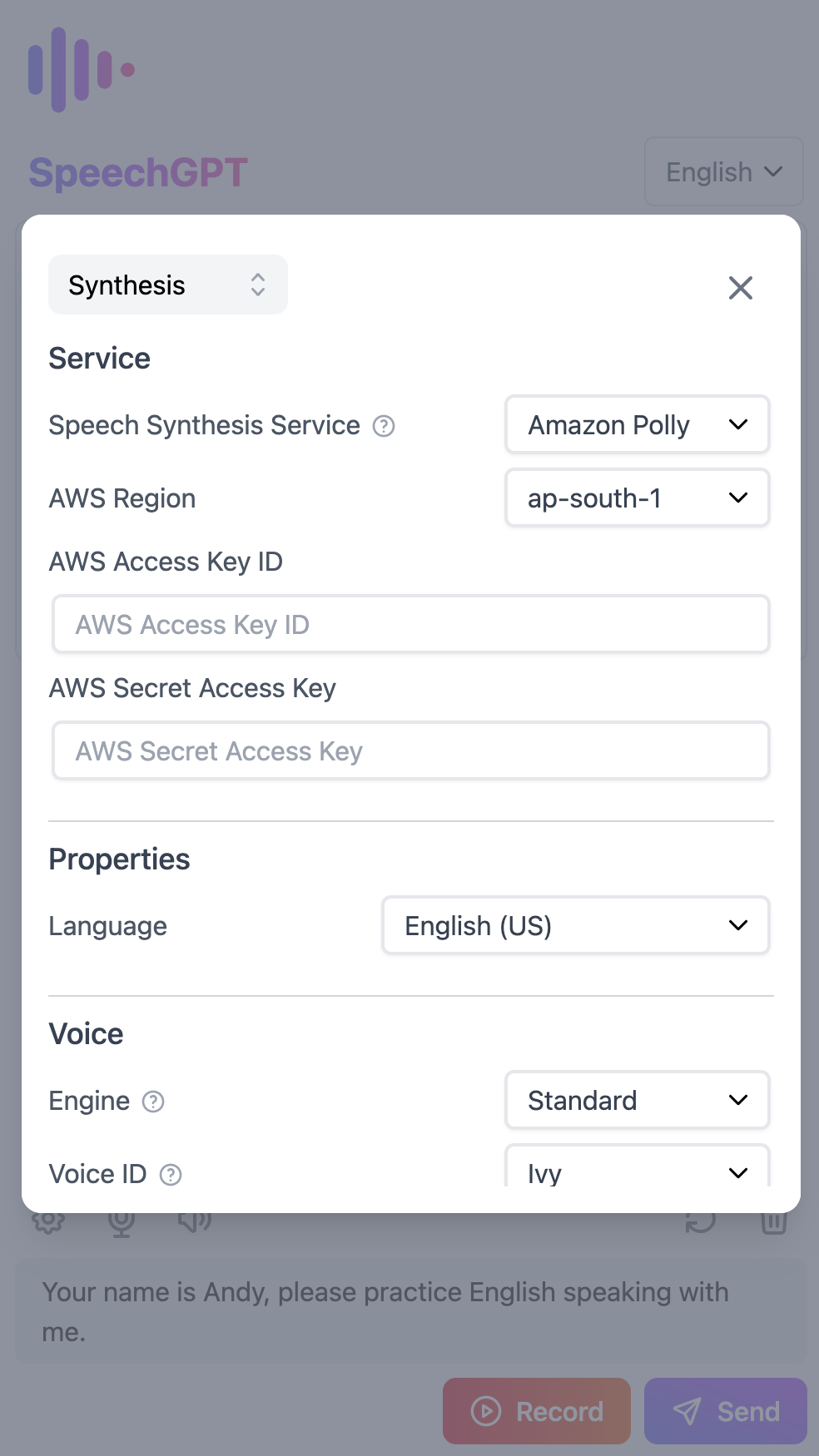
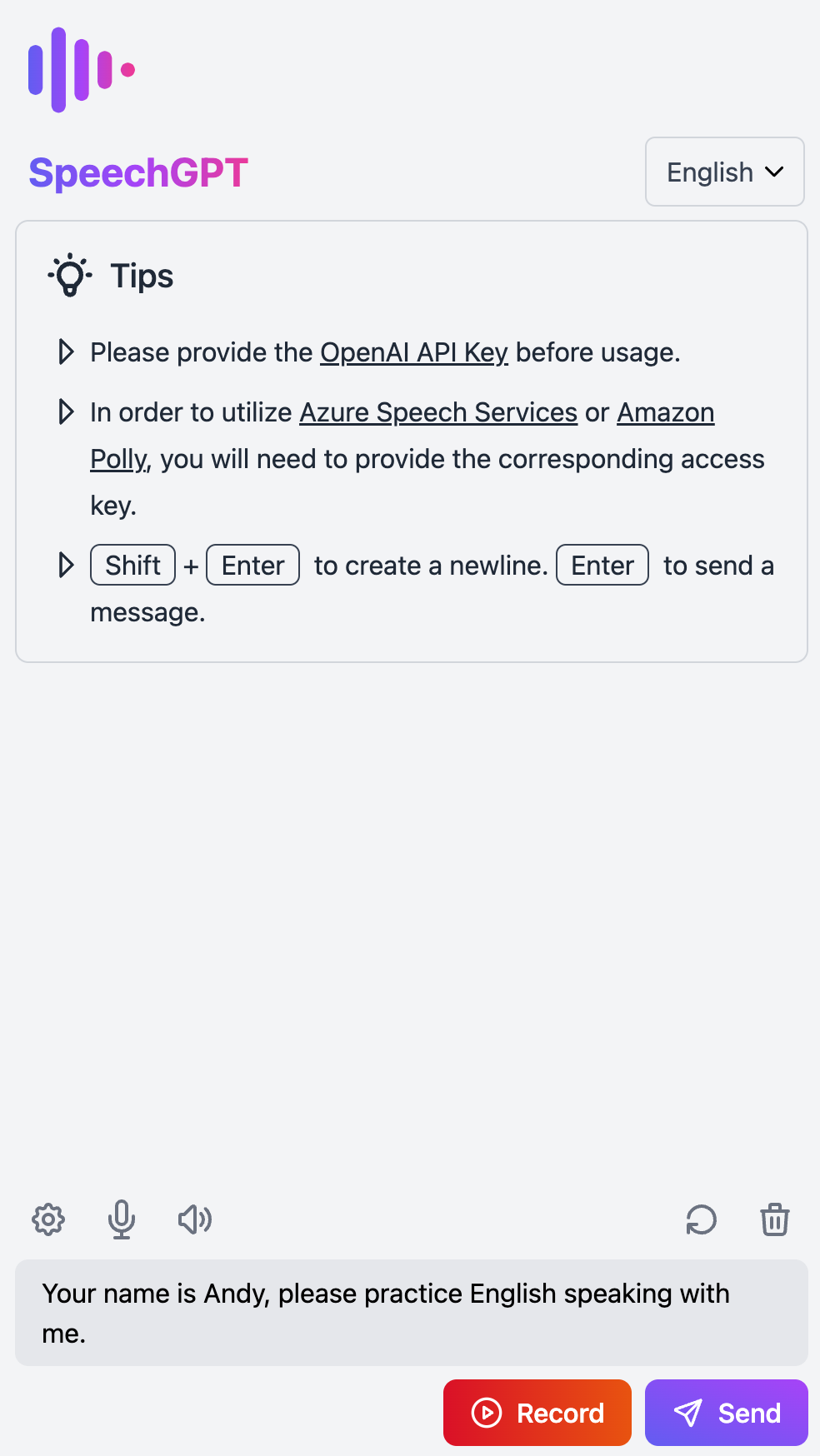
Screenshot 1Screenshot 2Screenshot 3

πŸ“– Tutorial

  1. Set the OpenAI API Key
    • Go to Settings and navigate to the Chat section.
    • Set the OpenAI API Key.
    • If you don't have an OpenAI API Key, follow this tutorial on how to get an OpenAI API Key.
  2. Set up Azure Speech Services (optional)
    • Go to Settings and navigate to the Synthesis section.
    • Change the Speech Synthesis Service to Azure TTS.
    • Set the Azure Region and Azure Access Key.
  3. Set up Amazon Polly (optional)
    • Go to Settings and navigate to the Synthesis section.
    • Change the Speech Synthesis Service to Amazon Polly.
    • Set the AWS Region, AWS Access Key ID, and Secret Access Key (the Access Key should have the AmazonPollyFullAccess policy).
    • If you don't have an AWS Access Key, follow this tutorial on how to create an IAM user in AWS.

πŸ’» Development Guide and Changelog

  • For more information on setting up your development environment, please see our Development Guide.
  • To view the project's history of notable changes, please check the Changelog.

🚒 Deployment

Deploying with Vercel

Deploy with Vercel

Deploying with Docker

  1. Pull the Docker image:arm64.
docker pull hahahumble/speechgpt
  1. Run the Docker container.
docker run -d -p 8080:8080 --name speechgpt hahahumble/speechgpt
  1. Visit http://localhost:8080/ to access the application.

Building and running the Docker image

  1. Build the Docker image.
docker build -t speechgpt:arm64 -f Dockerfile .
  1. Run the Docker container.
docker run -d -p 8080:8080 --name=speechgpt speechgpt
  1. Visit http://localhost:8080/ to access the application.

πŸ“„ License

This project is licensed under the terms of the MIT license.

chat
chatbot
chatgpt
conversation
language-learning
speech

hahahumble/speechgpt

πŸ’¬ SpeechGPT is a web application that enables you to converse with ChatGPT.

TypeScript

2,745

199 commits

updated Jul 11, 2026

See the code

README

SpeechGPT

Website β€’ [δΈ­ζ–‡]

SpeechGPT Website Demo

🌟 Introduction

SpeechGPT is a web application that enables you to converse with ChatGPT.
You can utilize this app to improve your language speaking skills or simply have fun chatting with ChatGPT.

πŸš€ Features

  • πŸ“– Open source and free: Anyone can use, modify it without cost.
  • πŸ”’ Privacy First: All data is stored locally.
  • πŸ“± Mobile friendly: Designed to be accessible and usable on mobile devices.
  • πŸ“š Support for multiple languages: Supports over 100 languages.
  • πŸŽ™ Speech Recognition: Includes both built-in speech recognition and integration with Azure Speech Services.
  • πŸ”Š Speech Synthesis: Includes built-in speech synthesis, as well as integration with Amazon Polly and Azure Speech Services.

πŸ“Έ Screenshots

Screenshot 1Screenshot 2Screenshot 3

πŸ“– Tutorial

  1. Set the OpenAI API Key
    • Go to Settings and navigate to the Chat section.
    • Set the OpenAI API Key.
    • If you don't have an OpenAI API Key, follow this tutorial on how to get an OpenAI API Key.
  2. Set up Azure Speech Services (optional)
    • Go to Settings and navigate to the Synthesis section.
    • Change the Speech Synthesis Service to Azure TTS.
    • Set the Azure Region and Azure Access Key.
  3. Set up Amazon Polly (optional)
    • Go to Settings and navigate to the Synthesis section.
    • Change the Speech Synthesis Service to Amazon Polly.
    • Set the AWS Region, AWS Access Key ID, and Secret Access Key (the Access Key should have the AmazonPollyFullAccess policy).
    • If you don't have an AWS Access Key, follow this tutorial on how to create an IAM user in AWS.

πŸ’» Development Guide and Changelog

  • For more information on setting up your development environment, please see our Development Guide.
  • To view the project's history of notable changes, please check the Changelog.

🚒 Deployment

Deploying with Vercel

Deploy with Vercel

Deploying with Docker

  1. Pull the Docker image:arm64.
docker pull hahahumble/speechgpt
  1. Run the Docker container.
docker run -d -p 8080:8080 --name speechgpt hahahumble/speechgpt
  1. Visit http://localhost:8080/ to access the application.

Building and running the Docker image

  1. Build the Docker image.
docker build -t speechgpt:arm64 -f Dockerfile .
  1. Run the Docker container.
docker run -d -p 8080:8080 --name=speechgpt speechgpt
  1. Visit http://localhost:8080/ to access the application.

πŸ“„ License

This project is licensed under the terms of the MIT license.

chat
chatbot
chatgpt
conversation
language-learning
speech

Significant stargazers

Huadai Liu

81 followers Β· starred Apr 2023

JustSong

1,944 followers Β· starred Mar 2023

George Pickett

263 followers Β· starred Apr 2023

Icebob

832 followers Β· starred Jun 2023