Self-hosted workout tracker with an AI coach that knows your training. Bring your own LLM (Claude or any OpenRouter model). Strength + cardio, offline PWA, one-command Docker install. A free, open-source alternative to Strong, Hevy and Fitbod.
See the codeThe self-hosted workout tracker with an AI coach that actually knows your training.
Log every set, see what is working, and get weekly coaching from Claude or any OpenRouter model - on your own server, with your own key. Free, open source, no subscription.




▶ Live demo (login [email protected] / gymcoachdemo) ·
Self-host in one minute ·
Features ·
How this repo maintains itself
▶ Watch the 90-second presentation (with sound) · an AI coach, built by an AI
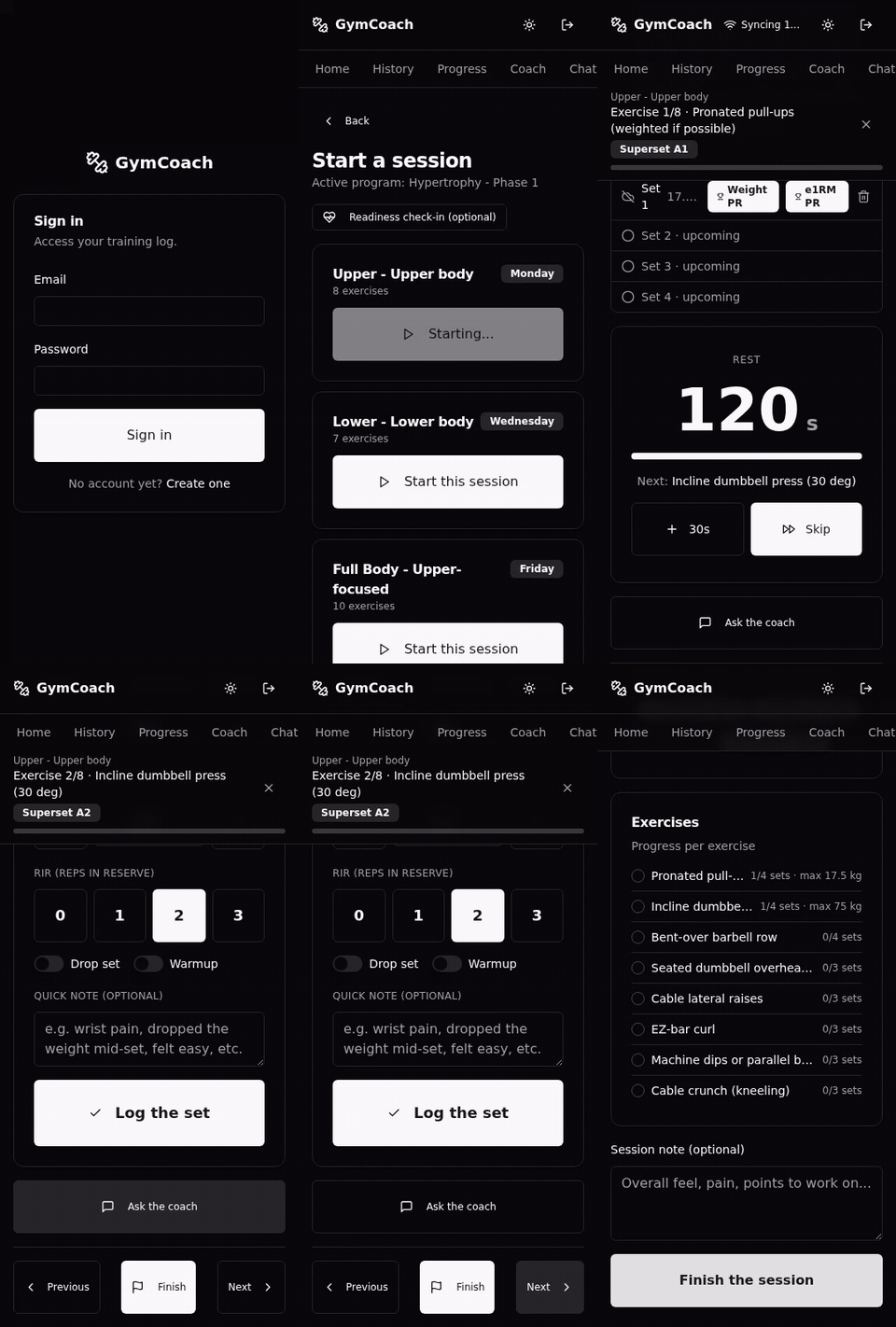 Fast logging · offline-first | 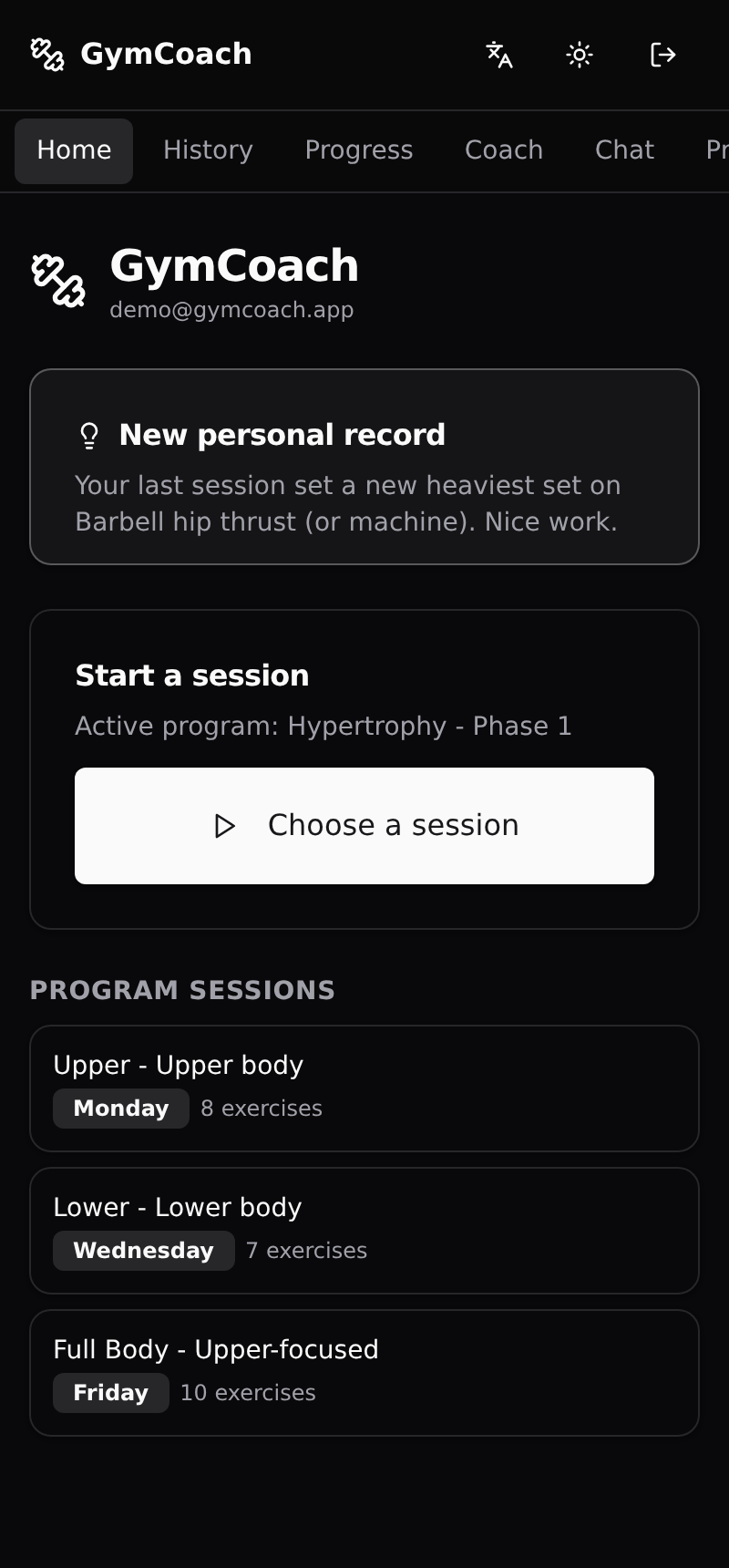 Dashboard · the one signal that matters today | 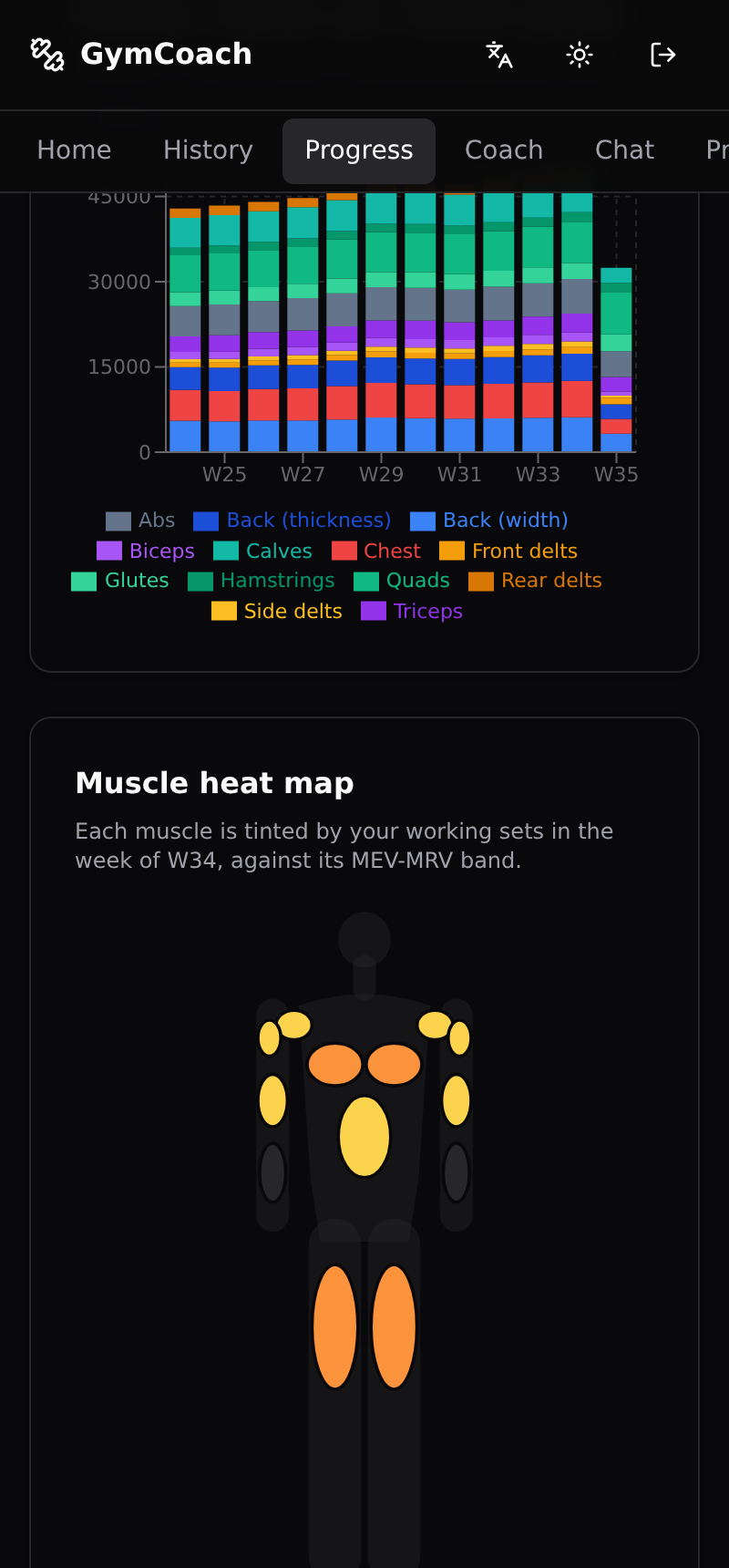 Progress · e1RM, volume, muscle map | 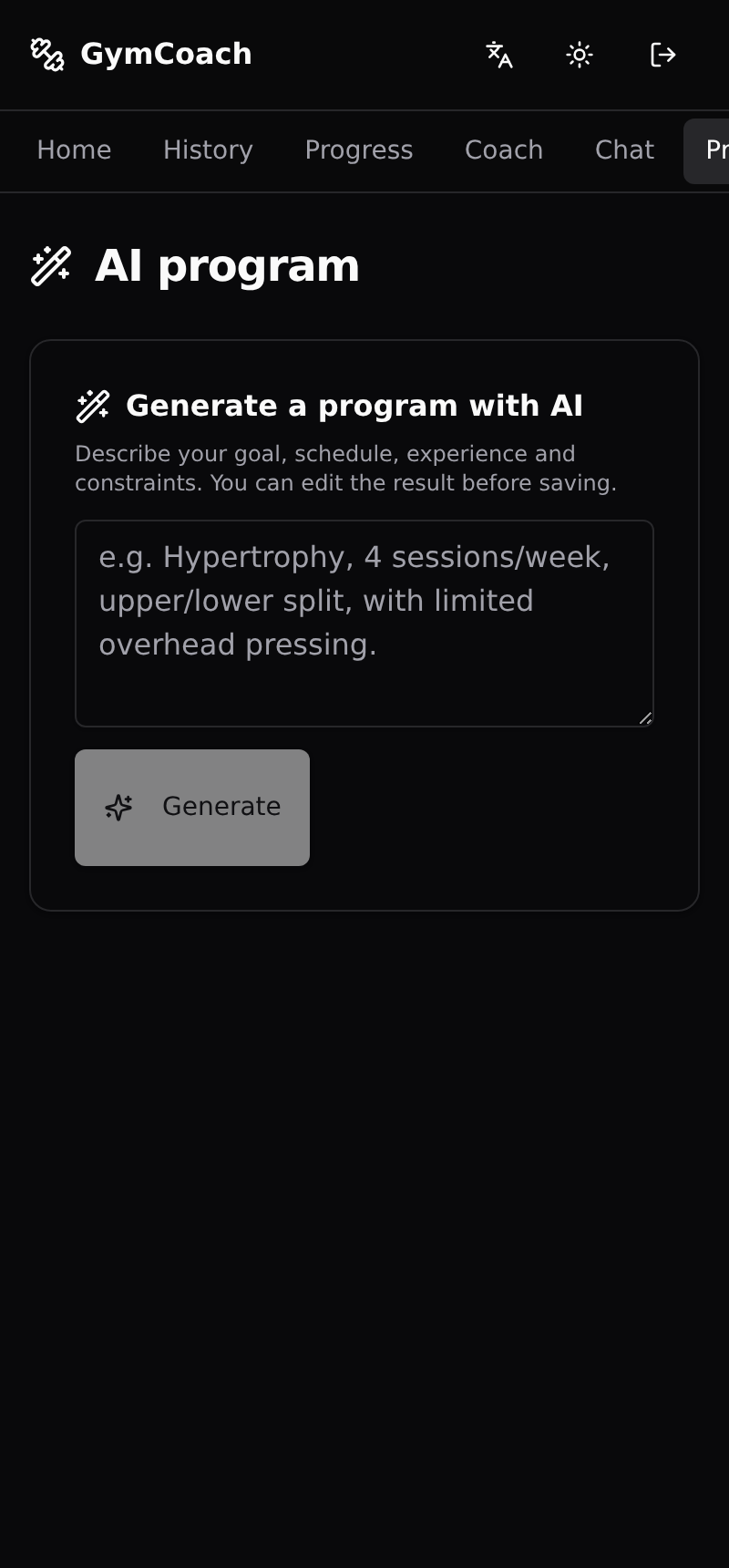 AI programs · from one sentence |
Looking for a self-hosted alternative to Strong, Hevy or Fitbod? GymCoach is a complete training tracker you run yourself, plus something self-hosted trackers rarely have: an AI coach grounded in your own numbers, running on the LLM key you choose.
| GymCoach | Typical cloud app | Typical self-hosted tracker | |
|---|---|---|---|
| Your data in your own database | ✅ | ❌ | ✅ |
| AI coach that reads your sessions and explains why | ✅ | 💰 subscription | ❌ |
| Established programs as written (5/3/1, GZCLP, nSuns, PPL) | ✅ | partial | partial |
| Cardio from watch files (FIT, TCX, GPX), no cloud account | ✅ | ❌ | ❌ |
| Offline-first logging, installable (PWA) | ✅ | ✅ | varies |
| Full export, nothing paywalled | ✅ | varies | ✅ |
| ChatGPT / MCP connector | ✅ | ❌ | ❌ |
With no AI key set, GymCoach is still a clean, fast tracker. Add a key later to turn on the coach, the chat and program generation.
All you need is Docker on an x86_64 host (arm64 images are tracked in #411). The prebuilt image is pulled from GHCR, so there is no clone and no build; migrations run on start.
mkdir gymcoach && cd gymcoach
curl -fsSLo docker-compose.yml \
  https://raw.githubusercontent.com/gymcoach-app/gymcoach/main/docker-compose.selfhost.yml
printf 'JWT_SECRET=%s\nPOSTGRES_PASSWORD=%s\n' \
  "$(openssl rand -base64 48)" "$(openssl rand -hex 16)" > .env
docker compose up -d
Open http://localhost:3000 and create your account. To turn the coach on, add
ANTHROPIC_API_KEY=... (or LLM_PROVIDER=openrouter with OPENROUTER_API_KEY
and OPENROUTER_MODEL) to .env and run docker compose up -d again. Every
option is documented at the top of
docker-compose.selfhost.yml; reaching the app
over plain HTTP from another machine needs SESSION_COOKIE_SECURE=false (Safari
may need it even on localhost). Run the printf line only once and keep .env
with your backups: it holds the database password.
If GymCoach is useful to you, a ⭐ on the repo is the best way to help other lifters find it.
GymCoach is also an experiment in autonomous software development. Claude Code agents maintain a real application through documented loops: select an issue, implement it on a branch, run the checks, open a PR, review it independently, and merge eligible changes through a gate that requires green CI and a structured review record for the exact commit. A human owns the product direction and the decisions reserved by the autonomy charter.
The feedback comes from running software: unit and integration tests, Playwright E2E tests, a production Docker smoke test, and independent reviews. Runs leave a public journal; recurring mistakes become lessons and changes to the procedures. The AI coach inside the app and the agents developing the repository are separate systems. Self-hosting GymCoach does not start a development agent.
Next experiment: measure whether the maintainer itself improves. The roadmap covers durable execution, enforced budgets, replayable development tasks, and evaluated changes to the agent's skills. These are planned capabilities, not a claim that the agent already improves itself reliably.
How autonomous development works · Implementation roadmap · Run journal · Baseline report · Lessons from failures
Everything below ships in the box. At a glance: a fast logger, real progress analytics, first-class cardio with watch-file import, and an AI coach that runs on your own key - all self-hosted.
100x8@9) and natural-language entry parsed by the AI.A few beliefs shaped GymCoach:
I built it for my own training and open-sourced it under MIT. There is nothing to buy: a public demo lets you look around, but GymCoach is meant to be self-hosted. Clone it, run it, change it.
The app:
The AI layer:
lib/llm) sits in front of the Anthropic SDK, any OpenRouter model, or an OpenAI Responses-compatible codex-lb endpoint. You pick one with the LLM_PROVIDER env var; the rest of the app does not care which.| Chat coach | Weekly debrief + 1-tap adjustments | Program generation |
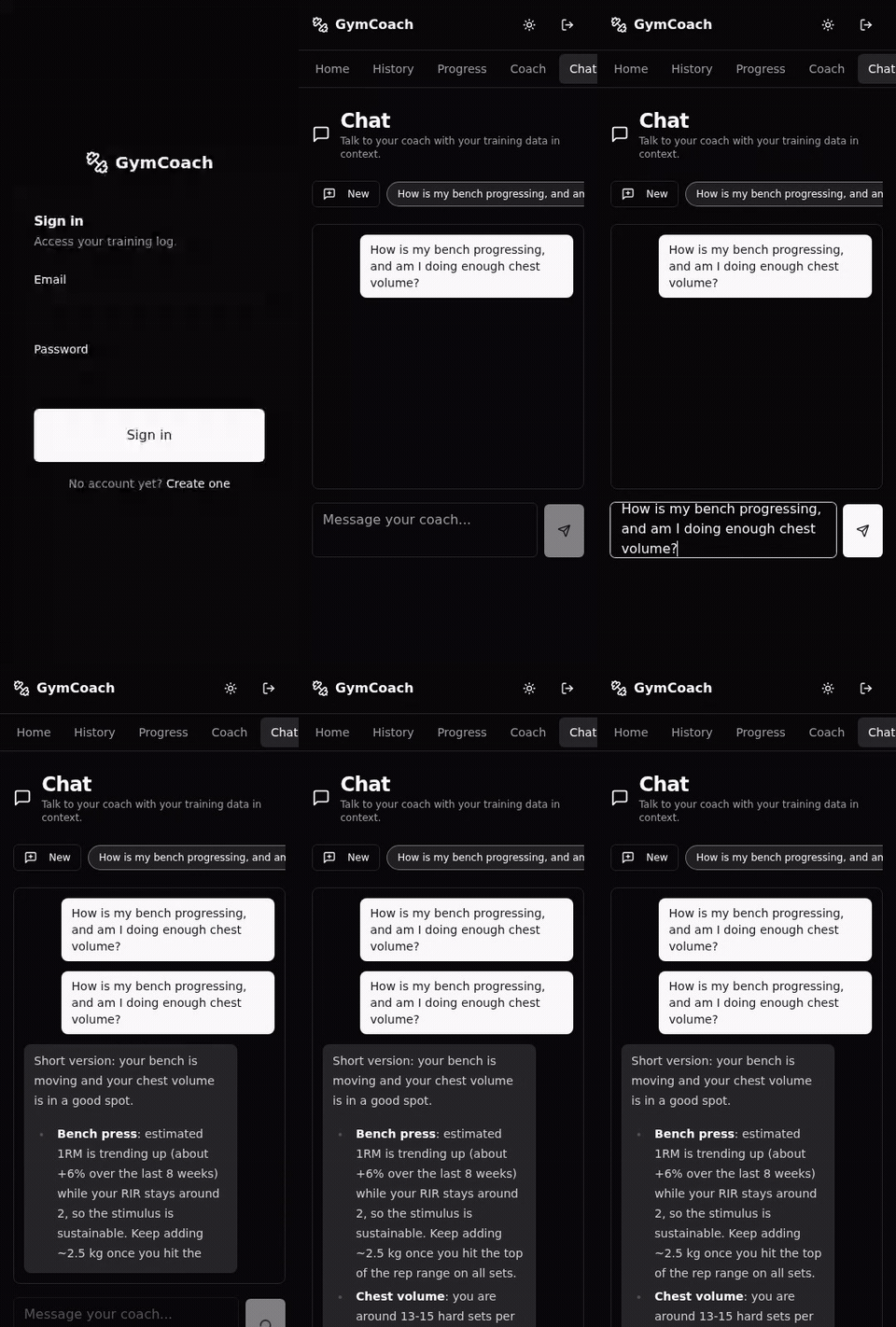 |  | 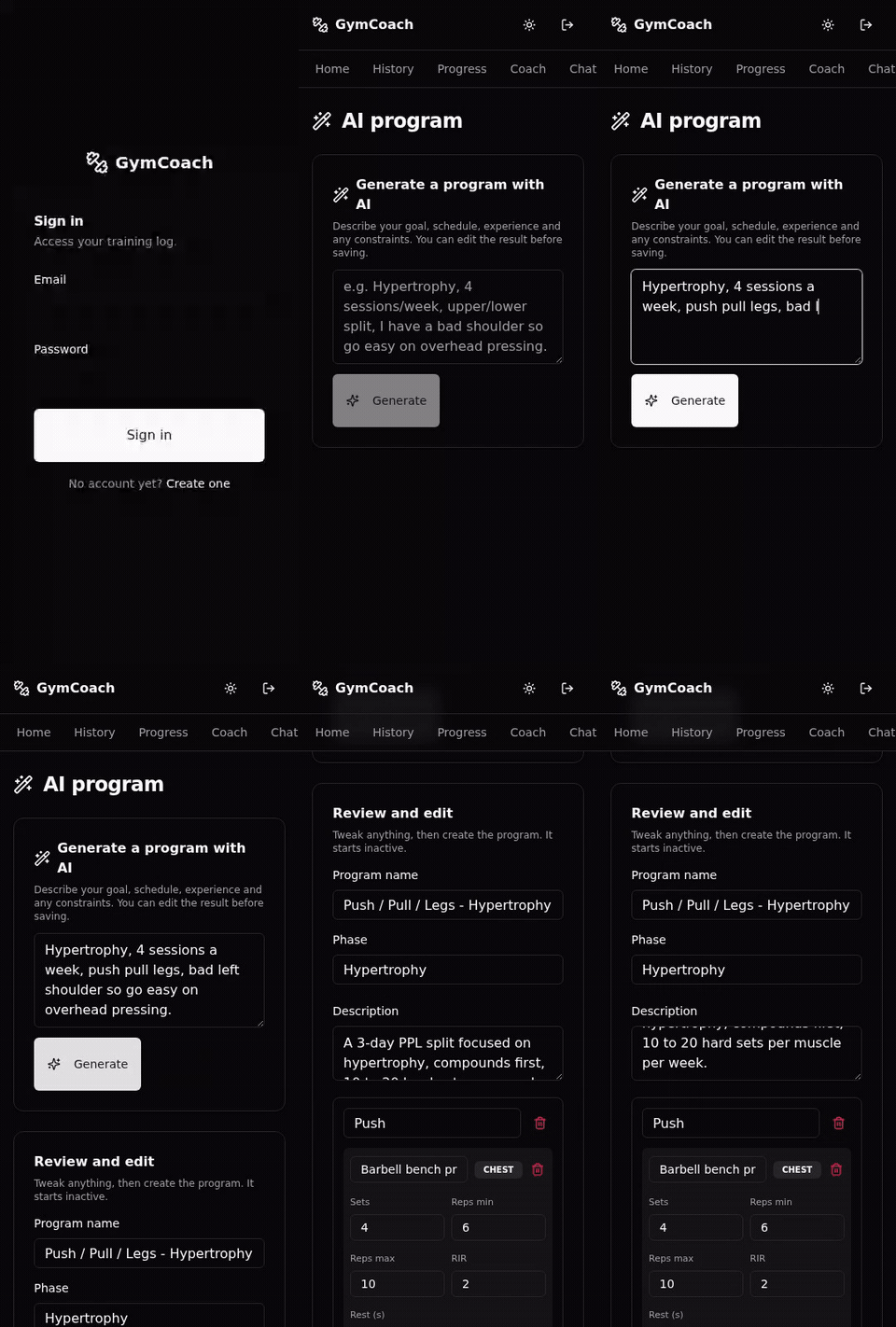 |
These clips use the built-in
demoprovider (canned responses, no key). PointLLM_PROVIDERat Anthropic, OpenRouter, orcodex-lbfor the real thing.
Recommended setup: Postgres in Docker, Next.js running locally for hot reload.
# 1. Environment variables
cp .env.example .env
# Edit .env (the example ships with working dev defaults)

# 2. Install dependencies
npm install

# 3. Start Postgres
docker compose up -d db

# 4. Apply Prisma migrations
npm run db:migrate

# 5. Seed demo data (account + exercise catalog + program + sample session)
npm run db:seed

# 6. Start the dev server
npm run dev
The app runs on http://localhost:3030. Postgres is exposed on localhost:5433 on the host.
The demo account credentials come from .env (USER_EMAIL and USER_PASSWORD); the seed hashes the password at runtime.
All configuration is done through environment variables. See .env.example for the full list (database, JWT secret, demo account, and the AI provider keys).
Progress photos are stored as plain files on the server's local filesystem,
under UPLOADS_DIR (default ./uploads, gitignored) - no cloud, no third
party. Images are served only through an ownership-scoped API route, never as
a public static path. Files are written owner-only (0o600) inside per-user
directories created 0o700, and every stored path is re-resolved (symlinks
included) inside the uploads dir before it is read, written or deleted. If you
self-host with Docker, mount that directory as a volume and include it in your
backups alongside the database.
Three tiers: unit/component (Vitest + jsdom), integration (Vitest against a real Postgres), and end to end (Playwright driving the built app).
npm run test            # unit and component tests
npm run test:coverage   # with coverage report

# Integration + E2E use a dedicated Postgres (docker-compose.test.yml, port 5434):
docker compose -f docker-compose.test.yml up -d
DATABASE_URL=postgresql://gymcoach_test:gymcoach_test@localhost:5434/gymcoach_test \
  npx prisma migrate deploy
npm run test:integration
npm run build && npm run test:e2e
docker compose -f docker-compose.test.yml down
CI (.github/workflows/ci.yml) runs lint, typecheck, unit, integration,
build and E2E on every push and pull request.
| Script | Description |
|---|---|
npm run dev | Next.js dev server (port 3030) |
npm run build | Production build |
npm run start | Run the production build |
npm run lint | ESLint |
npm run typecheck | TypeScript type checking |
npm run test | Unit and component tests |
npm run test:e2e | End to end tests |
npm run format | Prettier |
npm run db:migrate | Apply migrations (dev) |
npm run db:reset | Reset the database (drop + migrate + seed) |
npm run db:seed | Load the demo dataset |
npm run db:studio | Open Prisma Studio |
npm run db:generate | Regenerate the Prisma client |
.
├── app/              # Pages and API routes (App Router)
├── components/       # React components (Shadcn UI in components/ui)
├── lib/              # Helpers (db, auth, stats, llm, etc.)
├── prisma/           # Schema, migrations and seed
├── public/           # Static assets (PWA icons, manifest)
├── tests/            # Integration (Vitest) and E2E (Playwright) tests
├── docs/             # Project documentation
└── docker-compose*.yml
The simplest path is Self-host in one minute:
docker-compose.selfhost.yml runs the prebuilt image and applies migrations on
start. Put it behind a reverse proxy (Nginx, Caddy, Traefik) for HTTPS and set
MCP_PUBLIC_URL to your public URL so MCP connector links point at it.
To build from source instead, docker-compose.prod.yml builds the image locally (app + Postgres):
cp .env.example .env
# Fill in real values (JWT_SECRET, the AI provider key, NEXTAUTH_URL, ...)
docker compose -f docker-compose.prod.yml up -d --build
docker compose -f docker-compose.prod.yml exec app npx prisma migrate deploy
Every main commit whose CI run is green publishes a linux/amd64 image to
GHCR, so you can pull instead of building on your own hardware, and registry
watchers (Watchtower, Diun) have digests to compare (a commit whose CI fails
is never published):
ghcr.io/gymcoach-app/gymcoach:latest - moving tag, follows mainghcr.io/gymcoach-app/gymcoach:sha-<short> - immutable, one per commitThe project moved to the gymcoach-app organization on 2026-10-05. Images
published before that live at ghcr.io/julien-au/gymcoach and no longer
receive updates: point an existing install at ghcr.io/gymcoach-app/gymcoach
(nothing else changes, your volumes are kept).
docker-compose.selfhost.yml uses it out of the box. With
docker-compose.prod.yml, replace the build: block of the app service with
image: ghcr.io/gymcoach-app/gymcoach:latest (that file keeps build: as its
default so existing setups and forks keep working unchanged).
Set NEXT_PUBLIC_DEMO_MODE=true (plus the throwaway demo credentials) in the
instance's .env, then build with the demo profile and run the one-shot
seeder. It fills the demo account with a rich deterministic dataset (12 weeks
of sessions, a bodyweight trend, a goal, readiness check-ins); re-running it
on every deploy also resets whatever visitors changed.
docker compose -f docker-compose.prod.yml --profile demo up -d --build
docker compose -f docker-compose.prod.yml --profile demo run --rm seed-demo
The public demo is a single shared account, so visitors who start a session pollute it. Re-run the seeder on a schedule (e.g. a cron every 30 minutes) so the demo always opens on the clean, populated state - it wipes and recreates the demo account's data without touching the rest.
To keep the deployed demo on the latest code, prefer a pull-model cron on the
host (periodically git fetch and rebuild only when the branch moved) over an
inbound SSH deploy from CI - a host reaching out to GitHub is far more reliable
than CI reaching in to a small VPS.
100x8@9) - the deterministic slice of
natural-language loggingContributions are welcome and encouraged. See CONTRIBUTING.md for setup, conventions, the test commands, and - since this repo is largely maintained by an autonomous AI loop - an honest description of how external issues and PRs are reviewed and merged ("How your contribution is handled"). Notable changes are tracked in the CHANGELOG.
.gitignore bug
that shadowed an API route in fresh clones. Then a second series:
return-to-training calibration (#311), the physical gym equipment inventory
(#312) and the equipment recorded on each logged set (#313). They also
proposed making MCP a first-class "external deep coach" interface (#331); the
sequencing is answered on that issue, and its one web-app-only piece is
tracked as #333. A third series followed in September, seven PRs, all merged:
portable progress-photo paths (#350), locale-stable MCP dates (#354), the
calendar workout history (#351), the PWA update refresh (#352), reliable
locale switching behind a proxy (#353), live-session exercise navigation
(#355) and inline set editing (#356) - the last of which they hardened
themselves, closing every finding of the review within hours. A fourth
series of eight PRs, all merged on 2026-09-30, brought the barbell
diagram (#366), table metric columns (#367), the gym-aware weight picker
(#364), in-session exercise actions (#363), in-session equipment weight
editing (#365), and three MCP additions: the audited equipment backfill
(#362), the gym inventory tools (#368) and the capability index (#369).GET /mcp hang that
stopped MCP clients probing with GET from connecting at all (#314), and
made the case for publishing the production image so self-hosters can pull
instead of build (#310).MIT, see LICENSE.
Self-hosted workout tracker with an AI coach that knows your training. Bring your own LLM (Claude or any OpenRouter model). Strength + cardio, offline PWA, one-command Docker install. A free, open-source alternative to Strong, Hevy and Fitbod.
See the codeThe self-hosted workout tracker with an AI coach that actually knows your training.
Log every set, see what is working, and get weekly coaching from Claude or any OpenRouter model - on your own server, with your own key. Free, open source, no subscription.
▶ Live demo (login [email protected] / gymcoachdemo) ·
Self-host in one minute ·
Features ·
How this repo maintains itself
▶ Watch the 90-second presentation (with sound) · an AI coach, built by an AI
Fast logging · offline-first | Dashboard · the one signal that matters today | Progress · e1RM, volume, muscle map | AI programs · from one sentence |
Looking for a self-hosted alternative to Strong, Hevy or Fitbod? GymCoach is a complete training tracker you run yourself, plus something self-hosted trackers rarely have: an AI coach grounded in your own numbers, running on the LLM key you choose.
| GymCoach | Typical cloud app | Typical self-hosted tracker | |
|---|---|---|---|
| Your data in your own database | ✅ | ❌ | ✅ |
| AI coach that reads your sessions and explains why | ✅ | 💰 subscription | ❌ |
| Established programs as written (5/3/1, GZCLP, nSuns, PPL) | ✅ | partial | partial |
| Cardio from watch files (FIT, TCX, GPX), no cloud account | ✅ | ❌ | ❌ |
| Offline-first logging, installable (PWA) | ✅ | ✅ | varies |
| Full export, nothing paywalled | ✅ | varies | ✅ |
| ChatGPT / MCP connector | ✅ | ❌ | ❌ |
With no AI key set, GymCoach is still a clean, fast tracker. Add a key later to turn on the coach, the chat and program generation.
All you need is Docker on an x86_64 host (arm64 images are tracked in #411). The prebuilt image is pulled from GHCR, so there is no clone and no build; migrations run on start.
mkdir gymcoach && cd gymcoach
curl -fsSLo docker-compose.yml \
  https://raw.githubusercontent.com/gymcoach-app/gymcoach/main/docker-compose.selfhost.yml
printf 'JWT_SECRET=%s\nPOSTGRES_PASSWORD=%s\n' \
  "$(openssl rand -base64 48)" "$(openssl rand -hex 16)" > .env
docker compose up -d
Open http://localhost:3000 and create your account. To turn the coach on, add
ANTHROPIC_API_KEY=... (or LLM_PROVIDER=openrouter with OPENROUTER_API_KEY
and OPENROUTER_MODEL) to .env and run docker compose up -d again. Every
option is documented at the top of
docker-compose.selfhost.yml; reaching the app
over plain HTTP from another machine needs SESSION_COOKIE_SECURE=false (Safari
may need it even on localhost). Run the printf line only once and keep .env
with your backups: it holds the database password.
If GymCoach is useful to you, a ⭐ on the repo is the best way to help other lifters find it.
GymCoach is also an experiment in autonomous software development. Claude Code agents maintain a real application through documented loops: select an issue, implement it on a branch, run the checks, open a PR, review it independently, and merge eligible changes through a gate that requires green CI and a structured review record for the exact commit. A human owns the product direction and the decisions reserved by the autonomy charter.
The feedback comes from running software: unit and integration tests, Playwright E2E tests, a production Docker smoke test, and independent reviews. Runs leave a public journal; recurring mistakes become lessons and changes to the procedures. The AI coach inside the app and the agents developing the repository are separate systems. Self-hosting GymCoach does not start a development agent.
Next experiment: measure whether the maintainer itself improves. The roadmap covers durable execution, enforced budgets, replayable development tasks, and evaluated changes to the agent's skills. These are planned capabilities, not a claim that the agent already improves itself reliably.
How autonomous development works · Implementation roadmap · Run journal · Baseline report · Lessons from failures
Everything below ships in the box. At a glance: a fast logger, real progress analytics, first-class cardio with watch-file import, and an AI coach that runs on your own key - all self-hosted.
100x8@9) and natural-language entry parsed by the AI.A few beliefs shaped GymCoach:
I built it for my own training and open-sourced it under MIT. There is nothing to buy: a public demo lets you look around, but GymCoach is meant to be self-hosted. Clone it, run it, change it.
The app:
The AI layer:
lib/llm) sits in front of the Anthropic SDK, any OpenRouter model, or an OpenAI Responses-compatible codex-lb endpoint. You pick one with the LLM_PROVIDER env var; the rest of the app does not care which.| Chat coach | Weekly debrief + 1-tap adjustments | Program generation |
| | |
These clips use the built-in
demoprovider (canned responses, no key). PointLLM_PROVIDERat Anthropic, OpenRouter, orcodex-lbfor the real thing.
Recommended setup: Postgres in Docker, Next.js running locally for hot reload.
# 1. Environment variables
cp .env.example .env
# Edit .env (the example ships with working dev defaults)

# 2. Install dependencies
npm install

# 3. Start Postgres
docker compose up -d db

# 4. Apply Prisma migrations
npm run db:migrate

# 5. Seed demo data (account + exercise catalog + program + sample session)
npm run db:seed

# 6. Start the dev server
npm run dev
The app runs on http://localhost:3030. Postgres is exposed on localhost:5433 on the host.
The demo account credentials come from .env (USER_EMAIL and USER_PASSWORD); the seed hashes the password at runtime.
All configuration is done through environment variables. See .env.example for the full list (database, JWT secret, demo account, and the AI provider keys).
Progress photos are stored as plain files on the server's local filesystem,
under UPLOADS_DIR (default ./uploads, gitignored) - no cloud, no third
party. Images are served only through an ownership-scoped API route, never as
a public static path. Files are written owner-only (0o600) inside per-user
directories created 0o700, and every stored path is re-resolved (symlinks
included) inside the uploads dir before it is read, written or deleted. If you
self-host with Docker, mount that directory as a volume and include it in your
backups alongside the database.
Three tiers: unit/component (Vitest + jsdom), integration (Vitest against a real Postgres), and end to end (Playwright driving the built app).
npm run test            # unit and component tests
npm run test:coverage   # with coverage report

# Integration + E2E use a dedicated Postgres (docker-compose.test.yml, port 5434):
docker compose -f docker-compose.test.yml up -d
DATABASE_URL=postgresql://gymcoach_test:gymcoach_test@localhost:5434/gymcoach_test \
  npx prisma migrate deploy
npm run test:integration
npm run build && npm run test:e2e
docker compose -f docker-compose.test.yml down
CI (.github/workflows/ci.yml) runs lint, typecheck, unit, integration,
build and E2E on every push and pull request.
| Script | Description |
|---|---|
npm run dev | Next.js dev server (port 3030) |
npm run build | Production build |
npm run start | Run the production build |
npm run lint | ESLint |
npm run typecheck | TypeScript type checking |
npm run test | Unit and component tests |
npm run test:e2e | End to end tests |
npm run format | Prettier |
npm run db:migrate | Apply migrations (dev) |
npm run db:reset | Reset the database (drop + migrate + seed) |
npm run db:seed | Load the demo dataset |
npm run db:studio | Open Prisma Studio |
npm run db:generate | Regenerate the Prisma client |
.
├── app/              # Pages and API routes (App Router)
├── components/       # React components (Shadcn UI in components/ui)
├── lib/              # Helpers (db, auth, stats, llm, etc.)
├── prisma/           # Schema, migrations and seed
├── public/           # Static assets (PWA icons, manifest)
├── tests/            # Integration (Vitest) and E2E (Playwright) tests
├── docs/             # Project documentation
└── docker-compose*.yml
The simplest path is Self-host in one minute:
docker-compose.selfhost.yml runs the prebuilt image and applies migrations on
start. Put it behind a reverse proxy (Nginx, Caddy, Traefik) for HTTPS and set
MCP_PUBLIC_URL to your public URL so MCP connector links point at it.
To build from source instead, docker-compose.prod.yml builds the image locally (app + Postgres):
cp .env.example .env
# Fill in real values (JWT_SECRET, the AI provider key, NEXTAUTH_URL, ...)
docker compose -f docker-compose.prod.yml up -d --build
docker compose -f docker-compose.prod.yml exec app npx prisma migrate deploy
Every main commit whose CI run is green publishes a linux/amd64 image to
GHCR, so you can pull instead of building on your own hardware, and registry
watchers (Watchtower, Diun) have digests to compare (a commit whose CI fails
is never published):
ghcr.io/gymcoach-app/gymcoach:latest - moving tag, follows mainghcr.io/gymcoach-app/gymcoach:sha-<short> - immutable, one per commitThe project moved to the gymcoach-app organization on 2026-10-05. Images
published before that live at ghcr.io/julien-au/gymcoach and no longer
receive updates: point an existing install at ghcr.io/gymcoach-app/gymcoach
(nothing else changes, your volumes are kept).
docker-compose.selfhost.yml uses it out of the box. With
docker-compose.prod.yml, replace the build: block of the app service with
image: ghcr.io/gymcoach-app/gymcoach:latest (that file keeps build: as its
default so existing setups and forks keep working unchanged).
Set NEXT_PUBLIC_DEMO_MODE=true (plus the throwaway demo credentials) in the
instance's .env, then build with the demo profile and run the one-shot
seeder. It fills the demo account with a rich deterministic dataset (12 weeks
of sessions, a bodyweight trend, a goal, readiness check-ins); re-running it
on every deploy also resets whatever visitors changed.
docker compose -f docker-compose.prod.yml --profile demo up -d --build
docker compose -f docker-compose.prod.yml --profile demo run --rm seed-demo
The public demo is a single shared account, so visitors who start a session pollute it. Re-run the seeder on a schedule (e.g. a cron every 30 minutes) so the demo always opens on the clean, populated state - it wipes and recreates the demo account's data without touching the rest.
To keep the deployed demo on the latest code, prefer a pull-model cron on the
host (periodically git fetch and rebuild only when the branch moved) over an
inbound SSH deploy from CI - a host reaching out to GitHub is far more reliable
than CI reaching in to a small VPS.
100x8@9) - the deterministic slice of
natural-language loggingContributions are welcome and encouraged. See CONTRIBUTING.md for setup, conventions, the test commands, and - since this repo is largely maintained by an autonomous AI loop - an honest description of how external issues and PRs are reviewed and merged ("How your contribution is handled"). Notable changes are tracked in the CHANGELOG.
.gitignore bug
that shadowed an API route in fresh clones. Then a second series:
return-to-training calibration (#311), the physical gym equipment inventory
(#312) and the equipment recorded on each logged set (#313). They also
proposed making MCP a first-class "external deep coach" interface (#331); the
sequencing is answered on that issue, and its one web-app-only piece is
tracked as #333. A third series followed in September, seven PRs, all merged:
portable progress-photo paths (#350), locale-stable MCP dates (#354), the
calendar workout history (#351), the PWA update refresh (#352), reliable
locale switching behind a proxy (#353), live-session exercise navigation
(#355) and inline set editing (#356) - the last of which they hardened
themselves, closing every finding of the review within hours. A fourth
series of eight PRs, all merged on 2026-09-30, brought the barbell
diagram (#366), table metric columns (#367), the gym-aware weight picker
(#364), in-session exercise actions (#363), in-session equipment weight
editing (#365), and three MCP additions: the audited equipment backfill
(#362), the gym inventory tools (#368) and the capability index (#369).GET /mcp hang that
stopped MCP clients probing with GET from connecting at all (#314), and
made the case for publishing the production image so self-hosters can pull
instead of build (#310).MIT, see LICENSE.





