📐 Describe a part, get a printable model: a native macOS CAD studio powered by Claude Code and build123d.
See the code
Describe a part, get a printable model. A native macOS CAD studio powered by the coding agent on your Mac (Claude Code or Codex) and build123d.
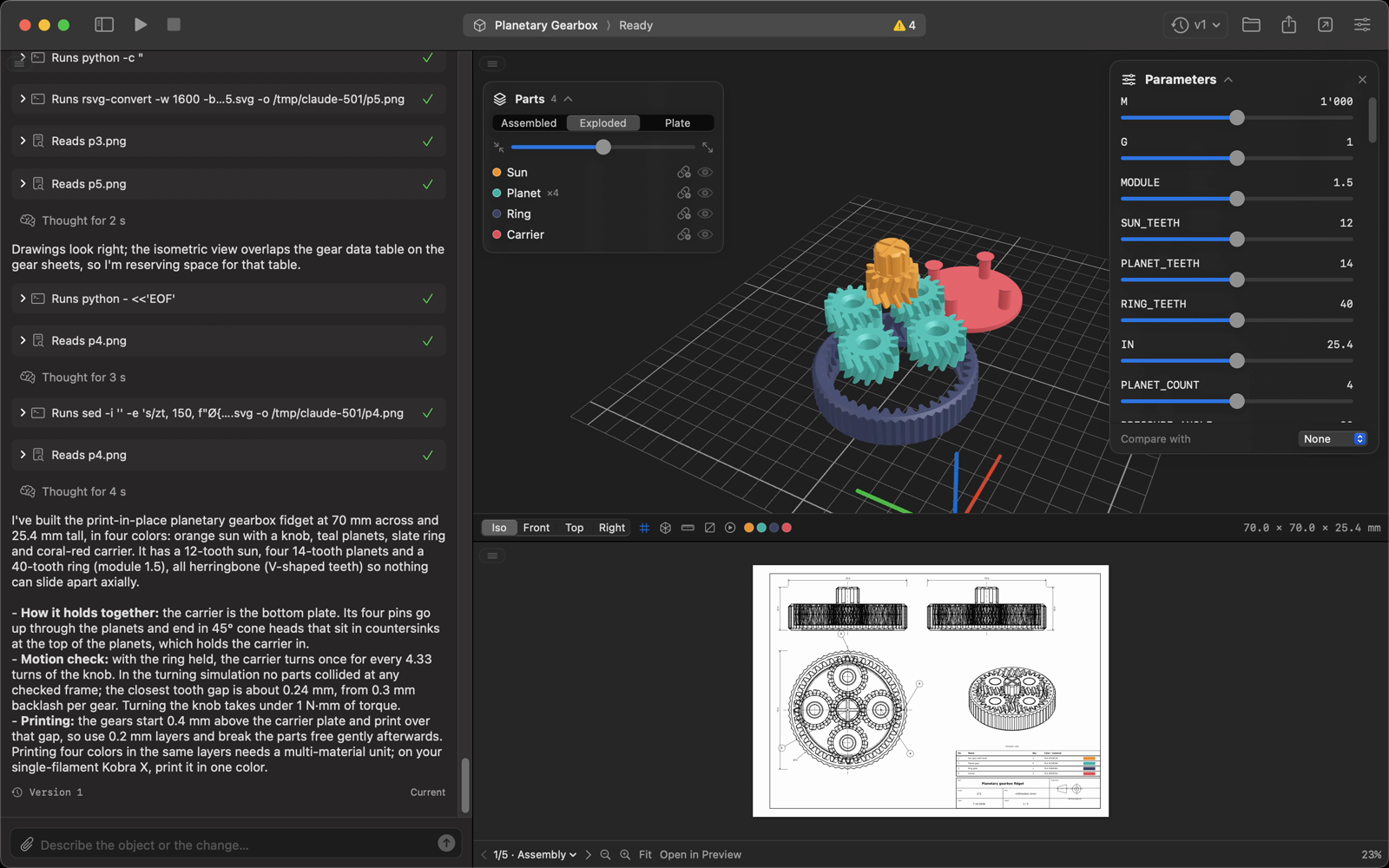
Type "a print-in-place planetary gearbox with four colors, animated with real gear ratios" and CAD Studio has your coding agent write a parametric model.py, run it with build123d and hand you a 3D model, an ISO technical drawing and files ready for your slicer. Every change is a new version you can go back to.
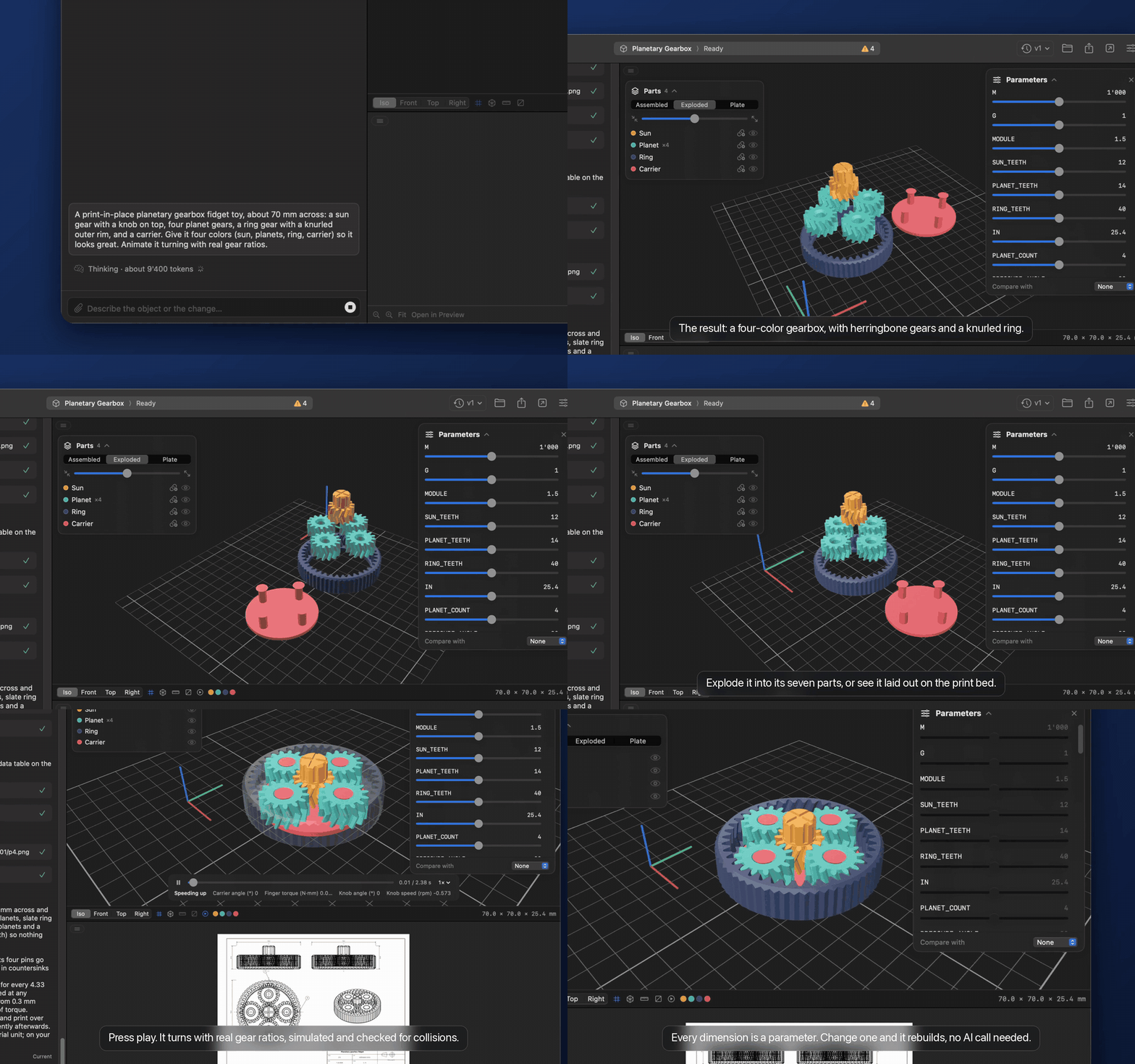
Website · ▶︎ Watch the narrated demo (MP4, with sound)
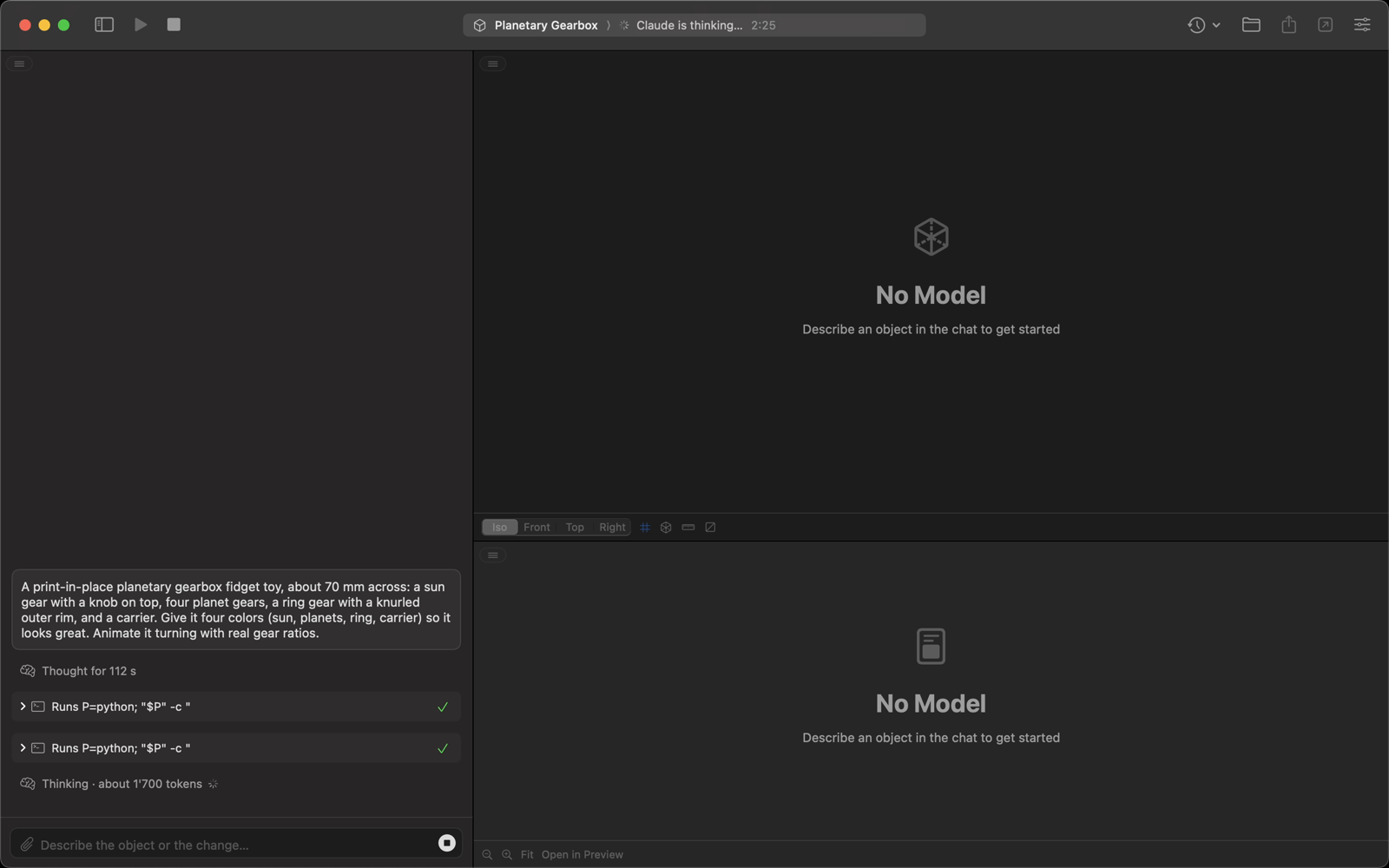
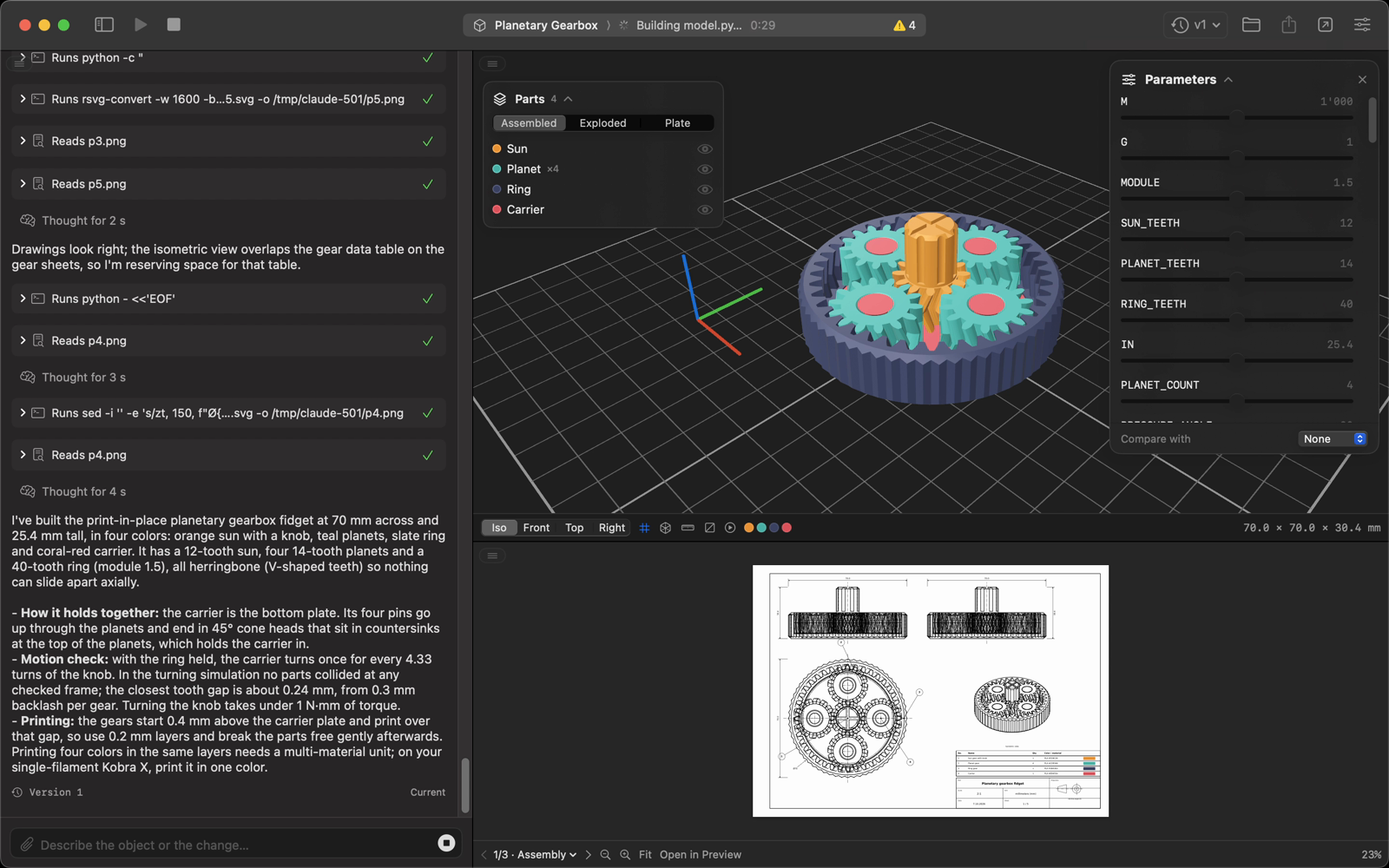
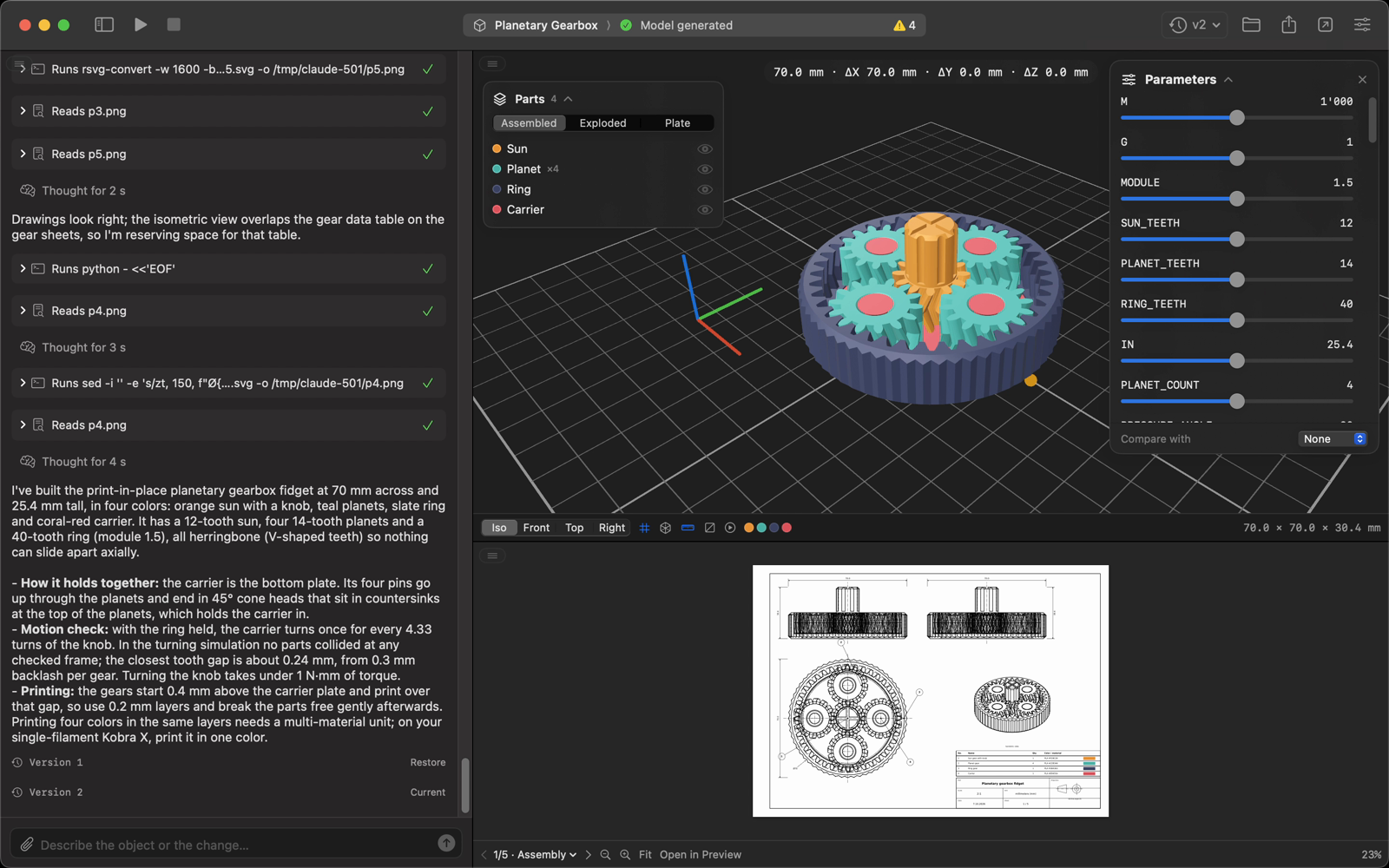
plate.3mf, opened in your slicer)model.py as one ZIPEvery screenshot below is from the same project: a print-in-place planetary gearbox, from the first launch to version 2.
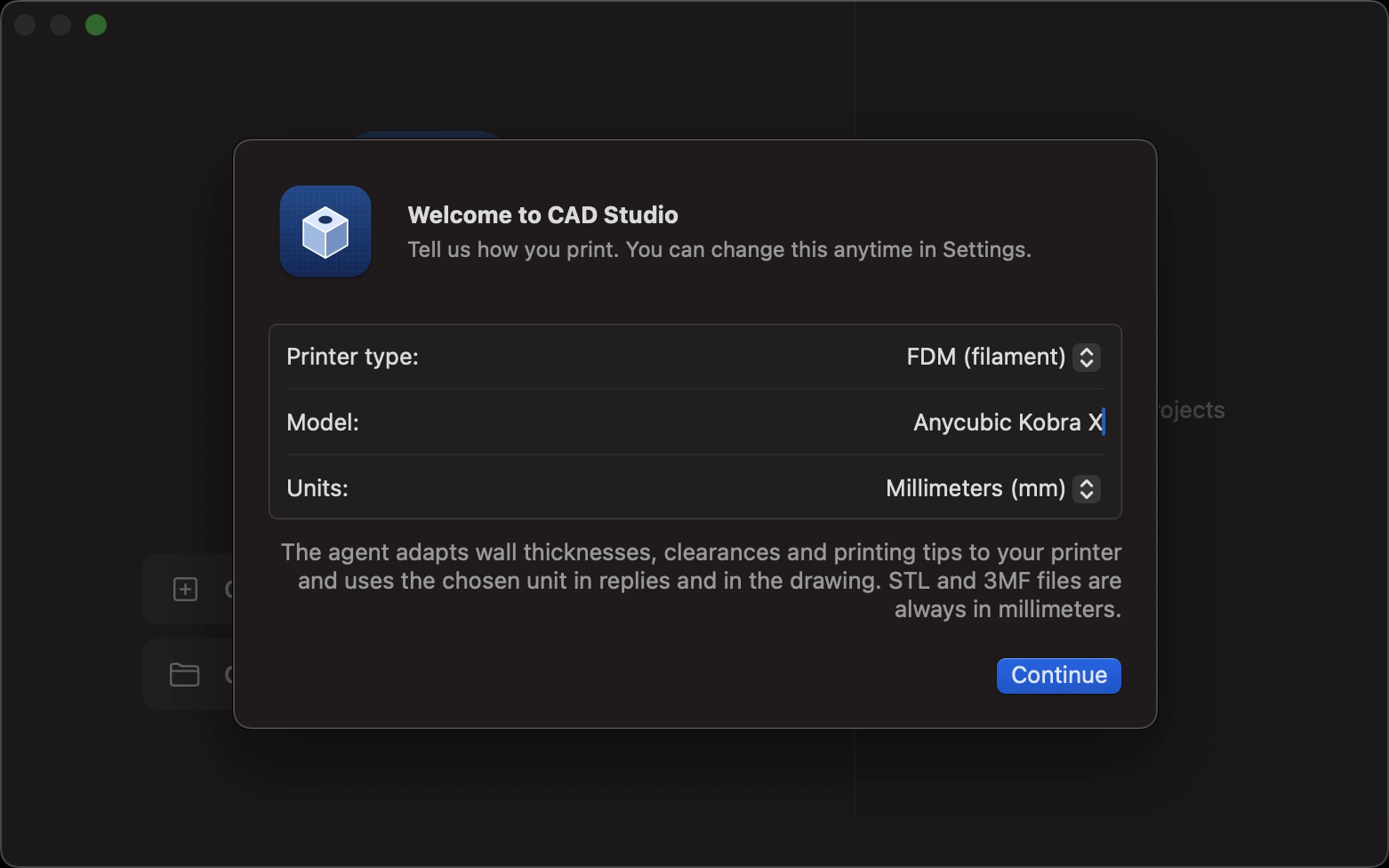
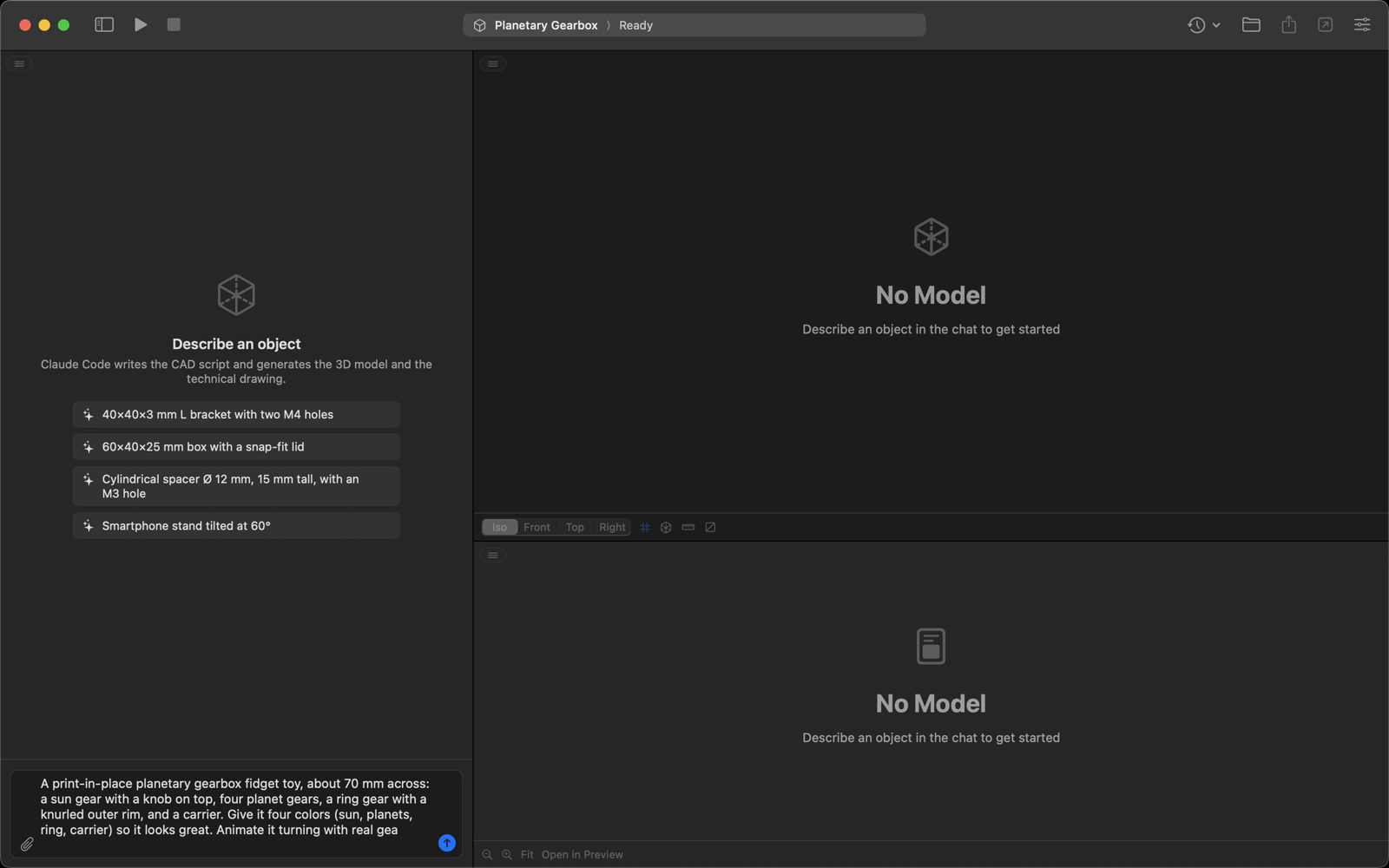
Set up once, then describe your part. Pick your printer and units on first launch, create a project and type what you need.
| First launch | Describe the part |
|---|---|
 |  |
| The agent at work | The finished gearbox |
 |  |
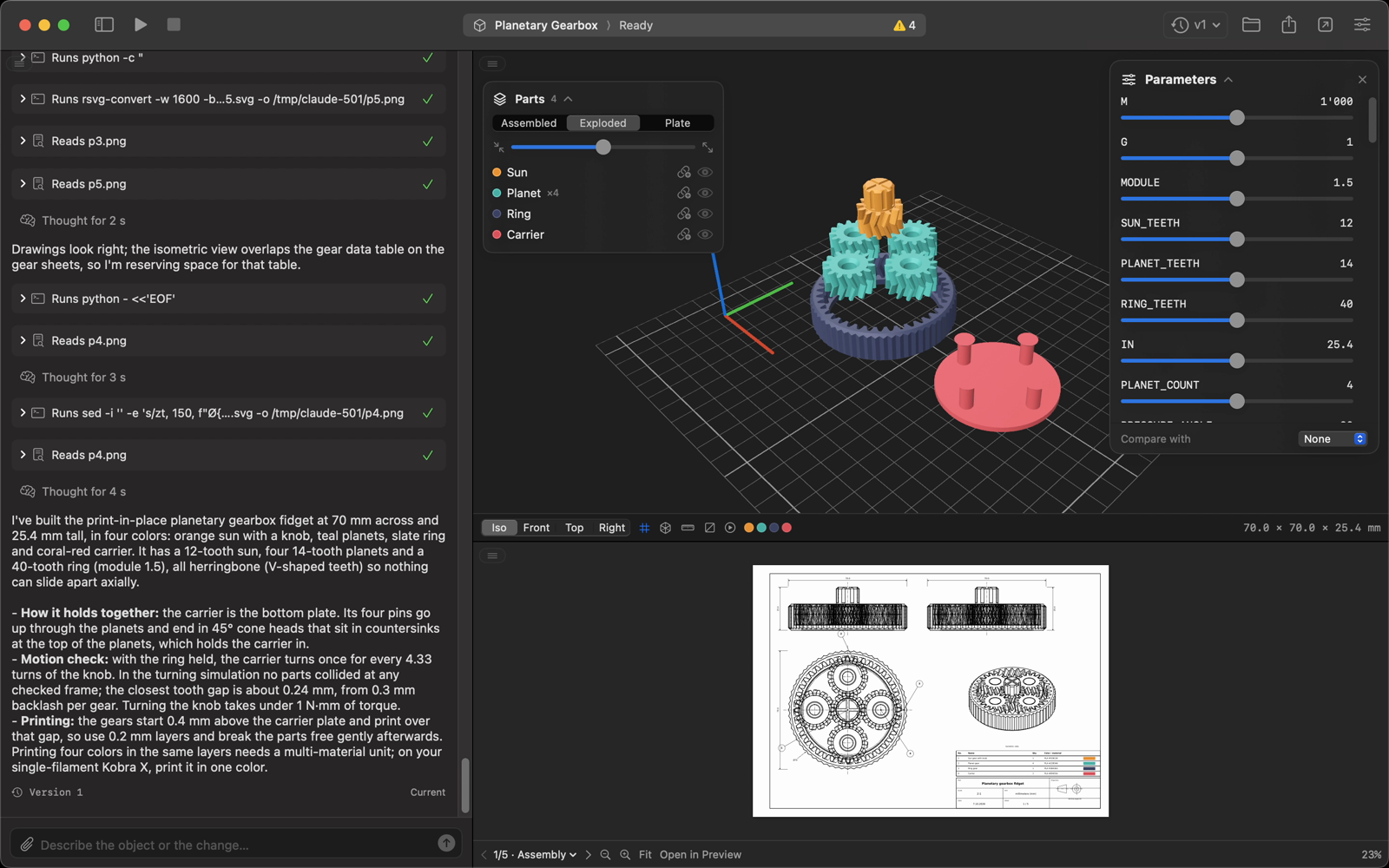
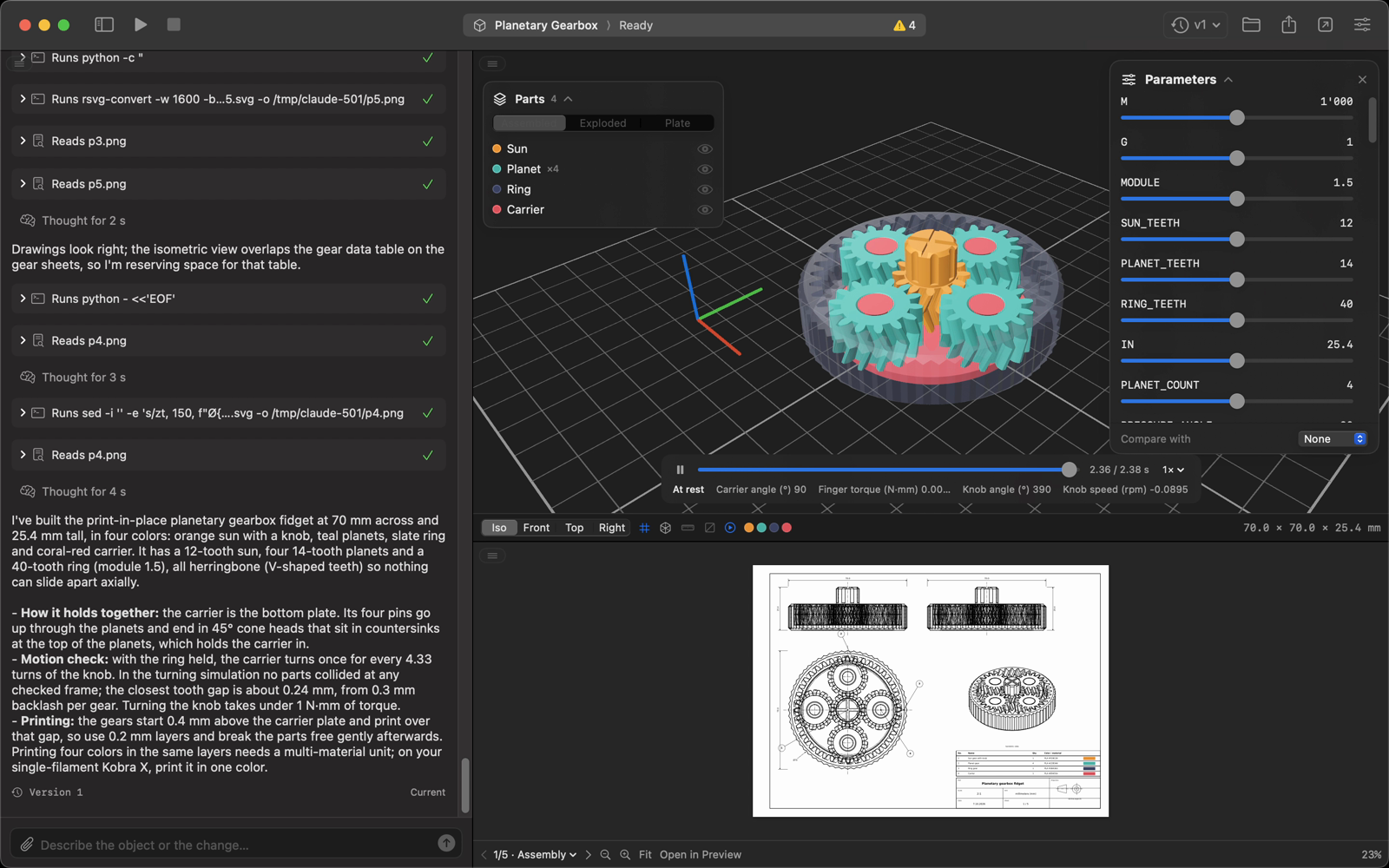
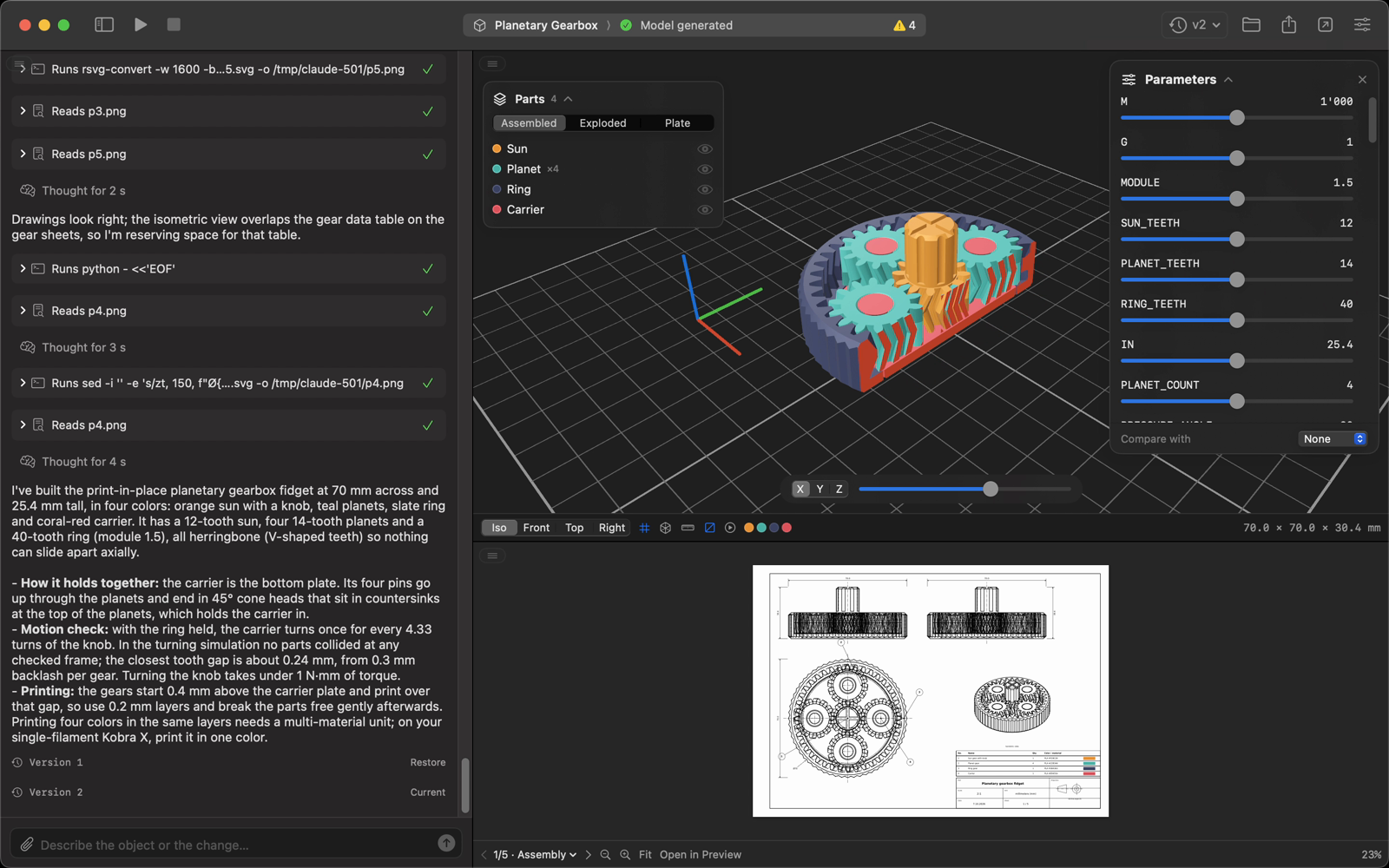
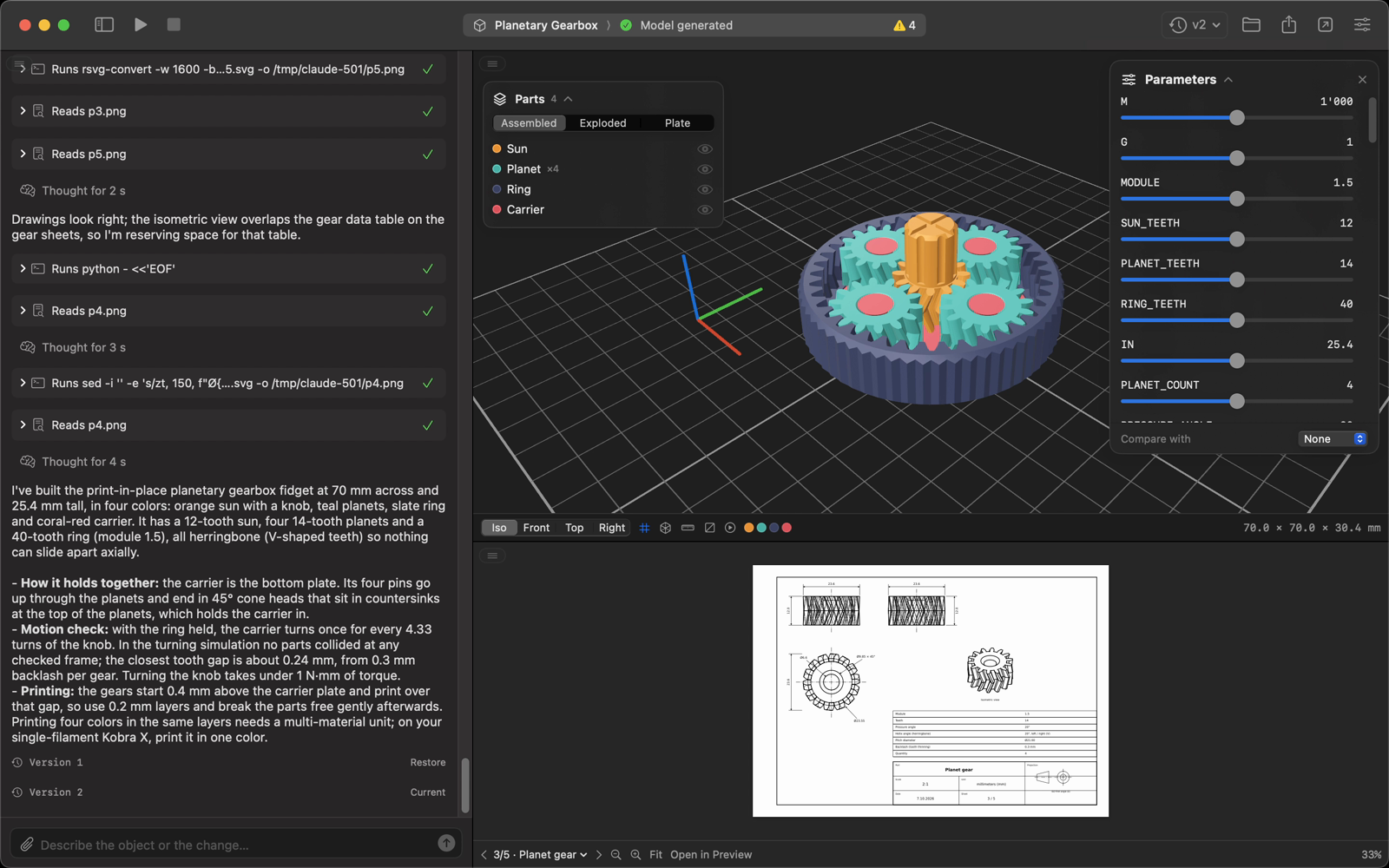
Parts, motion and drawings. Explode the assembly, play the simulated motion and flip through the drawing sheets.
| Exploded view | Simulated motion |
|---|---|
 |  |
| Edit parameters without the agent | Measure distances |
 |  |
| Section view | One sheet per part |
 |  |
| Ask for a change: version 2 | Compare with version 1 |
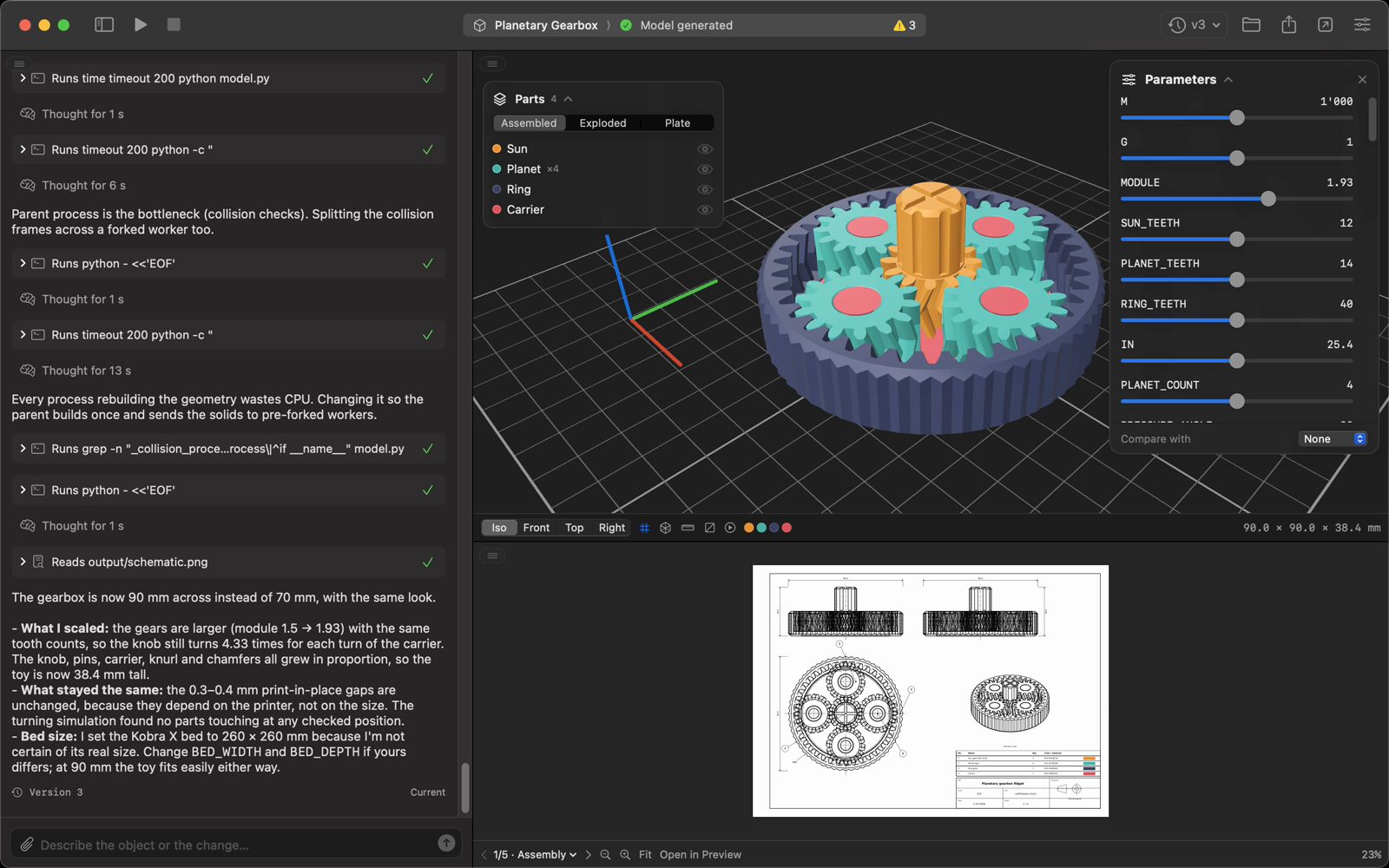 | 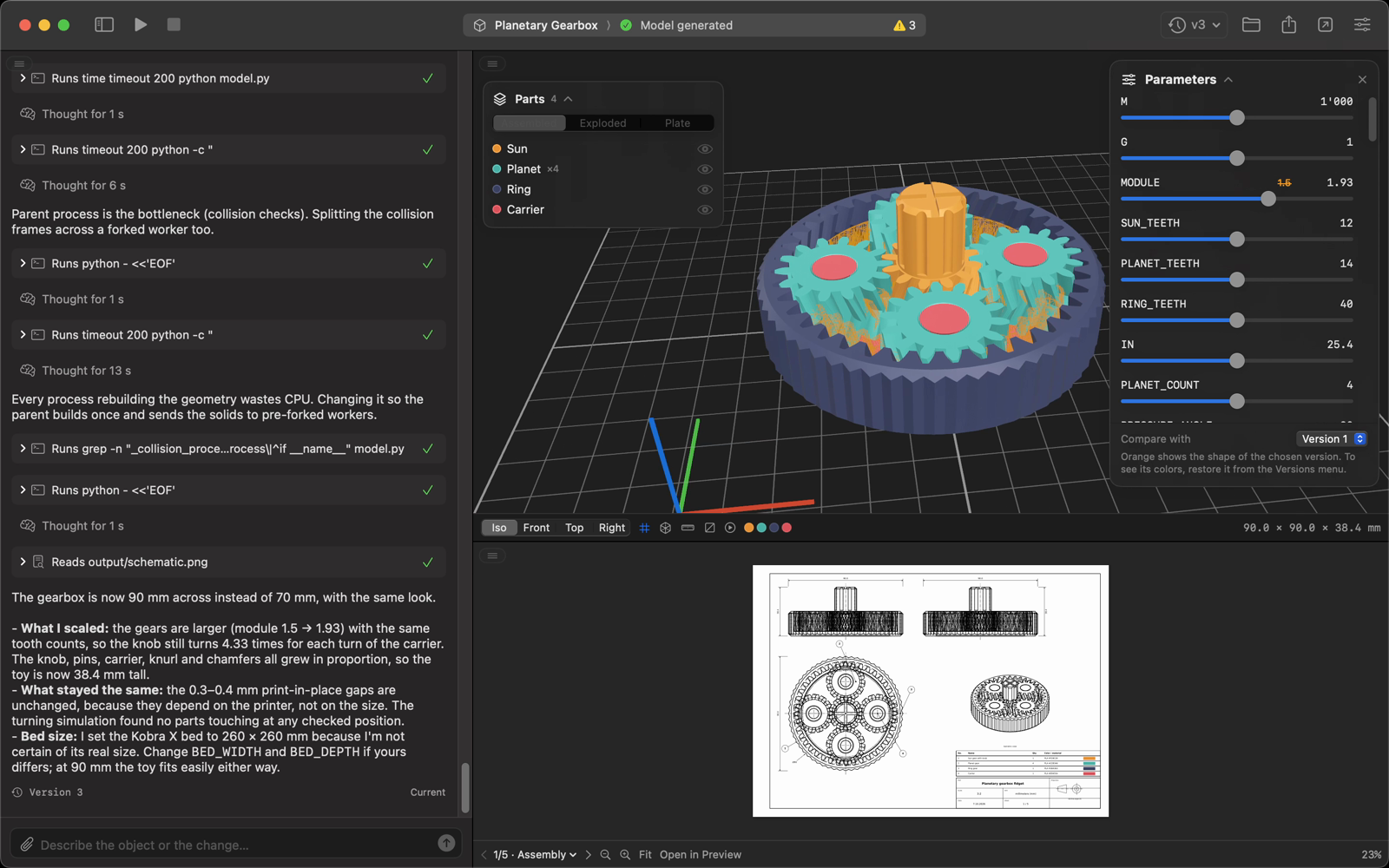 |
| Chat on the right | Chat at the bottom |
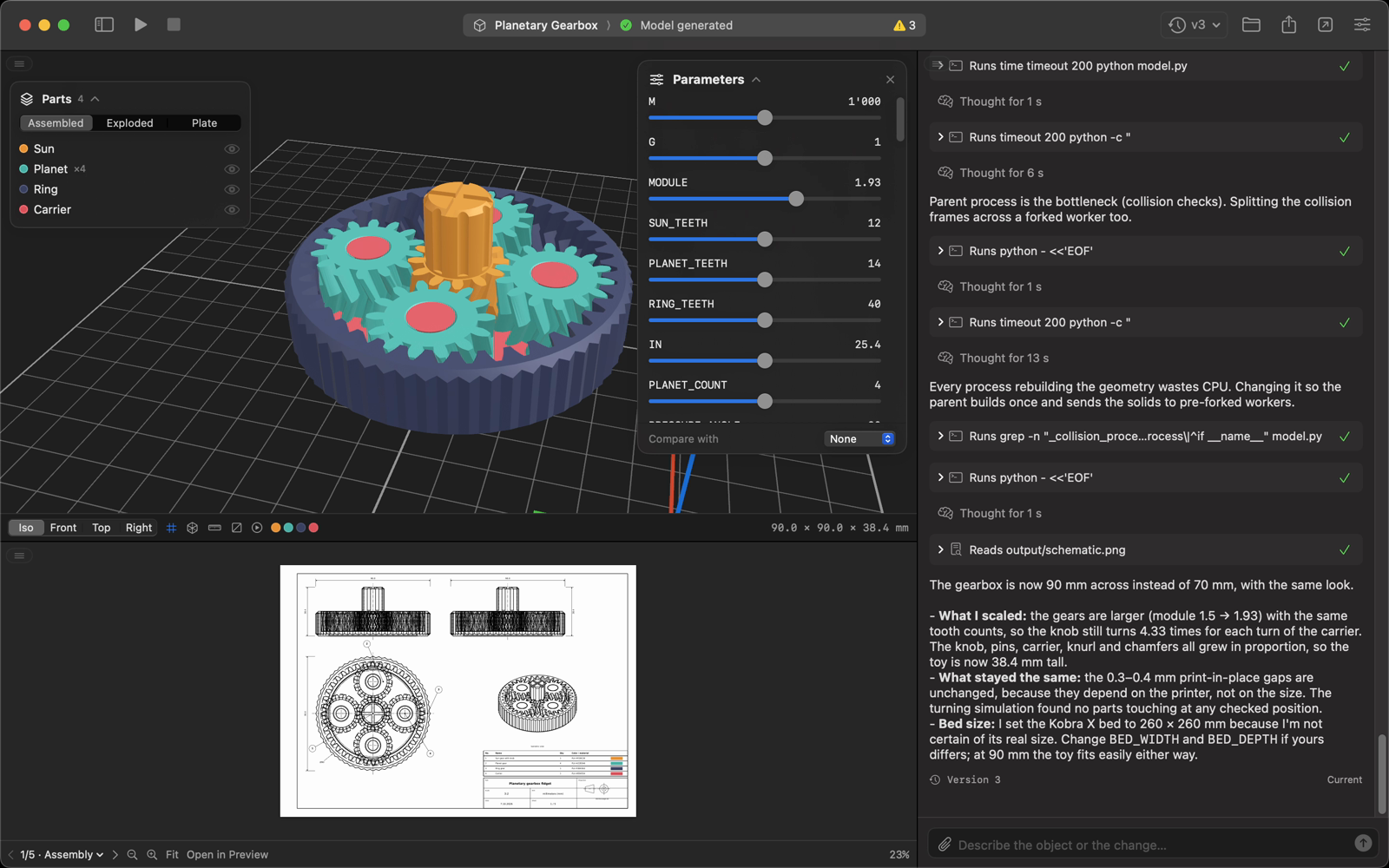 | 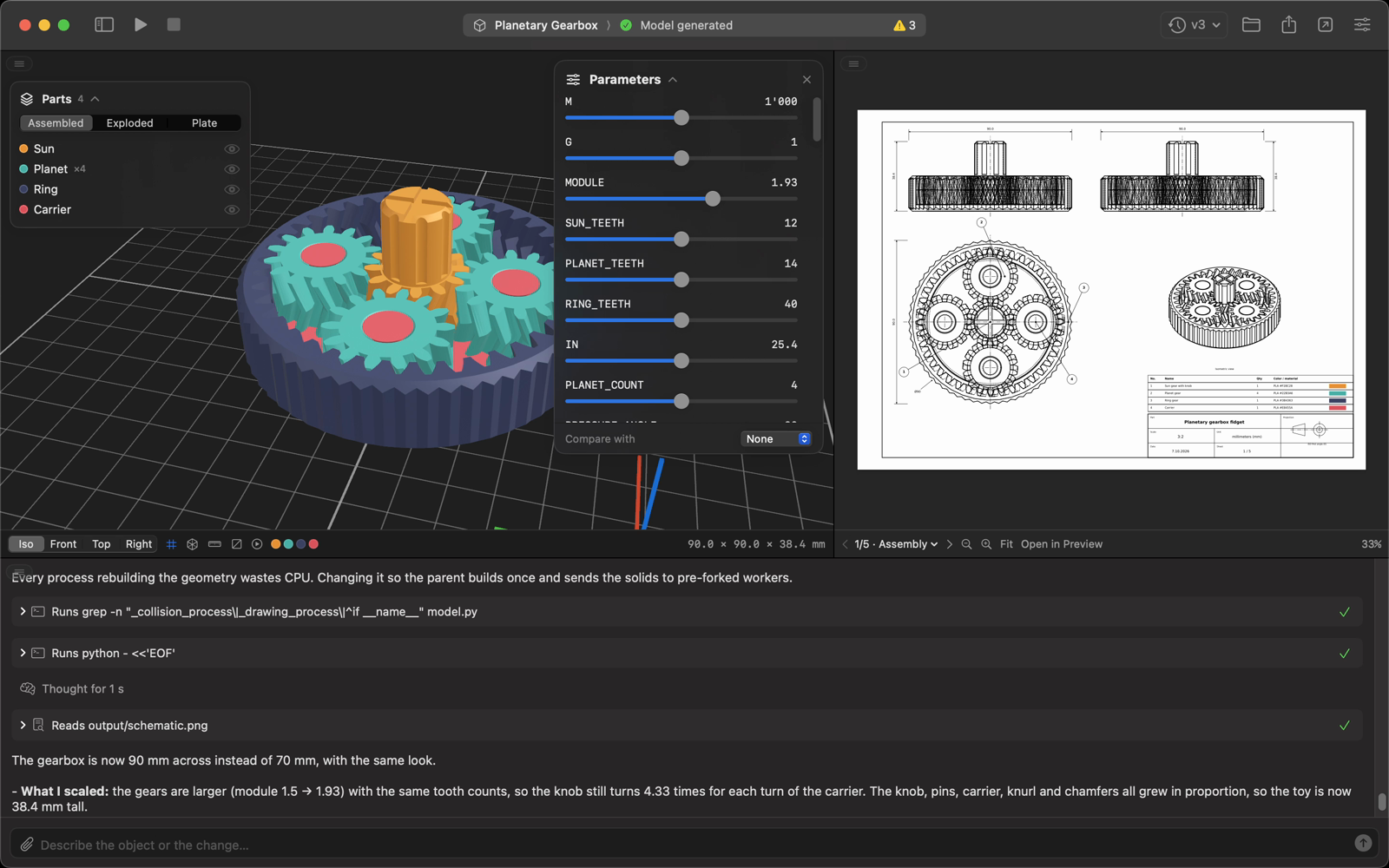 |
Prerequisites
claude once in Terminal), or Codex CLI signed in (codex login); pick one in Settings → AgentDownload
Grab CADStudio.dmg from the latest release and drag CAD Studio into Applications. The app isn't notarized, so the first time macOS blocks it: open System Settings → Privacy & Security and click Open Anyway, or run:
xattr -dr com.apple.quarantine "/Applications/CAD Studio.app"
Build from source (needs Xcode 16 or later)
git clone https://github.com/filippofinke/cad-studio.git
cd cad-studio
./build.sh --install
This builds a universal CAD Studio.app, copies it to /Applications and launches it. ./build.sh --dmg builds build/CADStudio.dmg. You can also open CADStudio.xcodeproj and press ⌘R.
Every project is a folder. CAD Studio runs the agent installed on your Mac in headless mode (claude -p --output-format stream-json, or codex exec --json in its workspace sandbox) inside that folder, with a CAD system prompt that asks for a single parametric model.py. The agent runs the script with a dedicated Python environment (~/Library/Application Support/CAD Studio/venv, with build123d, matplotlib and numpy) until it produces:
<Project>/
├── model.py              # parametric build123d script
├── references/           # images attached in the chat
├── output/
│   ├── model.3mf         # main model, with part colors
│   ├── model.stl
│   ├── model.step
│   ├── plate.3mf         # parts laid out ready to print
│   ├── schematic.svg / .png / .pdf   # page 1 + multi-page PDF
│   ├── schematic-2.svg …  # one sheet per part
│   ├── animation.json    # optional: simulated motion, values and collisions
│   └── manifest.json     # size, volume, parameters, warnings
└── .cadstudio/           # chat, session, logs and versions
The app streams the agent's text and tool calls into the chat, watches output/ and reloads the 3D view and the drawing as soon as files change. Each successful generation is copied to .cadstudio/versions/<n>/ together with the chat and a forked Claude session, so going back to a version also restores what the agent remembers.
config.toml). Turn this off in Settings → Advanced if your login depends on them.Open a pull request against main with a Conventional Commits title (feat: …, fix: …). PRs are squash-merged, and release-please turns them into a release PR that bumps the version and updates the changelog. Merging it publishes a GitHub release with the DMG attached.
👤 Filippo Finke
Give a ⭐️ if this project helped you!

Copyright © 2026 Filippo Finke.
This project is MIT licensed.
Not affiliated with Anthropic.
📐 Describe a part, get a printable model: a native macOS CAD studio powered by Claude Code and build123d.
See the code
Describe a part, get a printable model. A native macOS CAD studio powered by the coding agent on your Mac (Claude Code or Codex) and build123d.
Type "a print-in-place planetary gearbox with four colors, animated with real gear ratios" and CAD Studio has your coding agent write a parametric model.py, run it with build123d and hand you a 3D model, an ISO technical drawing and files ready for your slicer. Every change is a new version you can go back to.
Website · ▶︎ Watch the narrated demo (MP4, with sound)
plate.3mf, opened in your slicer)model.py as one ZIPEvery screenshot below is from the same project: a print-in-place planetary gearbox, from the first launch to version 2.
Set up once, then describe your part. Pick your printer and units on first launch, create a project and type what you need.
| First launch | Describe the part |
|---|---|
| |
| The agent at work | The finished gearbox |
| |
Parts, motion and drawings. Explode the assembly, play the simulated motion and flip through the drawing sheets.
| Exploded view | Simulated motion |
|---|---|
| |
| Edit parameters without the agent | Measure distances |
| |
| Section view | One sheet per part |
| |
| Ask for a change: version 2 | Compare with version 1 |
| |
| Chat on the right | Chat at the bottom |
| |
Prerequisites
claude once in Terminal), or Codex CLI signed in (codex login); pick one in Settings → AgentDownload
Grab CADStudio.dmg from the latest release and drag CAD Studio into Applications. The app isn't notarized, so the first time macOS blocks it: open System Settings → Privacy & Security and click Open Anyway, or run:
xattr -dr com.apple.quarantine "/Applications/CAD Studio.app"
Build from source (needs Xcode 16 or later)
git clone https://github.com/filippofinke/cad-studio.git
cd cad-studio
./build.sh --install
This builds a universal CAD Studio.app, copies it to /Applications and launches it. ./build.sh --dmg builds build/CADStudio.dmg. You can also open CADStudio.xcodeproj and press ⌘R.
Every project is a folder. CAD Studio runs the agent installed on your Mac in headless mode (claude -p --output-format stream-json, or codex exec --json in its workspace sandbox) inside that folder, with a CAD system prompt that asks for a single parametric model.py. The agent runs the script with a dedicated Python environment (~/Library/Application Support/CAD Studio/venv, with build123d, matplotlib and numpy) until it produces:
<Project>/
├── model.py              # parametric build123d script
├── references/           # images attached in the chat
├── output/
│   ├── model.3mf         # main model, with part colors
│   ├── model.stl
│   ├── model.step
│   ├── plate.3mf         # parts laid out ready to print
│   ├── schematic.svg / .png / .pdf   # page 1 + multi-page PDF
│   ├── schematic-2.svg …  # one sheet per part
│   ├── animation.json    # optional: simulated motion, values and collisions
│   └── manifest.json     # size, volume, parameters, warnings
└── .cadstudio/           # chat, session, logs and versions
The app streams the agent's text and tool calls into the chat, watches output/ and reloads the 3D view and the drawing as soon as files change. Each successful generation is copied to .cadstudio/versions/<n>/ together with the chat and a forked Claude session, so going back to a version also restores what the agent remembers.
config.toml). Turn this off in Settings → Advanced if your login depends on them.Open a pull request against main with a Conventional Commits title (feat: …, fix: …). PRs are squash-merged, and release-please turns them into a release PR that bumps the version and updates the changelog. Merging it publishes a GitHub release with the DMG attached.
👤 Filippo Finke
Give a ⭐️ if this project helped you!
Copyright © 2026 Filippo Finke.
This project is MIT licensed.
Not affiliated with Anthropic.



