Recognizing the challenges faced by my friends when learning LaTeX and typing LaTeX equations for homework, I developed a web app that employs a Transformers machine learning model to simplify the conversion of images into LaTeX equations for school assignments.
As a hosting server for the application is not available, you will need to clone this project to run the application.
git clone https://github.com/dohoanggiahuy317/App-image2latex-web.git
Next, open the command prompt or terminal and navigate to the project folder.
OPTION 1: If you choose to download the provided virtual environment here, activate it using conda or python, I'm using conda here:
conda deactivate
conda activate ./.env
OPTION 2: Set up a new virtual environment (you can use conda) with python 3.10, activate it, then install the required packages:
You can use the following command to create a virtual environment using conda
conda create --prefix .env python=3.10
conda deactivate
conda activate ./.env
Then, pip install packages
pip install -r requirements.txt
Finally, from the root directory of the application, execute the following command to run the application:
python3 app.py
The application will start on the localhost at port 8080.
Upload your image and click the Upload button. Wait for the system to process, which may take 1 to 2 minutes, to display the result.
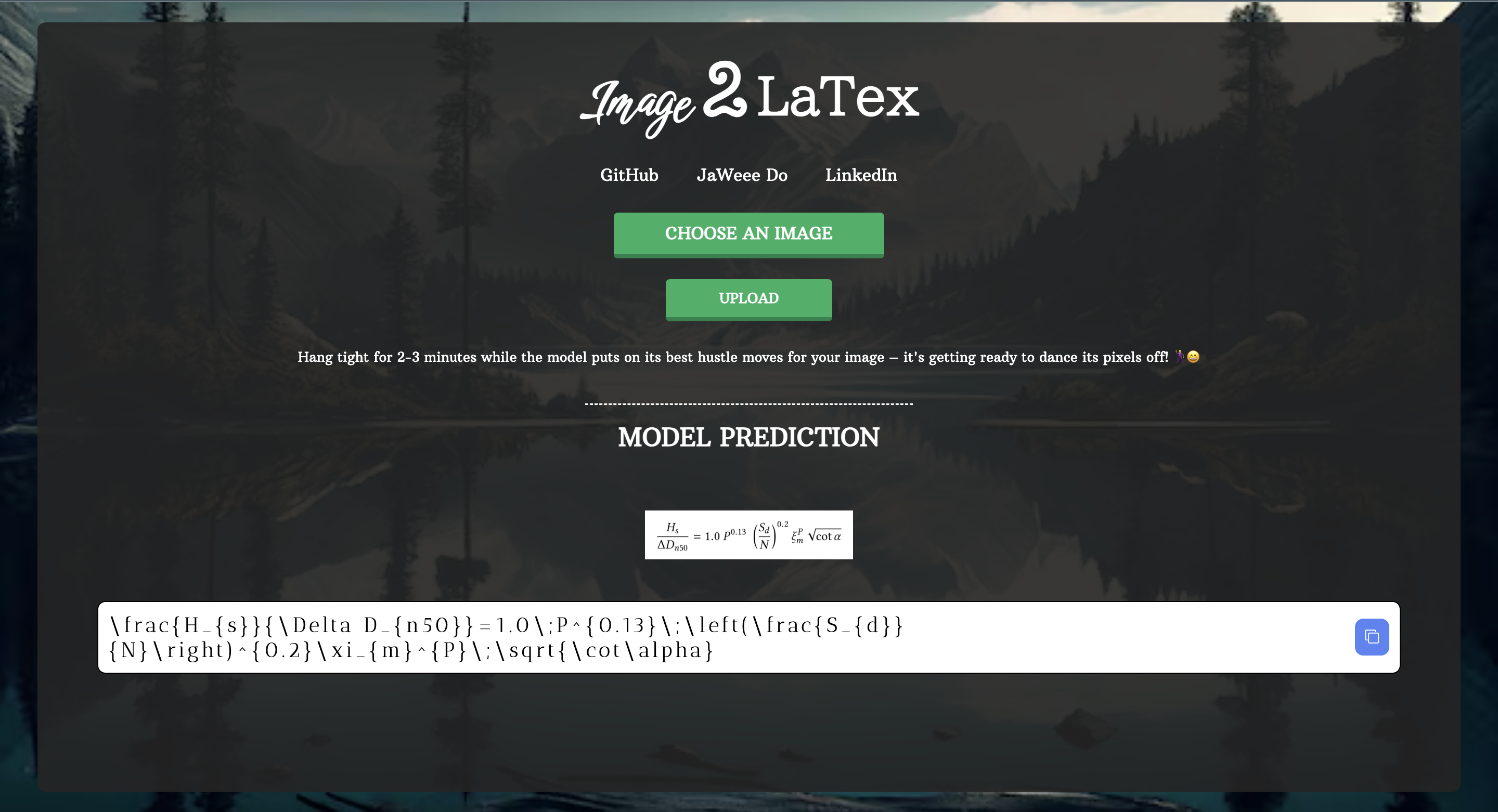
If the model is not functioning correctly, refer to https://github.com/NormXU/nougat-latex-ocr and https://huggingface.co/Norm/nougat-latex-base to download the model. Note that Git LFS is required for downloading as the model size is 1.4GB.
After downloading, go to process/run_latex_ocr.py and update the default parameters from "Norm/nougat-latex-base" of HuggingFace to the path\to\the model\you\downloaded.
The Transformers model used in this project is from https://github.com/NormXU/nougat-latex-ocr and https://huggingface.co/Norm/nougat-latex-base.
Recognizing the challenges faced by my friends when learning LaTeX and typing LaTeX equations for homework, I developed a web app that employs a Transformers machine learning model to simplify the conversion of images into LaTeX equations for school assignments.
As a hosting server for the application is not available, you will need to clone this project to run the application.
git clone https://github.com/dohoanggiahuy317/App-image2latex-web.git
Next, open the command prompt or terminal and navigate to the project folder.
OPTION 1: If you choose to download the provided virtual environment here, activate it using conda or python, I'm using conda here:
conda deactivate
conda activate ./.env
OPTION 2: Set up a new virtual environment (you can use conda) with python 3.10, activate it, then install the required packages:
You can use the following command to create a virtual environment using conda
conda create --prefix .env python=3.10
conda deactivate
conda activate ./.env
Then, pip install packages
pip install -r requirements.txt
Finally, from the root directory of the application, execute the following command to run the application:
python3 app.py
The application will start on the localhost at port 8080.
Upload your image and click the Upload button. Wait for the system to process, which may take 1 to 2 minutes, to display the result.
If the model is not functioning correctly, refer to https://github.com/NormXU/nougat-latex-ocr and https://huggingface.co/Norm/nougat-latex-base to download the model. Note that Git LFS is required for downloading as the model size is 1.4GB.
After downloading, go to process/run_latex_ocr.py and update the default parameters from "Norm/nougat-latex-base" of HuggingFace to the path\to\the model\you\downloaded.
The Transformers model used in this project is from https://github.com/NormXU/nougat-latex-ocr and https://huggingface.co/Norm/nougat-latex-base.



