
English · Español
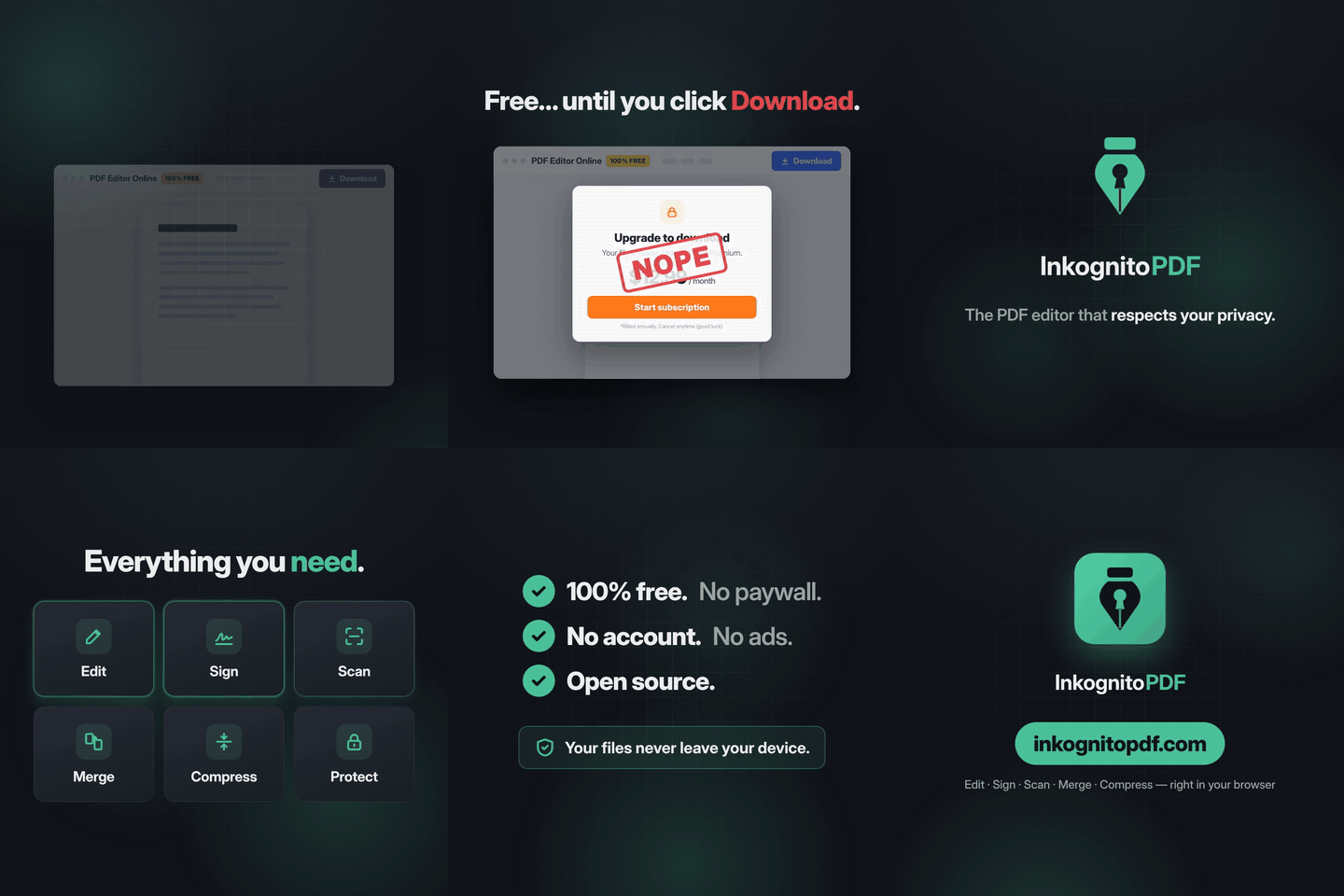
Edit, scan and sign PDFs without them ever leaving your device.
A free, private PDF editor and document scanner that runs entirely in your browser.
Open the app → · Website · Apache-2.0
src/analytics/events.ts. Without consent, the app makes no request to Google.| Edit text | Change the text already in the PDF, keeping its font, size, color and weight. Add text, images and whiteout. |
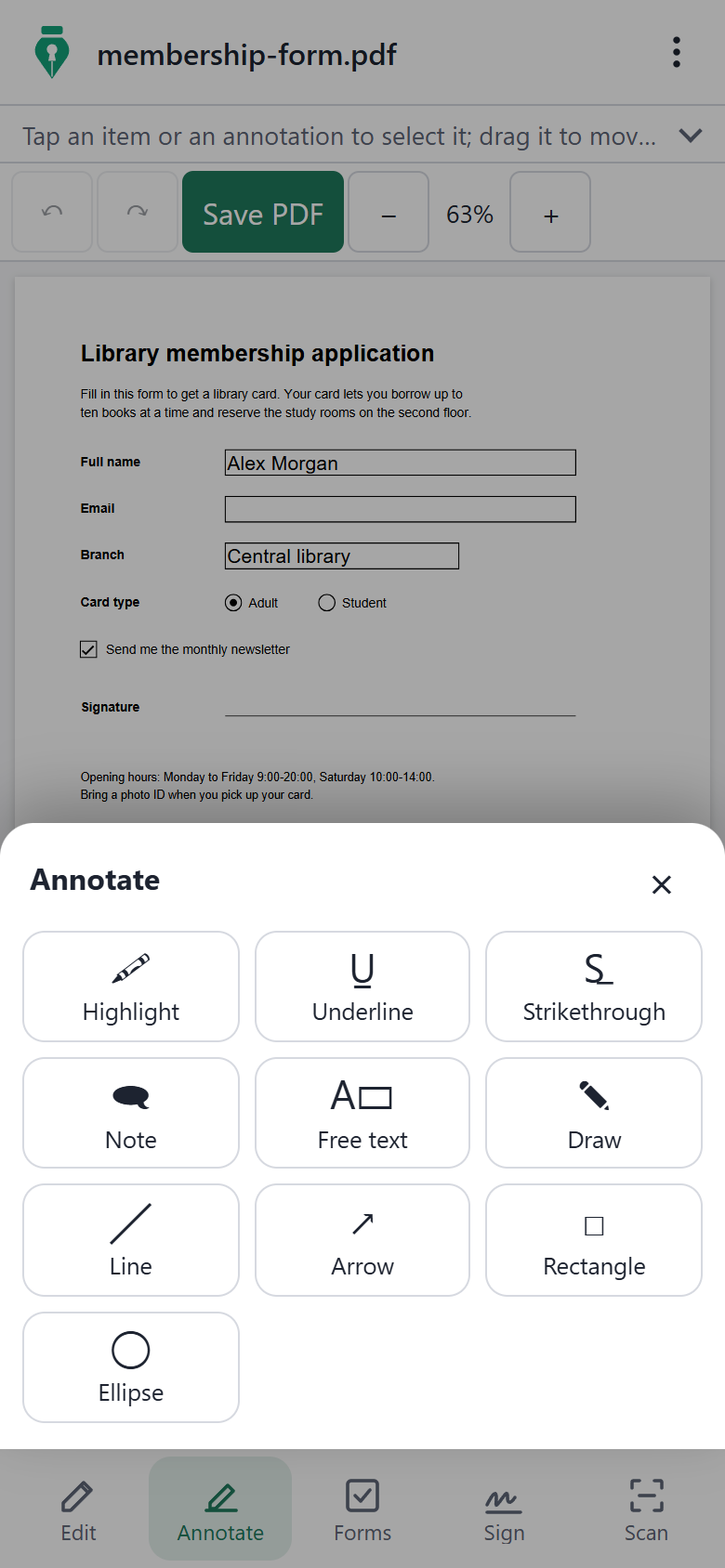
| Annotate | Highlight, underline, strike out, notes, free text, drawing, lines, arrows, rectangles and ellipses, saved as standard annotations. |
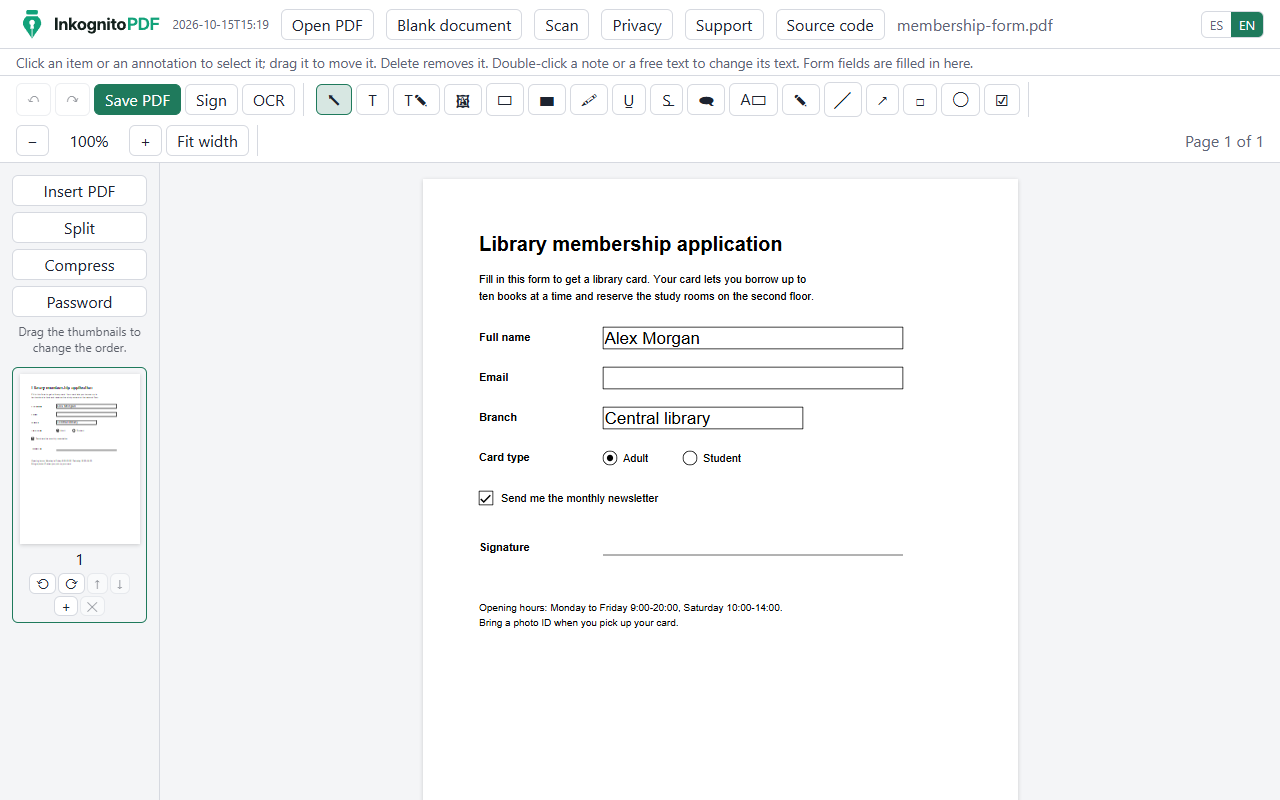
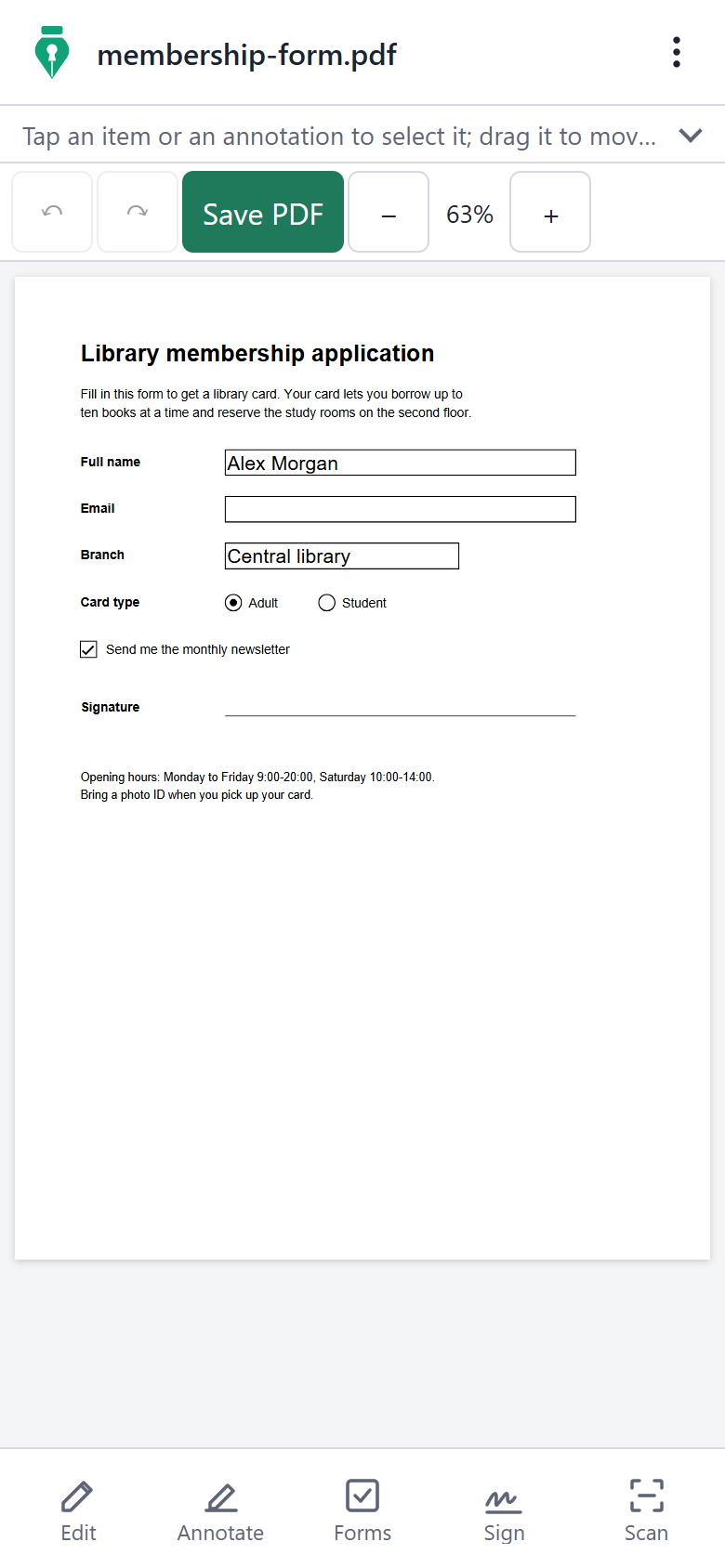
| Forms | Fill in AcroForm fields, create new ones of six types, and flatten the form. |
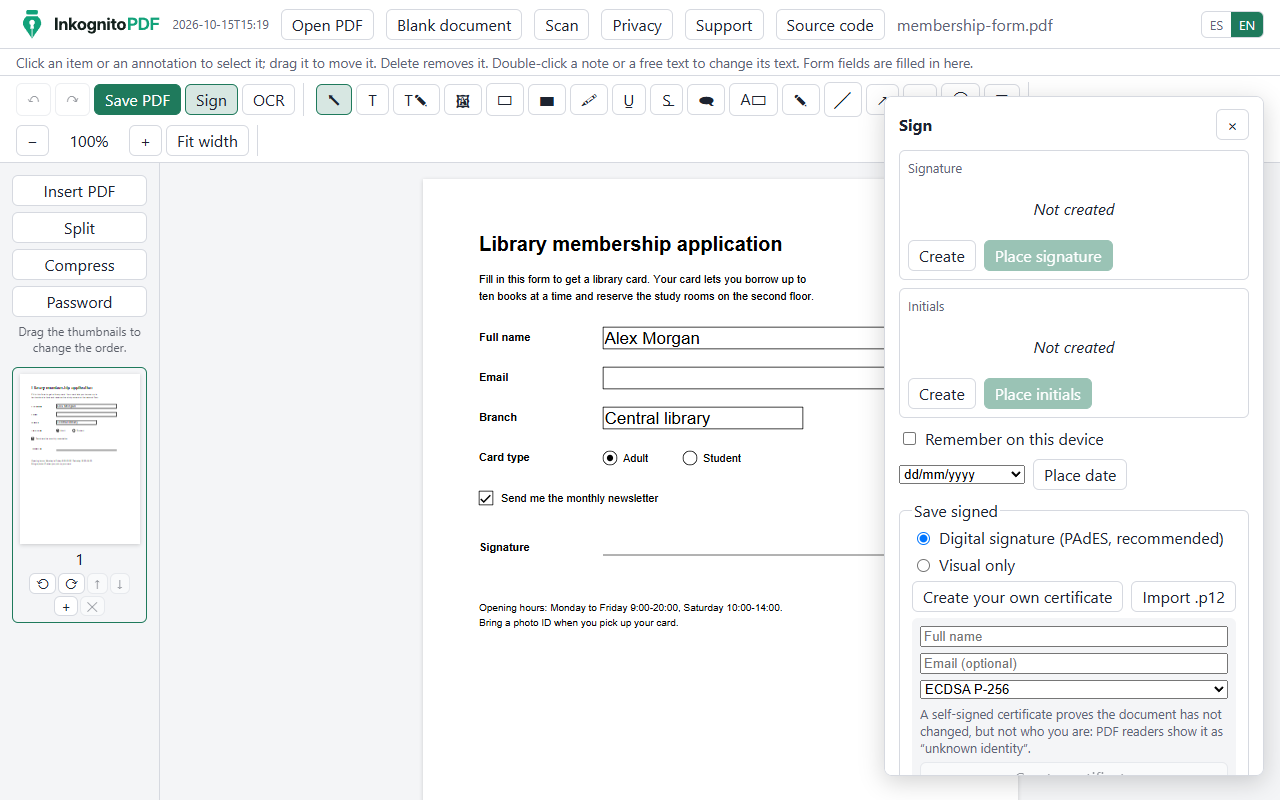
| Sign | Drawn, typed or photographed signatures; digital PAdES signatures with a certificate created on the device or imported from a .p12; several signers in order, with an optional audit page; signature verification. |
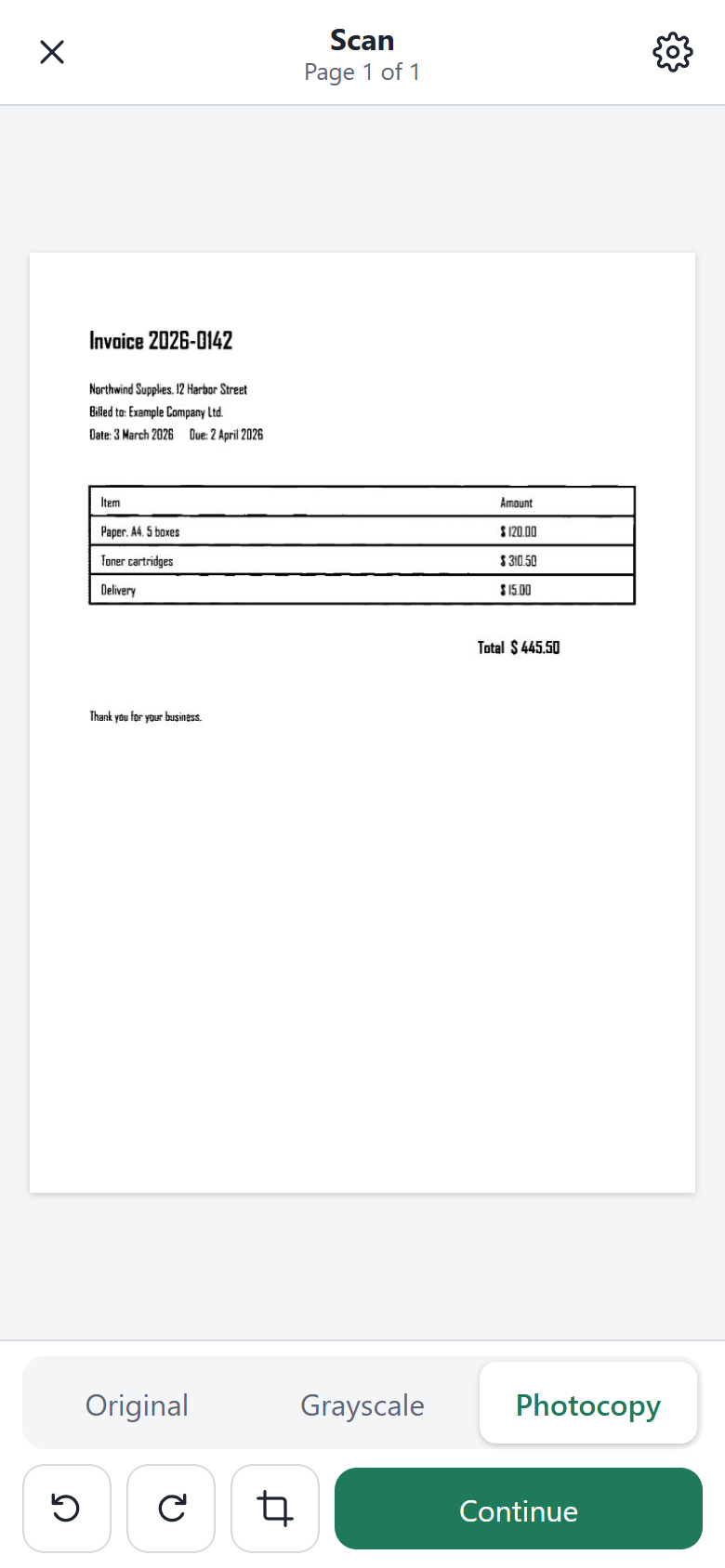
| Scan | Photograph paper with the phone: page detection, perspective correction and a clean black-and-white "photocopy" filter. |
| OCR | Recognize the text of scans in English and Spanish (Tesseract.js) so it can be searched, selected and copied. |
| Edit scanned text | Replace a recognized line inside the scanned image, matching the paper and the ink. |
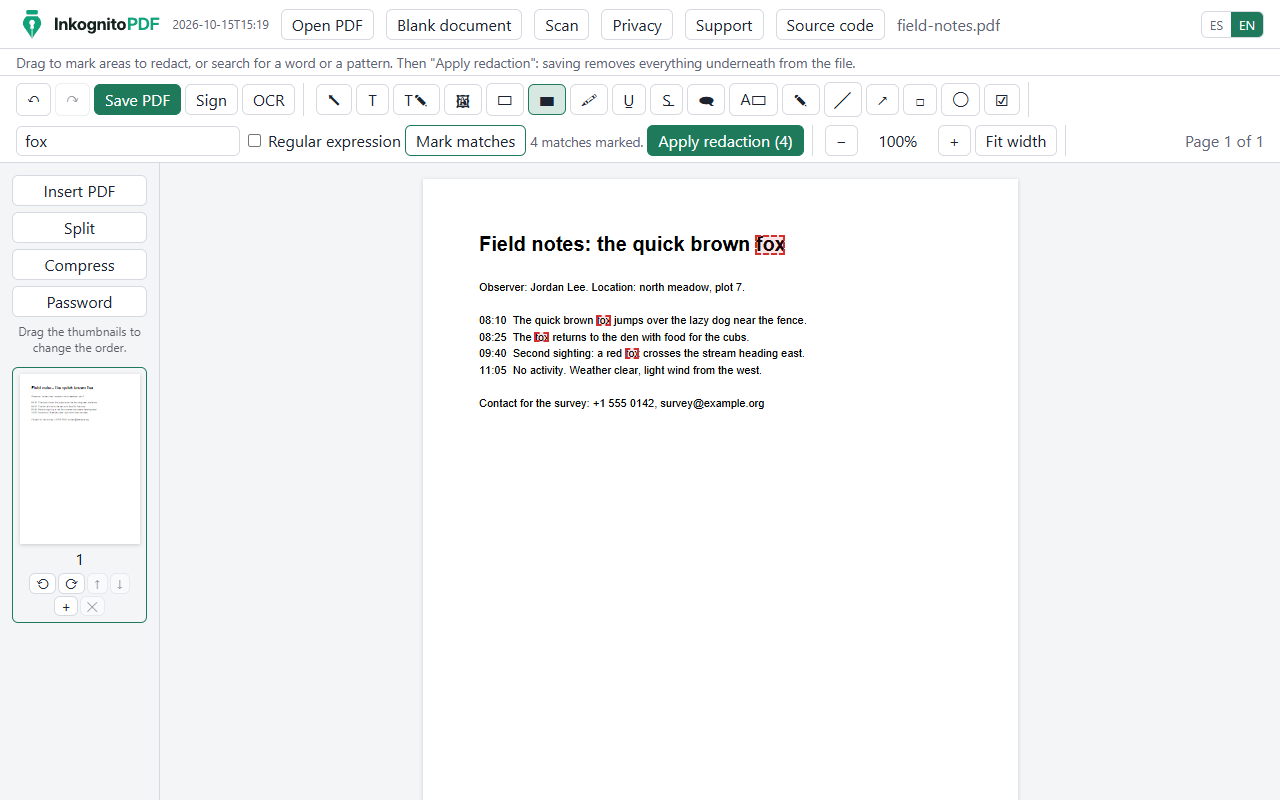
| Secure redaction | Mark areas or search for words or patterns, then really remove the text, images, annotations and metadata underneath. |
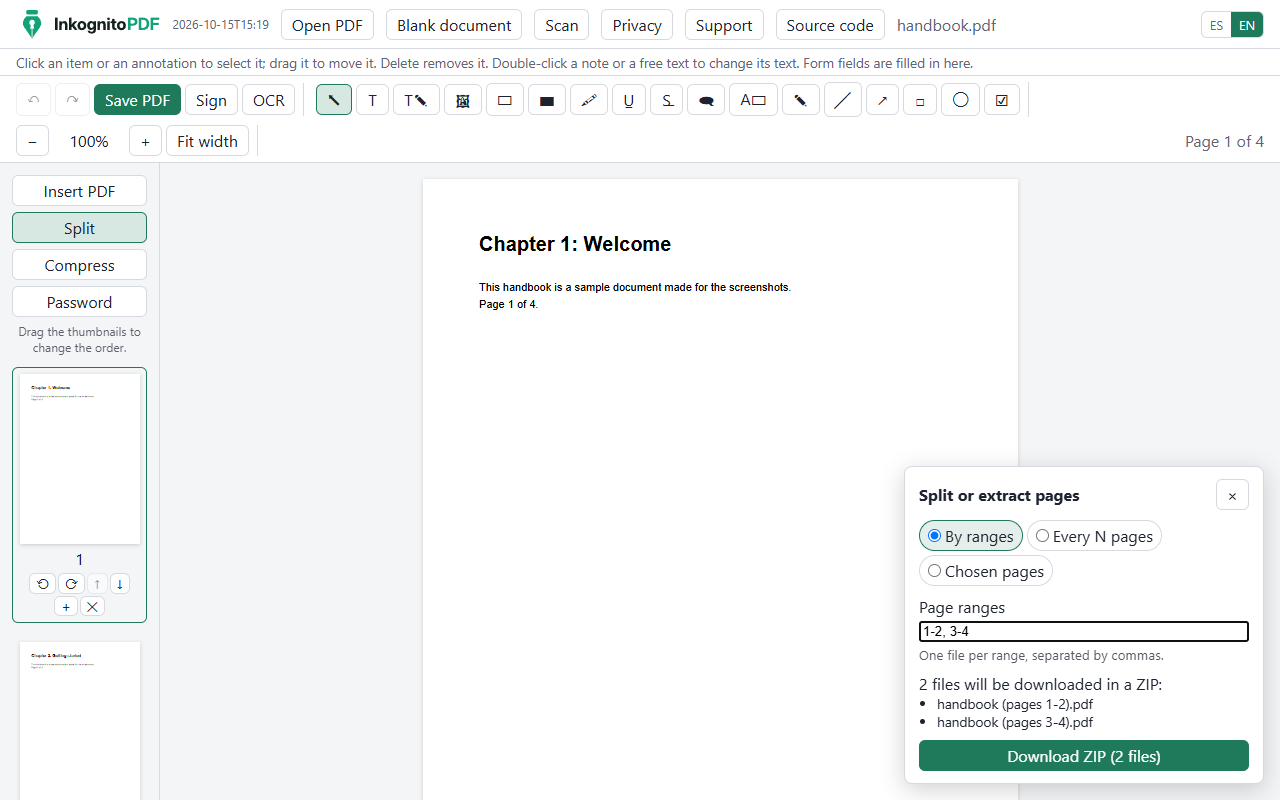
| Merge and split | Open several PDFs as one, insert PDFs, reorder pages by dragging, split by ranges or every N pages, or extract pages (ZIP for several files). |
| Compress | Make files smaller: images are scaled down to what their page needs and encoded again, with three levels and the size before and after. |
| Passwords | Open protected PDFs (RC4 and AES, up to AES-256) and save with an AES-256 password; optional print and copy restrictions, which the app explains are only advisory. |
| Pages | Rotate, delete and insert blank pages. |
| Templates | Resumes, cover letters, invoices, quotes, payment requests, receipts and letters ready to fill in, with a live preview, colors, fonts and paper size; download the PDF or keep editing it in the app. |
| Write documents | Write from scratch as in Word or Google Docs: headings, lists, bold, colors, highlight, alignment, images and page breaks, with page breaks shown as you type; the result is a PDF with real text, to download, sign or add to the open PDF. |
| Languages | English and Spanish, on desktop and on phones. |
| Sign | Secure redaction | Split |
|---|---|---|
 |  |  |
| Phone | Annotate on a phone | Scanner |
|---|---|---|
 |  |  |
All pictures use synthetic sample documents. They are regenerated with npm run build and node scripts/readme-images.mjs.
Requirements: Node.js 24 or newer.
npm install          # dependencies, installed locally
npm run dev          # development server
npm test             # unit tests (Vitest)
npm run test:e2e     # end-to-end tests (Playwright; builds first)
npm run build        # production build with the offline service worker, in dist/
Other scripts: npm run lint, npm run typecheck, npm run format:check, and npm run fixtures to regenerate the synthetic test PDFs.
The end-to-end tests use the Chrome installed on the machine. When openssl and qpdf are available, the tests also check signatures and files with them.
The build in dist/ is a static site: the landing page at / and the app at /app/. firebase.json has the Firebase Hosting configuration (rewrites and cache headers). To deploy your own copy, create a Firebase project, put its id in .firebaserc and run npx firebase-tools deploy --only hosting. No secret is needed to build or deploy. The web configuration in src/analytics/firebase.ts identifies the public web app and is not a secret.
index.html        landing page (texts from src/i18n, written in by the build)
app/index.html    the app
src/
  landing/        landing page script and styles
  editor/         editor UI: tools, panels, saving, split panel
  engine/         writing PDFs with pdf-lib: text edits, fonts, forms, redaction, merge and split
  model/          document state, operations and undo history
  viewer/         rendering with pdf.js: pages, text layer, thumbnails, zoom
  scan/           scanner: page detection, perspective, black-and-white filter (Web Worker)
  ocr/            OCR with Tesseract.js and the selectable text layer
  sign/           signatures: drawing, PAdES, verification, several signers
  storage/        opening files (the original is never modified), ZIP
  analytics/      consent and the closed list of usage events
  support/        donation links
  templates/      templates: layout engine, PDF rendering and the catalog
  writer/         writing documents: editor (ProseMirror), page layout and PDF
  i18n/           Spanish (reference) and English texts
tests/            unit tests and synthetic fixtures
e2e/              end-to-end tests (Playwright)
scripts/          asset copying, fixtures, icons, screenshots
public/brand/     logo and icons
| Component | License | Used for |
|---|---|---|
| React | MIT | Interface |
pdf.js (pdfjs-dist) | Apache-2.0 | Rendering, text layer |
pdf-lib and @pdf-lib/fontkit | MIT | Writing PDFs |
| Tesseract.js and its English and Spanish data | Apache-2.0 | OCR in the browser |
| PKI.js, asn1js | BSD-3-Clause | CMS, X.509 and PKCS#12 for signatures |
| Arimo, Tinos, Cousine, Carlito, Caladea, Dancing Script, Great Vibes, Caveat | OFL-1.1 | Substitute and handwriting fonts |
| Firebase Analytics (optional, with consent) | Apache-2.0 | Anonymous usage counts |
| Vite, Vitest, Playwright, TypeScript, ESLint, Prettier | MIT / Apache-2.0 | Build and tests |
Full list and notes: THIRD_PARTY_NOTICES.md.
Issues and pull requests are welcome. A few rules keep the project what it is:
src/i18n/es and src/i18n/en.npm test, npm run test:e2e, npm run lint and npm run format:check before opening a pull request. Test documents must be synthetic: never real personal files.Copyright 2026 David Mogollon. Licensed under the Apache License 2.0. See also NOTICE.
InkognitoPDF is free. If it is useful to you, you can support its development:
Thank you!
English · Español
Edit, scan and sign PDFs without them ever leaving your device.
A free, private PDF editor and document scanner that runs entirely in your browser.
Open the app → · Website · Apache-2.0
src/analytics/events.ts. Without consent, the app makes no request to Google.| Edit text | Change the text already in the PDF, keeping its font, size, color and weight. Add text, images and whiteout. |
| Annotate | Highlight, underline, strike out, notes, free text, drawing, lines, arrows, rectangles and ellipses, saved as standard annotations. |
| Forms | Fill in AcroForm fields, create new ones of six types, and flatten the form. |
| Sign | Drawn, typed or photographed signatures; digital PAdES signatures with a certificate created on the device or imported from a .p12; several signers in order, with an optional audit page; signature verification. |
| Scan | Photograph paper with the phone: page detection, perspective correction and a clean black-and-white "photocopy" filter. |
| OCR | Recognize the text of scans in English and Spanish (Tesseract.js) so it can be searched, selected and copied. |
| Edit scanned text | Replace a recognized line inside the scanned image, matching the paper and the ink. |
| Secure redaction | Mark areas or search for words or patterns, then really remove the text, images, annotations and metadata underneath. |
| Merge and split | Open several PDFs as one, insert PDFs, reorder pages by dragging, split by ranges or every N pages, or extract pages (ZIP for several files). |
| Compress | Make files smaller: images are scaled down to what their page needs and encoded again, with three levels and the size before and after. |
| Passwords | Open protected PDFs (RC4 and AES, up to AES-256) and save with an AES-256 password; optional print and copy restrictions, which the app explains are only advisory. |
| Pages | Rotate, delete and insert blank pages. |
| Templates | Resumes, cover letters, invoices, quotes, payment requests, receipts and letters ready to fill in, with a live preview, colors, fonts and paper size; download the PDF or keep editing it in the app. |
| Write documents | Write from scratch as in Word or Google Docs: headings, lists, bold, colors, highlight, alignment, images and page breaks, with page breaks shown as you type; the result is a PDF with real text, to download, sign or add to the open PDF. |
| Languages | English and Spanish, on desktop and on phones. |
| Sign | Secure redaction | Split |
|---|---|---|
| | |
| Phone | Annotate on a phone | Scanner |
|---|---|---|
| | |
All pictures use synthetic sample documents. They are regenerated with npm run build and node scripts/readme-images.mjs.
Requirements: Node.js 24 or newer.
npm install          # dependencies, installed locally
npm run dev          # development server
npm test             # unit tests (Vitest)
npm run test:e2e     # end-to-end tests (Playwright; builds first)
npm run build        # production build with the offline service worker, in dist/
Other scripts: npm run lint, npm run typecheck, npm run format:check, and npm run fixtures to regenerate the synthetic test PDFs.
The end-to-end tests use the Chrome installed on the machine. When openssl and qpdf are available, the tests also check signatures and files with them.
The build in dist/ is a static site: the landing page at / and the app at /app/. firebase.json has the Firebase Hosting configuration (rewrites and cache headers). To deploy your own copy, create a Firebase project, put its id in .firebaserc and run npx firebase-tools deploy --only hosting. No secret is needed to build or deploy. The web configuration in src/analytics/firebase.ts identifies the public web app and is not a secret.
index.html        landing page (texts from src/i18n, written in by the build)
app/index.html    the app
src/
  landing/        landing page script and styles
  editor/         editor UI: tools, panels, saving, split panel
  engine/         writing PDFs with pdf-lib: text edits, fonts, forms, redaction, merge and split
  model/          document state, operations and undo history
  viewer/         rendering with pdf.js: pages, text layer, thumbnails, zoom
  scan/           scanner: page detection, perspective, black-and-white filter (Web Worker)
  ocr/            OCR with Tesseract.js and the selectable text layer
  sign/           signatures: drawing, PAdES, verification, several signers
  storage/        opening files (the original is never modified), ZIP
  analytics/      consent and the closed list of usage events
  support/        donation links
  templates/      templates: layout engine, PDF rendering and the catalog
  writer/         writing documents: editor (ProseMirror), page layout and PDF
  i18n/           Spanish (reference) and English texts
tests/            unit tests and synthetic fixtures
e2e/              end-to-end tests (Playwright)
scripts/          asset copying, fixtures, icons, screenshots
public/brand/     logo and icons
| Component | License | Used for |
|---|---|---|
| React | MIT | Interface |
pdf.js (pdfjs-dist) | Apache-2.0 | Rendering, text layer |
pdf-lib and @pdf-lib/fontkit | MIT | Writing PDFs |
| Tesseract.js and its English and Spanish data | Apache-2.0 | OCR in the browser |
| PKI.js, asn1js | BSD-3-Clause | CMS, X.509 and PKCS#12 for signatures |
| Arimo, Tinos, Cousine, Carlito, Caladea, Dancing Script, Great Vibes, Caveat | OFL-1.1 | Substitute and handwriting fonts |
| Firebase Analytics (optional, with consent) | Apache-2.0 | Anonymous usage counts |
| Vite, Vitest, Playwright, TypeScript, ESLint, Prettier | MIT / Apache-2.0 | Build and tests |
Full list and notes: THIRD_PARTY_NOTICES.md.
Issues and pull requests are welcome. A few rules keep the project what it is:
src/i18n/es and src/i18n/en.npm test, npm run test:e2e, npm run lint and npm run format:check before opening a pull request. Test documents must be synthetic: never real personal files.Copyright 2026 David Mogollon. Licensed under the Apache License 2.0. See also NOTICE.
InkognitoPDF is free. If it is useful to you, you can support its development:
Thank you!



