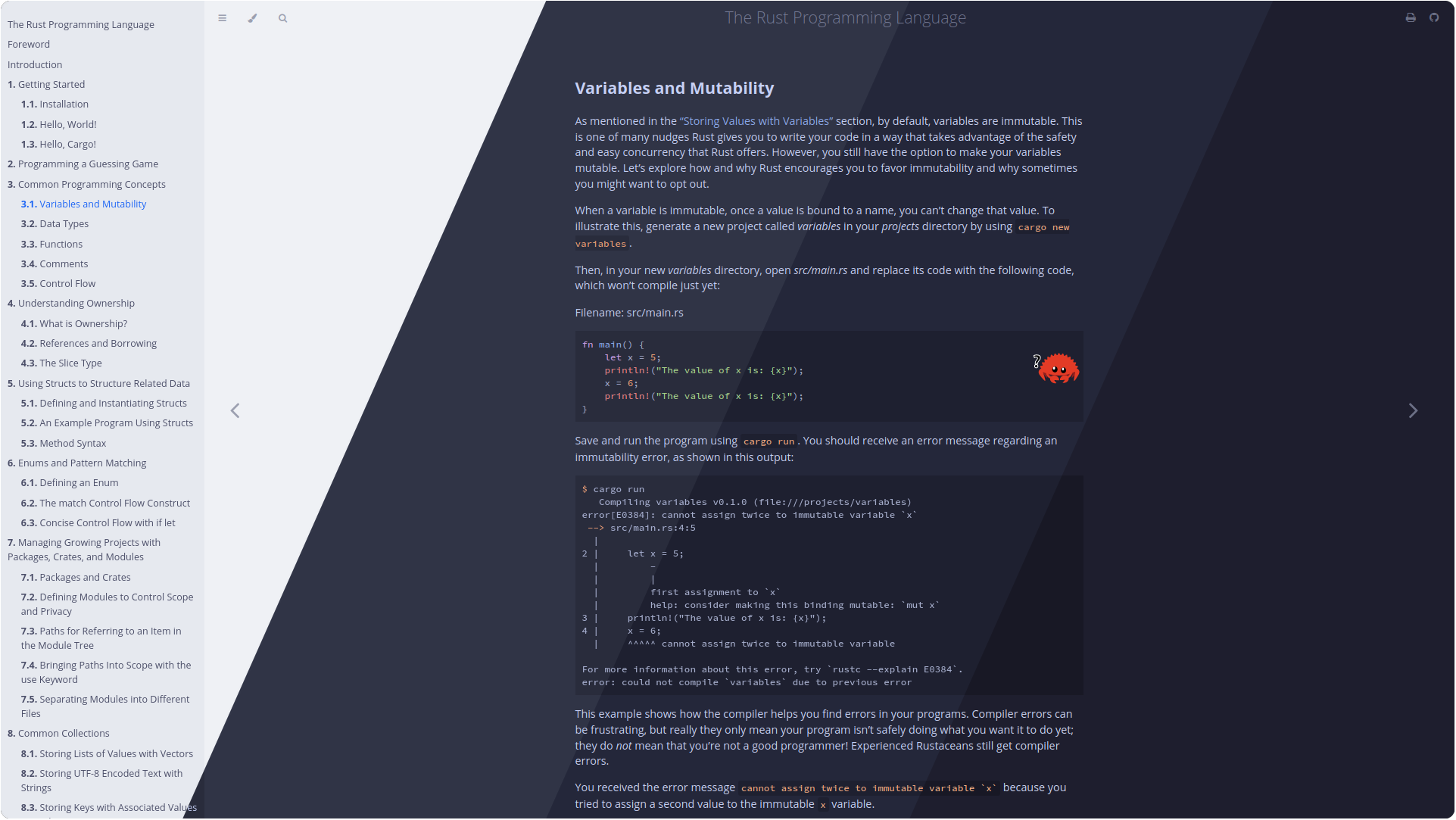
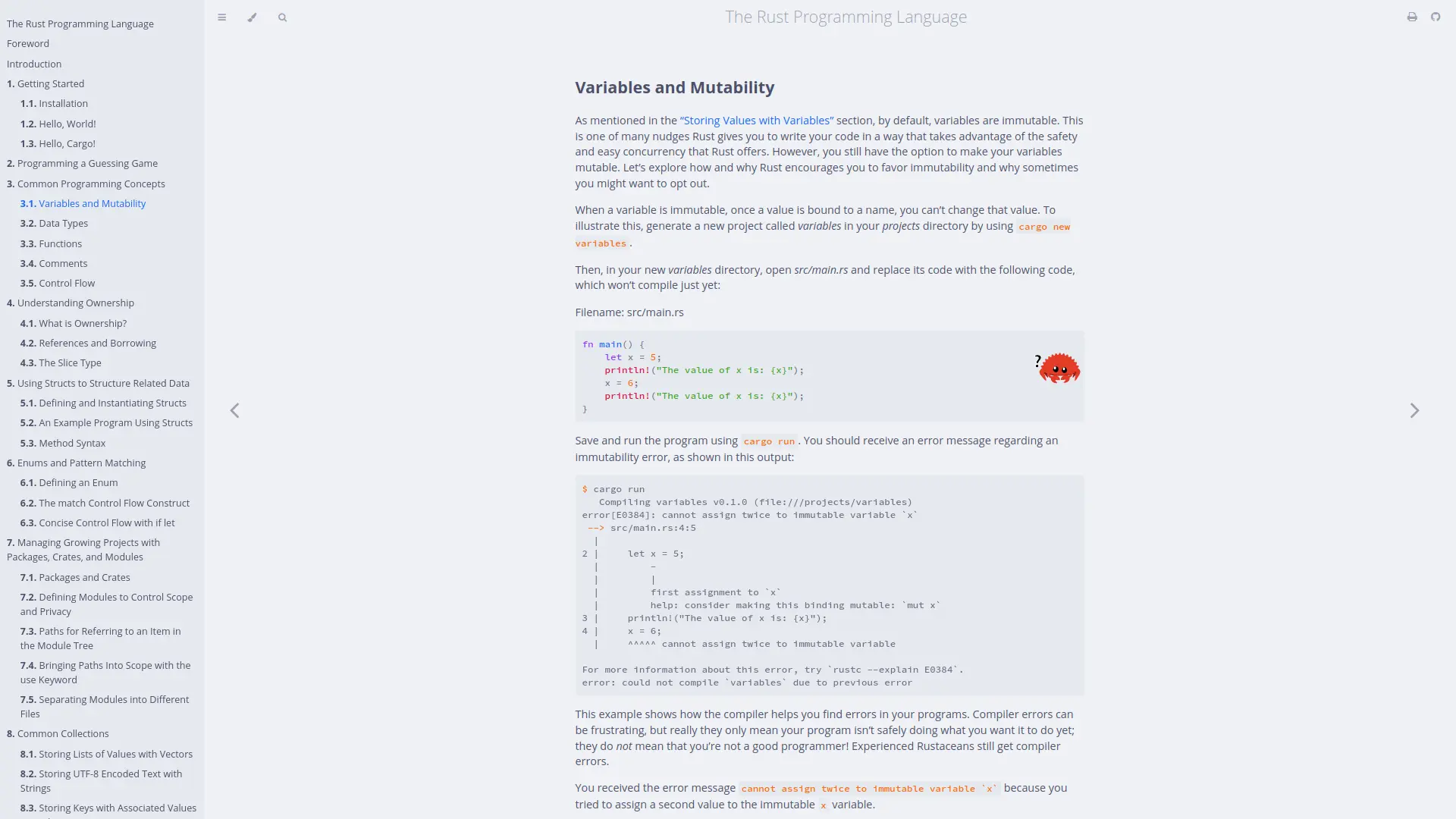
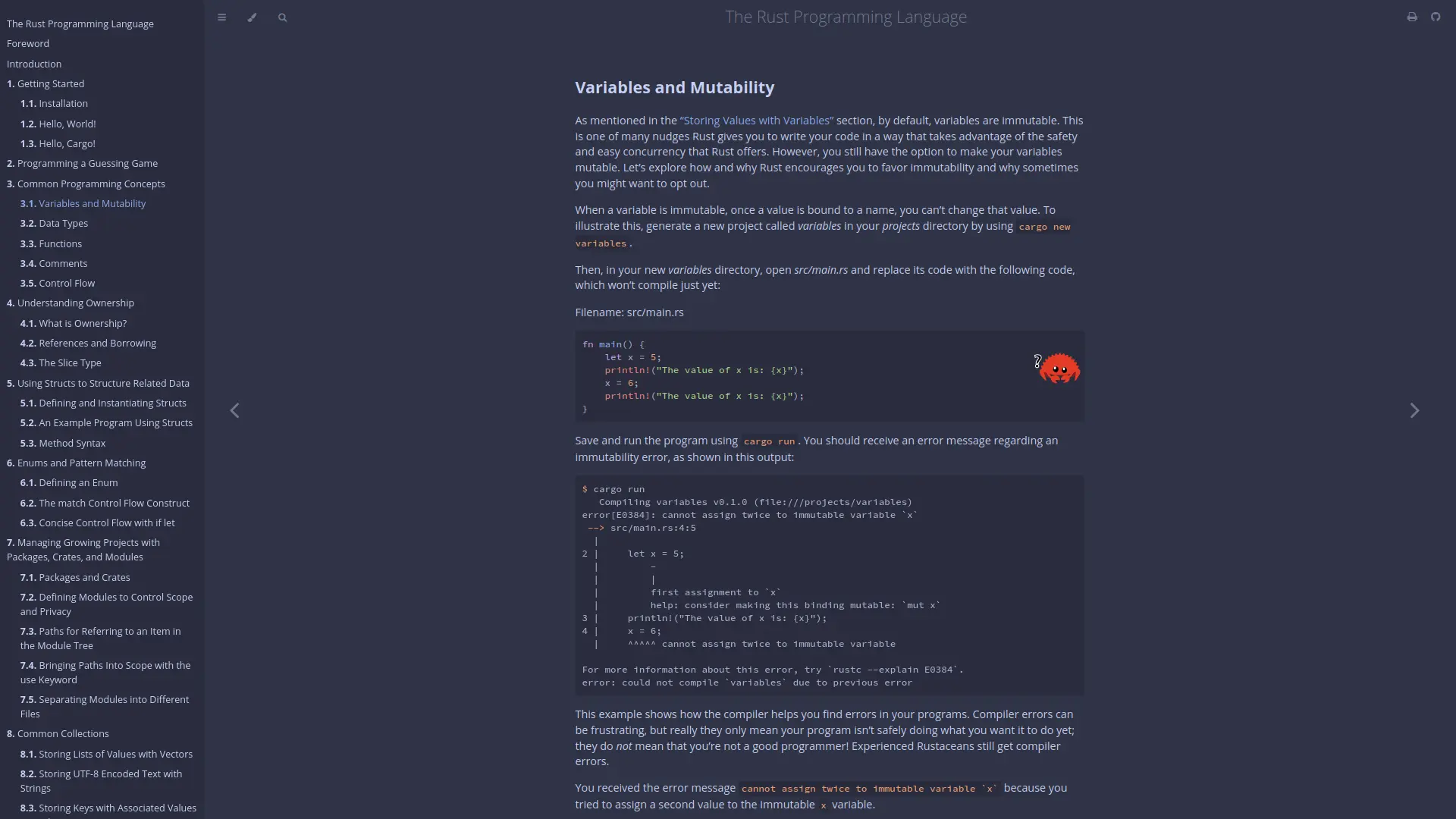
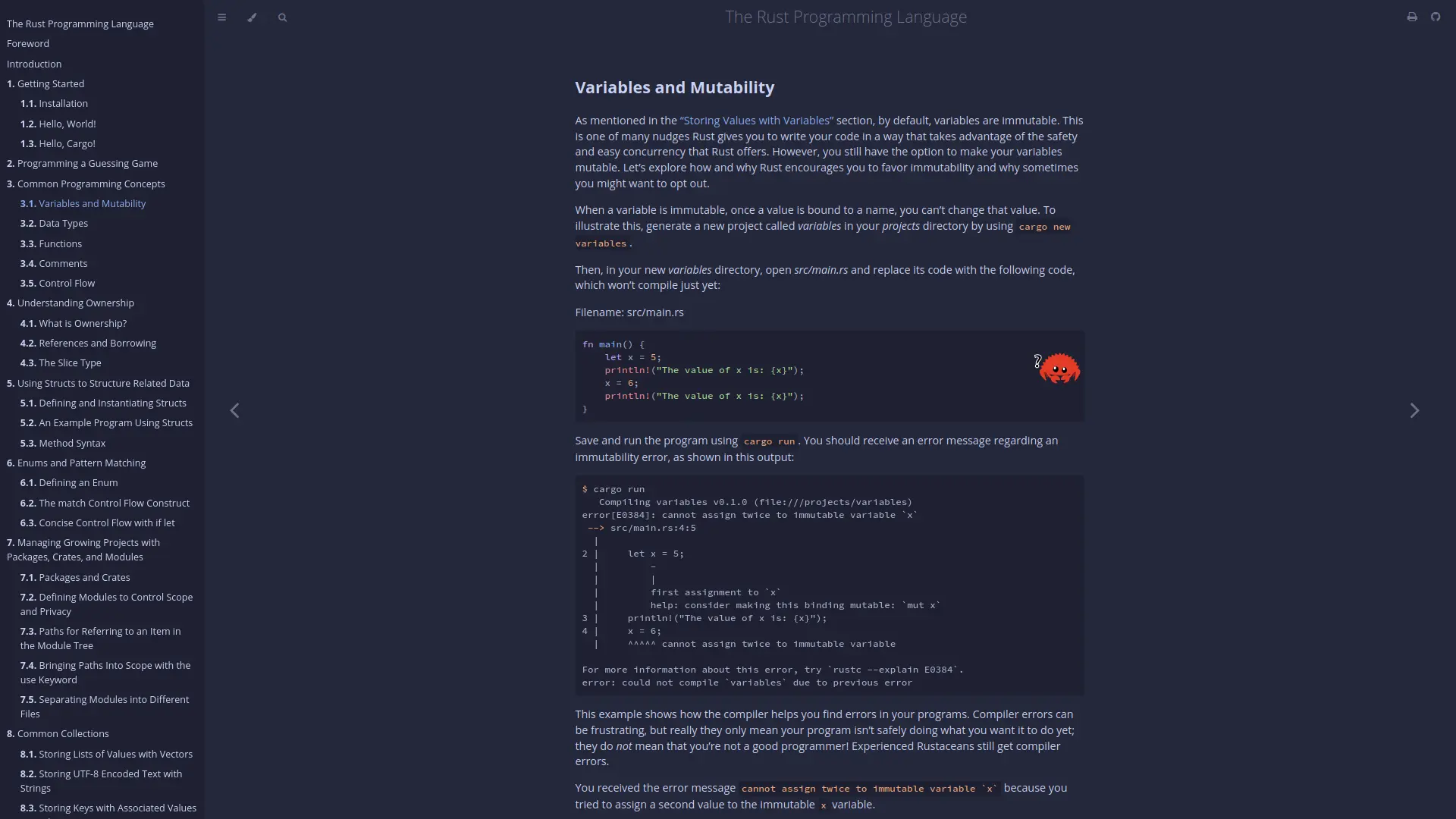
🎊 Soothing pastel theme for mdBook
See the code
 Catppuccin for mdBook




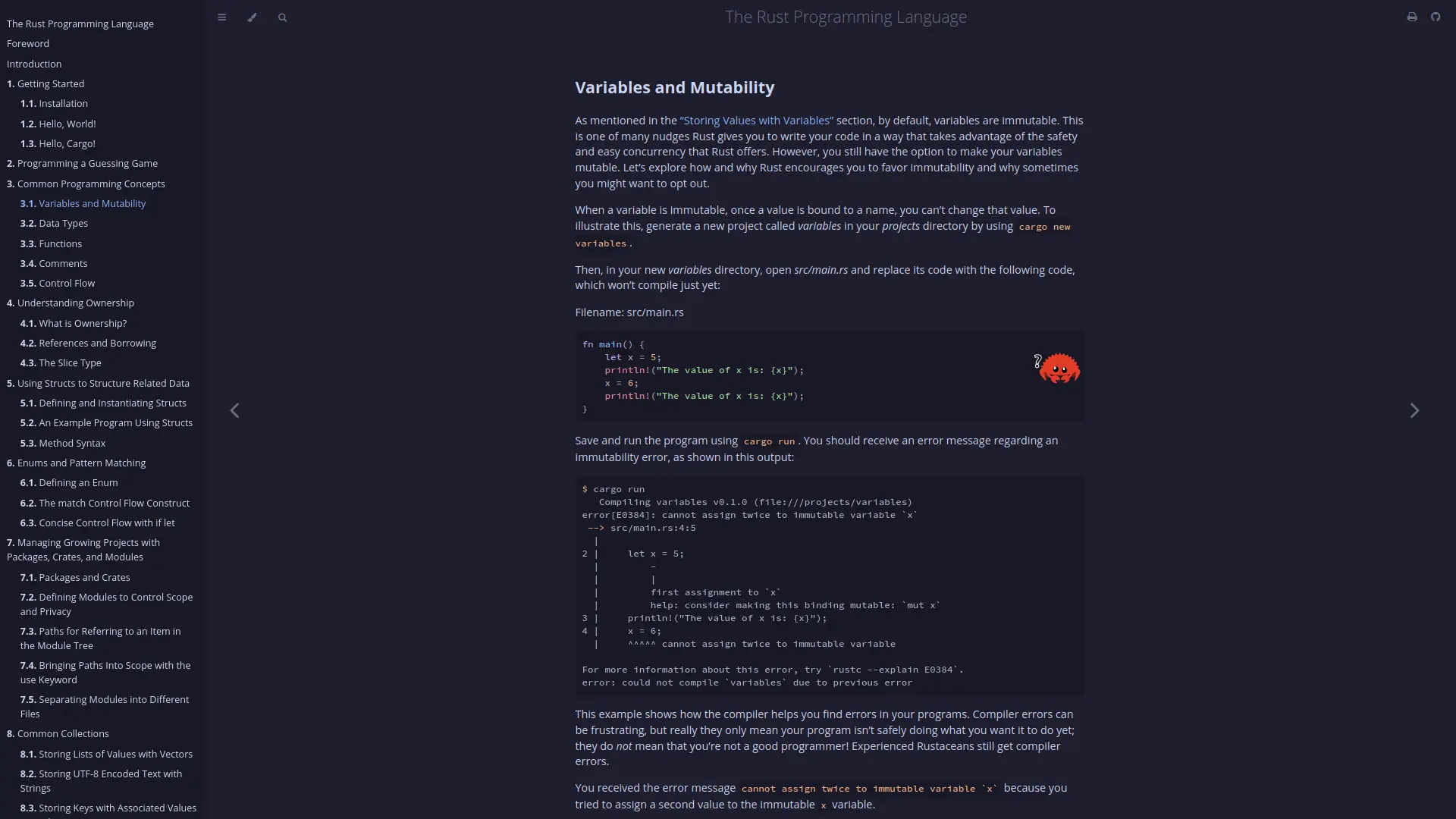
Initialise your mdBook with the theme files:
mdbook init --theme <name>
Enter the book directory and remove all theme files except index.hbs:
cd <name>
# Remove all files except index.hbs
find ./theme -type f ! -name 'index.hbs' -delete
# Remove the left over empty directories
rm -d fonts css
Download the catppuccin.css
file from the latest GitHub release to the theme
directory.
Update additional-css key within the book.toml as shown below
[output.html]
-additional-css = []
+additional-css = ["./theme/catppuccin.css"]
Edit the index.hbs file to include the Catppuccin flavors:
- <li role="none"><button role="menuitem" class="theme" id="light">Light</button></li>
- <li role="none"><button role="menuitem" class="theme" id="rust">Rust</button></li>
- <li role="none"><button role="menuitem" class="theme" id="coal">Coal</button></li>
- <li role="none"><button role="menuitem" class="theme" id="navy">Navy</button></li>
- <li role="none"><button role="menuitem" class="theme" id="ayu">Ayu</button></li>
+ <li role="none"><button role="menuitem" class="theme" id="latte">Latte</button></li>
+ <li role="none"><button role="menuitem" class="theme" id="frappe">Frappé</button></li>
+ <li role="none"><button role="menuitem" class="theme" id="macchiato">Macchiato</button></li>
+ <li role="none"><button role="menuitem" class="theme" id="mocha">Mocha</button></li>
Additionally, you can use
default-theme
and
preferred-dark-theme
keys for setting default light/dark mode themes in your book.toml.
E.g. To set the default theme to latte and default dark mode to mocha:
[output.html]
+ default-theme = "latte"
+ preferred-dark-theme = "mocha"
Build using mdbook build and enjoy your new Catppuccin flavors!
Clone the repository and navigate to the repository root.
git clone https://github.com/catppuccin/mdbook
cd mdbook
Generate the CSS files:
pnpm install
pnpm run build

Copyright © 2021-present Catppuccin Org

905 followers · starred Jul 2026
280 followers · starred Apr 2024
121 followers · starred Feb 2024
66 followers · starred Jan 2024
🎊 Soothing pastel theme for mdBook
See the code
Catppuccin for mdBook
Initialise your mdBook with the theme files:
mdbook init --theme <name>
Enter the book directory and remove all theme files except index.hbs:
cd <name>
# Remove all files except index.hbs
find ./theme -type f ! -name 'index.hbs' -delete
# Remove the left over empty directories
rm -d fonts css
Download the catppuccin.css
file from the latest GitHub release to the theme
directory.
Update additional-css key within the book.toml as shown below
[output.html]
-additional-css = []
+additional-css = ["./theme/catppuccin.css"]
Edit the index.hbs file to include the Catppuccin flavors:
- <li role="none"><button role="menuitem" class="theme" id="light">Light</button></li>
- <li role="none"><button role="menuitem" class="theme" id="rust">Rust</button></li>
- <li role="none"><button role="menuitem" class="theme" id="coal">Coal</button></li>
- <li role="none"><button role="menuitem" class="theme" id="navy">Navy</button></li>
- <li role="none"><button role="menuitem" class="theme" id="ayu">Ayu</button></li>
+ <li role="none"><button role="menuitem" class="theme" id="latte">Latte</button></li>
+ <li role="none"><button role="menuitem" class="theme" id="frappe">Frappé</button></li>
+ <li role="none"><button role="menuitem" class="theme" id="macchiato">Macchiato</button></li>
+ <li role="none"><button role="menuitem" class="theme" id="mocha">Mocha</button></li>
Additionally, you can use
default-theme
and
preferred-dark-theme
keys for setting default light/dark mode themes in your book.toml.
E.g. To set the default theme to latte and default dark mode to mocha:
[output.html]
+ default-theme = "latte"
+ preferred-dark-theme = "mocha"
Build using mdbook build and enjoy your new Catppuccin flavors!
Clone the repository and navigate to the repository root.
git clone https://github.com/catppuccin/mdbook
cd mdbook
Generate the CSS files:
pnpm install
pnpm run build
Copyright © 2021-present Catppuccin Org
905 followers · starred Jul 2026
280 followers · starred Apr 2024
121 followers · starred Feb 2024
66 followers · starred Jan 2024