blendi-remade/sprite-sheet-creator

Create your own playable 2D characters and maps, powered by fal.ai

TypeScript

1,770

23 commits

updated Jul 1, 2026

See the code

README

Sprite Sheet Creator

Sprite sheet generator for 2D pixel art characters and maps. Built with fal.ai.

Demo

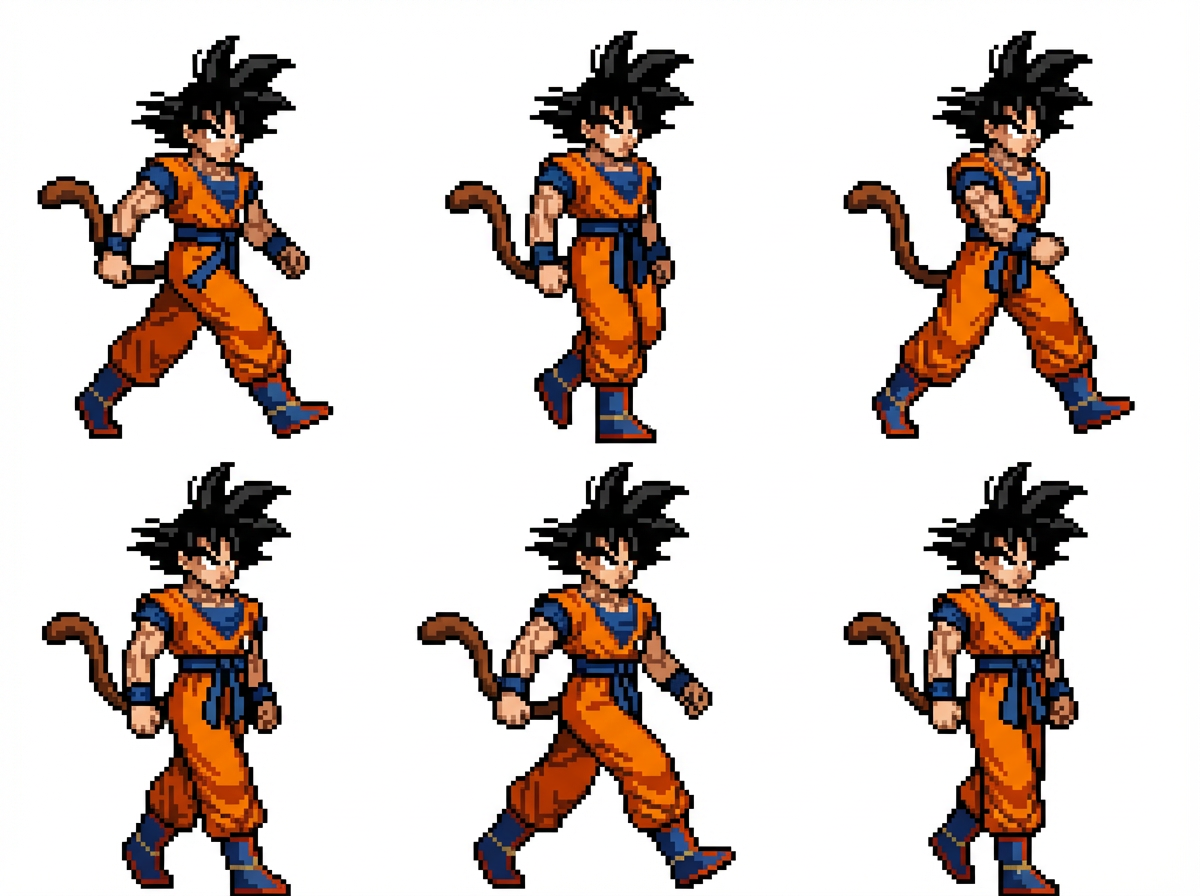
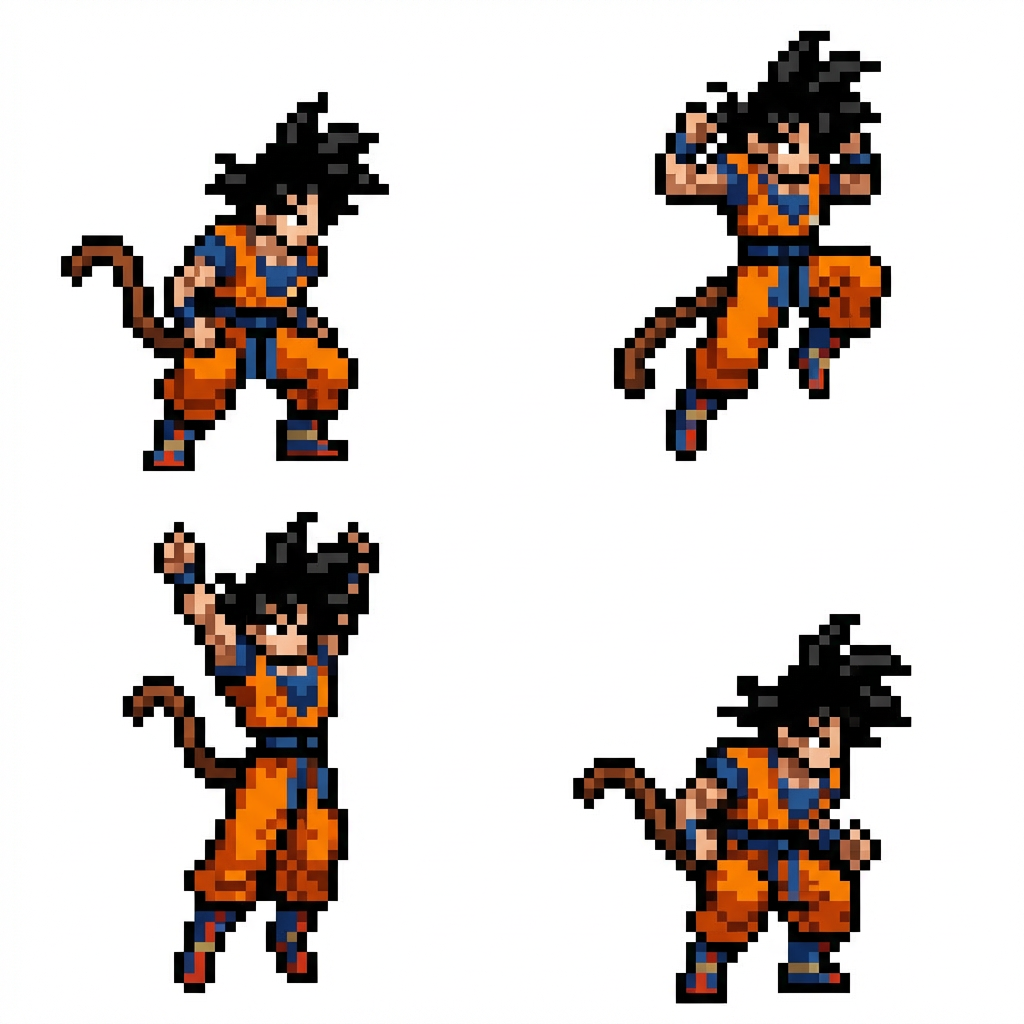
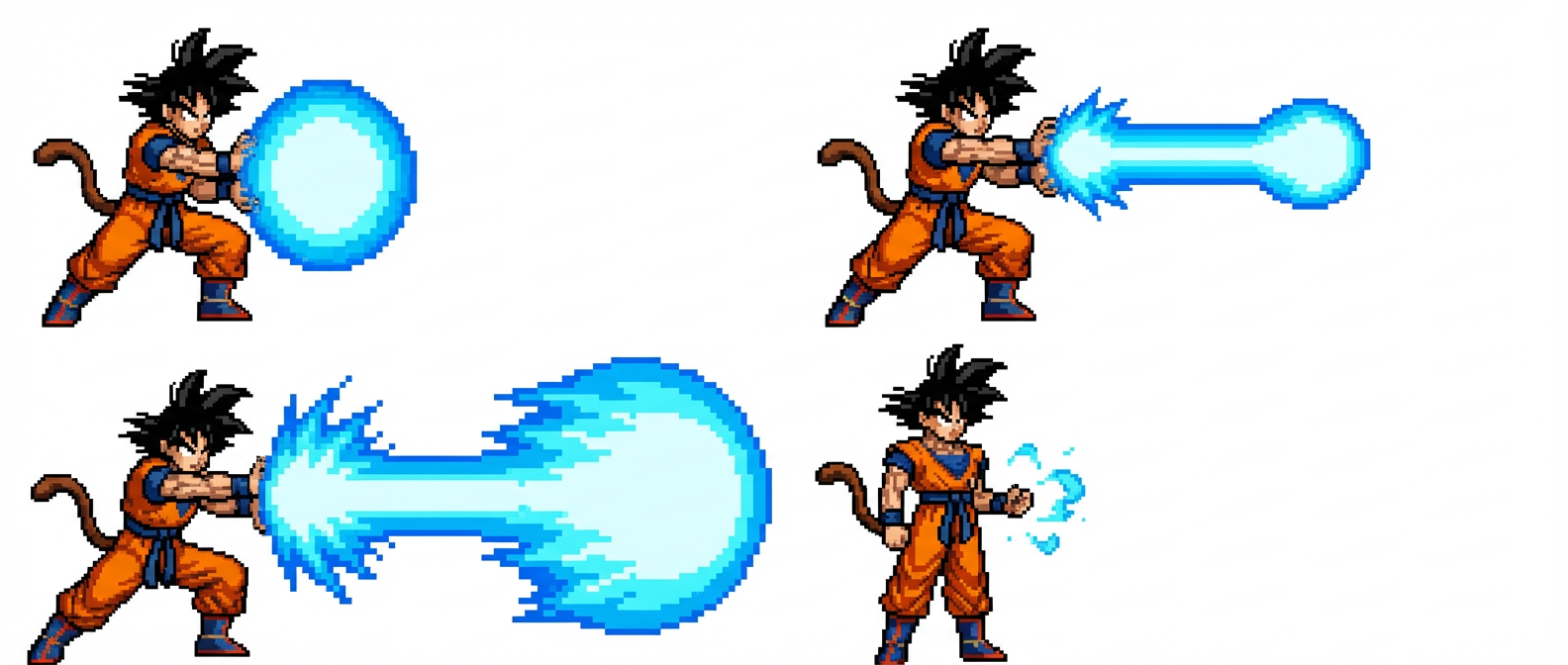
Side-Scroller Sprite Sheets

Walk CycleJump AnimationAttack Animation
Walk Sprite SheetJump Sprite SheetAttack Sprite Sheet

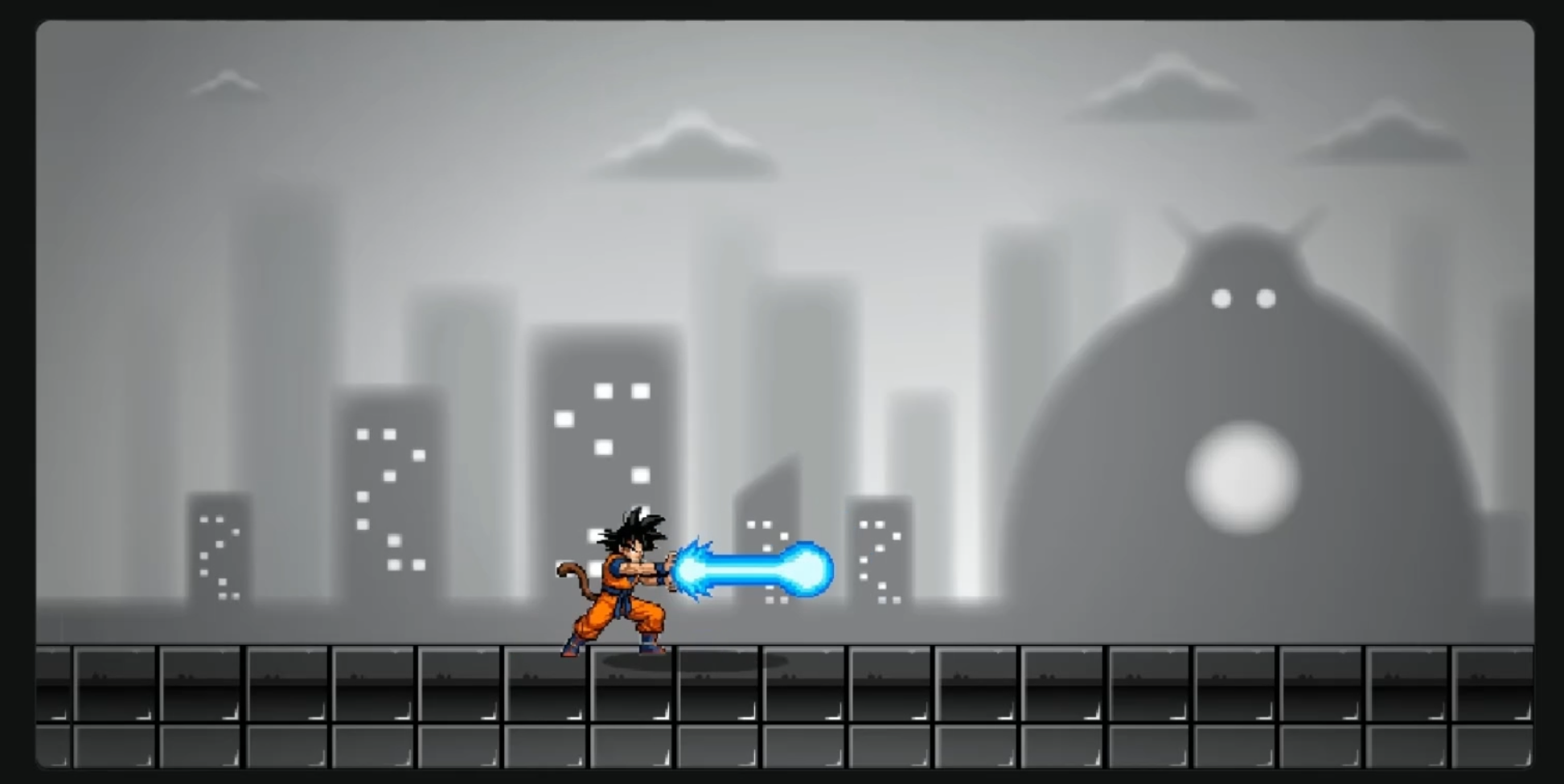
Side-Scroller Sandbox

Sandbox Preview

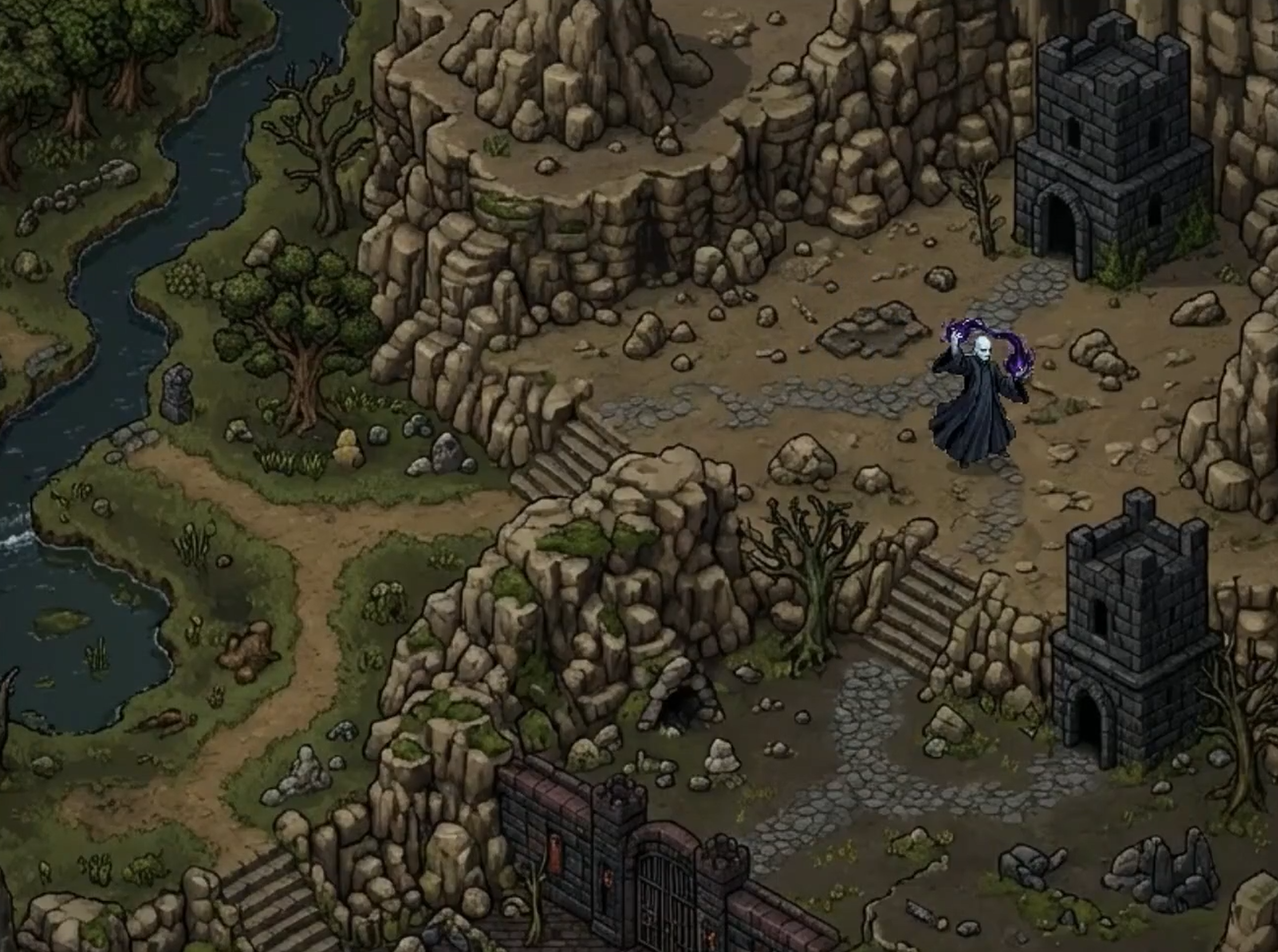
Isometric Mode

Isometric Preview

Features

Two Game Modes

  • Side-Scroller generates walk, jump, attack, and idle sprite sheets, plus an optional 3 layer parallax background.
  • Isometric (RPG) generates walk sheets for three directions (down, up, side), matching attack sheets for the same directions, an idle sheet, and a full top-down world map to explore.

Generation

  • Character generation from a text prompt or by converting an uploaded image into pixel art.
  • Sprite sheets rendered as 2x2 grids per animation, with consistent character identity across frames.
  • Backgrounds generated to match your character. Side-scroller mode produces a 3 layer parallax scene (sky, midground, foreground). Isometric mode produces a single large top-down map.
  • Background removal via Bria for sprite sheets and parallax midground and foreground layers.

Editing and Preview

  • Frame extraction with adjustable grid dividers for each sprite sheet.
  • Animation preview with adjustable FPS.
  • Per sprite size sliders in the sandbox so you can correct scale without regenerating.
  • Layer position sliders for side-scroller custom backgrounds, so you can nudge each layer vertically if alignment is slightly off.
  • Map size slider for the isometric map, so you can rescale the world relative to the character.
  • Per layer regeneration for the 3 parallax layers, so you can retry one without redoing the others.

Image Models

Pick the model once at the top of Step 1 and it applies to every generation in the flow:

  • Nano Banana Pro (fal-ai/nano-banana-pro and /edit)
  • Nano Banana Lite (google/nano-banana-lite and /edit)
  • GPT Image 2 (openai/gpt-image-2 and /edit)

Getting Started

  1. Install dependencies:
npm install
  1. Create a .env.local file with your fal.ai API key:
FAL_KEY=your_api_key_here

Get your API key at https://fal.ai/dashboard/keys

  1. Run the development server:
npm run dev
  1. Open http://localhost:3000

Controls

Animation Preview (Step 5)

  • D / → Walk right
  • A / ← Walk left
  • Space Stop

Side-Scroller Sandbox

  • A / ← Walk left
  • D / → Walk right
  • W / ↑ Jump
  • J Attack

Isometric Sandbox

  • W / ↑ Up
  • S / ↓ Down
  • A / ← Left
  • D / → Right
  • J Attack

Tech Stack

  • Next.js 14
  • React 18
  • fal.ai (Nano Banana Pro, Nano Banana Lite, GPT Image 2, Bria background removal)
  • HTML Canvas

blendi-remade/sprite-sheet-creator

Create your own playable 2D characters and maps, powered by fal.ai

TypeScript

1,770

23 commits

updated Jul 1, 2026

See the code

README

Sprite Sheet Creator

Sprite sheet generator for 2D pixel art characters and maps. Built with fal.ai.

Demo

Side-Scroller Sprite Sheets

Walk CycleJump AnimationAttack Animation
Walk Sprite SheetJump Sprite SheetAttack Sprite Sheet

Side-Scroller Sandbox

Sandbox Preview

Isometric Mode

Isometric Preview

Features

Two Game Modes

  • Side-Scroller generates walk, jump, attack, and idle sprite sheets, plus an optional 3 layer parallax background.
  • Isometric (RPG) generates walk sheets for three directions (down, up, side), matching attack sheets for the same directions, an idle sheet, and a full top-down world map to explore.

Generation

  • Character generation from a text prompt or by converting an uploaded image into pixel art.
  • Sprite sheets rendered as 2x2 grids per animation, with consistent character identity across frames.
  • Backgrounds generated to match your character. Side-scroller mode produces a 3 layer parallax scene (sky, midground, foreground). Isometric mode produces a single large top-down map.
  • Background removal via Bria for sprite sheets and parallax midground and foreground layers.

Editing and Preview

  • Frame extraction with adjustable grid dividers for each sprite sheet.
  • Animation preview with adjustable FPS.
  • Per sprite size sliders in the sandbox so you can correct scale without regenerating.
  • Layer position sliders for side-scroller custom backgrounds, so you can nudge each layer vertically if alignment is slightly off.
  • Map size slider for the isometric map, so you can rescale the world relative to the character.
  • Per layer regeneration for the 3 parallax layers, so you can retry one without redoing the others.

Image Models

Pick the model once at the top of Step 1 and it applies to every generation in the flow:

  • Nano Banana Pro (fal-ai/nano-banana-pro and /edit)
  • Nano Banana Lite (google/nano-banana-lite and /edit)
  • GPT Image 2 (openai/gpt-image-2 and /edit)

Getting Started

  1. Install dependencies:
npm install
  1. Create a .env.local file with your fal.ai API key:
FAL_KEY=your_api_key_here

Get your API key at https://fal.ai/dashboard/keys

  1. Run the development server:
npm run dev
  1. Open http://localhost:3000

Controls

Animation Preview (Step 5)

  • D / → Walk right
  • A / ← Walk left
  • Space Stop

Side-Scroller Sandbox

  • A / ← Walk left
  • D / → Walk right
  • W / ↑ Jump
  • J Attack

Isometric Sandbox

  • W / ↑ Up
  • S / ↓ Down
  • A / ← Left
  • D / → Right
  • J Attack

Tech Stack

  • Next.js 14
  • React 18
  • fal.ai (Nano Banana Pro, Nano Banana Lite, GPT Image 2, Bria background removal)
  • HTML Canvas

Significant stargazers

Ivan Fioravanti

580 followers · starred Mar 2026

Ben {chmark} Adams

2,035 followers · starred Mar 2026

Lee Penkman

136 followers · starred Mar 2026

sudo rm -rf --no-preserve-root /

2,162 followers · starred Mar 2026