
AI generation of 2d game assets such as spritesheets
TypeScript
114
39 commits
updated Sep 25, 2026
See what people are saying
README
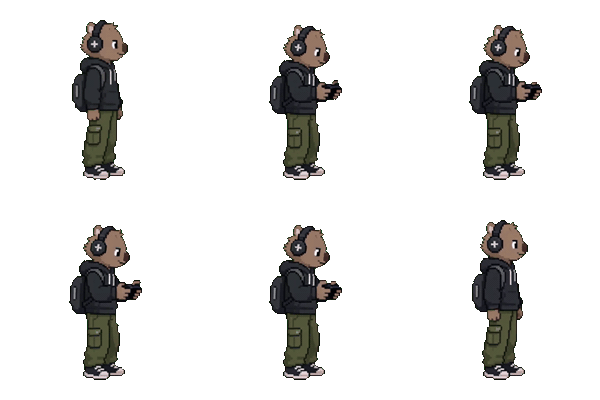 Wombo - The AI Game Studio
Wombo is created with the help of Codex and Astra. It allows you to create named characters, animations, and sounds from text prompts. Generate aligned side, front and back references, then create effectively any animation sequence (e.g. idle, walking, fighting) with automatically saved PNG and Aseprite files. Image and video calls go through OpenRouter; Sound & SFX uses ElevenLabs directly from the server.
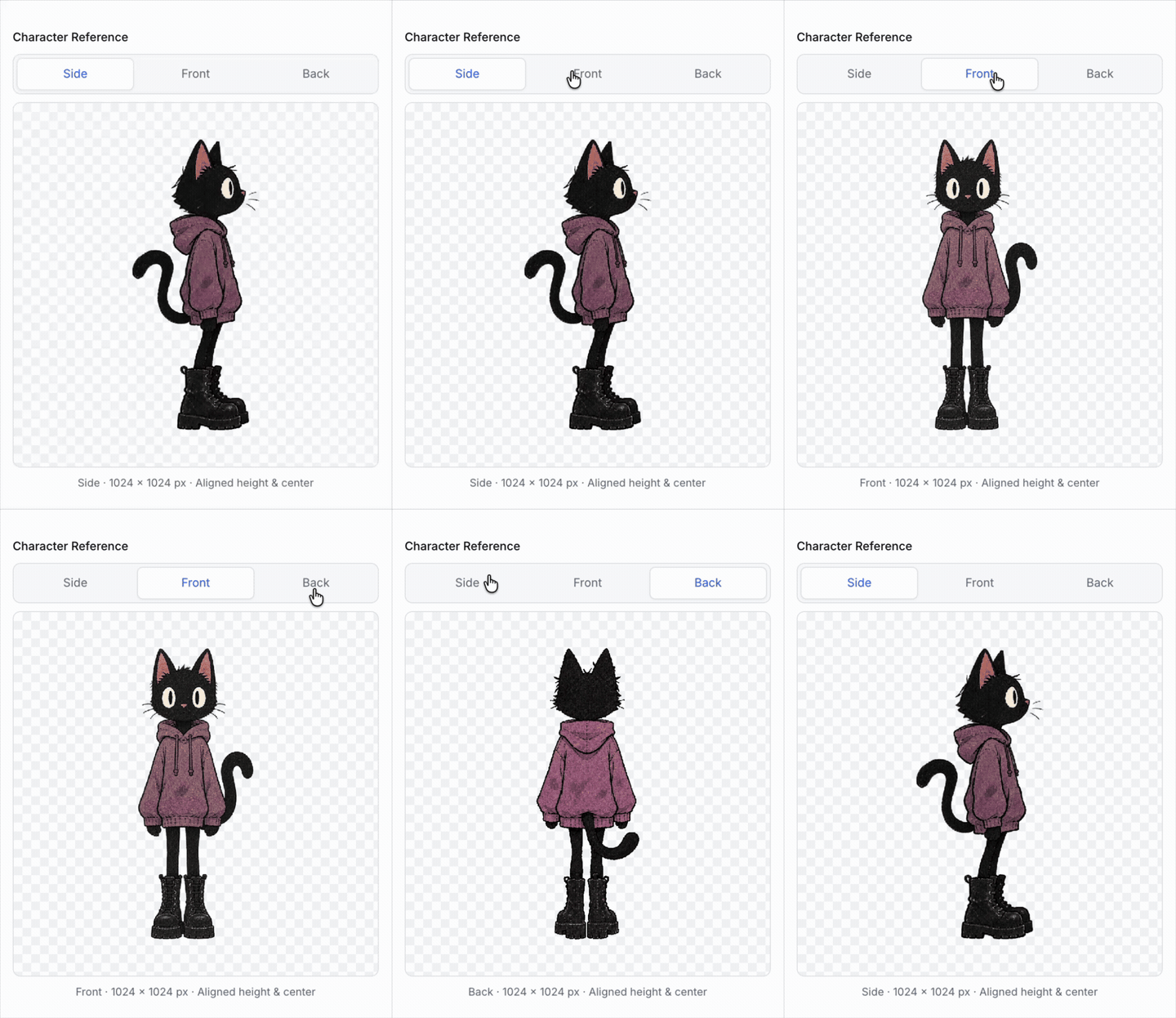
Character creation
Describe your character and generate aligned side, front and back reference views.
Attach an image for visual guidance and describe what to use from it, such as its art style or a specific character. Your text controls the subject and requested changes. Front and back views use the generated side view to keep the new character consistent.
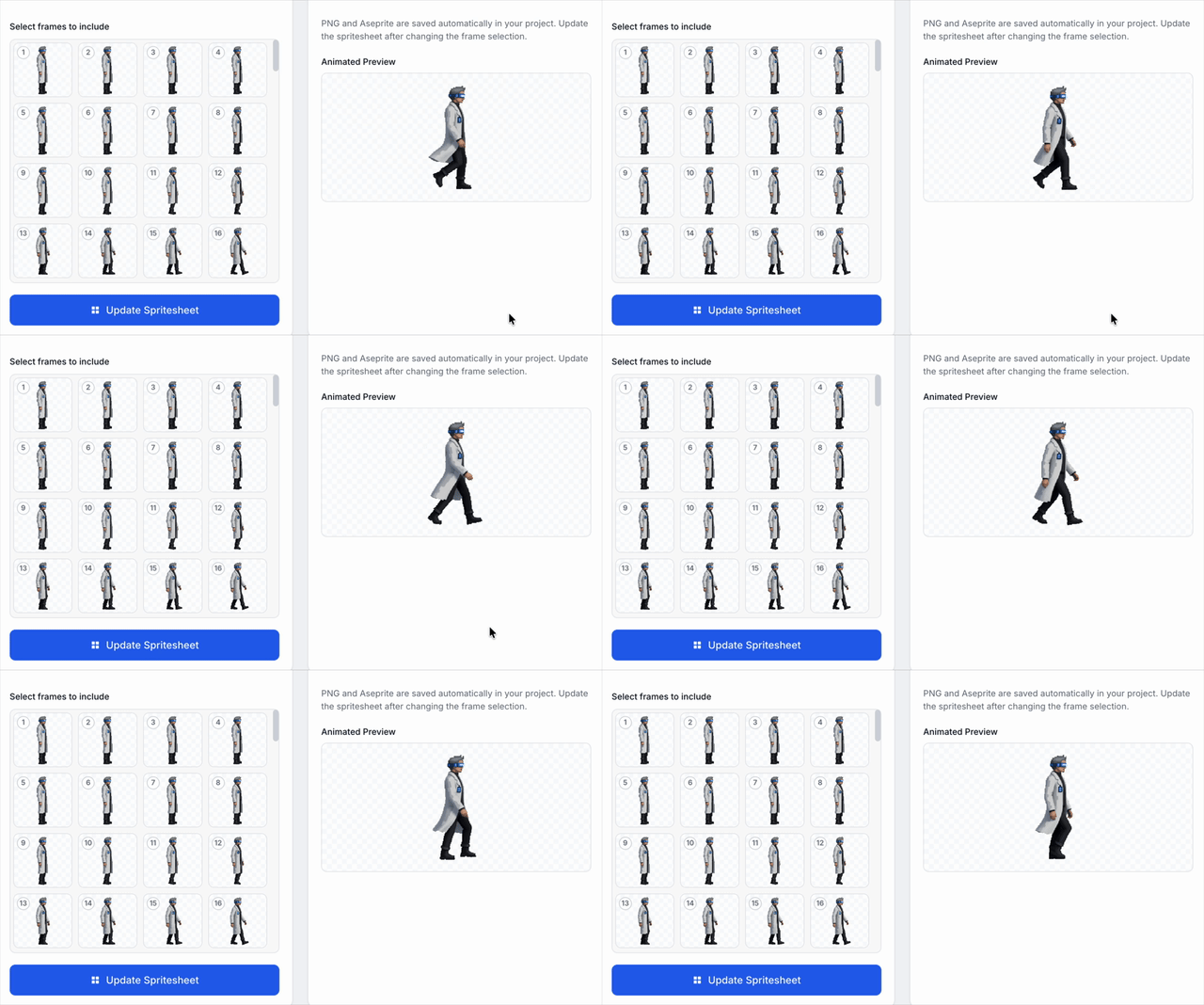
Animation creation
Turn your character into an animation, choose the frames to include, and save spritesheets as PNG and Aseprite files.
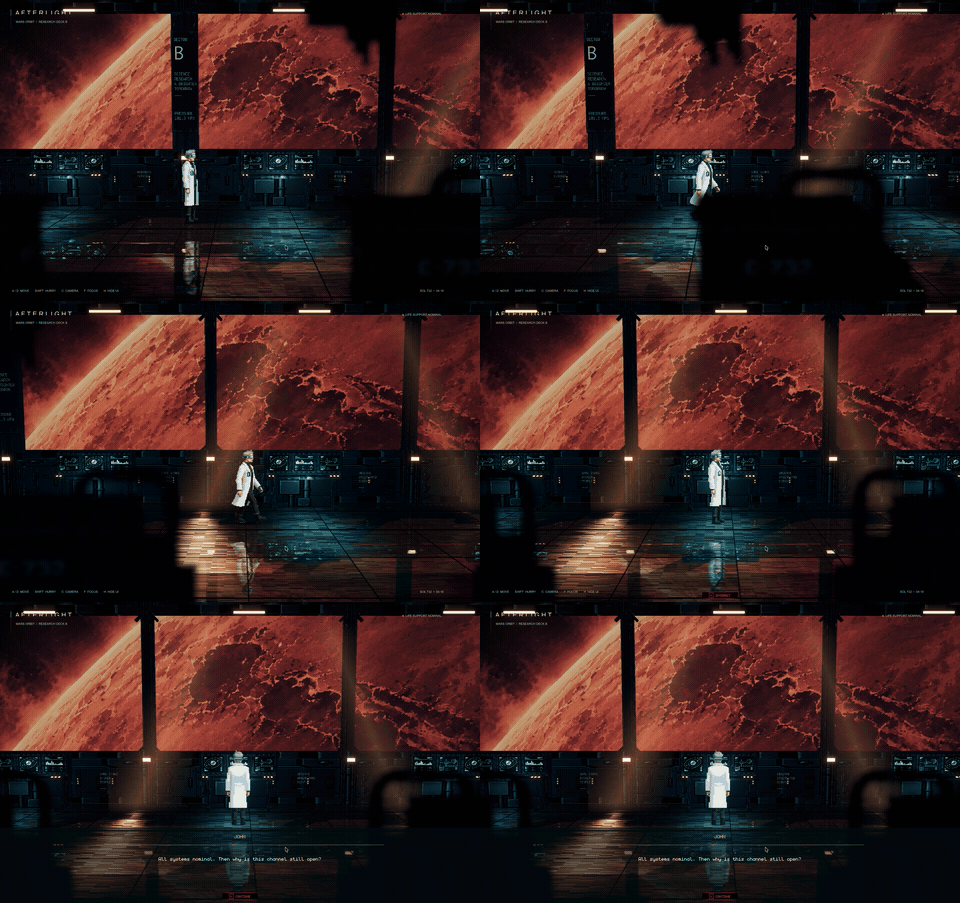
Example game: After Light
After Light is a 2.5D interplanetary-cyberpunk game currently being built using Unity + Blender + Astra, with 2D graphics and sound assets created in Wombo.
Setup and run
Requires Node.js 20+ and ffmpeg on your PATH.
npm install
cp .env.example .env
In .env, set OPENROUTER_API_KEY for characters and animations, and ELEVENLABS_API_KEY for Sound & SFX. Each workflow only needs its own provider's key.
npm run dev
Open localhost:5173. Stop the app with Ctrl+C.
Projects and storage
Choose New Project or Open on startup. Projects live outside the repository in ~/.ai-game-studio/; set AI_GAME_STUDIO_HOME to use another location. Installation creates the storage directory.
<project>/
├── .project               # Project manifest
├── sprites/<character>/   # References and animations/<animation>/
└── music/<sound>/         # Sound settings and audio revisions
Generated assets save automatically. Save project, switching assets, and Close project persist drafts. Each asset's JSON manifest points to its current files; older generated revisions are retained.
Guides
- Create sprites and animations
- Create music and SFX
- AGENTS.md — architecture, implementation rules, and testing.
Contributors

38 commits

1 commits
Similar repos


Languages
TypeScript
92.0%
CSS
7.8%
AI generation of 2d game assets such as spritesheets
TypeScript
114
39 commits
updated Sep 25, 2026
See what people are saying
README
Wombo - The AI Game Studio
Wombo is created with the help of Codex and Astra. It allows you to create named characters, animations, and sounds from text prompts. Generate aligned side, front and back references, then create effectively any animation sequence (e.g. idle, walking, fighting) with automatically saved PNG and Aseprite files. Image and video calls go through OpenRouter; Sound & SFX uses ElevenLabs directly from the server.
Character creation
Describe your character and generate aligned side, front and back reference views.
Attach an image for visual guidance and describe what to use from it, such as its art style or a specific character. Your text controls the subject and requested changes. Front and back views use the generated side view to keep the new character consistent.
Animation creation
Turn your character into an animation, choose the frames to include, and save spritesheets as PNG and Aseprite files.
Example game: After Light
After Light is a 2.5D interplanetary-cyberpunk game currently being built using Unity + Blender + Astra, with 2D graphics and sound assets created in Wombo.
Setup and run
Requires Node.js 20+ and ffmpeg on your PATH.
npm install
cp .env.example .env
In .env, set OPENROUTER_API_KEY for characters and animations, and ELEVENLABS_API_KEY for Sound & SFX. Each workflow only needs its own provider's key.
npm run dev
Open localhost:5173. Stop the app with Ctrl+C.
Projects and storage
Choose New Project or Open on startup. Projects live outside the repository in ~/.ai-game-studio/; set AI_GAME_STUDIO_HOME to use another location. Installation creates the storage directory.
<project>/
├── .project               # Project manifest
├── sprites/<character>/   # References and animations/<animation>/
└── music/<sound>/         # Sound settings and audio revisions
Generated assets save automatically. Save project, switching assets, and Close project persist drafts. Each asset's JSON manifest points to its current files; older generated revisions are retained.
Guides
- Create sprites and animations
- Create music and SFX
- AGENTS.md — architecture, implementation rules, and testing.
Similar repos
Contributors
38 commits
1 commits
Languages
TypeScript
92.0%
CSS
7.8%