A terminal-based Markdown browser.
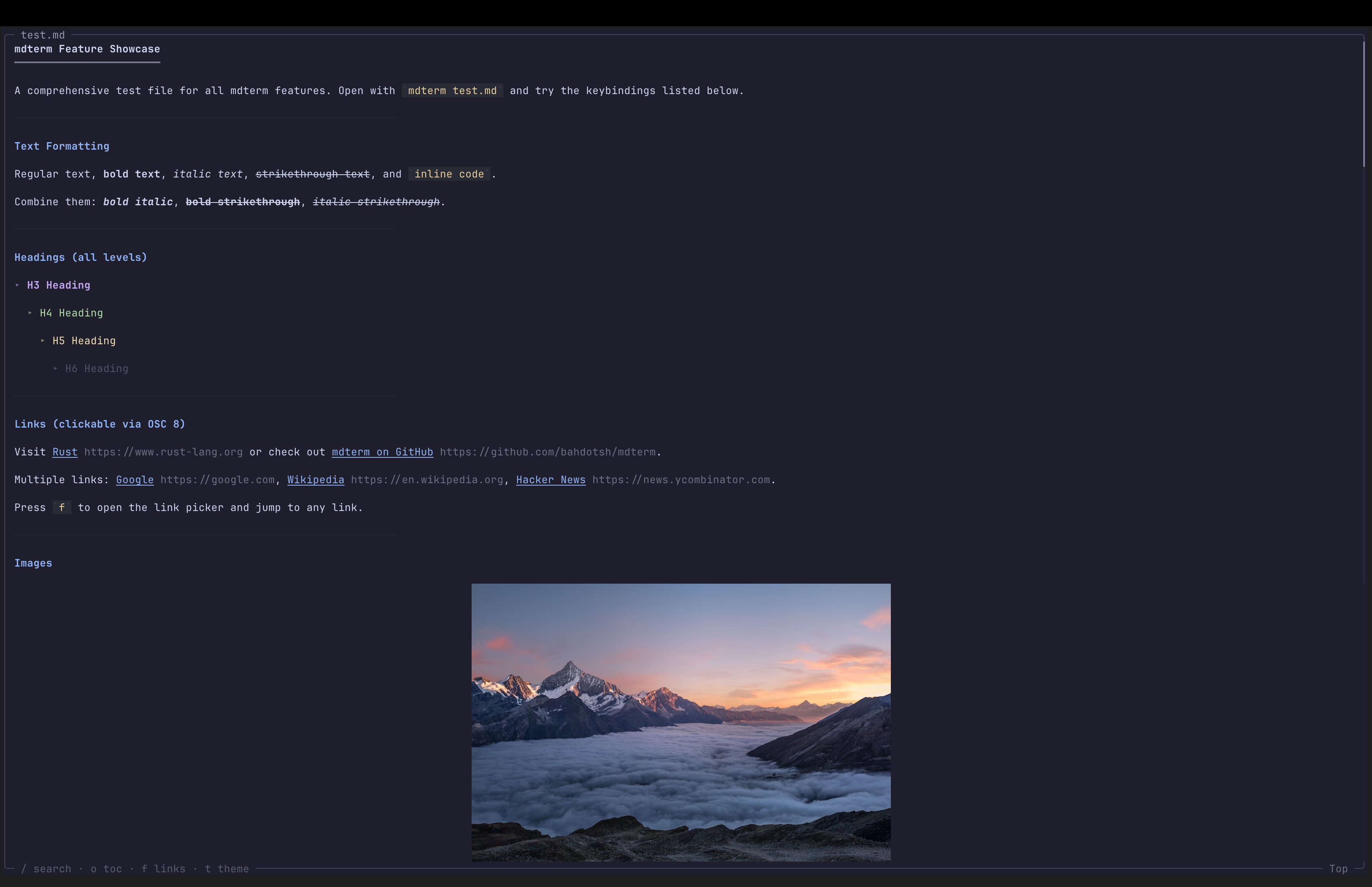
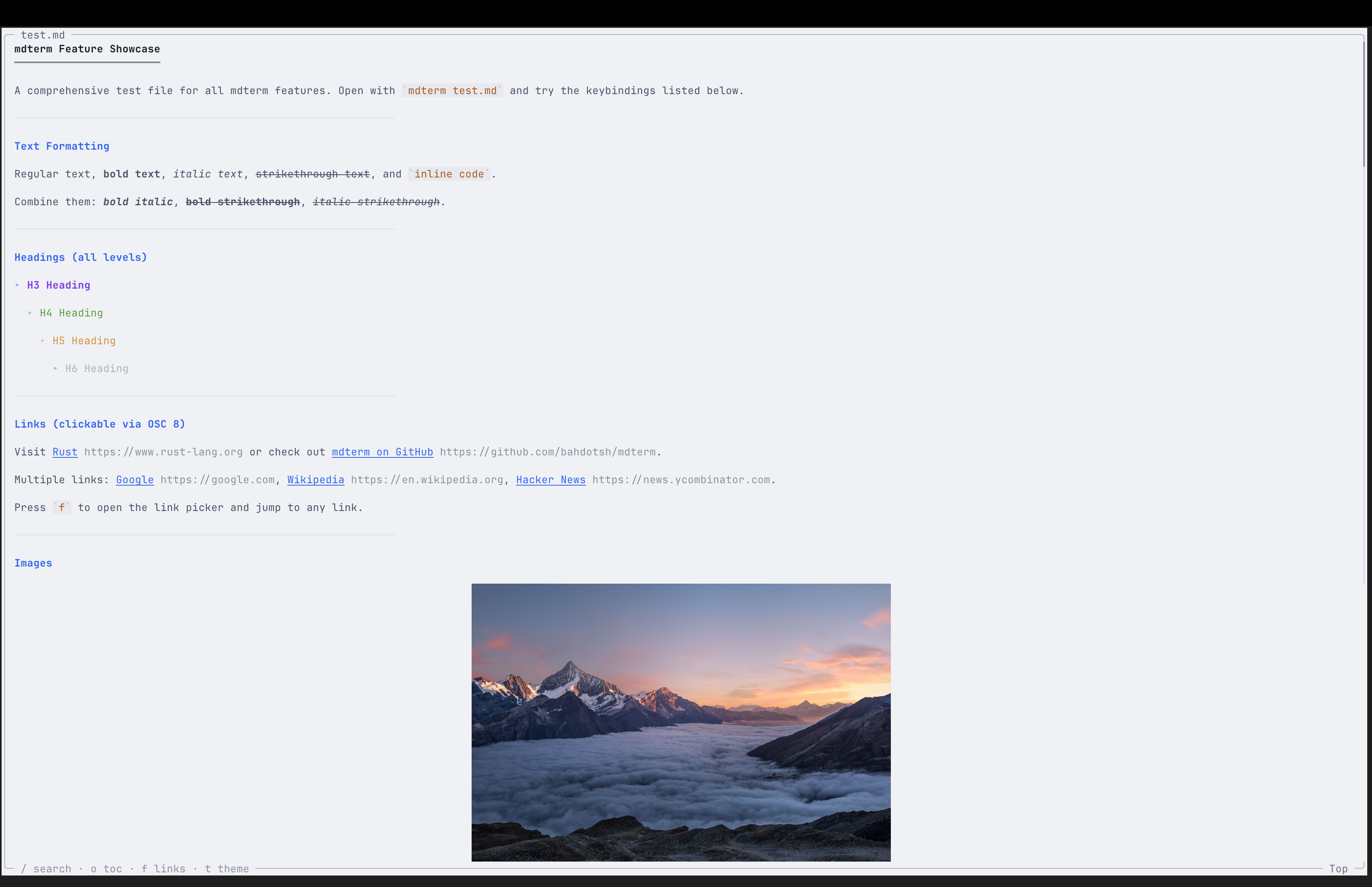
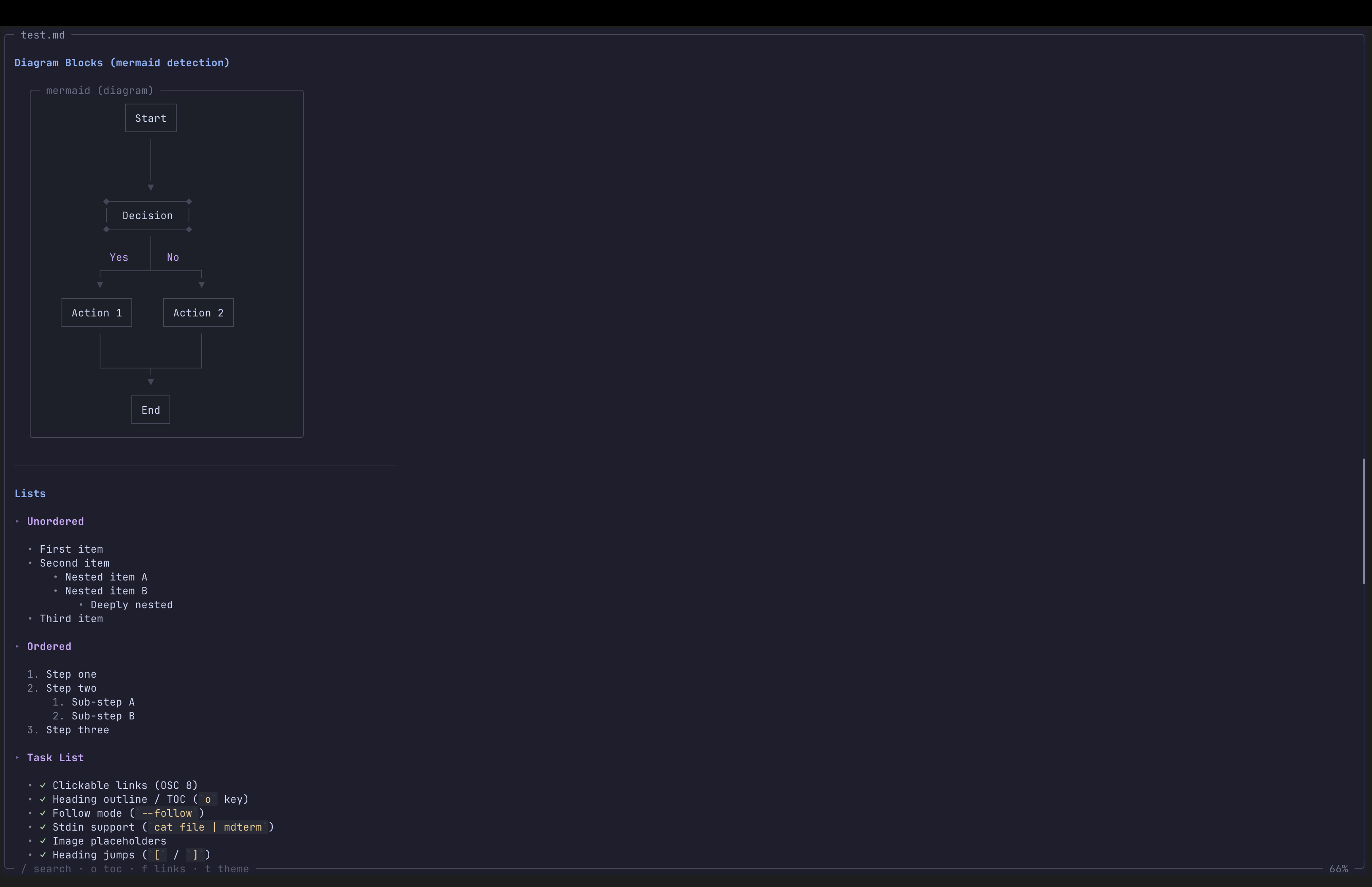
See the codeA terminal-based Markdown viewer written in Rust. Renders Markdown files with syntax highlighting, styled formatting, and interactive navigation.
 |  |
 |  |
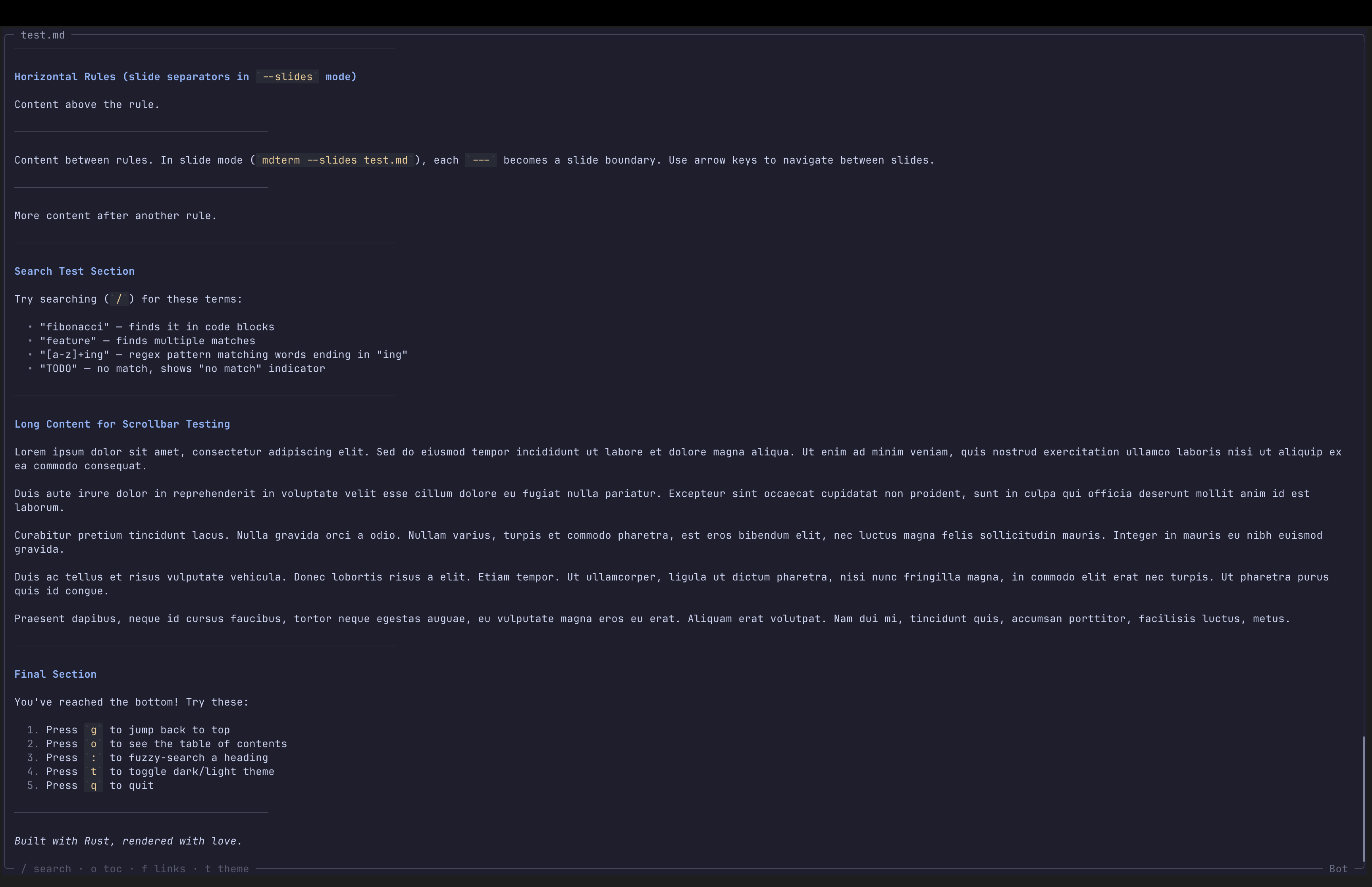 |
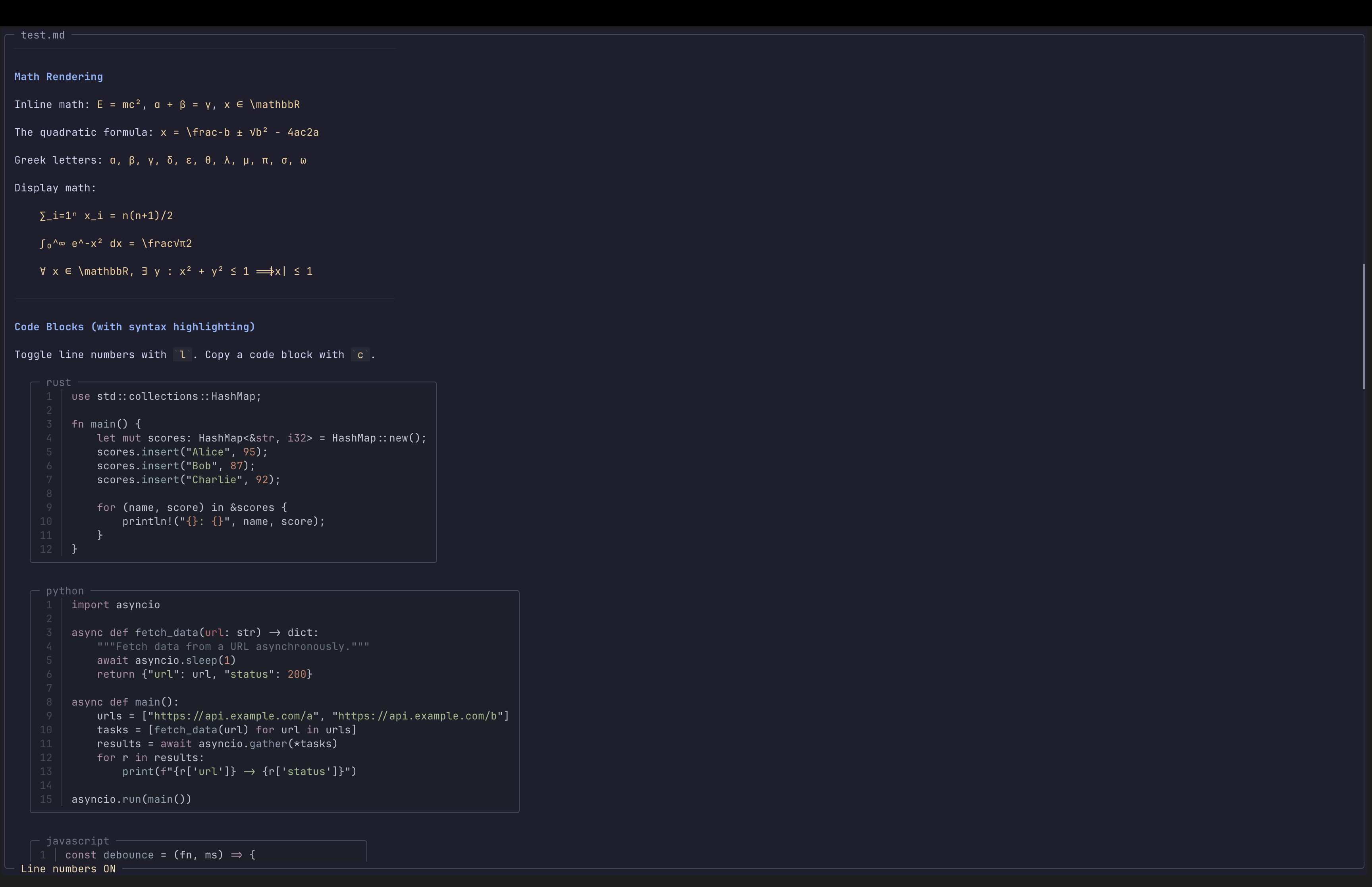
/ to search with regex support, n/N to jump between matcheso to browse and jump to any heading: to filter headings by name[ / ] to jump between sectionsBackspace to go backf to list all links, type a number to open in browserY copies full document, c copies nearest code block$\alpha + \beta$ renders as α + β--slides treats --- as slide separators for terminal presentationscurl ... | mdtermmdterm a.md b.md, switch with Tab / Shift+Tab--export html outputs themed, self-contained HTMLt, or set via --theme / config filel for code blocks~/.config/mdterm/config.toml for persistent preferencesRequires Rust 1.85+ (edition 2024).
cargo install --path .
mdterm README.md                    # view a file
mdterm a.md b.md                    # multiple files (Tab to switch)
mdterm data.json                    # view a JSON file
cat README.md | mdterm              # read from stdin
mdterm --slides deck.md             # slide mode
mdterm --export html doc.md > out.html  # export to HTML
mdterm --theme light README.md      # light theme
mdterm -l README.md                 # line numbers in code blocks
When piped, mdterm outputs styled text without the interactive viewer:
mdterm README.md | less -R
| Key | Action |
|---|---|
j / Down | Scroll down one line |
k / Up | Scroll up one line |
Space / Page Down | Page down |
b / Page Up | Page up |
d / u (or Ctrl+d / Ctrl+u) | Half-page down / up |
g / Home | Jump to top |
G / End | Jump to bottom |
[ / ] | Previous / next heading |
Backspace | Go back (after following a local file link) |
| Mouse scroll | Scroll up/down |
| Key | Action |
|---|---|
/ | Open search (supports regex) |
Enter | Execute search |
n / N | Next / previous match |
Esc | Clear search |
| Key | Action |
|---|---|
o | Table of contents overlay |
: | Fuzzy heading search |
f | Link picker (open URLs / follow local links) |
t | Toggle dark/light theme |
l | Toggle line numbers in code blocks |
| Click heading | Copy heading section to clipboard |
| Click list | Copy entire list to clipboard |
| Click code block | Copy code block to clipboard |
Y | Copy entire document to clipboard |
c | Copy nearest code block to clipboard |
Tab / Shift+Tab | Switch between files |
h / ? / F1 | Help screen |
q / Ctrl+C | Quit |
--slides)| Key | Action |
|---|---|
Right / Space / l / j / Down / Page Down | Next slide |
Left / b / h / k / Up / Page Up | Previous slide |
g / Home | First slide |
G / End | Last slide |
Create ~/.config/mdterm/config.toml:
theme = "dark"          # "dark" or "light"
line_numbers = false     # show line numbers in code blocks
width = 0               # display width (0 = auto)
CLI flags override config file settings.
mdterm [OPTIONS] [FILES]...

Arguments:
  [FILES]...               Markdown file(s) to view

Options:
  -T, --theme <THEME>      Theme: dark or light
  -w, --width <WIDTH>      Display width override (0 = auto)
  -s, --slides             Slide mode (--- as slide separators)
  -l, --line-numbers       Show line numbers in code blocks
      --export <FORMAT>    Export format (html)
      --no-color           Disable colors
  -h, --help               Print help
  -V, --version            Print version
cargo build --release

MIT
4,692 followers · starred Mar 2026
706 followers · starred Apr 2026
308 followers · starred Mar 2026
70 followers · starred Apr 2026
A terminal-based Markdown browser.
See the codeA terminal-based Markdown viewer written in Rust. Renders Markdown files with syntax highlighting, styled formatting, and interactive navigation.
| |
| |
|
/ to search with regex support, n/N to jump between matcheso to browse and jump to any heading: to filter headings by name[ / ] to jump between sectionsBackspace to go backf to list all links, type a number to open in browserY copies full document, c copies nearest code block$\alpha + \beta$ renders as α + β--slides treats --- as slide separators for terminal presentationscurl ... | mdtermmdterm a.md b.md, switch with Tab / Shift+Tab--export html outputs themed, self-contained HTMLt, or set via --theme / config filel for code blocks~/.config/mdterm/config.toml for persistent preferencesRequires Rust 1.85+ (edition 2024).
cargo install --path .
mdterm README.md                    # view a file
mdterm a.md b.md                    # multiple files (Tab to switch)
mdterm data.json                    # view a JSON file
cat README.md | mdterm              # read from stdin
mdterm --slides deck.md             # slide mode
mdterm --export html doc.md > out.html  # export to HTML
mdterm --theme light README.md      # light theme
mdterm -l README.md                 # line numbers in code blocks
When piped, mdterm outputs styled text without the interactive viewer:
mdterm README.md | less -R
| Key | Action |
|---|---|
j / Down | Scroll down one line |
k / Up | Scroll up one line |
Space / Page Down | Page down |
b / Page Up | Page up |
d / u (or Ctrl+d / Ctrl+u) | Half-page down / up |
g / Home | Jump to top |
G / End | Jump to bottom |
[ / ] | Previous / next heading |
Backspace | Go back (after following a local file link) |
| Mouse scroll | Scroll up/down |
| Key | Action |
|---|---|
/ | Open search (supports regex) |
Enter | Execute search |
n / N | Next / previous match |
Esc | Clear search |
| Key | Action |
|---|---|
o | Table of contents overlay |
: | Fuzzy heading search |
f | Link picker (open URLs / follow local links) |
t | Toggle dark/light theme |
l | Toggle line numbers in code blocks |
| Click heading | Copy heading section to clipboard |
| Click list | Copy entire list to clipboard |
| Click code block | Copy code block to clipboard |
Y | Copy entire document to clipboard |
c | Copy nearest code block to clipboard |
Tab / Shift+Tab | Switch between files |
h / ? / F1 | Help screen |
q / Ctrl+C | Quit |
--slides)| Key | Action |
|---|---|
Right / Space / l / j / Down / Page Down | Next slide |
Left / b / h / k / Up / Page Up | Previous slide |
g / Home | First slide |
G / End | Last slide |
Create ~/.config/mdterm/config.toml:
theme = "dark"          # "dark" or "light"
line_numbers = false     # show line numbers in code blocks
width = 0               # display width (0 = auto)
CLI flags override config file settings.
mdterm [OPTIONS] [FILES]...

Arguments:
  [FILES]...               Markdown file(s) to view

Options:
  -T, --theme <THEME>      Theme: dark or light
  -w, --width <WIDTH>      Display width override (0 = auto)
  -s, --slides             Slide mode (--- as slide separators)
  -l, --line-numbers       Show line numbers in code blocks
      --export <FORMAT>    Export format (html)
      --no-color           Disable colors
  -h, --help               Print help
  -V, --version            Print version
cargo build --release
MIT
4,692 followers · starred Mar 2026
706 followers · starred Apr 2026
308 followers · starred Mar 2026
70 followers · starred Apr 2026