
README
Markless
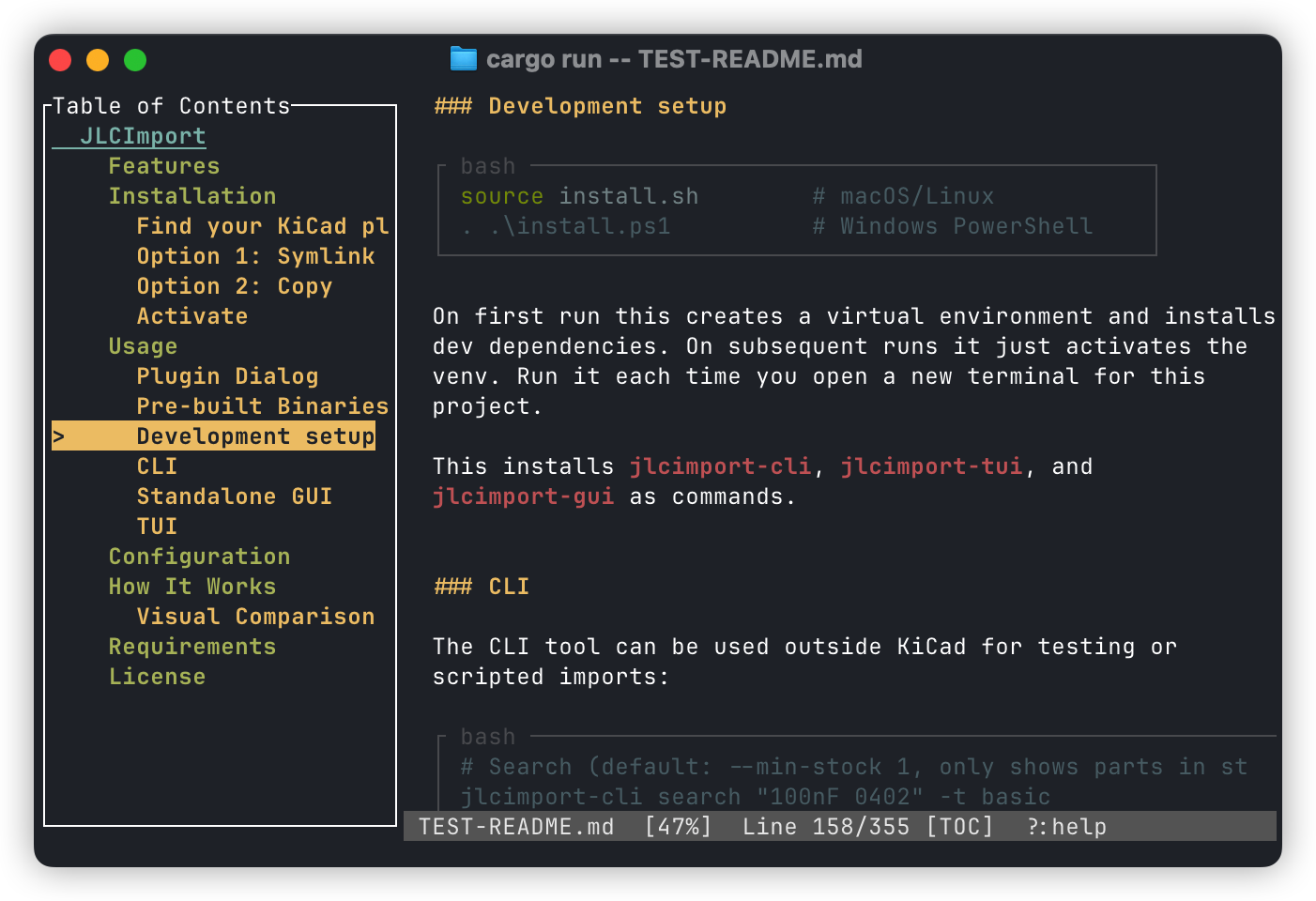
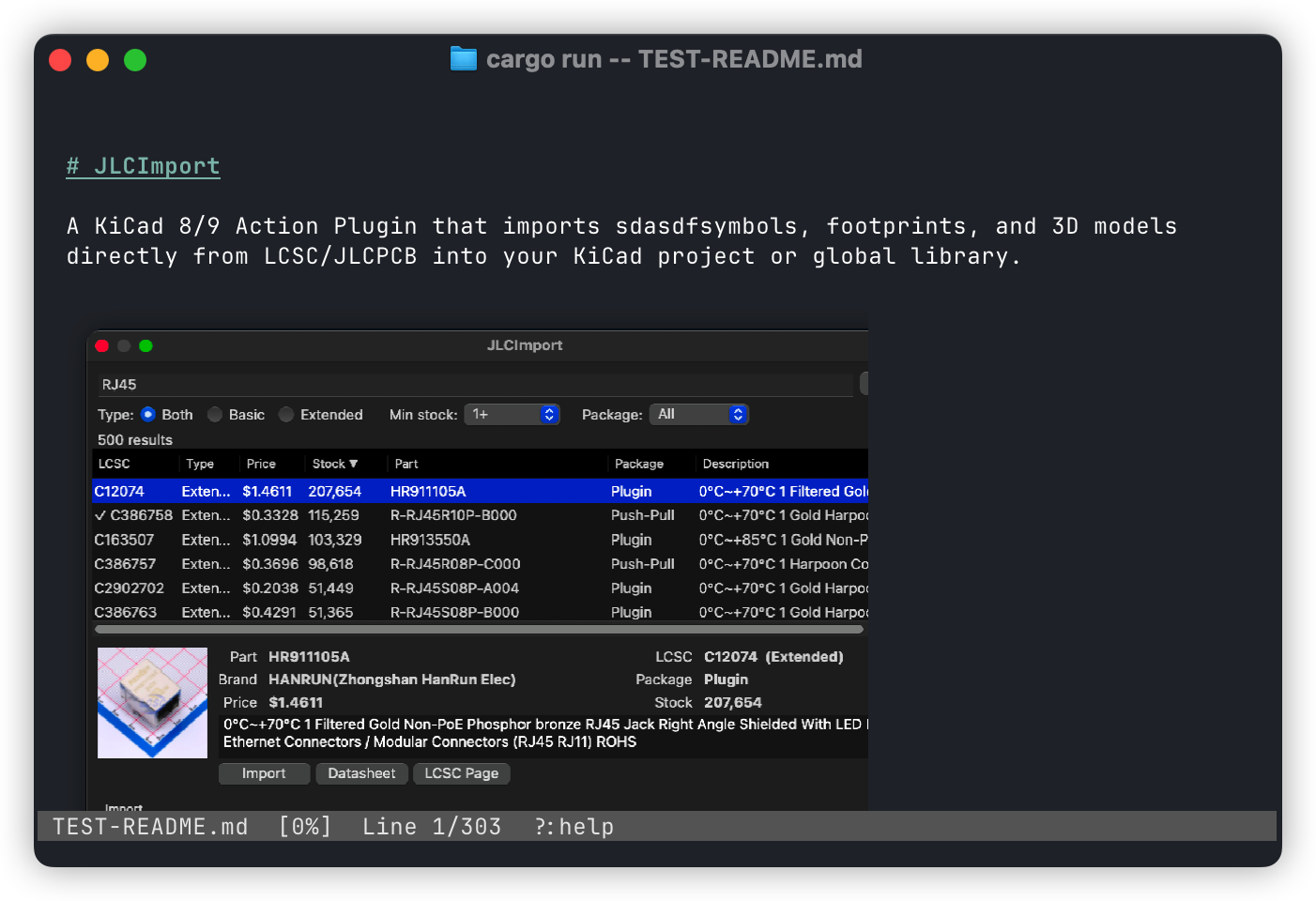
Markless is a terminal markdown viewer and editor with image support. It is focused on fast navigation, clear rendering, and sensible defaults for long documents.
Screenshots
Features
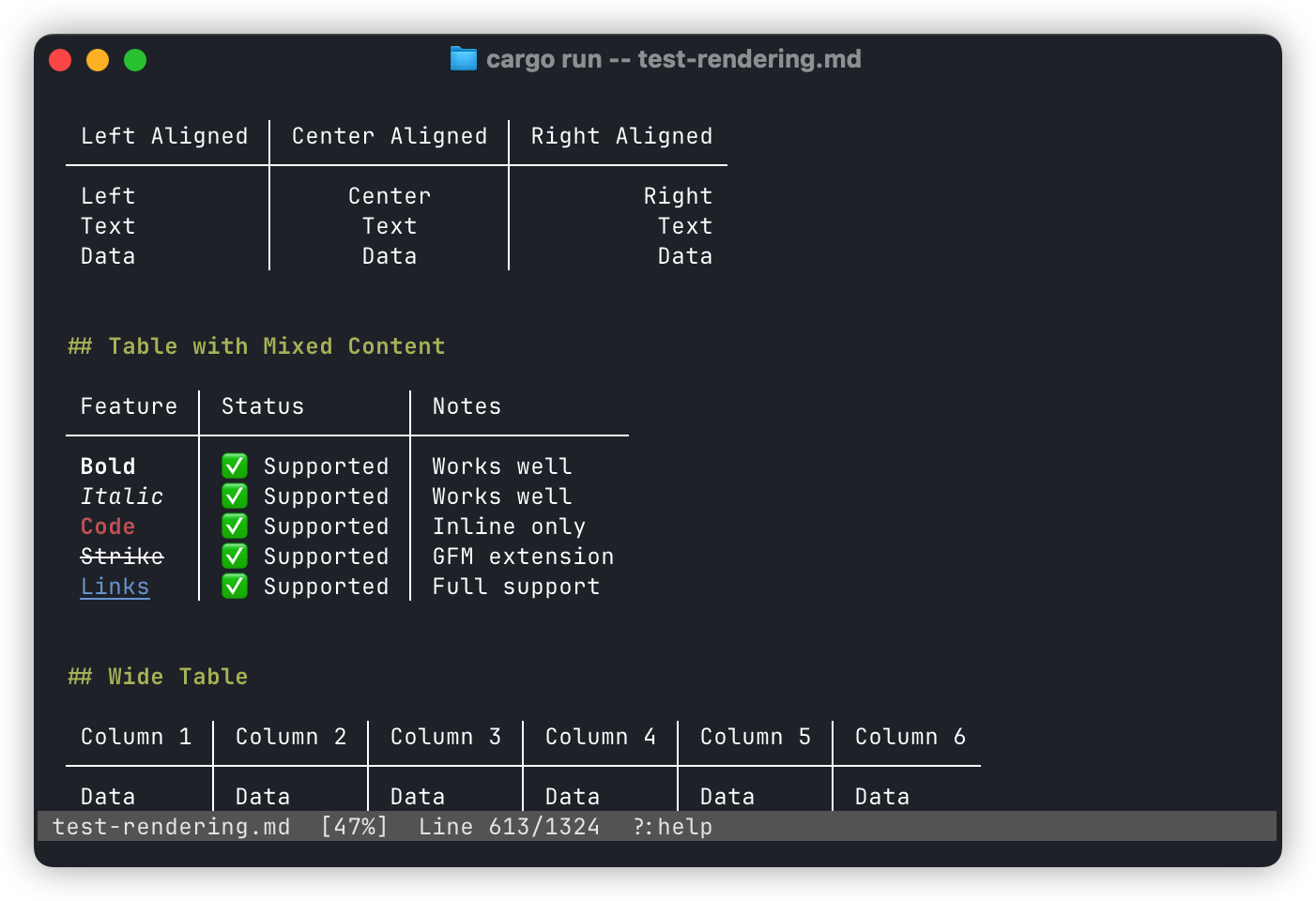
- Markdown rendering with headings, lists, tables, block quotes, code blocks, footnotes, task lists, and description lists
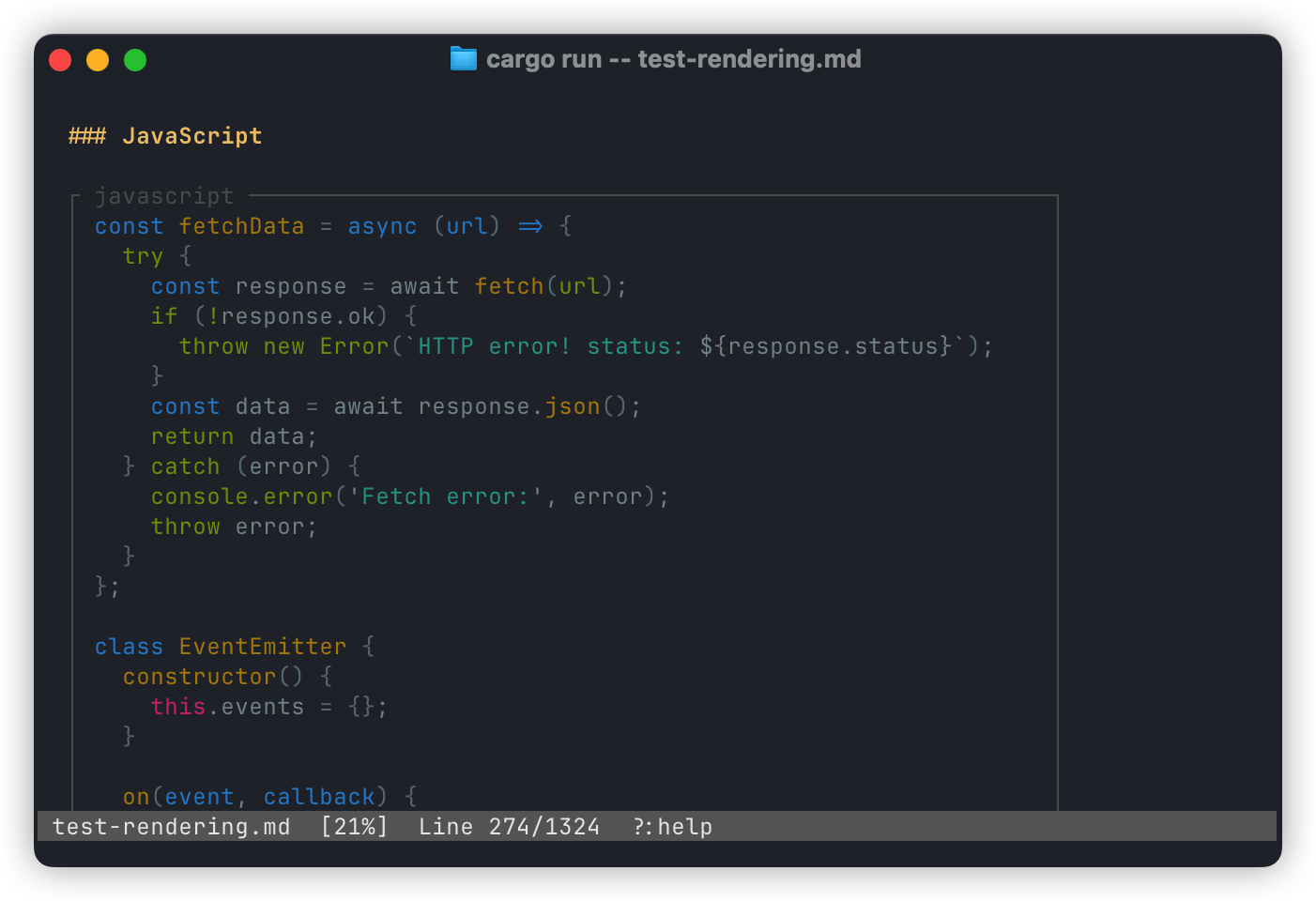
- Syntax-highlighted code blocks with lazy highlighting for performance
- Inline images (Kitty, Sixel, iTerm2, and half-block fallback) with auto-detection
- Mermaid diagram rendering (SVG rasterized inline, click to open full SVG)
- LaTeX math rendering — inline
$...$as Unicode, display$$...$$and```math ```as images via Typst - CSV files and
```csv ```code blocks rendered as formatted tables - Binary file viewing with hex dump display
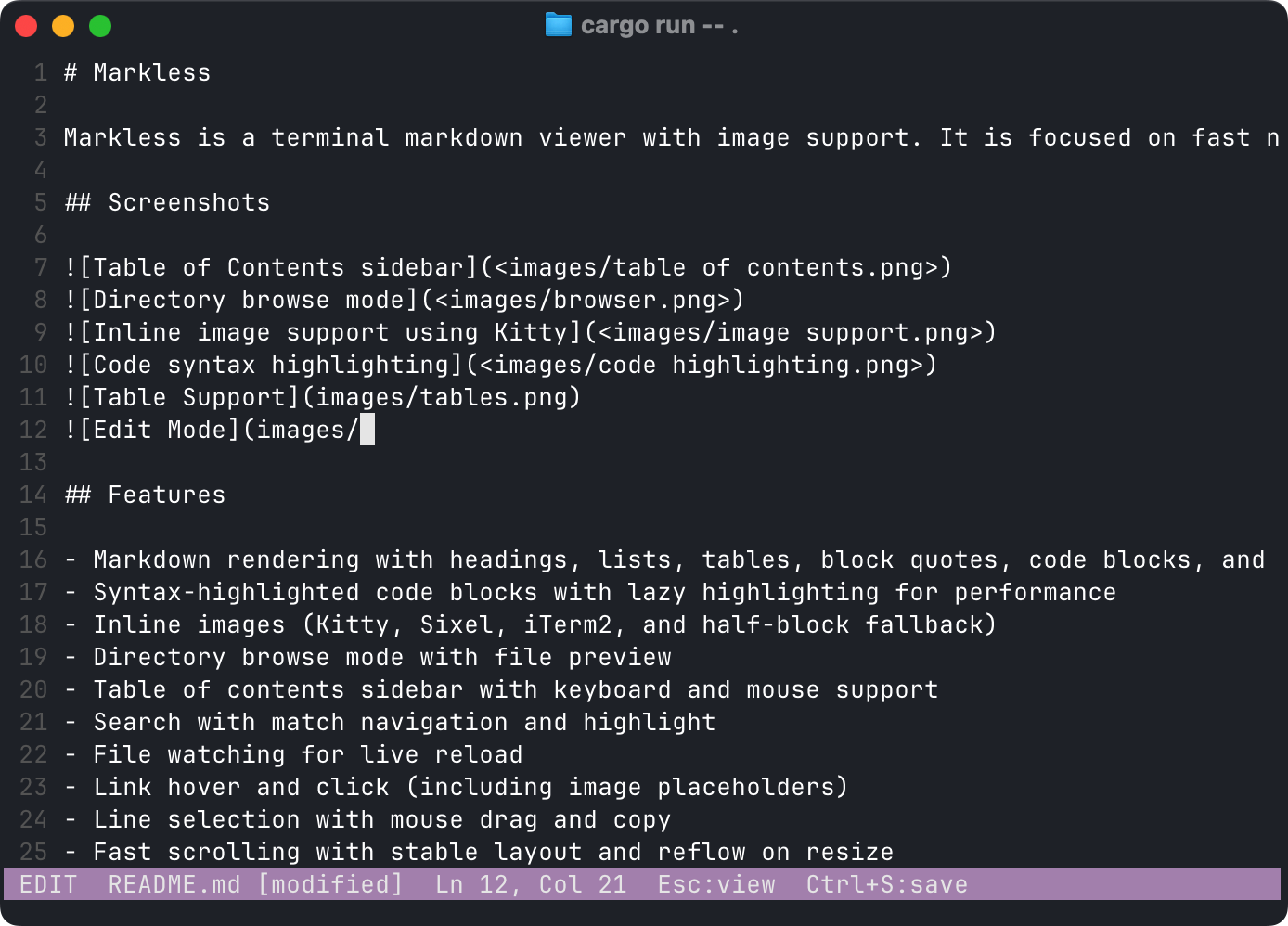
- Built-in editor mode with save, undo-friendly exit, and conflict detection
- External editor support (
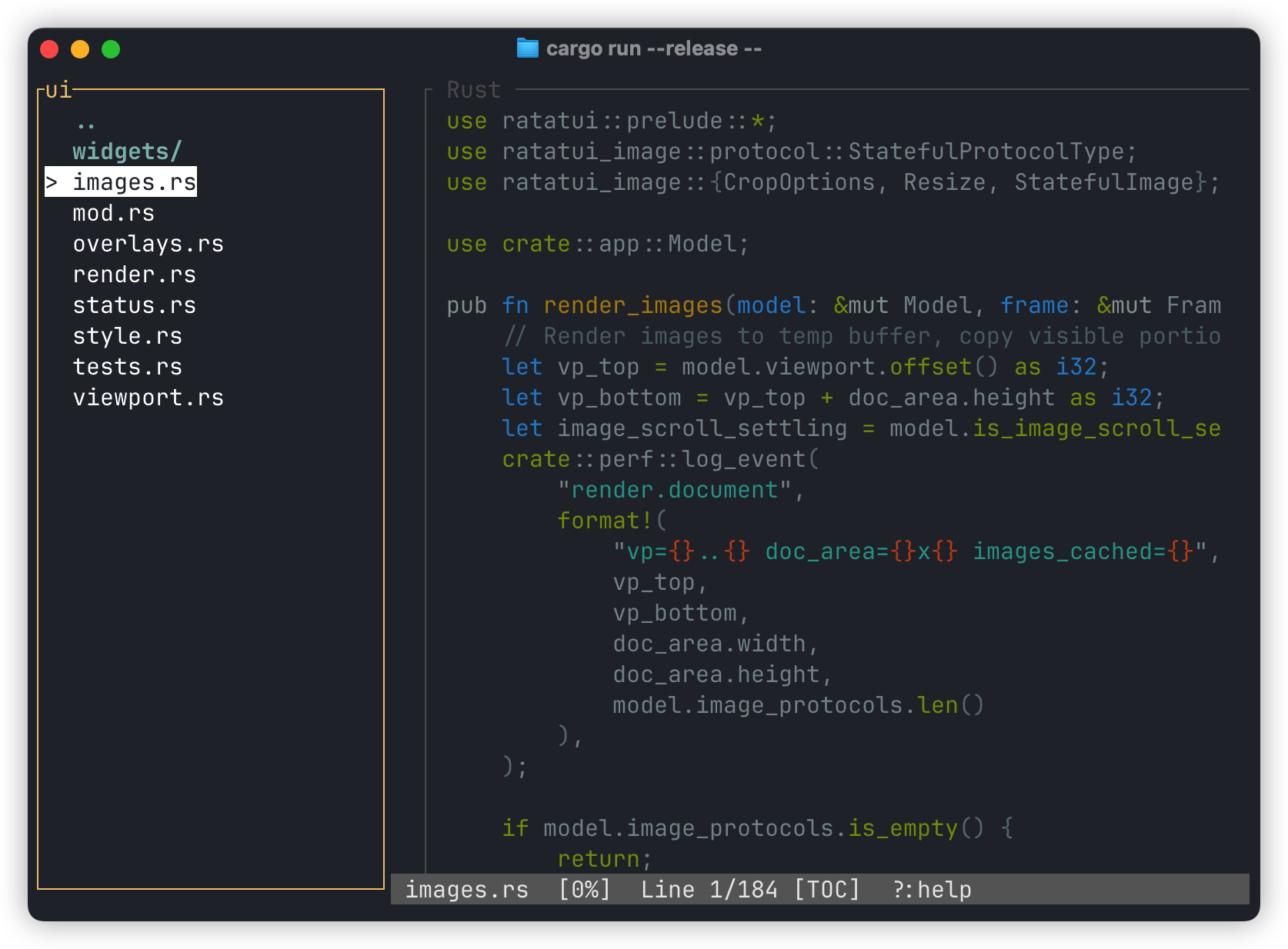
--editor vim,--editor hx, etc.) - Directory browse mode with file preview
- Table of contents sidebar with keyboard and mouse support
- Search with incremental matching, match count, and highlight
- Anchor and footnote navigation within documents
- File watching for live reload
- Link hover and click (including image placeholders and rendered diagrams)
- Line selection with mouse drag and copy (pbcopy on macOS, OSC 52 fallback)
- Opens image files directly (png, jpg, gif, webp, svg, avif, and more)
- Auto theme detection via OSC 11 terminal query
- Fast scrolling with stable layout and reflow on resize
Installation
Development (from source)
cargo install --path .
Production (from crates.io)
cargo install markless
Usage
markless README.md          # View a file
markless .                  # Browse current directory
markless                    # Browse current directory (default)
markless src/               # Browse a directory
When given a directory, markless opens in browse mode: the sidebar shows the file listing and the first markdown file (or first file) is previewed automatically. Navigate with arrow keys, press Enter to open, and Backspace to go to the parent directory.
Command Line Options
--watchAuto-reload on file changes--no-mouse-selectDisable markless mouse selection capture--mouse-selectRe-enable markless mouse selection capture (overrides saved--no-mouse-select)--no-tocHide the table of contents sidebar--tocStart with TOC visible--no-imagesDisable inline image rendering (show placeholders only)--image-mode <kitty|sixel|iterm2|halfblock>Force a specific image rendering protocol--force-half-cellForce half-cell image rendering (shortcut for--image-mode halfblock)--wrap-width <COLS>Maximum content width for word-wrapping--theme <auto|light|dark>Force highlight theme background (autoqueries the terminal via OSC 11)--no-inline-mathRender inline math as images instead of Unicode text--inline-mathRe-enable inline Unicode math (overrides saved--no-inline-math)--perfEnable startup performance logging--render-debug-log <PATH>Write render/image debug events to a file--editor <cmd>Use an external editor instead of the built-in one (e.g.--editor vim,--editor "emacsclient -t")--no-editorDisable the external editor (use the built-in editor)--saveSave current flags as defaults in the global config--clearClear saved defaults in the global config
Config files:
- Global (macOS):
~/Library/Application Support/markless/config - Local override:
.marklessrcin the current directory
Key Bindings
Navigation
j/kor arrows: scrollSpace/PageDown: page downb/PageUp: page upCtrl-d/Ctrl-u: half pageg/G: top / bottom
Search
/: start searchEnter: next matchEsc: clear search
TOC
t: toggle TOCT: toggle + focus TOCTab: switch focusj/k, arrows,Enter/Space: navigate + jumph/Left: collapse (parent directory in browse mode)l/Right: expand (enter directory in browse mode)
Browse
B: enter directory browse modeF: return to file-only mode (heading TOC)Backspace: navigate to parent directory (in TOC)
Editor
e: enter edit modeCtrl-e: toggle edit mode (enter or exit)Esc: return to view modeCtrl-s: save file- Arrows, Home/End: navigate
Ctrl+Left/Ctrl+Right: word movementCtrl+Home/Ctrl+End: buffer start / end- PageUp/PageDown: scroll editor
Other
w: toggle watchr/R: reload fileo: open visible links (1-9)?/F1: toggle helpq/Ctrl-c/Ctrl-q: quit
Mouse
- Scroll wheel: scroll
- Click links or images: open
- Hover link/image: show URL
- Click + drag: select lines and copy
License
MIT
Contributors


Similar repos


Languages
Rust
99.9%
README
Markless
Markless is a terminal markdown viewer and editor with image support. It is focused on fast navigation, clear rendering, and sensible defaults for long documents.
Screenshots
Features
- Markdown rendering with headings, lists, tables, block quotes, code blocks, footnotes, task lists, and description lists
- Syntax-highlighted code blocks with lazy highlighting for performance
- Inline images (Kitty, Sixel, iTerm2, and half-block fallback) with auto-detection
- Mermaid diagram rendering (SVG rasterized inline, click to open full SVG)
- LaTeX math rendering — inline
$...$as Unicode, display$$...$$and```math ```as images via Typst - CSV files and
```csv ```code blocks rendered as formatted tables - Binary file viewing with hex dump display
- Built-in editor mode with save, undo-friendly exit, and conflict detection
- External editor support (
--editor vim,--editor hx, etc.) - Directory browse mode with file preview
- Table of contents sidebar with keyboard and mouse support
- Search with incremental matching, match count, and highlight
- Anchor and footnote navigation within documents
- File watching for live reload
- Link hover and click (including image placeholders and rendered diagrams)
- Line selection with mouse drag and copy (pbcopy on macOS, OSC 52 fallback)
- Opens image files directly (png, jpg, gif, webp, svg, avif, and more)
- Auto theme detection via OSC 11 terminal query
- Fast scrolling with stable layout and reflow on resize
Installation
Development (from source)
cargo install --path .
Production (from crates.io)
cargo install markless
Usage
markless README.md          # View a file
markless .                  # Browse current directory
markless                    # Browse current directory (default)
markless src/               # Browse a directory
When given a directory, markless opens in browse mode: the sidebar shows the file listing and the first markdown file (or first file) is previewed automatically. Navigate with arrow keys, press Enter to open, and Backspace to go to the parent directory.
Command Line Options
--watchAuto-reload on file changes--no-mouse-selectDisable markless mouse selection capture--mouse-selectRe-enable markless mouse selection capture (overrides saved--no-mouse-select)--no-tocHide the table of contents sidebar--tocStart with TOC visible--no-imagesDisable inline image rendering (show placeholders only)--image-mode <kitty|sixel|iterm2|halfblock>Force a specific image rendering protocol--force-half-cellForce half-cell image rendering (shortcut for--image-mode halfblock)--wrap-width <COLS>Maximum content width for word-wrapping--theme <auto|light|dark>Force highlight theme background (autoqueries the terminal via OSC 11)--no-inline-mathRender inline math as images instead of Unicode text--inline-mathRe-enable inline Unicode math (overrides saved--no-inline-math)--perfEnable startup performance logging--render-debug-log <PATH>Write render/image debug events to a file--editor <cmd>Use an external editor instead of the built-in one (e.g.--editor vim,--editor "emacsclient -t")--no-editorDisable the external editor (use the built-in editor)--saveSave current flags as defaults in the global config--clearClear saved defaults in the global config
Config files:
- Global (macOS):
~/Library/Application Support/markless/config - Local override:
.marklessrcin the current directory
Key Bindings
Navigation
j/kor arrows: scrollSpace/PageDown: page downb/PageUp: page upCtrl-d/Ctrl-u: half pageg/G: top / bottom
Search
/: start searchEnter: next matchEsc: clear search
TOC
t: toggle TOCT: toggle + focus TOCTab: switch focusj/k, arrows,Enter/Space: navigate + jumph/Left: collapse (parent directory in browse mode)l/Right: expand (enter directory in browse mode)
Browse
B: enter directory browse modeF: return to file-only mode (heading TOC)Backspace: navigate to parent directory (in TOC)
Editor
e: enter edit modeCtrl-e: toggle edit mode (enter or exit)Esc: return to view modeCtrl-s: save file- Arrows, Home/End: navigate
Ctrl+Left/Ctrl+Right: word movementCtrl+Home/Ctrl+End: buffer start / end- PageUp/PageDown: scroll editor
Other
w: toggle watchr/R: reload fileo: open visible links (1-9)?/F1: toggle helpq/Ctrl-c/Ctrl-q: quit
Mouse
- Scroll wheel: scroll
- Click links or images: open
- Hover link/image: show URL
- Click + drag: select lines and copy
License
MIT
Similar repos
Contributors
Languages
Rust
99.9%