
See what people are saying
README
ProcInSh - Process in the Shell
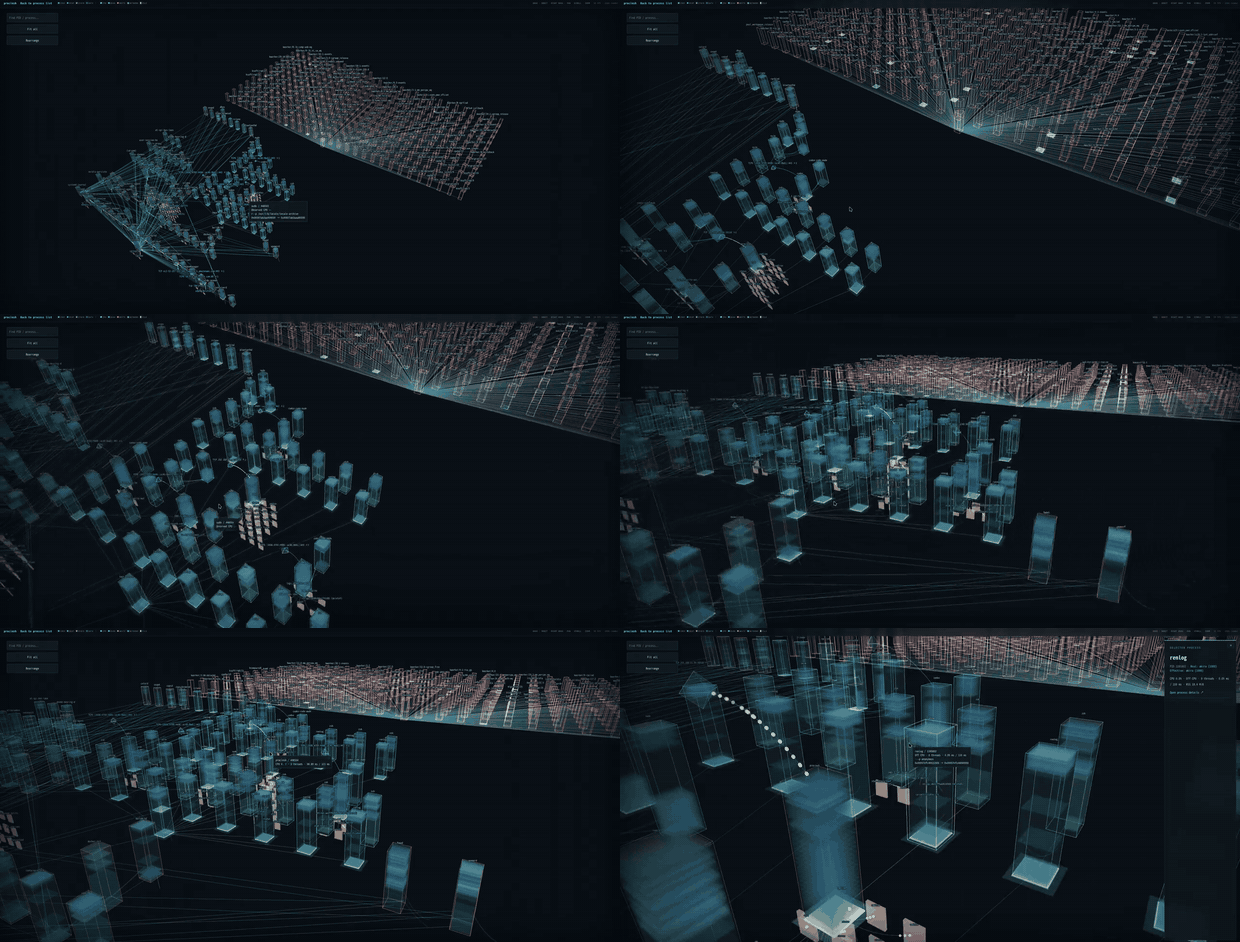
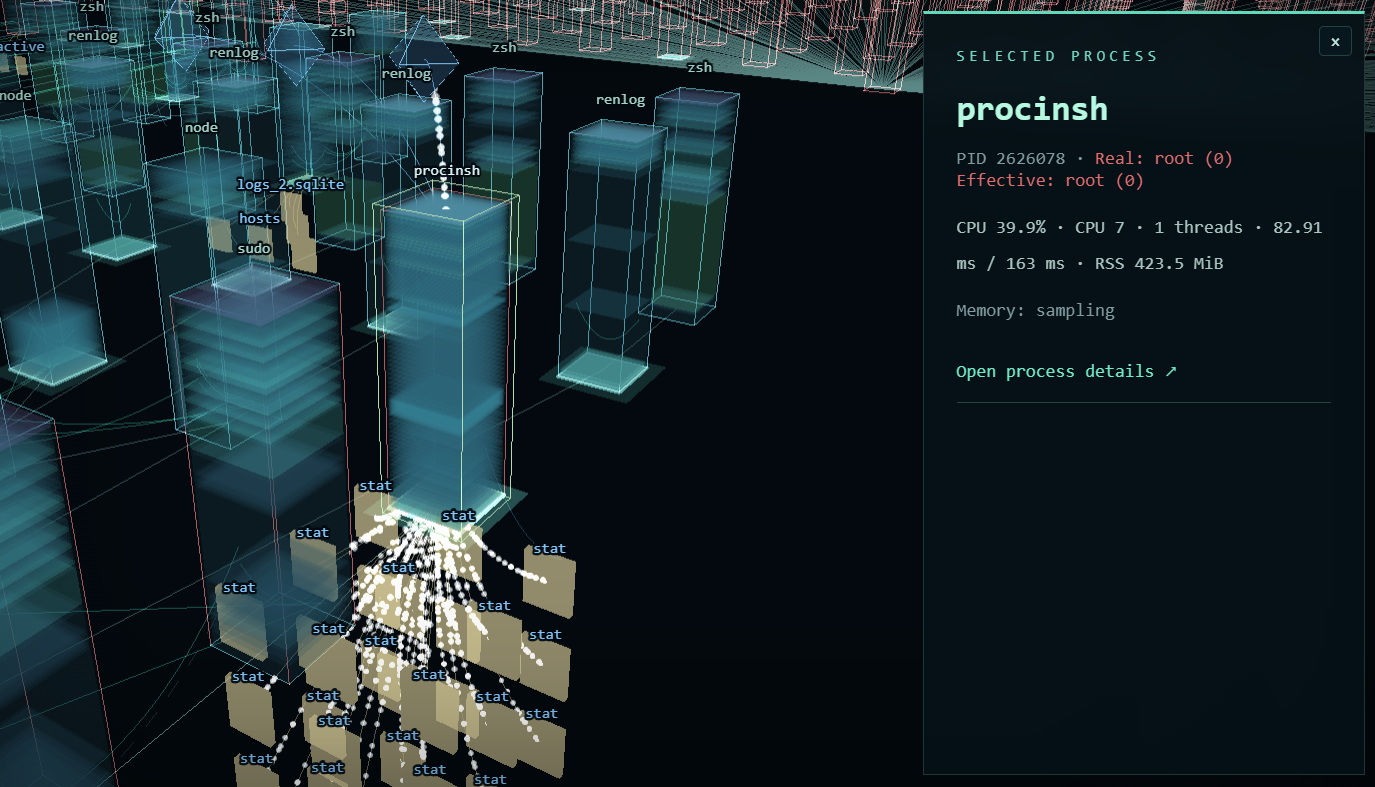
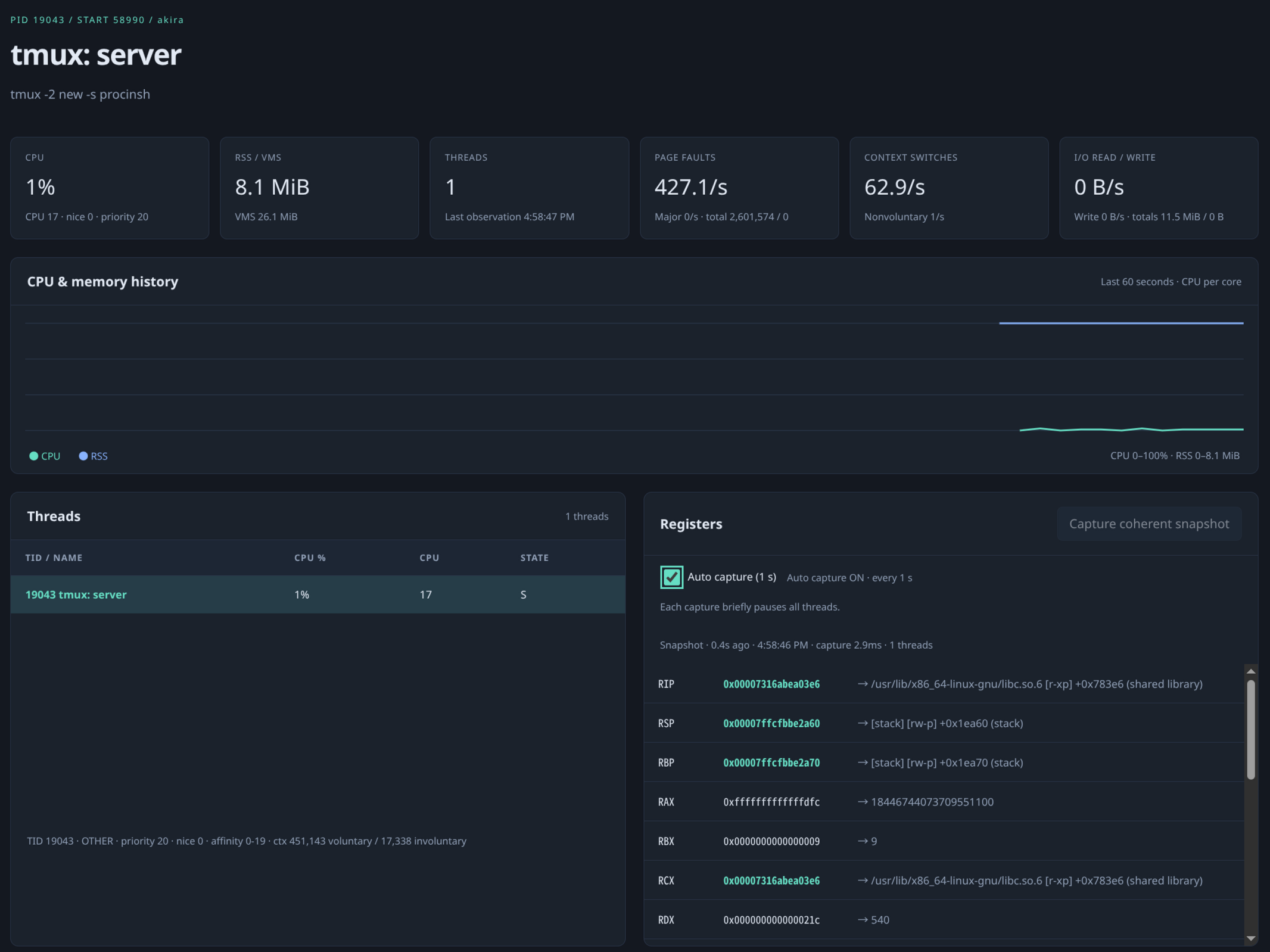
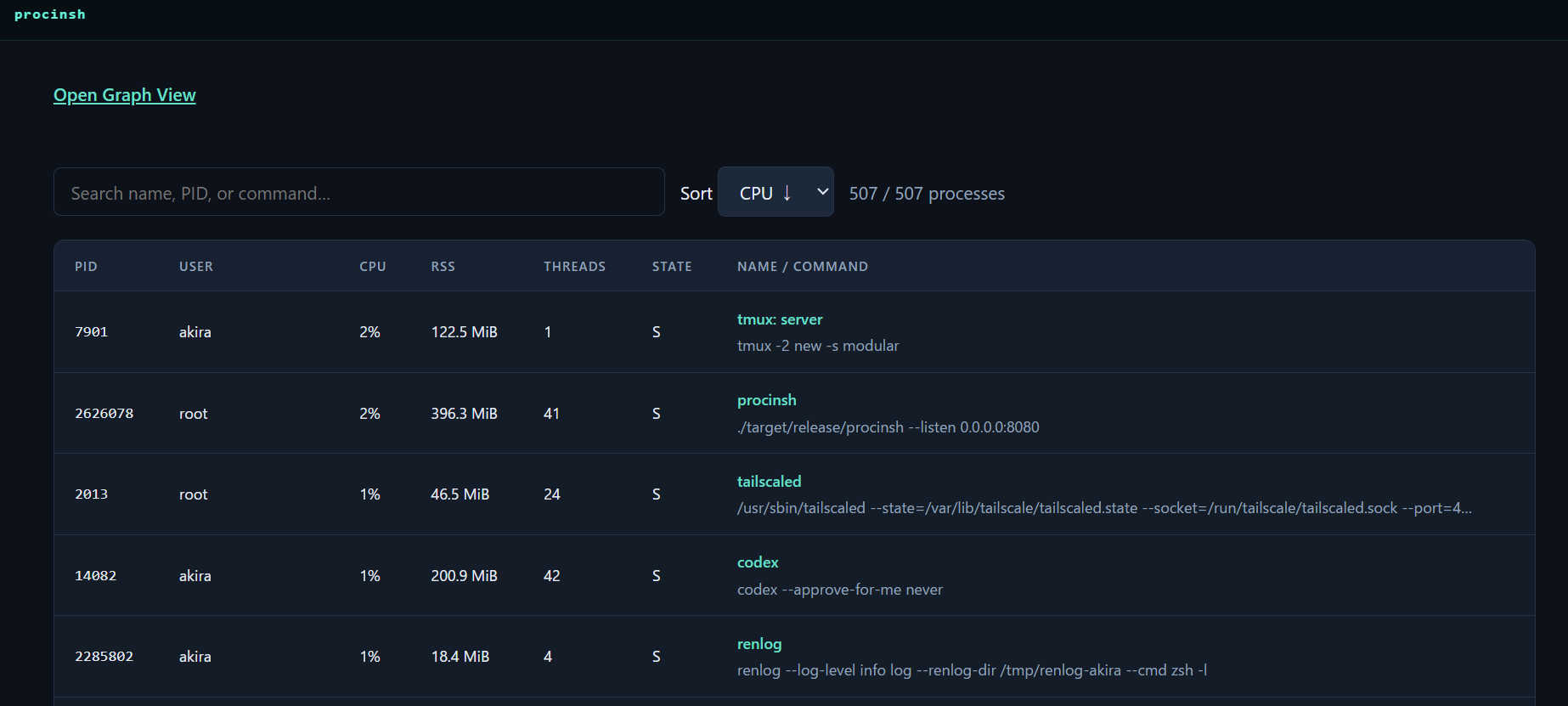
A web-based process inspector for Linux. Like Ghost in the Shell, you can wander through process space with your ghost.
See also a blog post.
Screenshot

Usage
Requires Linux x86-64. Both installation methods compile native code and require
Rust, a C compiler, clang with the BPF backend, bpftool, pkg-config, libelf and
zlib development files, and BTF information at /sys/kernel/btf/vmlinux.
Support on WSL2 is very limited, I recommend building procinsh from source rather than installing it from crates.io. I haven't tested it in container environment such as Docker.
Install from crates.io
Install procinsh from crates.io and run it:
(Sorry, we assume you are using Ubuntu, please reinterpret not so)
sudo apt-get install --yes --no-install-recommends \
         build-essential clang llvm pkg-config libelf-dev zlib1g-dev python3 \
         linux-tools-common linux-tools-generic
cargo install procinsh --locked
Then run and open http://127.0.0.1:9090 in your browser. To allow remote
access, use --allow-non-loopback, but be careful: this exposes process memory
and environment variables without any authentication.
sudo "$HOME/.cargo/bin/procinsh" --listen 127.0.0.1:9090
If you don't want to use sudo, please use setcap instead of it.
sudo setcap \
  cap_sys_ptrace,cap_bpf,cap_perfmon,cap_dac_read_search=ep \
  "$HOME/.cargo/bin/procinsh"
"$HOME/.cargo/bin/procinsh" --listen 127.0.0.1:9090
Self build
Also requires Node.js 22 or newer with npm and Rust via rustup. The Rust version
and components are pinned in rust-toolchain.toml; rustup installs them
automatically when needed.
Clone this repository and run the following from its root:
sudo apt-get install --yes --no-install-recommends \
         build-essential clang llvm pkg-config libelf-dev zlib1g-dev python3 \
         linux-tools-common linux-tools-generic
npm ci
npm run build:web
cargo build --release --locked
Then run:
sudo ./target/release/procinsh --listen 127.0.0.1:9090
Building on WSL2 (Ubuntu)
Ubuntu's bpftool wrapper may fail with bpftool not found for kernel ...
because the WSL2 kernel version differs from the Ubuntu tools package. Set
BPFTOOL to the packaged executable directly, bypassing the wrapper:
sudo apt-get update
sudo apt-get install --yes --no-install-recommends \
         build-essential clang llvm pkg-config libelf-dev zlib1g-dev python3 \
         linux-tools-common linux-tools-generic
for tool in /usr/lib/linux-tools/*/bpftool; do
    if [ -x "$tool" ]; then
        export BPFTOOL="$tool"
        break
    fi
done
"${BPFTOOL:?No packaged bpftool found; install linux-tools-generic}" version
"$BPFTOOL" btf dump file /sys/kernel/btf/vmlinux format c >/tmp/procinsh-vmlinux.h
npm ci
npm run build:web
cargo build --release --locked
Then run:
sudo ./target/release/procinsh --listen 127.0.0.1:9090
Now, where shall I go? The process space is vast.
Similar repos


See what people are saying
README
ProcInSh - Process in the Shell
A web-based process inspector for Linux. Like Ghost in the Shell, you can wander through process space with your ghost.
See also a blog post.
Screenshot
Usage
Requires Linux x86-64. Both installation methods compile native code and require
Rust, a C compiler, clang with the BPF backend, bpftool, pkg-config, libelf and
zlib development files, and BTF information at /sys/kernel/btf/vmlinux.
Support on WSL2 is very limited, I recommend building procinsh from source rather than installing it from crates.io. I haven't tested it in container environment such as Docker.
Install from crates.io
Install procinsh from crates.io and run it:
(Sorry, we assume you are using Ubuntu, please reinterpret not so)
sudo apt-get install --yes --no-install-recommends \
         build-essential clang llvm pkg-config libelf-dev zlib1g-dev python3 \
         linux-tools-common linux-tools-generic
cargo install procinsh --locked
Then run and open http://127.0.0.1:9090 in your browser. To allow remote
access, use --allow-non-loopback, but be careful: this exposes process memory
and environment variables without any authentication.
sudo "$HOME/.cargo/bin/procinsh" --listen 127.0.0.1:9090
If you don't want to use sudo, please use setcap instead of it.
sudo setcap \
  cap_sys_ptrace,cap_bpf,cap_perfmon,cap_dac_read_search=ep \
  "$HOME/.cargo/bin/procinsh"
"$HOME/.cargo/bin/procinsh" --listen 127.0.0.1:9090
Self build
Also requires Node.js 22 or newer with npm and Rust via rustup. The Rust version
and components are pinned in rust-toolchain.toml; rustup installs them
automatically when needed.
Clone this repository and run the following from its root:
sudo apt-get install --yes --no-install-recommends \
         build-essential clang llvm pkg-config libelf-dev zlib1g-dev python3 \
         linux-tools-common linux-tools-generic
npm ci
npm run build:web
cargo build --release --locked
Then run:
sudo ./target/release/procinsh --listen 127.0.0.1:9090
Building on WSL2 (Ubuntu)
Ubuntu's bpftool wrapper may fail with bpftool not found for kernel ...
because the WSL2 kernel version differs from the Ubuntu tools package. Set
BPFTOOL to the packaged executable directly, bypassing the wrapper:
sudo apt-get update
sudo apt-get install --yes --no-install-recommends \
         build-essential clang llvm pkg-config libelf-dev zlib1g-dev python3 \
         linux-tools-common linux-tools-generic
for tool in /usr/lib/linux-tools/*/bpftool; do
    if [ -x "$tool" ]; then
        export BPFTOOL="$tool"
        break
    fi
done
"${BPFTOOL:?No packaged bpftool found; install linux-tools-generic}" version
"$BPFTOOL" btf dump file /sys/kernel/btf/vmlinux format c >/tmp/procinsh-vmlinux.h
npm ci
npm run build:web
cargo build --release --locked
Then run:
sudo ./target/release/procinsh --listen 127.0.0.1:9090
Now, where shall I go? The process space is vast.