
See what people are saying
README
Git Activity
Utility for collecting and showcasing your activity across all Git services you use
Supported Services
- Github
- Gitlab
Output
After end of utility work you get distdirectory containing:
HTML page with last and 2026 year activity
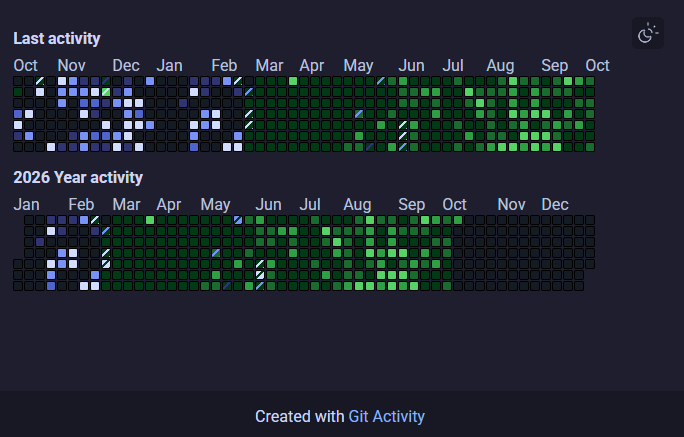
Two SVG files: one with your last year activity and one for your 2026 activity
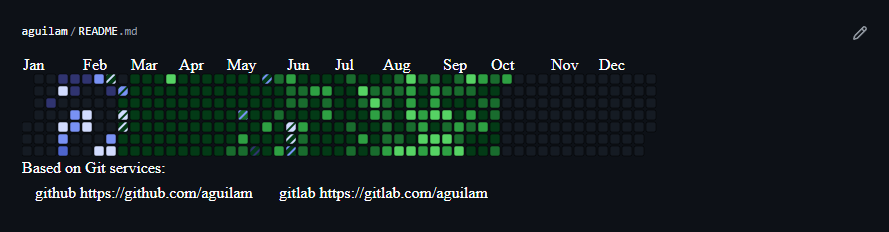
How to use
Example of github workflow yml for updating activity every week.
This workflow use workflow from this repository, for download, execute and publish result to Github Pages.
In example if you execute this in your account repository, you can use this URLs:
- Year activity: https://{username}.github.io/{username}/images/year_activity_750_150.svg
- Last year activity: https://{username}.github.io/{username}/images/current_activity_750_150.svg
- HTML page: https://{username}.github.io/{username}/
name: Git Activity

on:
  schedule:
    - cron: '0 0 * * 1'

  workflow_dispatch:

jobs:
  deploy:
    uses: aguilam/git-activity/.github/workflows/deploy.yml@main
    permissions:
      contents: read
      pages: write
      id-token: write

    secrets:
      config: ${{ secrets.ACTIVITY_CONFIG }}
Config
The utility requires a configuration in following format:
services:

  - username: {username}
    token: {token}
    service: {service_name}

  - username: {username}
    service: {service_name}
Where:
- Username - your username on Git service
- Token - your service API token. Add it if you want include commits from private repositories to statistic
- Service - the service name. Currently supported values:
github,gitlab


See what people are saying
README
Git Activity
Utility for collecting and showcasing your activity across all Git services you use
Supported Services
- Github
- Gitlab
Output
After end of utility work you get distdirectory containing:
HTML page with last and 2026 year activity
Two SVG files: one with your last year activity and one for your 2026 activity
How to use
Example of github workflow yml for updating activity every week.
This workflow use workflow from this repository, for download, execute and publish result to Github Pages.
In example if you execute this in your account repository, you can use this URLs:
- Year activity: https://{username}.github.io/{username}/images/year_activity_750_150.svg
- Last year activity: https://{username}.github.io/{username}/images/current_activity_750_150.svg
- HTML page: https://{username}.github.io/{username}/
name: Git Activity

on:
  schedule:
    - cron: '0 0 * * 1'

  workflow_dispatch:

jobs:
  deploy:
    uses: aguilam/git-activity/.github/workflows/deploy.yml@main
    permissions:
      contents: read
      pages: write
      id-token: write

    secrets:
      config: ${{ secrets.ACTIVITY_CONFIG }}
Config
The utility requires a configuration in following format:
services:

  - username: {username}
    token: {token}
    service: {service_name}

  - username: {username}
    service: {service_name}
Where:
- Username - your username on Git service
- Token - your service API token. Add it if you want include commits from private repositories to statistic
- Service - the service name. Currently supported values:
github,gitlab