Offline first, self hostable note taking application
TypeScript
1,375
185 commits
updated Oct 9, 2026
An offline first, self hostable note taking application



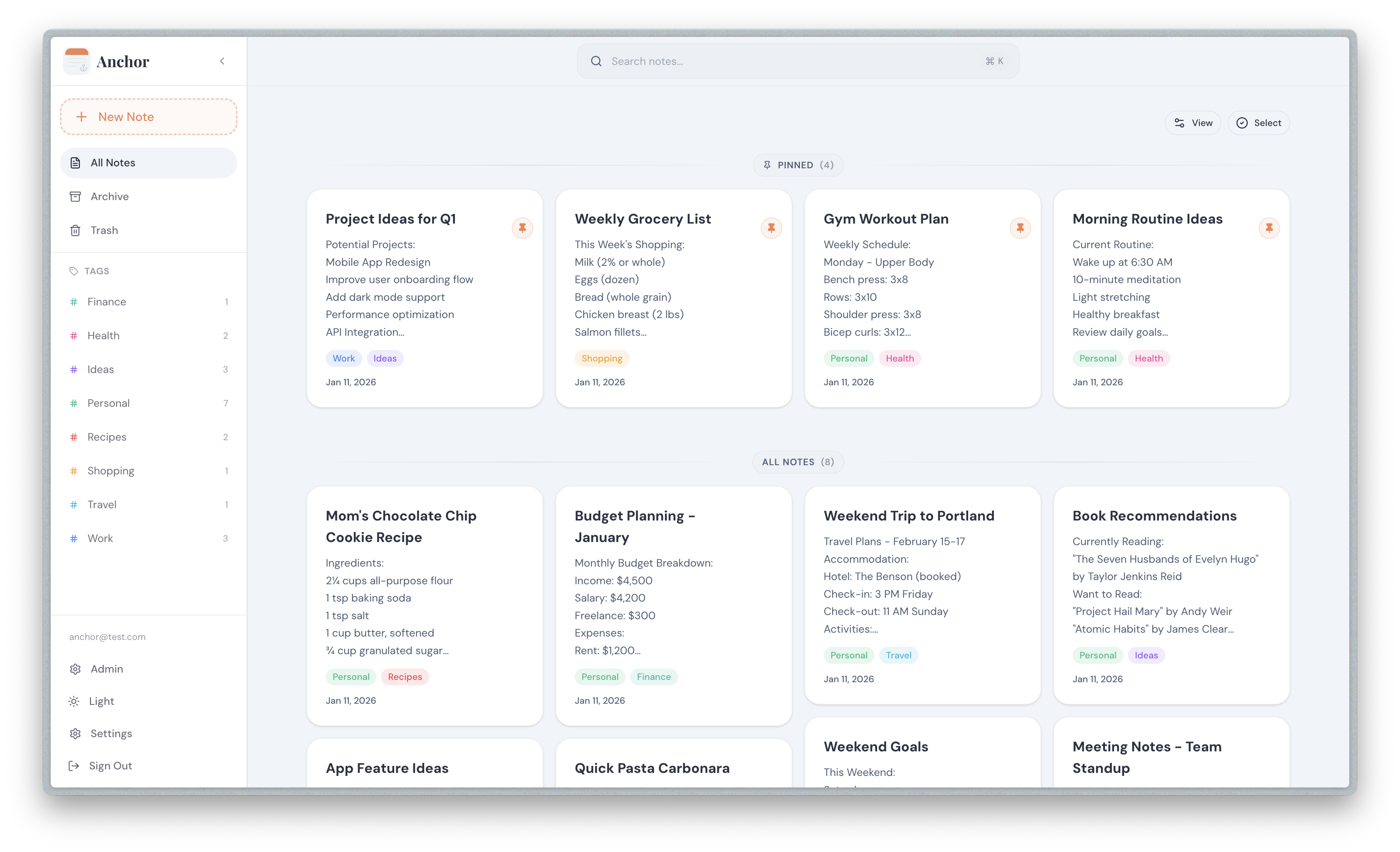
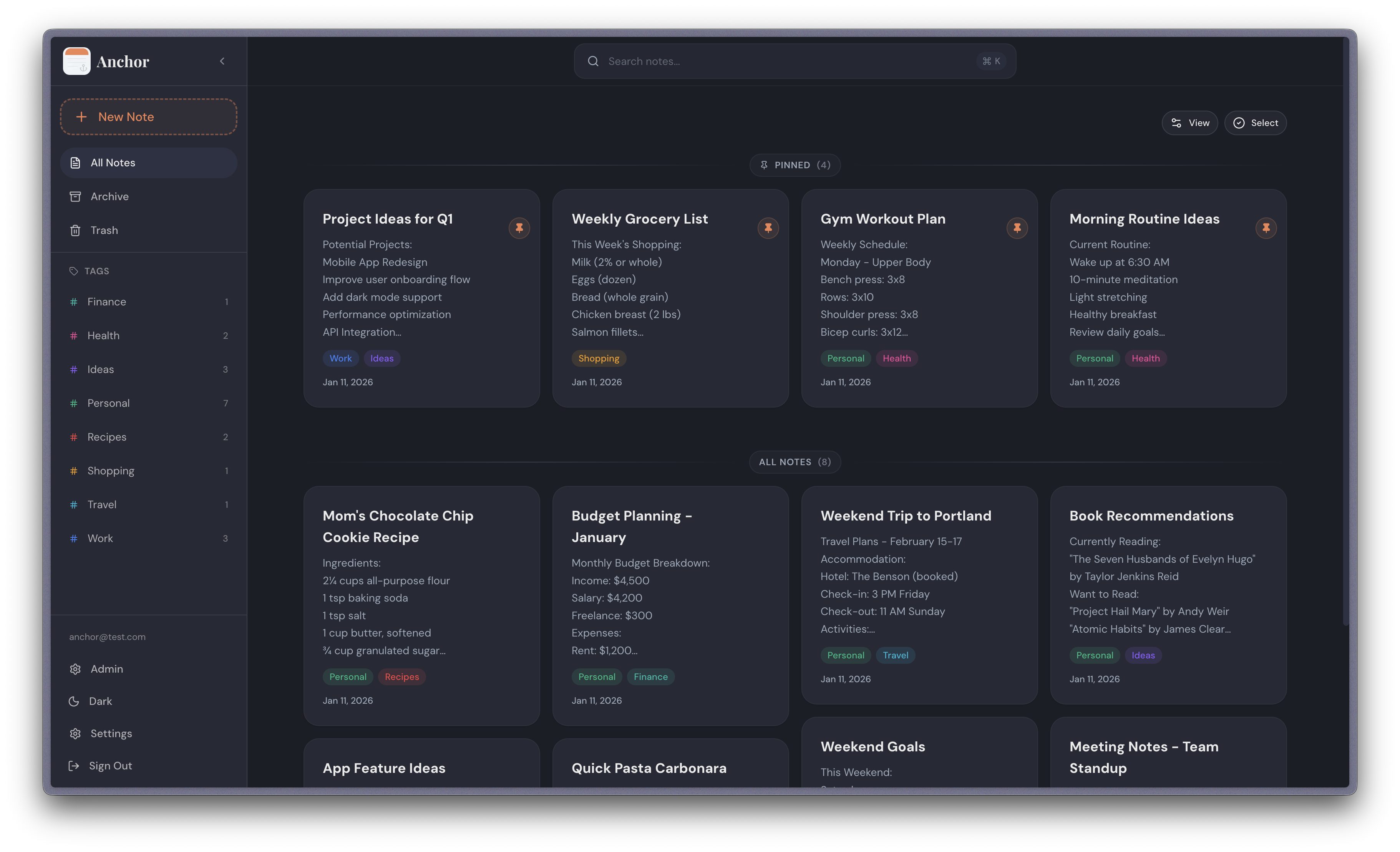
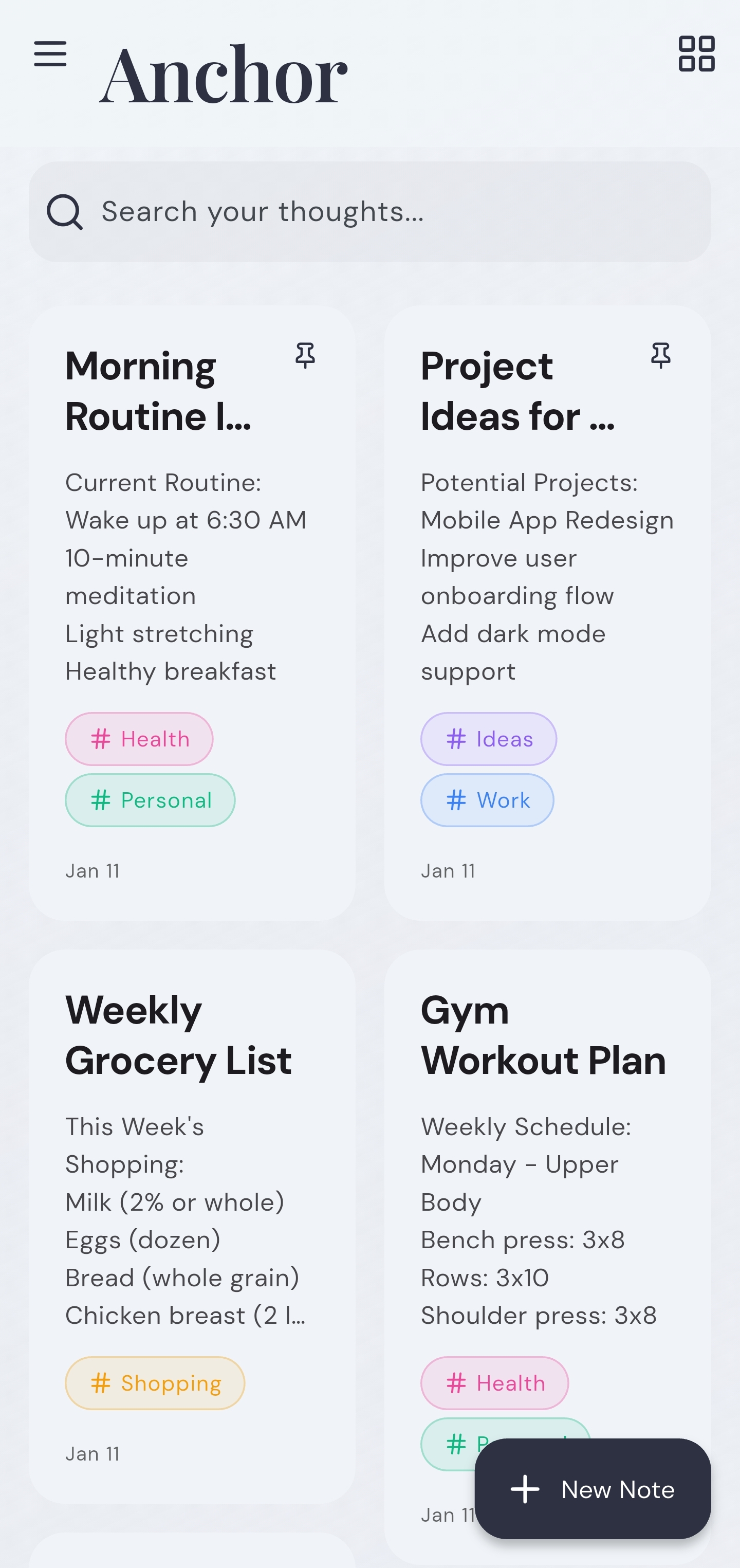
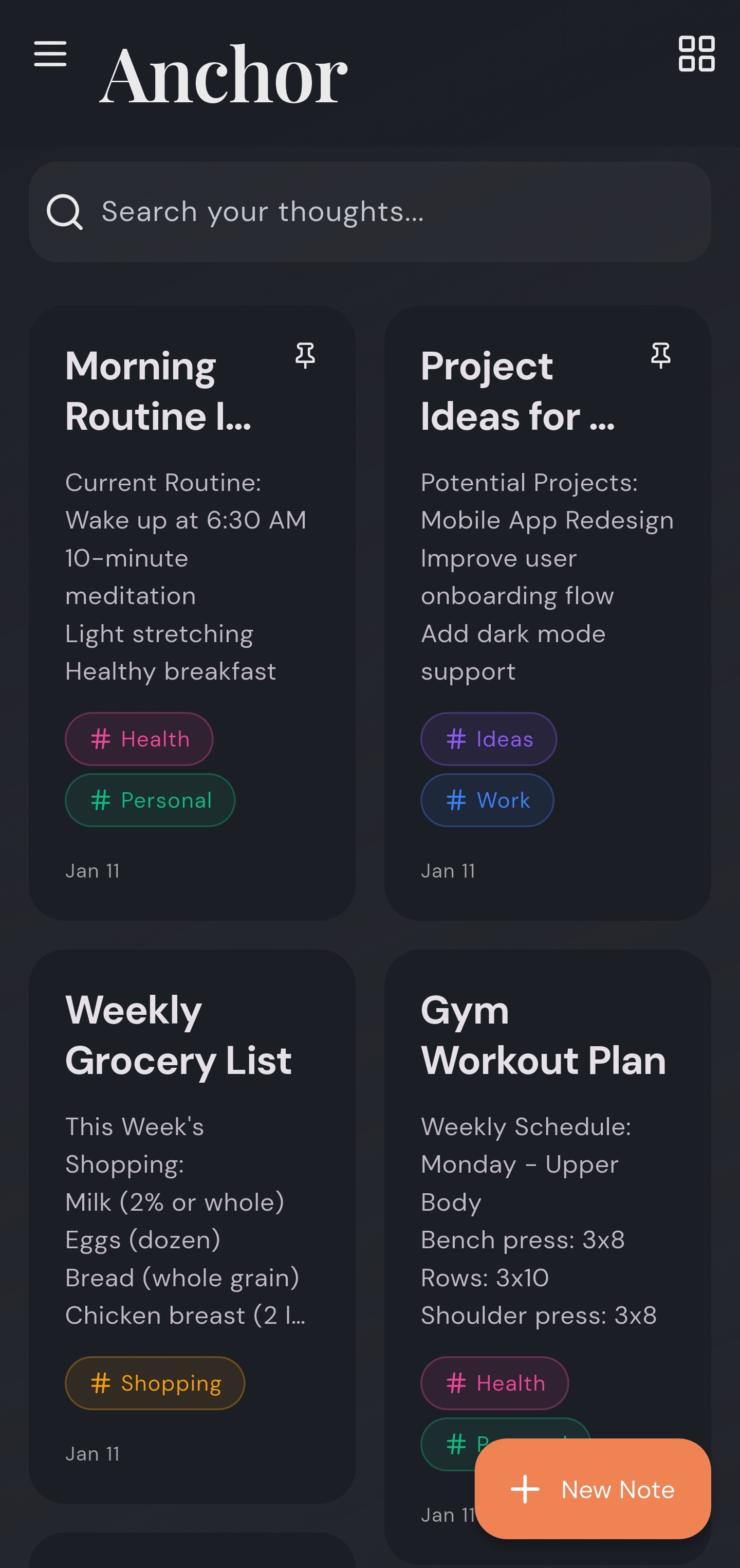
Anchor focuses on speed, privacy, simplicity, and reliability across mobile and web. Notes are stored locally, editable offline, and synced across devices when online.
Create a docker-compose.yml file:
services:
  anchor:
    image: ghcr.io/zhfahim/anchor:latest
    container_name: anchor
    restart: unless-stopped
    ports:
      - "3000:3000"
    volumes:
      - anchor_data:/data

volumes:
  anchor_data:
(Optional) Configure environment:
Add environment variables to the environment section. Most users can skip this step - defaults work out of the box.
Available options:
| Variable | Required | Default | Description |
|---|---|---|---|
APP_URL | No | http://localhost:3000 | Base URL where Anchor is served |
JWT_SECRET | No | (auto-generated) | Auth token secret. Min 16 characters when set |
DATA_DIR | No | /data | Root directory for persisted uploads |
CORS_ORIGINS | No | (allow all) | Comma-separated allowlist of CORS origins |
PG_HOST | No | (empty) | External Postgres host (leave empty for embedded) |
PG_PORT | No | 5432 | Postgres port |
PG_USER | No | anchor | Postgres username |
PG_PASSWORD | No | password | Postgres password |
PG_DATABASE | No | anchor | Database name |
USER_SIGNUP | No | (not set) | Sign up mode: disabled, enabled, or review. If not set, admins can control it via the admin panel |
OIDC_ENABLED | No | — | Enable OIDC authentication |
OIDC_PROVIDER_NAME | No | "OIDC Provider" | Display name for the login button |
OIDC_ISSUER_URL | When OIDC enabled | — | Base URL of your OIDC provider |
OIDC_CLIENT_ID | When OIDC enabled | — | OIDC client ID |
OIDC_CLIENT_SECRET | No | — | OIDC client secret. Omit for public client (PKCE) |
DISABLE_INTERNAL_AUTH | No | false | Hide local login form when OIDC is enabled (OIDC-only mode) |
Start the container:
docker compose up -d
Access the app: Open http://localhost:3000
To test upcoming features before they are officially released, use the next tag:
services:
  anchor:
    image: ghcr.io/zhfahim/anchor:next
    container_name: anchor
    restart: unless-stopped
    ports:
      - "3000:3000"
    volumes:
      - anchor_data:/data

volumes:
  anchor_data:
Warning: The
nextimage is built from thenextbranch and may contain incomplete features or breaking changes. Do not use it in production. Back up your data before switching.
If you want to build from source or customize the image:
Clone the project:
git clone https://github.com/zhfahim/anchor.git
cd anchor
Start the container:
docker compose up -d
The docker-compose.yml file will build the image from source automatically.
Download the Android mobile app.
Visit the releases page: Go to GitHub Releases.
Download the latest release: Multiple APK files are available:
anchor-{version}.apk) - Recommended for most users, works on all devicesAnchor supports OpenID Connect (OIDC) authentication for simplified credential management and streamlined multi-user deployments.
If you want to use OIDC in the mobile app, configure Anchor as a Public client (PKCE, no client secret) in your OIDC provider. Add this redirect URI in your OIDC provider:
anchor://oidc/callback
When configuring your OIDC provider for web login, add this callback/redirect URL:
{APP_URL}/api/auth/oidc/callback
For example, if your Anchor instance is at https://notes.example.com, the callback URL would be:
https://notes.example.com/api/auth/oidc/callback
Configure OIDC via environment variables in your docker-compose.yml. Pocket ID example:
services:
  anchor:
    image: ghcr.io/zhfahim/anchor:latest
    environment:
      - OIDC_ENABLED=true
      - OIDC_PROVIDER_NAME=Pocket ID
      - OIDC_ISSUER_URL=https://pocketid.example.com
      - OIDC_CLIENT_ID=your-client-id
      - OIDC_CLIENT_SECRET=your-client-secret # Optional for public clients
      - DISABLE_INTERNAL_AUTH=false
      - APP_URL=https://notes.example.com
Alternatively, configure OIDC via the admin panel (Settings → OIDC Authentication) when the three env vars are not all set.
Log into your Anchor deployment, go to Settings, scroll to Export & Import and export Anchor backup (.zip).
The resulting anchor-export-YYYY-MM-DD.zip contains:
manifest.json which includes the backup metadata, tags, notes, and attachment references in plain textattachments folder structureRestore the notes by uploading that file through the web UI. Go to Settings, then scroll down to the Export & Import section.
Anchor never collects any data. When you need to report a bug, you can collect logs yourself and share them with the maintainer.
Mobile app
.log file in your bug report.Sensitive values are stripped before anything is written to the log file. This includes authorization headers, passwords, tokens, refresh tokens, secrets, and email addresses, which are always replaced with
***.
Logs are stored locally on the device only (rolling, ~2 MB max).
Future planned features:
git checkout -b feature/your-feature
cd web && pnpm build && pnpm checkcd server && pnpm build && pnpm checkgit commit -m "Describe your change"
Linting and formatting are enforced in CI and by a pre-commit hook
(.githooks/pre-commit) that checks staged files.
Running pnpm install in either web or server
enables the hook automatically (via the prepare script). To enable it manually:
git config core.hooksPath .githooks
Before committing, fix issues with pnpm check:fix in the relevant project.
The web app's colors, text sizes, spacing, corners, shadows and motion live in
design/tokens/ (W3C Design Tokens format). web/app/styles/tokens.css,
web/app/styles/notes.css and web/lib/design/tokens.ts are built from them,
so change the tokens rather than those files. After changing a token, run this
from the repository root (it reads icons from web/node_modules, so run
pnpm install in web first):
node design/build/build.mjs
CI runs it with --check and fails if the built files are out of date.
If you find Anchor useful, consider supporting its development:

This project is licensed under the GNU Affero General Public License v3.0 (AGPL v3) - see the LICENSE file for details.
1,035 followers · starred Aug 2026
1,387 followers · starred Sep 2026
751 followers · starred Jan 2026
139 followers · starred Jan 2026
Offline first, self hostable note taking application
TypeScript
1,375
185 commits
updated Oct 9, 2026
An offline first, self hostable note taking application
Anchor focuses on speed, privacy, simplicity, and reliability across mobile and web. Notes are stored locally, editable offline, and synced across devices when online.
Create a docker-compose.yml file:
services:
  anchor:
    image: ghcr.io/zhfahim/anchor:latest
    container_name: anchor
    restart: unless-stopped
    ports:
      - "3000:3000"
    volumes:
      - anchor_data:/data

volumes:
  anchor_data:
(Optional) Configure environment:
Add environment variables to the environment section. Most users can skip this step - defaults work out of the box.
Available options:
| Variable | Required | Default | Description |
|---|---|---|---|
APP_URL | No | http://localhost:3000 | Base URL where Anchor is served |
JWT_SECRET | No | (auto-generated) | Auth token secret. Min 16 characters when set |
DATA_DIR | No | /data | Root directory for persisted uploads |
CORS_ORIGINS | No | (allow all) | Comma-separated allowlist of CORS origins |
PG_HOST | No | (empty) | External Postgres host (leave empty for embedded) |
PG_PORT | No | 5432 | Postgres port |
PG_USER | No | anchor | Postgres username |
PG_PASSWORD | No | password | Postgres password |
PG_DATABASE | No | anchor | Database name |
USER_SIGNUP | No | (not set) | Sign up mode: disabled, enabled, or review. If not set, admins can control it via the admin panel |
OIDC_ENABLED | No | — | Enable OIDC authentication |
OIDC_PROVIDER_NAME | No | "OIDC Provider" | Display name for the login button |
OIDC_ISSUER_URL | When OIDC enabled | — | Base URL of your OIDC provider |
OIDC_CLIENT_ID | When OIDC enabled | — | OIDC client ID |
OIDC_CLIENT_SECRET | No | — | OIDC client secret. Omit for public client (PKCE) |
DISABLE_INTERNAL_AUTH | No | false | Hide local login form when OIDC is enabled (OIDC-only mode) |
Start the container:
docker compose up -d
Access the app: Open http://localhost:3000
To test upcoming features before they are officially released, use the next tag:
services:
  anchor:
    image: ghcr.io/zhfahim/anchor:next
    container_name: anchor
    restart: unless-stopped
    ports:
      - "3000:3000"
    volumes:
      - anchor_data:/data

volumes:
  anchor_data:
Warning: The
nextimage is built from thenextbranch and may contain incomplete features or breaking changes. Do not use it in production. Back up your data before switching.
If you want to build from source or customize the image:
Clone the project:
git clone https://github.com/zhfahim/anchor.git
cd anchor
Start the container:
docker compose up -d
The docker-compose.yml file will build the image from source automatically.
Download the Android mobile app.
Visit the releases page: Go to GitHub Releases.
Download the latest release: Multiple APK files are available:
anchor-{version}.apk) - Recommended for most users, works on all devicesAnchor supports OpenID Connect (OIDC) authentication for simplified credential management and streamlined multi-user deployments.
If you want to use OIDC in the mobile app, configure Anchor as a Public client (PKCE, no client secret) in your OIDC provider. Add this redirect URI in your OIDC provider:
anchor://oidc/callback
When configuring your OIDC provider for web login, add this callback/redirect URL:
{APP_URL}/api/auth/oidc/callback
For example, if your Anchor instance is at https://notes.example.com, the callback URL would be:
https://notes.example.com/api/auth/oidc/callback
Configure OIDC via environment variables in your docker-compose.yml. Pocket ID example:
services:
  anchor:
    image: ghcr.io/zhfahim/anchor:latest
    environment:
      - OIDC_ENABLED=true
      - OIDC_PROVIDER_NAME=Pocket ID
      - OIDC_ISSUER_URL=https://pocketid.example.com
      - OIDC_CLIENT_ID=your-client-id
      - OIDC_CLIENT_SECRET=your-client-secret # Optional for public clients
      - DISABLE_INTERNAL_AUTH=false
      - APP_URL=https://notes.example.com
Alternatively, configure OIDC via the admin panel (Settings → OIDC Authentication) when the three env vars are not all set.
Log into your Anchor deployment, go to Settings, scroll to Export & Import and export Anchor backup (.zip).
The resulting anchor-export-YYYY-MM-DD.zip contains:
manifest.json which includes the backup metadata, tags, notes, and attachment references in plain textattachments folder structureRestore the notes by uploading that file through the web UI. Go to Settings, then scroll down to the Export & Import section.
Anchor never collects any data. When you need to report a bug, you can collect logs yourself and share them with the maintainer.
Mobile app
.log file in your bug report.Sensitive values are stripped before anything is written to the log file. This includes authorization headers, passwords, tokens, refresh tokens, secrets, and email addresses, which are always replaced with
***.
Logs are stored locally on the device only (rolling, ~2 MB max).
Future planned features:
git checkout -b feature/your-feature
cd web && pnpm build && pnpm checkcd server && pnpm build && pnpm checkgit commit -m "Describe your change"
Linting and formatting are enforced in CI and by a pre-commit hook
(.githooks/pre-commit) that checks staged files.
Running pnpm install in either web or server
enables the hook automatically (via the prepare script). To enable it manually:
git config core.hooksPath .githooks
Before committing, fix issues with pnpm check:fix in the relevant project.
The web app's colors, text sizes, spacing, corners, shadows and motion live in
design/tokens/ (W3C Design Tokens format). web/app/styles/tokens.css,
web/app/styles/notes.css and web/lib/design/tokens.ts are built from them,
so change the tokens rather than those files. After changing a token, run this
from the repository root (it reads icons from web/node_modules, so run
pnpm install in web first):
node design/build/build.mjs
CI runs it with --check and fails if the built files are out of date.
If you find Anchor useful, consider supporting its development:
This project is licensed under the GNU Affero General Public License v3.0 (AGPL v3) - see the LICENSE file for details.
1,035 followers · starred Aug 2026
1,387 followers · starred Sep 2026
751 followers · starred Jan 2026
139 followers · starred Jan 2026