✨ 现代化代理订阅管理平台 | 智能分类 · 专业测速 · 链式中转 · 流量监控 · TG管理 · JS扩展 | Go+React 全新UI 🌍 Modern Proxy Subscription Manager | Smart Tags · Speed Test · Relays · Monitor · TG Bot · JS Scripts
See the code
✨ Powerful proxy subscription management and conversion ✨










English | 简体中文
SublinkPro is a deeply refactored and enhanced project based on the excellent open source projects sublinkX and sublinkE. Thanks to the original authors for their work and contributions.
admin / 123456, change it immediately after installation[!WARNING] ⚠️ This project is not database compatible with the original projects. Don't mix their databases.
⚠️ Don't use this project, or any derivative of it, for activities that violate the laws and regulations of your location or the location of the users you serve. This project is for personal development, learning, and exchange only.
| Feature | Description | Details |
|---|---|---|
| 🏷️ Smart tag system | Automatic rule based tagging, no code filtering, IP quality conditions | 📖 |
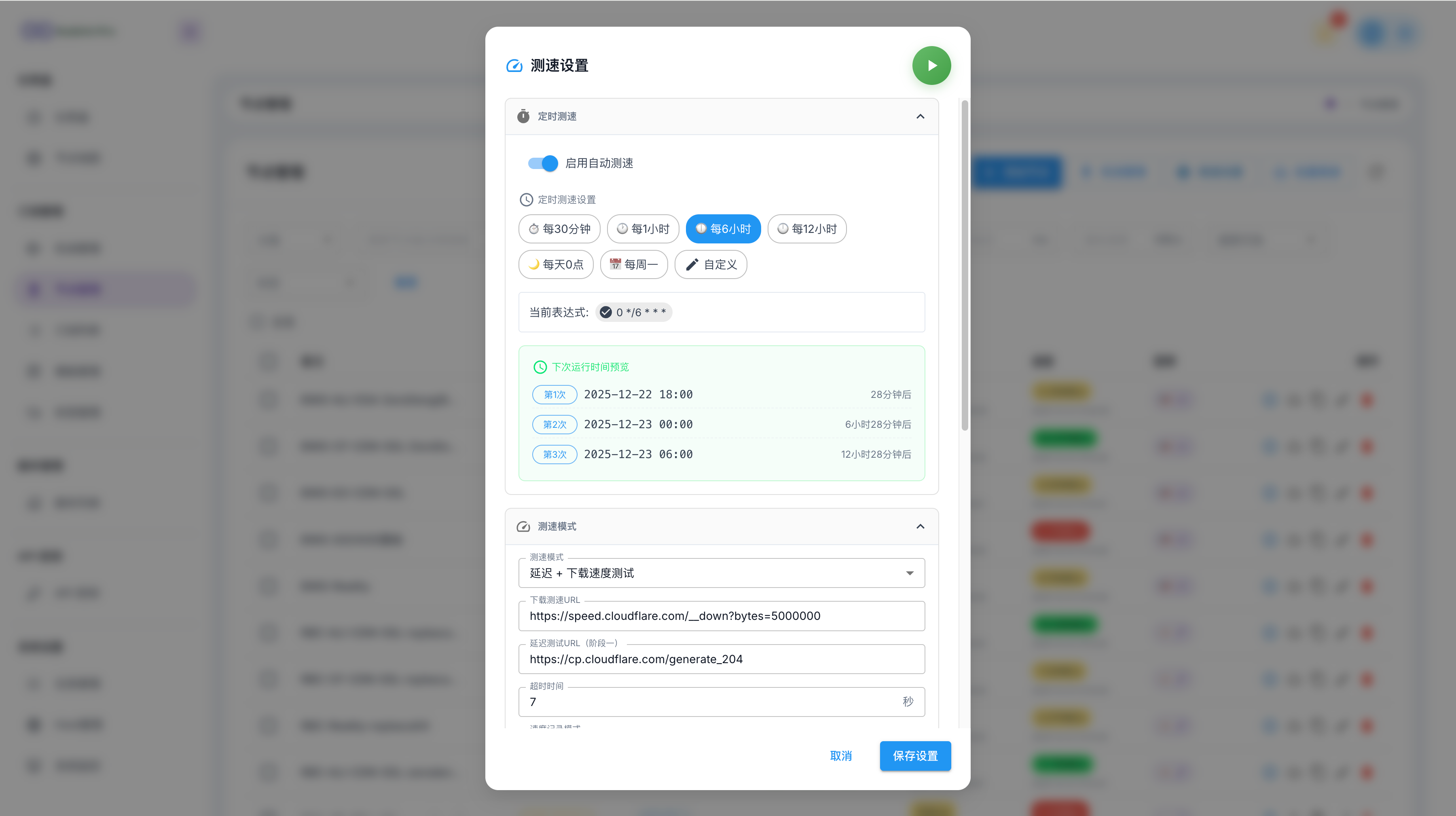
| ⚡ Professional speed test system | Two stage tests, smart latency measurement, IP quality and unlock checks | 📖 |
| 🔗 Chain proxy | Native Dialer-Proxy support, visual configuration, IP quality based node selection | 📖 |
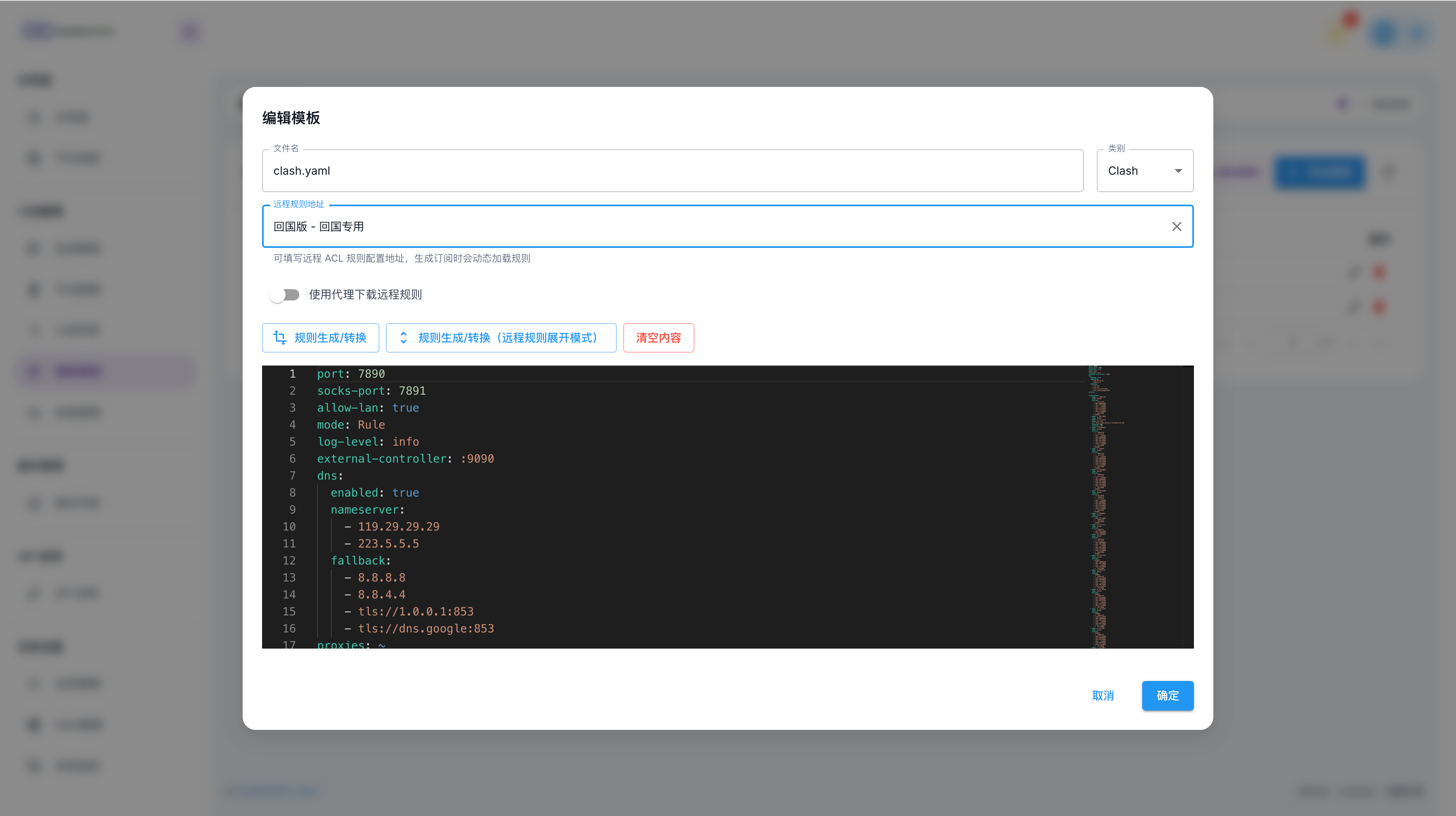
| 🤖 AI template editing | Generate operation based previews from natural language, review read-only diffs, accept into the editor, then save normally | 📖 |
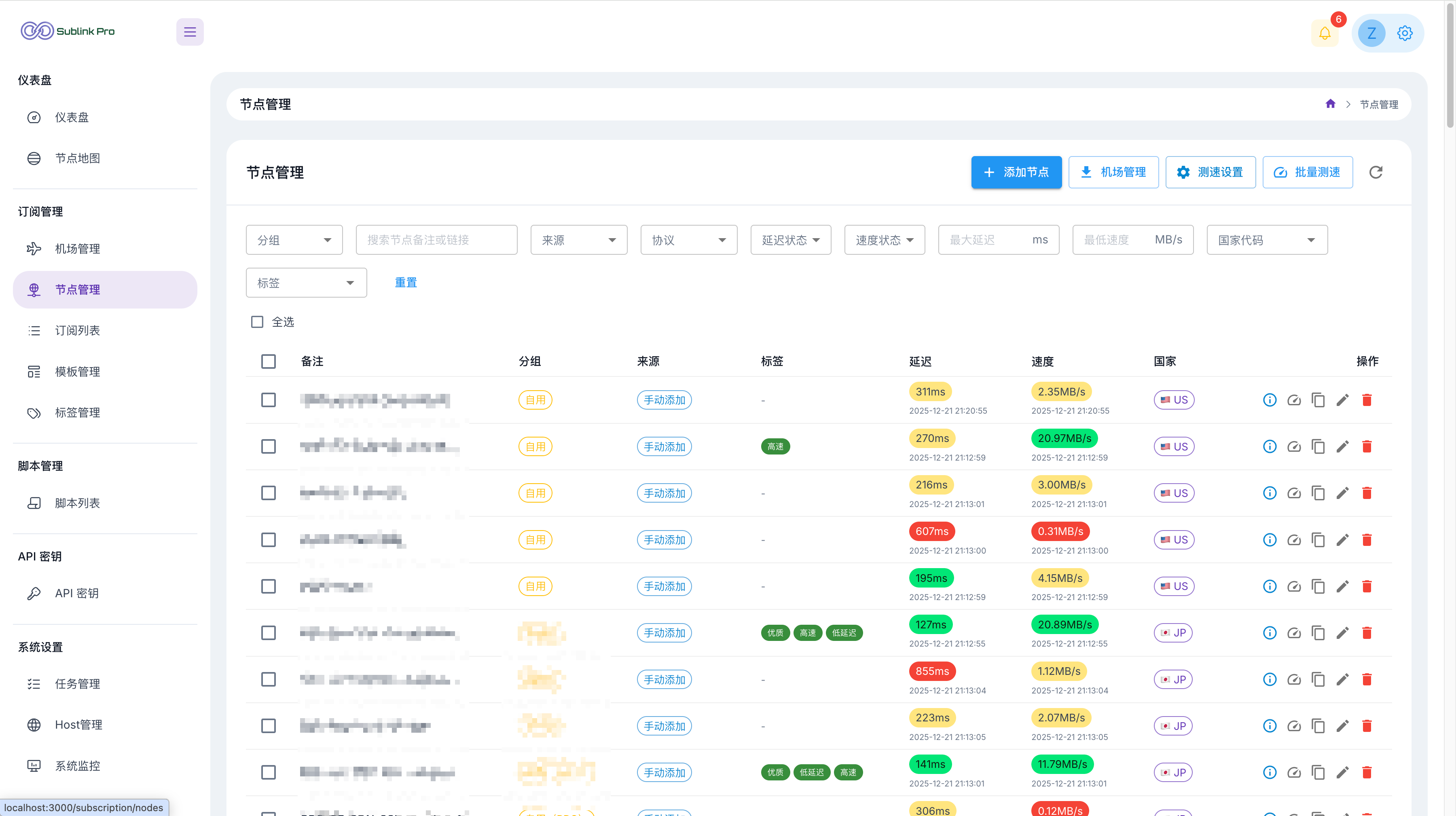
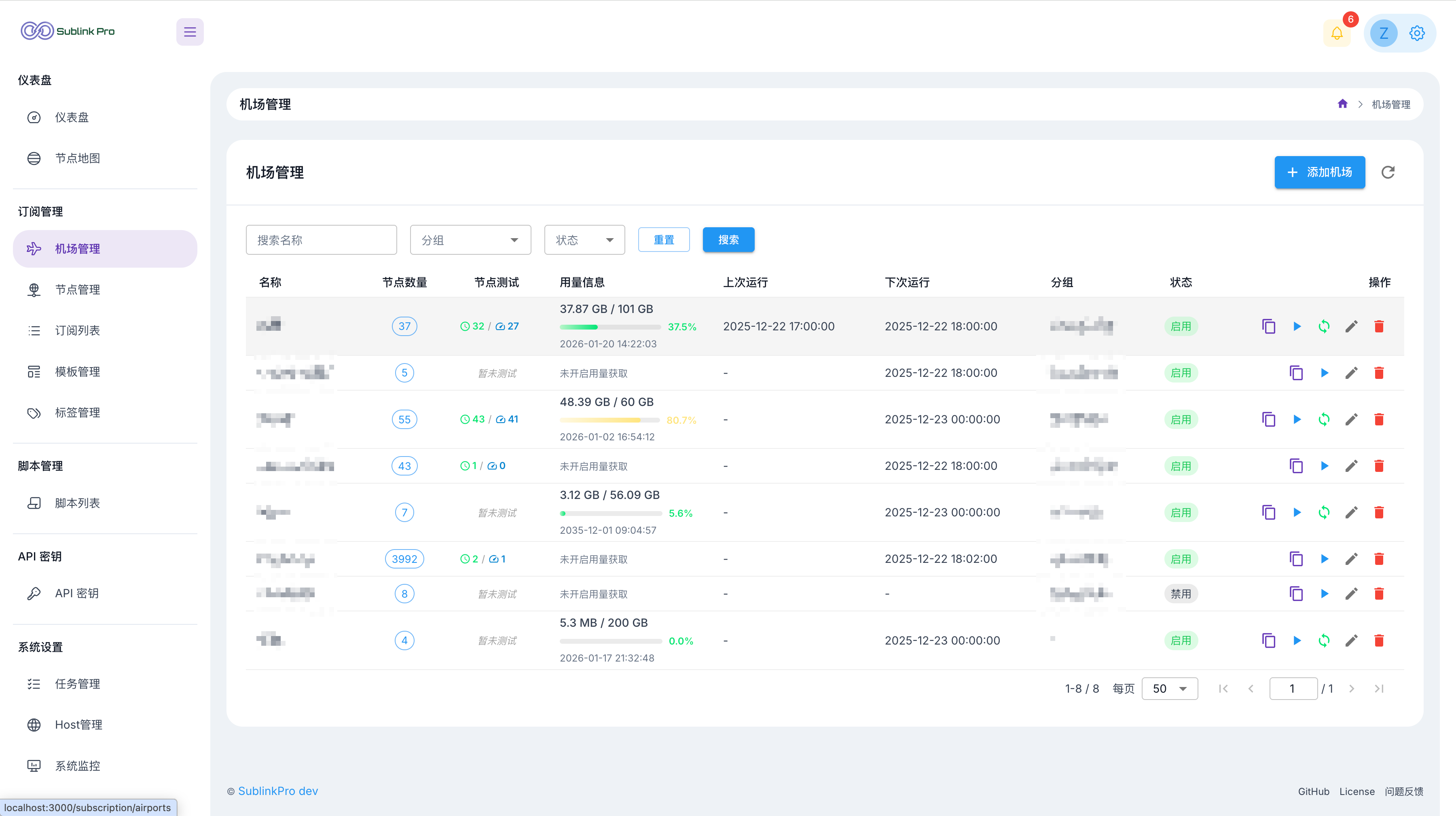
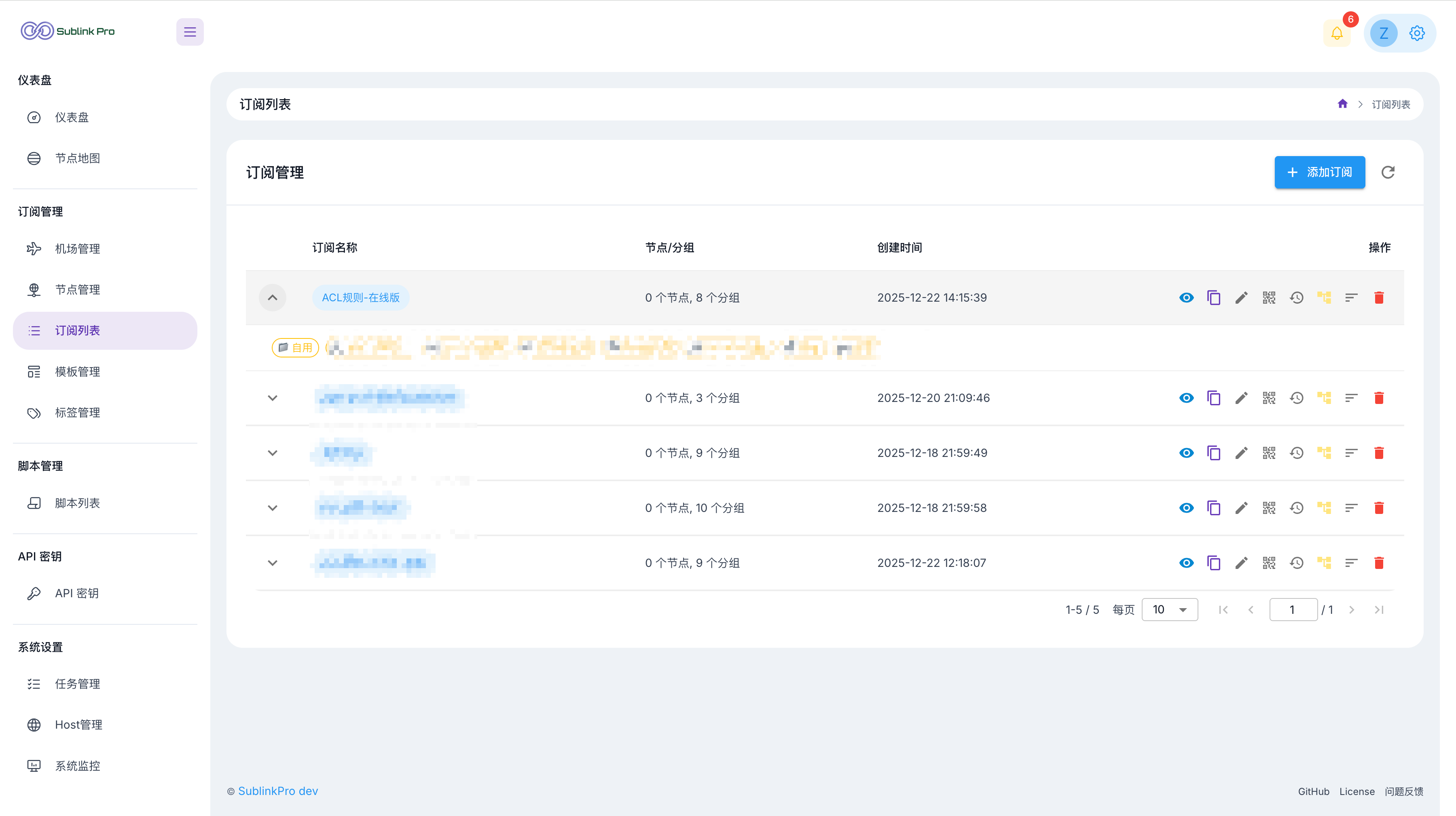
| ✈️ Airport management | Multi format import, scheduled updates, traffic monitoring, one click full refresh | 📖 |
| 🗂️ Group ordering | Drag airport priority within a group to control node order in subscription output | 📖 |
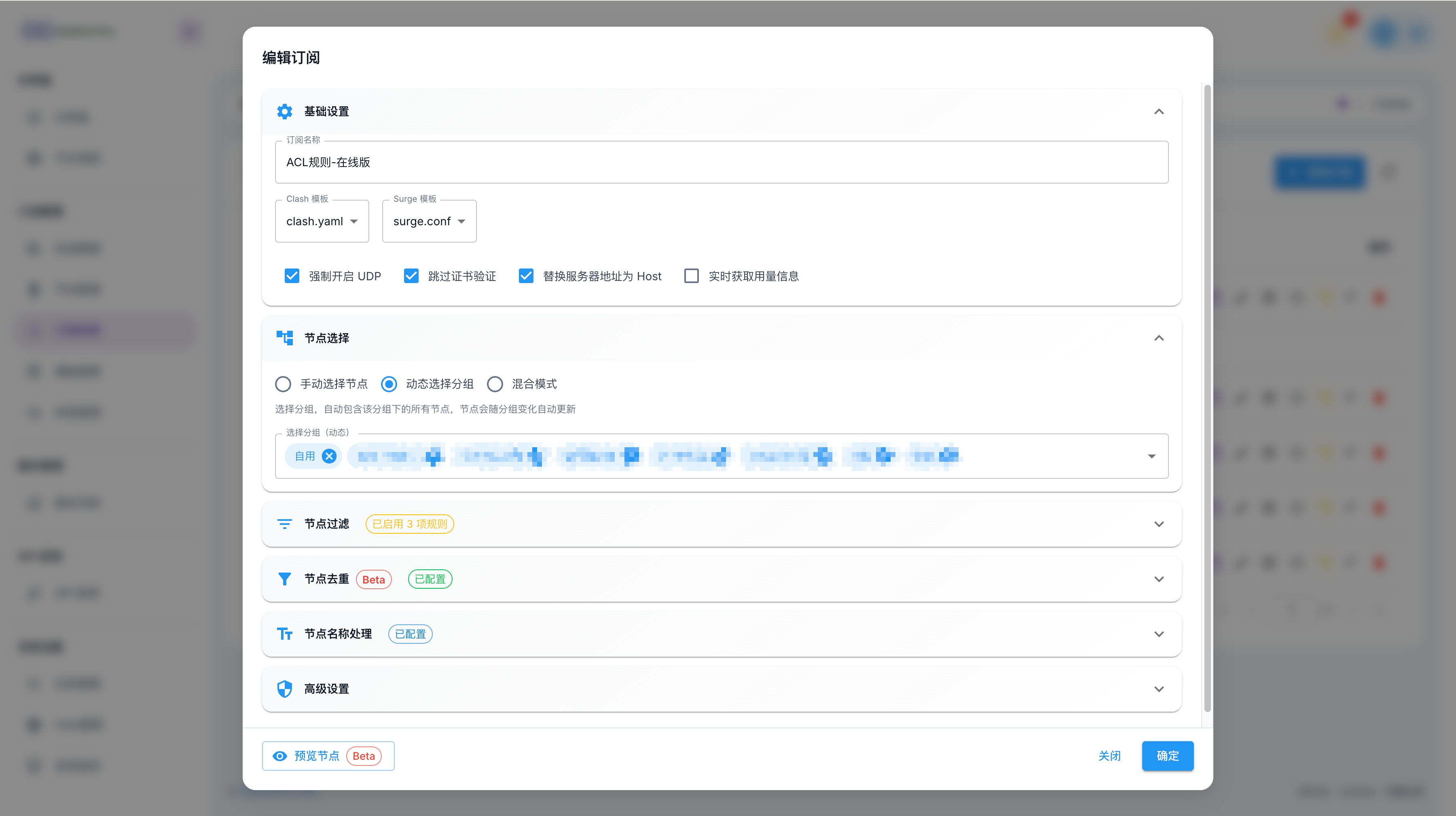
| 📋 Subscription sharing | Multiple links, expiration policies, access statistics | 📖 |
| 🌐 Host management | Domain mappings, DNS configuration, CDN preferred IPs | 📖 |
| ☁️ Cloudflare Tunnel | Expose the admin UI without a public IP, with cloudflared managed from the page | 📖 |
| 💾 WebDAV backup | Encrypt WebDAV credentials, upload system backups on demand or by cron, list remote ZIP files, and restore from the page | 📖 |
| 🔌 SOCKS5 gateway | TCP CONNECT gateway with independent accounts, multiple listeners, routing profiles, health-aware node selection and live monitoring | 📖 |
| 🤖 Telegram Bot | Remote speed tests, subscription management, system monitoring | 📖 |
| 📜 Script system | Node filtering, content post processing, chained scripts | 📖 |
| 🔔 Webhooks | Supports PushDeer, Bark, DingTalk, ServerChan, and other notification platforms | 📖 |
| 🔐 Security features | Token authorization, API Key, IP allow and block lists, access logs | 📖 |
| 🦾 AI agent skill | Drive the whole system in natural language via the REST API — add nodes, build and share subscriptions, manage airports and templates. Portable SKILL.md format, works with any compatible AI agent | 📖 |
[!IMPORTANT] Runtime data is stored in these directories by default. Keep them during upgrades and migrations:
./db: database, configuration files, GeoIP, and other local data./template: template files./logs: runtime logs
Create docker-compose.yml:
services:
  sublinkpro:
    image: zerodeng/sublink-pro
    container_name: sublinkpro
    ports:
      - "8000:8000"
    volumes:
      - "./db:/app/db"
      - "./template:/app/template"
      - "./logs:/app/logs"
    restart: unless-stopped
Start the service:
docker-compose up -d
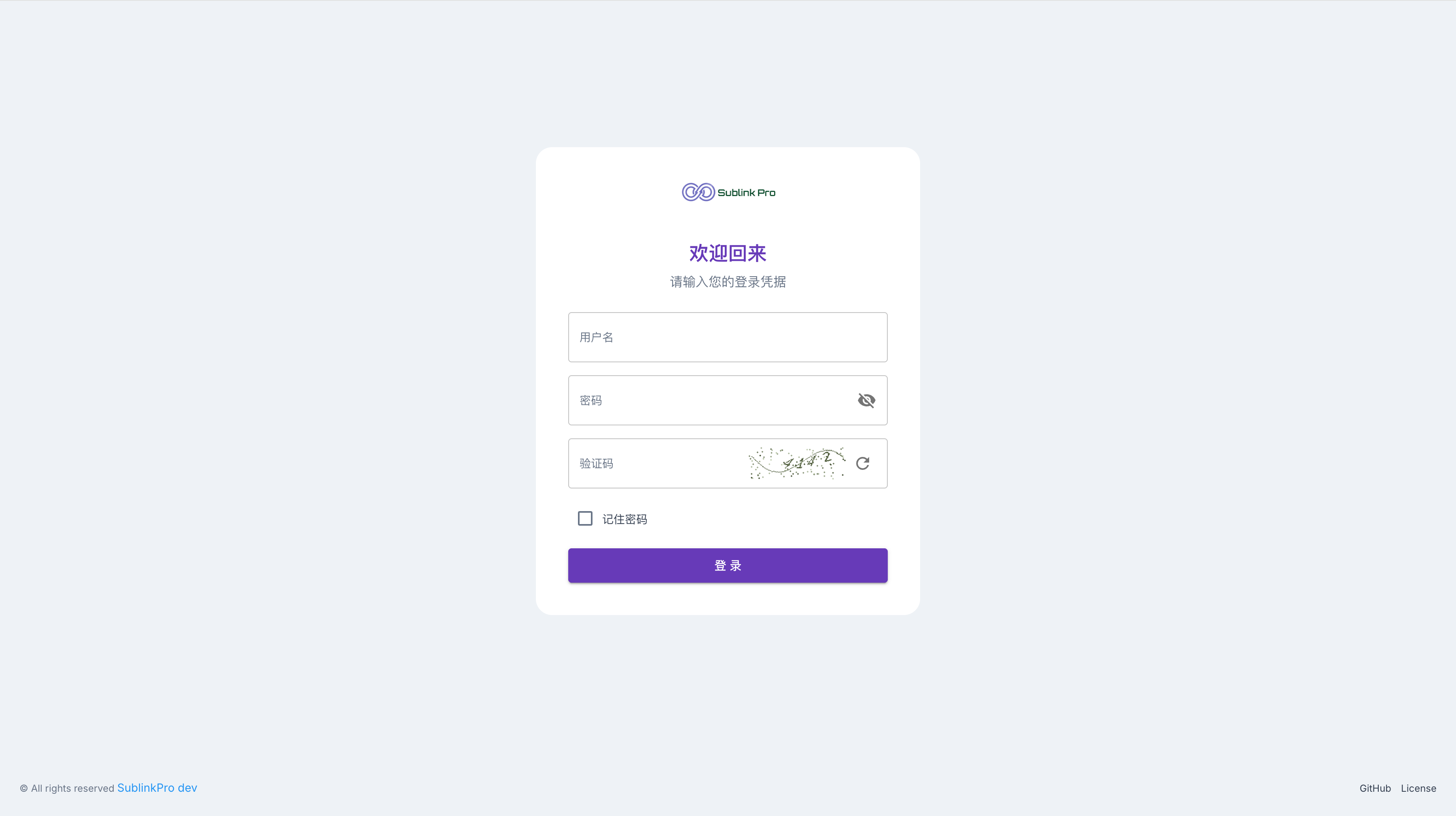
Open http://localhost:8000 and sign in with admin / 123456.
SQLite is used by default. To switch to MySQL or PostgreSQL, set the database connection through SUBLINK_DSN, dsn: in the config file, or the --dsn command line flag. See ⚙️ Configuration for examples.
[!NOTE] Even when
SUBLINK_WEB_BASE_PATHis configured to hide the admin UI entry, API paths (/api/*) and subscription or share paths (/c/*) stay at the root path. This is a project specific frontend and backend integration rule.
[!TIP] For more install methods, including Docker, one line scripts, updates, and upgrades, see the 📦 Installation Guide.
[!TIP] The Docker image includes
cloudflared. After signing in, openUser Center -> Cloudflare Tunnel, enter the token, and start it. When auto connect is enabled, the Tunnel connects when the service starts.
If your earlier instance used SQLite and you now want to migrate to MySQL or PostgreSQL, use this flow:
backup.zip.DSN for MySQL or PostgreSQL in the new instance, and make sure the target database is a fresh empty database.Settings -> Data Migration.backup.zip exported from the old instance.AccessKey and subscription access logs, then start the migration.[!IMPORTANT] Using
backup.zipis recommended. Uploading a.dbfile directly migrates database records only and won't restore the template directory.
[!NOTE] If you migrate
AccessKey, make sure both old and new instances use the sameAPI encryption key; otherwise old API Keys may no longer work.
[!TIP] If migration finishes with “N warnings”, open the corresponding “Database Migration” task in
Task Centerto view details.
| Document | Description |
|---|---|
| 📦 Installation | Docker, one line scripts, updates, Watchtower automatic updates |
| ⚙️ Configuration | Environment variables, command line flags, CAPTCHA configuration |
| Document | Description |
|---|---|
| 🏷️ Smart tag system | Automatic rule based tagging, no code filtering, IP quality rules |
| ⚡ Speed test system | Test design, IP quality checks, unlock checks, parameter tuning |
| 🌍 Unlock checks | Streaming and AI availability checks, Provider architecture, extensions |
| 🔗 Chain proxy | Dialer-Proxy, condition based node selection, configuration flow |
| 🤖 AI template editing | Operation based previews, read-only diff review, accept into editor, normal save |
| ✈️ Airport management | Subscription import, scheduled updates, traffic monitoring |
| 📋 Subscription sharing | Multiple links, expiration policies, access statistics |
| 🌐 Host management | Domain mappings, DNS configuration, speed test persistence |
| ☁️ Cloudflare Tunnel | Create a Tunnel, get a token, configure public access |
| 🤖 Telegram Bot | Command list and setup guide |
| 📜 Script support | Node filtering, content post processing, function reference |
| 🔐 Multi factor authentication, MFA | TOTP setup, recovery codes, emergency reset flow |
| Document | Description |
|---|---|
| 🛠️ Development Guide | Project structure, local development, scheduled task development |
| 🔌 Protocol Extension Guide | Add a protocol, register capabilities, field metadata, ProtocolDemo example |
Hysteria2 links support both hy2:// and hysteria2://. For userpass authentication,
hy2://user:[email protected]:443 and hy2://user%[email protected]:443
both preserve the complete user:pass credential. Percent-encode reserved characters
in credentials; URI components are decoded once, including when links are re-exported.
| Client | Supported protocols |
|---|---|
| v2ray | base64 common format, without Clash/mihomo specific protocols such as Mieru, Snell, and OpenVPN |
| clash / mihomo | ss, ssr, trojan, vmess, vless, hy, hy2, tuic, AnyTLS, Socks5, HTTP, HTTPS, Mieru, Snell, OpenVPN |
| surge | ss, trojan, vmess, hy2, tuic, AnyTLS, Snell |
[!NOTE] Mieru currently supports Clash/mihomo YAML import and export only. Official Mieru has
mieru://andmierus://share links, but does not define a general URL schema suitable for field by field editing. For raw editing and Clash/mihomo import write back, SublinkPro uses an internal editable form:mieru://username:password@server:port?...#name, with port ranges written asportRange=2090-2099. v2ray and Surge don't support Mieru in SublinkPro. Subscription output skips that protocol instead of converting it to a downgraded form.
[!NOTE] Snell supports Clash/mihomo and Surge output only. Snell has no official share link schema, so SublinkPro uses an internal editable form for raw editing and Clash/mihomo/Surge import write back:
snell://server:port?psk=xxx&version=3&obfs=http&obfs-host=xxx#name. v2ray does not support Snell in SublinkPro; subscription output skips it instead of converting it to a downgraded form.
[!NOTE] OpenVPN supports importing and exporting Mihomo/Clash
proxies:YAML entries. SublinkPro stores them in an internal round-trip form,openvpn://server:port?...#name; this is not an official OpenVPN share-link standard and does not add direct.ovpnfile import. Certificate and private-key material is URL-encoded, not encrypted, in the stored node link, so protect database access and do not share the internal link.
 |  |
 |  |
 |  |
 |  |
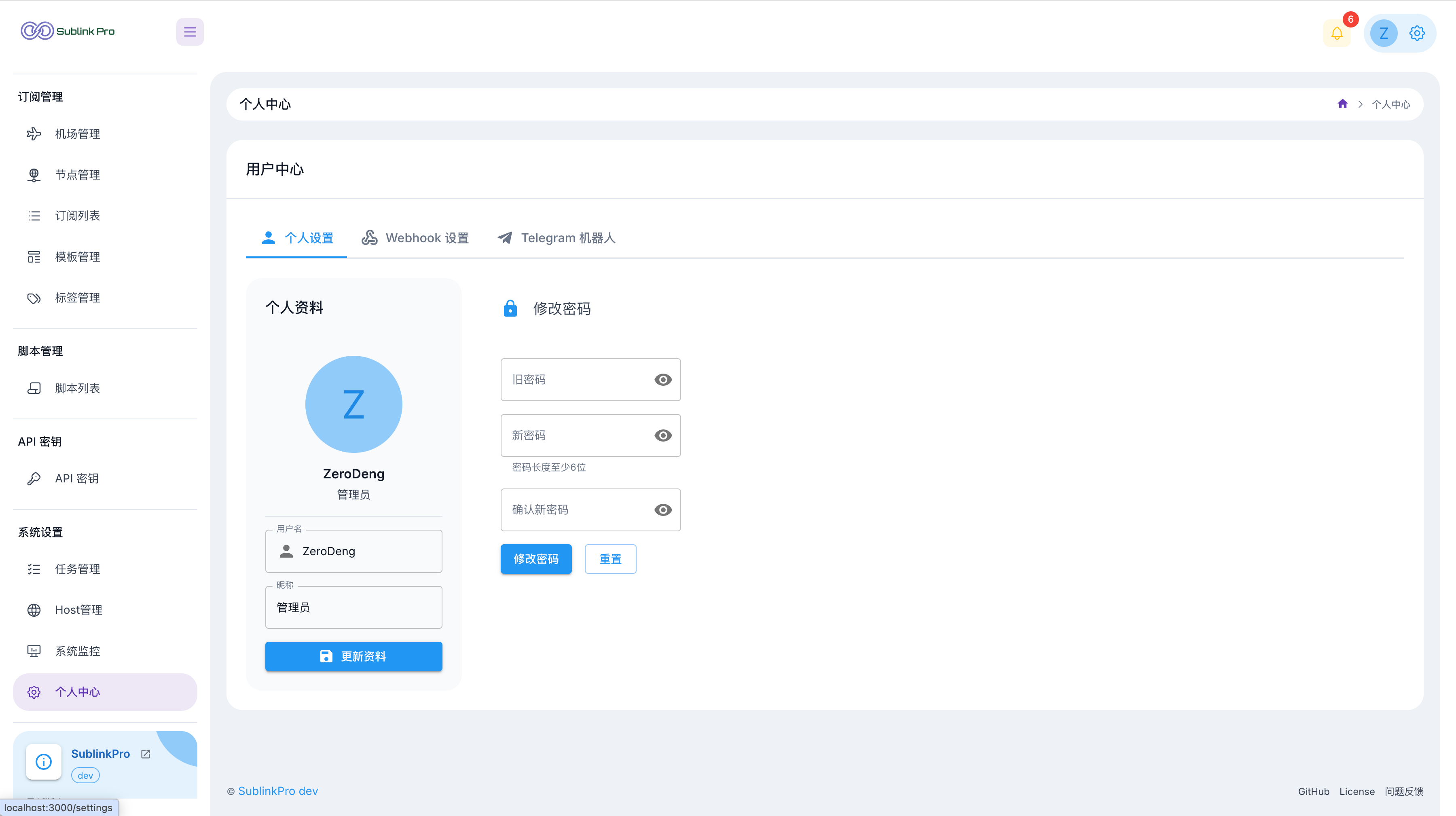 | 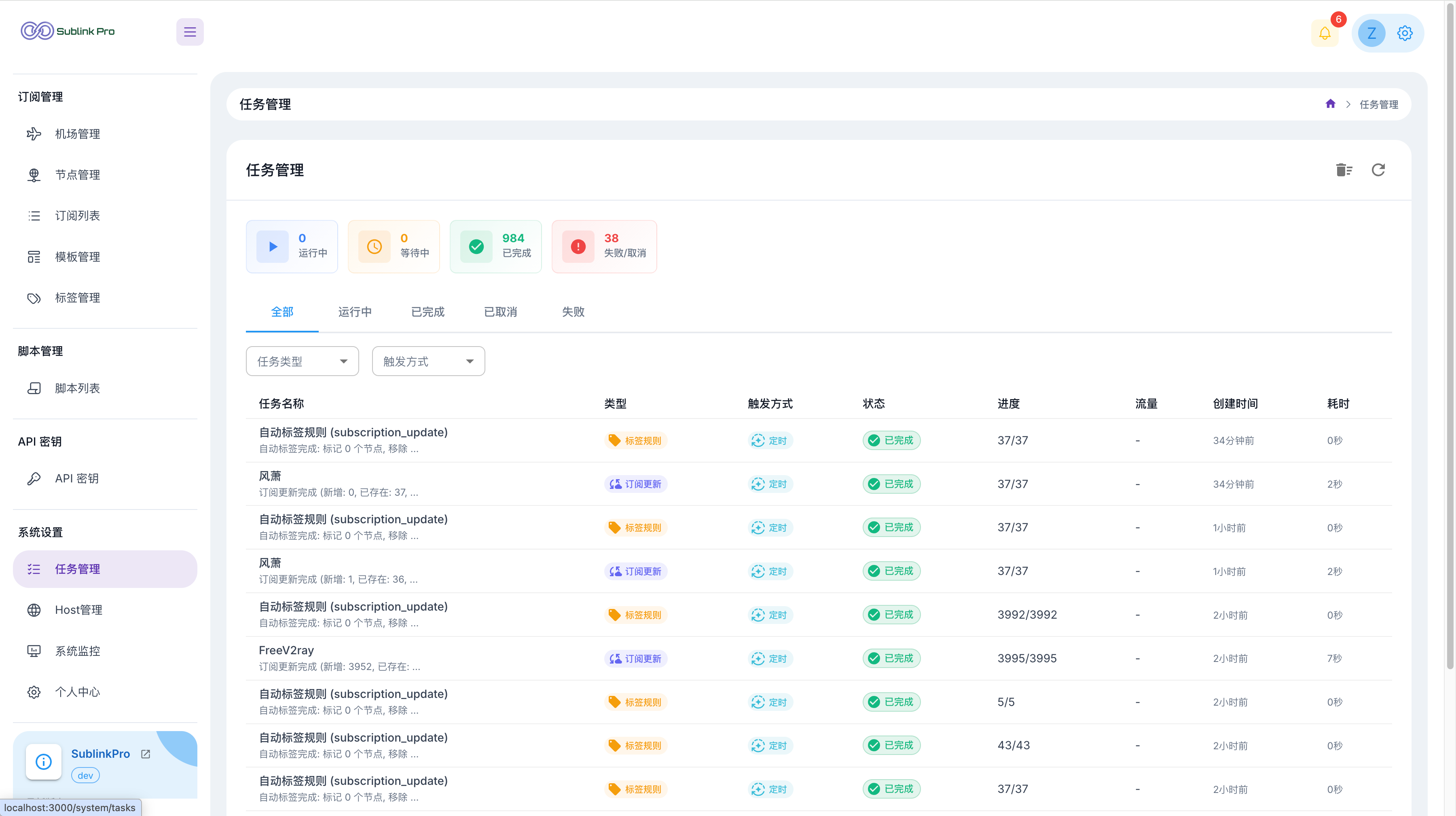 |
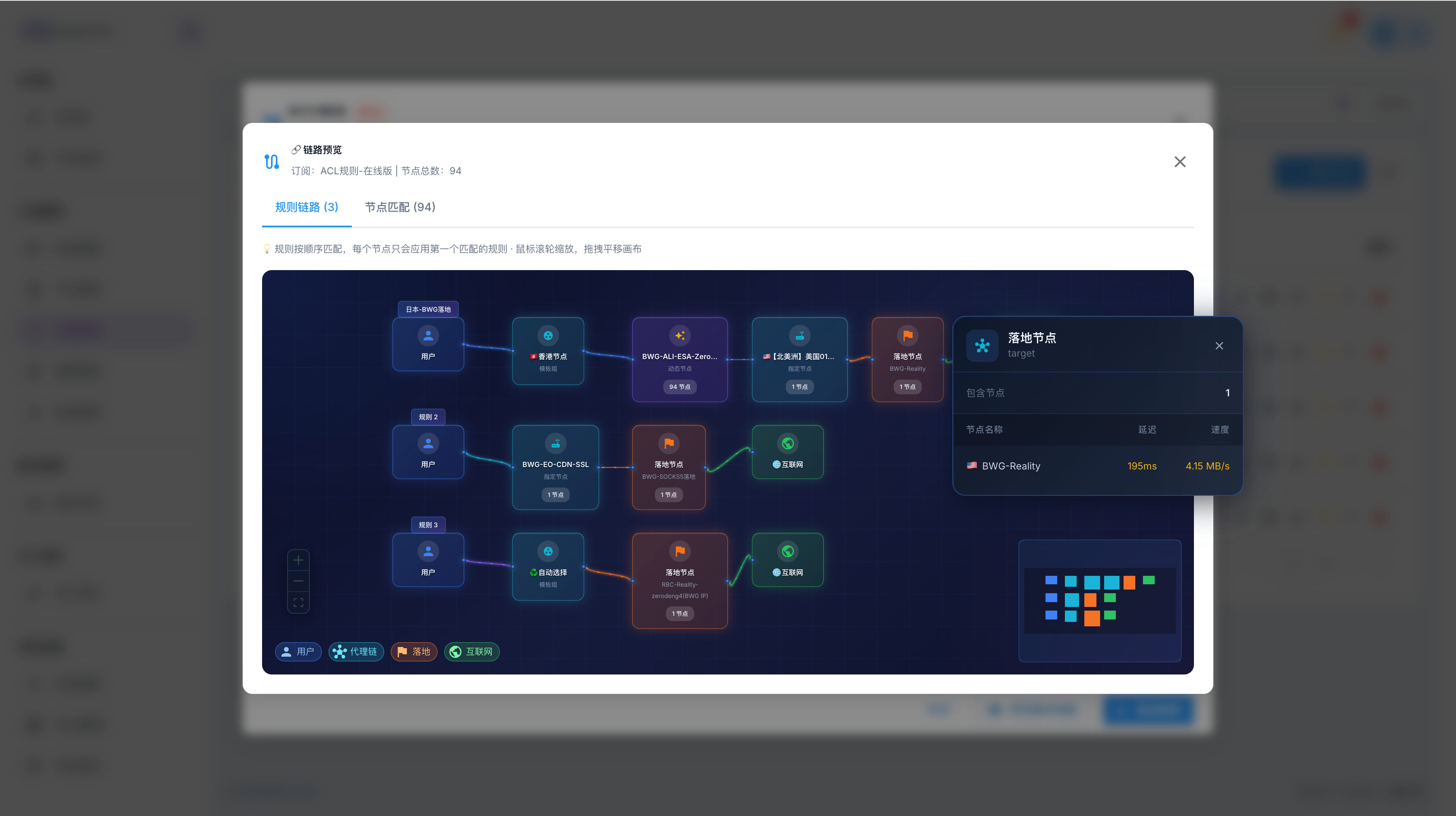 | 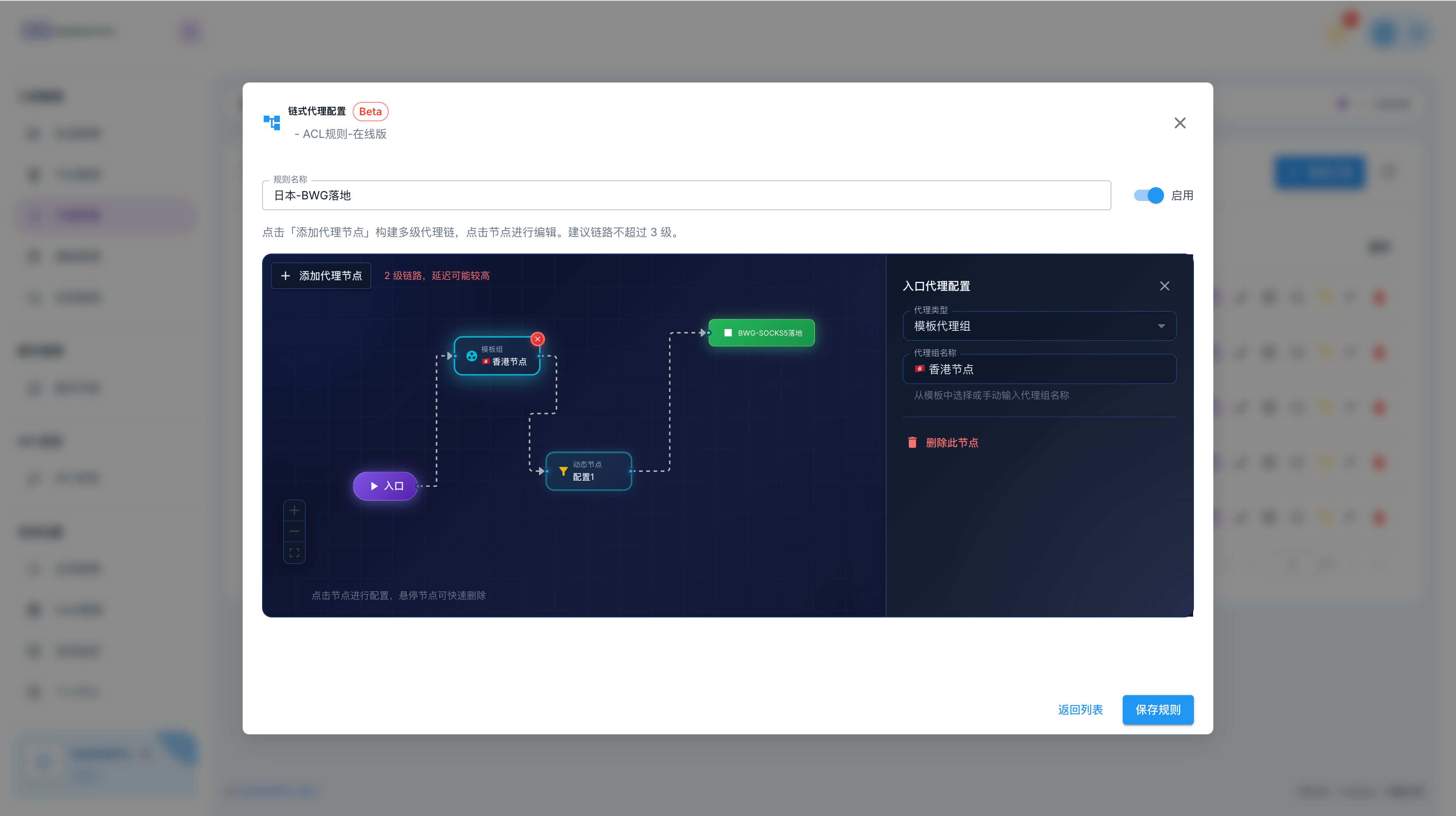 |
If this project helps you, you are welcome to:
If you need to buy a server, you can support the maintainer through the links below. Purchases through these links may provide commission rewards to the maintainer. Check official pages for exact pricing, promotion eligibility, network performance, and renewal rules.
Thanks to these open source projects:
✨ 现代化代理订阅管理平台 | 智能分类 · 专业测速 · 链式中转 · 流量监控 · TG管理 · JS扩展 | Go+React 全新UI 🌍 Modern Proxy Subscription Manager | Smart Tags · Speed Test · Relays · Monitor · TG Bot · JS Scripts
See the code
✨ Powerful proxy subscription management and conversion ✨
English | 简体中文
SublinkPro is a deeply refactored and enhanced project based on the excellent open source projects sublinkX and sublinkE. Thanks to the original authors for their work and contributions.
admin / 123456, change it immediately after installation[!WARNING] ⚠️ This project is not database compatible with the original projects. Don't mix their databases.
⚠️ Don't use this project, or any derivative of it, for activities that violate the laws and regulations of your location or the location of the users you serve. This project is for personal development, learning, and exchange only.
| Feature | Description | Details |
|---|---|---|
| 🏷️ Smart tag system | Automatic rule based tagging, no code filtering, IP quality conditions | 📖 |
| ⚡ Professional speed test system | Two stage tests, smart latency measurement, IP quality and unlock checks | 📖 |
| 🔗 Chain proxy | Native Dialer-Proxy support, visual configuration, IP quality based node selection | 📖 |
| 🤖 AI template editing | Generate operation based previews from natural language, review read-only diffs, accept into the editor, then save normally | 📖 |
| ✈️ Airport management | Multi format import, scheduled updates, traffic monitoring, one click full refresh | 📖 |
| 🗂️ Group ordering | Drag airport priority within a group to control node order in subscription output | 📖 |
| 📋 Subscription sharing | Multiple links, expiration policies, access statistics | 📖 |
| 🌐 Host management | Domain mappings, DNS configuration, CDN preferred IPs | 📖 |
| ☁️ Cloudflare Tunnel | Expose the admin UI without a public IP, with cloudflared managed from the page | 📖 |
| 💾 WebDAV backup | Encrypt WebDAV credentials, upload system backups on demand or by cron, list remote ZIP files, and restore from the page | 📖 |
| 🔌 SOCKS5 gateway | TCP CONNECT gateway with independent accounts, multiple listeners, routing profiles, health-aware node selection and live monitoring | 📖 |
| 🤖 Telegram Bot | Remote speed tests, subscription management, system monitoring | 📖 |
| 📜 Script system | Node filtering, content post processing, chained scripts | 📖 |
| 🔔 Webhooks | Supports PushDeer, Bark, DingTalk, ServerChan, and other notification platforms | 📖 |
| 🔐 Security features | Token authorization, API Key, IP allow and block lists, access logs | 📖 |
| 🦾 AI agent skill | Drive the whole system in natural language via the REST API — add nodes, build and share subscriptions, manage airports and templates. Portable SKILL.md format, works with any compatible AI agent | 📖 |
[!IMPORTANT] Runtime data is stored in these directories by default. Keep them during upgrades and migrations:
./db: database, configuration files, GeoIP, and other local data./template: template files./logs: runtime logs
Create docker-compose.yml:
services:
  sublinkpro:
    image: zerodeng/sublink-pro
    container_name: sublinkpro
    ports:
      - "8000:8000"
    volumes:
      - "./db:/app/db"
      - "./template:/app/template"
      - "./logs:/app/logs"
    restart: unless-stopped
Start the service:
docker-compose up -d
Open http://localhost:8000 and sign in with admin / 123456.
SQLite is used by default. To switch to MySQL or PostgreSQL, set the database connection through SUBLINK_DSN, dsn: in the config file, or the --dsn command line flag. See ⚙️ Configuration for examples.
[!NOTE] Even when
SUBLINK_WEB_BASE_PATHis configured to hide the admin UI entry, API paths (/api/*) and subscription or share paths (/c/*) stay at the root path. This is a project specific frontend and backend integration rule.
[!TIP] For more install methods, including Docker, one line scripts, updates, and upgrades, see the 📦 Installation Guide.
[!TIP] The Docker image includes
cloudflared. After signing in, openUser Center -> Cloudflare Tunnel, enter the token, and start it. When auto connect is enabled, the Tunnel connects when the service starts.
If your earlier instance used SQLite and you now want to migrate to MySQL or PostgreSQL, use this flow:
backup.zip.DSN for MySQL or PostgreSQL in the new instance, and make sure the target database is a fresh empty database.Settings -> Data Migration.backup.zip exported from the old instance.AccessKey and subscription access logs, then start the migration.[!IMPORTANT] Using
backup.zipis recommended. Uploading a.dbfile directly migrates database records only and won't restore the template directory.
[!NOTE] If you migrate
AccessKey, make sure both old and new instances use the sameAPI encryption key; otherwise old API Keys may no longer work.
[!TIP] If migration finishes with “N warnings”, open the corresponding “Database Migration” task in
Task Centerto view details.
| Document | Description |
|---|---|
| 📦 Installation | Docker, one line scripts, updates, Watchtower automatic updates |
| ⚙️ Configuration | Environment variables, command line flags, CAPTCHA configuration |
| Document | Description |
|---|---|
| 🏷️ Smart tag system | Automatic rule based tagging, no code filtering, IP quality rules |
| ⚡ Speed test system | Test design, IP quality checks, unlock checks, parameter tuning |
| 🌍 Unlock checks | Streaming and AI availability checks, Provider architecture, extensions |
| 🔗 Chain proxy | Dialer-Proxy, condition based node selection, configuration flow |
| 🤖 AI template editing | Operation based previews, read-only diff review, accept into editor, normal save |
| ✈️ Airport management | Subscription import, scheduled updates, traffic monitoring |
| 📋 Subscription sharing | Multiple links, expiration policies, access statistics |
| 🌐 Host management | Domain mappings, DNS configuration, speed test persistence |
| ☁️ Cloudflare Tunnel | Create a Tunnel, get a token, configure public access |
| 🤖 Telegram Bot | Command list and setup guide |
| 📜 Script support | Node filtering, content post processing, function reference |
| 🔐 Multi factor authentication, MFA | TOTP setup, recovery codes, emergency reset flow |
| Document | Description |
|---|---|
| 🛠️ Development Guide | Project structure, local development, scheduled task development |
| 🔌 Protocol Extension Guide | Add a protocol, register capabilities, field metadata, ProtocolDemo example |
Hysteria2 links support both hy2:// and hysteria2://. For userpass authentication,
hy2://user:[email protected]:443 and hy2://user%[email protected]:443
both preserve the complete user:pass credential. Percent-encode reserved characters
in credentials; URI components are decoded once, including when links are re-exported.
| Client | Supported protocols |
|---|---|
| v2ray | base64 common format, without Clash/mihomo specific protocols such as Mieru, Snell, and OpenVPN |
| clash / mihomo | ss, ssr, trojan, vmess, vless, hy, hy2, tuic, AnyTLS, Socks5, HTTP, HTTPS, Mieru, Snell, OpenVPN |
| surge | ss, trojan, vmess, hy2, tuic, AnyTLS, Snell |
[!NOTE] Mieru currently supports Clash/mihomo YAML import and export only. Official Mieru has
mieru://andmierus://share links, but does not define a general URL schema suitable for field by field editing. For raw editing and Clash/mihomo import write back, SublinkPro uses an internal editable form:mieru://username:password@server:port?...#name, with port ranges written asportRange=2090-2099. v2ray and Surge don't support Mieru in SublinkPro. Subscription output skips that protocol instead of converting it to a downgraded form.
[!NOTE] Snell supports Clash/mihomo and Surge output only. Snell has no official share link schema, so SublinkPro uses an internal editable form for raw editing and Clash/mihomo/Surge import write back:
snell://server:port?psk=xxx&version=3&obfs=http&obfs-host=xxx#name. v2ray does not support Snell in SublinkPro; subscription output skips it instead of converting it to a downgraded form.
[!NOTE] OpenVPN supports importing and exporting Mihomo/Clash
proxies:YAML entries. SublinkPro stores them in an internal round-trip form,openvpn://server:port?...#name; this is not an official OpenVPN share-link standard and does not add direct.ovpnfile import. Certificate and private-key material is URL-encoded, not encrypted, in the stored node link, so protect database access and do not share the internal link.
| |
| |
| |
| |
| |
| |
If this project helps you, you are welcome to:
If you need to buy a server, you can support the maintainer through the links below. Purchases through these links may provide commission rewards to the maintainer. Check official pages for exact pricing, promotion eligibility, network performance, and renewal rules.
Thanks to these open source projects:



