English · Español · 🌐 minideck.samons.co






Turn your phone into a Stream Deck for your PC or Mac. There's no app to install on the phone: it's a PWA you open in the browser. The server is Python (FastAPI + WebSocket) and the frontend is plain HTML/CSS/JS with no build step.
Issues and PRs are welcome in English or Spanish.
See it in action: the website minideck.samons.co is built like the app itself — tap the keys, toggle the stateful buttons and switch themes.
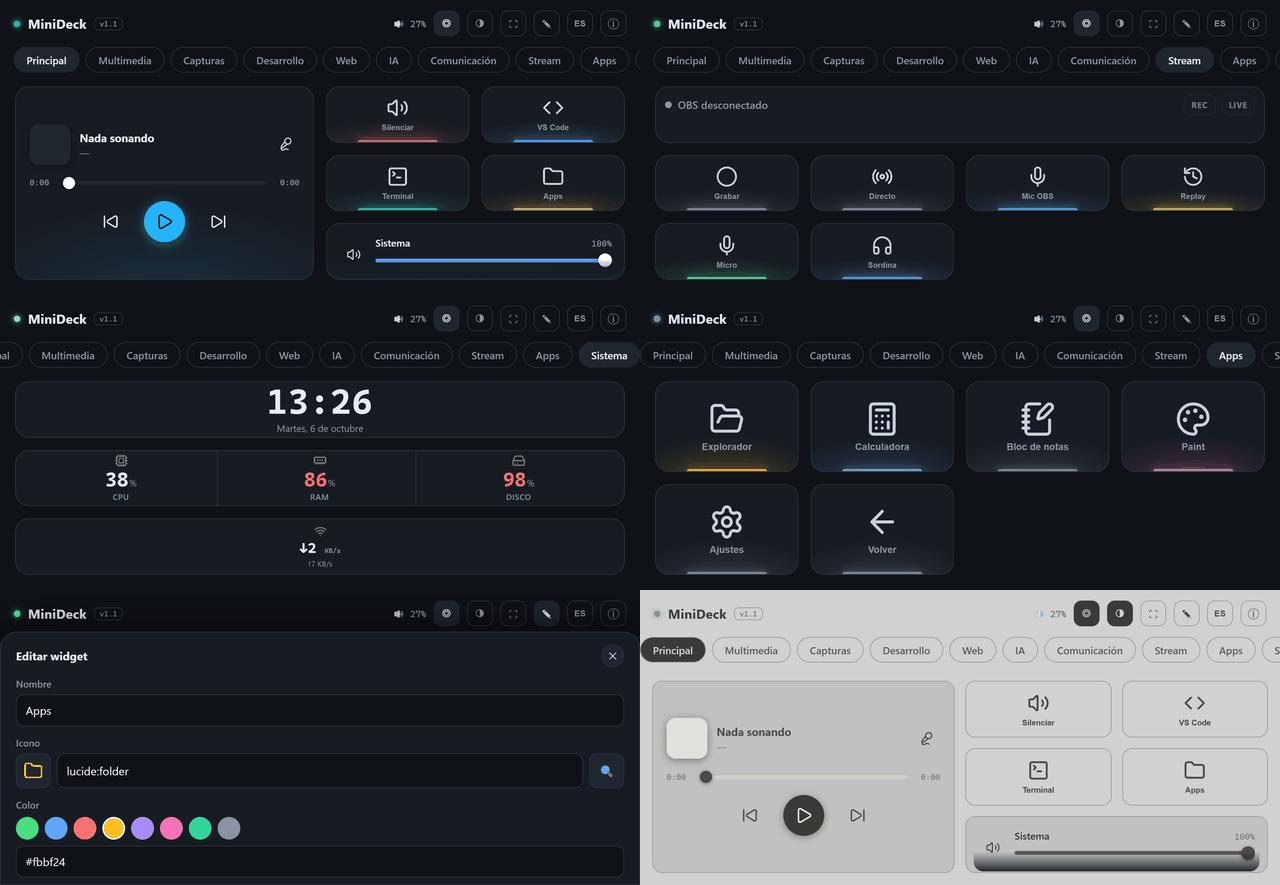
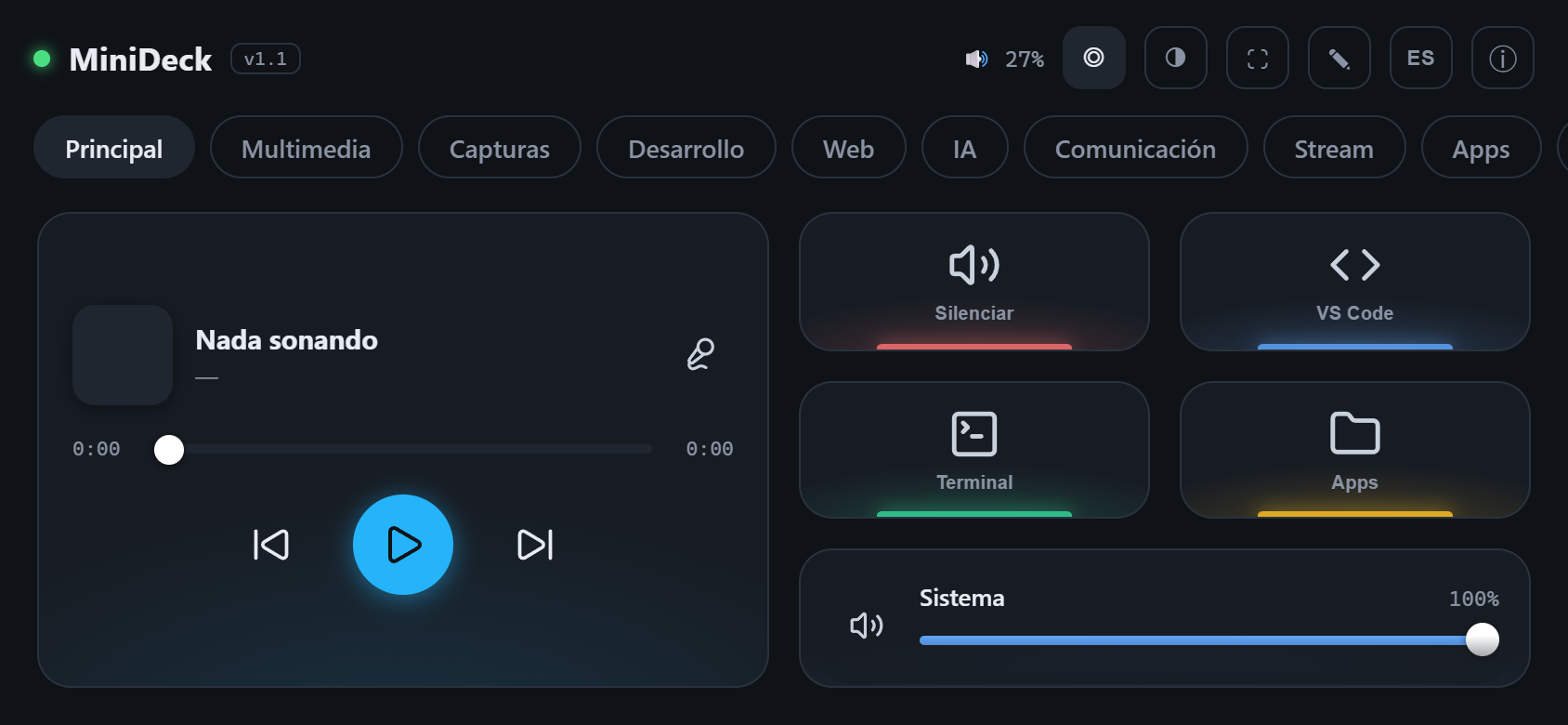
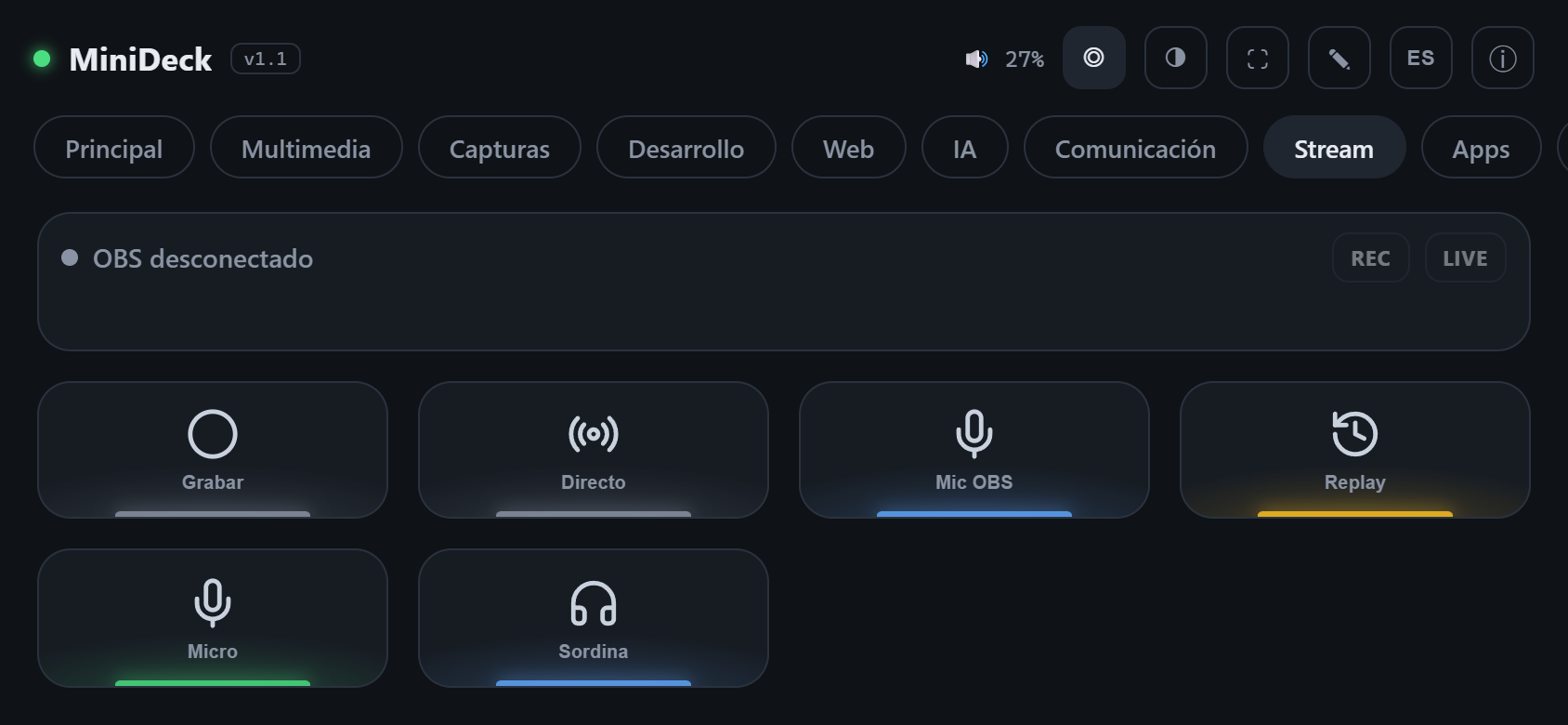
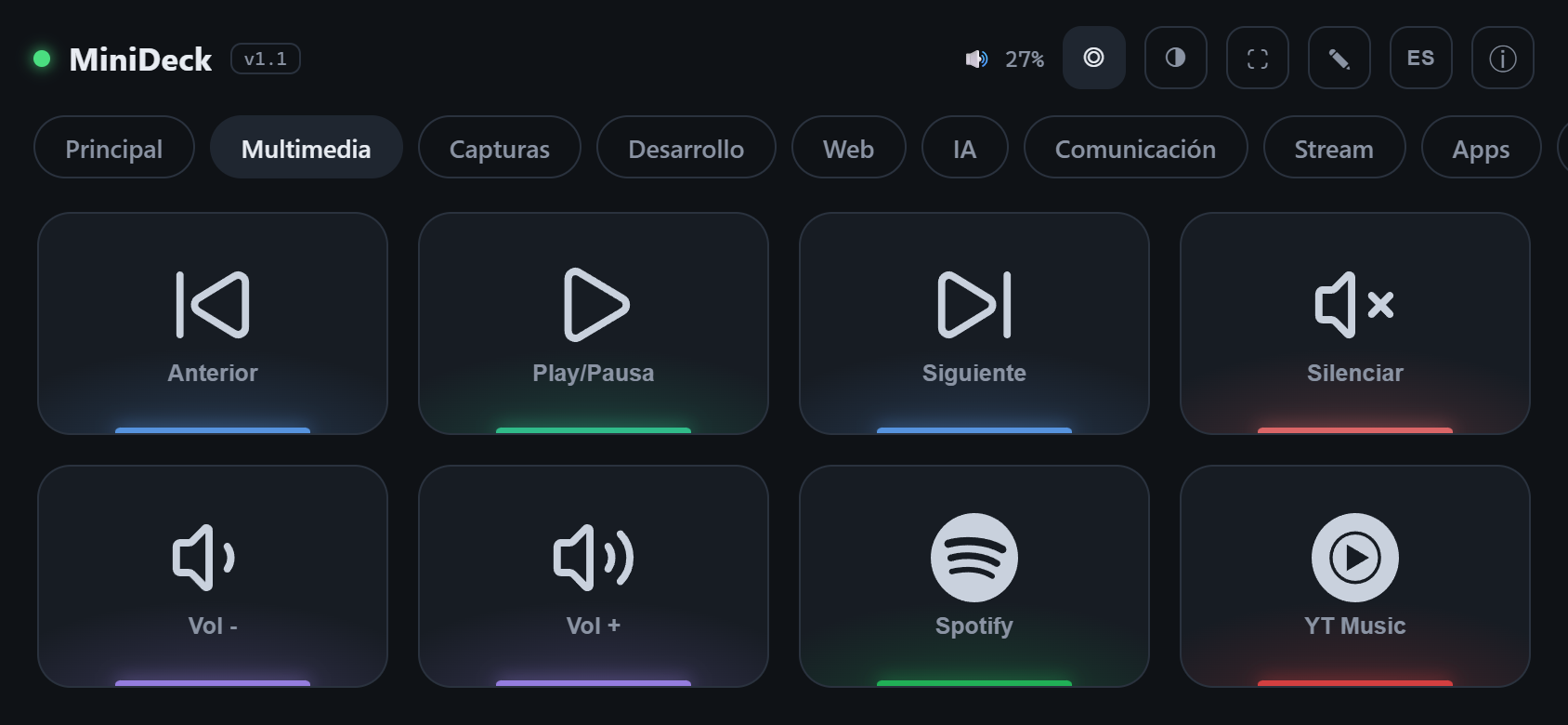
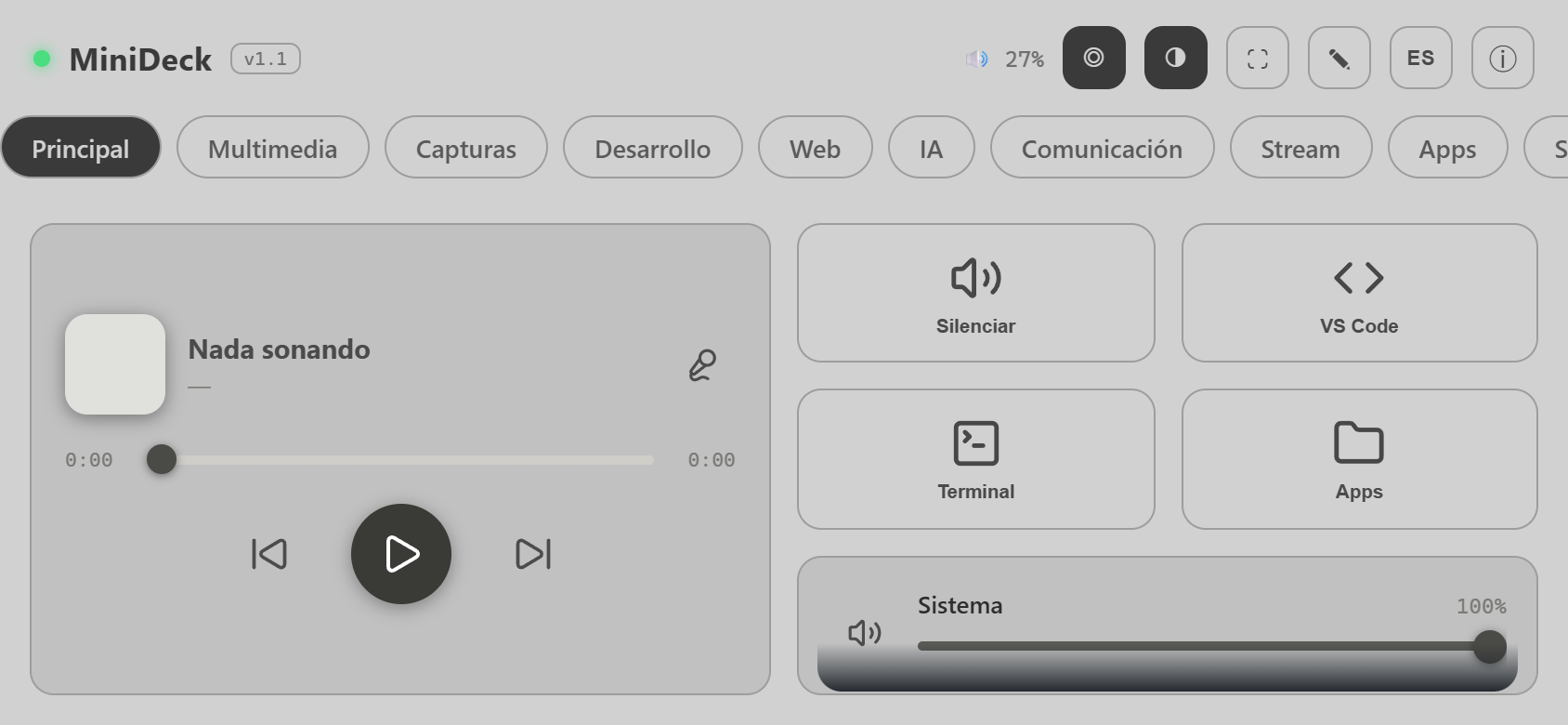
back returns./basic is a server-rendered version with plain links and forms (use the deck, folders, long press, sliders, OBS, Home Assistant, and a full deck editor). Browsers without JS land there automatically; JavaScript only adds real-time updates, drag and drop and animations./panel.html).Grab the latest build from the website or from Releases:
MiniDeck-…-windows.zip → unzip → run MiniDeck.exe. A tray icon appears: right-click → Mostrar QR.MiniDeck-…-macos.dmg → drag to Applications. The first time: right-click → Open (the app isn't notarized). See README_MAC.md for permissions.pipx install git+https://github.com/SamonsLol/minideck.git
minideck # or: minideck --port 9000
minideck-tray # Windows/Linux: tray icon instead of a console
git clone https://github.com/SamonsLol/minideck.git
cd minideck
python -m venv .venv
# Windows:        .venv\Scripts\activate
# macOS / Linux:  source .venv/bin/activate
pip install -r requirements.txt
cd server
python main.py
On Windows you can also double-click MiniDeck.bat (no console, tray icon).
The app installed on the home screen doesn't share storage with the browser (especially on iPhone), so the first time it opens it asks to pair again: tap 📷 Scan QR code and point at the computer's screen (over plain HTTP it takes a photo of the QR; with HTTPS it scans live), or type the code shown under the QR.
The phone and the computer must be on the same Wi-Fi network. On Windows, allow Python/MiniDeck on private networks when the firewall asks.
MiniDeck can run commands on your computer, so:
/api and /ws requires a pairing token. It's generated on first run and stored in auth_token in the config folder.localhost).auth_token and restart; a new one is generated.More details and how to report vulnerabilities: SECURITY.md.
The deck lives in deck.json:
| Mode | Location |
|---|---|
From source (python main.py) | server/config/deck.json |
| Packaged app or pipx | Windows %APPDATA%\MiniDeck\ · macOS ~/Library/Application Support/MiniDeck/ · Linux ~/.config/minideck/ |
On first run it's created from the default deck for your OS (server/config/deck.default.<windows|macos|linux>.json). The easiest way to edit it is from the phone with the ✎ button. You can also edit the JSON by hand: when you save, every connected client updates automatically. Every save keeps a backup (the last 30, in backups/), so the editor's ↶ Undo can go back.
{
  "id": "rec",
  "label": "Record",
  "icon": "lucide:circle",
  "color": "#8a93a3",
  "action": "obs_record_toggle",
  "params": {},
  "longAction": "obs_replay_save",
  "longParams": {},
  "when": { "key": "obs.recording", "icon": "lucide:circle-stop",
            "color": "#f87171", "label": "Recording" }
}
| Field | Meaning |
|---|---|
action / params | What a tap does. |
longAction / longParams | Optional: what a long press (~0.5 s) does. |
when | Optional: look while a live-state value is true. key is a path in the state (obs.recording, discord.mute, ha.entities.light.living.state), equals compares against a value; icon, color and label override the button. |
"action": "page" | Folder: {"page": "<page id>"} opens that page, {"page": "back"} goes back. |
w / h | Width/height in grid cells ("w": "full" = whole row). |
| Action | Params | Platforms |
|---|---|---|
hotkey | {"keys": "ctrl+shift+m"} | all |
type_text | {"text": "hello"} | all |
launch | {"path": "..."} or {"app": "code"} | all |
command | {"cmd": "...", "shell": "powershell"} | all |
website | {"url": "https://..."} | all |
http_request | {"url", "method", "body", "headers"} | all |
now_playing | {"cmd": "play_pause" | "next" | "previous" | "seek", "position": 90} | Win, Mac |
volume_set / volume_change / volume_mute | {"level": 50} / {"delta": 5} / {} | Win, Mac |
mixer_set / mixer_mute | {"app": "chrome.exe", "level": 40} | Win |
discord_mute / discord_deafen | {} | all |
obs_scene, obs_record_toggle, obs_stream_toggle, obs_mute_toggle, obs_replay_save… | see OBS plugin | all |
ha_toggle, ha_scene, ha_service | see Home Assistant plugin | all |
lock | {} | all |
power | {"mode": "shutdown" | "restart" | "sleep" | "cancel"} | all |
kill_process | {"name": "app.exe"} | all |
mouse_click / mouse_move | {"x": 100, "y": 200} | all |
macro | {"steps": [{"action": ..., "params": ...}, {"delay_ms": 500}]} | all |
screenshot, show_desktop, shortcut, clipboard_copy, ocr_capture, audio_output… | see source | Mac |
Parameters are validated before running, so a mistake shows a clear message on the phone. Every action has a timeout (30 s by default), so a hung action can't leave the phone waiting. The editor fills in a parameter template when you pick an action. The exact list on your machine: GET /api/actions/schema.
Discord needs an app created in the Discord Developer Portal: see the instructions at the top of server/actions/discord_rpc.py and the template in server/config/discord.example.json.
Add actions, live data, and widgets without touching MiniDeck's code:
%APPDATA%\MiniDeck\plugins\my_plugin\     (or ~/Library/Application Support/MiniDeck/plugins/…)
├── plugin.json   ← name, version, platforms, dependencies, settings
├── plugin.py     ← @action("my_plugin_do")
├── widget.js     ← MiniDeck.registerWidget("my_plugin", {...})
└── widget.css
from actions import action

@action("my_plugin_do", schema={"name": {"type": "str", "required": True}})
def do(params: dict):
    return {"message": f"Hi {params['name']}"}
Full guide (in Spanish): docs/PLUGINS.md · Template: examples/plugins/hello · Community index: docs/PLUGIN_INDEX.md
| Option | Default | Purpose |
|---|---|---|
--port / MINIDECK_PORT | 8765 | Port |
--host / MINIDECK_HOST | 0.0.0.0 | Interface (use 127.0.0.1 for local only) |
MINIDECK_TOKEN | random | Fixed token (e.g. the same one on several machines) |
MINIDECK_CONFIG_DIR | see above | Folder for deck.json, backups, the token, and discord.json |
MINIDECK_PLUGINS_DIR | <data>/plugins | User plugins folder |
MINIDECK_LOG_DIR | <data>/logs | Rotating log (minideck.log, ~3 MB max). Also at GET /api/logs |
MINIDECK_ICON_CACHE | <data>/icon-cache | Downloaded icons |
MINIDECK_NO_AUTH=1 | — | Disables the token. Not recommended. |
minideck/
├── server/
│   ├── main.py            # FastAPI + WebSocket + routes
│   ├── auth.py            # pairing token
│   ├── paths.py           # per-OS paths
│   ├── icons.py           # icon proxy with disk cache
│   ├── actions/           # built-in actions (one module per platform)
│   ├── plugins/           # bundled plugins (obs, homeassistant, sysmon, clock, indicators)
│   ├── config/            # default decks per OS and templates
│   ├── app_tray.py        # tray icon (Windows/Linux, entry point of the .exe)
│   ├── app_menubar.py     # menu bar app (macOS)
│   └── run.ps1            # tray launcher without pystray (Windows)
├── frontend/              # PWA (plain HTML/CSS/JS, no build; i18n.js = translations)
├── packaging/             # pip/pipx launcher
├── examples/plugins/      # plugin template
├── docs/                  # plugin guide and screenshots
├── build/                 # PyInstaller specs (Windows .exe, macOS .app), DMG, certificates
└── tests/                 # server, plugins, packaging and browser UI tests
Welcome aboard! Read CONTRIBUTING.md. For development:
pip install -r requirements-dev.txt
python -m playwright install chromium   # for the browser UI tests
pytest
ruff check server tests examples packaging
To publish a release: git tag v1.1.0 && git push origin v1.1.0. GitHub Actions builds the Windows .zip, the macOS .dmg and the Python package, and attaches them to the release.
MiniDeck is free and will stay free. If it saves you time, you can buy me a coffee ☕
Copyright © 2026 Samons
MiniDeck is free software: you can redistribute it and/or modify it under the terms of the GNU Affero General Public License as published by the Free Software Foundation, either version 3 of the License, or (at your option) any later version (AGPL-3.0-or-later). It is distributed WITHOUT ANY WARRANTY. Full text in LICENSE.
In short: you're free to use, modify, and share it, but if you distribute a modified version or make it available to others over a network, you must publish its source code under the same license.
English · Español · 🌐 minideck.samons.co
Turn your phone into a Stream Deck for your PC or Mac. There's no app to install on the phone: it's a PWA you open in the browser. The server is Python (FastAPI + WebSocket) and the frontend is plain HTML/CSS/JS with no build step.
Issues and PRs are welcome in English or Spanish.
See it in action: the website minideck.samons.co is built like the app itself — tap the keys, toggle the stateful buttons and switch themes.
back returns./basic is a server-rendered version with plain links and forms (use the deck, folders, long press, sliders, OBS, Home Assistant, and a full deck editor). Browsers without JS land there automatically; JavaScript only adds real-time updates, drag and drop and animations./panel.html).Grab the latest build from the website or from Releases:
MiniDeck-…-windows.zip → unzip → run MiniDeck.exe. A tray icon appears: right-click → Mostrar QR.MiniDeck-…-macos.dmg → drag to Applications. The first time: right-click → Open (the app isn't notarized). See README_MAC.md for permissions.pipx install git+https://github.com/SamonsLol/minideck.git
minideck # or: minideck --port 9000
minideck-tray # Windows/Linux: tray icon instead of a console
git clone https://github.com/SamonsLol/minideck.git
cd minideck
python -m venv .venv
# Windows:        .venv\Scripts\activate
# macOS / Linux:  source .venv/bin/activate
pip install -r requirements.txt
cd server
python main.py
On Windows you can also double-click MiniDeck.bat (no console, tray icon).
The app installed on the home screen doesn't share storage with the browser (especially on iPhone), so the first time it opens it asks to pair again: tap 📷 Scan QR code and point at the computer's screen (over plain HTTP it takes a photo of the QR; with HTTPS it scans live), or type the code shown under the QR.
The phone and the computer must be on the same Wi-Fi network. On Windows, allow Python/MiniDeck on private networks when the firewall asks.
MiniDeck can run commands on your computer, so:
/api and /ws requires a pairing token. It's generated on first run and stored in auth_token in the config folder.localhost).auth_token and restart; a new one is generated.More details and how to report vulnerabilities: SECURITY.md.
The deck lives in deck.json:
| Mode | Location |
|---|---|
From source (python main.py) | server/config/deck.json |
| Packaged app or pipx | Windows %APPDATA%\MiniDeck\ · macOS ~/Library/Application Support/MiniDeck/ · Linux ~/.config/minideck/ |
On first run it's created from the default deck for your OS (server/config/deck.default.<windows|macos|linux>.json). The easiest way to edit it is from the phone with the ✎ button. You can also edit the JSON by hand: when you save, every connected client updates automatically. Every save keeps a backup (the last 30, in backups/), so the editor's ↶ Undo can go back.
{
  "id": "rec",
  "label": "Record",
  "icon": "lucide:circle",
  "color": "#8a93a3",
  "action": "obs_record_toggle",
  "params": {},
  "longAction": "obs_replay_save",
  "longParams": {},
  "when": { "key": "obs.recording", "icon": "lucide:circle-stop",
            "color": "#f87171", "label": "Recording" }
}
| Field | Meaning |
|---|---|
action / params | What a tap does. |
longAction / longParams | Optional: what a long press (~0.5 s) does. |
when | Optional: look while a live-state value is true. key is a path in the state (obs.recording, discord.mute, ha.entities.light.living.state), equals compares against a value; icon, color and label override the button. |
"action": "page" | Folder: {"page": "<page id>"} opens that page, {"page": "back"} goes back. |
w / h | Width/height in grid cells ("w": "full" = whole row). |
| Action | Params | Platforms |
|---|---|---|
hotkey | {"keys": "ctrl+shift+m"} | all |
type_text | {"text": "hello"} | all |
launch | {"path": "..."} or {"app": "code"} | all |
command | {"cmd": "...", "shell": "powershell"} | all |
website | {"url": "https://..."} | all |
http_request | {"url", "method", "body", "headers"} | all |
now_playing | {"cmd": "play_pause" | "next" | "previous" | "seek", "position": 90} | Win, Mac |
volume_set / volume_change / volume_mute | {"level": 50} / {"delta": 5} / {} | Win, Mac |
mixer_set / mixer_mute | {"app": "chrome.exe", "level": 40} | Win |
discord_mute / discord_deafen | {} | all |
obs_scene, obs_record_toggle, obs_stream_toggle, obs_mute_toggle, obs_replay_save… | see OBS plugin | all |
ha_toggle, ha_scene, ha_service | see Home Assistant plugin | all |
lock | {} | all |
power | {"mode": "shutdown" | "restart" | "sleep" | "cancel"} | all |
kill_process | {"name": "app.exe"} | all |
mouse_click / mouse_move | {"x": 100, "y": 200} | all |
macro | {"steps": [{"action": ..., "params": ...}, {"delay_ms": 500}]} | all |
screenshot, show_desktop, shortcut, clipboard_copy, ocr_capture, audio_output… | see source | Mac |
Parameters are validated before running, so a mistake shows a clear message on the phone. Every action has a timeout (30 s by default), so a hung action can't leave the phone waiting. The editor fills in a parameter template when you pick an action. The exact list on your machine: GET /api/actions/schema.
Discord needs an app created in the Discord Developer Portal: see the instructions at the top of server/actions/discord_rpc.py and the template in server/config/discord.example.json.
Add actions, live data, and widgets without touching MiniDeck's code:
%APPDATA%\MiniDeck\plugins\my_plugin\     (or ~/Library/Application Support/MiniDeck/plugins/…)
├── plugin.json   ← name, version, platforms, dependencies, settings
├── plugin.py     ← @action("my_plugin_do")
├── widget.js     ← MiniDeck.registerWidget("my_plugin", {...})
└── widget.css
from actions import action

@action("my_plugin_do", schema={"name": {"type": "str", "required": True}})
def do(params: dict):
    return {"message": f"Hi {params['name']}"}
Full guide (in Spanish): docs/PLUGINS.md · Template: examples/plugins/hello · Community index: docs/PLUGIN_INDEX.md
| Option | Default | Purpose |
|---|---|---|
--port / MINIDECK_PORT | 8765 | Port |
--host / MINIDECK_HOST | 0.0.0.0 | Interface (use 127.0.0.1 for local only) |
MINIDECK_TOKEN | random | Fixed token (e.g. the same one on several machines) |
MINIDECK_CONFIG_DIR | see above | Folder for deck.json, backups, the token, and discord.json |
MINIDECK_PLUGINS_DIR | <data>/plugins | User plugins folder |
MINIDECK_LOG_DIR | <data>/logs | Rotating log (minideck.log, ~3 MB max). Also at GET /api/logs |
MINIDECK_ICON_CACHE | <data>/icon-cache | Downloaded icons |
MINIDECK_NO_AUTH=1 | — | Disables the token. Not recommended. |
minideck/
├── server/
│   ├── main.py            # FastAPI + WebSocket + routes
│   ├── auth.py            # pairing token
│   ├── paths.py           # per-OS paths
│   ├── icons.py           # icon proxy with disk cache
│   ├── actions/           # built-in actions (one module per platform)
│   ├── plugins/           # bundled plugins (obs, homeassistant, sysmon, clock, indicators)
│   ├── config/            # default decks per OS and templates
│   ├── app_tray.py        # tray icon (Windows/Linux, entry point of the .exe)
│   ├── app_menubar.py     # menu bar app (macOS)
│   └── run.ps1            # tray launcher without pystray (Windows)
├── frontend/              # PWA (plain HTML/CSS/JS, no build; i18n.js = translations)
├── packaging/             # pip/pipx launcher
├── examples/plugins/      # plugin template
├── docs/                  # plugin guide and screenshots
├── build/                 # PyInstaller specs (Windows .exe, macOS .app), DMG, certificates
└── tests/                 # server, plugins, packaging and browser UI tests
Welcome aboard! Read CONTRIBUTING.md. For development:
pip install -r requirements-dev.txt
python -m playwright install chromium   # for the browser UI tests
pytest
ruff check server tests examples packaging
To publish a release: git tag v1.1.0 && git push origin v1.1.0. GitHub Actions builds the Windows .zip, the macOS .dmg and the Python package, and attaches them to the release.
MiniDeck is free and will stay free. If it saves you time, you can buy me a coffee ☕
Copyright © 2026 Samons
MiniDeck is free software: you can redistribute it and/or modify it under the terms of the GNU Affero General Public License as published by the Free Software Foundation, either version 3 of the License, or (at your option) any later version (AGPL-3.0-or-later). It is distributed WITHOUT ANY WARRANTY. Full text in LICENSE.
In short: you're free to use, modify, and share it, but if you distribute a modified version or make it available to others over a network, you must publish its source code under the same license.



