A simple virtual joystick for touchscreens, for both 2D and 3D games, with useful options.
GDScript
989
122 commits
updated Jan 19, 2025
A simple yet powerful virtual joystick for touchscreens in Godot, packed with useful options to enhance your game's mobile experience.

extends Sprite2D

@export var speed : float = 100
@export var joystick_left : VirtualJoystick
@export var joystick_right : VirtualJoystick

var move_vector := Vector2.ZERO

func _process(delta: float) -> void:
    # Movement using Input functions:
    move_vector = Input.get_vector("ui_left", "ui_right", "ui_up", "ui_down")
    position += move_vector * speed * delta

    # Rotation:
    if joystick_right and joystick_right.is_pressed:
        rotation = joystick_right.output.angle()
| Option | Description |
|---|---|
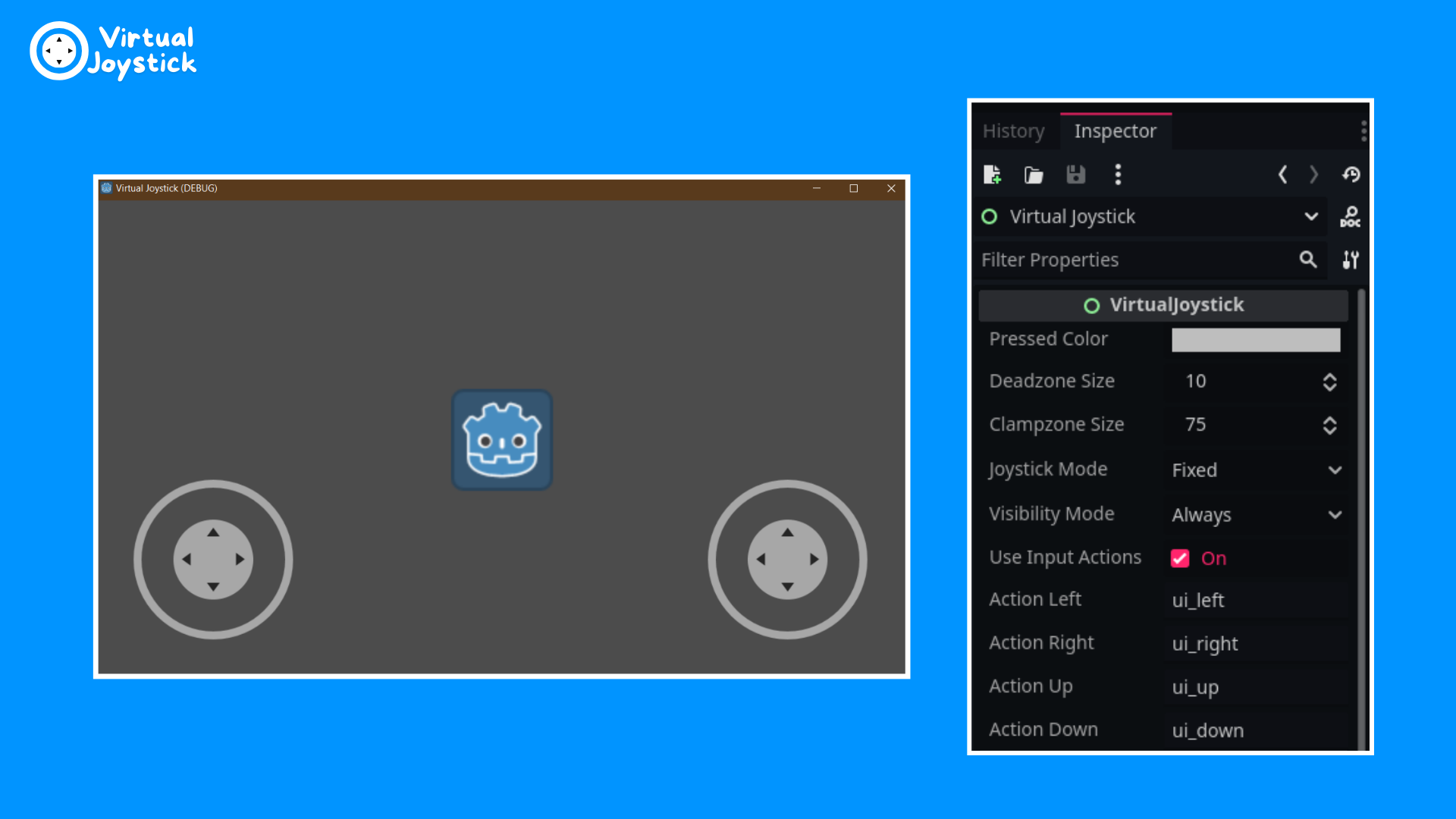
| Joystick Mode | Fixed, Dynamic, or Following |
| Dead Zone Size | Minimum distance for output |
| Clamp Zone Size | Maximum distance for output |
| Visibility Mode | Always, Touchscreen Only, or When Touched |
| Use Input Actions | Trigger input actions defined in Project Settings |
CanvasLayer node named "UI" for all UI elementsEnsure these settings in Project -> Project Settings -> General -> Input Devices:
If other buttons don't work with this configuration, use TouchScreenButton instead of TextureButton.
⚠️ Fixed in Godot 4.2.1
For earlier versions, use this workaround:
input_vector := Vector2.ZERO
input_vector.x = Input.get_axis("ui_left", "ui_right")
input_vector.y = Input.get_axis("ui_up", "ui_down")
As mentioned in the Docs, the Android editor is still unstable.
Contributions are welcome! Feel free to submit issues or pull requests on the GitHub repository.
This project is licensed under the MIT License - see the LICENSE file for details.
Made with ❤️ for the Godot community
232 followers · starred Feb 2024
91 followers · starred Oct 2019
51 followers · starred Nov 2024
691 followers · starred May 2023
A simple virtual joystick for touchscreens, for both 2D and 3D games, with useful options.
GDScript
989
122 commits
updated Jan 19, 2025
A simple yet powerful virtual joystick for touchscreens in Godot, packed with useful options to enhance your game's mobile experience.
extends Sprite2D

@export var speed : float = 100
@export var joystick_left : VirtualJoystick
@export var joystick_right : VirtualJoystick

var move_vector := Vector2.ZERO

func _process(delta: float) -> void:
    # Movement using Input functions:
    move_vector = Input.get_vector("ui_left", "ui_right", "ui_up", "ui_down")
    position += move_vector * speed * delta

    # Rotation:
    if joystick_right and joystick_right.is_pressed:
        rotation = joystick_right.output.angle()
| Option | Description |
|---|---|
| Joystick Mode | Fixed, Dynamic, or Following |
| Dead Zone Size | Minimum distance for output |
| Clamp Zone Size | Maximum distance for output |
| Visibility Mode | Always, Touchscreen Only, or When Touched |
| Use Input Actions | Trigger input actions defined in Project Settings |
CanvasLayer node named "UI" for all UI elementsEnsure these settings in Project -> Project Settings -> General -> Input Devices:
If other buttons don't work with this configuration, use TouchScreenButton instead of TextureButton.
⚠️ Fixed in Godot 4.2.1
For earlier versions, use this workaround:
input_vector := Vector2.ZERO
input_vector.x = Input.get_axis("ui_left", "ui_right")
input_vector.y = Input.get_axis("ui_up", "ui_down")
As mentioned in the Docs, the Android editor is still unstable.
Contributions are welcome! Feel free to submit issues or pull requests on the GitHub repository.
This project is licensed under the MIT License - see the LICENSE file for details.
Made with ❤️ for the Godot community
232 followers · starred Feb 2024
91 followers · starred Oct 2019
51 followers · starred Nov 2024
691 followers · starred May 2023