
README
Reviq — AI Code Review
Reviq reviews your code with AI. Paste a snippet, drop in a batch of files, point it at a local git repository, or wire it up to your GitHub/GitLab pull requests so every PR gets reviewed automatically. Runs fully offline with a local model, or use your own API key for Claude, OpenAI, Groq, or OpenRouter — your choice.
Screenshots
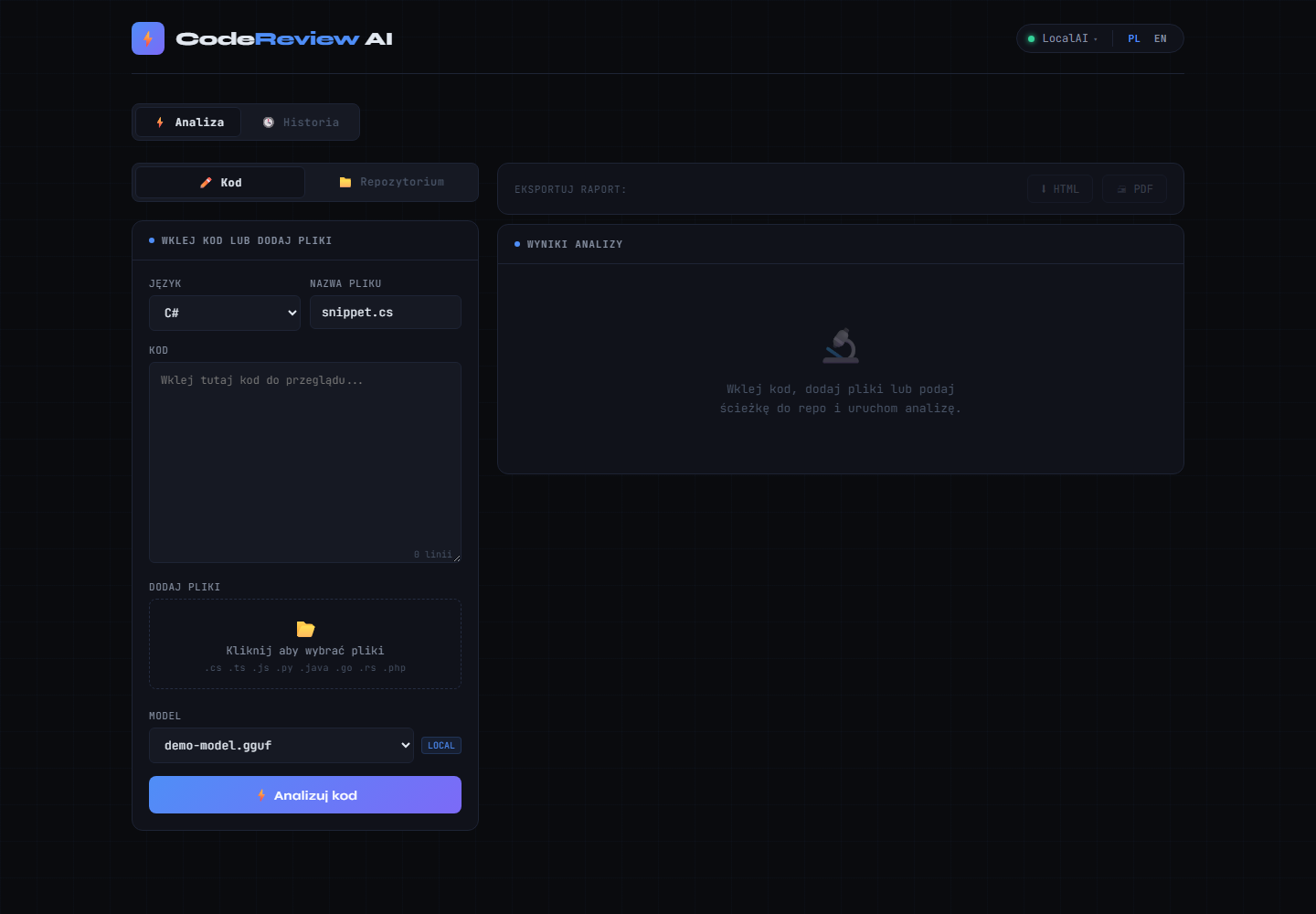
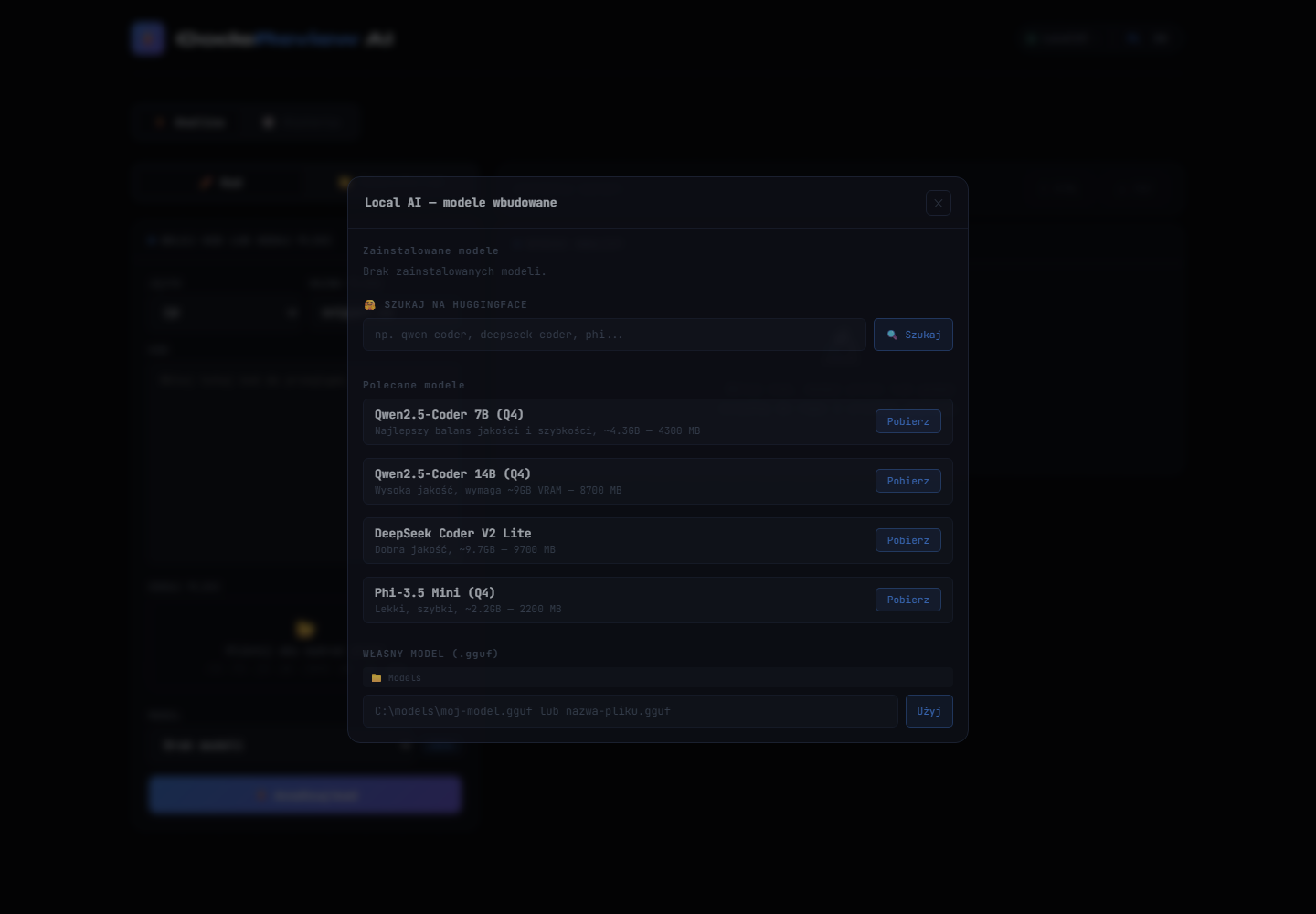
| Code analysis (paste/upload files) | Local AI model management |
|---|---|
 |  |
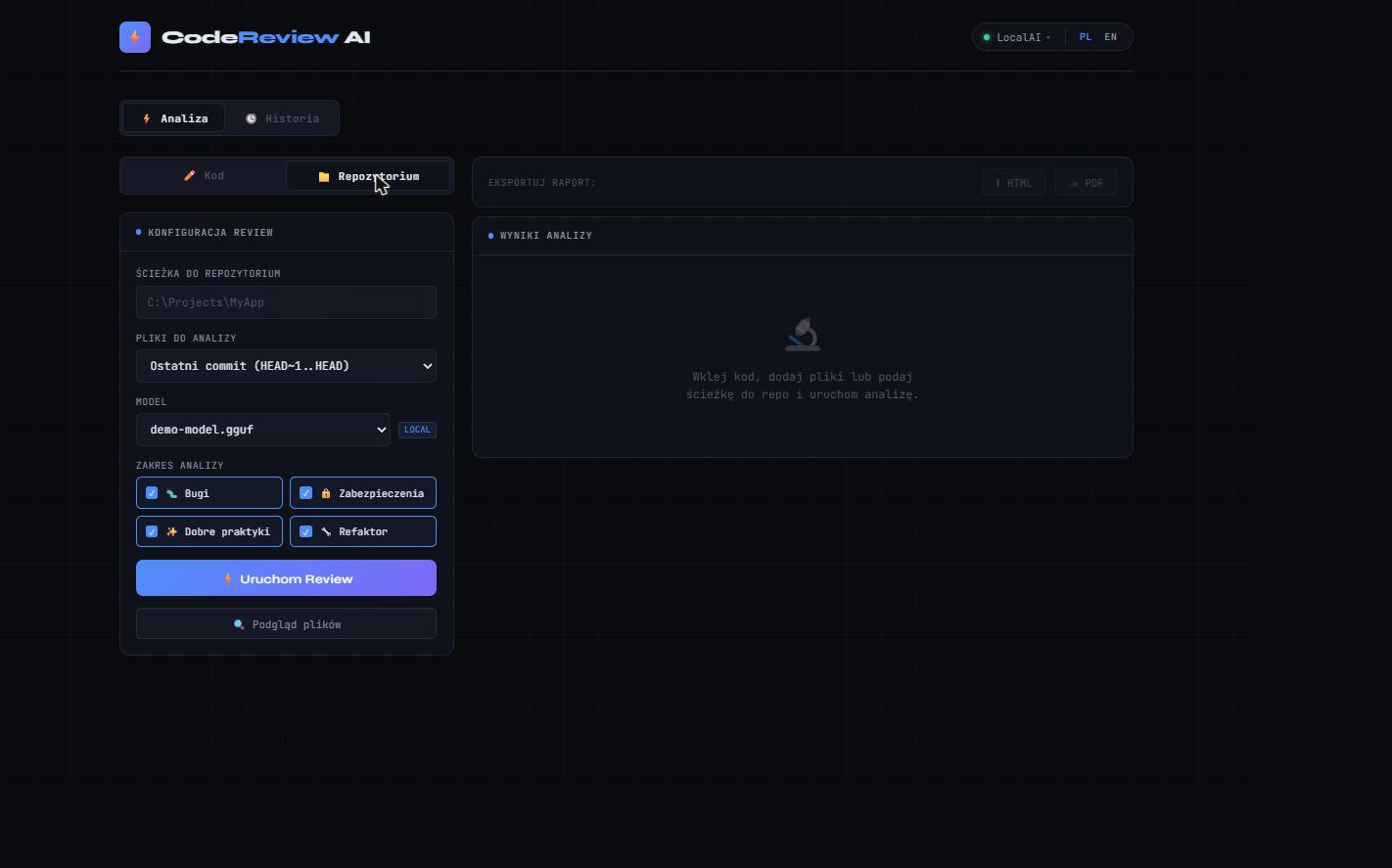
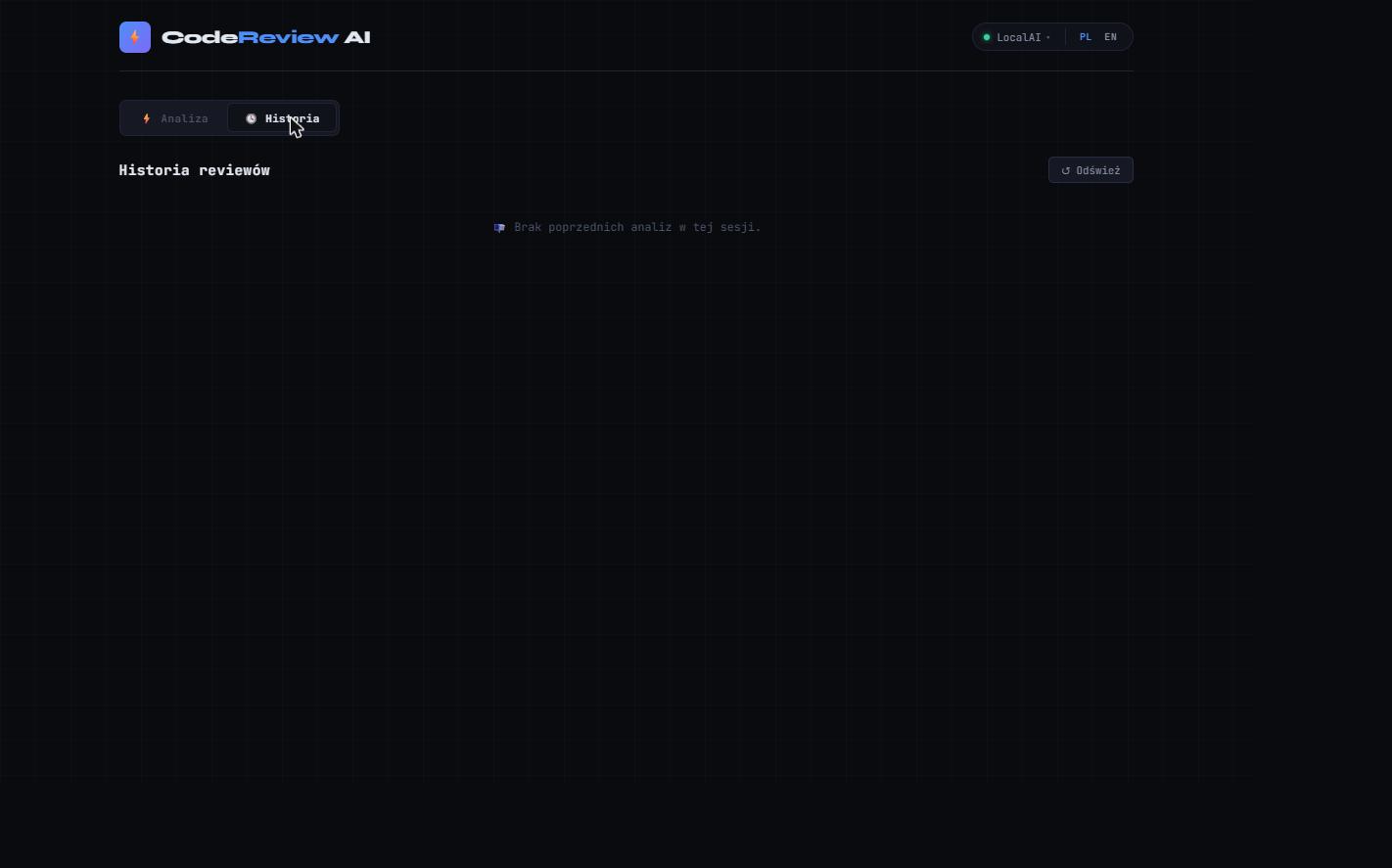
| Git repository review | Analysis history |
|---|---|
 |  |
What you can do with it
- Review a code snippet — paste code or drag in files, pick a language, hit analyze. You get a score out of 100, issues grouped by severity (Critical / Warning / Info), plain-language explanations, and a before/after fix suggestion where relevant.
- Review a local git repository — point Reviq at a folder on your machine and choose what to review: the last commit, everything since your last push, uncommitted changes, or the whole repo. No need to manually copy files around.
- Get PRs reviewed automatically — connect a GitHub or GitLab webhook and every opened or updated pull request gets an AI review comment plus a pass/fail commit status, with no manual step on your end.
- Run everything offline — download a code model straight from Hugging Face inside the app and review code without your source ever leaving your machine.
- Switch AI providers anytime — flip between a local model and a cloud provider from the UI, no restart needed. Reviq shows you which providers are actually reachable right now.
- Keep a history of past reviews — every analysis is saved and stays available even after you restart the app; revisit anything you've run and open it back up.
- Export a report — save any analysis as a standalone HTML file, or print it to PDF, to share with your team.
- Use it in Polish or English — full UI translation with a one-click language switch.
Getting started
Requirements: .NET 10 SDK, and git available on your PATH if you want to review local repositories.
git clone <repo-url>
cd Reviq
dotnet build
cd src/Reviq.API
dotnet run
Open http://localhost:5000 in your browser — that's the whole app, no separate frontend server needed.
Setting up an AI provider
You need at least one working provider before you can run a review:
- Easiest: a local model. Open the "Local AI" panel in the app, pick one of the recommended models (or search Hugging Face for any GGUF model), and download it. Nothing to configure — Reviq runs it in-process.
- Ollama / LM Studio. Install and start either one on your machine, then just select it as the provider in the app. By default Reviq looks for Ollama at
localhost:11434and LM Studio atlocalhost:1234. - A cloud provider (Claude, OpenAI, Groq, or OpenRouter). Add your API key to
src/Reviq.API/appsettings.json(or, better, toappsettings.Development.json/ user-secrets so it never ends up committed) under the matchingAI:<Provider>:ApiKeyentry, then restart the app. It'll show up as configured in the provider switcher.
Setting up automatic PR reviews
- Add your
Git:GitHub:Token/Git:GitLab:Tokentoappsettings.json— this is what Reviq uses to post comments and commit statuses back to your repo. - Pick a webhook secret and set it as
Git:GitHub:WebhookSecret(orGit:GitLab:WebhookSecret) — this is what stops anyone who finds your webhook URL from triggering fake reviews. Use the same value when creating the webhook in the next step. - In your GitHub/GitLab repository settings, add a webhook pointing at
https://<your-server>/api/webhook/github(or/gitlab), triggered on pull request / merge request events, with the secret from step 2. - Open a PR — Reviq picks it up, reviews the changed files, and posts the result as a comment with a commit status.
This needs Reviq to be reachable from GitHub/GitLab, so for real usage you'll want to deploy it somewhere public (or tunnel it, e.g. with ngrok, for testing). If you skip step 2, webhooks still work, just without signature verification.
More for developers
Architecture, project layout, tech stack, and the current list of known limitations live in docs/ARCHITECTURE.md.
Similar repos


Languages
C#
52.6%
JavaScript
27.2%
CSS
14.0%
HTML
6.1%
README
Reviq — AI Code Review
Reviq reviews your code with AI. Paste a snippet, drop in a batch of files, point it at a local git repository, or wire it up to your GitHub/GitLab pull requests so every PR gets reviewed automatically. Runs fully offline with a local model, or use your own API key for Claude, OpenAI, Groq, or OpenRouter — your choice.
Screenshots
| Code analysis (paste/upload files) | Local AI model management |
|---|---|
| |
| Git repository review | Analysis history |
|---|---|
| |
What you can do with it
- Review a code snippet — paste code or drag in files, pick a language, hit analyze. You get a score out of 100, issues grouped by severity (Critical / Warning / Info), plain-language explanations, and a before/after fix suggestion where relevant.
- Review a local git repository — point Reviq at a folder on your machine and choose what to review: the last commit, everything since your last push, uncommitted changes, or the whole repo. No need to manually copy files around.
- Get PRs reviewed automatically — connect a GitHub or GitLab webhook and every opened or updated pull request gets an AI review comment plus a pass/fail commit status, with no manual step on your end.
- Run everything offline — download a code model straight from Hugging Face inside the app and review code without your source ever leaving your machine.
- Switch AI providers anytime — flip between a local model and a cloud provider from the UI, no restart needed. Reviq shows you which providers are actually reachable right now.
- Keep a history of past reviews — every analysis is saved and stays available even after you restart the app; revisit anything you've run and open it back up.
- Export a report — save any analysis as a standalone HTML file, or print it to PDF, to share with your team.
- Use it in Polish or English — full UI translation with a one-click language switch.
Getting started
Requirements: .NET 10 SDK, and git available on your PATH if you want to review local repositories.
git clone <repo-url>
cd Reviq
dotnet build
cd src/Reviq.API
dotnet run
Open http://localhost:5000 in your browser — that's the whole app, no separate frontend server needed.
Setting up an AI provider
You need at least one working provider before you can run a review:
- Easiest: a local model. Open the "Local AI" panel in the app, pick one of the recommended models (or search Hugging Face for any GGUF model), and download it. Nothing to configure — Reviq runs it in-process.
- Ollama / LM Studio. Install and start either one on your machine, then just select it as the provider in the app. By default Reviq looks for Ollama at
localhost:11434and LM Studio atlocalhost:1234. - A cloud provider (Claude, OpenAI, Groq, or OpenRouter). Add your API key to
src/Reviq.API/appsettings.json(or, better, toappsettings.Development.json/ user-secrets so it never ends up committed) under the matchingAI:<Provider>:ApiKeyentry, then restart the app. It'll show up as configured in the provider switcher.
Setting up automatic PR reviews
- Add your
Git:GitHub:Token/Git:GitLab:Tokentoappsettings.json— this is what Reviq uses to post comments and commit statuses back to your repo. - Pick a webhook secret and set it as
Git:GitHub:WebhookSecret(orGit:GitLab:WebhookSecret) — this is what stops anyone who finds your webhook URL from triggering fake reviews. Use the same value when creating the webhook in the next step. - In your GitHub/GitLab repository settings, add a webhook pointing at
https://<your-server>/api/webhook/github(or/gitlab), triggered on pull request / merge request events, with the secret from step 2. - Open a PR — Reviq picks it up, reviews the changed files, and posts the result as a comment with a commit status.
This needs Reviq to be reachable from GitHub/GitLab, so for real usage you'll want to deploy it somewhere public (or tunnel it, e.g. with ngrok, for testing). If you skip step 2, webhooks still work, just without signature verification.
More for developers
Architecture, project layout, tech stack, and the current list of known limitations live in docs/ARCHITECTURE.md.
Similar repos
Languages
C#
52.6%
JavaScript
27.2%
CSS
14.0%
HTML
6.1%