
Double-check your coding agent with web chat or local models. Saved reviews, CLI and MCP.
TypeScript
0
26 commits
updated Sep 23, 2026
See what people are saying
README
GiviLoop
Double-check your code. Save API tokens with your existing web chat.
GiviLoop sends selected code or Git changes to a second reviewer and brings the answer back to your coding agent. Keep the request, review and execution status together in your repository.
CLI + MCP · Web chat + local models · Open source · MIT
- Double Check: have your agent verify another model's findings before changing code.
- Automatic at task completion, if enabled: your agent requests one review after its checks, verifies the findings and gives you a short result. No separate review prompt each time.
- Save API tokens on the second review: use available web chat access instead of making another token-billed model API call. GiviLoop sends the selected context and brings back the answer; no model API key is required.
What “token savings” means: if you would otherwise buy that review through an API, this avoids its separate API input/output token charges. The web chat still uses its plan's quotas, and your coding agent still uses tokens to prepare context and check the answer. Total token savings are not measured. Costs and access.
See it work
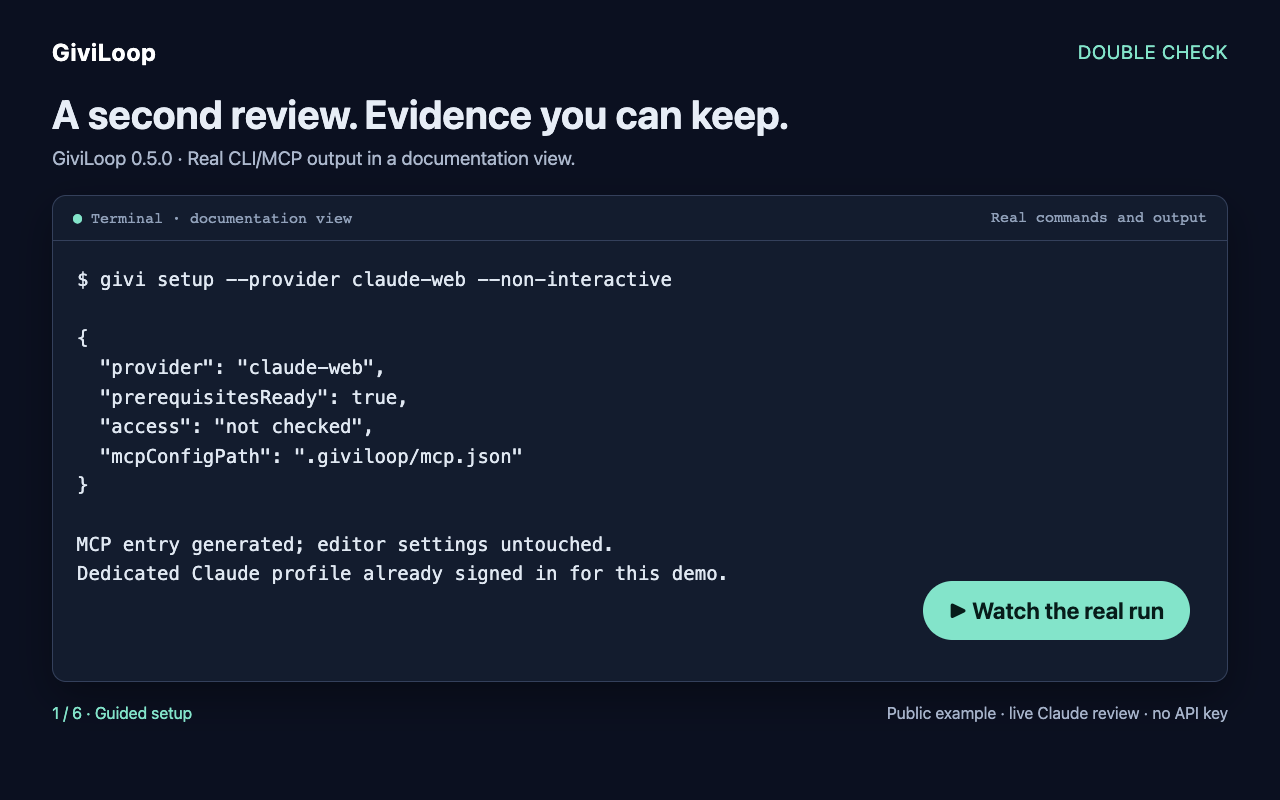
Watch the demo (MP4): guided setup, a live Claude review, a confirmed bug, an explicitly author-supplied false claim dismissed, and a recheck after an edit. Recorded with 0.5.0 on a public synthetic example. Recording details.
Try a first review
Requires Node.js 20+, Git and Google Chrome for the optional web integration.
git clone https://github.com/vgflutter/GiviLoop.git
cd GiviLoop
npm ci
npm run build
npm run givi -- demo --offline
See the workflow without an account: the offline demo uses a clearly labeled authored answer, reproduces a known bug and saves a Markdown report. It sends nothing and keeps your project unchanged. It demonstrates the workflow, not model accuracy.
Then try a real reviewer:
npm run givi -- setup --provider claude-web --non-interactive
npm run givi -- demo
Setup saves your choice and generates .giviloop/mcp.json for your MCP client; editor settings are untouched. The live demo sends only the bundled public example, saves the actual answer and runs its independent reproduction. If login is needed, it prints the next commands; finish with npm run givi -- demo --finish after resuming. First use and commands.
ChatGPT can also work without login when its website offers a usable chat. Use --provider chatgpt-web to choose it; availability and limits remain controlled by the site.
Do not use --headless for ChatGPT: it is currently unsupported in practice; live checks were blocked by site verification both with and without login. Reviews now start minimized by default. Login, cookie choices, verification or uploads pause with needs-attention instead of deliberately showing Chrome. Use status, then open and resume when convenient; ZIP uploads require resume --foreground. OS-specific flashes remain possible.
Web access is experimental. OpenAI's European terms prohibit automatic output extraction; technical success, anonymous access and MIT licensing do not establish permission. Costs and access.
Choose a browser chat; no API keys:
--send | Real tests completed |
|---|---|
chatgpt-web | With and without login |
claude-web | Signed in, Free account |
gemini-web | Without login |
deepseek-web | Signed in; delivery passed, clean-code quality control failed |
What happened with DeepSeek? It found two deliberately introduced bugs, then reported a bug in the corrected code using negative quantities that the contract explicitly excluded. It also proposed an alternative cache key that can collide. The browser integration works; those suggestions should be rejected. This small test is not a model ranking. Verify findings from every reviewer before changing code. Results and reproductions.
For Claude, use npm run givi -- browser login --provider claude-web, quit that Chrome, then npm run givi -- browser check --provider claude-web. Substitute another name from the table as needed. New adapters accept inline text (ask --file / prepare); automated ZIP uploads and model selection remain ChatGPT-only. Commands and validation.
Manual copy --open / ingest works with all four prompt formats. Local models and Ollama remain available; DwarfStar trained-model validation is pending.
Stay in your editor
After setup, givi review reviews your Git changes with the saved provider. givi ask and givi prepare still only prepare context unless you explicitly request sending.
givi status— see progress, the saved answer and the next action.givi open/givi resume— handle a paused login/setup when convenient, then continue. Resume refuses requests already sent or of uncertain status.givi cancel— stop waiting; this cannot retract a prompt already sent.
MCP reuses a healthy minimized Chrome for subsequent reviews, with separate conversations, for up to 60 seconds idle. CLI commands close it after each review. Defaults and controls.
Use it from your coding agent
Add this stdio server to your MCP client's configuration:
{
  "mcpServers": {
    "giviloop": {
      "command": "node",
      "args": ["/absolute/path/to/GiviLoop/dist/mcp-server.js"]
    }
  }
}
Then ask:
Double-check my current Git changes with GiviLoop.
Use my saved reviewer. Keep the browser in the background.
Read the review in analyze-only mode. Verify each finding against the code
and tests; report confirmed, dismissed or unverified, with reasons.
Do not edit files.
Use the ready-to-paste before-commit recipe for your next change. The coding agent performs the verification. Ask it to save findings with givi_record_finding, including the required review runId, source/contract/test files, a reason and evidence. Finding writes never default to the latest review; new reviews keep earlier findings separate. givi_list_findings reports confirmed, dismissed or unverified, with decision history; changed referenced files make the assessment stale. givi_prepare_recheck prepares a new request for one finding with current source, without sending it or applying fixes. CLI equivalents and examples.
Finish with givi_export_report or givi report: a local Markdown report with confirmed findings, dismissed advice, uncertainties and recorded evidence, ready to inspect before attaching to a PR. GiviLoop records the agent's assessment; the exporter does not execute or certify tests. An empty finding list is not proof of clean code. Full Double Check recipe.
See a real report from developing GiviLoop: one corrupted-ledger bug independently reproduced and fixed, and one CLI error-handling claim dismissed after testing.
Make the double check automatic
After configuring your reviewer, enable it in the project you want reviewed. For Codex:
givi auto-review enable --client codex
In a source checkout, use npm run givi -- auto-review enable --client codex --repo /path/to/project. Run setup for that same project first. This installs the project instruction and local Codex MCP settings, including approval for the six review-workflow tools. Other tools still prompt. Start a new Codex session in the trusted project. Other MCP clients: connect the server above and use enable without --client.
Tested in fresh Codex CLI sessions: an ordinary coding request, without mentioning GiviLoop, triggered one real Claude review, followed by assessment and a saved report. This remains instruction-driven: a client must load and follow AGENTS.md. Exact validation and client setup.
- Off by default. Enabling authorizes sending selected source to the pinned reviewer; provider quotas and terms still apply.
- One automatic submission per task and unchanged snapshot. Documentation-only selections are skipped; failures/login suspend further automatic sends.
- Chrome stays minimized where supported. Human verification waits for you; there are no automatic clicks or retries. Window-manager flashes remain possible.
- The agent highlights confirmed bugs and material uncertainties. An unverified or skipped review is never presented as a pass.
Use givi auto-review status to inspect configuration, or givi auto-review disable to turn it off. Scope, recovery and testing.
Install, learn, contribute
- Latest release and installable package · CLI/MCP reference
- Current provider results · Troubleshooting · 0.8.2 review identity fix
- Report a bug or a Double Check experience · Contributing · Roadmap
Add .giviloop/ to the reviewed repository's .gitignore: run files can contain source and prompts. Redaction is best effort. Data handling.
Help shape the next release: try one real change, verify a finding, then share whether it helped or wasted time. Public or synthetic examples only. Confirmed bugs, false positives and repeat use are more useful feedback than a successful model response alone.
Development checks: npm test, npm run test:browser, and npm run test:package -- --browser.
MIT. Independent project; provider terms and model licenses apply separately.
Contributors

26 commits
Similar repos


Languages
TypeScript
56.5%
JavaScript
43.5%
Double-check your coding agent with web chat or local models. Saved reviews, CLI and MCP.
TypeScript
0
26 commits
updated Sep 23, 2026
See what people are saying
README
GiviLoop
Double-check your code. Save API tokens with your existing web chat.
GiviLoop sends selected code or Git changes to a second reviewer and brings the answer back to your coding agent. Keep the request, review and execution status together in your repository.
CLI + MCP · Web chat + local models · Open source · MIT
- Double Check: have your agent verify another model's findings before changing code.
- Automatic at task completion, if enabled: your agent requests one review after its checks, verifies the findings and gives you a short result. No separate review prompt each time.
- Save API tokens on the second review: use available web chat access instead of making another token-billed model API call. GiviLoop sends the selected context and brings back the answer; no model API key is required.
What “token savings” means: if you would otherwise buy that review through an API, this avoids its separate API input/output token charges. The web chat still uses its plan's quotas, and your coding agent still uses tokens to prepare context and check the answer. Total token savings are not measured. Costs and access.
See it work
Watch the demo (MP4): guided setup, a live Claude review, a confirmed bug, an explicitly author-supplied false claim dismissed, and a recheck after an edit. Recorded with 0.5.0 on a public synthetic example. Recording details.
Try a first review
Requires Node.js 20+, Git and Google Chrome for the optional web integration.
git clone https://github.com/vgflutter/GiviLoop.git
cd GiviLoop
npm ci
npm run build
npm run givi -- demo --offline
See the workflow without an account: the offline demo uses a clearly labeled authored answer, reproduces a known bug and saves a Markdown report. It sends nothing and keeps your project unchanged. It demonstrates the workflow, not model accuracy.
Then try a real reviewer:
npm run givi -- setup --provider claude-web --non-interactive
npm run givi -- demo
Setup saves your choice and generates .giviloop/mcp.json for your MCP client; editor settings are untouched. The live demo sends only the bundled public example, saves the actual answer and runs its independent reproduction. If login is needed, it prints the next commands; finish with npm run givi -- demo --finish after resuming. First use and commands.
ChatGPT can also work without login when its website offers a usable chat. Use --provider chatgpt-web to choose it; availability and limits remain controlled by the site.
Do not use --headless for ChatGPT: it is currently unsupported in practice; live checks were blocked by site verification both with and without login. Reviews now start minimized by default. Login, cookie choices, verification or uploads pause with needs-attention instead of deliberately showing Chrome. Use status, then open and resume when convenient; ZIP uploads require resume --foreground. OS-specific flashes remain possible.
Web access is experimental. OpenAI's European terms prohibit automatic output extraction; technical success, anonymous access and MIT licensing do not establish permission. Costs and access.
Choose a browser chat; no API keys:
--send | Real tests completed |
|---|---|
chatgpt-web | With and without login |
claude-web | Signed in, Free account |
gemini-web | Without login |
deepseek-web | Signed in; delivery passed, clean-code quality control failed |
What happened with DeepSeek? It found two deliberately introduced bugs, then reported a bug in the corrected code using negative quantities that the contract explicitly excluded. It also proposed an alternative cache key that can collide. The browser integration works; those suggestions should be rejected. This small test is not a model ranking. Verify findings from every reviewer before changing code. Results and reproductions.
For Claude, use npm run givi -- browser login --provider claude-web, quit that Chrome, then npm run givi -- browser check --provider claude-web. Substitute another name from the table as needed. New adapters accept inline text (ask --file / prepare); automated ZIP uploads and model selection remain ChatGPT-only. Commands and validation.
Manual copy --open / ingest works with all four prompt formats. Local models and Ollama remain available; DwarfStar trained-model validation is pending.
Stay in your editor
After setup, givi review reviews your Git changes with the saved provider. givi ask and givi prepare still only prepare context unless you explicitly request sending.
givi status— see progress, the saved answer and the next action.givi open/givi resume— handle a paused login/setup when convenient, then continue. Resume refuses requests already sent or of uncertain status.givi cancel— stop waiting; this cannot retract a prompt already sent.
MCP reuses a healthy minimized Chrome for subsequent reviews, with separate conversations, for up to 60 seconds idle. CLI commands close it after each review. Defaults and controls.
Use it from your coding agent
Add this stdio server to your MCP client's configuration:
{
  "mcpServers": {
    "giviloop": {
      "command": "node",
      "args": ["/absolute/path/to/GiviLoop/dist/mcp-server.js"]
    }
  }
}
Then ask:
Double-check my current Git changes with GiviLoop.
Use my saved reviewer. Keep the browser in the background.
Read the review in analyze-only mode. Verify each finding against the code
and tests; report confirmed, dismissed or unverified, with reasons.
Do not edit files.
Use the ready-to-paste before-commit recipe for your next change. The coding agent performs the verification. Ask it to save findings with givi_record_finding, including the required review runId, source/contract/test files, a reason and evidence. Finding writes never default to the latest review; new reviews keep earlier findings separate. givi_list_findings reports confirmed, dismissed or unverified, with decision history; changed referenced files make the assessment stale. givi_prepare_recheck prepares a new request for one finding with current source, without sending it or applying fixes. CLI equivalents and examples.
Finish with givi_export_report or givi report: a local Markdown report with confirmed findings, dismissed advice, uncertainties and recorded evidence, ready to inspect before attaching to a PR. GiviLoop records the agent's assessment; the exporter does not execute or certify tests. An empty finding list is not proof of clean code. Full Double Check recipe.
See a real report from developing GiviLoop: one corrupted-ledger bug independently reproduced and fixed, and one CLI error-handling claim dismissed after testing.
Make the double check automatic
After configuring your reviewer, enable it in the project you want reviewed. For Codex:
givi auto-review enable --client codex
In a source checkout, use npm run givi -- auto-review enable --client codex --repo /path/to/project. Run setup for that same project first. This installs the project instruction and local Codex MCP settings, including approval for the six review-workflow tools. Other tools still prompt. Start a new Codex session in the trusted project. Other MCP clients: connect the server above and use enable without --client.
Tested in fresh Codex CLI sessions: an ordinary coding request, without mentioning GiviLoop, triggered one real Claude review, followed by assessment and a saved report. This remains instruction-driven: a client must load and follow AGENTS.md. Exact validation and client setup.
- Off by default. Enabling authorizes sending selected source to the pinned reviewer; provider quotas and terms still apply.
- One automatic submission per task and unchanged snapshot. Documentation-only selections are skipped; failures/login suspend further automatic sends.
- Chrome stays minimized where supported. Human verification waits for you; there are no automatic clicks or retries. Window-manager flashes remain possible.
- The agent highlights confirmed bugs and material uncertainties. An unverified or skipped review is never presented as a pass.
Use givi auto-review status to inspect configuration, or givi auto-review disable to turn it off. Scope, recovery and testing.
Install, learn, contribute
- Latest release and installable package · CLI/MCP reference
- Current provider results · Troubleshooting · 0.8.2 review identity fix
- Report a bug or a Double Check experience · Contributing · Roadmap
Add .giviloop/ to the reviewed repository's .gitignore: run files can contain source and prompts. Redaction is best effort. Data handling.
Help shape the next release: try one real change, verify a finding, then share whether it helped or wasted time. Public or synthetic examples only. Confirmed bugs, false positives and repeat use are more useful feedback than a successful model response alone.
Development checks: npm test, npm run test:browser, and npm run test:package -- --browser.
MIT. Independent project; provider terms and model licenses apply separately.
Similar repos
Contributors
26 commits
Languages
TypeScript
56.5%
JavaScript
43.5%