AI-Powered Smart Resume Builder — 50+ professional templates, PDF/image parsing, AI optimization, JD match analysis, multi-format export. Open source & free, one-click Docker deployment.
See the codeAI-Powered Smart Resume Builder
Build professional resumes with drag-and-drop editing, real-time AI optimization, 50 templates, and multi-format export.




Join our groups for discussion and support:
--brand-* CSS tokens; replaced hardcoded pink-* across 60+ fileslocalStoragesrc/lib/brand-constants.tsh-full instead of flex-1NEXT_PUBLIC_* build-time variables in favor of runtime envNEXT_PUBLIC_AUTH_ENABLED to runtime AUTH_ENABLED| Template Gallery | Resume Editor |
|---|---|
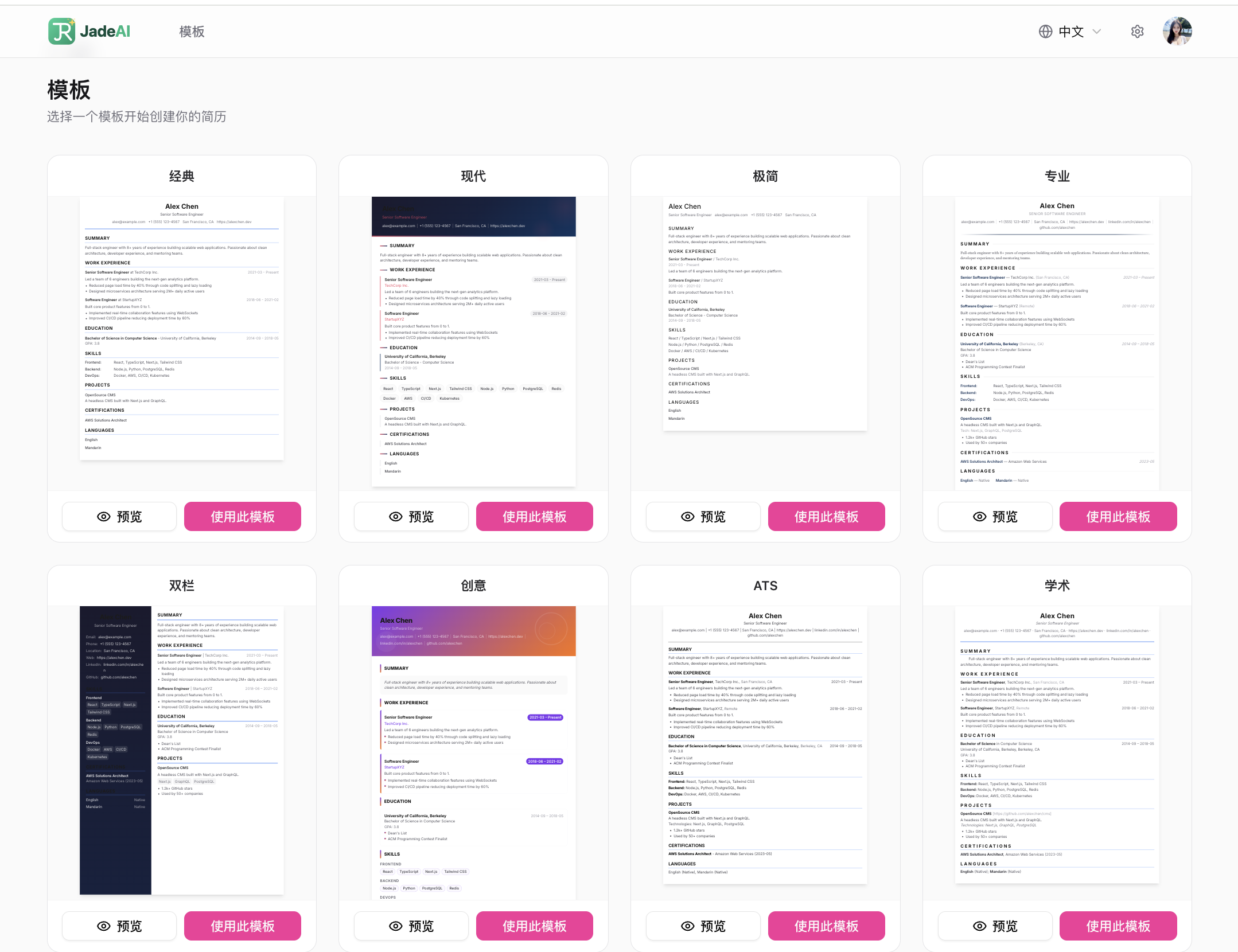 | 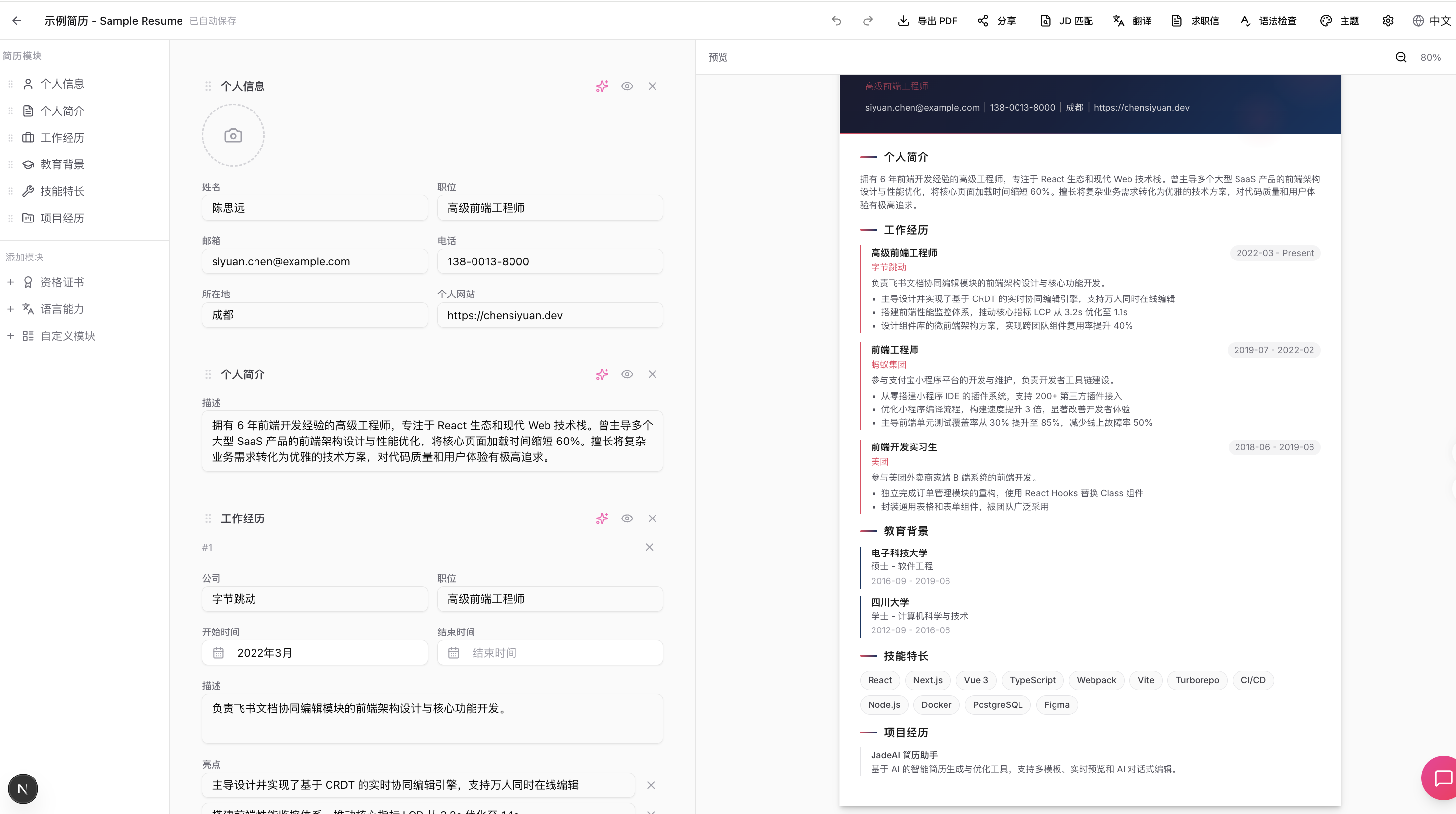 |
| AI Resume Generation | AI Resume Parsing (Image) |
|---|---|
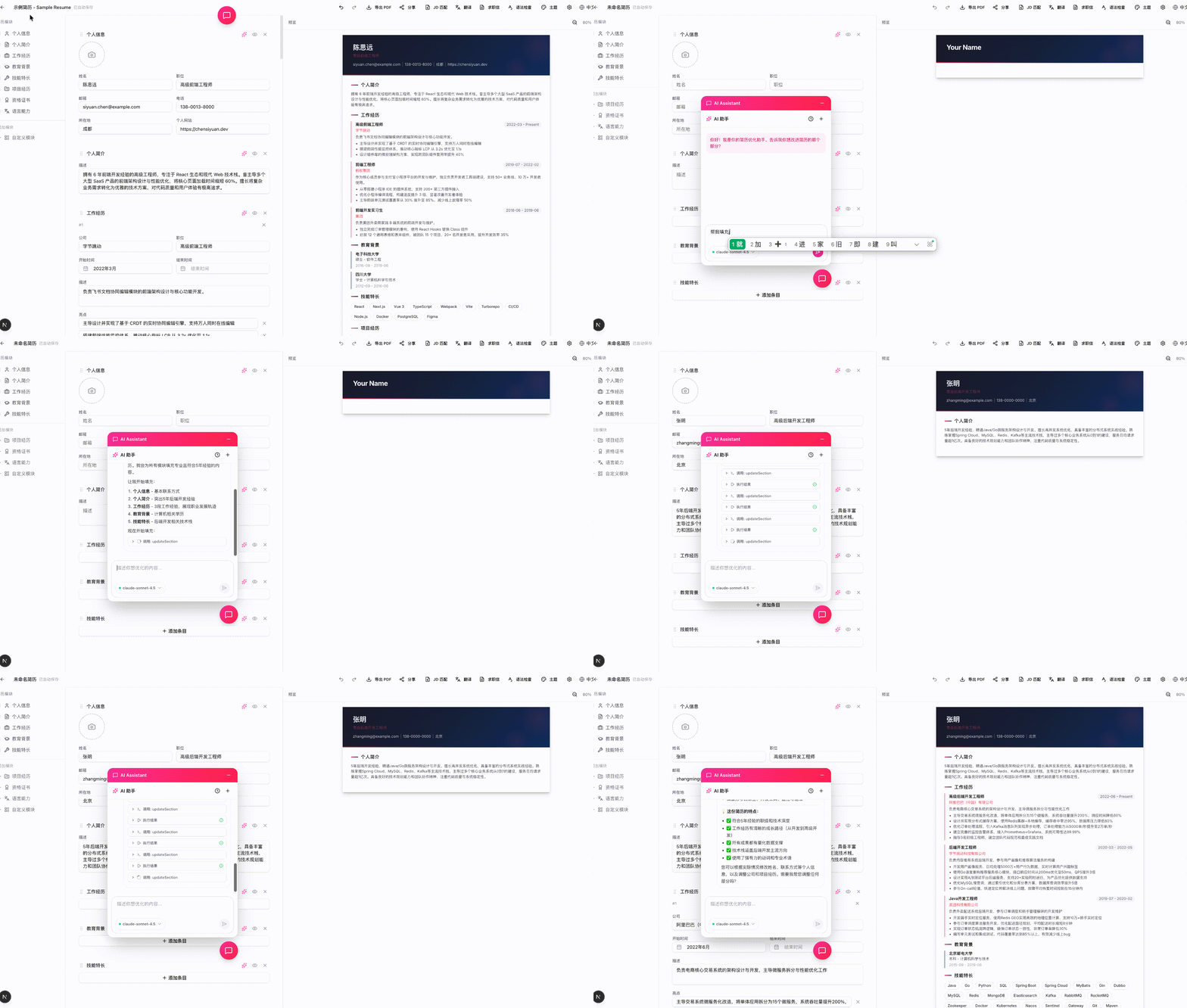 | 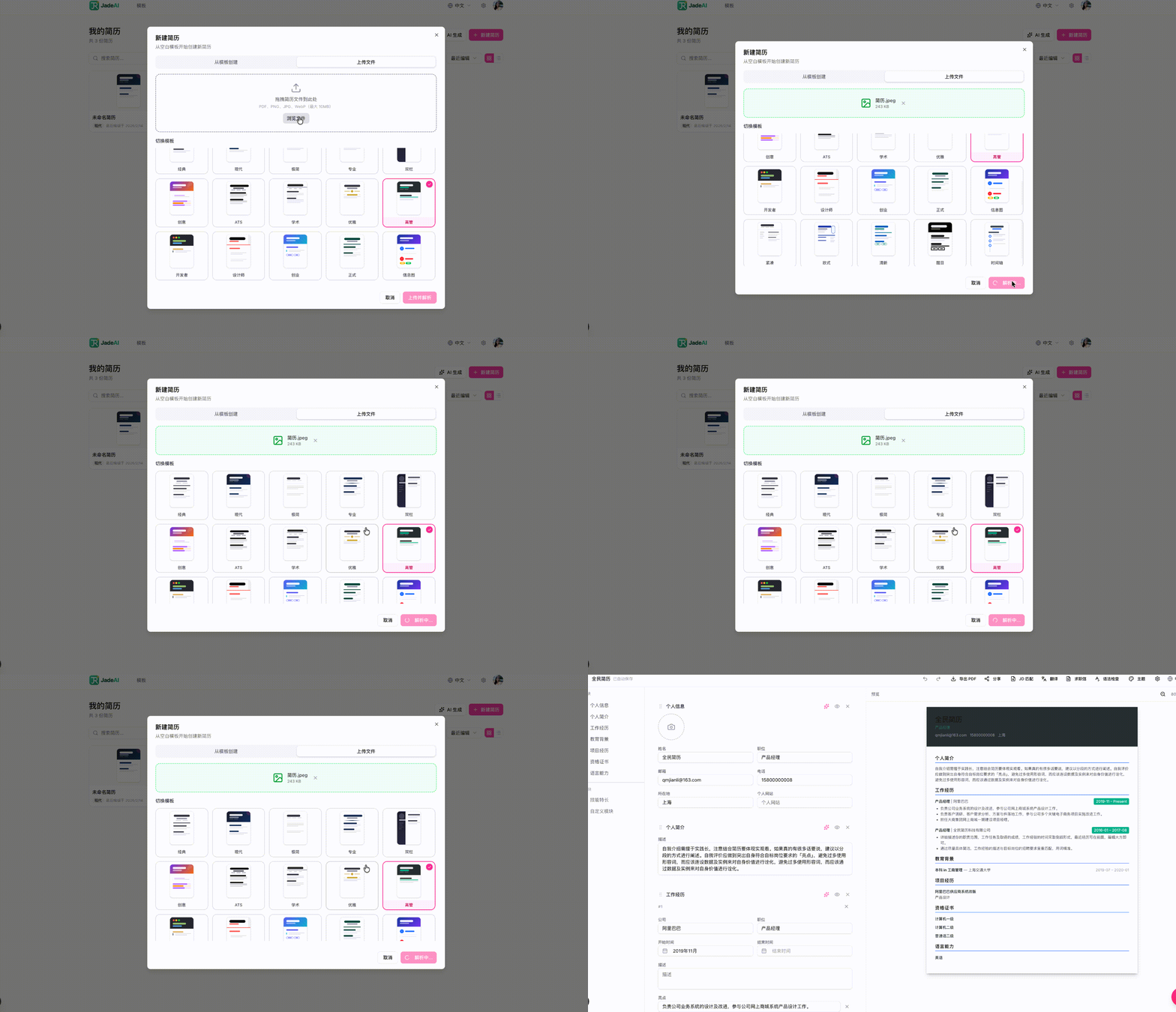 |
| AI Optimization | Grammar Check |
|---|---|
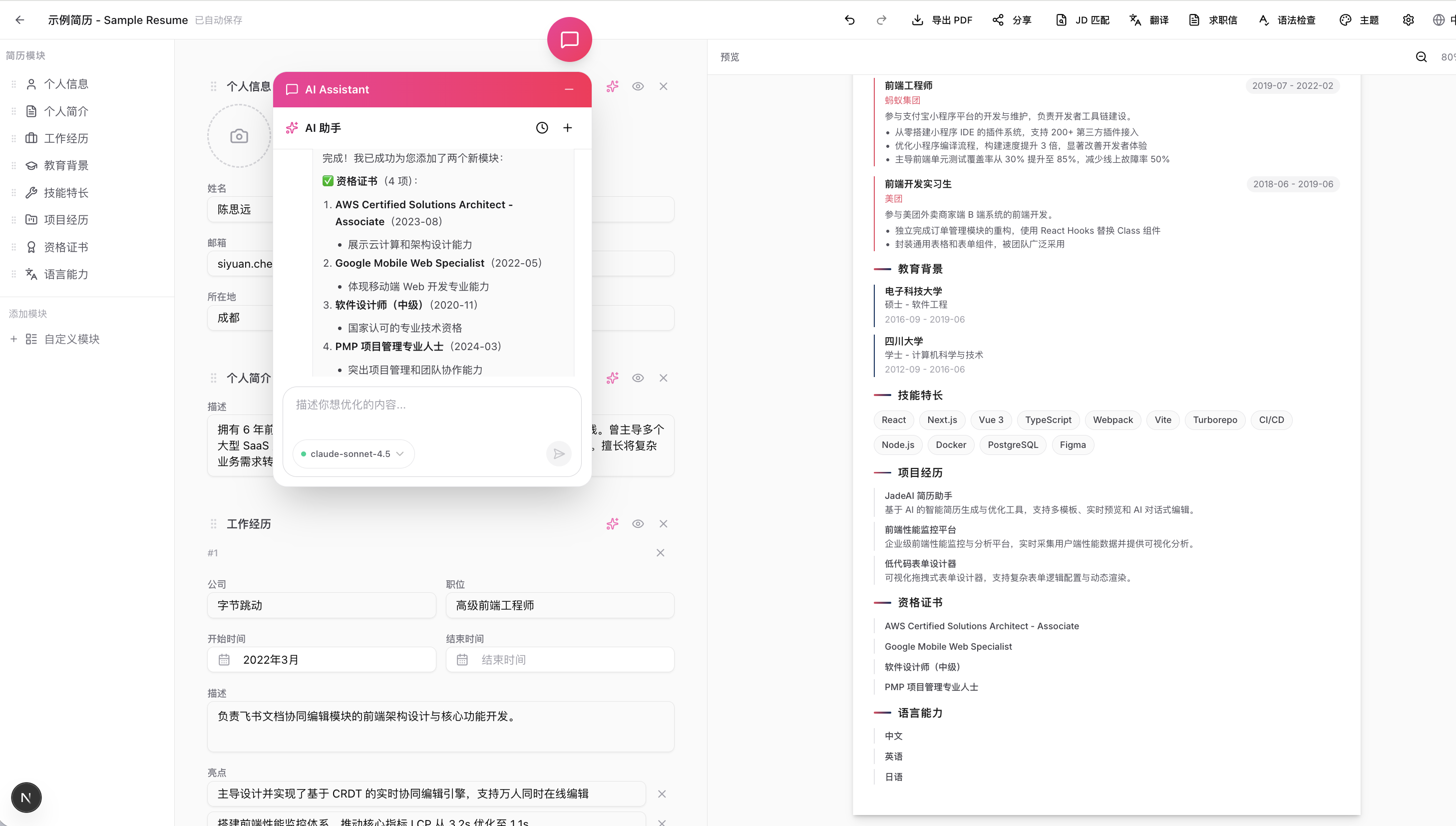 | 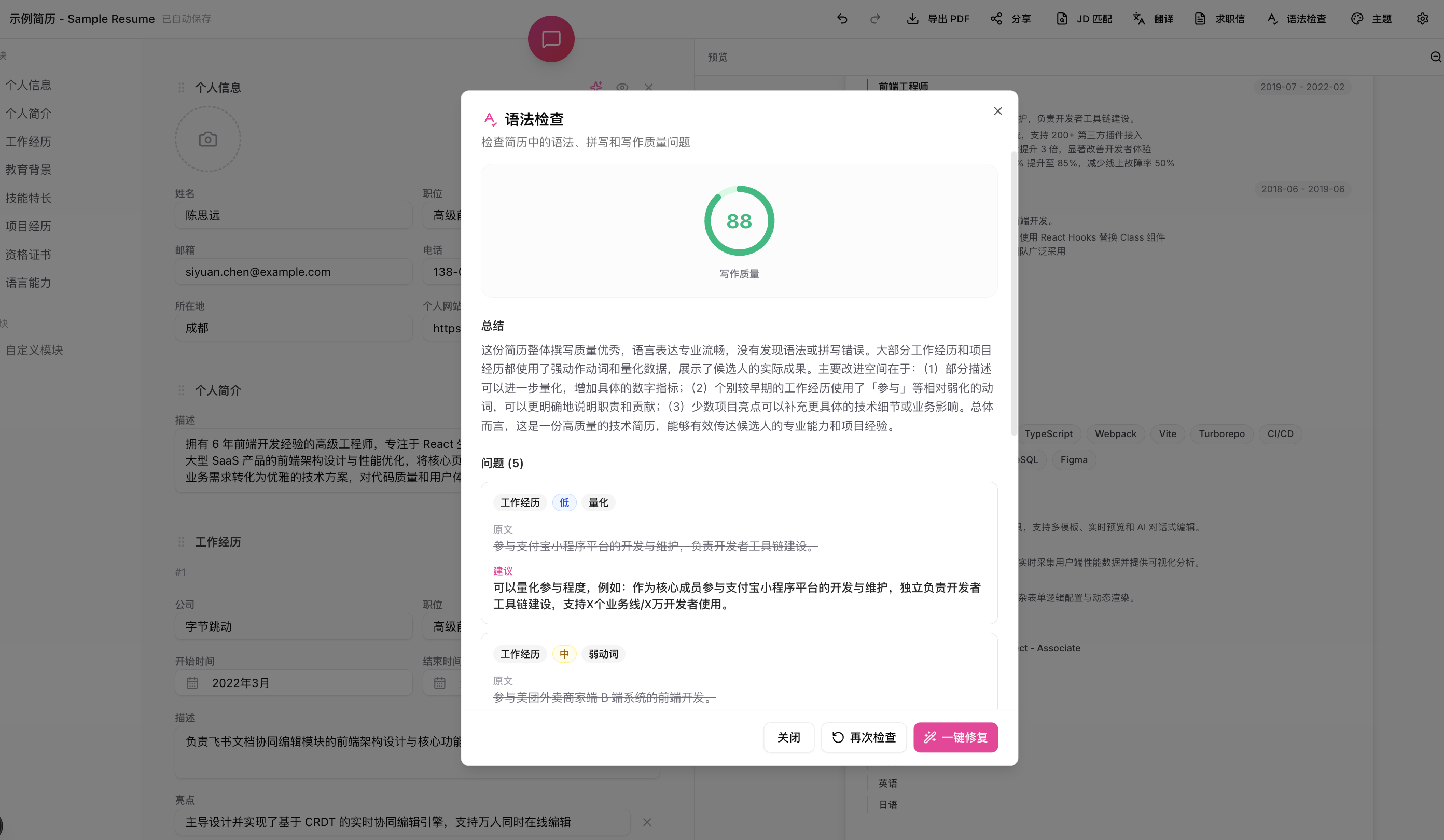 |
| Grammar Auto-Fix | JD Match Analysis |
|---|---|
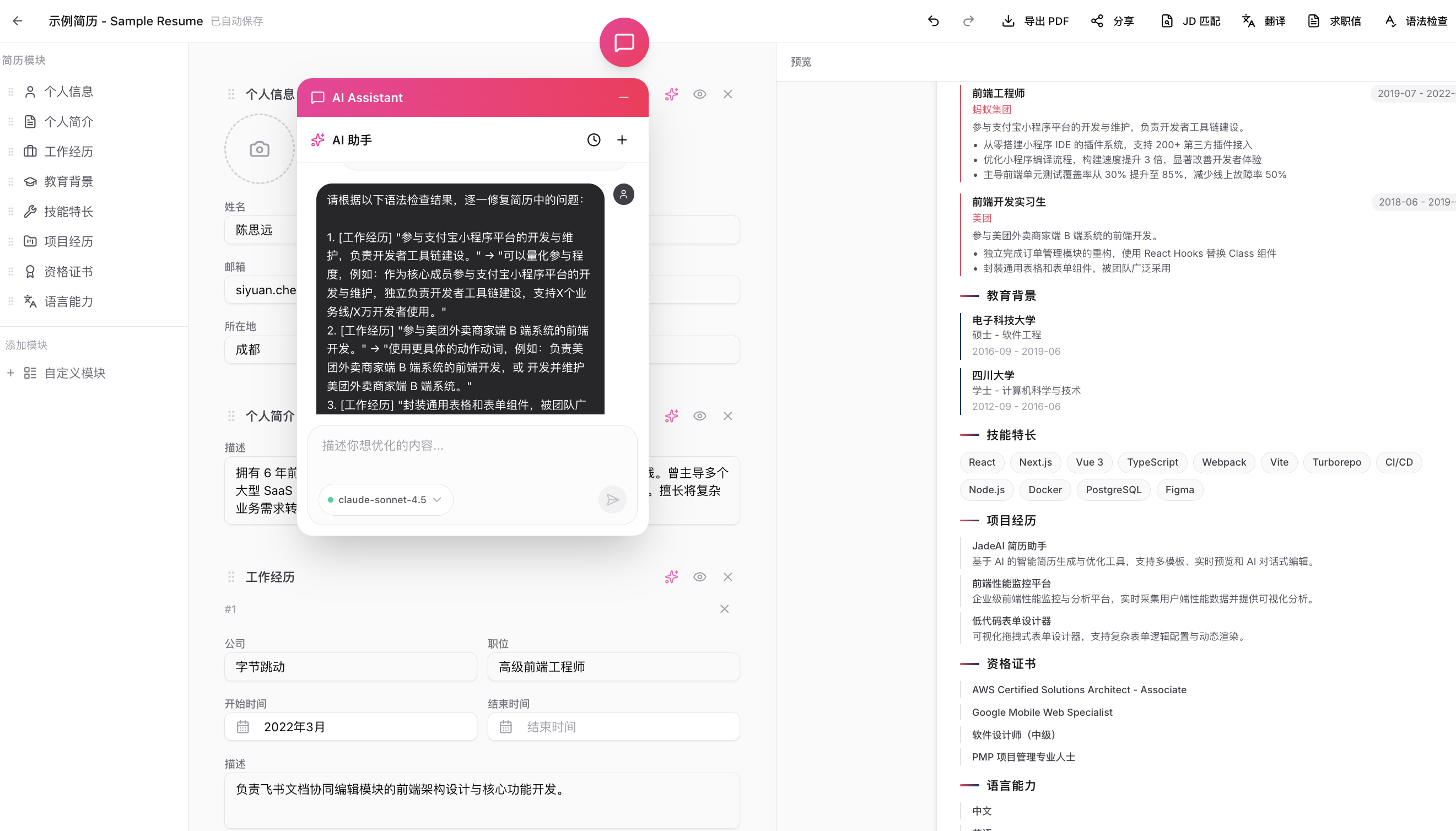 | 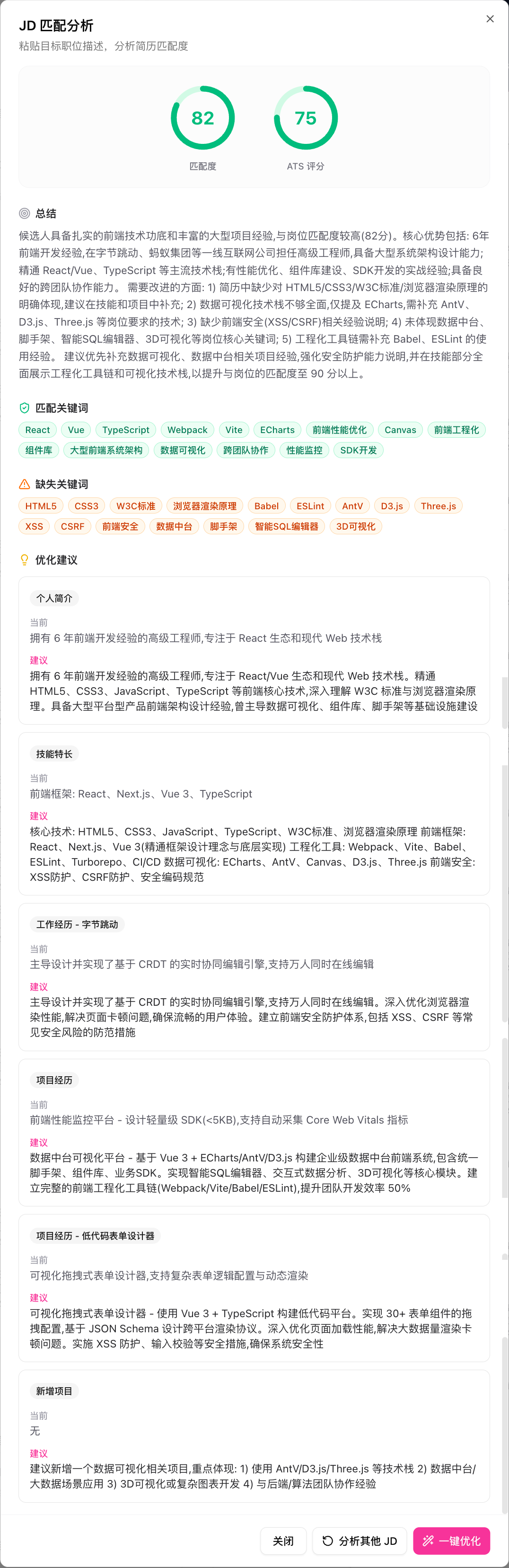 |
| Multi-Format Export | Share Link |
|---|---|
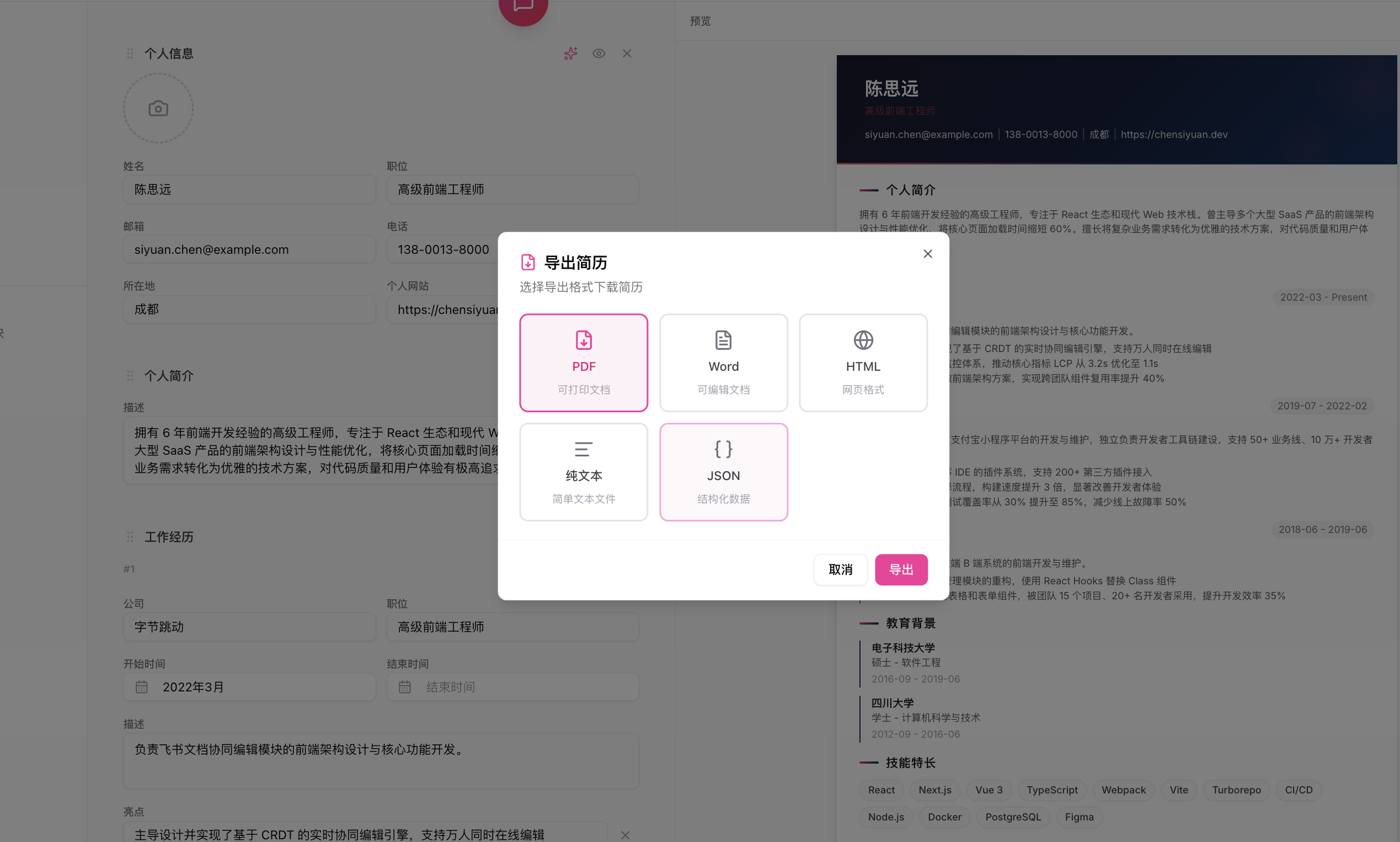 | 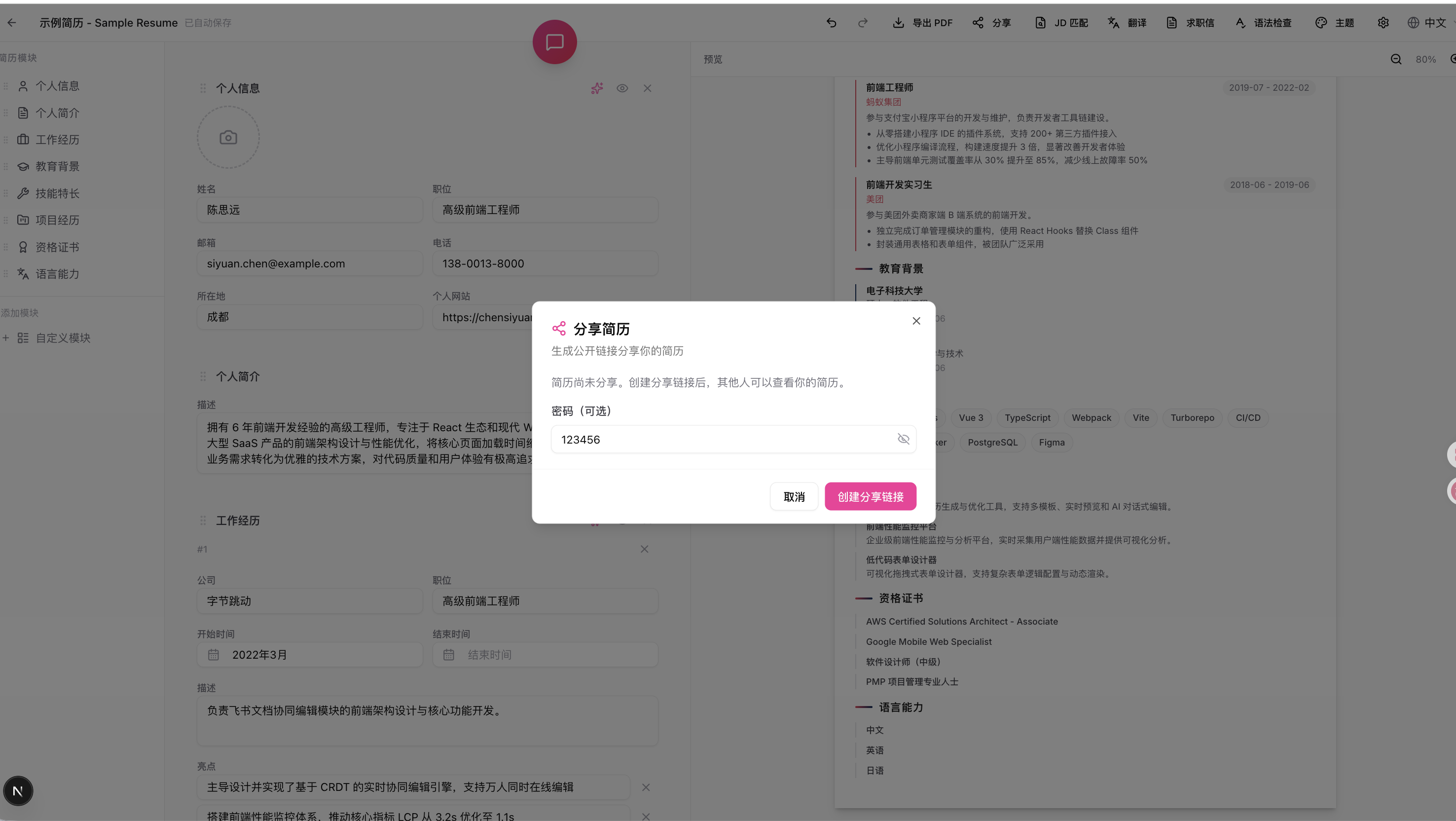 |
| Shared Resume Page | AI Professional Photo |
|---|---|
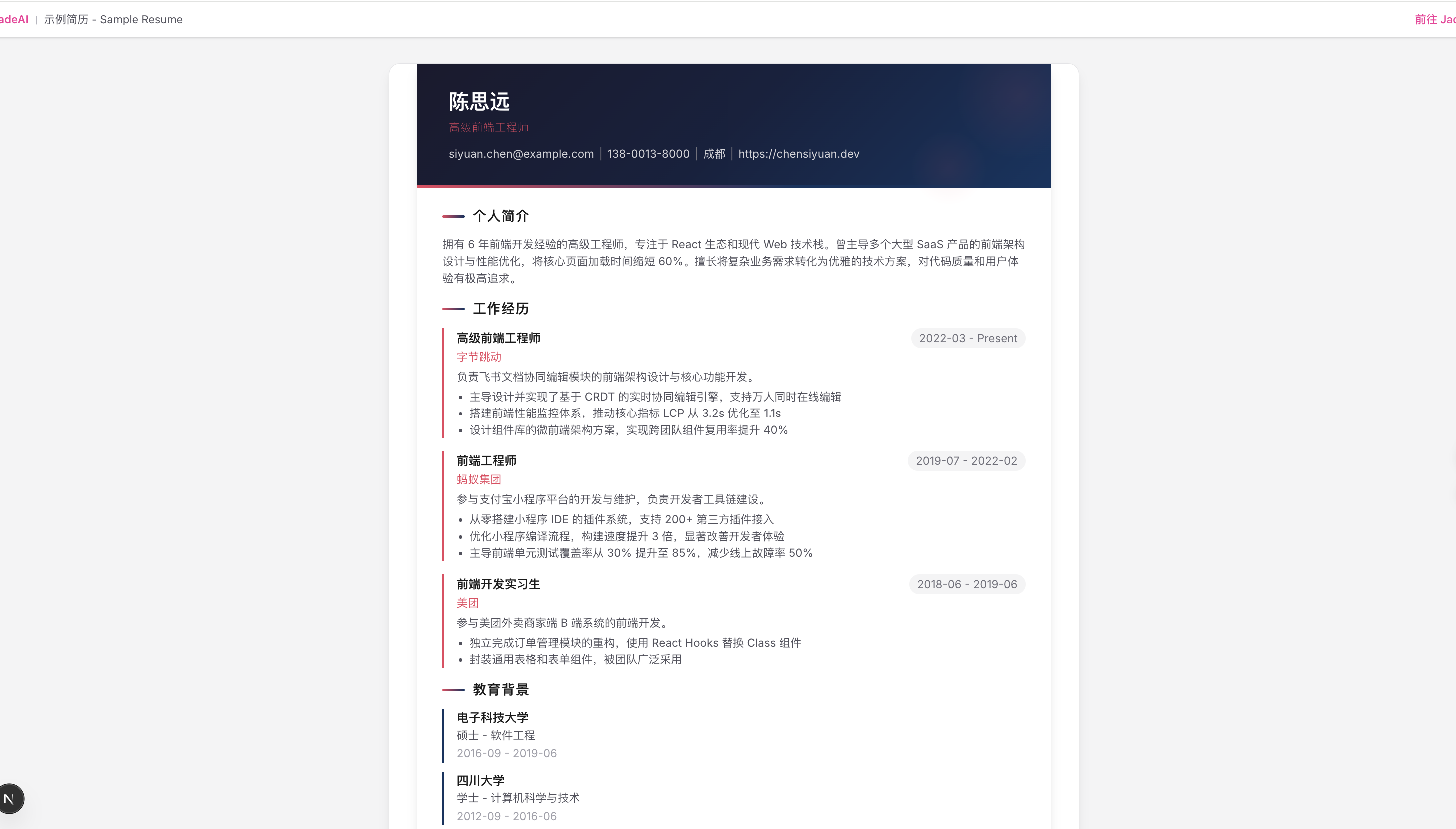 | 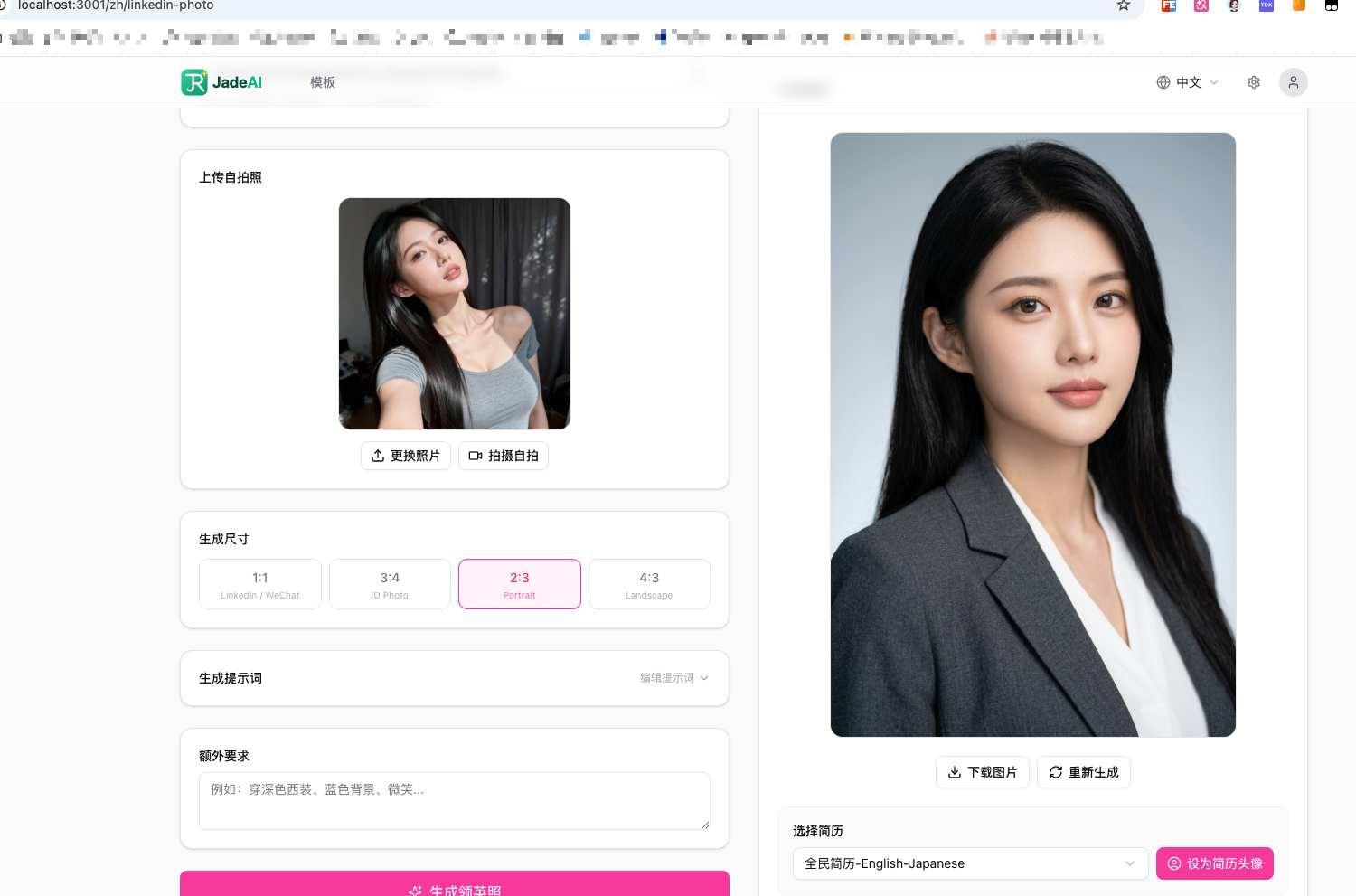 |
| QR Code Section |
|---|
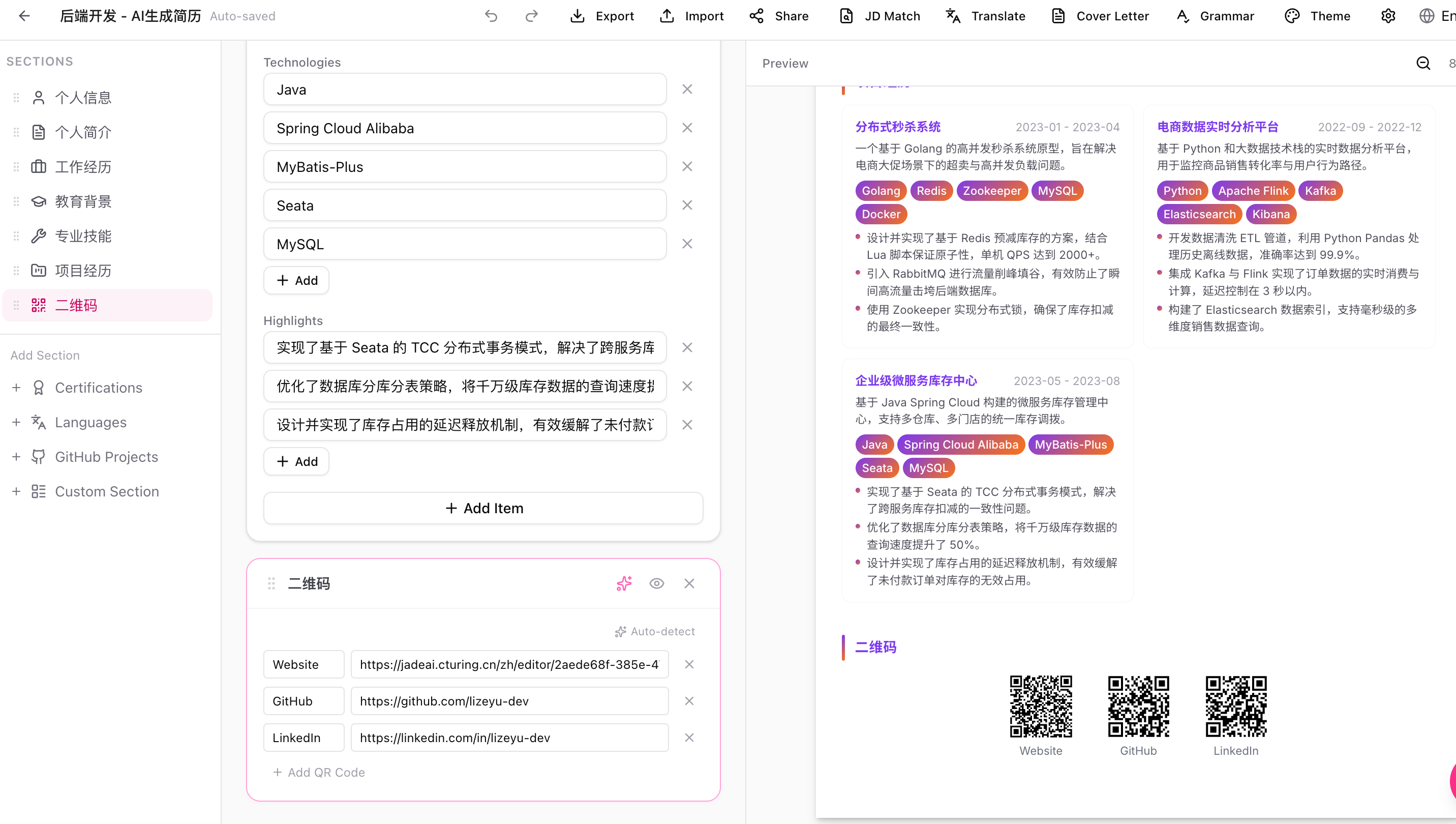 |
| Interview Setup | Mock Interview |
|---|---|
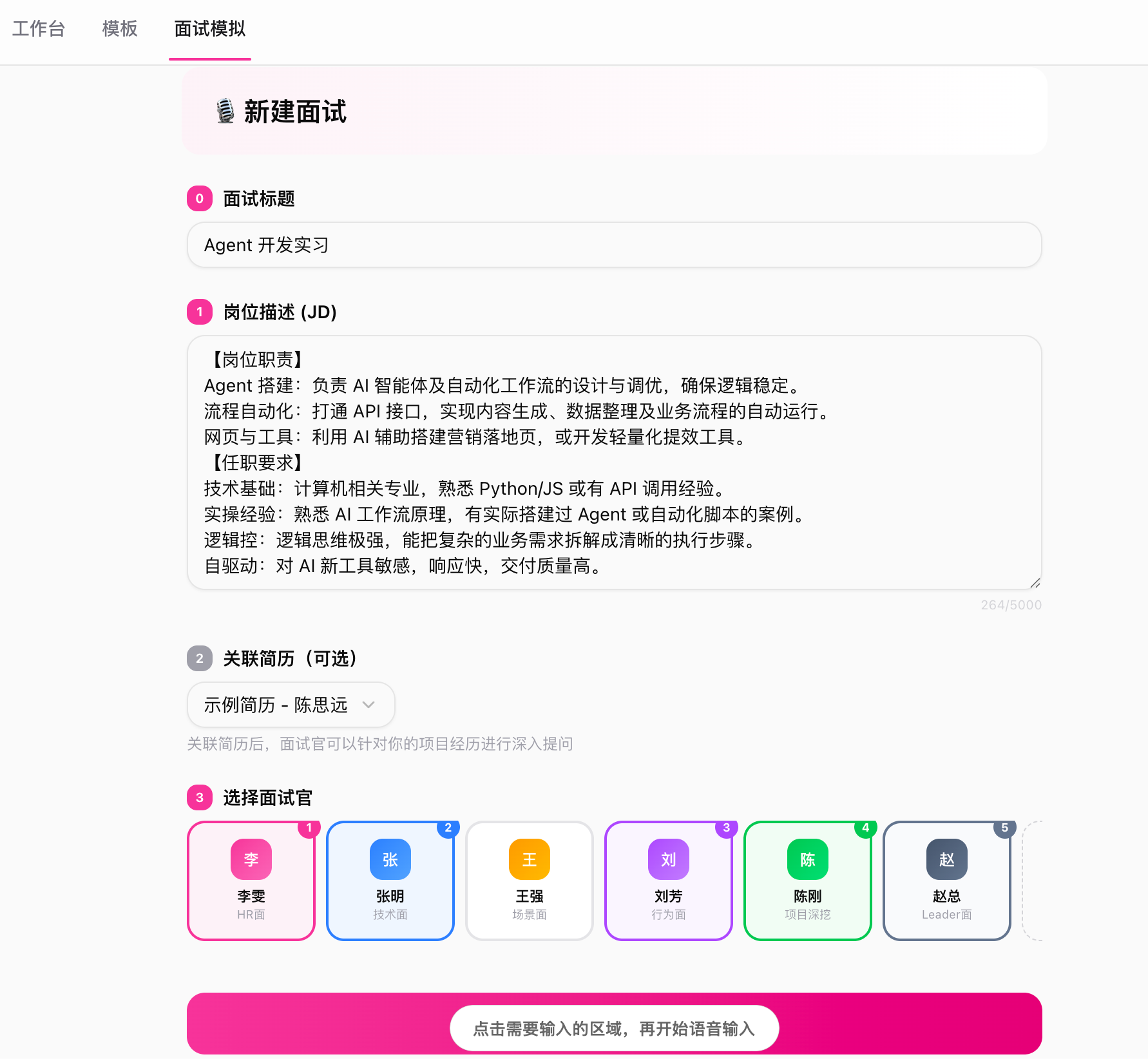 | 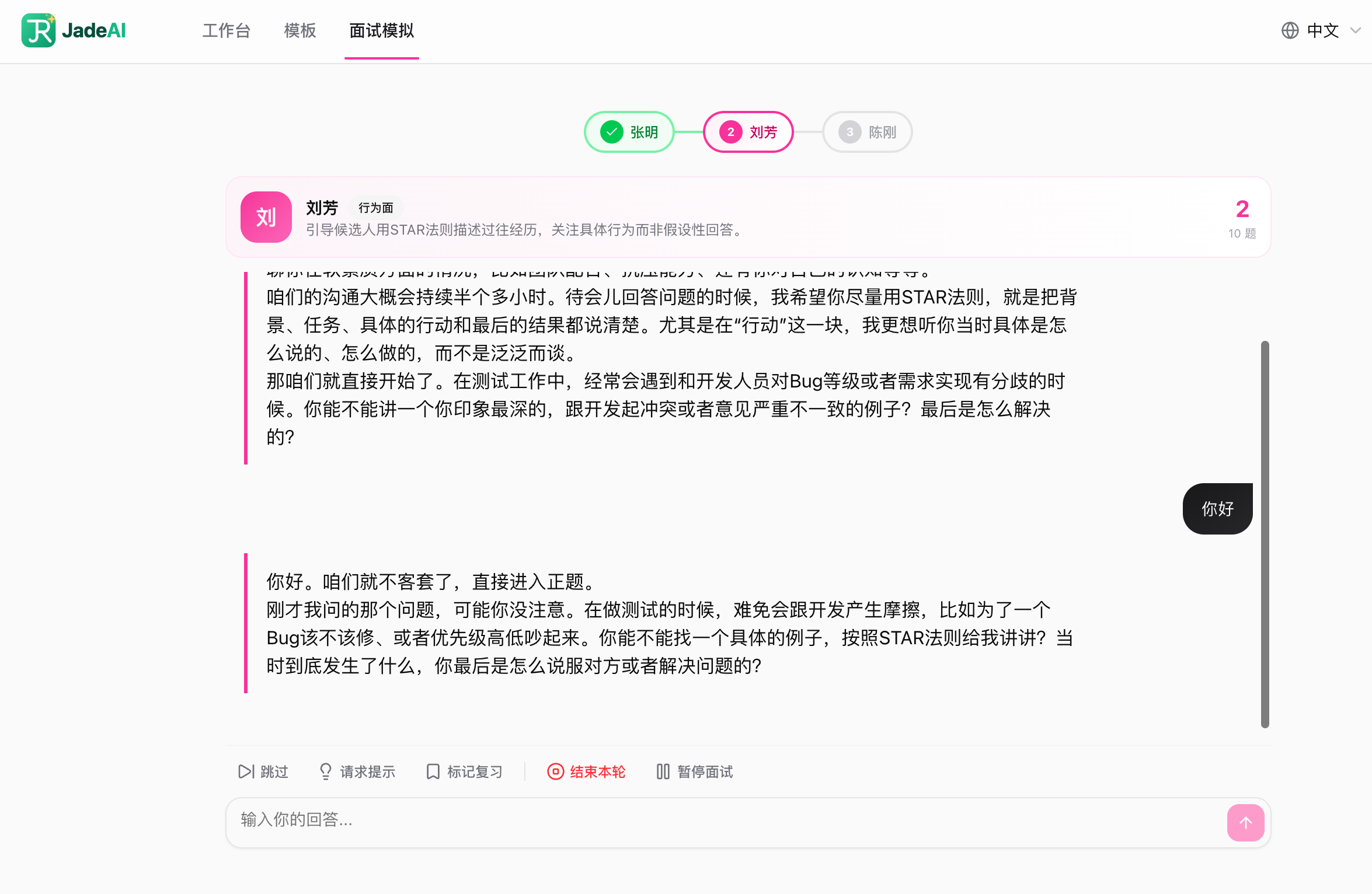 |
| Interview List | Interview Report |
|---|---|
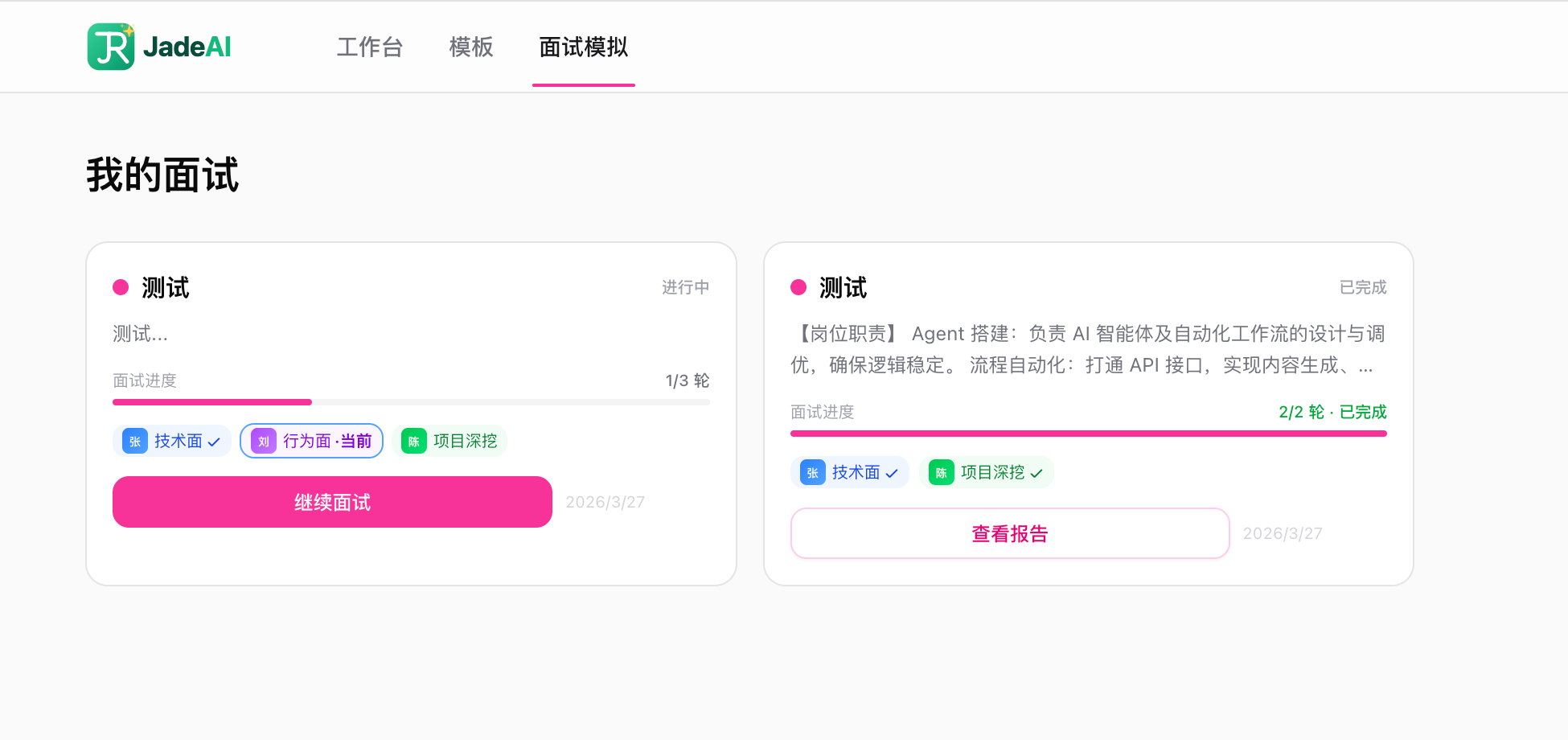 | 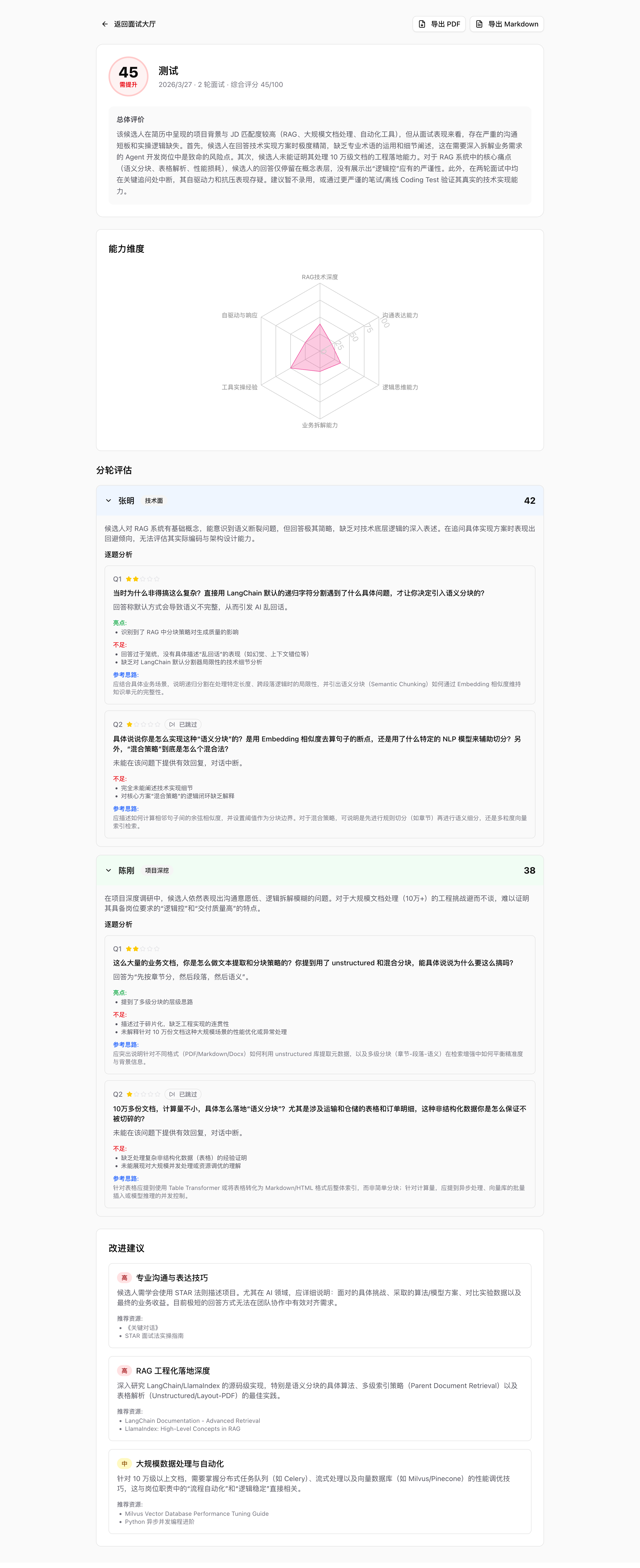 |
Watch the full deployment walkthrough on Bilibili:

**bold** for bold text)The following resume sections support Markdown syntax:
| Section | Supported Fields |
|---|---|
| Summary | Content text |
| Work Experience | Description, Highlights |
| Education | Highlights |
| Projects | Description, Highlights |
| Custom Section | Description |
| Languages | Description |
| GitHub | Description |
Supported syntax:
**bold text**    → bold
`code text`      → inline code
- item           → bullet list
Skills, Certifications, and Personal Info fields do not support Markdown.
| Layer | Technology |
|---|---|
| Framework | Next.js 16 (App Router, Turbopack) |
| UI | React 19, Tailwind CSS 4, shadcn/ui, Radix UI |
| Drag & Drop | @dnd-kit |
| State | Zustand |
| Database | Drizzle ORM (SQLite) |
| Auth | NextAuth.js v5 + FingerprintJS |
| AI | Vercel AI SDK v6 + OpenAI / Anthropic |
| Puppeteer Core + @sparticuz/chromium | |
| i18n | next-intl |
| Validation | Zod v4 |
Try the desktop app — nothing to deploy, no account, no network. Download, install, start writing.
It runs the same application as the web version — all 50 templates, AI polish, JD matching, mock interviews, every export format. The difference is only where it runs:
AUTH_SECRET. Install and open.The only outbound request it makes is asking GitHub whether a newer version exists, and that can be turned off (see Updates below).
Grab the build for your system from the latest release:
| Platform | File |
|---|---|
| macOS (Apple Silicon) | JadeAI-*-mac-arm64.dmg |
| macOS (Intel) | JadeAI-*-mac-x64.dmg |
| Windows (x64) | JadeAI-*-win-x64-setup.exe |
The installers carry an ad-hoc signature — valid, but anonymous. There is no Apple Developer ID and no notarization, so the OS blocks the first launch. This is expected.
macOS. Run this once, then open the app normally:
xattr -dr com.apple.quarantine /Applications/JadeAI.app
Or via the GUI: after the launch is blocked, open System Settings → Privacy & Security and click Open Anyway near the bottom.
Do not rely on right-click → Open. macOS 15 removed that bypass for un-notarized apps; it no longer does anything.
If you see "JadeAI is damaged and can't be opened" rather than "cannot be verified", the download is incomplete or was tampered with — re-download it. A correctly built release reports "cannot be verified", which is clearable.
Windows. On the SmartScreen prompt, click More info → Run anyway.
| Platform | Path |
|---|---|
| macOS | ~/Library/Application Support/JadeAI/ |
| Windows | %APPDATA%\JadeAI\ |
jade.db is the SQLite database; jade-settings.json holds window state and
preferences. Uninstalling the app does not delete either — remove the folder to
erase your data.
On launch the app asks GitHub once whether a newer version exists. If there is one, a small panel appears in the corner of the window — not a modal dialog — offering to download the installer built for your machine, so you don't pick between three files. Progress shows in the panel; when it finishes you can open the installer or reveal it in your file manager. It can be collapsed, dismissed, or silenced for that version.
It stops there: installing is still a manual step (drag to Applications, or run
the .exe). Silent install would need Squirrel, which refuses an ad-hoc signed
app. Your data is untouched by an update.
This is the only outbound request the app makes. To turn it off, set
"updateCheckEnabled": false in jade-settings.json (see the paths above) and
restart.
# Generate a secret key first
openssl rand -base64 32

docker run -d -p 3000:3000 \
  -e AUTH_SECRET=<your-generated-secret> \
  -v jadeai-data:/app/data \
  twwch/jadeai:latest
Open http://localhost:3000. Database auto-migrates and seeds on first start.
AUTH_SECRETis required for session encryption. Generate one withopenssl rand -base64 32.
AI Configuration: No server-side AI env vars needed. Each user configures their own API Key, Base URL, and Model in Settings > AI within the app. If you don't have a provider key yet, OrcaRouter gives you 200+ models through a single OpenAI-compatible endpoint — see AI provider setup.
docker run -d -p 3000:3000 \
  -e AUTH_ENABLED=true \
  -e AUTH_SECRET=your-secret \
  -e GOOGLE_CLIENT_ID=xxx \
  -e GOOGLE_CLIENT_SECRET=xxx \
  -v jadeai-data:/app/data \
  twwch/jadeai:latest
git clone https://github.com/twwch/JadeAI.git
cd JadeAI

pnpm install
cp .env.example .env.local
Edit .env.local:
# Auth (defaults to fingerprint mode, no config needed)
AUTH_ENABLED=false
AI Configuration: No server-side env vars needed. Each user configures their own API Key, Base URL, and Model in Settings > AI within the app. See AI provider setup for using OrcaRouter to access 200+ models with one key.
See .env.example for all available options (Google OAuth, custom SQLite path, etc.).
# Generate and run migrations
pnpm db:generate
pnpm db:migrate

# (Optional) Seed with sample data
pnpm db:seed

# Start dev server
pnpm dev
Open http://localhost:3000.
All AI features (chat, resume generation, JD matching, mock interview, translation…) need an API key. JadeAI never stores keys on the server — you fill them in under Settings > AI in the app, and they stay in your browser's local storage.
Any OpenAI-compatible endpoint works. Point it at OpenAI, Anthropic, a self-hosted gateway, or a router.
OrcaRouter is an OpenAI-compatible AI gateway: one key gives you access to 200+ models (OpenAI, Anthropic, Gemini, DeepSeek, Qwen and more) at provider pricing with no per-token markup, plus automatic failover between providers. Handy if you'd rather not sign up with every vendor separately, or want to switch models inside JadeAI without swapping keys.
| Field | Value |
|---|---|
| Base URL | https://api.orcarouter.ai/v1 |
| API Key | your OrcaRouter key (sk-...) |
| Model | any model ID from the model list |
To use OpenAI or Anthropic directly instead, just fill in that provider's base URL, key, and model ID in the same panel.
| Variable | Required | Default | Description |
|---|---|---|---|
AUTH_SECRET | Yes | — | Secret key for session encryption |
SQLITE_PATH | No | ./data/jade.db | SQLite database file path |
AUTH_ENABLED | No | false | Enable Google OAuth (true) or use fingerprint mode (false) |
JADE_RUNTIME | No | — | Set to desktop for single local-user mode (skips fingerprint and NextAuth; the database has a single user with id local) |
GOOGLE_CLIENT_ID | When OAuth | — | Google OAuth client ID |
GOOGLE_CLIENT_SECRET | When OAuth | — | Google OAuth client secret |
APP_NAME | No | JadeAI | Application display name |
DEFAULT_LOCALE | No | zh | Default language: zh or en |
| Command | Description |
|---|---|
pnpm dev | Start dev server with Turbopack |
pnpm build | Production build |
pnpm start | Start production server |
pnpm lint | Run ESLint |
pnpm type-check | TypeScript type checking |
pnpm db:generate | Generate Drizzle migrations |
pnpm db:migrate | Execute database migrations |
pnpm db:studio | Open Drizzle Studio (database GUI) |
pnpm db:seed | Seed database with sample data |
src/
├── app/                        # Next.js App Router
│   ├── [locale]/               # i18n routes (/zh/..., /en/...)
│   │   ├── dashboard/          # Resume list & management
│   │   ├── editor/[id]/        # Resume editor
│   │   ├── preview/[id]/       # Full-screen preview
│   │   ├── templates/          # Template gallery
│   │   └── share/[token]/      # Public shared resume viewer
│   └── api/
│       ├── ai/                 # AI endpoints
│       │   ├── chat/           #   Streaming chat with tool calls
│       │   ├── generate-resume/#   AI resume generation
│       │   ├── jd-analysis/    #   JD match analysis
│       │   ├── grammar-check/  #   Grammar & writing check
│       │   ├── cover-letter/   #   Cover letter generation
│       │   ├── translate/      #   Resume translation
│       │   └── models/         #   List available AI models
│       ├── resume/             # Resume CRUD, export, parse, share
│       ├── share/              # Public share access
│       ├── user/               # User profile & settings
│       └── auth/               # NextAuth handlers
├── components/
│   ├── ui/                     # shadcn/ui base components
│   ├── editor/                 # Editor canvas, sections, fields, dialogs
│   ├── ai/                     # AI chat panel & bubble
│   ├── preview/templates/      # 50 resume templates
│   ├── dashboard/              # Dashboard cards, grid, dialogs
│   └── layout/                 # Header, theme provider, locale switcher
├── lib/
│   ├── db/                     # Schema, repositories, migrations, adapters
│   ├── auth/                   # Auth configuration
│   └── ai/                     # AI prompts, tools, model config
├── hooks/                      # Custom React hooks (7 hooks)
├── stores/                     # Zustand stores (resume, editor, settings, UI, tour)
└── types/                      # TypeScript type definitions
JadeAI includes 50 professionally designed resume templates covering a wide range of styles and industries:
| # | Template | # | Template | # | Template |
|---|---|---|---|---|---|
| 1 | Classic | 18 | Clean | 35 | Material |
| 2 | Modern | 19 | Bold | 36 | Medical |
| 3 | Minimal | 20 | Timeline | 37 | Luxe |
| 4 | Professional | 21 | Nordic | 38 | Retro |
| 5 | Two-Column | 22 | Gradient | 39 | Card |
| 6 | ATS | 23 | Magazine | 40 | Rose |
| 7 | Academic | 24 | Corporate | 41 | Teacher |
| 8 | Creative | 25 | Consultant | 42 | Coder |
| 9 | Elegant | 26 | Swiss | 43 | Zigzag |
| 10 | Executive | 27 | Metro | 44 | Neon |
| 11 | Developer | 28 | Architect | 45 | Scientist |
| 12 | Designer | 29 | Japanese | 46 | Blocks |
| 13 | Startup | 30 | Artistic | 47 | Ribbon |
| 14 | Formal | 31 | Sidebar | 48 | Engineer |
| 15 | Infographic | 32 | Finance | 49 | Watercolor |
| 16 | Compact | 33 | Berlin | 50 | Mosaic |
| 17 | Euro | 34 | Legal |
| Method | Endpoint | Description |
|---|---|---|
GET | /api/resume | List all resumes for current user |
POST | /api/resume | Create a new resume |
GET | /api/resume/[id] | Get resume detail with all sections |
PUT | /api/resume/[id] | Update resume metadata or sections |
DELETE | /api/resume/[id] | Delete a resume |
POST | /api/resume/[id]/duplicate | Duplicate a resume |
GET | /api/resume/[id]/export | Export resume (pdf, docx, html, txt, json) |
POST | /api/resume/parse | Parse resume from PDF or image upload |
POST | /api/resume/[id]/share | Create share link |
GET | /api/resume/[id]/share | Get share settings |
DELETE | /api/resume/[id]/share | Remove share link |
| Method | Endpoint | Description |
|---|---|---|
GET | /api/share/[token] | Access a publicly shared resume |
| Method | Endpoint | Description |
|---|---|---|
POST | /api/ai/chat | Stream chat messages with resume context |
GET | /api/ai/chat/sessions | List chat sessions for a resume |
POST | /api/ai/chat/sessions | Create a new chat session |
GET | /api/ai/chat/sessions/[id] | Get paginated messages for a session |
DELETE | /api/ai/chat/sessions/[id] | Delete a chat session |
POST | /api/ai/generate-resume | Generate resume from job title & experience |
POST | /api/ai/jd-analysis | Analyze resume against a job description |
POST | /api/ai/grammar-check | Check grammar and writing quality |
POST | /api/ai/cover-letter | Generate a tailored cover letter |
POST | /api/ai/translate | Translate resume content |
GET | /api/ai/models | List available AI models |
| Method | Endpoint | Description |
|---|---|---|
GET | /api/user | Get current user profile |
PUT | /api/user | Update user profile |
GET | /api/user/settings | Get user settings |
PUT | /api/user/settings | Update user settings |
Contributions are welcome! Here's how to get started:
git checkout -b feat/your-featuregit commit -m 'feat: add your feature'git push origin feat/your-featureJadeAI does not require server-side AI API keys. Each user configures their own AI provider (OpenAI, Anthropic, or any OpenAI-compatible endpoint), API key, and model in Settings > AI within the app. API keys are stored in the browser's local storage and are never sent to the server for storage.
If you want a single key that covers 200+ models, use OrcaRouter with Base URL https://api.orcarouter.ai/v1. Full steps in AI provider setup.
When AUTH_ENABLED=false (default), JadeAI uses browser fingerprinting via FingerprintJS. A unique fingerprint ID is generated for each browser and used as the user identifier. No login screen is shown — users can start building resumes immediately.
PDF export uses Puppeteer Core with @sparticuz/chromium. Each of the 50 templates has a dedicated server-side export handler that renders the resume to high-fidelity PDF. DOCX, HTML, TXT, and JSON exports are also supported.
98 followers · starred Feb 2026
10 followers · starred Mar 2026
5 followers · starred May 2026
AI-Powered Smart Resume Builder — 50+ professional templates, PDF/image parsing, AI optimization, JD match analysis, multi-format export. Open source & free, one-click Docker deployment.
See the codeAI-Powered Smart Resume Builder
Build professional resumes with drag-and-drop editing, real-time AI optimization, 50 templates, and multi-format export.
Join our groups for discussion and support:
--brand-* CSS tokens; replaced hardcoded pink-* across 60+ fileslocalStoragesrc/lib/brand-constants.tsh-full instead of flex-1NEXT_PUBLIC_* build-time variables in favor of runtime envNEXT_PUBLIC_AUTH_ENABLED to runtime AUTH_ENABLED| Template Gallery | Resume Editor |
|---|---|
| |
| AI Resume Generation | AI Resume Parsing (Image) |
|---|---|
| |
| AI Optimization | Grammar Check |
|---|---|
| |
| Grammar Auto-Fix | JD Match Analysis |
|---|---|
| |
| Multi-Format Export | Share Link |
|---|---|
| |
| Shared Resume Page | AI Professional Photo |
|---|---|
| |
| QR Code Section |
|---|
|
| Interview Setup | Mock Interview |
|---|---|
| |
| Interview List | Interview Report |
|---|---|
| |
Watch the full deployment walkthrough on Bilibili:
**bold** for bold text)The following resume sections support Markdown syntax:
| Section | Supported Fields |
|---|---|
| Summary | Content text |
| Work Experience | Description, Highlights |
| Education | Highlights |
| Projects | Description, Highlights |
| Custom Section | Description |
| Languages | Description |
| GitHub | Description |
Supported syntax:
**bold text**    → bold
`code text`      → inline code
- item           → bullet list
Skills, Certifications, and Personal Info fields do not support Markdown.
| Layer | Technology |
|---|---|
| Framework | Next.js 16 (App Router, Turbopack) |
| UI | React 19, Tailwind CSS 4, shadcn/ui, Radix UI |
| Drag & Drop | @dnd-kit |
| State | Zustand |
| Database | Drizzle ORM (SQLite) |
| Auth | NextAuth.js v5 + FingerprintJS |
| AI | Vercel AI SDK v6 + OpenAI / Anthropic |
| Puppeteer Core + @sparticuz/chromium | |
| i18n | next-intl |
| Validation | Zod v4 |
Try the desktop app — nothing to deploy, no account, no network. Download, install, start writing.
It runs the same application as the web version — all 50 templates, AI polish, JD matching, mock interviews, every export format. The difference is only where it runs:
AUTH_SECRET. Install and open.The only outbound request it makes is asking GitHub whether a newer version exists, and that can be turned off (see Updates below).
Grab the build for your system from the latest release:
| Platform | File |
|---|---|
| macOS (Apple Silicon) | JadeAI-*-mac-arm64.dmg |
| macOS (Intel) | JadeAI-*-mac-x64.dmg |
| Windows (x64) | JadeAI-*-win-x64-setup.exe |
The installers carry an ad-hoc signature — valid, but anonymous. There is no Apple Developer ID and no notarization, so the OS blocks the first launch. This is expected.
macOS. Run this once, then open the app normally:
xattr -dr com.apple.quarantine /Applications/JadeAI.app
Or via the GUI: after the launch is blocked, open System Settings → Privacy & Security and click Open Anyway near the bottom.
Do not rely on right-click → Open. macOS 15 removed that bypass for un-notarized apps; it no longer does anything.
If you see "JadeAI is damaged and can't be opened" rather than "cannot be verified", the download is incomplete or was tampered with — re-download it. A correctly built release reports "cannot be verified", which is clearable.
Windows. On the SmartScreen prompt, click More info → Run anyway.
| Platform | Path |
|---|---|
| macOS | ~/Library/Application Support/JadeAI/ |
| Windows | %APPDATA%\JadeAI\ |
jade.db is the SQLite database; jade-settings.json holds window state and
preferences. Uninstalling the app does not delete either — remove the folder to
erase your data.
On launch the app asks GitHub once whether a newer version exists. If there is one, a small panel appears in the corner of the window — not a modal dialog — offering to download the installer built for your machine, so you don't pick between three files. Progress shows in the panel; when it finishes you can open the installer or reveal it in your file manager. It can be collapsed, dismissed, or silenced for that version.
It stops there: installing is still a manual step (drag to Applications, or run
the .exe). Silent install would need Squirrel, which refuses an ad-hoc signed
app. Your data is untouched by an update.
This is the only outbound request the app makes. To turn it off, set
"updateCheckEnabled": false in jade-settings.json (see the paths above) and
restart.
# Generate a secret key first
openssl rand -base64 32

docker run -d -p 3000:3000 \
  -e AUTH_SECRET=<your-generated-secret> \
  -v jadeai-data:/app/data \
  twwch/jadeai:latest
Open http://localhost:3000. Database auto-migrates and seeds on first start.
AUTH_SECRETis required for session encryption. Generate one withopenssl rand -base64 32.
AI Configuration: No server-side AI env vars needed. Each user configures their own API Key, Base URL, and Model in Settings > AI within the app. If you don't have a provider key yet, OrcaRouter gives you 200+ models through a single OpenAI-compatible endpoint — see AI provider setup.
docker run -d -p 3000:3000 \
  -e AUTH_ENABLED=true \
  -e AUTH_SECRET=your-secret \
  -e GOOGLE_CLIENT_ID=xxx \
  -e GOOGLE_CLIENT_SECRET=xxx \
  -v jadeai-data:/app/data \
  twwch/jadeai:latest
git clone https://github.com/twwch/JadeAI.git
cd JadeAI

pnpm install
cp .env.example .env.local
Edit .env.local:
# Auth (defaults to fingerprint mode, no config needed)
AUTH_ENABLED=false
AI Configuration: No server-side env vars needed. Each user configures their own API Key, Base URL, and Model in Settings > AI within the app. See AI provider setup for using OrcaRouter to access 200+ models with one key.
See .env.example for all available options (Google OAuth, custom SQLite path, etc.).
# Generate and run migrations
pnpm db:generate
pnpm db:migrate

# (Optional) Seed with sample data
pnpm db:seed

# Start dev server
pnpm dev
Open http://localhost:3000.
All AI features (chat, resume generation, JD matching, mock interview, translation…) need an API key. JadeAI never stores keys on the server — you fill them in under Settings > AI in the app, and they stay in your browser's local storage.
Any OpenAI-compatible endpoint works. Point it at OpenAI, Anthropic, a self-hosted gateway, or a router.
OrcaRouter is an OpenAI-compatible AI gateway: one key gives you access to 200+ models (OpenAI, Anthropic, Gemini, DeepSeek, Qwen and more) at provider pricing with no per-token markup, plus automatic failover between providers. Handy if you'd rather not sign up with every vendor separately, or want to switch models inside JadeAI without swapping keys.
| Field | Value |
|---|---|
| Base URL | https://api.orcarouter.ai/v1 |
| API Key | your OrcaRouter key (sk-...) |
| Model | any model ID from the model list |
To use OpenAI or Anthropic directly instead, just fill in that provider's base URL, key, and model ID in the same panel.
| Variable | Required | Default | Description |
|---|---|---|---|
AUTH_SECRET | Yes | — | Secret key for session encryption |
SQLITE_PATH | No | ./data/jade.db | SQLite database file path |
AUTH_ENABLED | No | false | Enable Google OAuth (true) or use fingerprint mode (false) |
JADE_RUNTIME | No | — | Set to desktop for single local-user mode (skips fingerprint and NextAuth; the database has a single user with id local) |
GOOGLE_CLIENT_ID | When OAuth | — | Google OAuth client ID |
GOOGLE_CLIENT_SECRET | When OAuth | — | Google OAuth client secret |
APP_NAME | No | JadeAI | Application display name |
DEFAULT_LOCALE | No | zh | Default language: zh or en |
| Command | Description |
|---|---|
pnpm dev | Start dev server with Turbopack |
pnpm build | Production build |
pnpm start | Start production server |
pnpm lint | Run ESLint |
pnpm type-check | TypeScript type checking |
pnpm db:generate | Generate Drizzle migrations |
pnpm db:migrate | Execute database migrations |
pnpm db:studio | Open Drizzle Studio (database GUI) |
pnpm db:seed | Seed database with sample data |
src/
├── app/                        # Next.js App Router
│   ├── [locale]/               # i18n routes (/zh/..., /en/...)
│   │   ├── dashboard/          # Resume list & management
│   │   ├── editor/[id]/        # Resume editor
│   │   ├── preview/[id]/       # Full-screen preview
│   │   ├── templates/          # Template gallery
│   │   └── share/[token]/      # Public shared resume viewer
│   └── api/
│       ├── ai/                 # AI endpoints
│       │   ├── chat/           #   Streaming chat with tool calls
│       │   ├── generate-resume/#   AI resume generation
│       │   ├── jd-analysis/    #   JD match analysis
│       │   ├── grammar-check/  #   Grammar & writing check
│       │   ├── cover-letter/   #   Cover letter generation
│       │   ├── translate/      #   Resume translation
│       │   └── models/         #   List available AI models
│       ├── resume/             # Resume CRUD, export, parse, share
│       ├── share/              # Public share access
│       ├── user/               # User profile & settings
│       └── auth/               # NextAuth handlers
├── components/
│   ├── ui/                     # shadcn/ui base components
│   ├── editor/                 # Editor canvas, sections, fields, dialogs
│   ├── ai/                     # AI chat panel & bubble
│   ├── preview/templates/      # 50 resume templates
│   ├── dashboard/              # Dashboard cards, grid, dialogs
│   └── layout/                 # Header, theme provider, locale switcher
├── lib/
│   ├── db/                     # Schema, repositories, migrations, adapters
│   ├── auth/                   # Auth configuration
│   └── ai/                     # AI prompts, tools, model config
├── hooks/                      # Custom React hooks (7 hooks)
├── stores/                     # Zustand stores (resume, editor, settings, UI, tour)
└── types/                      # TypeScript type definitions
JadeAI includes 50 professionally designed resume templates covering a wide range of styles and industries:
| # | Template | # | Template | # | Template |
|---|---|---|---|---|---|
| 1 | Classic | 18 | Clean | 35 | Material |
| 2 | Modern | 19 | Bold | 36 | Medical |
| 3 | Minimal | 20 | Timeline | 37 | Luxe |
| 4 | Professional | 21 | Nordic | 38 | Retro |
| 5 | Two-Column | 22 | Gradient | 39 | Card |
| 6 | ATS | 23 | Magazine | 40 | Rose |
| 7 | Academic | 24 | Corporate | 41 | Teacher |
| 8 | Creative | 25 | Consultant | 42 | Coder |
| 9 | Elegant | 26 | Swiss | 43 | Zigzag |
| 10 | Executive | 27 | Metro | 44 | Neon |
| 11 | Developer | 28 | Architect | 45 | Scientist |
| 12 | Designer | 29 | Japanese | 46 | Blocks |
| 13 | Startup | 30 | Artistic | 47 | Ribbon |
| 14 | Formal | 31 | Sidebar | 48 | Engineer |
| 15 | Infographic | 32 | Finance | 49 | Watercolor |
| 16 | Compact | 33 | Berlin | 50 | Mosaic |
| 17 | Euro | 34 | Legal |
| Method | Endpoint | Description |
|---|---|---|
GET | /api/resume | List all resumes for current user |
POST | /api/resume | Create a new resume |
GET | /api/resume/[id] | Get resume detail with all sections |
PUT | /api/resume/[id] | Update resume metadata or sections |
DELETE | /api/resume/[id] | Delete a resume |
POST | /api/resume/[id]/duplicate | Duplicate a resume |
GET | /api/resume/[id]/export | Export resume (pdf, docx, html, txt, json) |
POST | /api/resume/parse | Parse resume from PDF or image upload |
POST | /api/resume/[id]/share | Create share link |
GET | /api/resume/[id]/share | Get share settings |
DELETE | /api/resume/[id]/share | Remove share link |
| Method | Endpoint | Description |
|---|---|---|
GET | /api/share/[token] | Access a publicly shared resume |
| Method | Endpoint | Description |
|---|---|---|
POST | /api/ai/chat | Stream chat messages with resume context |
GET | /api/ai/chat/sessions | List chat sessions for a resume |
POST | /api/ai/chat/sessions | Create a new chat session |
GET | /api/ai/chat/sessions/[id] | Get paginated messages for a session |
DELETE | /api/ai/chat/sessions/[id] | Delete a chat session |
POST | /api/ai/generate-resume | Generate resume from job title & experience |
POST | /api/ai/jd-analysis | Analyze resume against a job description |
POST | /api/ai/grammar-check | Check grammar and writing quality |
POST | /api/ai/cover-letter | Generate a tailored cover letter |
POST | /api/ai/translate | Translate resume content |
GET | /api/ai/models | List available AI models |
| Method | Endpoint | Description |
|---|---|---|
GET | /api/user | Get current user profile |
PUT | /api/user | Update user profile |
GET | /api/user/settings | Get user settings |
PUT | /api/user/settings | Update user settings |
Contributions are welcome! Here's how to get started:
git checkout -b feat/your-featuregit commit -m 'feat: add your feature'git push origin feat/your-featureJadeAI does not require server-side AI API keys. Each user configures their own AI provider (OpenAI, Anthropic, or any OpenAI-compatible endpoint), API key, and model in Settings > AI within the app. API keys are stored in the browser's local storage and are never sent to the server for storage.
If you want a single key that covers 200+ models, use OrcaRouter with Base URL https://api.orcarouter.ai/v1. Full steps in AI provider setup.
When AUTH_ENABLED=false (default), JadeAI uses browser fingerprinting via FingerprintJS. A unique fingerprint ID is generated for each browser and used as the user identifier. No login screen is shown — users can start building resumes immediately.
PDF export uses Puppeteer Core with @sparticuz/chromium. Each of the 50 templates has a dedicated server-side export handler that renders the resume to high-fidelity PDF. DOCX, HTML, TXT, and JSON exports are also supported.
98 followers · starred Feb 2026
10 followers · starred Mar 2026
5 followers · starred May 2026







