A clean, beginner-friendly full-stack task manager built with MongoDB, Express, React and Node, made for learning and first open-source contributions.
See the codeA clean, beginner-friendly full-stack task manager built with MongoDB, Express, React and Node, made for learning and first open-source contributions.


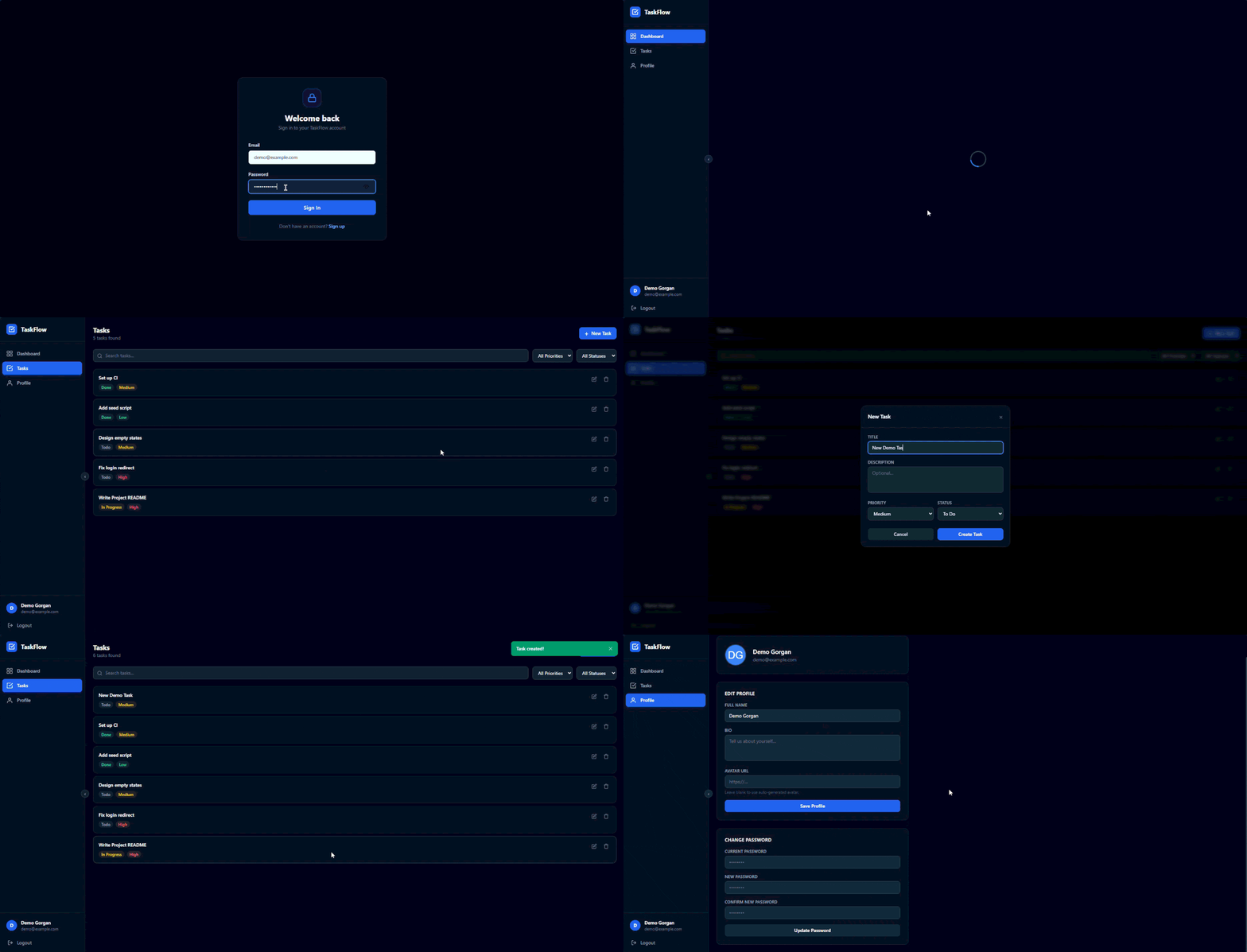
👉 taskflow-plum-one.vercel.app: sign up with any email (it doesn't need to be real) and try it out.
⏳ The first load can take up to a minute. The API runs on a free hosting plan that goes to sleep when nobody is using it, and waking up takes a moment. After that it's fast.
Dashboard
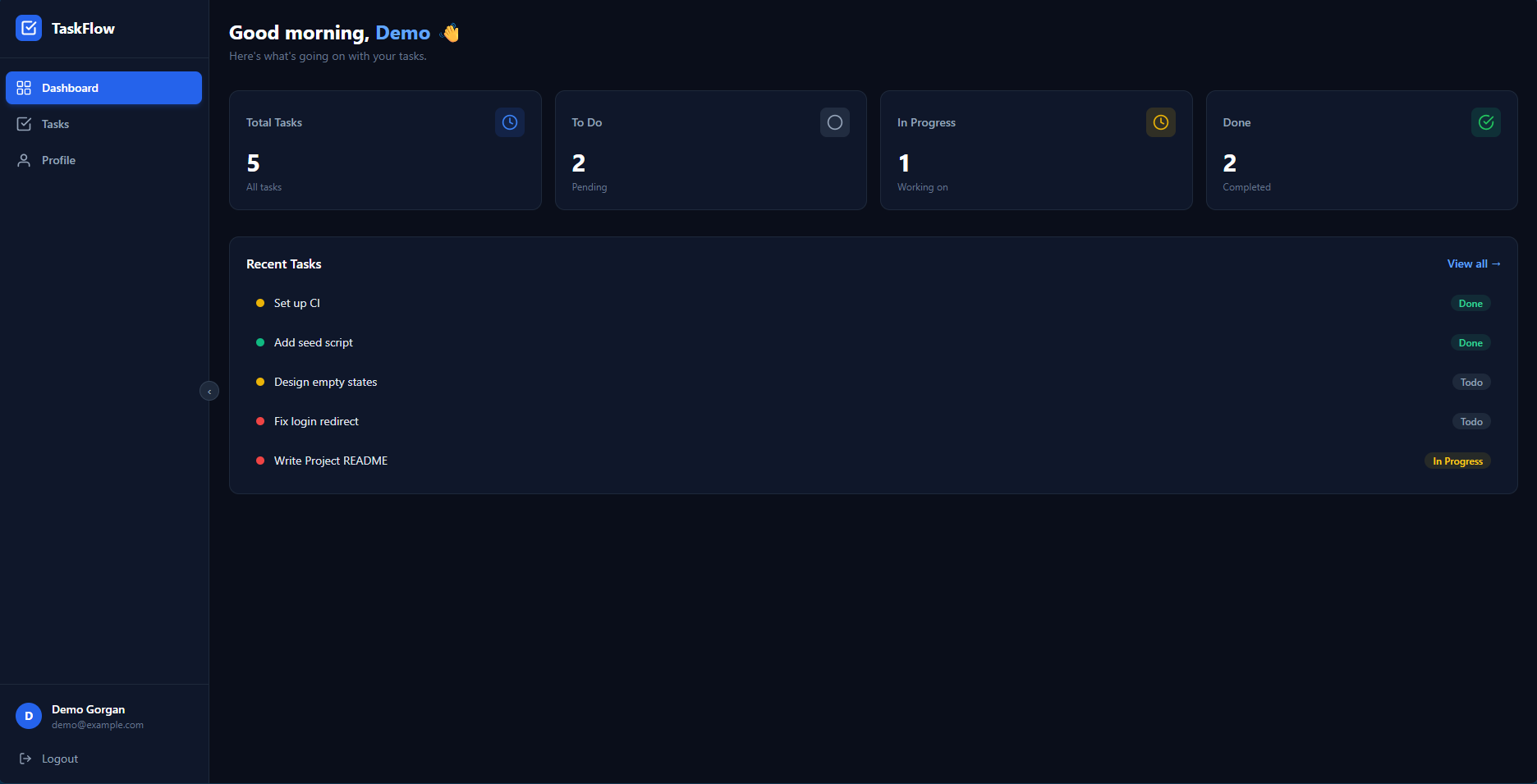
| Tasks | New task |
|---|---|
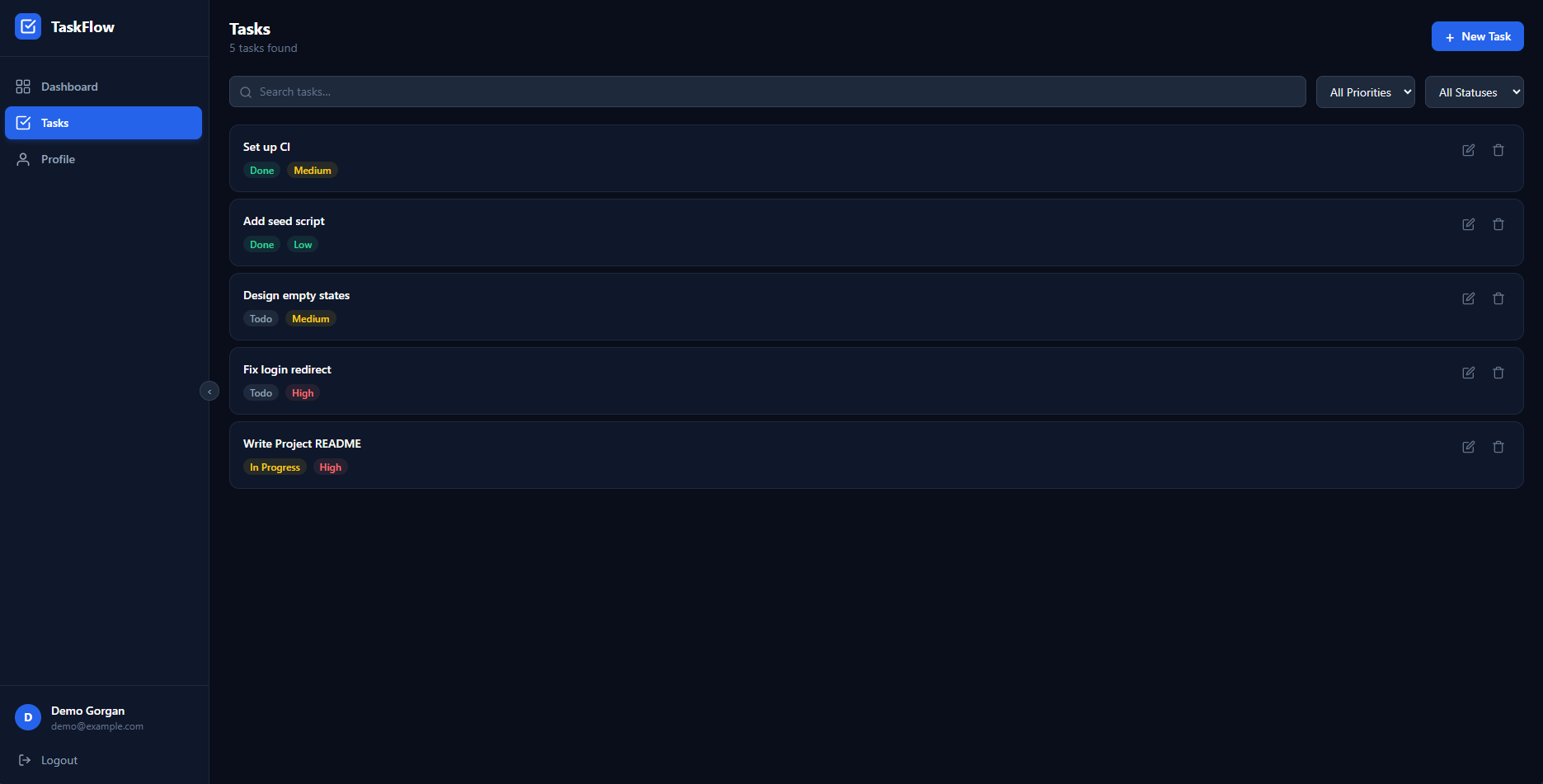 | 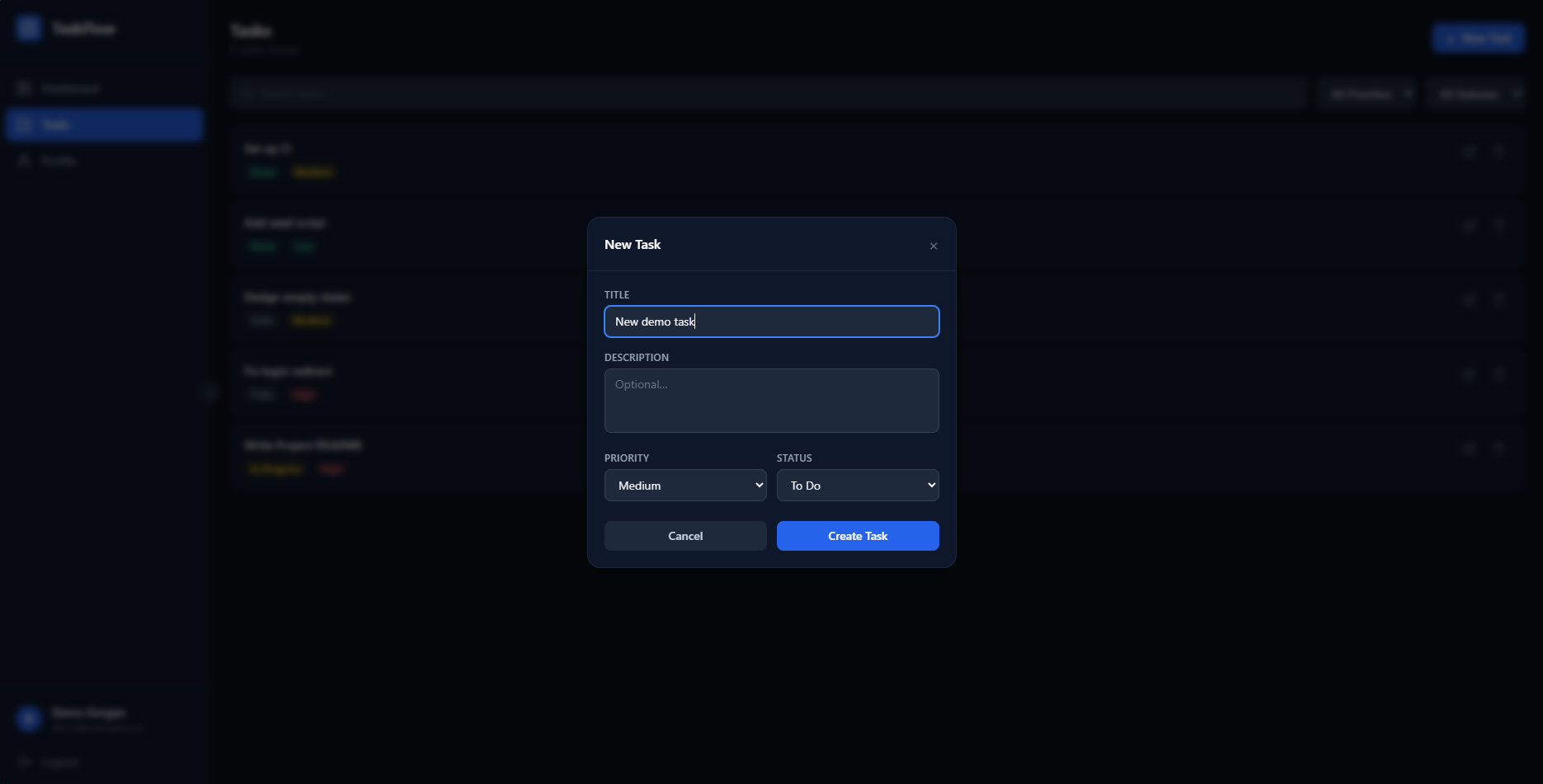 |
| Login | Profile |
|---|---|
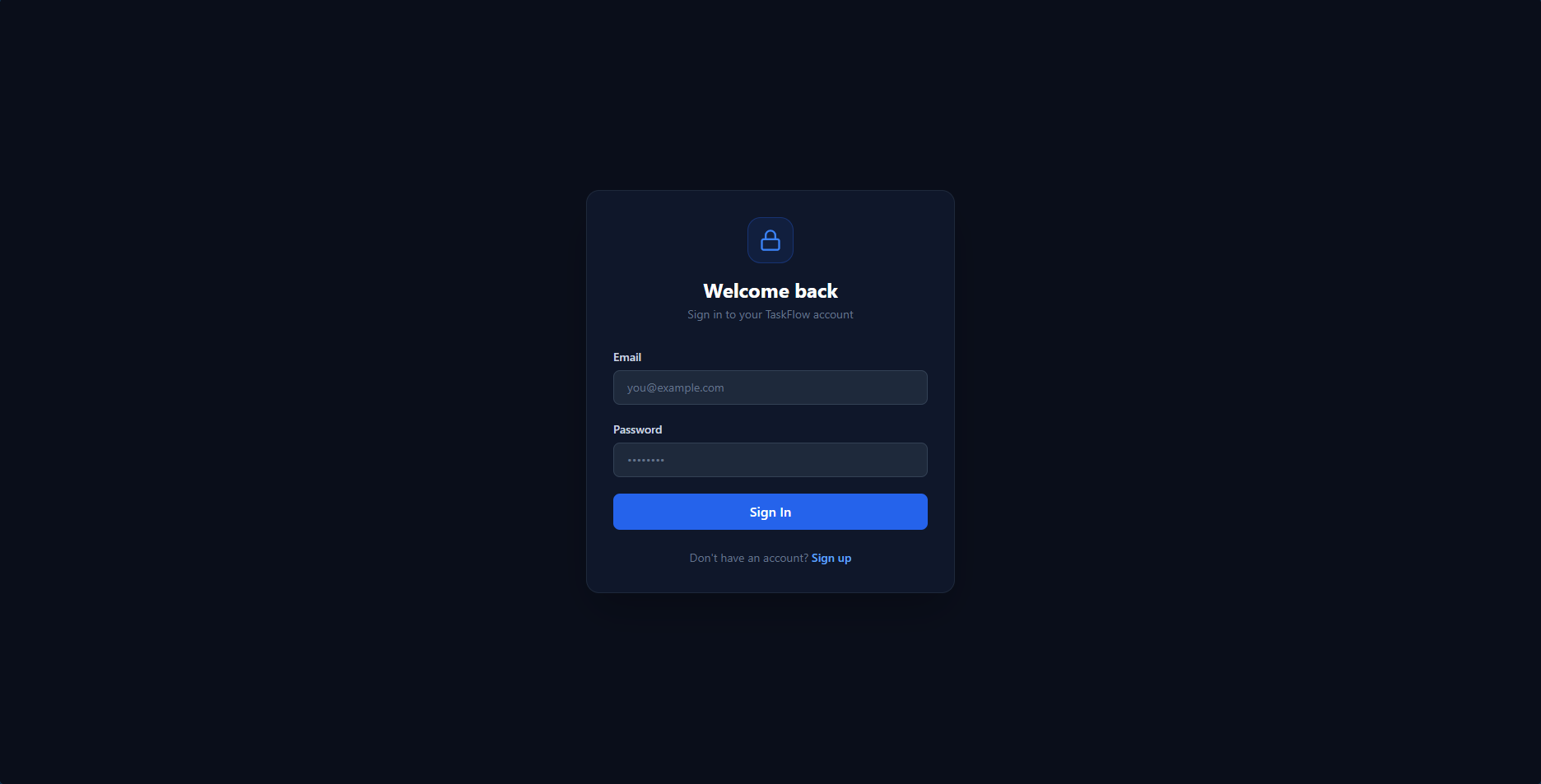 | 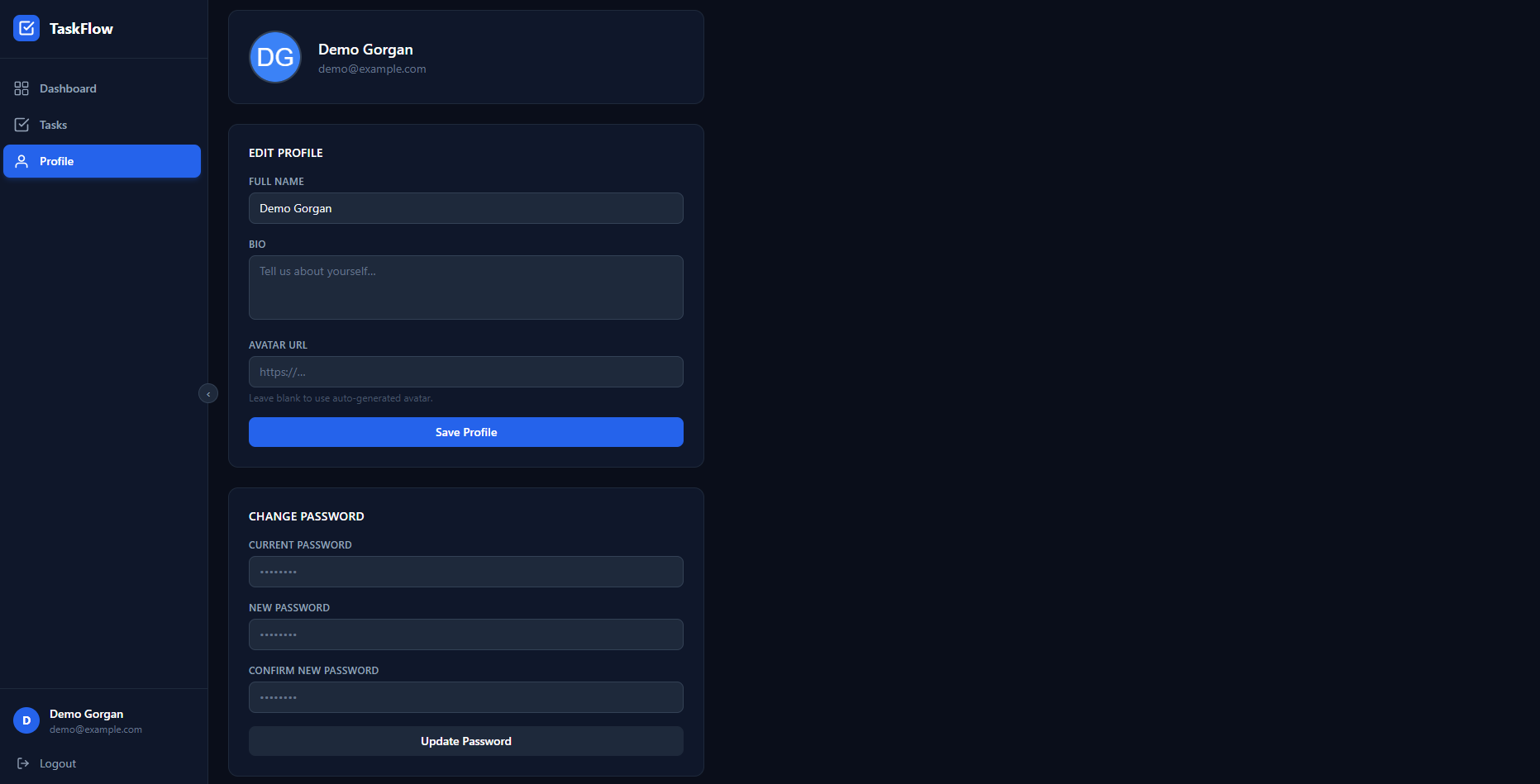 |
| Part | Technology |
|---|---|
| Frontend | React 18, React Router 7, Tailwind CSS 4, Axios, built with Vite |
| Backend | Node.js, Express 4 |
| Database | MongoDB with Mongoose |
| Auth | JSON Web Tokens (jsonwebtoken), password hashing with bcryptjs |
| Hosting (demo) | Vercel (frontend), Render (API), MongoDB Atlas (database) |
node --version.git clone https://github.com/KEX-03/taskflow.git
cd taskflow
npm run install:all
Planning to contribute? Fork the repository first and clone your fork instead (see CONTRIBUTING.md).
# macOS / Linux / Git Bash
cp server/.env.example server/.env
cp client/.env.example client/.env
# Windows PowerShell
Copy-Item server/.env.example server/.env
Copy-Item client/.env.example client/.env
The defaults work with a local MongoDB. Using Atlas? Open server/.env and replace MONGO_URI with your connection string. Every setting is explained in the .env.example files.
npm run dev
This starts both parts together:
| Command (from the repository root) | What it does |
|---|---|
npm run install:all | Install dependencies for the root, server and client |
npm run dev | Start the API and the app together |
npm run dev:server | Start only the API |
npm run dev:client | Start only the app |
npm run build | Build the app for production (into client/dist/) |
Something not working? The server prints a ❌ message explaining what's wrong, for example a missing setting or MongoDB not running.
taskflow/
├── server/                  Express REST API
│   ├── src/
│   │   ├── app.js           Entry point: middleware, routes and startup
│   │   ├── config/          MongoDB connection
│   │   ├── models/          Mongoose schemas (User, Task)
│   │   ├── controllers/     Request handlers: the logic for each endpoint
│   │   ├── routes/          Maps URLs to controllers
│   │   ├── middleware/      `protect`: checks the login token
│   │   └── utils/           Helpers for tokens, errors and query parsing
│   └── .env.example         Server settings, explained
├── client/                  React app (Vite)
│   ├── src/
│   │   ├── App.jsx          All page routes
│   │   ├── pages/           One file per page (Login, Dashboard, Tasks, ...)
│   │   ├── components/      Shared UI (Sidebar, Toast, Spinner, ...)
│   │   ├── context/         AuthContext: who is logged in
│   │   └── utils/           Axios API client and form validation
│   ├── vercel.json          Lets Vercel serve every page route
│   └── .env.example         Client settings, explained
├── docs/                    Architecture overview, deployment guide and images
├── postman_collection.json  Ready-made API requests for Postman
└── package.json             Helper scripts to run everything from the root
New to the code? How TaskFlow works is a five-minute tour of the request flow, login, data model and React app.
All endpoints start with /api/v1. Endpoints marked 🔒 need a login token in the header: Authorization: Bearer <token>. You get a token from signup or login.
| Method | Endpoint | Description | |
|---|---|---|---|
POST | /auth/signup | Create an account, returns a token | |
POST | /auth/login | Log in, returns a token | |
POST | /auth/logout | 🔒 | Log out (the app deletes its token) |
GET | /me | 🔒 | Get your profile |
PUT | /me | 🔒 | Update your profile or password |
GET | /tasks | 🔒 | List your tasks. Optional: ?search=, ?status=, ?priority=, ?page=, ?limit= |
POST | /tasks | 🔒 | Create a task |
GET | /tasks/:id | 🔒 | Get one task |
PUT | /tasks/:id | 🔒 | Update a task |
DELETE | /tasks/:id | 🔒 | Delete a task |
GET | /health | Check that the API is running |
Try it in Postman: import postman_collection.json. After you run Signup or Login, the token is saved and used by every other request automatically.
TaskFlow runs on free plans of MongoDB Atlas, Render and Vercel. The deployment guide walks through every setting and environment variable.
Contributions of all sizes are welcome, especially from first-time contributors! 🎉
Please follow our Code of Conduct. Found a security problem? See SECURITY.md. Changes are listed in the changelog.
MIT © 2026 KEX-03
A clean, beginner-friendly full-stack task manager built with MongoDB, Express, React and Node, made for learning and first open-source contributions.
See the codeA clean, beginner-friendly full-stack task manager built with MongoDB, Express, React and Node, made for learning and first open-source contributions.
👉 taskflow-plum-one.vercel.app: sign up with any email (it doesn't need to be real) and try it out.
⏳ The first load can take up to a minute. The API runs on a free hosting plan that goes to sleep when nobody is using it, and waking up takes a moment. After that it's fast.
Dashboard
| Tasks | New task |
|---|---|
| |
| Login | Profile |
|---|---|
| |
| Part | Technology |
|---|---|
| Frontend | React 18, React Router 7, Tailwind CSS 4, Axios, built with Vite |
| Backend | Node.js, Express 4 |
| Database | MongoDB with Mongoose |
| Auth | JSON Web Tokens (jsonwebtoken), password hashing with bcryptjs |
| Hosting (demo) | Vercel (frontend), Render (API), MongoDB Atlas (database) |
node --version.git clone https://github.com/KEX-03/taskflow.git
cd taskflow
npm run install:all
Planning to contribute? Fork the repository first and clone your fork instead (see CONTRIBUTING.md).
# macOS / Linux / Git Bash
cp server/.env.example server/.env
cp client/.env.example client/.env
# Windows PowerShell
Copy-Item server/.env.example server/.env
Copy-Item client/.env.example client/.env
The defaults work with a local MongoDB. Using Atlas? Open server/.env and replace MONGO_URI with your connection string. Every setting is explained in the .env.example files.
npm run dev
This starts both parts together:
| Command (from the repository root) | What it does |
|---|---|
npm run install:all | Install dependencies for the root, server and client |
npm run dev | Start the API and the app together |
npm run dev:server | Start only the API |
npm run dev:client | Start only the app |
npm run build | Build the app for production (into client/dist/) |
Something not working? The server prints a ❌ message explaining what's wrong, for example a missing setting or MongoDB not running.
taskflow/
├── server/                  Express REST API
│   ├── src/
│   │   ├── app.js           Entry point: middleware, routes and startup
│   │   ├── config/          MongoDB connection
│   │   ├── models/          Mongoose schemas (User, Task)
│   │   ├── controllers/     Request handlers: the logic for each endpoint
│   │   ├── routes/          Maps URLs to controllers
│   │   ├── middleware/      `protect`: checks the login token
│   │   └── utils/           Helpers for tokens, errors and query parsing
│   └── .env.example         Server settings, explained
├── client/                  React app (Vite)
│   ├── src/
│   │   ├── App.jsx          All page routes
│   │   ├── pages/           One file per page (Login, Dashboard, Tasks, ...)
│   │   ├── components/      Shared UI (Sidebar, Toast, Spinner, ...)
│   │   ├── context/         AuthContext: who is logged in
│   │   └── utils/           Axios API client and form validation
│   ├── vercel.json          Lets Vercel serve every page route
│   └── .env.example         Client settings, explained
├── docs/                    Architecture overview, deployment guide and images
├── postman_collection.json  Ready-made API requests for Postman
└── package.json             Helper scripts to run everything from the root
New to the code? How TaskFlow works is a five-minute tour of the request flow, login, data model and React app.
All endpoints start with /api/v1. Endpoints marked 🔒 need a login token in the header: Authorization: Bearer <token>. You get a token from signup or login.
| Method | Endpoint | Description | |
|---|---|---|---|
POST | /auth/signup | Create an account, returns a token | |
POST | /auth/login | Log in, returns a token | |
POST | /auth/logout | 🔒 | Log out (the app deletes its token) |
GET | /me | 🔒 | Get your profile |
PUT | /me | 🔒 | Update your profile or password |
GET | /tasks | 🔒 | List your tasks. Optional: ?search=, ?status=, ?priority=, ?page=, ?limit= |
POST | /tasks | 🔒 | Create a task |
GET | /tasks/:id | 🔒 | Get one task |
PUT | /tasks/:id | 🔒 | Update a task |
DELETE | /tasks/:id | 🔒 | Delete a task |
GET | /health | Check that the API is running |
Try it in Postman: import postman_collection.json. After you run Signup or Login, the token is saved and used by every other request automatically.
TaskFlow runs on free plans of MongoDB Atlas, Render and Vercel. The deployment guide walks through every setting and environment variable.
Contributions of all sizes are welcome, especially from first-time contributors! 🎉
Please follow our Code of Conduct. Found a security problem? See SECURITY.md. Changes are listed in the changelog.
MIT © 2026 KEX-03



