
See what people are saying (1)
README
Auth Starter
A complete full-stack authentication application with a Node.js + TypeScript backend and React + TypeScript frontend. Features modern dashboard UI, Google OAuth, password reset, and comprehensive user management.
Screenshots
Landing
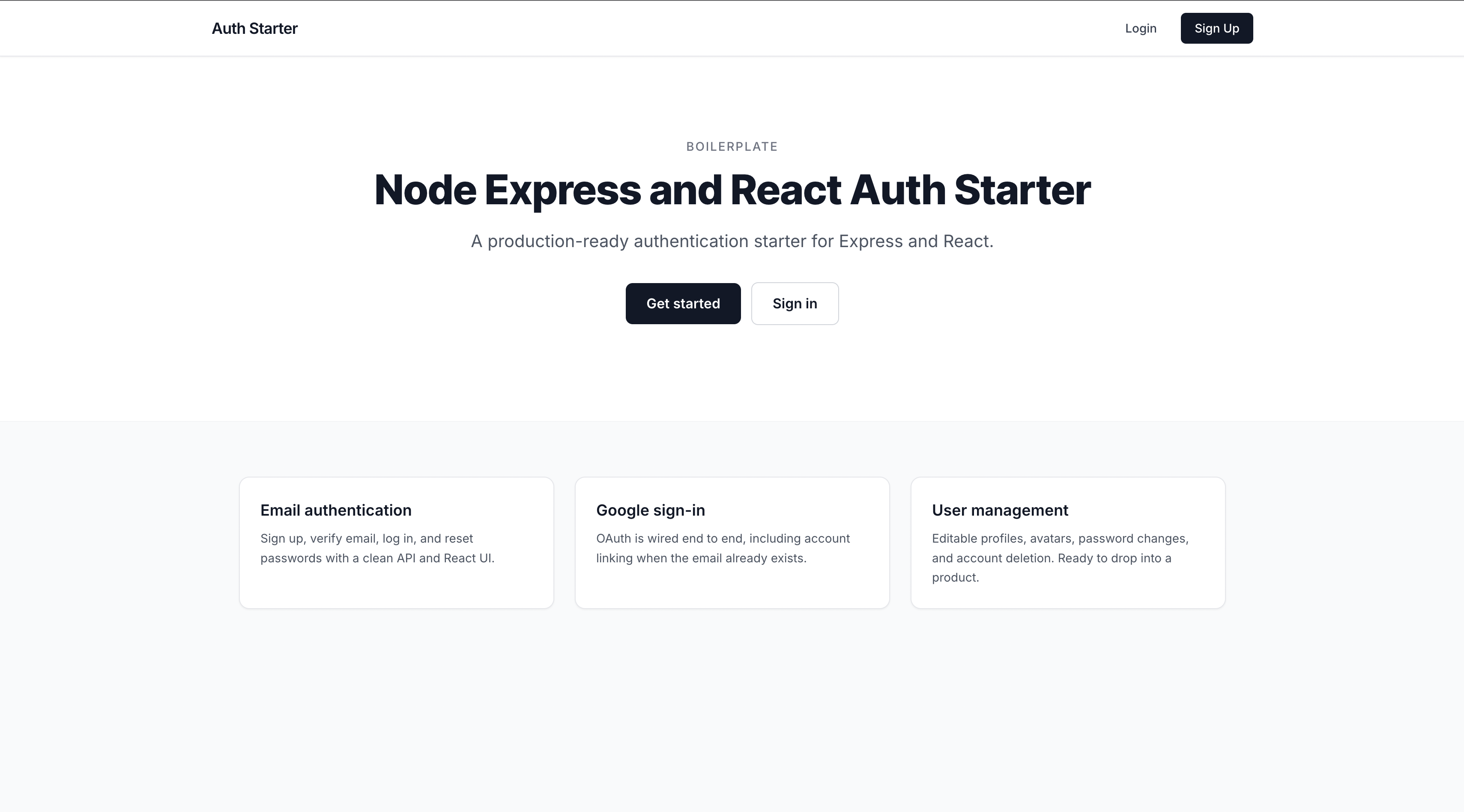
Sign up
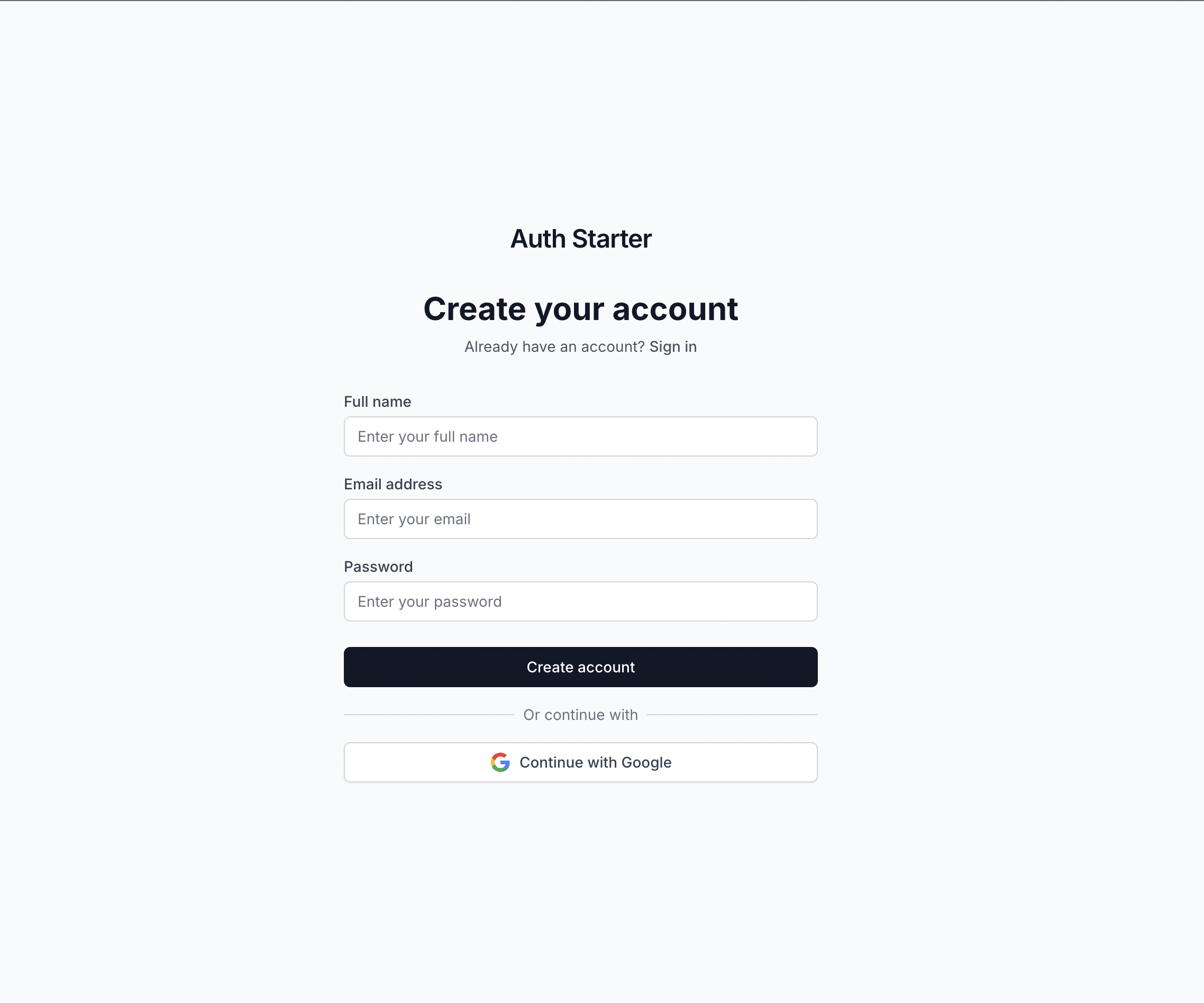
Dashboard
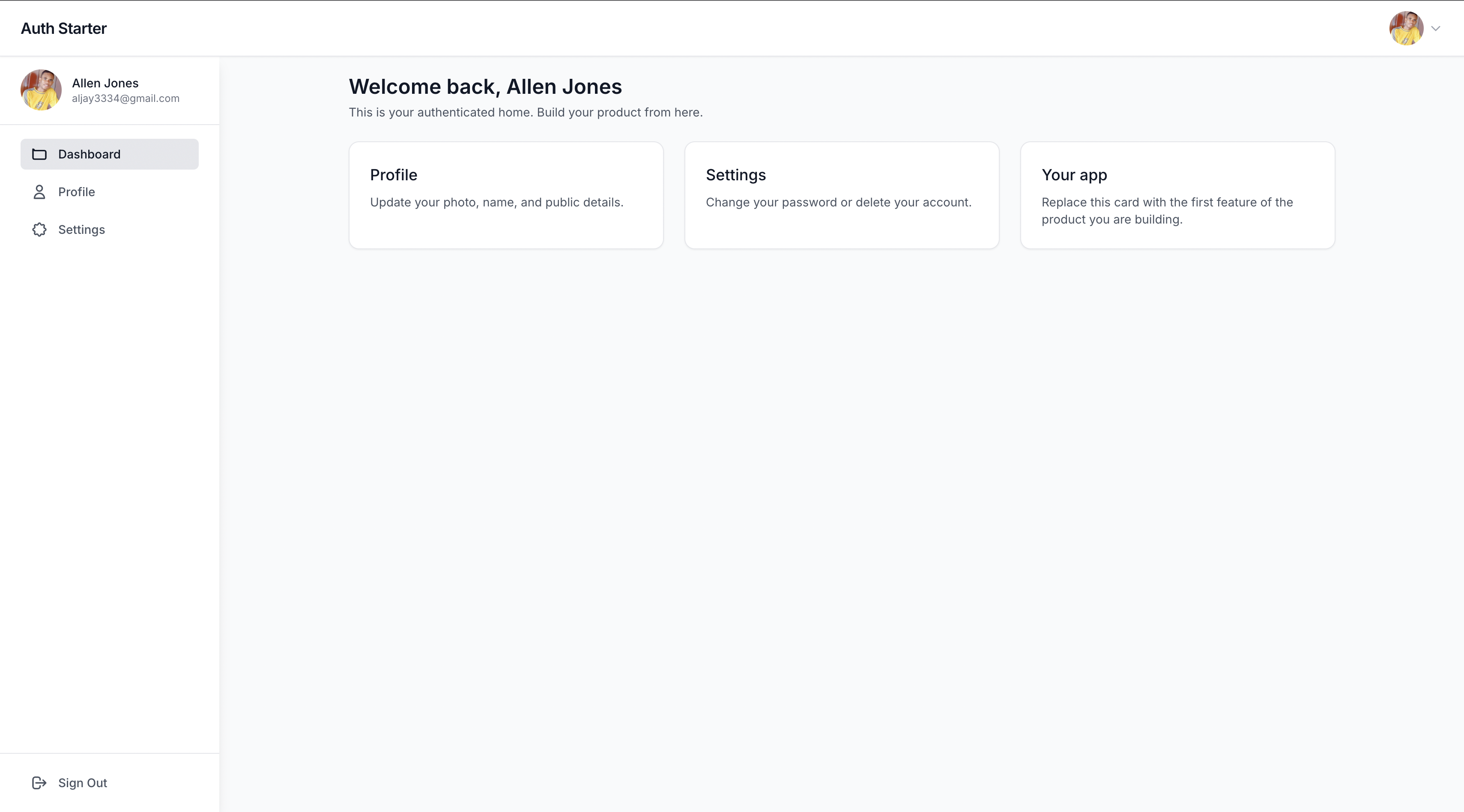
Profile
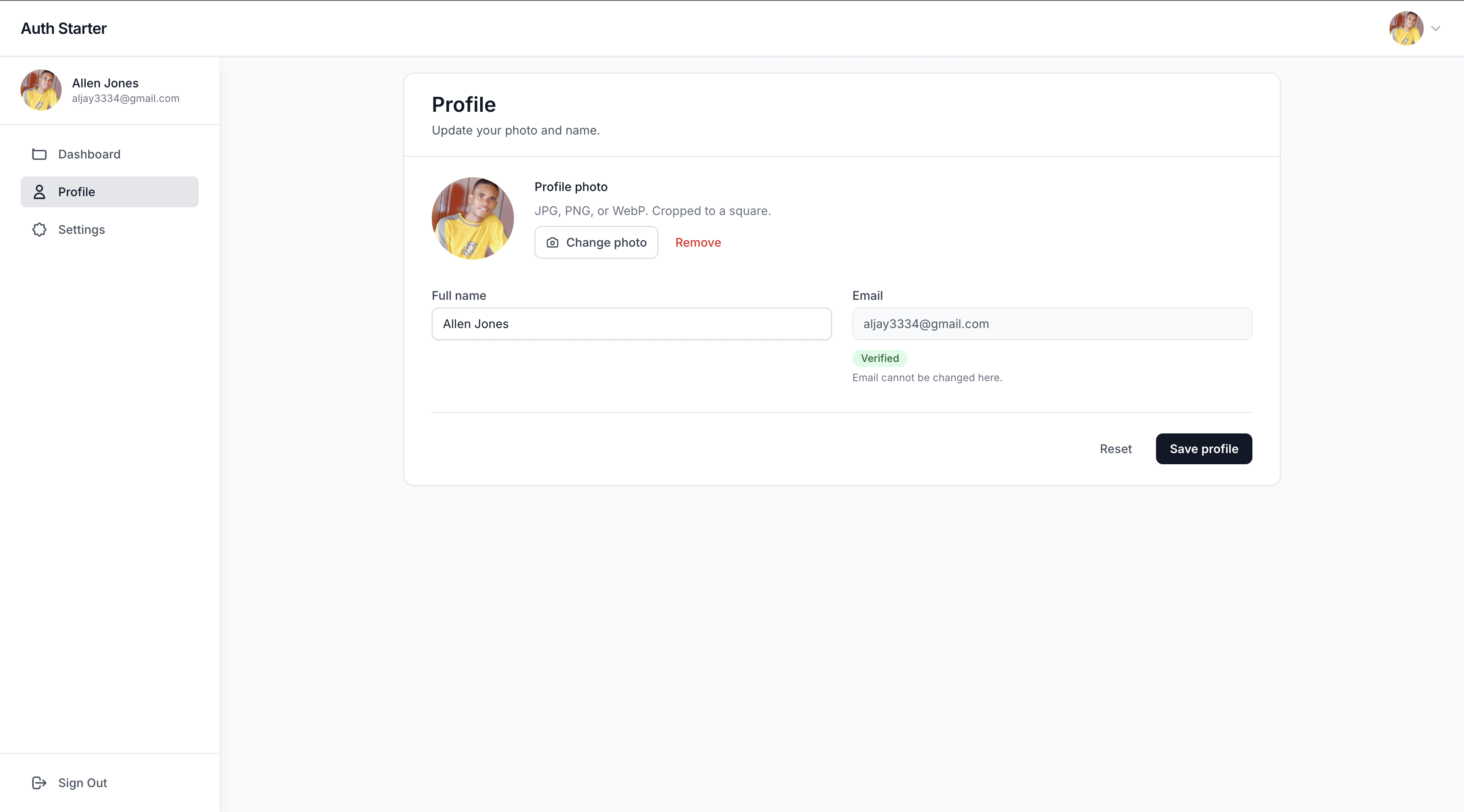
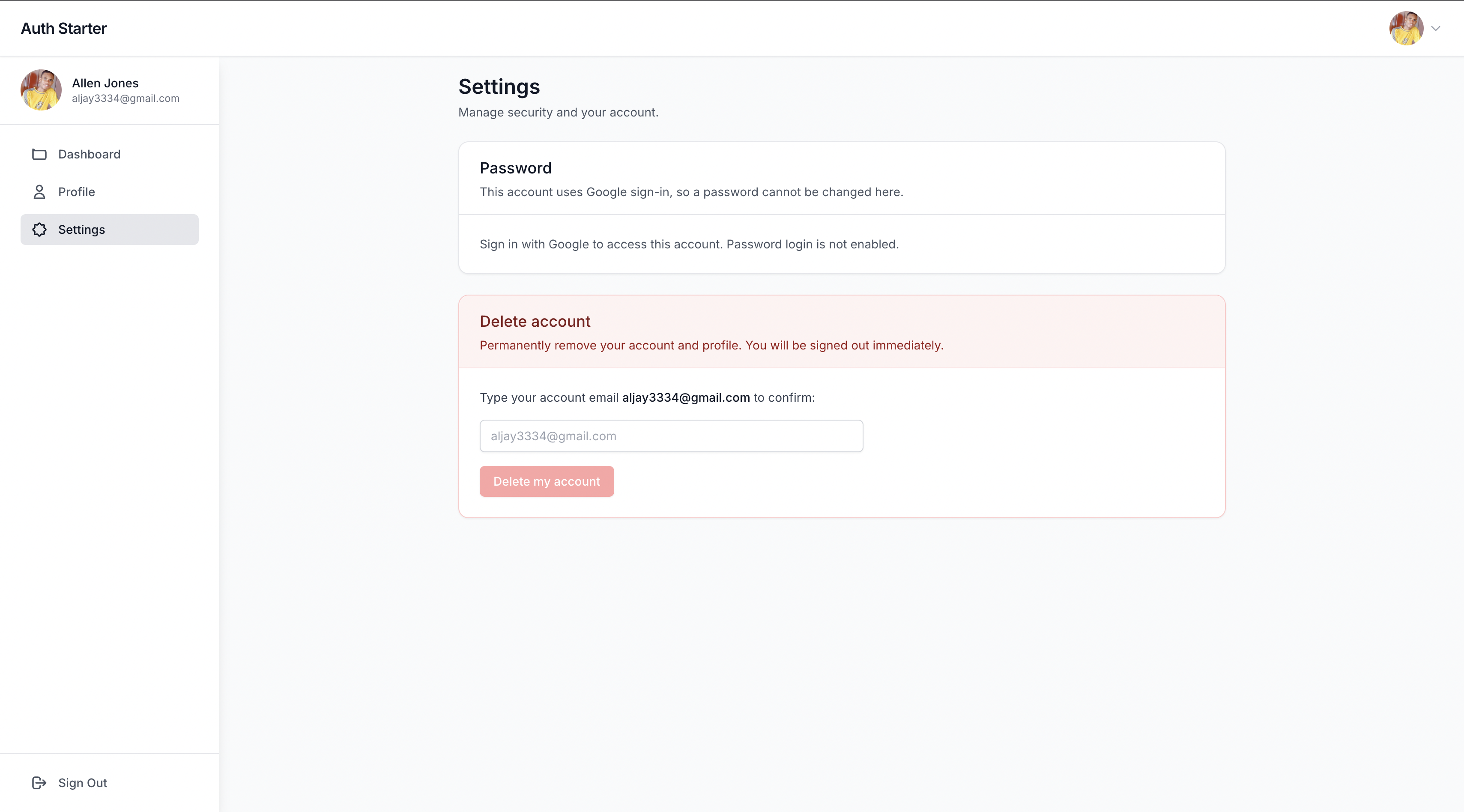
Settings
Features
Authentication & Security
- httpOnly cookie sessions - JWT is set as an
auth_tokencookie. It is not stored inlocalStorage. - Remember me - Unchecked: session cookie. Checked: 30-day cookie and JWT.
- Rate limiting - Login, signup, forgot-password, and resend-verification are limited to 10 requests per 15 minutes per IP
- Google OAuth - Social login with Google (cookie is set on callback; the token is not put in the URL)
- Password Reset - Secure email-based password reset flow
- Email Verification - Account verification via email
- Password Hashing - bcryptjs for secure password storage
- Protected Routes - Route-level authentication guards
Frontend
- Modern Dashboard - Clean, responsive dashboard with sidebar navigation
- User Profile Management - Complete profile editing with avatar support
- Google Profile Pictures - Automatic avatar display from Google OAuth
- Form Validation - React Hook Form with Zod validation
- Responsive Design - Mobile-friendly interface with Tailwind CSS
- Error Handling - Comprehensive error states and user feedback
Backend
- RESTful API - Well-structured API endpoints
- Database ORM - Prisma with PostgreSQL
- Email Integration - Nodemailer with multiple providers
- Type Safety - Full TypeScript implementation
- Validation - Zod schema validation
- Docker Support - Containerized development environment
Project Structure
├── backend/             # Node.js + TypeScript API server
│   ├── src/
│   │   ├── auth/       # Authentication logic & routes
│   │   ├── user/       # User management
│   │   ├── config/     # Configuration files
│   │   ├── infrastructure/ # Email providers
│   │   └── presentation/   # Middleware & routes
│   ├── prisma/         # Database schema and migrations
│   └── dist/           # Compiled JavaScript (generated)
├── frontend/           # React + TypeScript frontend
│   ├── src/
│   │   ├── components/ # Reusable UI components
│   │   ├── pages/      # Application pages
│   │   ├── layouts/    # Layout components
│   │   ├── context/    # React context providers
│   │   ├── hooks/      # Custom React hooks
│   │   └── lib/        # Utility libraries
└── docker-compose.yml  # Development environment
Quick Start
Prerequisites
- Node.js 18+
- Docker & Docker Compose
- Git
1. Clone and Setup
git clone <repository-url>
cd express-react-auth-boilerplate
2. Start Development Environment
# Start all services (database, backend, frontend)
docker-compose up -d

# Or start services individually:
docker-compose up -d express-react-auth-db    # Database
docker-compose up -d express-react-auth-backend  # Backend API
docker-compose up -d express-react-auth-frontend # Frontend
3. Setup Database (if needed)
# Run database migrations
docker-compose exec backend npx prisma db push
4. Access the Application
- Frontend: http://localhost:5173
- Backend API: http://localhost:4001
- Database: localhost:5433 (PostgreSQL)
Frontend
The frontend is a React + TypeScript application with modern UI components and comprehensive authentication flow.
Features
- Modern Dashboard - Sidebar navigation with user avatar dropdown
- Authentication Pages - Login, signup, forgot password, reset password
- Profile Management - Edit profile with avatar support
- Responsive Design - Mobile-first approach with Tailwind CSS
- Form Handling - React Hook Form with validation
- State Management - React Context for authentication
Pages & Routes
/- Landing page/login- User login/signup- User registration/forgot-password- Password reset request/reset-password- Password reset with token/verify-email- Email verification from inbox link/dashboard- Main dashboard (protected)/dashboard/profile- User profile (protected)/dashboard/settings- User settings (protected)
Backend
The backend is a Node.js + TypeScript API server with Express, Prisma, and comprehensive authentication features.
API Endpoints
Authentication
POST /api/auth/signup- User registrationPOST /api/auth/login- User login (sets httpOnly cookie; body may includerememberMe)POST /api/auth/logout- Clear session cookiePOST /api/auth/forgot-password- Request password resetPOST /api/auth/reset-password- Reset password with tokenGET /api/auth/verify- Verify email addressPOST /api/auth/resend-verification- Resend verification emailGET /api/auth/me- Get current user info (cookie or Bearer)POST /api/auth/change-password- Change password (protected)GET /api/auth/google- Google OAuth loginGET /api/auth/google/callback- Google OAuth callback
User Management
GET /api/user/me- Get user profilePUT /api/user/me/profile- Update user profilePOST /api/user/me/avatar- Upload profile photoDELETE /api/user/me- Delete accountGET /api/user/info- Get user basic info
Development
# Backend development
cd backend
npm install
npm run dev

# Frontend development
cd frontend
npm install
npm run dev
Environment Variables
Backend (.env)
NODE_ENV=development
PORT=4001
DATABASE_URL="postgresql://app_user:app_password@localhost:5433/express_react_auth"
JWT_SECRET="your-super-secret-jwt-key"
JWT_EXPIRES_IN="7d"
APP_URL="http://localhost:4001"
FRONTEND_URL="http://localhost:5173"

# Google OAuth (optional)
GOOGLE_CLIENT_ID="your-google-client-id"
GOOGLE_CLIENT_SECRET="your-google-client-secret"

# Email Configuration
EMAIL_PROVIDER="console" # console, smtp, or resend
SMTP_HOST="smtp.gmail.com"
SMTP_PORT=587
SMTP_USER="your-email@gmail.com"
SMTP_PASS="your-app-password"
RESEND_API_KEY="your-resend-api-key"
Frontend (.env)
VITE_API_URL=http://localhost:4001
Docker Development
The project includes Docker Compose for easy development setup:
# Start all services
docker-compose up -d

# View logs
docker-compose logs -f

# Stop services
docker-compose down

# Rebuild services
docker-compose up -d --build
Available Scripts
Backend
npm run dev- Start development server with hot reloadnpm run build- Compile TypeScript to JavaScriptnpm start- Start production servernpm run prisma:generate- Generate Prisma clientnpm run prisma:push- Push schema changes to databasenpm run prisma:migrate- Run database migrations
Frontend
npm run dev- Start development servernpm run build- Build for productionnpm run preview- Preview production buildnpm run lint- Run ESLint
Deployment
Production Build
# Build backend
cd backend && npm run build

# Build frontend
cd frontend && npm run build

# Start production
docker-compose -f docker-compose.prod.yml up -d
Session model
The browser session is an httpOnly cookie named auth_token. Axios sends it with withCredentials: true. JWT-in-localStorage is a known shortcut this starter does not use.
Remember me controls cookie lifetime: session cookie when unchecked, 30 days when checked. Google OAuth always uses the 30-day cookie.
Testing
Backend integration tests cover signup, email verify, login (cookie + Remember me), /me, logout, password reset, and delete account.
# Backend tests
cd backend && npm test
Contributing
- Fork the repository
- Create a feature branch:
git checkout -b feature/amazing-feature - Commit changes:
git commit -m 'Add amazing feature' - Push to branch:
git push origin feature/amazing-feature - Open a Pull Request
License
This project is licensed under the MIT License - see the LICENSE file for details.
Acknowledgments
- Express.js - Web framework
- React - Frontend library
- Prisma - Database ORM
- Tailwind CSS - CSS framework
- TypeScript - Type safety
Contributors

43 commits
Similar repos


Languages
TypeScript
97.1%
See what people are saying (1)
README
Auth Starter
A complete full-stack authentication application with a Node.js + TypeScript backend and React + TypeScript frontend. Features modern dashboard UI, Google OAuth, password reset, and comprehensive user management.
Screenshots
Landing
Sign up
Dashboard
Profile
Settings
Features
Authentication & Security
- httpOnly cookie sessions - JWT is set as an
auth_tokencookie. It is not stored inlocalStorage. - Remember me - Unchecked: session cookie. Checked: 30-day cookie and JWT.
- Rate limiting - Login, signup, forgot-password, and resend-verification are limited to 10 requests per 15 minutes per IP
- Google OAuth - Social login with Google (cookie is set on callback; the token is not put in the URL)
- Password Reset - Secure email-based password reset flow
- Email Verification - Account verification via email
- Password Hashing - bcryptjs for secure password storage
- Protected Routes - Route-level authentication guards
Frontend
- Modern Dashboard - Clean, responsive dashboard with sidebar navigation
- User Profile Management - Complete profile editing with avatar support
- Google Profile Pictures - Automatic avatar display from Google OAuth
- Form Validation - React Hook Form with Zod validation
- Responsive Design - Mobile-friendly interface with Tailwind CSS
- Error Handling - Comprehensive error states and user feedback
Backend
- RESTful API - Well-structured API endpoints
- Database ORM - Prisma with PostgreSQL
- Email Integration - Nodemailer with multiple providers
- Type Safety - Full TypeScript implementation
- Validation - Zod schema validation
- Docker Support - Containerized development environment
Project Structure
├── backend/             # Node.js + TypeScript API server
│   ├── src/
│   │   ├── auth/       # Authentication logic & routes
│   │   ├── user/       # User management
│   │   ├── config/     # Configuration files
│   │   ├── infrastructure/ # Email providers
│   │   └── presentation/   # Middleware & routes
│   ├── prisma/         # Database schema and migrations
│   └── dist/           # Compiled JavaScript (generated)
├── frontend/           # React + TypeScript frontend
│   ├── src/
│   │   ├── components/ # Reusable UI components
│   │   ├── pages/      # Application pages
│   │   ├── layouts/    # Layout components
│   │   ├── context/    # React context providers
│   │   ├── hooks/      # Custom React hooks
│   │   └── lib/        # Utility libraries
└── docker-compose.yml  # Development environment
Quick Start
Prerequisites
- Node.js 18+
- Docker & Docker Compose
- Git
1. Clone and Setup
git clone <repository-url>
cd express-react-auth-boilerplate
2. Start Development Environment
# Start all services (database, backend, frontend)
docker-compose up -d

# Or start services individually:
docker-compose up -d express-react-auth-db    # Database
docker-compose up -d express-react-auth-backend  # Backend API
docker-compose up -d express-react-auth-frontend # Frontend
3. Setup Database (if needed)
# Run database migrations
docker-compose exec backend npx prisma db push
4. Access the Application
- Frontend: http://localhost:5173
- Backend API: http://localhost:4001
- Database: localhost:5433 (PostgreSQL)
Frontend
The frontend is a React + TypeScript application with modern UI components and comprehensive authentication flow.
Features
- Modern Dashboard - Sidebar navigation with user avatar dropdown
- Authentication Pages - Login, signup, forgot password, reset password
- Profile Management - Edit profile with avatar support
- Responsive Design - Mobile-first approach with Tailwind CSS
- Form Handling - React Hook Form with validation
- State Management - React Context for authentication
Pages & Routes
/- Landing page/login- User login/signup- User registration/forgot-password- Password reset request/reset-password- Password reset with token/verify-email- Email verification from inbox link/dashboard- Main dashboard (protected)/dashboard/profile- User profile (protected)/dashboard/settings- User settings (protected)
Backend
The backend is a Node.js + TypeScript API server with Express, Prisma, and comprehensive authentication features.
API Endpoints
Authentication
POST /api/auth/signup- User registrationPOST /api/auth/login- User login (sets httpOnly cookie; body may includerememberMe)POST /api/auth/logout- Clear session cookiePOST /api/auth/forgot-password- Request password resetPOST /api/auth/reset-password- Reset password with tokenGET /api/auth/verify- Verify email addressPOST /api/auth/resend-verification- Resend verification emailGET /api/auth/me- Get current user info (cookie or Bearer)POST /api/auth/change-password- Change password (protected)GET /api/auth/google- Google OAuth loginGET /api/auth/google/callback- Google OAuth callback
User Management
GET /api/user/me- Get user profilePUT /api/user/me/profile- Update user profilePOST /api/user/me/avatar- Upload profile photoDELETE /api/user/me- Delete accountGET /api/user/info- Get user basic info
Development
# Backend development
cd backend
npm install
npm run dev

# Frontend development
cd frontend
npm install
npm run dev
Environment Variables
Backend (.env)
NODE_ENV=development
PORT=4001
DATABASE_URL="postgresql://app_user:app_password@localhost:5433/express_react_auth"
JWT_SECRET="your-super-secret-jwt-key"
JWT_EXPIRES_IN="7d"
APP_URL="http://localhost:4001"
FRONTEND_URL="http://localhost:5173"

# Google OAuth (optional)
GOOGLE_CLIENT_ID="your-google-client-id"
GOOGLE_CLIENT_SECRET="your-google-client-secret"

# Email Configuration
EMAIL_PROVIDER="console" # console, smtp, or resend
SMTP_HOST="smtp.gmail.com"
SMTP_PORT=587
SMTP_USER="your-email@gmail.com"
SMTP_PASS="your-app-password"
RESEND_API_KEY="your-resend-api-key"
Frontend (.env)
VITE_API_URL=http://localhost:4001
Docker Development
The project includes Docker Compose for easy development setup:
# Start all services
docker-compose up -d

# View logs
docker-compose logs -f

# Stop services
docker-compose down

# Rebuild services
docker-compose up -d --build
Available Scripts
Backend
npm run dev- Start development server with hot reloadnpm run build- Compile TypeScript to JavaScriptnpm start- Start production servernpm run prisma:generate- Generate Prisma clientnpm run prisma:push- Push schema changes to databasenpm run prisma:migrate- Run database migrations
Frontend
npm run dev- Start development servernpm run build- Build for productionnpm run preview- Preview production buildnpm run lint- Run ESLint
Deployment
Production Build
# Build backend
cd backend && npm run build

# Build frontend
cd frontend && npm run build

# Start production
docker-compose -f docker-compose.prod.yml up -d
Session model
The browser session is an httpOnly cookie named auth_token. Axios sends it with withCredentials: true. JWT-in-localStorage is a known shortcut this starter does not use.
Remember me controls cookie lifetime: session cookie when unchecked, 30 days when checked. Google OAuth always uses the 30-day cookie.
Testing
Backend integration tests cover signup, email verify, login (cookie + Remember me), /me, logout, password reset, and delete account.
# Backend tests
cd backend && npm test
Contributing
- Fork the repository
- Create a feature branch:
git checkout -b feature/amazing-feature - Commit changes:
git commit -m 'Add amazing feature' - Push to branch:
git push origin feature/amazing-feature - Open a Pull Request
License
This project is licensed under the MIT License - see the LICENSE file for details.
Acknowledgments
- Express.js - Web framework
- React - Frontend library
- Prisma - Database ORM
- Tailwind CSS - CSS framework
- TypeScript - Type safety
Similar repos
Contributors
43 commits
Languages
TypeScript
97.1%