KDE Plasma add-on, that tiles your windows automatically and lets you manage them via keyboard, similarly to i3, Sway or dwm.
See the code


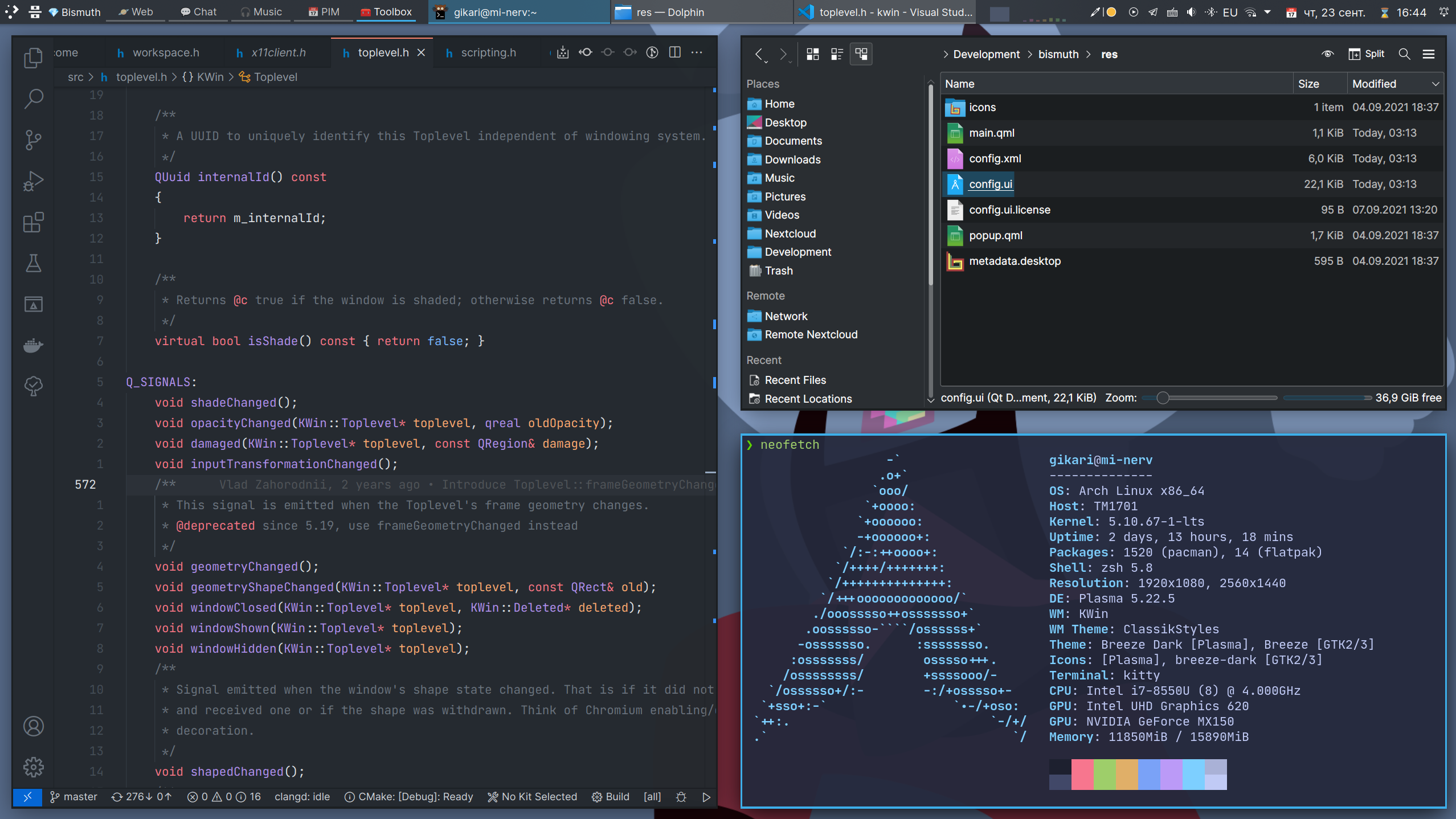
Arrange your windows in different grids to minimize the mouse usage.
Save your time by automatically managing windows on your screen.
Power-up your workflow using native Plasma features - Virtual Desktops and Activities.
Use different layouts in different contexts.
You can check if your system matches these requirements by going to System Settings > About this System.
⚠️ Distributions' packages are not affiliated with Bismuth developers. If you encounter any issues with the incorrect installation, you should contact the package maintainer first.
sudo apt install kwin-bismuth
sudo dnf install bismuth
sudo eopkg install bismuth
If you know a packaging solution for a distribution, that is not in the list, please open a pull request.
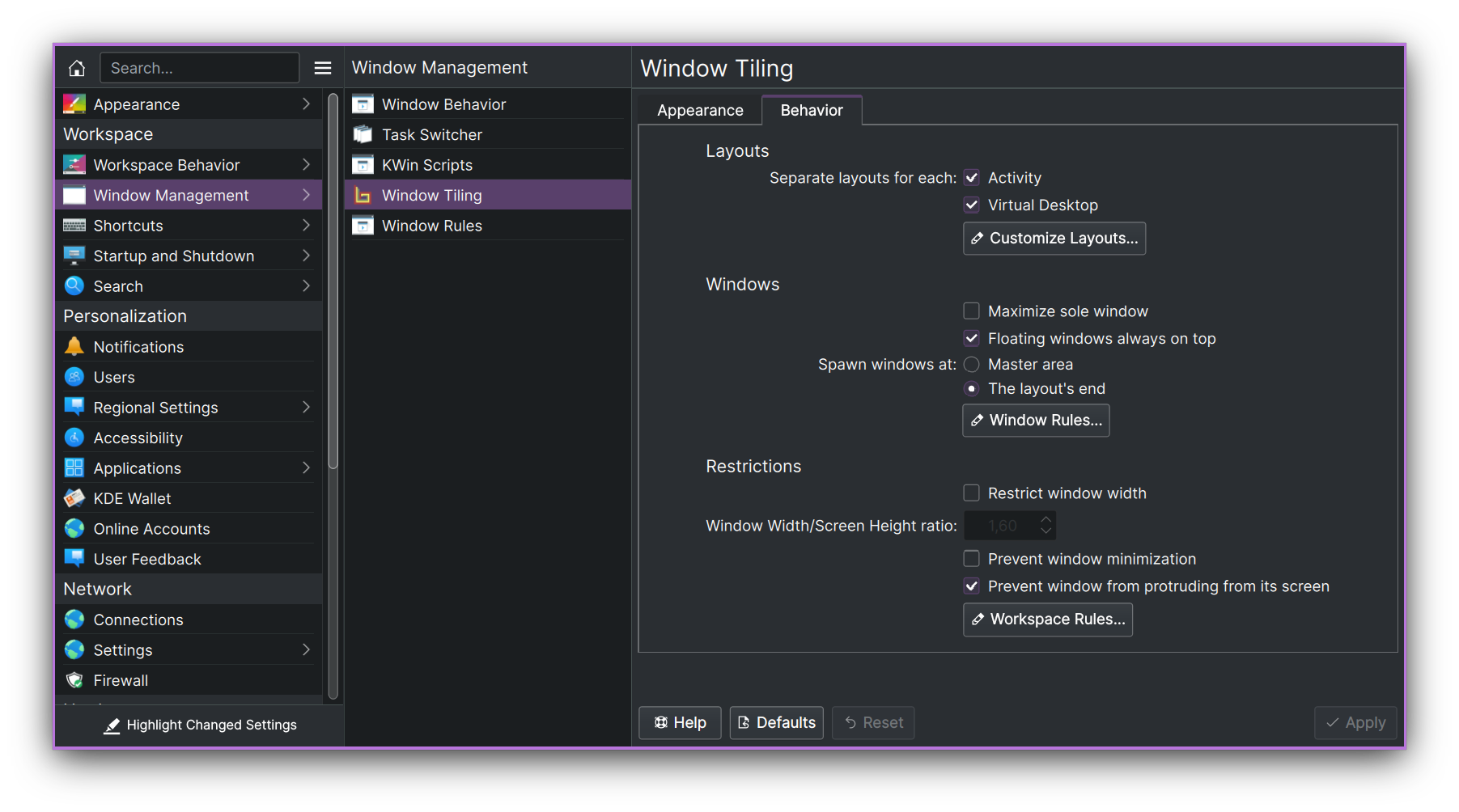
🎉 To start using Bismuth enable it in System Settings > Window Management > Window Tiling. Additionally, you can decorate your windows in a tiling window manager style (border-only windows) using the window decoration, that comes with Bismuth. To do so, go to System Settings > Appearance > Window Decorations and select the Bismuth decoration.
⌨️ You can view the shortcuts in System Settings > Shortcuts > Window Tiling. If you used Krohnkite before, you can import some of its shortcuts using the bash script.
🔧 If you want, you may also make a couple of manual fixes and tweaks to improve your experience with window tiling. See Tweaks section.
You can configure Bismuth in the System Settings > Window Management > Window Tiling.
This project was made possible because of the hard work of other people on Krohnkite KWin Tiling Script.
(top 24 of 45)
782 followers · starred Jan 2023
376 followers · starred Aug 2026
298 followers · starred Dec 2023
225 followers · starred Feb 2022
KDE Plasma add-on, that tiles your windows automatically and lets you manage them via keyboard, similarly to i3, Sway or dwm.
See the code
Arrange your windows in different grids to minimize the mouse usage.
Save your time by automatically managing windows on your screen.
Power-up your workflow using native Plasma features - Virtual Desktops and Activities.
Use different layouts in different contexts.
You can check if your system matches these requirements by going to System Settings > About this System.
⚠️ Distributions' packages are not affiliated with Bismuth developers. If you encounter any issues with the incorrect installation, you should contact the package maintainer first.
sudo apt install kwin-bismuth
sudo dnf install bismuth
sudo eopkg install bismuth
If you know a packaging solution for a distribution, that is not in the list, please open a pull request.
🎉 To start using Bismuth enable it in System Settings > Window Management > Window Tiling. Additionally, you can decorate your windows in a tiling window manager style (border-only windows) using the window decoration, that comes with Bismuth. To do so, go to System Settings > Appearance > Window Decorations and select the Bismuth decoration.
⌨️ You can view the shortcuts in System Settings > Shortcuts > Window Tiling. If you used Krohnkite before, you can import some of its shortcuts using the bash script.
🔧 If you want, you may also make a couple of manual fixes and tweaks to improve your experience with window tiling. See Tweaks section.
You can configure Bismuth in the System Settings > Window Management > Window Tiling.
This project was made possible because of the hard work of other people on Krohnkite KWin Tiling Script.
(top 24 of 45)
782 followers · starred Jan 2023
376 followers · starred Aug 2026
298 followers · starred Dec 2023
225 followers · starred Feb 2022