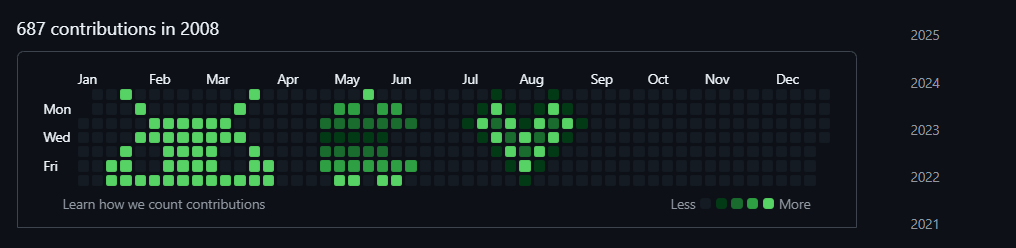
customizing the GitHub contribution graph, allowing you to draw various patterns on it.在你的GitHub贡献历史上画画!
TypeScript
1,363
53 commits
updated May 12, 2026
中文: README (中文)
In early November, this project was recommended by YiFeng Ruan(阮一峰), and officially featured in Tech Enthusiast Weekly Issue 372; in mid-November, it was recommended by the well-known influencer "it咖啡馆" and featured in GitHub Weekly Hotspots Issue 93; in December, it was successfully selected as an "interesting project" by the renowned open-source community HelloGitHub 
Make sure Git is installed on your computer.

Download the app, open it, and first grab a Personal Access Token (PAT) so you can sign in to GitHub. You can follow this guide: how to get your PAT.
| # | What you have | Recommended settings |
|---|---|---|
| 1 | Black text on white background | Mode: Binary; Invert: on; Smoothing: Nearest; Threshold: 0–10; Recovery 1: 12–24; Dilation: 0–1 |
| 2 | Low‑contrast photo or drawing | Mode: Auto; Smoothing: Bilinear; Threshold: 0–15 |
| 3 | Very thin lines (≤2px) | Mode: Binary; Invert: on; Smoothing: Nearest; Recovery 1: 20–28; Dilation: 1–2 |
| 4 | Bright/noisy photo | Mode: Auto; Smoothing: Bilinear; Threshold: 5–20 |
Tips
Examples
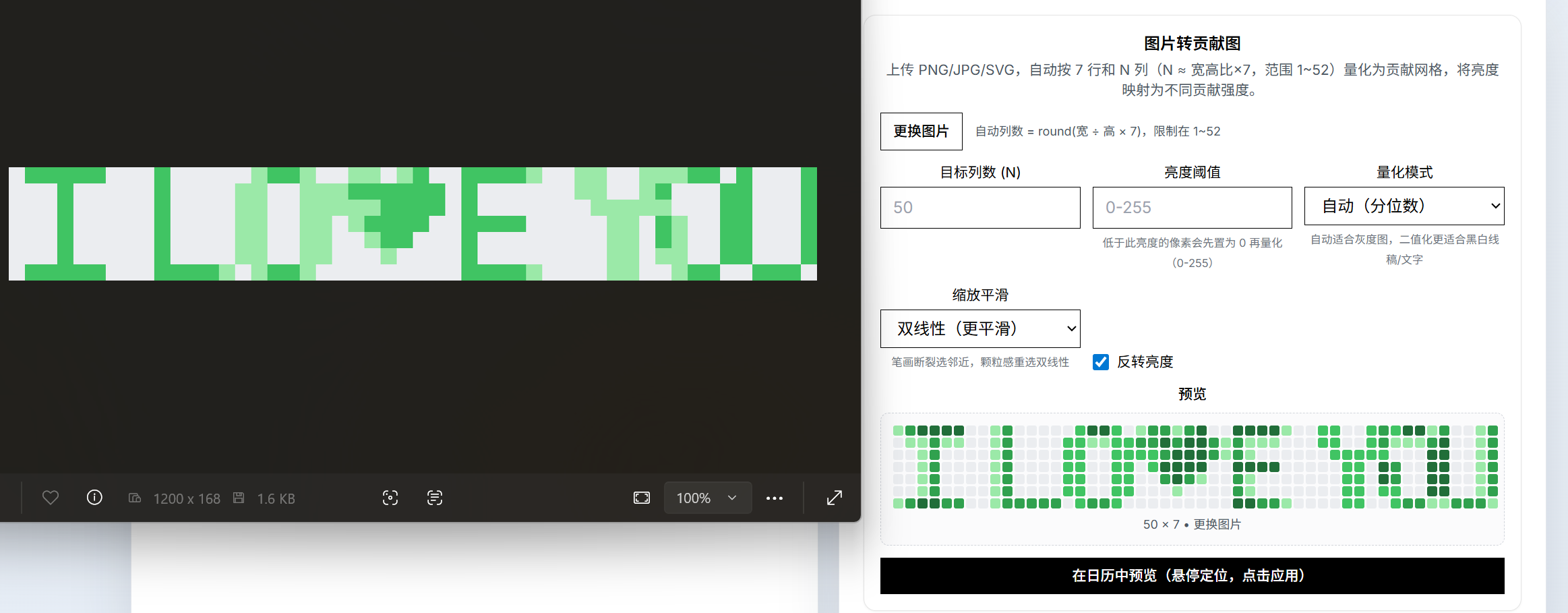 – Black text, Binary mode
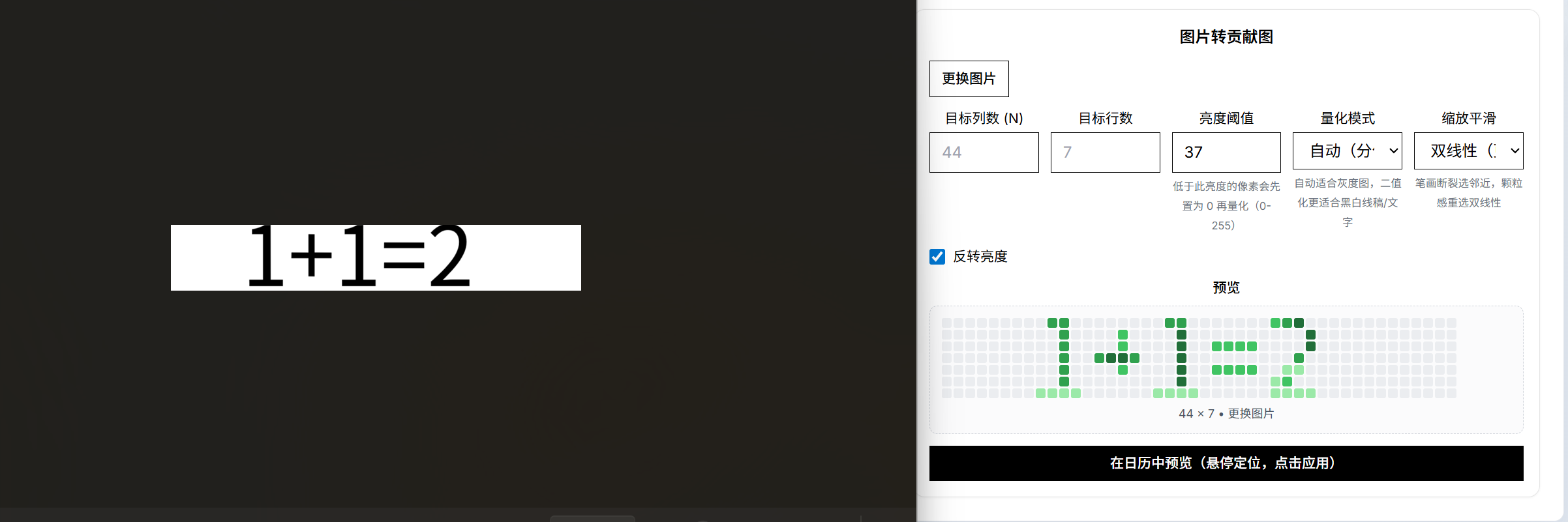 – Grayscale photo, Auto mode
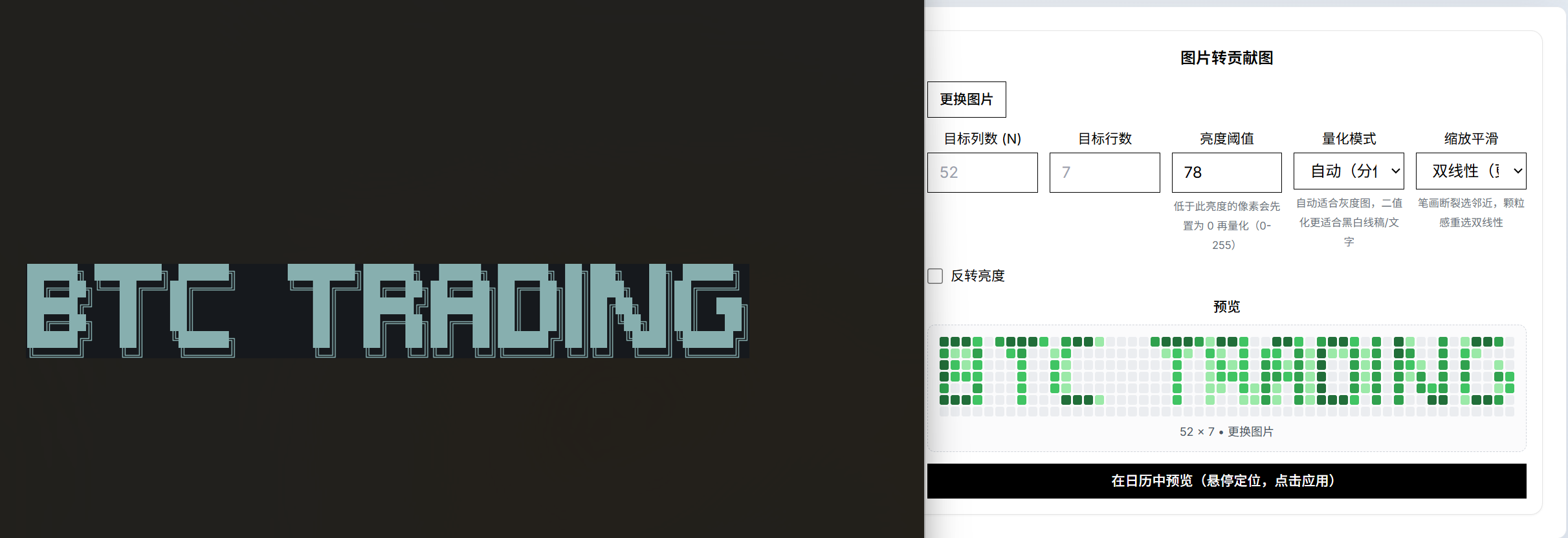 – Thin line art, Binary + dilation
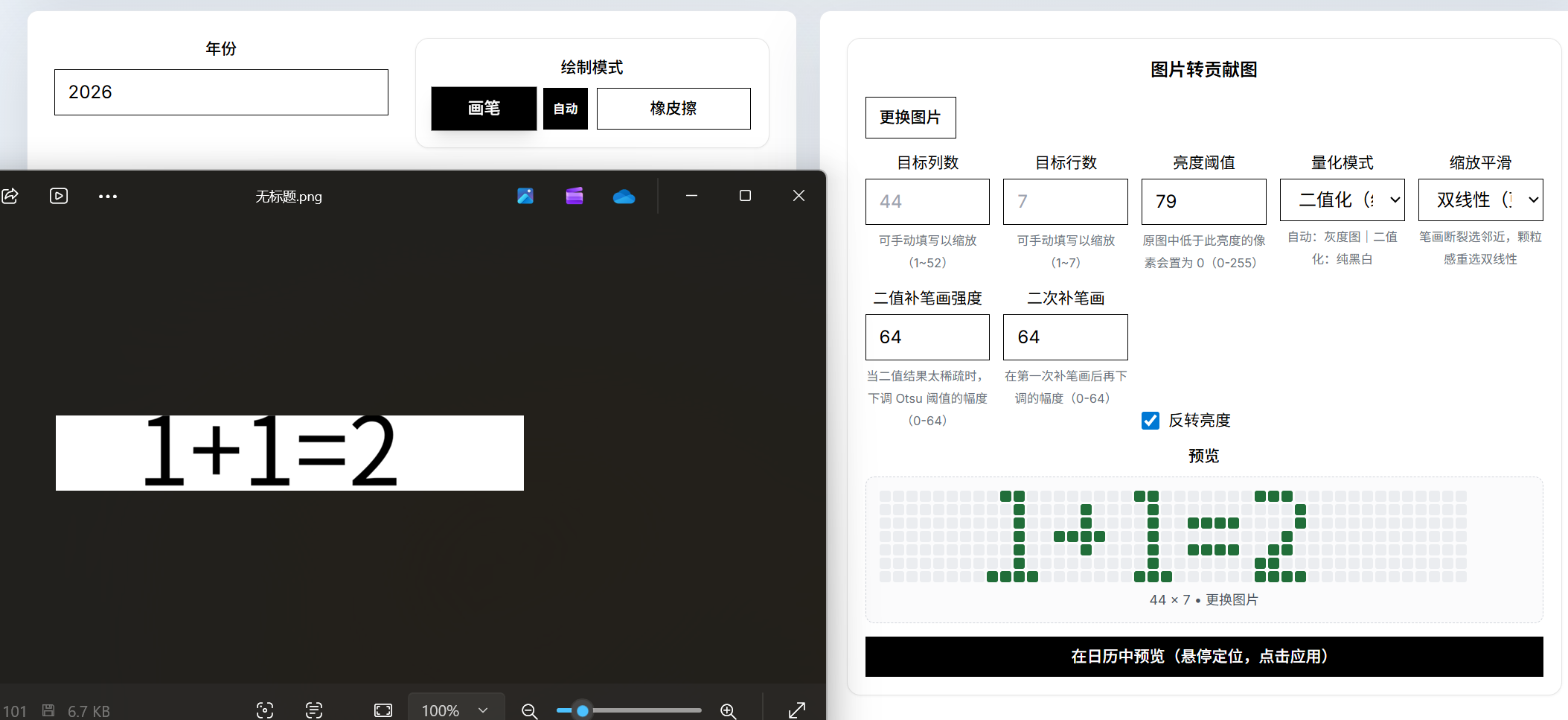 – Balanced photo, Auto mode
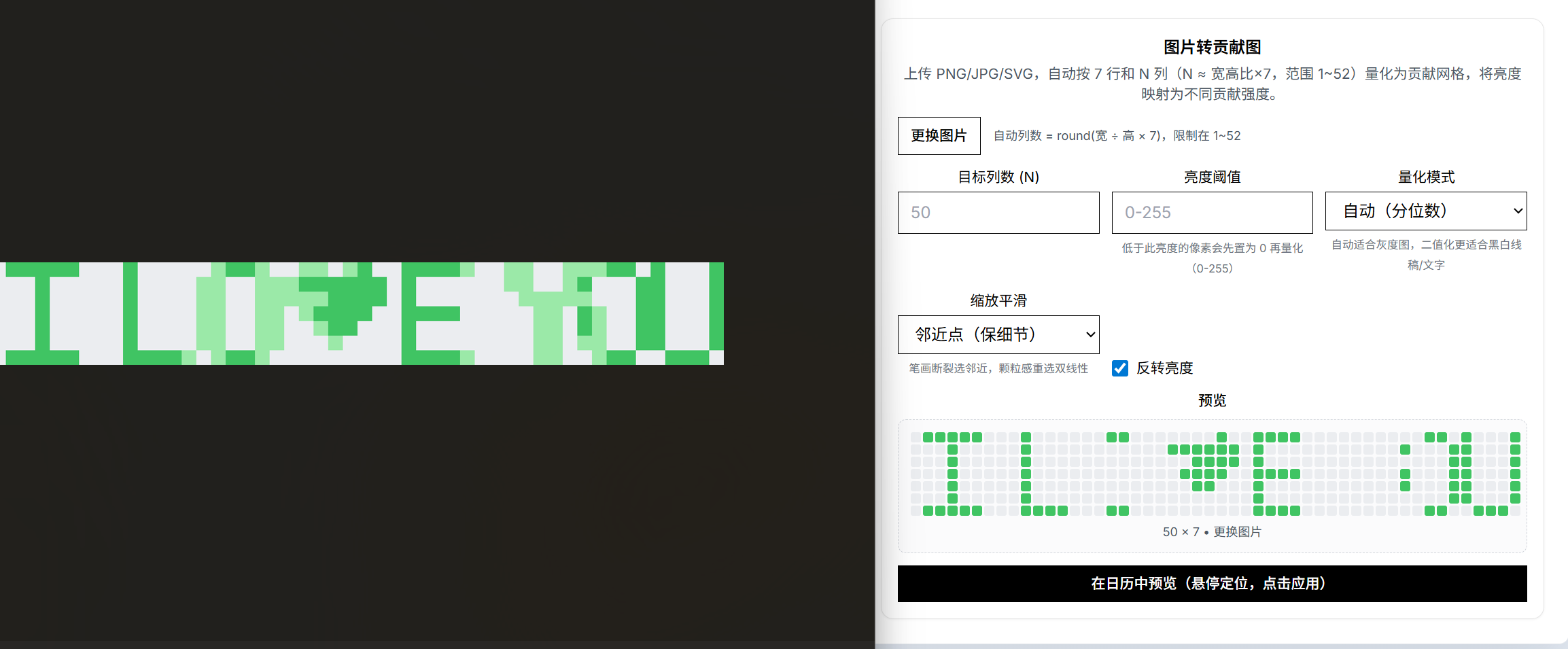 – Over‑exposed photo (try higher threshold or invert off)
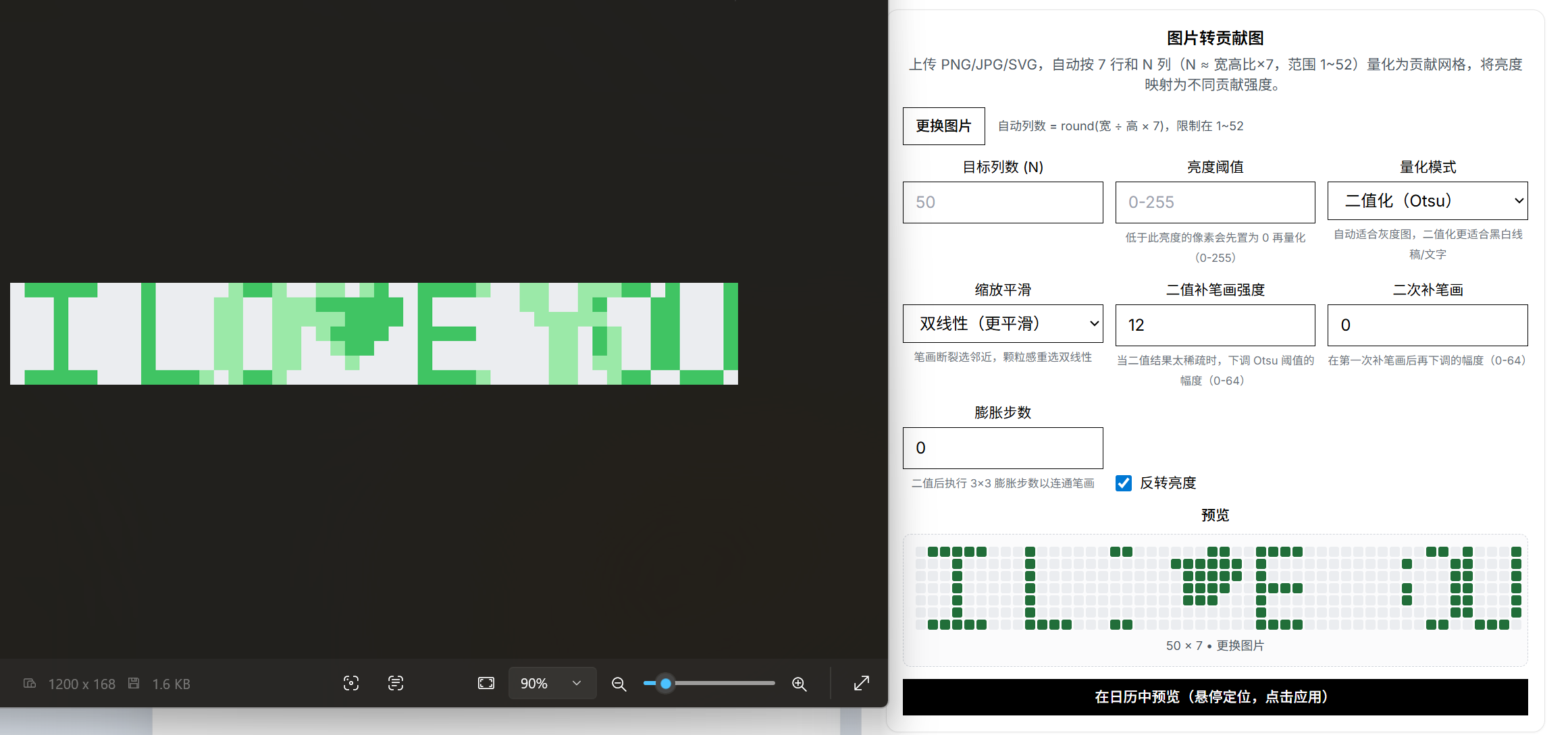 – Low contrast (increase threshold or use Binary + recovery)
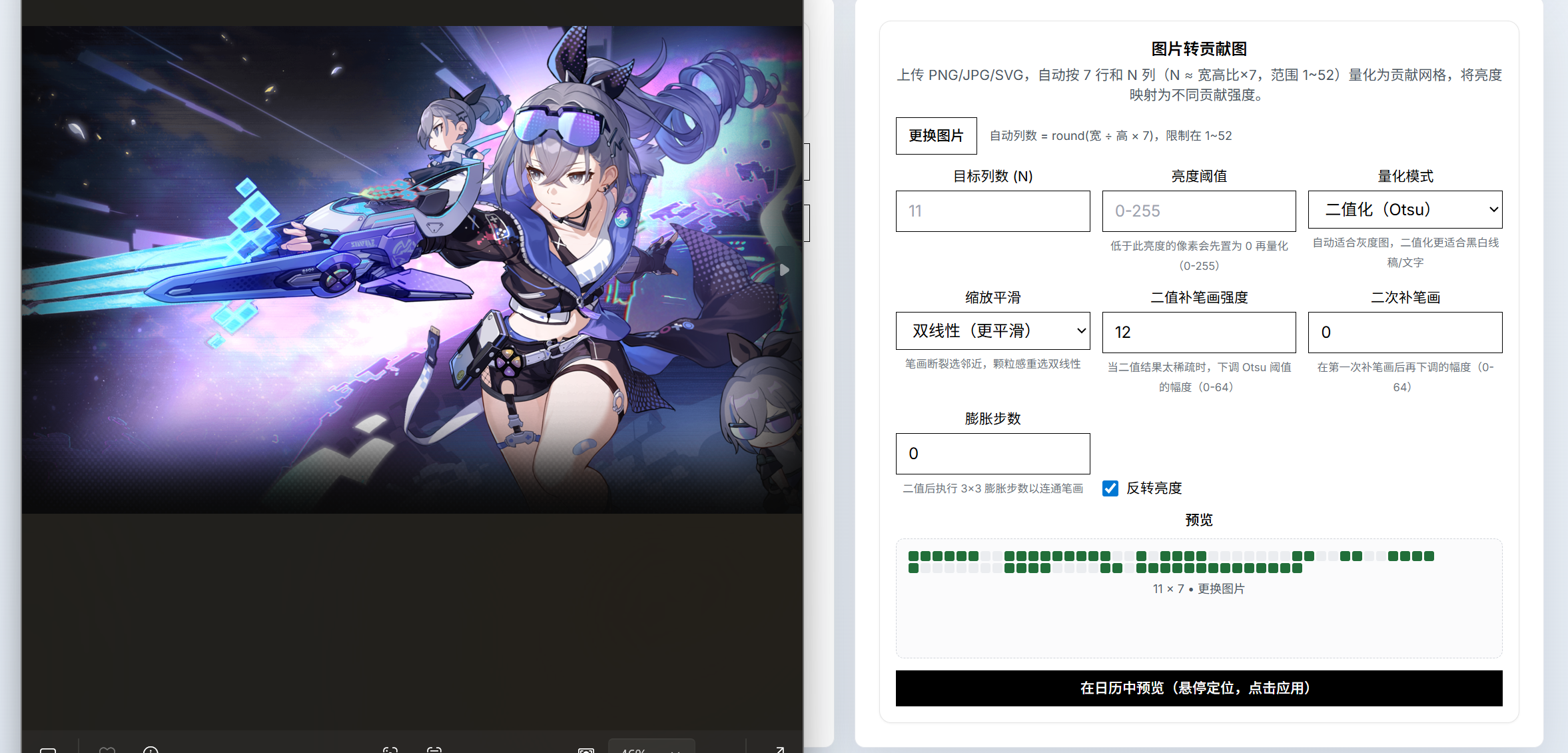 – Noisy background (crop or smooth, then raise threshold)
Once you’re logged in you’ll see your avatar and name in the upper-left corner. Drag across the calendar to paint your design. When you’re satisfied, click Create Remote Repo. You can edit the repo name and description, choose whether it’s public or private, and then press Generate & Push to let the app create and push the repository for you automatically.
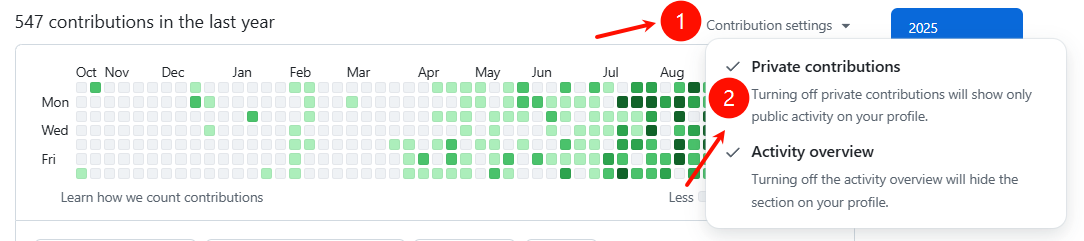
Heads-up: GitHub may take anywhere from 5 minutes to 2 days to show the contributions on your profile. You can keep the repo private and enable “Include private contributions” in your profile settings so others can’t see the repo content but the contribution streak still counts.
Ctrl+C to copy. The app will show a "Copy successful" message. After copying, the selected pattern will follow the mouse as a preview. Left-click or press Ctrl+V to paste to the target location, right-click to cancel the paste preview. Press Ctrl+V to quickly restore the last copied pattern.Download and run the application directly.
Since this application is not yet signed, you may encounter security restrictions on first launch. Follow these steps to resolve:
cd the-directory-where-green-wall.app-is-located
sudo xattr -cr ./green-wall.app
sudo xattr -r -d com.apple.quarantine ./green-wall.app
Tip: You don't need to execute all of these commands. Try them in order from top to bottom, and stop once one resolves the issue.
Warning: The commands will not automatically launch the application. You need to manually double-click the app to start it (the commands only modify file attributes).
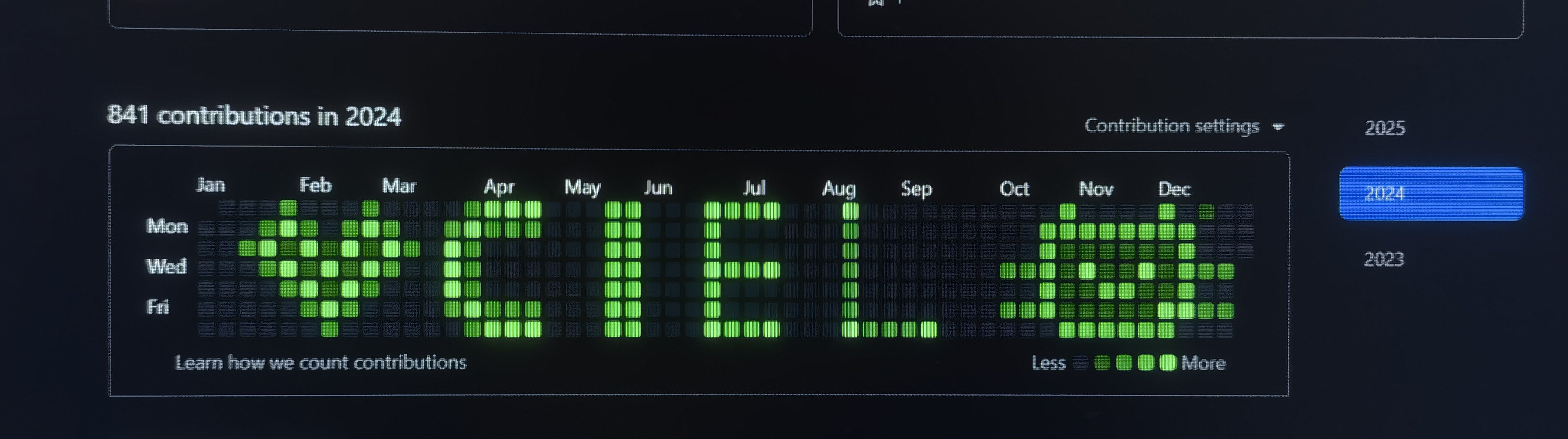
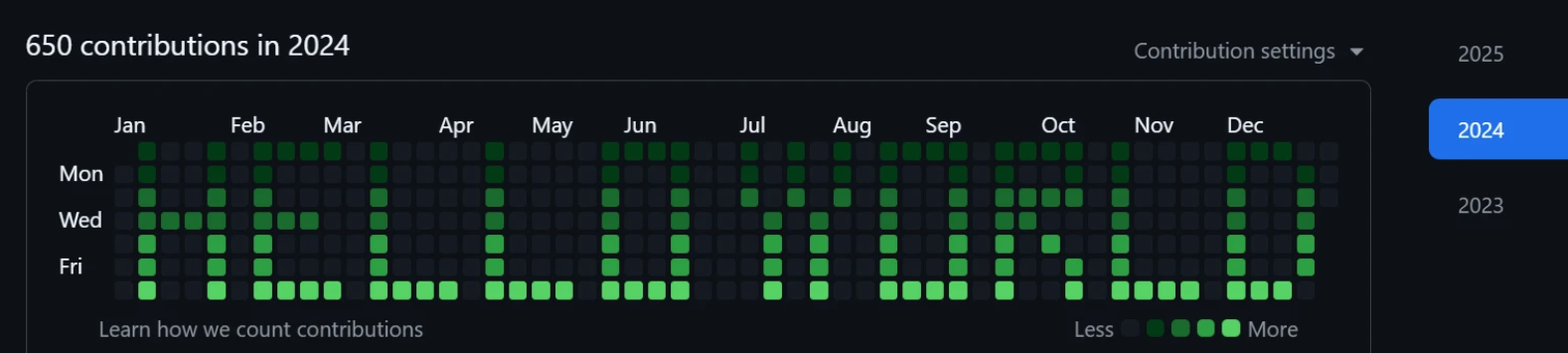
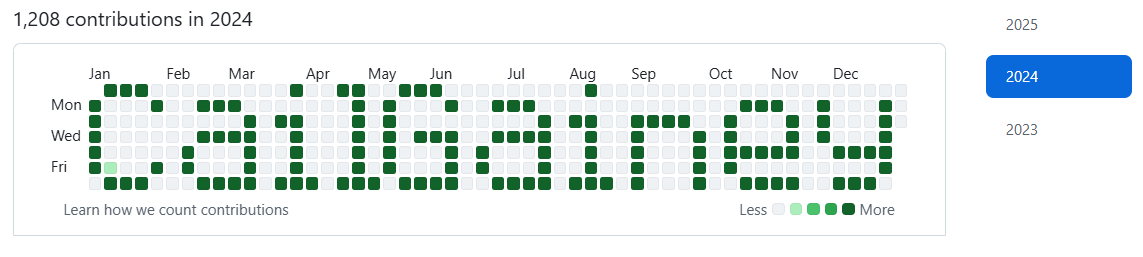 | 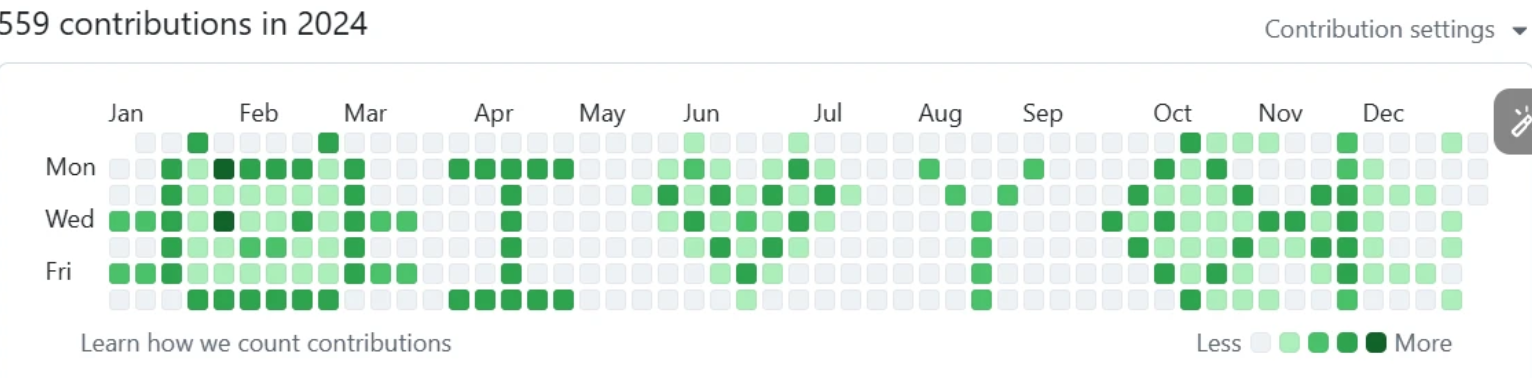 |
|---|---|
 |  |
 |
go install github.com/wailsapp/wails/v2/cmd/wails@v2.10.2
Clone the repository and enter the directory:
git clone https://github.com/zmrlft/GreenWall.git
cd GreenWall
Install front-end dependencies:
cd frontend && npm install
Start the development environment:
wails dev
Build:
wails build
Output path: build/bin/
This project is provided for educational, demonstration, and research purposes related to GitHub contribution mechanics. Misuse (for example to falsify job applications) is the user's responsibility.
51 followers · starred Oct 2025
30 followers · starred Oct 2025
13 followers · starred Nov 2025
99 followers · starred Nov 2025
customizing the GitHub contribution graph, allowing you to draw various patterns on it.在你的GitHub贡献历史上画画!
TypeScript
1,363
53 commits
updated May 12, 2026
中文: README (中文)
In early November, this project was recommended by YiFeng Ruan(阮一峰), and officially featured in Tech Enthusiast Weekly Issue 372; in mid-November, it was recommended by the well-known influencer "it咖啡馆" and featured in GitHub Weekly Hotspots Issue 93; in December, it was successfully selected as an "interesting project" by the renowned open-source community HelloGitHub
Make sure Git is installed on your computer.
Download the app, open it, and first grab a Personal Access Token (PAT) so you can sign in to GitHub. You can follow this guide: how to get your PAT.
| # | What you have | Recommended settings |
|---|---|---|
| 1 | Black text on white background | Mode: Binary; Invert: on; Smoothing: Nearest; Threshold: 0–10; Recovery 1: 12–24; Dilation: 0–1 |
| 2 | Low‑contrast photo or drawing | Mode: Auto; Smoothing: Bilinear; Threshold: 0–15 |
| 3 | Very thin lines (≤2px) | Mode: Binary; Invert: on; Smoothing: Nearest; Recovery 1: 20–28; Dilation: 1–2 |
| 4 | Bright/noisy photo | Mode: Auto; Smoothing: Bilinear; Threshold: 5–20 |
Tips
Examples
– Black text, Binary mode – Grayscale photo, Auto mode – Thin line art, Binary + dilation – Balanced photo, Auto mode – Over‑exposed photo (try higher threshold or invert off) – Low contrast (increase threshold or use Binary + recovery) – Noisy background (crop or smooth, then raise threshold)Once you’re logged in you’ll see your avatar and name in the upper-left corner. Drag across the calendar to paint your design. When you’re satisfied, click Create Remote Repo. You can edit the repo name and description, choose whether it’s public or private, and then press Generate & Push to let the app create and push the repository for you automatically.
Heads-up: GitHub may take anywhere from 5 minutes to 2 days to show the contributions on your profile. You can keep the repo private and enable “Include private contributions” in your profile settings so others can’t see the repo content but the contribution streak still counts.
Ctrl+C to copy. The app will show a "Copy successful" message. After copying, the selected pattern will follow the mouse as a preview. Left-click or press Ctrl+V to paste to the target location, right-click to cancel the paste preview. Press Ctrl+V to quickly restore the last copied pattern.Download and run the application directly.
Since this application is not yet signed, you may encounter security restrictions on first launch. Follow these steps to resolve:
cd the-directory-where-green-wall.app-is-located
sudo xattr -cr ./green-wall.app
sudo xattr -r -d com.apple.quarantine ./green-wall.app
Tip: You don't need to execute all of these commands. Try them in order from top to bottom, and stop once one resolves the issue.
Warning: The commands will not automatically launch the application. You need to manually double-click the app to start it (the commands only modify file attributes).
| |
|---|---|
| |
|
go install github.com/wailsapp/wails/v2/cmd/wails@v2.10.2
Clone the repository and enter the directory:
git clone https://github.com/zmrlft/GreenWall.git
cd GreenWall
Install front-end dependencies:
cd frontend && npm install
Start the development environment:
wails dev
Build:
wails build
Output path: build/bin/
This project is provided for educational, demonstration, and research purposes related to GitHub contribution mechanics. Misuse (for example to falsify job applications) is the user's responsibility.
51 followers · starred Oct 2025
30 followers · starred Oct 2025
13 followers · starred Nov 2025
99 followers · starred Nov 2025



