
Cross-Platform Video Player for flutter
See the codeREADME
flutter_meedu_videoplayer





Cross-Platform Video Player
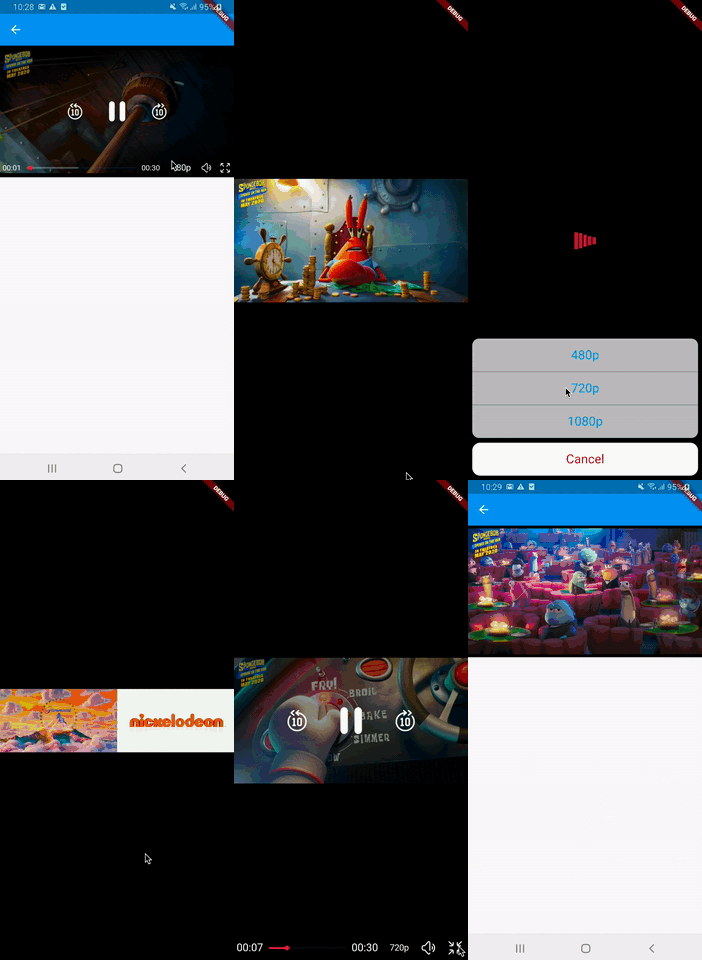
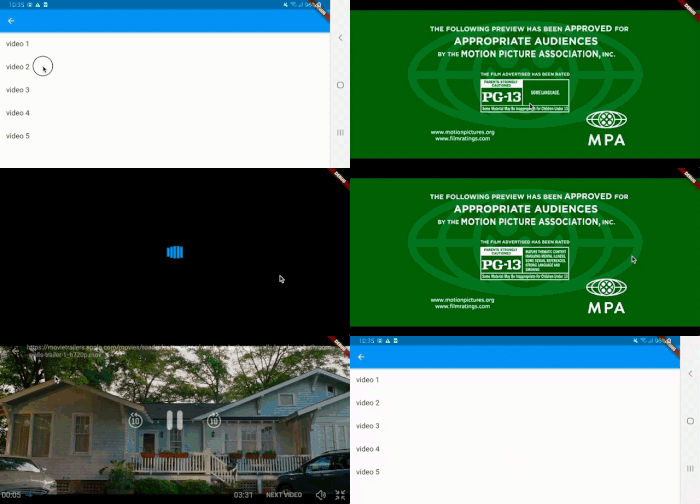
We have implemented a cross-platform video player, which provides a seamless video playback experience.
- video_player for Android, iOS, and web.
- fvp for desktop platforms.
👋 👉 Complete documentation here

| Feature | iOS | Android | Windows | Linux | macOS | Web |
|---|---|---|---|---|---|---|
| Videos from Network | ✔️ | ✔️ | ✔️ | ✔️ | ✔️ | ✔️ |
| Videos from Assets | ✔️ | ✔️ | ✔️ | ✔️ | ✔️ | ✔️ |
| Videos from Local Files | ✔️ | ✔️ | ✔️ | ✔️ | ✔️ | ✔️ |
| Looping | ✔️ | ✔️ | ✔️ | ✔️ | ✔️ | ✔️ |
| AutoPlay | ✔️ | ✔️ | ✔️ | ✔️ | ✔️ | ✔️ |
| Swipe to Control Volume | ✔️ | ✔️ | Keyboard Arrows | Keyboard Arrows | Keyboard Arrows | Keyboard Arrows |
| Swipe to Seek | ✔️ | ✔️ | Keyboard Arrows | Keyboard Arrows | Keyboard Arrows | Keyboard Arrows |
| FullScreen | ✔️ | ✔️ | ✔️ | ✔️ | ✔️ | ✔️ |
| Launch Player in FullScreen | ✔️ | ✔️ | ✔️ | ✔️ | ✔️ | ✔️ |
| Playback Speed | ✔️ | ✔️ | ✔️ | ✔️ | ✔️ | ✔️ |
| Fast Forward/Rewind | ✔️ | ✔️ | ✔️ | ✔️ | ✔️ | ✔️ |
| SRT Subtitles | ✔️ | ✔️ | ✔️ | ✔️ | ✔️ | ✔️ |
| Customization | Partially | Partially | Partially | Partially | Partially | Partially |
| Picture in Picture (PIP) | Not Implemented (Help Wanted) | ✔️ | ✔️ | Implemented (Not tested) | Implemented (Crashes, waiting for window_manager release, fixed in GitHub) | Not Implemented |
Video Player Controls
Mobile Controls
- Swipe horizontally to seek forward or backward in the video. (seekSwipes)
- Swipe vertically on the right side of the screen to control the video volume. (volumeSwipes)
- Swipe vertically on the left side of the screen to control the video brightness. (brightnessSwipes)
- Double-tap on the sides of the screen to seek forward or backward in the video. (doubleTapToSeek)
- Long press on the screen to speed up the video, and the video slows down when the long press is released. (onLongPressSpeedUp)
Desktop Controls
- One-click with the mouse to toggle play and pause. (desktopTapToPlayAndPause)
- Double-click with the mouse to toggle full-screen mode. (desktopDoubleTapToFullScreen)
- Use the keyboard up and down arrows to increase or decrease the video volume. (volumeArrows)
- Use the keyboard right and left arrows to seek forward or backward in the video. (seekArrows)
- Press the Escape key to close full-screen mode. (escapeKeyCloseFullScreen)
- Press the NumPad Decimal key (.) to toggle the video fit. (numPadDecimalKeyToggleFit)
- Press the Enter key to open full-screen mode. (enterKeyOpensFullScreen)
- Press the Space key to toggle between playing and pausing the video. (spaceKeyTogglePlay)
Initialize
void main() {
  initMeeduPlayer();
  runApp(MyApp());
}
Android (replace original video_player with fvp one)
- Just add this package and set androidUseFVP to true in initMeeduPlayer
iOS (replace original video_player with fvp one)
- Just add this package in case you set iosUseFVP to true in initMeeduPlayer
hls on web
Add to pubspec.yaml
video_player_web_hls: ^1.0.0+3
Add
<script
  src="https://cdn.jsdelivr.net/npm/hls.js@latest"
  type="application/javascript"
></script>
in index.html above
<script src="main.dart.js" type="application/javascript"></script>
or above
<script src="flutter.js" defer></script>
Contributors


Similar repos


Languages
Dart
78.8%
C++
9.3%
CMake
6.8%
Java
1.3%
Swift
1.1%
Cross-Platform Video Player for flutter
See the codeREADME
flutter_meedu_videoplayer
Cross-Platform Video Player
We have implemented a cross-platform video player, which provides a seamless video playback experience.
- video_player for Android, iOS, and web.
- fvp for desktop platforms.
👋 👉 Complete documentation here
| Feature | iOS | Android | Windows | Linux | macOS | Web |
|---|---|---|---|---|---|---|
| Videos from Network | ✔️ | ✔️ | ✔️ | ✔️ | ✔️ | ✔️ |
| Videos from Assets | ✔️ | ✔️ | ✔️ | ✔️ | ✔️ | ✔️ |
| Videos from Local Files | ✔️ | ✔️ | ✔️ | ✔️ | ✔️ | ✔️ |
| Looping | ✔️ | ✔️ | ✔️ | ✔️ | ✔️ | ✔️ |
| AutoPlay | ✔️ | ✔️ | ✔️ | ✔️ | ✔️ | ✔️ |
| Swipe to Control Volume | ✔️ | ✔️ | Keyboard Arrows | Keyboard Arrows | Keyboard Arrows | Keyboard Arrows |
| Swipe to Seek | ✔️ | ✔️ | Keyboard Arrows | Keyboard Arrows | Keyboard Arrows | Keyboard Arrows |
| FullScreen | ✔️ | ✔️ | ✔️ | ✔️ | ✔️ | ✔️ |
| Launch Player in FullScreen | ✔️ | ✔️ | ✔️ | ✔️ | ✔️ | ✔️ |
| Playback Speed | ✔️ | ✔️ | ✔️ | ✔️ | ✔️ | ✔️ |
| Fast Forward/Rewind | ✔️ | ✔️ | ✔️ | ✔️ | ✔️ | ✔️ |
| SRT Subtitles | ✔️ | ✔️ | ✔️ | ✔️ | ✔️ | ✔️ |
| Customization | Partially | Partially | Partially | Partially | Partially | Partially |
| Picture in Picture (PIP) | Not Implemented (Help Wanted) | ✔️ | ✔️ | Implemented (Not tested) | Implemented (Crashes, waiting for window_manager release, fixed in GitHub) | Not Implemented |
Video Player Controls
Mobile Controls
- Swipe horizontally to seek forward or backward in the video. (seekSwipes)
- Swipe vertically on the right side of the screen to control the video volume. (volumeSwipes)
- Swipe vertically on the left side of the screen to control the video brightness. (brightnessSwipes)
- Double-tap on the sides of the screen to seek forward or backward in the video. (doubleTapToSeek)
- Long press on the screen to speed up the video, and the video slows down when the long press is released. (onLongPressSpeedUp)
Desktop Controls
- One-click with the mouse to toggle play and pause. (desktopTapToPlayAndPause)
- Double-click with the mouse to toggle full-screen mode. (desktopDoubleTapToFullScreen)
- Use the keyboard up and down arrows to increase or decrease the video volume. (volumeArrows)
- Use the keyboard right and left arrows to seek forward or backward in the video. (seekArrows)
- Press the Escape key to close full-screen mode. (escapeKeyCloseFullScreen)
- Press the NumPad Decimal key (.) to toggle the video fit. (numPadDecimalKeyToggleFit)
- Press the Enter key to open full-screen mode. (enterKeyOpensFullScreen)
- Press the Space key to toggle between playing and pausing the video. (spaceKeyTogglePlay)
Initialize
void main() {
  initMeeduPlayer();
  runApp(MyApp());
}
Android (replace original video_player with fvp one)
- Just add this package and set androidUseFVP to true in initMeeduPlayer
iOS (replace original video_player with fvp one)
- Just add this package in case you set iosUseFVP to true in initMeeduPlayer
hls on web
Add to pubspec.yaml
video_player_web_hls: ^1.0.0+3
Add
<script
  src="https://cdn.jsdelivr.net/npm/hls.js@latest"
  type="application/javascript"
></script>
in index.html above
<script src="main.dart.js" type="application/javascript"></script>
or above
<script src="flutter.js" defer></script>
Similar repos
Contributors
Languages
Dart
78.8%
C++
9.3%
CMake
6.8%
Java
1.3%
Swift
1.1%