
README
dart_vlc
Flutter audio / video playback, broadcast & recording library for Windows & Linux.
Sponsored with 💖 by

Rapidly ship in-app messaging with Stream's highly reliable chat infrastructure and feature-rich SDKs, including Flutter!
Try the Flutter Chat tutorial
Installation
pub.dev
dependencies:
  ...
  dart_vlc: ^0.1.9
GitHub
dependencies:
  dart_vlc:
    git:
      url: https://github.com/alexmercerind/dart_vlc.git
      ref: master

dependency_overrides:
  dart_vlc_ffi:
    git:
      url: https://github.com/alexmercerind/dart_vlc.git
      ref: master
      path: ffi
Feel free to open a new issue or discussion, if you found a bug or need assistance.
Documentation
Checkout Setup section to configure plugin on your platform.
Initialize the library.
void main() {
  DartVLC.initialize();
  runApp(MyApp());
}
Create a new player instance.
final player = Player(id: 69420);
For passing VLC CLI arguments, use commandlineArguments argument.
final player = Player(
  id: 69420,
  commandlineArguments: ['--no-video'],
);
Create a media for playback.
final file = Media.file(File('C:/music.mp3'));
final asset = Media.asset('assets/audio/example.mp3');
final network = Media.network('https://www.example.com/music.aac');

// Clip [Media] playback duration.
final media2 = Media.network(
  'https://www.example.com/music.aac',
  startTime: Duration(seconds: 20),
  stopTime: Duration(seconds: 60),
);
Create a list of medias using playlist.
final playlist = Playlist(
  medias: [
    Media.file(File('C:/music.mp3')),
    Media.file(File('C:/audio.mp3')),
    Media.asset('assets/audio/example.mp3'),
    Media.network('https://www.example.com/music.aac'),
  ],
);
Open a media or playlist into a player.
player.open(
  Media.file(File('C:/music0.mp3')),
  autoStart: true, // default
);
player.open(
  Playlist(
    medias: [
      Media.file(File('C:/music0.mp3')),
      Media.file(File('C:/music1.mp3')),
      Media.file(File('C:/music2.mp3')),
    ],
  ),
  autoStart: false,
);
Control playback.
player.play();

player.seek(Duration(seconds: 30));

player.pause();

player.playOrPause();

player.stop();
Controls the playlist.
player.next();

player.previous();

player.jumpToIndex(10);
Manipulate an already playing playlist.
player.add(
  Media.file(File('C:/music0.mp3')),
);

player.remove(4);

player.insert(
  2,
  Media.file(File('C:/music0.mp3')),
);

player.move(0, 4);
Set playback volume & rate.
player.setVolume(0.5);

player.setRate(1.25);
Get & change playback device.
List<Device> devices = Devices.all;

player.setDevice(devices[0]);
Save the video screenshot
player.takeSnapshot(file, 1920, 1080);
Show the video inside widget tree.
Show Video in the Widget tree.
class _MyAppState extends State<MyApp> {
  @override
  Widget build(BuildContext context) {
    return Scaffold(
      body: Video(
        player: player,
        height: 1920.0,
        width: 1080.0,
        scale: 1.0, // default
        showControls: false, // default
      ),
    );
  }
}
By default, Video widget's frame size will adapt to the currently playing video.
To override this & define custom video frame size, pass videoDimensions argument while instanciating Player class as follows.
Player player = Player(
  id: 69420,
  videoDimensions: const VideoDimensions(640, 360),
);
Change user agent.
player.setUserAgent(userAgent);
Retrieve metadata of media.
Media media = Media.network(
  'https://www.example.com/media.mp3',
  parse: true,
  timeout: Duration(seconds: 10),
);

Map<String, String> metas = media.metas;
Listen to playback events.
(Same can be retrieved directly from Player instance without having to rely on stream).
Listen to currently loaded media & playlist index changes.
player.currentStream.listen((CurrentState state) {
  state.index;
  state.media;
  state.medias;
  state.isPlaylist;
});
Listen to playback position & media duration.
player.positionStream.listen((PositionState state) {
  state.position;
  state.duration;
});
Listen to playback states.
player.playbackStream.listen((PlaybackState state) {
  state.isPlaying;
  state.isSeekable;
  state.isCompleted;
});
Listen to volume & rate of the Player.
player.generalStream.listen((GeneralState state) {
  state.volume;
  state.rate;
});
Listen to dimensions of currently playing Video.
player.videoDimensionsStream.listen((VideoDimensions video) {
  video.width;
  video.height;
});
Listen to buffering progress of the playing Media.
player.bufferingProgressStream.listen(
  (double event) {
    this.setState(() {
      this.bufferingProgress = event;
    });
  },
);
Set an equalizer.
Create using preset.
Equalizer equalizer = Equalizer.createMode(EqualizerMode.party);
player.setEqualizer(equalizer);
Create custom equalizer.
Equalizer equalizer = Equalizer.createEmpty();
equalizer.setPreAmp(10.0);
equalizer.setBandAmp(31.25, -10.0);
equalizer.setBandAmp(100.0, -10.0);
player.setEqualizer(equalizer);
Get equalizer state.
equalizer.preAmp;
equalizer.bandAmps;
Broadcast a media.
Broadcasting to localhost.
final broadcast = Broadcast.create(
  id: 0,
  media: Media.file(File('C:/video.mp4')),
  configuration: BroadcastConfiguration(
    access: 'http',
    mux: 'mpeg1',
    dst: '127.0.0.1:8080',
    vcodec: 'mp1v',
    vb: 1024,
    acodec: 'mpga',
    ab: 128,
  ),
);
broadcast.start();
Dispose the Broadcast instance to release resources.
broadcast.dispose();
Record a media.
final record = Record.create(
  id: 205,
  media: Media.network('https://www.example.com/streaming-media.MP3'),
  pathFile: '/home/alexmercerind/recording.MP3',
);
record.start();
Setup
Windows
Everything is already set up.
Linux
For using this plugin on Linux, you must have VLC & libVLC installed.
On Ubuntu/Debian:
sudo apt-get install vlc
sudo apt-get install libvlc-dev
On Fedora:
sudo dnf install https://download1.rpmfusion.org/free/fedora/rpmfusion-free-release-$(rpm -E %fedora).noarch.rpm
sudo dnf install vlc
sudo dnf install vlc-devel
Support
Consider sponsoring this project. Maintenance of open-source software & libraries is severely under-paid or not paid at all.
Writing C++ & native code is a very tedious process.
Acknowledgements
-
BIG thanks to @jnschulze for his awesome contributions to this project & to the Flutter engine itself like adding texture support & adding macOS support here. I have learnt a lot about modern C++ & good-practices when writing code from you, thanks a lot for your guidances, reviews, work & donation. I'm really really thankful to you.
-
BIG thanks to @DomingoMG for adding
RecordandChromecastclasses. Also, thanks a lot for donation to the project & giving me motivation to start building this. I would've never attempted this if you didn't motivate me. And now that it started,dart_vlchas grown a lot. -
Thanks to @tomassasovsky for adding visual controls to
Videowidget. -
Thanks to following members of libVLC community (irrespective of the order) for giving general ideas about libVLC APIs:
-
Finally, thanks to the VideoLAN team for creating libVLC & libVLC++. Really great guys really great at their work.
Contributions
The code in the project is nicely arranged and follows the clean architecture.
Contributions to the project are open, it will be appreciated if you discuss the bug-fix/feature-addition in the issues first.
License
Copyright (C) 2021, Hitesh Kumar Saini saini123hitesh@gmail.com.
This library & work under this repository is licensed under GNU Lesser General Public License v2.1.
Vision
There aren't any media (audio or video) playback libraries for Flutter or Dart on Windows/Linux yet. So, this project is all about that. As one might be already aware, VLC is one of the best media playback tools out there.
So, now you can use it to play audio or video files from Flutter or Dart apps.
As the project has grown, awesome people from community have added support for iOS & macOS aswell.
Example
You can see an example project here.

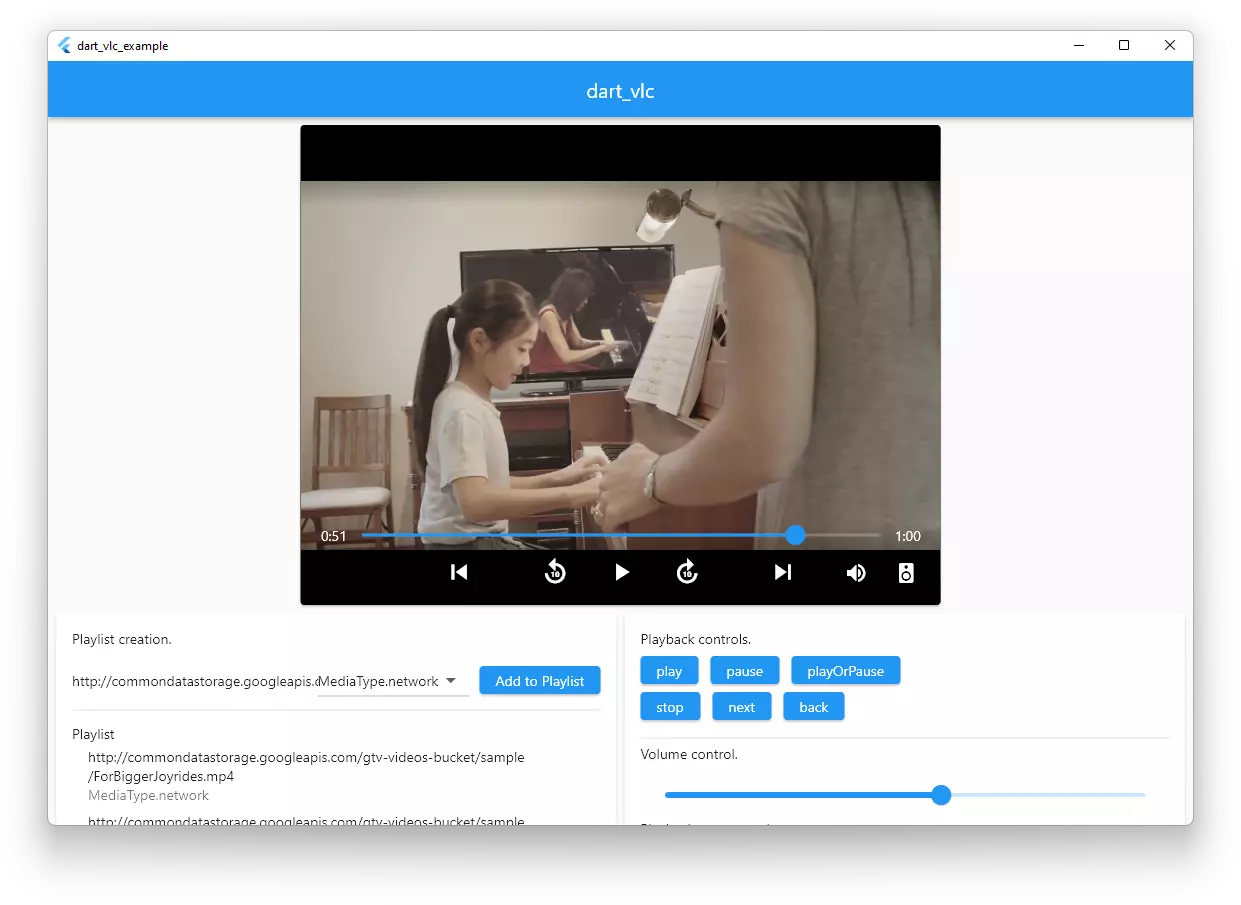
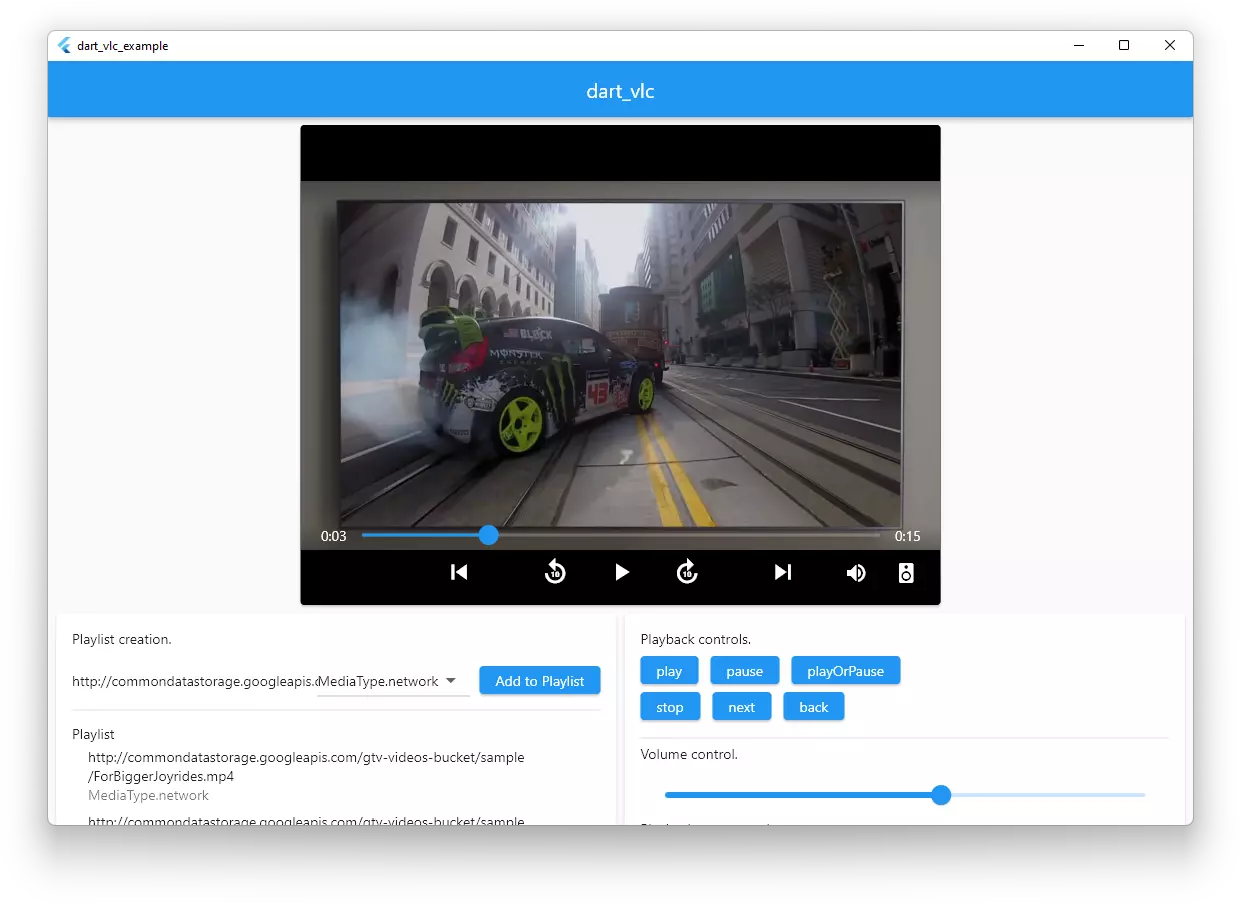
dart_vlc running on Ubuntu Linux.
Features
Done
Mediaplayback fromFile.Mediaplayback from network.Mediaplayback from assets.play/pause/playOrPause/stop.- Multiple
Playerinstances. Playlist.next/back/jumpfor playlists.setVolume.setRate.seek.- Event streams.
add/insert/remove/moveMediainsidePlaylistduring playback with no interruption.- Device enumeration & changing.
- Retrieving metadata/tags of a
Media. - Embedding
Videoinside the Flutter window (using texture or natively). - Supporting live streaming links.
Broadcastclass for broadcastingMedia.Recordclass for recordingMedia.Chromecastclass.Equalizerconfiguration & presets.- Changing user agent.
- Changing
Video's frame size according to video. - Saving screenshot of the video.
- Changing/retrieving audio track.
- Media clipping.
- Support for Windows, Linux or macOS.
Under progress or planned features (irrespective of order)...
- Bringing project on Android and iOS.
- Removing libVLC++ dependency.
- Subtitle control.
Contributors


Similar repos


Languages
C++
45.9%
Dart
42.9%
CMake
8.3%
C
2.9%
README
dart_vlc
Flutter audio / video playback, broadcast & recording library for Windows & Linux.
Sponsored with 💖 by
Rapidly ship in-app messaging with Stream's highly reliable chat infrastructure and feature-rich SDKs, including Flutter!
Try the Flutter Chat tutorial
Installation
pub.dev
dependencies:
  ...
  dart_vlc: ^0.1.9
GitHub
dependencies:
  dart_vlc:
    git:
      url: https://github.com/alexmercerind/dart_vlc.git
      ref: master

dependency_overrides:
  dart_vlc_ffi:
    git:
      url: https://github.com/alexmercerind/dart_vlc.git
      ref: master
      path: ffi
Feel free to open a new issue or discussion, if you found a bug or need assistance.
Documentation
Checkout Setup section to configure plugin on your platform.
Initialize the library.
void main() {
  DartVLC.initialize();
  runApp(MyApp());
}
Create a new player instance.
final player = Player(id: 69420);
For passing VLC CLI arguments, use commandlineArguments argument.
final player = Player(
  id: 69420,
  commandlineArguments: ['--no-video'],
);
Create a media for playback.
final file = Media.file(File('C:/music.mp3'));
final asset = Media.asset('assets/audio/example.mp3');
final network = Media.network('https://www.example.com/music.aac');

// Clip [Media] playback duration.
final media2 = Media.network(
  'https://www.example.com/music.aac',
  startTime: Duration(seconds: 20),
  stopTime: Duration(seconds: 60),
);
Create a list of medias using playlist.
final playlist = Playlist(
  medias: [
    Media.file(File('C:/music.mp3')),
    Media.file(File('C:/audio.mp3')),
    Media.asset('assets/audio/example.mp3'),
    Media.network('https://www.example.com/music.aac'),
  ],
);
Open a media or playlist into a player.
player.open(
  Media.file(File('C:/music0.mp3')),
  autoStart: true, // default
);
player.open(
  Playlist(
    medias: [
      Media.file(File('C:/music0.mp3')),
      Media.file(File('C:/music1.mp3')),
      Media.file(File('C:/music2.mp3')),
    ],
  ),
  autoStart: false,
);
Control playback.
player.play();

player.seek(Duration(seconds: 30));

player.pause();

player.playOrPause();

player.stop();
Controls the playlist.
player.next();

player.previous();

player.jumpToIndex(10);
Manipulate an already playing playlist.
player.add(
  Media.file(File('C:/music0.mp3')),
);

player.remove(4);

player.insert(
  2,
  Media.file(File('C:/music0.mp3')),
);

player.move(0, 4);
Set playback volume & rate.
player.setVolume(0.5);

player.setRate(1.25);
Get & change playback device.
List<Device> devices = Devices.all;

player.setDevice(devices[0]);
Save the video screenshot
player.takeSnapshot(file, 1920, 1080);
Show the video inside widget tree.
Show Video in the Widget tree.
class _MyAppState extends State<MyApp> {
  @override
  Widget build(BuildContext context) {
    return Scaffold(
      body: Video(
        player: player,
        height: 1920.0,
        width: 1080.0,
        scale: 1.0, // default
        showControls: false, // default
      ),
    );
  }
}
By default, Video widget's frame size will adapt to the currently playing video.
To override this & define custom video frame size, pass videoDimensions argument while instanciating Player class as follows.
Player player = Player(
  id: 69420,
  videoDimensions: const VideoDimensions(640, 360),
);
Change user agent.
player.setUserAgent(userAgent);
Retrieve metadata of media.
Media media = Media.network(
  'https://www.example.com/media.mp3',
  parse: true,
  timeout: Duration(seconds: 10),
);

Map<String, String> metas = media.metas;
Listen to playback events.
(Same can be retrieved directly from Player instance without having to rely on stream).
Listen to currently loaded media & playlist index changes.
player.currentStream.listen((CurrentState state) {
  state.index;
  state.media;
  state.medias;
  state.isPlaylist;
});
Listen to playback position & media duration.
player.positionStream.listen((PositionState state) {
  state.position;
  state.duration;
});
Listen to playback states.
player.playbackStream.listen((PlaybackState state) {
  state.isPlaying;
  state.isSeekable;
  state.isCompleted;
});
Listen to volume & rate of the Player.
player.generalStream.listen((GeneralState state) {
  state.volume;
  state.rate;
});
Listen to dimensions of currently playing Video.
player.videoDimensionsStream.listen((VideoDimensions video) {
  video.width;
  video.height;
});
Listen to buffering progress of the playing Media.
player.bufferingProgressStream.listen(
  (double event) {
    this.setState(() {
      this.bufferingProgress = event;
    });
  },
);
Set an equalizer.
Create using preset.
Equalizer equalizer = Equalizer.createMode(EqualizerMode.party);
player.setEqualizer(equalizer);
Create custom equalizer.
Equalizer equalizer = Equalizer.createEmpty();
equalizer.setPreAmp(10.0);
equalizer.setBandAmp(31.25, -10.0);
equalizer.setBandAmp(100.0, -10.0);
player.setEqualizer(equalizer);
Get equalizer state.
equalizer.preAmp;
equalizer.bandAmps;
Broadcast a media.
Broadcasting to localhost.
final broadcast = Broadcast.create(
  id: 0,
  media: Media.file(File('C:/video.mp4')),
  configuration: BroadcastConfiguration(
    access: 'http',
    mux: 'mpeg1',
    dst: '127.0.0.1:8080',
    vcodec: 'mp1v',
    vb: 1024,
    acodec: 'mpga',
    ab: 128,
  ),
);
broadcast.start();
Dispose the Broadcast instance to release resources.
broadcast.dispose();
Record a media.
final record = Record.create(
  id: 205,
  media: Media.network('https://www.example.com/streaming-media.MP3'),
  pathFile: '/home/alexmercerind/recording.MP3',
);
record.start();
Setup
Windows
Everything is already set up.
Linux
For using this plugin on Linux, you must have VLC & libVLC installed.
On Ubuntu/Debian:
sudo apt-get install vlc
sudo apt-get install libvlc-dev
On Fedora:
sudo dnf install https://download1.rpmfusion.org/free/fedora/rpmfusion-free-release-$(rpm -E %fedora).noarch.rpm
sudo dnf install vlc
sudo dnf install vlc-devel
Support
Consider sponsoring this project. Maintenance of open-source software & libraries is severely under-paid or not paid at all.
Writing C++ & native code is a very tedious process.
Acknowledgements
-
BIG thanks to @jnschulze for his awesome contributions to this project & to the Flutter engine itself like adding texture support & adding macOS support here. I have learnt a lot about modern C++ & good-practices when writing code from you, thanks a lot for your guidances, reviews, work & donation. I'm really really thankful to you.
-
BIG thanks to @DomingoMG for adding
RecordandChromecastclasses. Also, thanks a lot for donation to the project & giving me motivation to start building this. I would've never attempted this if you didn't motivate me. And now that it started,dart_vlchas grown a lot. -
Thanks to @tomassasovsky for adding visual controls to
Videowidget. -
Thanks to following members of libVLC community (irrespective of the order) for giving general ideas about libVLC APIs:
-
Finally, thanks to the VideoLAN team for creating libVLC & libVLC++. Really great guys really great at their work.
Contributions
The code in the project is nicely arranged and follows the clean architecture.
Contributions to the project are open, it will be appreciated if you discuss the bug-fix/feature-addition in the issues first.
License
Copyright (C) 2021, Hitesh Kumar Saini saini123hitesh@gmail.com.
This library & work under this repository is licensed under GNU Lesser General Public License v2.1.
Vision
There aren't any media (audio or video) playback libraries for Flutter or Dart on Windows/Linux yet. So, this project is all about that. As one might be already aware, VLC is one of the best media playback tools out there.
So, now you can use it to play audio or video files from Flutter or Dart apps.
As the project has grown, awesome people from community have added support for iOS & macOS aswell.
Example
You can see an example project here.
dart_vlc running on Ubuntu Linux.
Features
Done
Mediaplayback fromFile.Mediaplayback from network.Mediaplayback from assets.play/pause/playOrPause/stop.- Multiple
Playerinstances. Playlist.next/back/jumpfor playlists.setVolume.setRate.seek.- Event streams.
add/insert/remove/moveMediainsidePlaylistduring playback with no interruption.- Device enumeration & changing.
- Retrieving metadata/tags of a
Media. - Embedding
Videoinside the Flutter window (using texture or natively). - Supporting live streaming links.
Broadcastclass for broadcastingMedia.Recordclass for recordingMedia.Chromecastclass.Equalizerconfiguration & presets.- Changing user agent.
- Changing
Video's frame size according to video. - Saving screenshot of the video.
- Changing/retrieving audio track.
- Media clipping.
- Support for Windows, Linux or macOS.
Under progress or planned features (irrespective of order)...
- Bringing project on Android and iOS.
- Removing libVLC++ dependency.
- Subtitle control.
Similar repos
Contributors
Languages
C++
45.9%
Dart
42.9%
CMake
8.3%
C
2.9%