Terminal UI to list, browse and run APIs defined with openapi spec.
Rust
1,342
214 commits
updated May 14, 2026

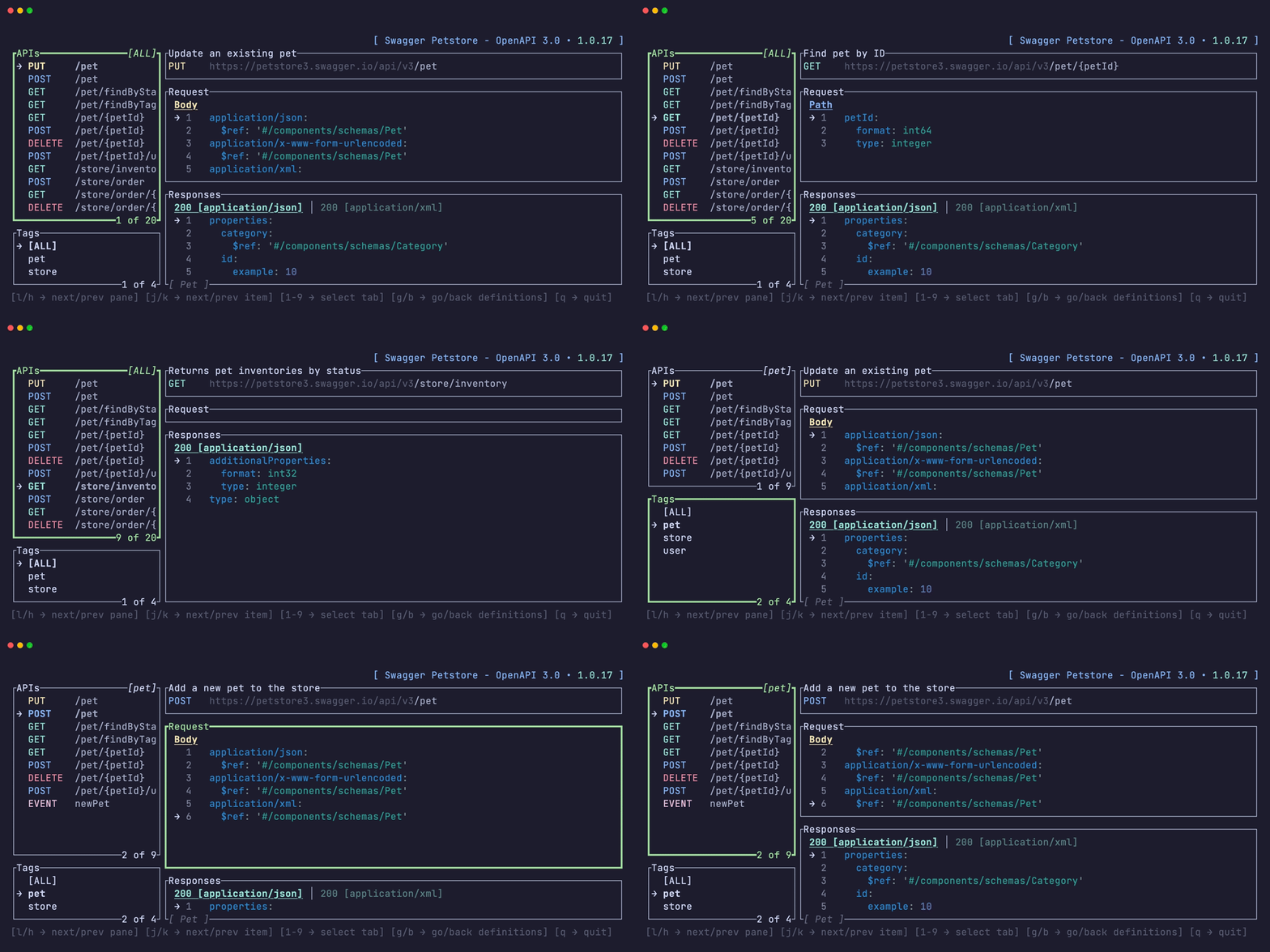
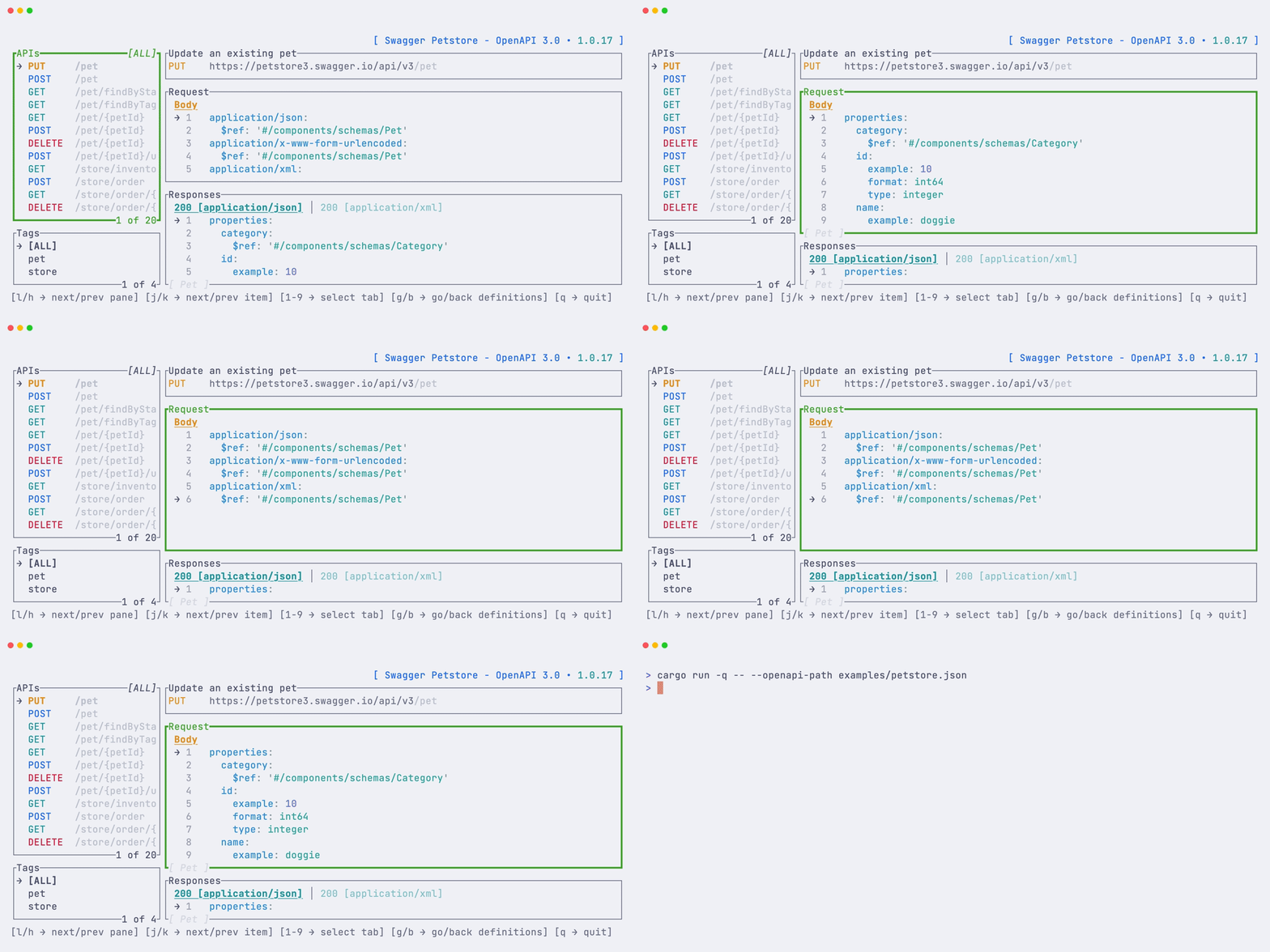
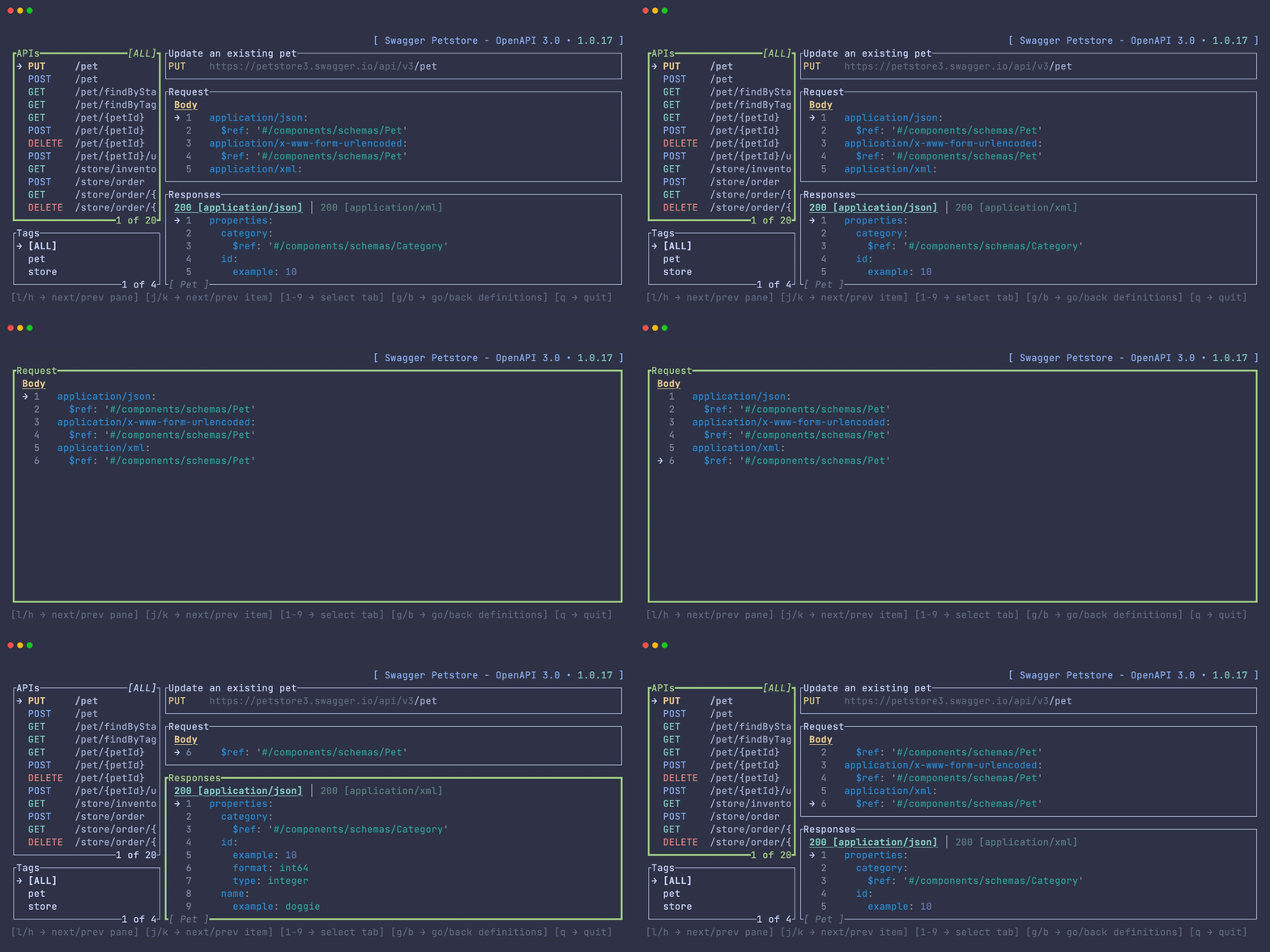
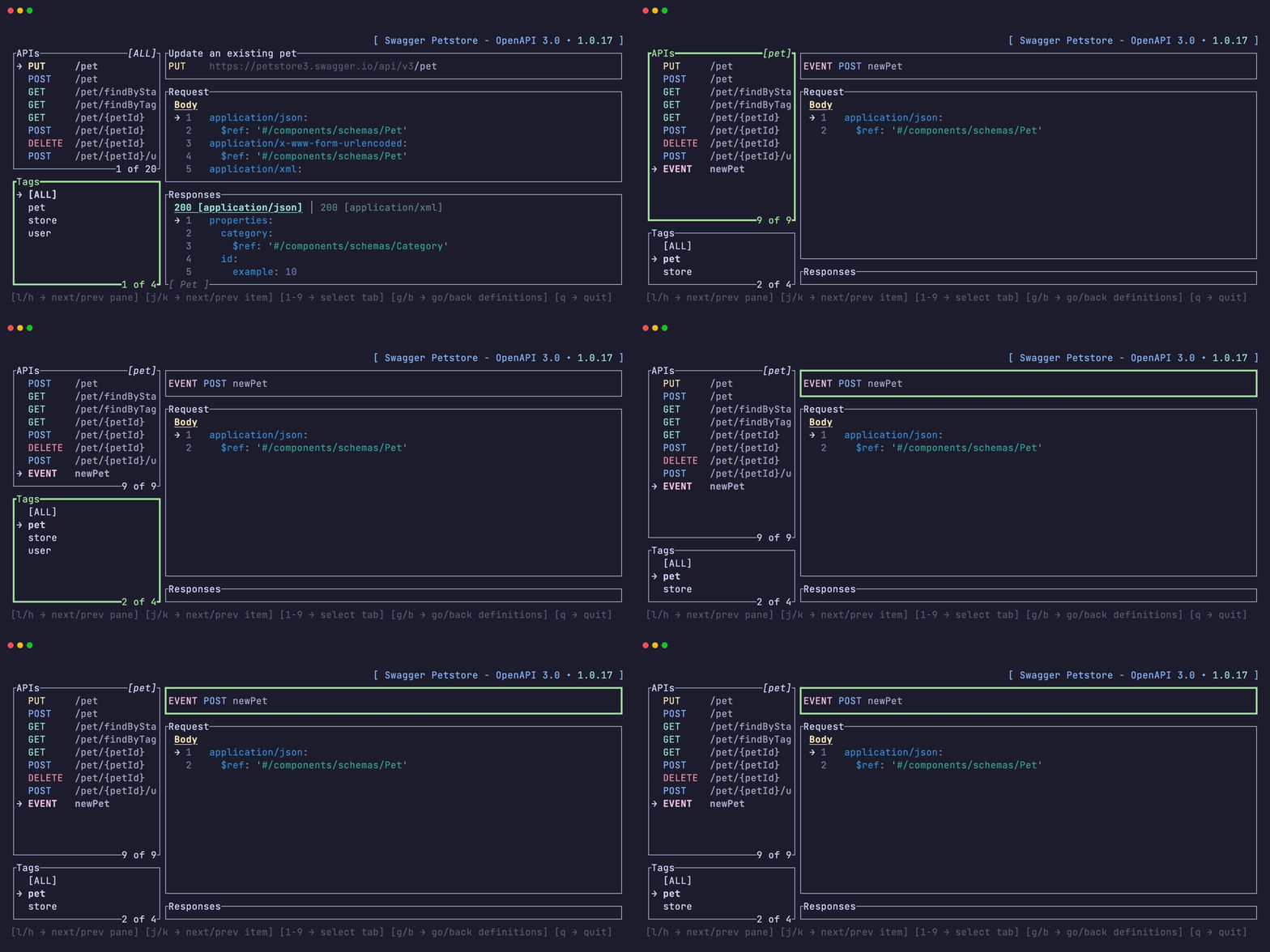
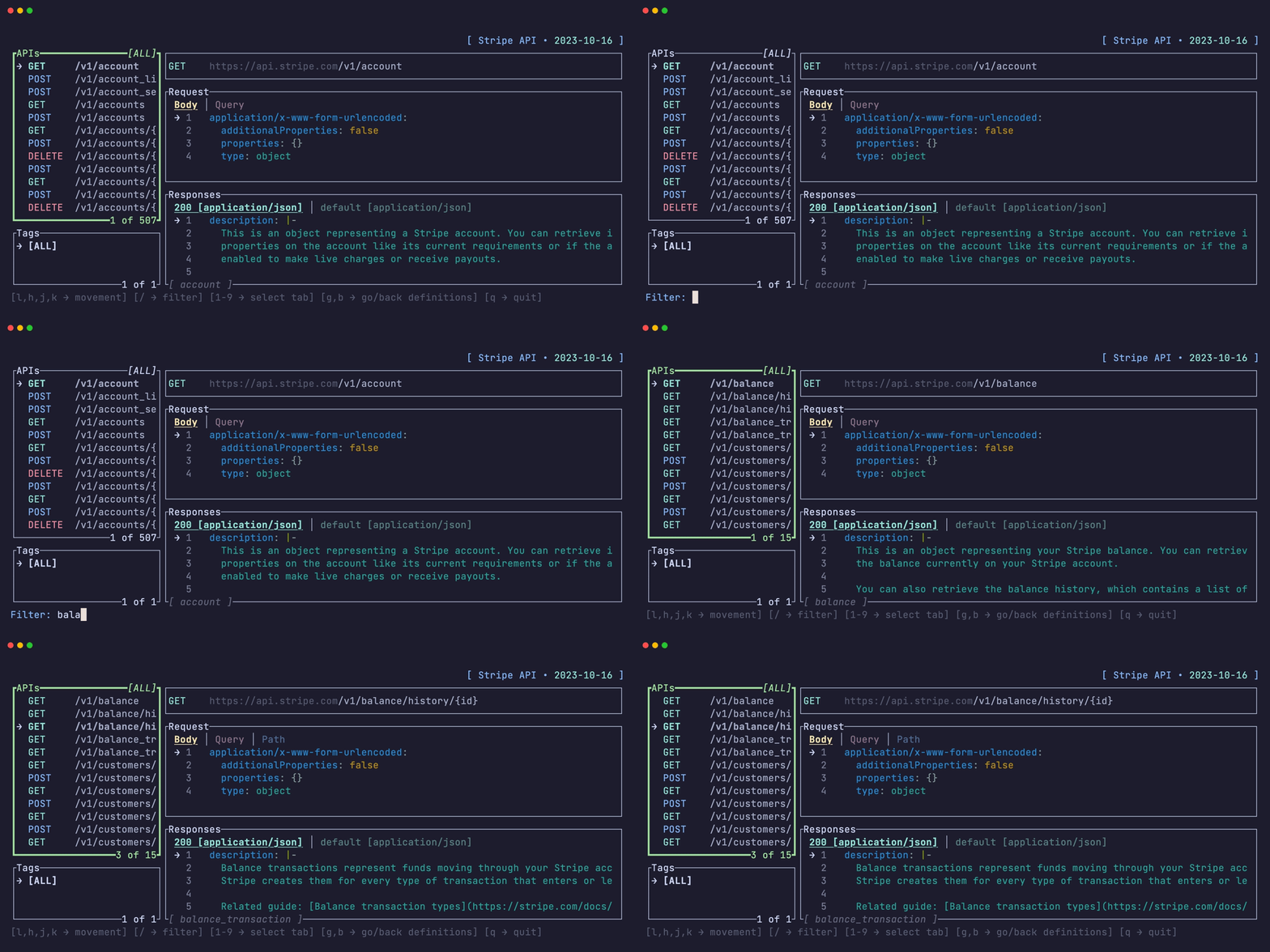
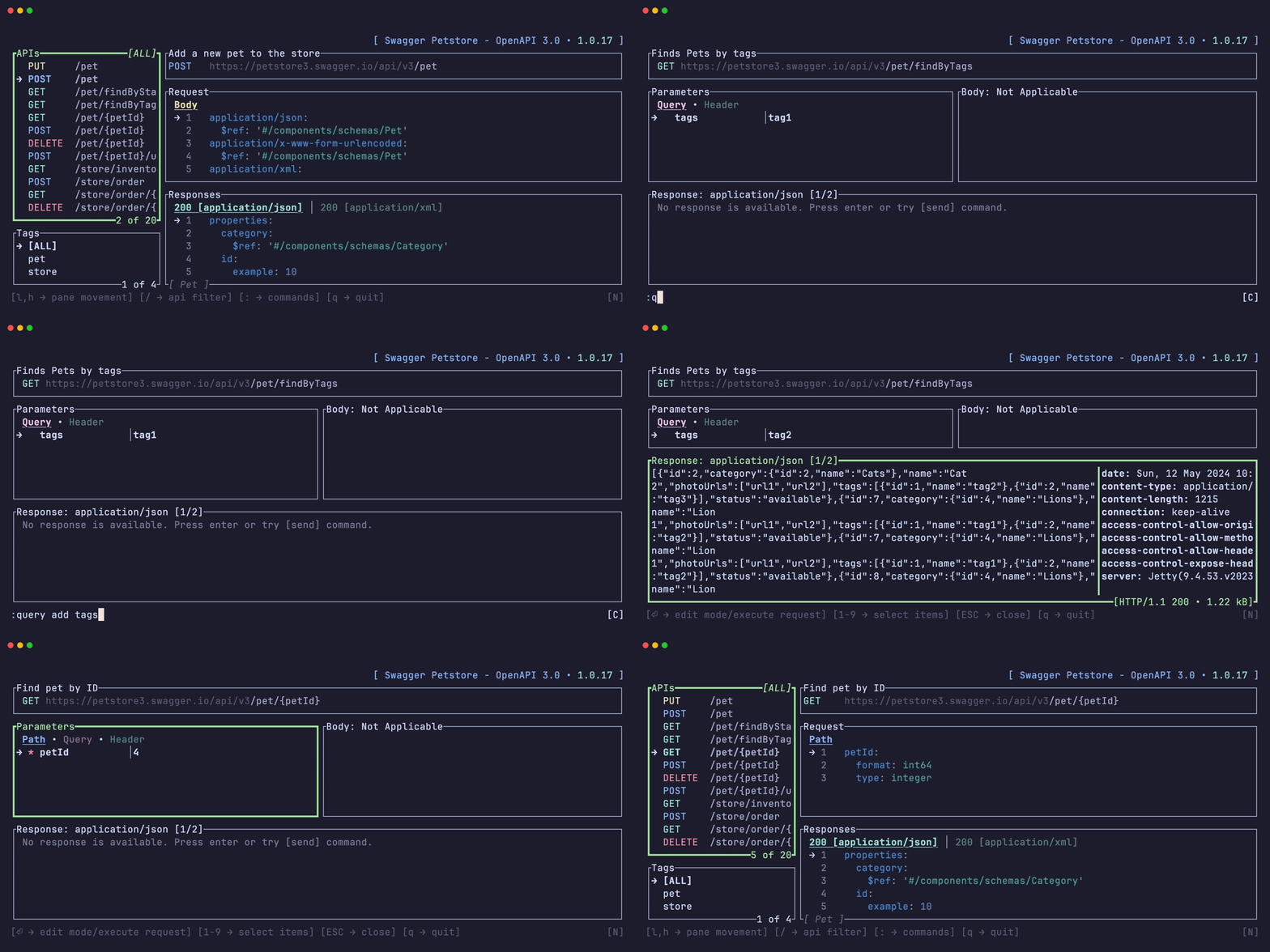
Terminal UI to list, browse and run APIs defined with OpenAPI v3.0 and v3.1 spec.
❯ openapi-tui --help
This TUI allows you to list and browse APIs described by the openapi specification.

Usage: openapi-tui [OPTIONS] --input <PATH>

Options:
  -i, --input <PATH>          Input file or url, in json or yaml format with openapi specification
  -H, --header <NAME: VALUE>  Global header to attach to every request, in `Name: Value` form. May be repeated.
  -h, --help                  Print help
  -V, --version               Print version
# open local yaml file
❯ openapi-tui -i examples/stripe/spec.yml

# open local json file
❯ openapi-tui -i examples/petstore.json

# open remote file
❯ openapi-tui -i https://raw.githubusercontent.com/github/rest-api-description/main/descriptions-next/api.github.com/api.github.com.yaml

# attach default headers to every request
❯ openapi-tui -i examples/petstore.json -H 'Authorization: Bearer xyz' -H 'X-Env: dev'

Install from source:
❯ cargo install openapi-tui
Or download pre-built artifact from release page.
Just run the application with docker.
# open local file
❯ docker run --rm -ti -v$(pwd)/examples:/opt zaghaghi/openapi-tui -i /opt/petstore.json

# open remote file
❯ docker run --rm -it zaghaghi/openapi-tui -i https://raw.githubusercontent.com/github/rest-api-description/main/descriptions-next/api.github.com/api.github.com.yaml

You can install using pacman as follows:
❯ pacman -S openapi-tui
You can install the openapi-tui package directly with the following command:
nix profile install github:zaghaghi/openapi-tui
You can also install openapi-tui by adding it to your configuration.nix file.
# flake.nix

{
  inputs.openapi-tui.url = "github:zaghaghi/openapi-tui";
  # ...

  outputs = {nixpkgs, ...} @ inputs: {
    nixosConfigurations.<your-hostname> = nixpkgs.lib.nixosSystem {
      specialArgs = { inherit inputs; }; # this is the important part
      modules = [
        ./configuration.nix
      ];
    };
  }
}
Then, add openapi-tui to your configuration.nix
# configuration.nix

{inputs, pkgs, ...}: {
  environment.systemPackages = with pkgs; [
    inputs.openapi-tui.packages.${pkgs.system}.openapi-tui
  ];
}
| Key | Action |
|---|---|
→, l | Move to next pane |
←, h | Move to previous pane |
↓, j | Move down in lists |
↑, k | Move up in lists |
1...9 | Move between tabs |
] | Move to next tab |
[ | Move to previous tab |
f | Toggle fullscreen pane |
g | Go in nested items in lists |
q | Quit |
/ | Filter apis |
: | Run commands |
? | Show help popup with keys and commands |
Backspace, b | Get out of nested items in lists |
| Command | Description |
|---|---|
q | Quit |
request, r | Go to request page |
history | Request history |
auth | Open authentication popup to set credentials for components.securitySchemes |
help | Show help popup with keys and commands |
| Command | Description |
|---|---|
q | Quit |
send, s | Send request |
auth | Open authentication popup to set credentials for components.securitySchemes |
copy [curl|httpie] | Copy the current request to the clipboard. Defaults to curl. e.g. copy curl |
help | Show help popup with keys and commands |
query, q | Add or remove query strings. sub-commands are add or rm. e.g. query add page |
header, h | Add or remove headers. sub-commands are add or rm. e.g. header add x-api-key |
request, r | Load request payload. e.g. request open /home/hamed/payload.json |
response, s | Save response payload e.g. response save /home/hamed/result.json |
jq <expr> | Filter JSON response with a jq expression. e.g. jq .items[0] |
jq | Clear jq filter and return to normal response view |
search <term> | Search for a term in the response body (case-insensitive). e.g. search error |
search | Clear search and return to normal response view |
| Variable | Description |
|---|---|
OPENAPI_TUI_DEFAULT_SERVER | Add a custom server url to the list of servers |
in(top 24 of 38)
24 followers · starred Jan 2025
261 followers · starred Mar 2024
36 followers · starred Feb 2026
739 followers · starred Mar 2024
Terminal UI to list, browse and run APIs defined with openapi spec.
Rust
1,342
214 commits
updated May 14, 2026
Terminal UI to list, browse and run APIs defined with OpenAPI v3.0 and v3.1 spec.
❯ openapi-tui --help
This TUI allows you to list and browse APIs described by the openapi specification.

Usage: openapi-tui [OPTIONS] --input <PATH>

Options:
  -i, --input <PATH>          Input file or url, in json or yaml format with openapi specification
  -H, --header <NAME: VALUE>  Global header to attach to every request, in `Name: Value` form. May be repeated.
  -h, --help                  Print help
  -V, --version               Print version
# open local yaml file
❯ openapi-tui -i examples/stripe/spec.yml

# open local json file
❯ openapi-tui -i examples/petstore.json

# open remote file
❯ openapi-tui -i https://raw.githubusercontent.com/github/rest-api-description/main/descriptions-next/api.github.com/api.github.com.yaml

# attach default headers to every request
❯ openapi-tui -i examples/petstore.json -H 'Authorization: Bearer xyz' -H 'X-Env: dev'
Install from source:
❯ cargo install openapi-tui
Or download pre-built artifact from release page.
Just run the application with docker.
# open local file
❯ docker run --rm -ti -v$(pwd)/examples:/opt zaghaghi/openapi-tui -i /opt/petstore.json

# open remote file
❯ docker run --rm -it zaghaghi/openapi-tui -i https://raw.githubusercontent.com/github/rest-api-description/main/descriptions-next/api.github.com/api.github.com.yaml
You can install using pacman as follows:
❯ pacman -S openapi-tui
You can install the openapi-tui package directly with the following command:
nix profile install github:zaghaghi/openapi-tui
You can also install openapi-tui by adding it to your configuration.nix file.
# flake.nix

{
  inputs.openapi-tui.url = "github:zaghaghi/openapi-tui";
  # ...

  outputs = {nixpkgs, ...} @ inputs: {
    nixosConfigurations.<your-hostname> = nixpkgs.lib.nixosSystem {
      specialArgs = { inherit inputs; }; # this is the important part
      modules = [
        ./configuration.nix
      ];
    };
  }
}
Then, add openapi-tui to your configuration.nix
# configuration.nix

{inputs, pkgs, ...}: {
  environment.systemPackages = with pkgs; [
    inputs.openapi-tui.packages.${pkgs.system}.openapi-tui
  ];
}
| Key | Action |
|---|---|
→, l | Move to next pane |
←, h | Move to previous pane |
↓, j | Move down in lists |
↑, k | Move up in lists |
1...9 | Move between tabs |
] | Move to next tab |
[ | Move to previous tab |
f | Toggle fullscreen pane |
g | Go in nested items in lists |
q | Quit |
/ | Filter apis |
: | Run commands |
? | Show help popup with keys and commands |
Backspace, b | Get out of nested items in lists |
| Command | Description |
|---|---|
q | Quit |
request, r | Go to request page |
history | Request history |
auth | Open authentication popup to set credentials for components.securitySchemes |
help | Show help popup with keys and commands |
| Command | Description |
|---|---|
q | Quit |
send, s | Send request |
auth | Open authentication popup to set credentials for components.securitySchemes |
copy [curl|httpie] | Copy the current request to the clipboard. Defaults to curl. e.g. copy curl |
help | Show help popup with keys and commands |
query, q | Add or remove query strings. sub-commands are add or rm. e.g. query add page |
header, h | Add or remove headers. sub-commands are add or rm. e.g. header add x-api-key |
request, r | Load request payload. e.g. request open /home/hamed/payload.json |
response, s | Save response payload e.g. response save /home/hamed/result.json |
jq <expr> | Filter JSON response with a jq expression. e.g. jq .items[0] |
jq | Clear jq filter and return to normal response view |
search <term> | Search for a term in the response body (case-insensitive). e.g. search error |
search | Clear search and return to normal response view |
| Variable | Description |
|---|---|
OPENAPI_TUI_DEFAULT_SERVER | Add a custom server url to the list of servers |
in(top 24 of 38)
24 followers · starred Jan 2025
261 followers · starred Mar 2024
36 followers · starred Feb 2026
739 followers · starred Mar 2024



